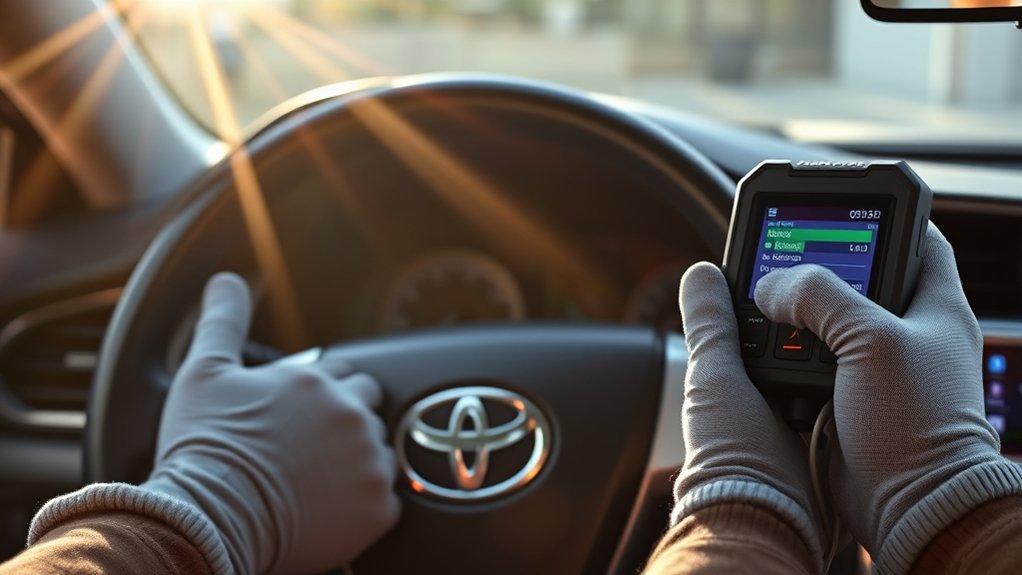
Clearing a diagnostic trouble code from a Toyota Camry is not the same as repairing the problem that set it. The safest approach is to read and save the diagnostic information, diagnose and repair the cause, and then erase the code with a compatible OBD-II scan tool. Exact procedures and warning-light meanings can vary by model year, engine, hybrid system, and market, so confirm vehicle-specific details in the Toyota owner’s manual for your Camry.
Last updated: September 19, 2026
Editorial basis: This guide cross-checks Toyota owner and service-information resources, current OBD guidance, and emissions-readiness guidance. It does not claim hands-on testing of every Camry generation, so model-year-specific procedures should always be confirmed before diagnosis or repair.
Quick Answer
To safely clear OBD2 codes on a Toyota Camry, first read and save every stored, pending, and permanent code plus freeze-frame data. Repair the cause, connect a compatible scan tool to the under-dash diagnostic port, use its Erase or Clear function, and then rescan the vehicle to confirm the code and warning light stay off.
Key Takeaways
- A trouble code identifies a detected condition or system; it does not automatically prove which part has failed.
- Save the codes, status, freeze-frame data, and readiness results before erasing anything.
- Use a compatible OBD-II scanner instead of routinely disconnecting the battery or pulling an ECU fuse.
- Do not confuse the Check Engine Light with the separate Maintenance Required reminder; they use different reset procedures.
- Clearing codes resets emissions readiness monitors and can interfere with a near-term emissions inspection.
- A permanent DTC cannot normally be forced away with the scanner’s Clear command; the repaired system must run and pass its monitor.
At a Glance
| Time Required | Usually only a few minutes to connect, save diagnostic data, erase the code, and rescan after the repair; diagnosis and readiness-monitor completion can take much longer. |
| Difficulty | Easy to read and erase codes; diagnosis and repair can range from simple to advanced. |
| Tools Needed | A compatible OBD-II scan tool, the vehicle-specific owner’s manual, and a phone or notepad for saving diagnostic data. |
| Cost | Usually no additional cost with an owned or borrowed scanner; scan-tool purchase and professional diagnostic costs vary. |
Warning: Do not erase a flashing Check Engine Light simply to see whether it returns. Reduce engine load and stop in a safe place. If the light keeps flashing, the engine runs roughly, power drops sharply, or another serious warning appears, shut the vehicle off and arrange professional diagnosis or towing. A flashing malfunction indicator can accompany a catalyst-damaging fault.
Check Engine vs. Maintenance Required: This article covers OBD-II diagnostic trouble codes and the malfunction indicator lamp. If your Camry only shows a routine maintenance reminder, use the model-year-specific procedure in the Toyota Camry maintenance-light reset guide instead of clearing OBD-II memory.
Understanding OBD2 Codes on a Toyota Camry
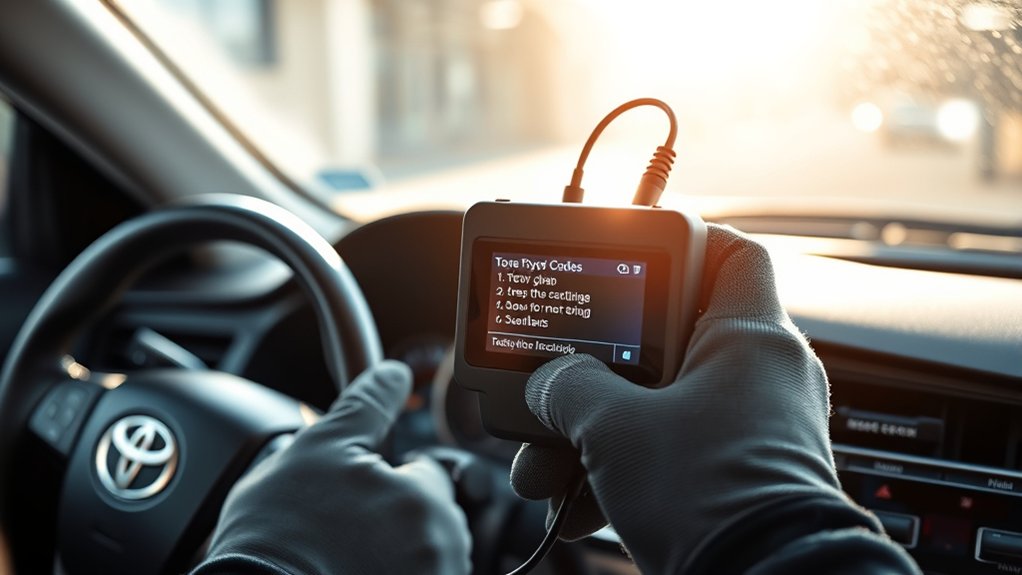
OBD-II is the vehicle’s onboard diagnostic system for monitoring engine, fuel, ignition, emissions, and related electronic functions. When the powertrain control module detects a condition outside its expected range, it may store a diagnostic trouble code, preserve operating information, and turn on the malfunction indicator commonly called the Check Engine Light. For a broader overview of connector location, code types, and scanner limits, see the Toyota Camry OBD2 system guide.
For U.S.-market gasoline vehicles, OBD-II has been required since the 1996 model year. The system is designed to help identify and repair emissions-related malfunctions, but the exact monitors, Toyota-specific codes, connector behavior, and diagnostic procedures vary by vehicle. The California Air Resources Board OBD-II fact sheet provides an overview of how warning lights, stored information, and readiness indicators work.
A code tells you what the vehicle detected; testing tells you why it happened.
Stored, Pending, and Permanent Codes
Read the status shown beside each code before clearing it:
- Stored or confirmed code: The fault met the system’s criteria for recording a malfunction. Depending on the fault and monitor, it may also turn on the Check Engine Light.
- Pending code: The system detected a possible fault, but it may need to occur again before becoming confirmed.
- Permanent code: An emissions-related record that remains available after an ordinary erase command. It is removed by the onboard system only after the cause is repaired and the applicable monitor verifies the repair.
A scanner may also display manufacturer-specific codes from Toyota modules. A basic generic reader often covers engine and emissions information but may not access ABS, airbag, brake-control, body, transmission, or hybrid-control modules. A warning in one of those systems requires a scanner with the correct Toyota coverage and an appropriate service procedure.
Why Freeze-Frame Data Matters
Freeze-frame data records operating conditions from around the time a qualifying fault was detected. Depending on the code and scanner, it may include engine speed, coolant temperature, vehicle speed, fuel-trim values, load, and sensor readings. This information can help distinguish a cold-start problem from a fault that occurs under load or at cruising speed.
Clearing codes can erase freeze-frame data and other useful evidence. Photograph or save the complete scan report before selecting Erase or Clear.
Pro Tip: Record the exact code, its status, freeze-frame values, readiness-monitor results, mileage, warning-light behavior, and any symptoms. This gives you a baseline if the fault returns and makes professional diagnosis more efficient.
Common Triggers for OBD2 Codes in a Toyota Camry
A trouble code should guide testing rather than trigger an automatic parts purchase. Several problems can produce similar codes, and one failed component can sometimes cause multiple codes. If you need a broader code-reference starting point, the Toyota Camry common engine-code guide explains several recurring powertrain DTCs and their first diagnostic checks.
Loose or Damaged Fuel Cap
A loose, missing, damaged, or incorrectly fitted fuel cap can allow fuel vapor to escape and may contribute to an evaporative-emissions code. An EVAP leak code such as P0457 may mention a loose or missing cap on some applications, but the exact code definition and test strategy depend on the model year.
After refueling, install the cap correctly and tighten it as directed by the cap and owner’s manual. Inspect its seal for cracks, contamination, or deformation. If an EVAP code remains, the cause could instead be a leaking hose, purge valve, vent valve, canister, filler-neck seal, electrical circuit, or another part of the sealed system.
Do not assume that tightening the cap will turn the light off immediately. The EVAP monitor must run under specific conditions before the system can confirm that the leak is gone.
Air-Fuel Ratio and Oxygen-Sensor Codes
Depending on the Camry’s engine and model year, the exhaust system may use an upstream air-fuel ratio sensor and downstream oxygen sensors. These provide feedback for fuel control and catalyst monitoring.
Codes such as P0131 (Bank 1 Sensor 1 oxygen-sensor circuit low-voltage condition on applications that use that standardized definition) or P0141 (Bank 1 Sensor 2 oxygen-sensor heater-circuit malfunction) describe electrical or operating conditions; they do not automatically prove the sensor itself is defective. Possible causes can include damaged wiring, corroded connectors, heater-circuit power problems, an exhaust leak, incorrect air-fuel mixture, contamination, or a failed sensor. Confirm the exact Toyota definition for the Camry’s model year and engine before testing.
Review the Toyota diagnostic procedure and test the circuit before replacing a sensor. A scan tool capable of displaying live data can help compare sensor response, fuel trim, temperature, and related values.
Catalyst-Efficiency Codes
P0420 generally indicates that the system detected catalyst efficiency below the expected threshold for Bank 1. It does not, by itself, confirm that the catalytic converter must be replaced.
Possible contributors include a deteriorated converter, an exhaust leak, a continuing misfire, excessive oil consumption, an overly rich or lean mixture, sensor or wiring problems, or previous contamination. Repair active misfire, fuel-control, and exhaust-leak problems before evaluating the converter.
A steady catalyst-efficiency code should be diagnosed promptly, but it is different from a flashing Check Engine Light. Continuing to drive with an active misfire can overheat and damage the converter.
How to Safely Clear OBD2 Codes on a Toyota Camry
Use the following procedure only after recording the diagnostic information and addressing the cause of the code.
- Park safely. Stop on a level surface, select Park, apply the parking brake, and switch off unnecessary accessories. Keep the vehicle in a well-ventilated area if it will be started.
- Check for serious warnings. Do not continue with a routine reset if the Check Engine Light is flashing, the engine is overheating, oil pressure is low, the engine is knocking or stalling, or a brake, airbag, charging, or hybrid-system warning is active.
- Locate the diagnostic connector. The 16-pin OBD-II connector is normally beneath the driver-side instrument panel. Its exact position can vary, so consult the model-year owner’s manual if it is not visible.
- Connect a compatible scan tool. With the ignition off, insert the scanner plug fully without forcing or bending the connector pins.
- Turn the ignition on as directed. Follow the scanner and vehicle instructions. The engine is normally left off while reading or erasing codes unless the tool specifically requests otherwise. Push-button and hybrid ignition modes vary, so use the exact procedure for the vehicle.
- Read and save all information. Record stored, pending, and permanent codes, freeze-frame data, readiness status, and any available module information.
- Diagnose and repair the cause. Use the code definition, symptoms, wiring information, live data, tests, and model-specific Toyota repair procedure. Do not replace a named component solely because it appears in the code description.
- Select Erase or Clear Codes. Confirm the scanner prompt only after the repair and data recording are complete. The tool may warn that diagnostic data and readiness information will be reset.
- Cycle the ignition. Switch the ignition off for the period requested by the scanner, restart the vehicle, and verify whether the Check Engine Light remains off.
- Rescan the Camry. Check for immediately returning codes and confirm that the scanner can communicate normally.
Note: On a hybrid Camry, use only the normal diagnostic connector and approved scan procedure. Do not touch orange high-voltage cables, connectors, service plugs, or battery components unless you are properly trained and following the Toyota service procedure.
What Does Your Scan Result Mean After Clearing?
The first rescan and the next few trips tell you more than the Clear command itself. Use this result pattern to decide what to do next:
| What You See | What It Usually Means | Next Step |
|---|---|---|
| No stored or pending code; Check Engine Light stays off | No fault is currently meeting the criteria to store those code statuses, but readiness monitors may still be incomplete. | Drive normally after the repair and recheck readiness before any emissions inspection. |
| The same code returns immediately | The vehicle can still detect the fault under the current conditions. | Stop clearing it repeatedly. Recheck connectors, circuits, leaks, related data, and the Toyota diagnostic procedure for that code. |
| The code returns only after driving | The applicable monitor may need specific temperature, load, speed, or other enabling conditions before it can detect the problem again. | Save the new freeze-frame data and diagnose the conditions present when the code returned. |
| Only a permanent DTC remains, with no returning stored or pending code | The repaired monitor may not have completed and passed yet. | Do not keep clearing memory. Allow the applicable monitor to run and verify that the permanent DTC clears through normal OBD logic. |
Why Battery and Fuse Resets Are Not Recommended
Disconnecting the negative battery terminal or pulling an ECU fuse may remove some volatile memory on some vehicles, but neither method repairs the fault. Results vary by model year, and the procedure can reset adaptive values, the clock, convenience settings, emissions readiness monitors, and other learned information. Some systems may then require initialization.
A battery disconnect may also remove evidence that would have helped diagnose an intermittent problem. Do not disconnect the battery or pull a control-module fuse merely to hide a warning light. Use those procedures only when an exact Toyota service or owner-manual instruction requires them for another repair.
What If the Scanner Does Not Connect?
If the scanner does not power on or communicate:
- Confirm that the connector is fully seated and oriented correctly.
- Verify that the ignition is in the mode requested by the scanner.
- Check whether the vehicle’s 12-volt battery is weak.
- Confirm that the scanner supports the Camry’s model year and required modules.
- Inspect the diagnostic connector visually for bent, pushed-back, or damaged pins without probing or shorting them.
- Consult the owner’s manual or model-specific wiring information for the diagnostic-connector power circuit and related fuse.
Do not install a higher-rated fuse or repeatedly replace a blown fuse. A fuse that fails again indicates an electrical fault that needs diagnosis.
Precautions Before Clearing OBD2 Codes
Before clearing a code, confirm that you understand what information will be lost and whether the vehicle is safe to operate.
- Do not erase codes before saving the scan report. Stored data may be essential for diagnosing an intermittent fault.
- Do not clear the light immediately before an emissions inspection. Erasing codes or disconnecting the battery resets readiness indicators. The vehicle may need several trips under varied conditions before all required monitors become complete.
- Do not confuse warning systems. A generic engine-code reader may not diagnose ABS, brake, airbag, steering, body, or hybrid warnings.
- Do not use code clearing to conceal a known defect. The fault is likely to return, and an unresolved emissions or drivability problem may cause additional damage.
- Do not work around moving or hot components. Keep hands, tools, cables, and clothing away from belts, fans, exhaust parts, and high-voltage hybrid components.
The California Bureau of Automotive Repair OBD Test Reference explains that readiness monitors must rerun after repair activity such as disconnecting the battery. Inspection requirements vary by jurisdiction, so check the rules where the vehicle is registered.
What Happens After You Clear the Codes?
Immediately after a successful clear command, the Check Engine Light should normally be off unless a current fault causes it to illuminate again. The scanner may show no stored or pending codes, but permanent codes can remain visible.
The readiness monitors will usually show incomplete or not ready because their previous results were erased. Each monitor requires particular operating conditions. Cold-start temperature, fuel level, speed, engine load, idle time, and other factors may affect whether a monitor runs. For inspection-focused guidance, see the Toyota Camry emissions-readiness guide.
There is no single universal drive cycle that guarantees completion for every Toyota Camry and every code. Drive normally after a correct repair and periodically check readiness with the scanner. Avoid repeatedly clearing the system, because each reset starts the readiness process over again.
When the Light Turns Off Without Manual Clearing
After an intermittent problem is repaired, the powertrain control module may turn off the Check Engine Light after the relevant monitor runs and passes according to its programmed criteria. The code may remain stored for a period even though the light is no longer on.
This self-extinguishing behavior is different from pressing the scanner’s Clear button. It shows that the onboard system has observed successful operation, although a complete rescan is still useful.
How Permanent Codes Go Away
A normal Erase or Clear command does not force an emissions-related permanent DTC to disappear. Repair the cause, then operate the vehicle until the applicable onboard monitor runs and confirms that the malfunction is no longer present. The system removes the permanent record when its required criteria are satisfied.
A permanent code by itself does not necessarily mean the repair failed, especially soon after the work. Check whether the related monitor has completed, whether stored or pending codes have returned, and whether the warning light is on.
Signs You Should Consult a Mechanic
What Should You Do If the Check Engine Light Is Flashing?
A flashing Check Engine Light can indicate a severe misfire or another malfunction capable of overheating the catalytic converter. Ease off the accelerator, avoid heavy load, and stop safely.
Shut the engine off and arrange professional diagnosis or towing if the light continues flashing, the engine shakes or runs roughly, acceleration is poor, the vehicle stalls, or you smell excessive fuel or unusual exhaust heat. Toyota also recommends checking the vehicle-specific meaning and response for warning indicators in its official warning-light guidance. For a focused troubleshooting path, see the Camry flashing Check Engine Light guide.
Why Did the Code Come Back After Clearing?
A code that returns immediately can indicate a current electrical fault, open or shorted circuit, disconnected component, severe leak, or another condition the system can detect without an extended drive.
A code that returns only after driving may require a particular monitor or operating condition before the fault is detected again. Repeatedly clearing it will not solve the problem and can remove useful evidence each time.
Seek professional diagnosis when the required testing is beyond your tools or experience, multiple related codes return, Toyota-specific service information is needed, or the repair involves fuel, ignition, exhaust, internal engine, transmission, brake, airbag, or hybrid components.
Which Symptoms Mean You Should Stop and Get Help?
Have the vehicle inspected promptly if a code is accompanied by:
- Stalling, severe hesitation, or repeated misfiring
- Knocking, hissing, grinding, or other abnormal noises
- Overheating or a red temperature warning
- Low oil-pressure warning
- Smoke, a strong fuel smell, or a burning odor
- Sudden loss of power or reduced-power mode
- A brake, airbag, charging-system, or hybrid-system warning
These symptoms may require more than an emissions-code reset and can affect the vehicle’s safety or reliability.
How to Keep Toyota Camry OBD2 Codes From Coming Back
The reliable way to prevent a code from returning is to correct its root cause and verify the repair. Clearing the memory alone provides no lasting benefit.
- Follow the maintenance schedule for the Camry’s exact model year and powertrain.
- Install the fuel cap correctly after refueling and replace it if its seal or retaining mechanism is damaged.
- Repair damaged wiring, loose grounds, corroded connectors, vacuum leaks, exhaust leaks, and fluid leaks promptly.
- Use replacement parts that match the vehicle’s specifications rather than selecting a part solely from a generic code description.
- Address misfires, excessive oil consumption, and fuel-control problems before they damage emissions components.
- Rescan after the repair and check both code status and readiness-monitor results.
- Keep a record of previous codes, repairs, mileage, and test results so recurring patterns are easier to identify.
For factory procedures, wiring information, code-specific tests, and Toyota-compatible diagnostic resources, consult the Toyota Technical Information System or a qualified technician with equivalent service information.
Frequently Asked Questions
How can I clear Toyota Camry codes without disconnecting the battery?
Connect a compatible OBD-II scanner, save all codes and freeze-frame data, repair the cause, and select the scanner’s Erase or Clear function. This is more controlled than disconnecting the battery and avoids treating a power reset as a repair.
How do I clear the Check Engine Light on a Toyota Camry?
Read and diagnose the stored code first. After repairing the fault, use a compatible scan tool to clear the code, restart the vehicle, and rescan it. The light may also turn off after the relevant monitor runs and confirms a successful repair.
Can I clear OBD2 codes myself?
Yes, reading and clearing basic engine codes is usually straightforward with a compatible scanner. Diagnosis may require live data, electrical testing, Toyota service information, or professional equipment. Stop if the light is flashing or the vehicle has serious drivability or safety symptoms.
How do I clear a permanent code on a Toyota?
You normally cannot manually erase a permanent emissions DTC with the scanner’s Clear command. Repair the malfunction and drive under the conditions needed for the applicable monitor to run. The onboard system removes the permanent code after it verifies the repair.
Will clearing the codes help my Camry pass an emissions inspection?
No. Clearing codes resets readiness monitors and may cause the vehicle to be rejected or fail because required monitors are incomplete. Repair the fault, allow the monitors to run, and verify readiness with a scanner before the inspection.
Why did the code come back after I erased it?
The original fault may still be present, the repair may be incomplete, or the problem may occur only under certain operating conditions. Save the returning code, status, freeze-frame data, and symptoms, then continue diagnosis instead of clearing it again.
Is the Toyota Camry Maintenance Required light the same as a Check Engine code?
No. A routine Maintenance Required reminder is separate from OBD-II diagnostic trouble codes and normally uses a model-year-specific dashboard or meter reset procedure. Use an OBD-II scanner for diagnostic codes, not as a substitute for the scheduled-maintenance reset procedure.
Conclusion
To clear OBD2 codes on a Toyota Camry safely, preserve the diagnostic information first, repair the condition that set the code, and use a compatible scanner rather than relying on a battery or fuse reset. After clearing, rescan the vehicle and monitor both returning codes and readiness status. A flashing light, severe drivability problem, or non-engine safety warning requires prompt professional attention.
Sources
- Toyota Warranty and Owner’s Manuals — model-specific operating, warning-light, battery, fuse, and safety information.
- Toyota Warning Lights — official guidance for interpreting vehicle warning indicators and consulting the correct owner’s manual.
- Toyota Technical Information System — factory service information, diagnostic procedures, wiring information, and Toyota diagnostic-tool resources.
- California Air Resources Board OBD Program — purpose and regulatory role of onboard diagnostic systems.
- CARB OBD II Systems Fact Sheet — warning-light behavior, diagnostic information, and readiness-monitor effects after memory loss.
- California Bureau of Automotive Repair OBD Test Reference — current readiness-monitor and OBD inspection guidance after battery disconnection or repair activity.
