
Last updated: July 15, 2026
You spend hours gaming, and your controller shapes every movement, reaction, and command. The right model should match your platform, preferred connection, hand comfort, and need for features such as remappable buttons, short-trigger modes, or magnetic thumbsticks. This guide compares five Xbox and PC gaming controllers across competitive, premium, value, and wired-use needs.
Quick Verdict: Choose the Razer Wolverine V3 Pro for premium wireless competitive play on Xbox or PC. Pick the GameSir G7 SE for dependable wired value, or the GameSir G7 Pro when you want advanced PC performance plus wired Xbox support. The ASUS ROG Raikiri Pro suits PC players who value an OLED display and tri-mode PC connectivity, while the SCUF Valor Pro is a strong wired choice for players who prioritize rear paddles and familiar Xbox-style ergonomics.
Compatibility note: Wireless support differs by platform. Check the connection details below before buying.
Top Picks
|
Category |
Product |
Why It Stands Out |
|---|---|---|
|
🏆 Best Premium Competitive Pick |
Wireless Xbox and PC support, six remappable buttons, Hall Effect sticks, and a PC-only 1000Hz wired mode. |
|
|
🚀 Best PC Feature Set |
OLED display, four rear buttons, ESS DAC, and three connection modes on PC. |
|
|
💰 Best Budget Wired Pick |
Hall Effect sticks and triggers, simple wired setup, and two mappable rear buttons. |
|
|
🎯 Best Performance Value |
TMR sticks, four extra buttons, PC wireless support, and wired Xbox compatibility. |
|
|
🔰 Best Wired Paddle Layout |
Four rear paddles, instant triggers, Hall Effect sticks, and onboard audio controls. |
Deal tip: For racing games, a wheel is the next step up. The Logitech G920, Thrustmaster T248 X and MOZA R3 are in our October Prime Day racing wheel deals.
Selection Criteria
We compared each controller by platform compatibility, wired and wireless connection options, stick and trigger technology, rear-button access, software customization, comfort, and overall feature value. The goal is to help you match the controller to your actual setup rather than rank every model by one unsupported score.
Platform details matter most. Some controllers offer wireless play on PC but require a cable on Xbox, while polling-rate upgrades may work only in specific PC modes. Always check your intended device, connection method, headset needs, and software requirements before ordering.
Best Gaming Controllers for Xbox and PC
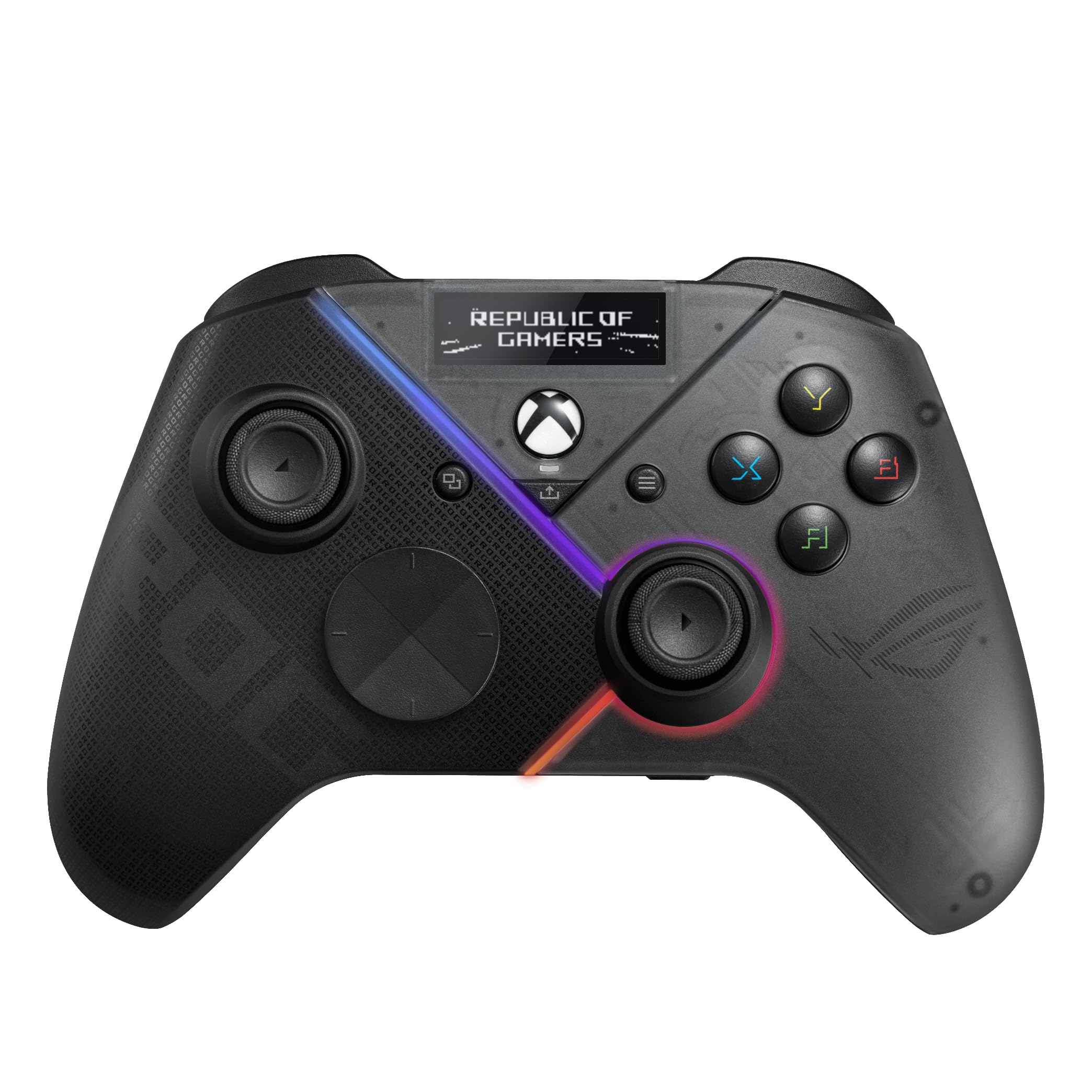
You get more control over profiles, trigger travel, stick response, and rear-button assignments than a basic gamepad offers. The OLED can show controller status and switch saved profiles, while the audio hardware adds value when you use a wired headset.
The main limitation is important: its wireless modes are for PC, laptops, and compatible Windows handhelds. Choose another model if wireless Xbox play is essential.
Buyer Feedback Note
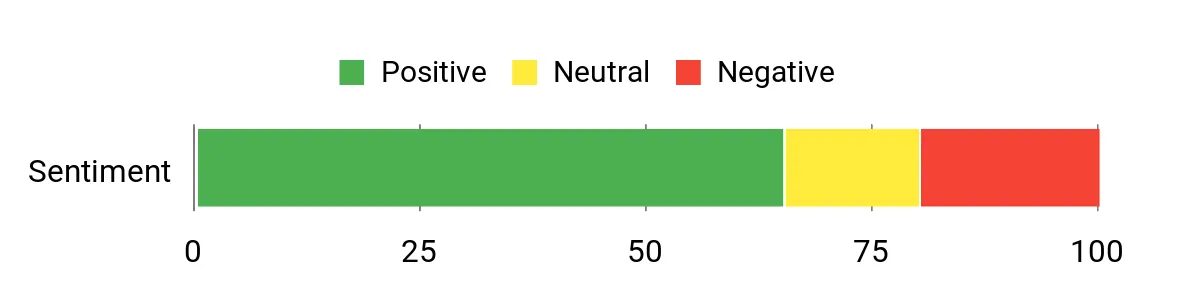
The chart below comes from the article’s existing sentiment snapshot. Its sample size and method are not provided, so treat it as a general reference rather than a current review measurement. Read recent verified-purchase reviews on Amazon before buying.
Reported Sentiment Snapshot: Neutral
Situational Benefits
|
Situation |
How It Helps |
|---|---|
|
PC Customization |
Four rear buttons, selectable triggers, and software-adjustable stick settings let you create profiles for shooters, racers, or action games. |
|
PC and Xbox Ownership |
You can use wireless or wired modes on PC, then connect by USB-C when playing on Xbox. |
|
Wired Headset Use |
The 3.5mm jack and built-in ESS DAC support a more integrated controller-and-headset setup. |
How It Helps
If a standard layout feels limiting, the Raikiri Pro adds rear inputs, trigger adjustments, profile controls, and status information without requiring you to leave the game. It is especially useful for a PC-centered setup, but it is less convenient for Xbox players who want a cable-free controller.
Key Benefits
- Bluetooth, 2.4GHz RF, and USB-C connectivity for PC
- Certified wired USB-C support for Xbox
- OLED display for profiles and status information
- Four programmable rear buttons and selectable triggers
- ESS DAC, 3.5mm headset jack, and audio controls
Who should buy this: PC-first players who value an OLED, rear controls, and multiple PC connection modes.
Who should avoid it: Xbox players who specifically need wireless console connectivity.
You get straightforward plug-and-play performance without battery charging, dongle pairing, or Bluetooth troubleshooting. The magnetic sticks and triggers are designed for consistent sensing, while the rear buttons and GameSir Nexus software provide useful customization.
The tradeoff is simple: this controller is wired only. It fits a desk, close console setup, or competitive station better than a cable-free living-room layout.
Buyer Feedback Note
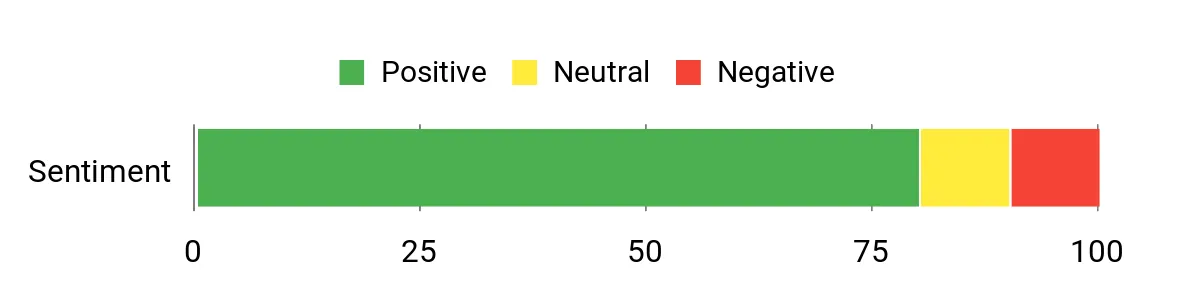
The chart below comes from the article’s existing sentiment snapshot. Its sample size and method are not provided, so treat it as a general reference rather than a current review measurement. Read recent verified-purchase reviews on Amazon before buying.
Reported Sentiment Snapshot: Positive
Situational Benefits
|
Situation |
How It Helps |
|---|---|
|
Quick Setup |
The detachable wired connection avoids charging and pairing steps, so you can connect and start playing. |
|
Drift-Conscious Buyers |
Hall Effect sticks use magnetic sensing instead of traditional contact-based potentiometers, which may reduce common wear-related drift risk. |
|
Headset and Party Chat |
The 3.5mm audio jack and microphone mute control keep basic headset functions within reach. |
How It Helps
If you have dealt with pairing failures, drained batteries, or inconsistent traditional sticks, the G7 SE gives you a simpler wired setup with magnetic sensors. Two mappable rear buttons add useful shortcuts without making the controller difficult to learn.
Key Benefits
- Wired support for Xbox Series X|S, Xbox One, and Windows 10/11
- Hall Effect sticks and Hall Effect analog triggers
- Two mappable rear buttons with quick latches
- Detachable 3-meter USB-C cable
- 3.5mm audio jack and GameSir Nexus customization
Who should buy this: Value-focused Xbox or PC players who prefer a stable wired connection.
Who should avoid it: Anyone who needs wireless play or broad mobile compatibility.
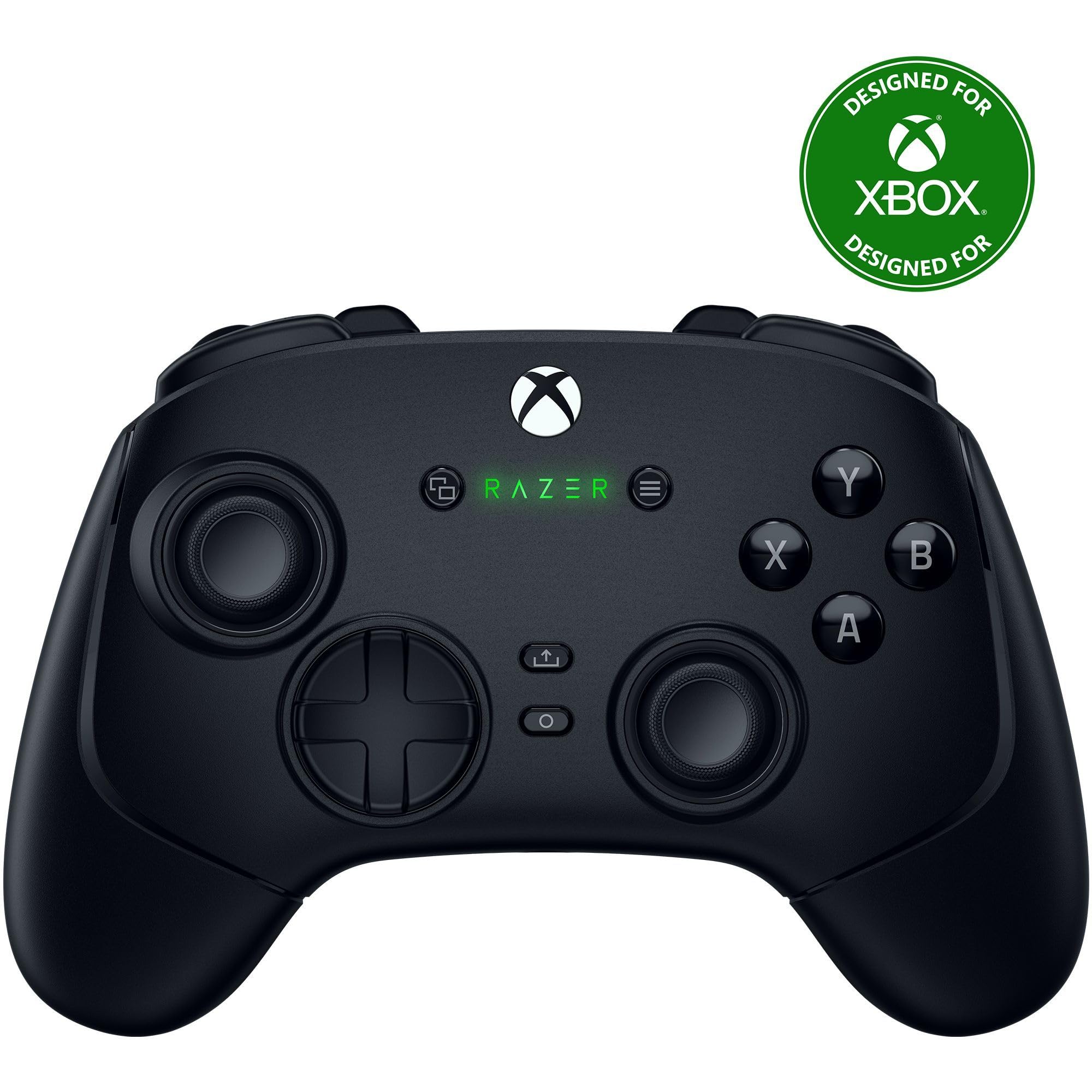
You get fast-access rear controls, short-trigger options, interchangeable thumbstick caps, and wireless play on both Xbox and PC. A wired PC Tournament Mode can raise the polling rate to 1000Hz, but Xbox and wireless operation use a lower polling rate.
The controller also includes a carrying case and a long cable. Its main drawbacks are the premium positioning and the lack of Bluetooth, so wireless use depends on the included USB dongle.
Buyer Feedback Note
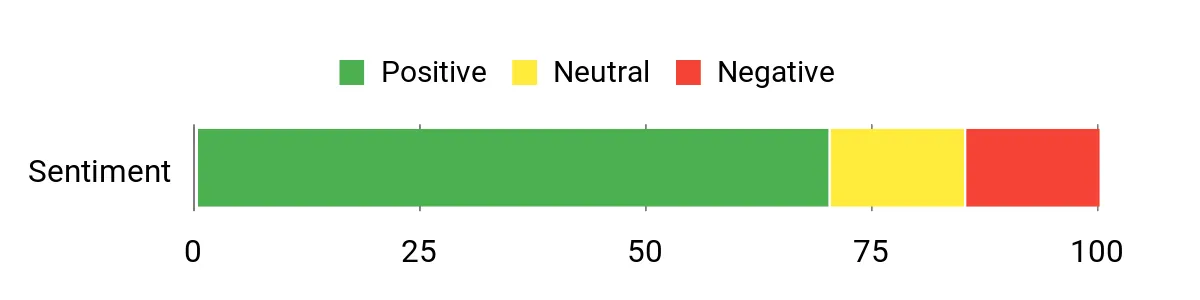
The chart below comes from the article’s existing sentiment snapshot. Its sample size and method are not provided, so treat it as a general reference rather than a current review measurement. Read recent verified-purchase reviews on Amazon before buying.
Reported Sentiment Snapshot: Positive
Situational Benefits
|
Situation |
How It Helps |
|---|---|
|
Competitive Matches |
Six remappable buttons and short-trigger settings help you keep important actions close without moving your thumbs from the sticks. |
|
PC Tournament Setup |
When connected by cable to a PC, Tournament Mode supports a 1000Hz polling rate for players who want the controller’s fastest supported mode. |
|
Xbox Living-Room Play |
The included 2.4GHz dongle provides wireless Xbox connectivity without requiring a cable across the room. |
How It Helps
If you lose time reaching for face buttons or dislike long trigger travel, the Wolverine V3 Pro gives you extra inputs and adjustable trigger behavior. Hall Effect sticks and replaceable caps support different aiming preferences, while the app handles sensitivity and button layouts.
Key Benefits
- Wireless and wired support for Xbox Series X|S and PC
- Four rear buttons plus two claw-grip bumpers
- Pro HyperTriggers with short and analog modes
- Hall Effect thumbsticks with interchangeable caps
- 1000Hz polling in wired PC Tournament Mode only
- Carrying case and long cable included
Who should buy this: Competitive Xbox or PC players who want wireless performance and six remappable inputs.
Who should avoid it: Budget buyers or players who specifically need Bluetooth connectivity.
You get a strong mix of magnetic stick technology, clicky controls, extra inputs, and PC wireless support. The 1000Hz polling mode works on PC through both wired and 2.4GHz connections, while the included charging station helps keep the controller ready between sessions.
The most important limitation is Xbox connectivity: this model requires a cable on Xbox. Bluetooth is intended for Android rather than Xbox or general PC play.
Buyer Feedback Note
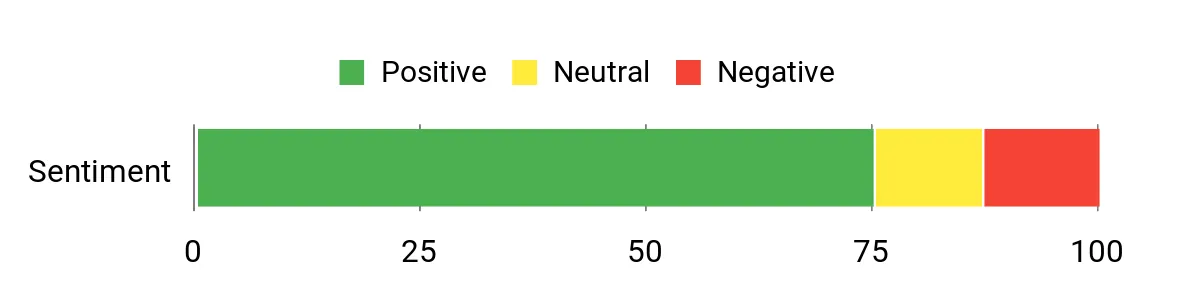
The chart below comes from the article’s existing sentiment snapshot. Its sample size and method are not provided, so treat it as a general reference rather than a current review measurement. Read recent verified-purchase reviews on Amazon before buying.
Reported Sentiment Snapshot: Positive
Situational Benefits
|
Situation |
How It Helps |
|---|---|
|
PC Competitive Play |
The controller supports 1000Hz polling on PC through both a wired connection and its 2.4GHz receiver. |
|
Xbox and PC Setup |
You can use a cable on Xbox, then switch to wired or 2.4GHz wireless play on PC. |
|
Genre Switching |
Trigger stops, an extra D-pad, TMR sticks, and four programmable inputs let you adjust the feel for shooters, racers, or fighters. |
How It Helps
If you want premium control features without moving to the highest price tier, the G7 Pro combines TMR sticks, Hall Effect triggers, extra buttons, optical face buttons, and a charging station. Its platform-specific connection modes are flexible once you understand that Xbox remains wired.
Key Benefits
- GameSir Mag-Res TMR sticks and Hall Effect analog triggers
- Wired Xbox, wired or 2.4GHz PC, and Bluetooth Android support
- 1000Hz polling on PC through wired and 2.4GHz modes
- Four extra programmable buttons
- Magnetic faceplate, extra D-pad, and charging station
Who should buy this: PC-first players who also want wired Xbox support and advanced magnetic controls.
Who should avoid it: Xbox players who require wireless console play.
You get four rear inputs that can mirror common controls, instant-trigger settings for quicker digital-style actuation, and wider bumpers that are easier to reach from the triggers. The built-in audio controls help you adjust headset volume, chat mix, and mute without opening a menu.
This is a wired-only controller. It makes the most sense when you value paddle placement and familiar Xbox ergonomics more than wireless freedom.
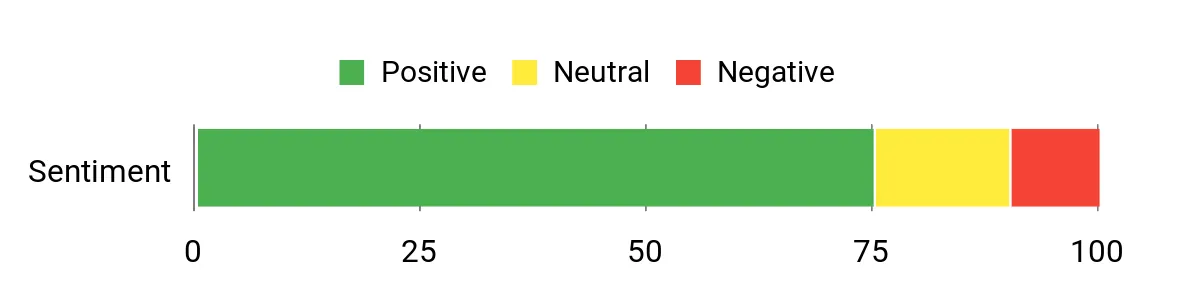
Buyer Feedback Note
The chart below comes from the article’s existing sentiment snapshot. Its sample size and method are not provided, so treat it as a general reference rather than a current review measurement. Read recent verified-purchase reviews on Amazon before buying.
Reported Sentiment Snapshot: Positive
Situational Benefits
|
Situation |
How It Helps |
|---|---|
|
Competitive Play |
Four rear paddles and instant triggers keep more actions under your fingers and can reduce unnecessary hand movement. |
|
Party Chat and Streaming |
On-controller audio controls let you adjust volume, chat balance, and mute without leaving the game. |
|
Long Wired Sessions |
The performance grip and wraparound bumpers support a secure hold and easier bumper access. |
How It Helps
If you often lift your thumb from the stick to reach a face button, the rear paddles can mirror those actions and keep your aim more stable. Hall Effect sticks address common drift concerns, while the audio controls and three saved mapping profiles reduce menu interruptions.
Key Benefits
- Wired support for Xbox Series X|S, Xbox One, and Windows PC
- Four configurable rear paddles
- Instant triggers and wraparound bumpers
- Hall Effect thumbsticks with swappable tops
- On-controller audio controls and three mapping profiles
Who should buy this: Wired Xbox or PC players who prioritize rear-paddle access and familiar ergonomics.
Who should avoid it: Players who need wireless connectivity or the lowest-cost wired controller.
Before You Buy
- Confirm platform support: A controller may be wireless on PC but wired on Xbox.
- Check connection type: Decide whether you prefer USB, a 2.4GHz dongle, or Bluetooth.
- Match your playstyle: Rear paddles and short triggers help most in fast games, while full analog trigger travel matters for racing.
- Review headset support: Confirm the 3.5mm jack and audio controls work in your intended connection mode.
- Expect software setup: Firmware, remapping, dead-zone, and profile tools may require a Windows app.
FAQ
Which Controller Should You Choose?
Choose the Razer Wolverine V3 Pro when premium wireless Xbox support and six remappable inputs matter most. Pick the GameSir G7 SE for simple wired value, or the GameSir G7 Pro for a stronger PC feature set with wired Xbox support. The ASUS ROG Raikiri Pro is best for PC-focused customization, while the SCUF Valor Pro suits wired players who prioritize rear paddles and audio controls.
Which Controllers Work Wirelessly on Xbox?
Among these five picks, the Razer Wolverine V3 Pro supports wireless play on Xbox through its included 2.4GHz dongle. The ASUS ROG Raikiri Pro, GameSir G7 Pro, GameSir G7 SE, and SCUF Valor Pro require a wired connection for Xbox.
Wired or Wireless: Which Is Better for You?
Wired controllers remove charging and pairing concerns and can be a practical choice for desks or competitive stations. Wireless controllers reduce cable clutter and suit couch play, but you should check the supported platform, dongle requirement, battery routine, and polling-rate limits before buying.
Do Hall Effect or TMR Sticks Guarantee No Drift?
No controller can promise permanent immunity from every fault. Hall Effect and TMR sticks use magnetic sensing and avoid the same contact wear found in traditional potentiometers, which may reduce common wear-related drift risk. Calibration, firmware, mechanical wear, and manufacturing defects can still affect performance.
How Do You Troubleshoot Common Controller Issues?
Update the controller firmware and companion app, test another USB port or cable, reconnect the wireless dongle, and verify the correct platform mode. Recalibrate sticks only through the manufacturer’s approved software or instructions. Reset custom profiles when mappings act unexpectedly, and contact the manufacturer or retailer if a hardware problem continues.
Wrapping Up
Final Recommendation: The Razer Wolverine V3 Pro is the strongest premium all-around pick here for wireless Xbox and PC play. The GameSir G7 SE offers the clearest wired value, while the GameSir G7 Pro delivers the most advanced feature mix for PC-first buyers who can use a cable on Xbox.
Choose the ASUS ROG Raikiri Pro for its OLED and PC connectivity options, or the SCUF Valor Pro when rear-paddle placement and wired Xbox ergonomics matter more than wireless freedom.
| Product Name | Image | Compatible Devices | Connectivity Technology | Additional Highlights |
|---|---|---|---|---|
|
ASUS ROG Raikiri Pro Check Price on Amazon |
 |
Windows PC, compatible Windows handhelds, Xbox Series X|S | PC: 2.4GHz RF, Bluetooth 5.0, or USB-C; Xbox: wired USB-C |
|
|
GameSir G7 SE Check Price on Amazon |
 |
PC, Xbox Series X|S, Xbox One | Wired USB-C with detachable 3-meter cable |
|
|
Razer Wolverine V3 Pro Check Price on Amazon |
 |
PC, Xbox Series X|S | 2.4GHz wireless or wired USB; 1000Hz mode is wired PC only |
|
|
GameSir G7 Pro Check Price on Amazon |
 |
Xbox Series X|S, Xbox One, PC, Android | Xbox: wired; PC: 2.4GHz or wired; Android: Bluetooth |
|
|
SCUF Valor Pro Check Price on Amazon |
 |
PC, Xbox One, Xbox Series S, Xbox Series X | Wired USB-C |
|

