
Affiliate disclosure: This roundup is reader-supported. When you click an Amazon link, we may earn a commission from qualifying purchases at no extra cost to you.
You want dependable video evidence without giving up control of your footage. The most privacy-focused choices in this guide record locally to a microSD card and do not require an app, while the connected alternatives add temporary WiFi access for faster clip transfer and settings changes.
This guide compares both approaches so you can choose between a true no-WiFi setup and a local-recording dash cam with optional wireless convenience. Every pick is evaluated for recording coverage, night performance, parking-mode requirements, storage, installation, and the type of driver it suits best.
Quick Verdict
Choose the E-YEEGER S60 if you want a straightforward front-and-rear camera with no app. Choose the Vlokda X50 if you need a no-app front-and-cabin setup for rideshare or family use. If faster phone transfers, GPS, or higher-end imaging matter more than avoiding WiFi hardware, compare the VIOFO A229 Plus, BOTSLAB G980H, and Veement V200PRO.
Top Picks
|
Category |
Product |
Connectivity |
|---|---|---|
|
🔒 Best No-WiFi Overall |
No app; local microSD access |
|
|
🚕 Best No-WiFi for Rideshare |
No app, GPS, or Bluetooth |
|
|
🏆 Best Premium Dual Camera |
5GHz WiFi, app, and GPS |
|
|
🎥 Best 4K Front Coverage |
WiFi, Bluetooth, app, and GPS |
|
|
📱 Best Compact App-Connected Pick |
2.4GHz WiFi and app |
[Amazon Products Picked for You]
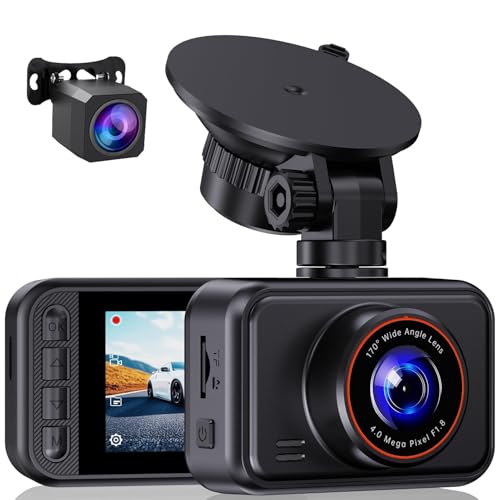
2.5K Front + 1080P Rear Recording: S60 records 25601440P front video and 1080P rear video to help capture what happens ahead of and behind your car. The front 170 wide-angle lens helps cover more of the road during daily drives or unexpected events

【2.5K Resolution & 170° Wide-Angle】With its QHD resolution (2560×1440P @30fps), this dash cam clearly records detail on the road, such as license plates and road signs. Its 170-degree wide-angle lens makes the recording range wider, easily covering more lanes, which provides reliable evidence for accident disputes and insurance claims.
Selection Criteria
The first decision is connectivity. A no-app camera keeps clip access simple and local, while a WiFi-enabled model can make phone downloads and settings changes faster. WiFi support does not automatically mean cloud storage, so check whether the camera can operate normally without an account or continuous connection.
Next, compare the number of channels, recorded resolution, low-light performance, field of view, GPS needs, memory-card support, and parking-mode options. Continuous parking surveillance normally requires a compatible hardwire kit or separate battery pack with low-voltage protection; the standard 12-volt power cable usually stops supplying power when the vehicle is off.
- Confirm whether the camera records the road only, the road and rear, or the road and cabin.
- Check whether a memory card and hardwire kit are included or sold separately.
- Use a high-endurance microSD card within the manufacturer’s supported capacity.
- Verify cable length and vehicle compatibility before routing a rear-camera cable.
- Decide whether GPS speed/location data is helpful or unnecessary for your privacy preferences.
E-YEEGER S60
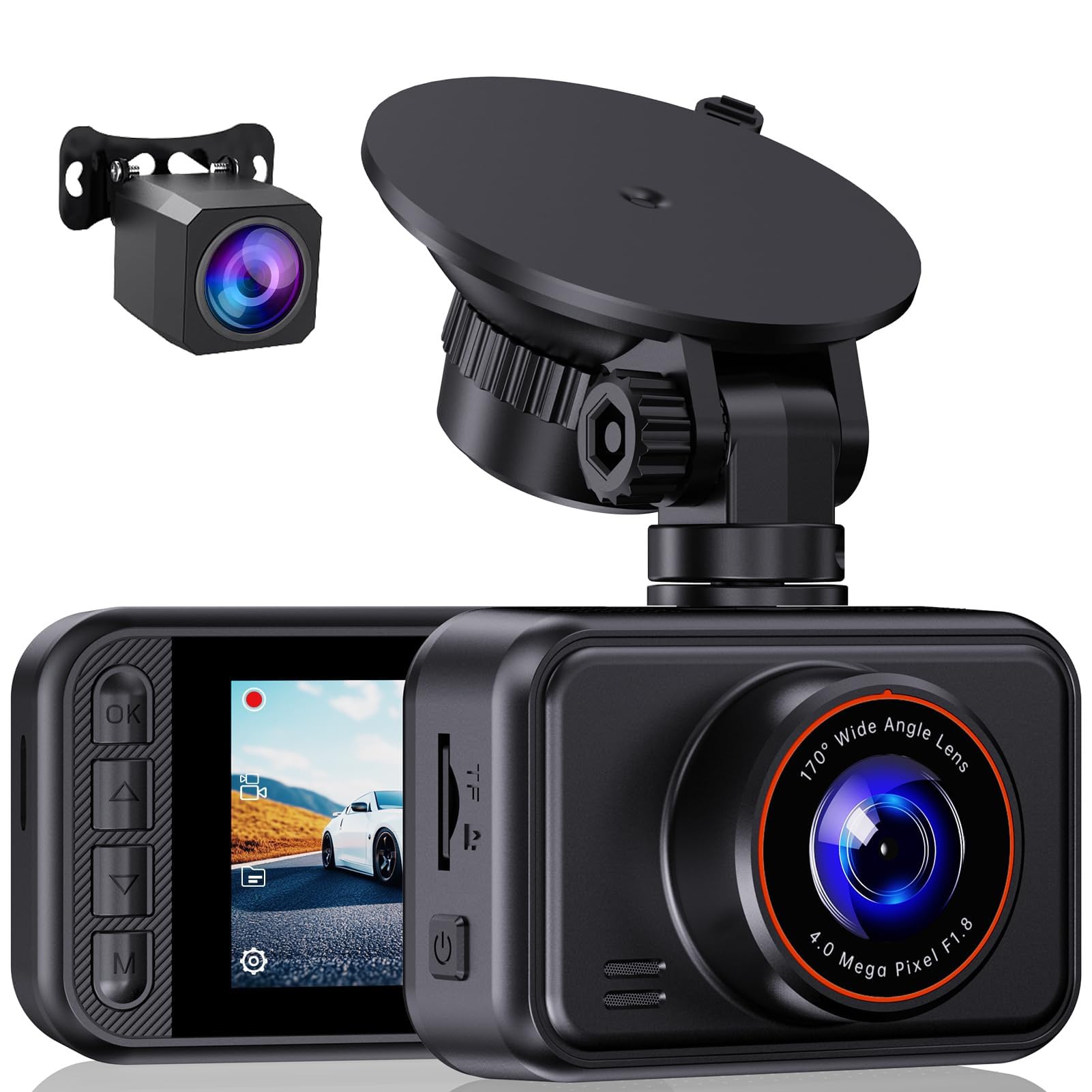
Best for: Drivers who want front-and-rear recording without an app or WiFi workflow.
The E-YEEGER S60 uses a 2.5K front camera and an included 1080p rear camera, giving you more context than a front-only model. Its two-inch display lets you manage the camera directly, and footage is accessed through the microSD card instead of a phone app.
This is the clearest fit for readers prioritizing simple local recording. The main trade-offs are that the memory card is not included and continuous parking monitoring requires a separate compatible hardwire kit.
[Amazon Products Picked for You]

💖💖【Important Note】Due to soaring memory chip costs, many brands have eliminated memory cards entirely, requiring a separate purchase. However, to save you the hassle of buying extra accessories, we are resisting cost pressures without raising our dashcam's price. Starting June 26, 2026, this camera will include a 32GB memory card (previously 64GB) so you can still use it out of the box. For extended storage, we highly recommend purchasing a Class 10, U3, and V30 (or higher) memory card.

[4K+1080P Front & Rear Recording] REDTIGER F7NP dash cam captures every detail with stunning 4K front and 1080P rear video. Featuring the advanced STARVIS 2 sensor plus the 170° front and 140° rear wide-angle lens, this dash camera delivers sharper images, balanced lighting, and reliable evidence day or night. Ideal for commuting, road trips, rideshare drivers, and new drivers.
Why You’ll Like It
- No app is required for normal recording or clip access
- Front-and-rear coverage provides broader incident context
- Loop recording and G-sensor locking protect important clips
- On-device display keeps setup and playback straightforward
Who Should Avoid It
Skip it if you want built-in GPS, wireless phone downloads, or a bundled memory card. Drivers who frequently share clips from the roadside may prefer an app-connected model.
Buyer Feedback Themes
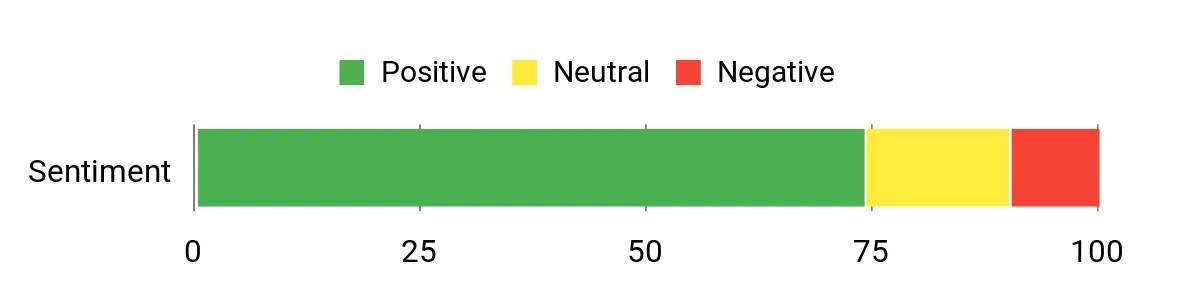
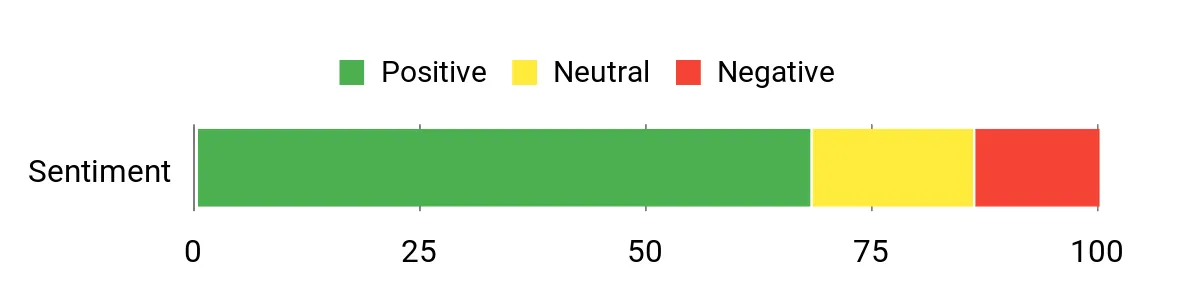
Feedback summarized in the source material emphasizes easy installation, useful front-and-rear coverage, and solid value. Some buyers report accessory or quality-control inconsistencies, so inspect the package promptly and test both cameras before final cable routing. Review sentiment can change, so check recent listing feedback before purchasing.
Parking and Evidence Features
The G-sensor can lock collision clips, while loop recording overwrites older unprotected footage as the card fills. Parking time-lapse support requires separate hardwiring. WDR and the wide-angle front lens are intended to improve usable detail in challenging light, but no dash cam can guarantee readable plates in every nighttime or high-speed situation.
Check Product Details on Amazon
Vlokda X50
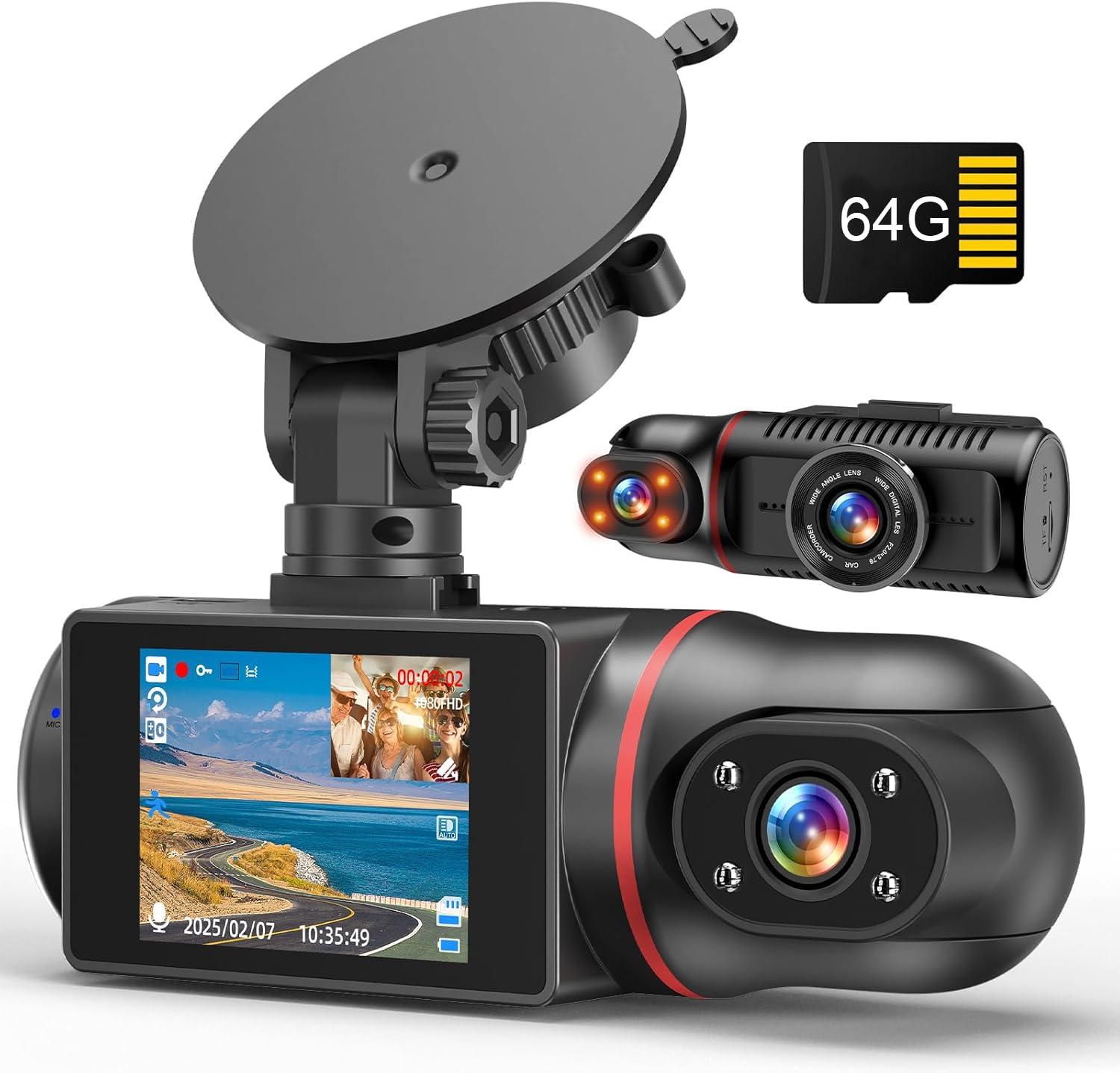
Best for: Rideshare, taxi, and family drivers who want road-and-cabin evidence without an app, GPS, or Bluetooth.
The Vlokda X50 records 1080p video from the front and cabin cameras and includes a 64GB card, so the basic recording setup is ready out of the box. Infrared lighting supports cabin recording after dark, which is more useful for passenger context than a standard rear-facing road camera.
The limitation is resolution: it prioritizes dual-view coverage and simplicity over fine exterior detail. Its listed field-of-view figures are inconsistent across the product page, so treat it as a wide-angle model rather than relying on a single exact number.
[Amazon Products Picked for You]
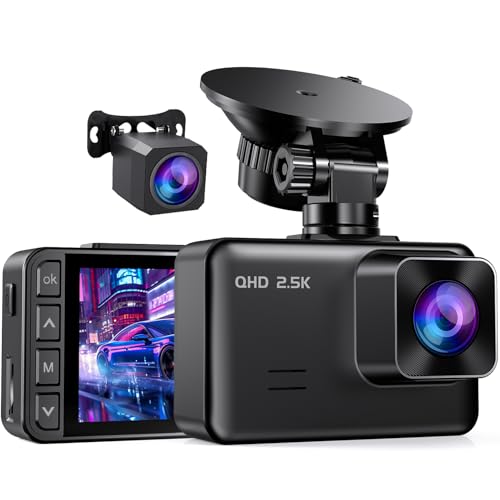
2.5K FRONT + 1080P REAR DUAL RECORDING: The E-YEEGER S50 dash cam front and rear pairs a 2560×1440P front dash cam with a wired 1080P rear dash cam. Its 170° front and 160° rear views help cover more of the road ahead and behind, giving this dual dash camera for cars added context during daily driving, lane changes, sudden stops and rear-end incidents

SUPER NIGHT VISION AND PARKING MONITOR - The combination of F1.8 large aperture, WDR, HDR ensures the clarity of images at night. Eliminates the need for an auxiliary light source even in low-light environments, making it easy to obtain sharp, color-accurate images. With the parking monitor feature, the dash camera will automatically turn on and record when the car camera detects vibration 24/7.
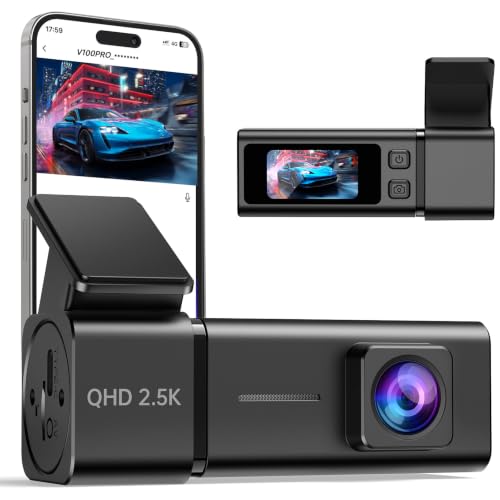
【2.5K Front Recording with 160° Lens】Record clear 2560×1440P front video with a 6-layer glass lens and 160° wide-angle view. This front dash cam helps capture more of the road, including lanes, road signs, and key driving details during daily commutes, road trips, or unexpected events
Why You’ll Like It
- No app, GPS, or Bluetooth workflow
- Front-and-cabin recording captures road and passenger context
- Infrared cabin lighting supports nighttime interior footage
- Included 64GB card reduces setup friction
Who Should Avoid It
Choose another model if you need rear-window road coverage, higher exterior resolution, built-in GPS, or fast wireless clip transfer. The included card capacity is convenient but may be limiting for drivers who retain many locked files.
Buyer Feedback Themes
The source summary highlights easy setup, the included card, and the usefulness of the cabin camera. Mounting stability and power setup are the main areas to double-check during installation. Review sentiment and bundled accessories can change, so verify the current listing before ordering.
Parking and Evidence Features
Loop recording manages card space, and collision-triggered parking recording can preserve a short protected clip. Continuous parking surveillance requires a compatible Type-C hardwire solution and careful low-voltage protection.
Check Product Details on Amazon
VIOFO A229 Plus

Best for: Buyers who prioritize dual-channel image quality, GPS context, and flexible parking modes over a strict no-WiFi requirement.
The A229 Plus records 1440p from both front and rear cameras and uses Sony STARVIS 2 sensors with HDR support. Built-in GPS adds time, route, and speed context, while 5GHz WiFi supports app-based preview, settings, and file transfer.
This is not a non-WiFi dash cam. It belongs in the connected-alternative group for readers willing to trade some simplicity for higher-end imaging and faster clip access. A separate HK4 hardwire cable is needed for its full parking-mode options.
Why You’ll Like It
- Dual 1440p recording for balanced front-and-rear detail
- STARVIS 2 sensors and HDR support for difficult lighting
- Built-in GPS adds useful time, speed, and location context
- Multiple parking modes support different storage and power priorities
Who Should Avoid It
Skip it if you want a camera with no WiFi hardware, no app ecosystem, or no location logging. It also requires more cable routing and setup than a simple front-only camera.
Buyer Feedback Themes
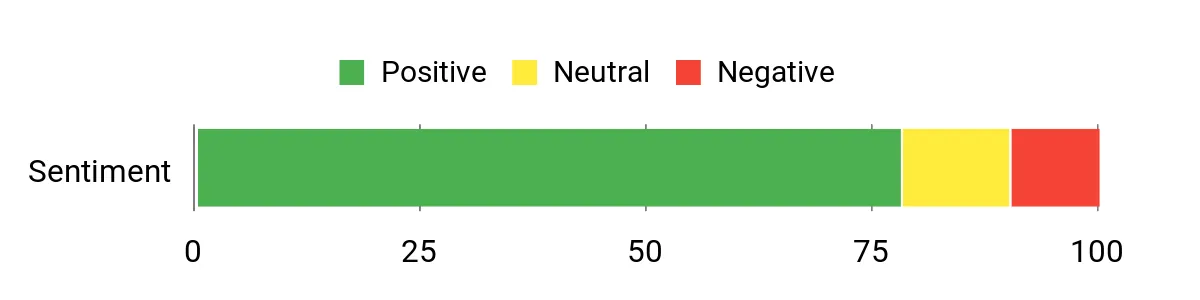
The source material summarizes generally favorable feedback around video detail, low-light performance, and GPS usefulness. Memory-card compatibility and firmware behavior are recurring setup considerations, so use a supported high-endurance card and review current firmware guidance.
Parking and Evidence Features
Parking choices include buffered event detection, time-lapse recording, and low-bitrate recording when the camera is installed with compatible hardwiring. GPS and dual-channel HDR can add useful context, but confirm local rules before displaying or sharing speed and location data.
Check Product Details on Amazon
BOTSLAB G980H
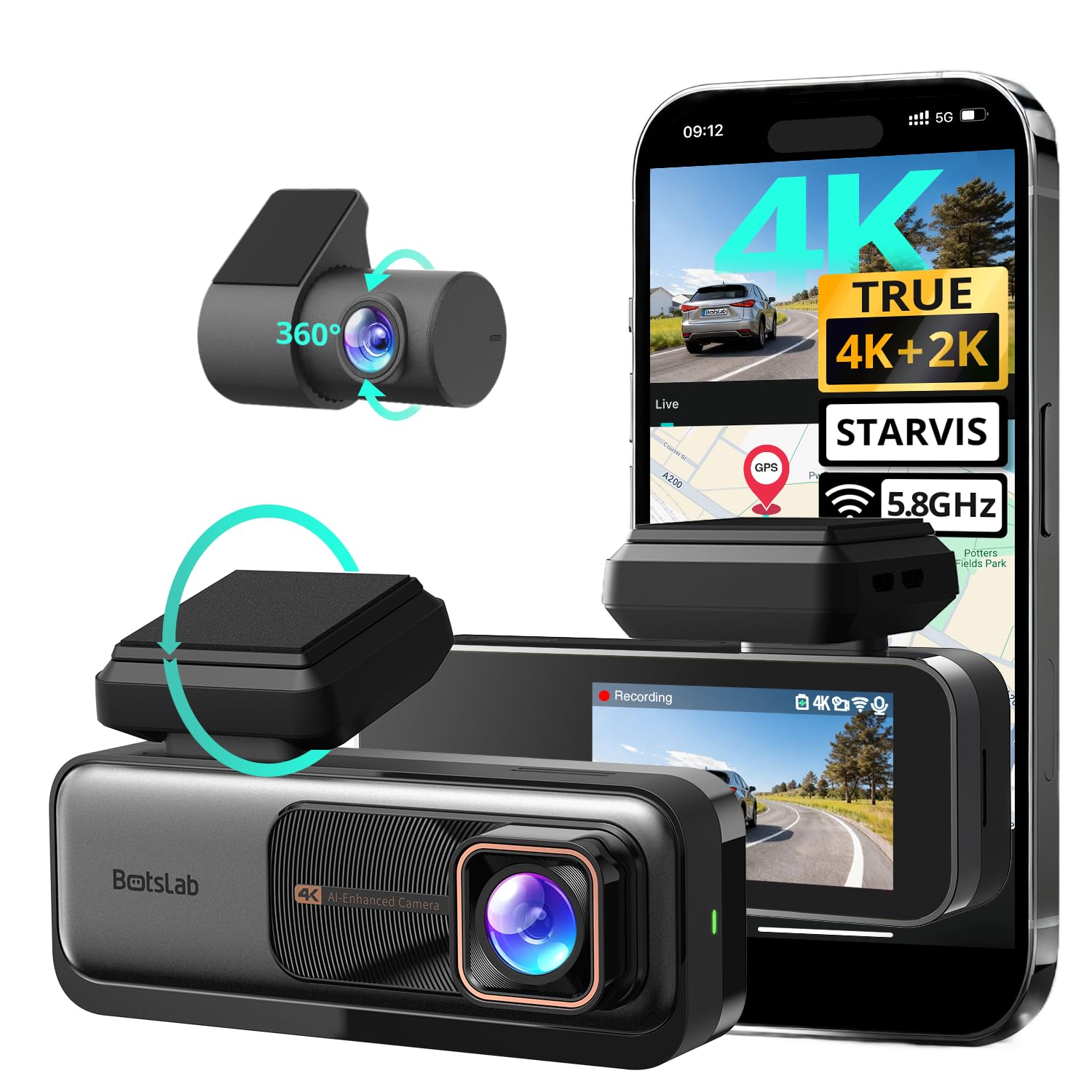
Best for: Drivers who want 4K front recording, a 2K rear camera, GPS, and app access in one dual-camera package.
The BOTSLAB G980H combines a 4K front camera with 2K rear recording, built-in GPS, 5.8GHz WiFi, Bluetooth-assisted connectivity, WDR, and driver-assistance alerts. The manufacturer lists the system for vehicles under roughly 5.5 meters in length, so owners of longer vehicles should confirm cable reach before buying.
This model directly conflicts with a strict non-WiFi search. It is included only as a connected alternative for readers who value resolution, GPS, and app convenience more than eliminating wireless features.
Why You’ll Like It
- 4K front and 2K rear recording provide strong dual-camera detail
- Built-in GPS records location and speed context
- WiFi and app access simplify clip review and transfer
- Parking mode and driver alerts add broader functionality
Who Should Avoid It
Choose a different camera if you want no WiFi or Bluetooth hardware, a smaller feature set, or a system that includes the memory card and hardwire kit. Treat ADAS alerts as supplemental prompts, not a replacement for attentive driving or factory safety systems.
Buyer Feedback Themes
The source summary points to strong daytime detail, useful rear coverage, and convenient GPS/app access, with some setup or hardware complaints. Test both channels, GPS, and app pairing before permanently routing the rear cable.
Parking and Evidence Features
The G980H supports 24/7 parking recording when used with its dedicated hardwire kit. Loop recording manages storage, and GPS can timestamp footage. The memory card is not included, so budget for a compatible high-endurance card.
Check Product Details on Amazon
Veement V200PRO
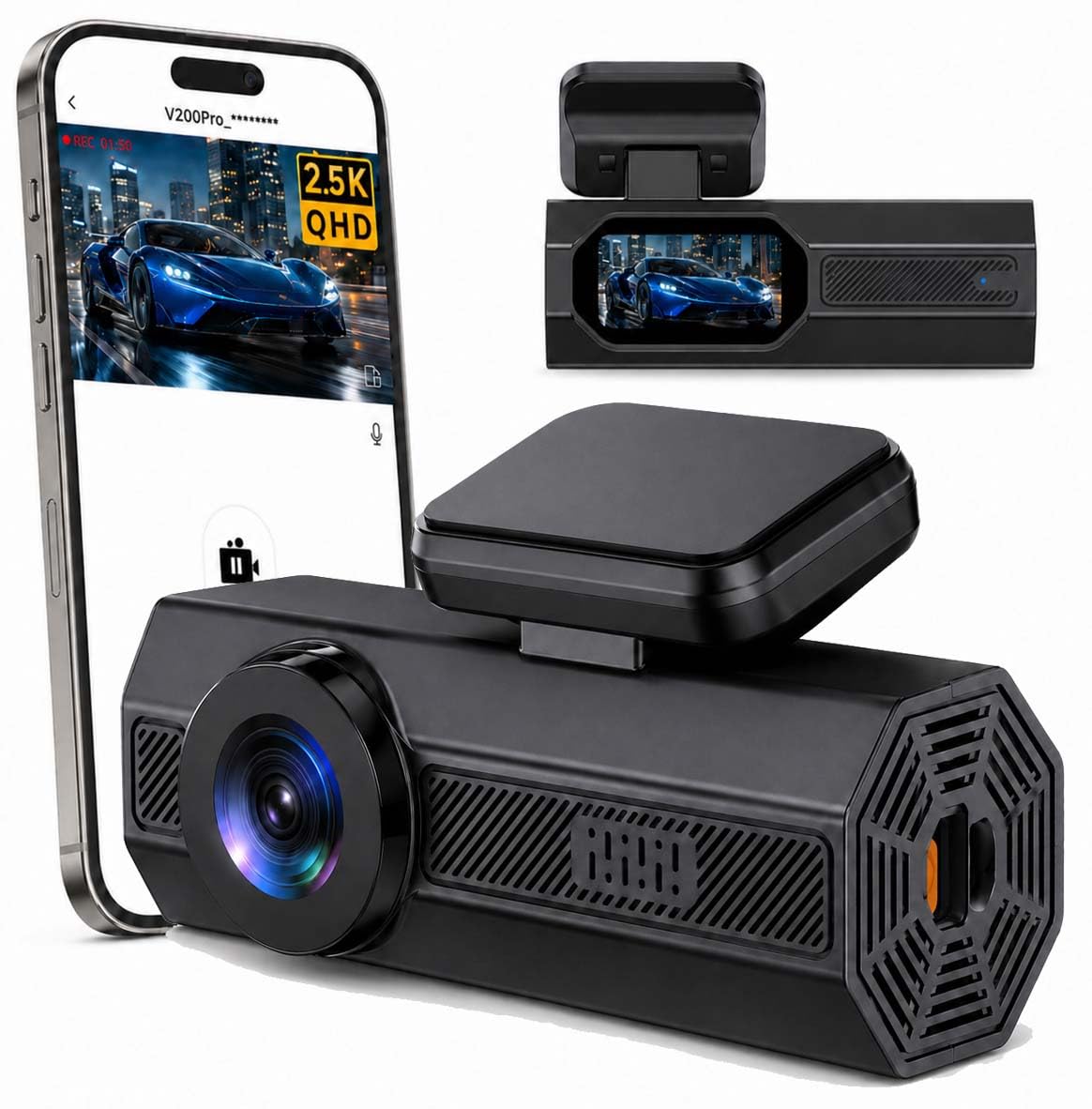
Best for: Drivers who want a small front-only camera with a screen and app-based clip access.
The V200PRO records 1440p front video, uses a 160-degree lens, and includes a 1.47-inch display. Its 2.4GHz WiFi connects to the VeeCar app for preview, downloads, and settings, while loop recording and a G-sensor handle routine storage and incident locking.
This is a connected front-only option, not a non-WiFi model. It is easier to install than a two-channel system, but it cannot show what happened behind or inside the vehicle.
Why You’ll Like It
- Compact front-only design is easier to install and conceal
- 1440p recording offers more detail than basic 1080p models
- WiFi app access helps with quick clip review and transfer
- Small built-in display allows basic on-device confirmation
Who Should Avoid It
Skip it if you need rear or cabin coverage, no-WiFi operation as a buying requirement, or a bundled memory card. The listing also notes that the dash cam’s WiFi connection can conflict with simultaneous wireless CarPlay use.
Buyer Feedback Themes
The source summary emphasizes easy installation and convenient phone access, while noting occasional recording or clip-length concerns. Format a compatible high-endurance card in the camera and verify recording behavior before relying on parking mode.
Parking and Evidence Features
Time-lapse and collision-triggered parking monitoring require a separate compatible hardwire kit. The G-sensor locks detected-event files, and WDR is intended to balance bright and dark areas. As with any front-only camera, rear incidents may remain outside the recorded view.
Check Product Details on Amazon
How to Choose Between No-WiFi and App-Connected Dash Cams
Choose a No-WiFi Model When
- You want footage accessed directly from the camera or memory card.
- You do not want app pairing, phone permissions, or wireless setup.
- You prefer fewer connectivity features and a simpler interface.
Choose an App-Connected Model When
- You frequently download or share clips from your phone.
- You want easier live view, firmware updates, or settings changes.
- You value GPS, advanced parking modes, or higher-end imaging features.
For privacy-conscious use, check whether WiFi can remain off during normal driving, whether an account is required, what permissions the app requests, and whether footage stays on the microSD card unless you choose to transfer it.
FAQ
Does a WiFi Dash Cam Upload Footage to the Cloud?
Not necessarily. Many dash cams create a short-range local WiFi connection between the camera and your phone for viewing or transferring files. That is different from continuous internet or cloud upload. Read the product’s app and privacy information because account requirements and data practices vary.
How Does Parking Mode Work?
Parking mode can use impact detection, buffered event recording, time-lapse, or low-bitrate continuous recording. Most cameras need a compatible hardwire kit or dedicated battery pack for extended monitoring while the engine is off. Use a low-voltage cutoff and follow the manufacturer’s wiring instructions to reduce the risk of draining the vehicle battery.
What Memory Card Should I Use?
Use a reputable high-endurance microSD card that falls within the camera’s supported capacity. Format it in the dash cam before use, check it periodically for errors, and replace it when repeated write cycles begin causing skipped or corrupted files.
Is 4K Always Better Than 1440p or 1080p?
Higher resolution can preserve more detail, but sensor quality, bitrate, exposure, lens quality, frame rate, windshield glare, weather, and vehicle speed also affect usable evidence. A well-tuned 1440p camera may outperform a poorly implemented 4K model in difficult conditions.
Do I Need GPS?
GPS can add time, location, route, and speed context, which may be useful when reviewing an incident. Buyers who prefer to minimize location data may choose a model without GPS or disable GPS logging where the camera allows it.
Can I Install a Rear Camera Myself?
Many drivers can route a rear cable with basic trim tools, but avoid airbags, moving hatch wiring, sharp edges, and weather seals. Professional installation is worth considering when hardwiring, working around curtain airbags, or routing cables through a liftgate.
Customer Preferences
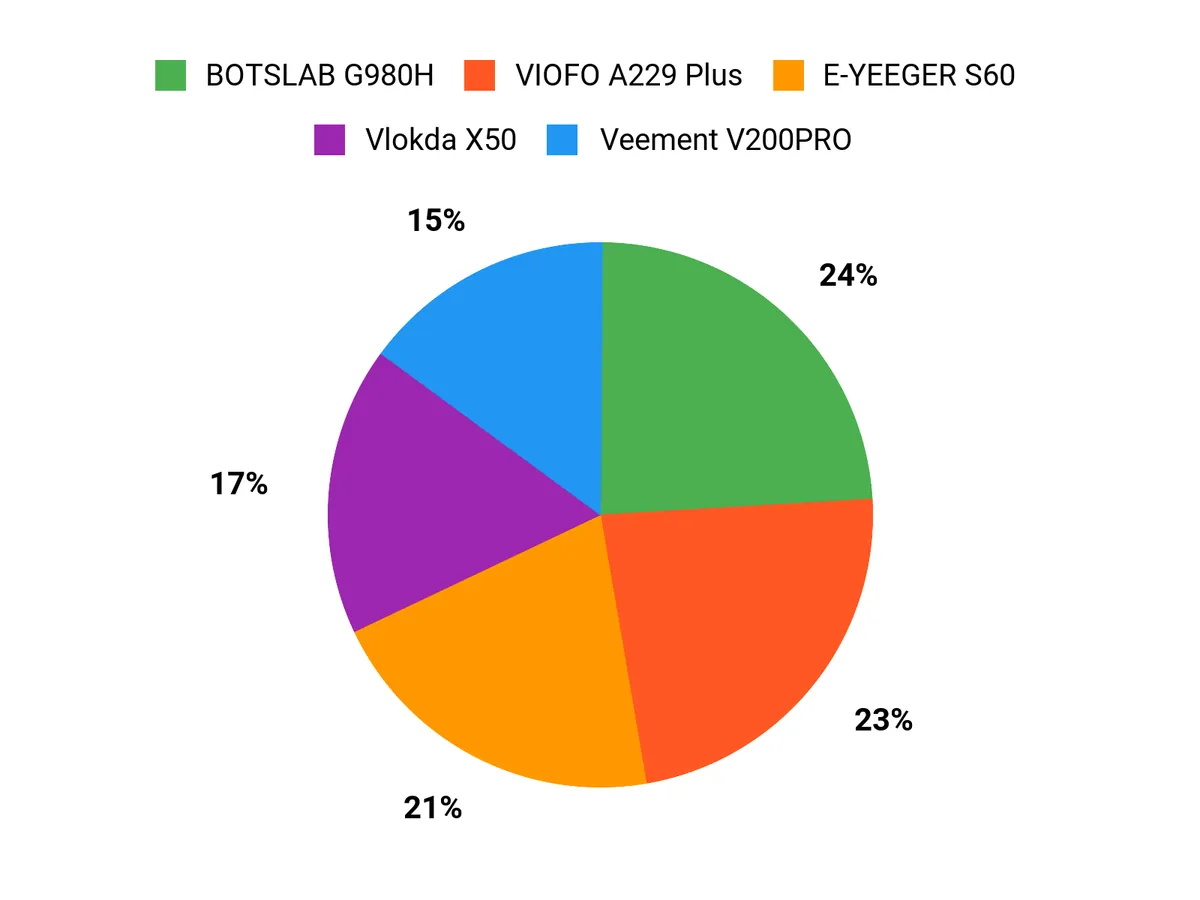
Most buyers should prioritize usable footage and complete coverage before extra features. A front-and-rear setup is better for road incidents around the vehicle, while a front-and-cabin system is more useful for rideshare and passenger context. Privacy-focused buyers may prefer no-app models; convenience-focused buyers may accept optional WiFi for faster transfers and settings control.
Final Recommendation
For a true no-app front-and-rear setup: start with the E-YEEGER S60.
For no-app rideshare or cabin coverage: choose the Vlokda X50.
For premium dual-channel detail and GPS: consider the VIOFO A229 Plus.
For 4K front recording and connected features: compare the BOTSLAB G980H.
For a compact front-only camera with phone access: look at the Veement V200PRO.
Before buying, confirm the current package contents, memory-card requirements, hardwire-kit compatibility, warranty terms, app requirements, and vehicle cable length on the Amazon listing.
| Product Name | Image | Connectivity | Video Capture Resolution | Field Of View | Special Highlights |
|---|---|---|---|---|---|
| E-YEEGER Dash Cam Front and Rear |
|
No app; USB and microSD workflow | 2.5K (2560P) Front & 1080P Rear | 170 Degrees |
|
| Vlokda Dash Cam Front and Inside |
|
No app, GPS, or Bluetooth | 1080P Front & 1080P Inside | Wide-angle; listing figures vary |
|
| VIOFO A229 Plus Dash Cam |
|
5GHz WiFi, app, and GPS | 1440P Front & 1440P Rear | 140 Degrees Front |
|
| BOTSLAB 4K Dash Cam Front and Rear |
|
WiFi, Bluetooth, app, and GPS | 4K Front & 2K Rear | 170 Degrees Front |
|
| Veement Dash Cam 2.5K Front |
|
2.4GHz WiFi and app | 1440P Front | 160 Degrees |
|
This Roundup is reader-supported. When you click through links we may earn a referral commission on qualifying purchases.
