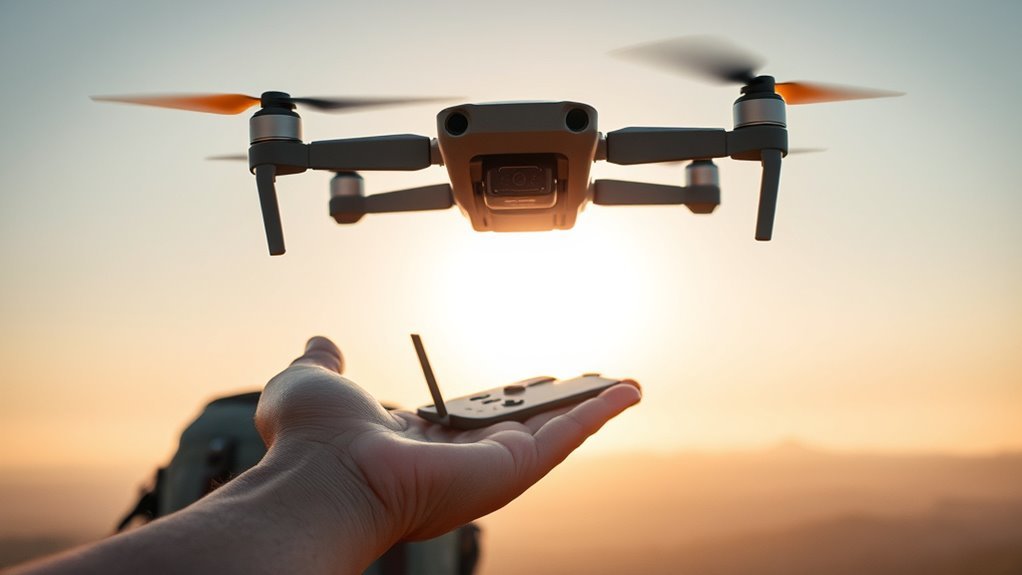
The DJI Flip is a lightweight camera drone with a 1/1.3-inch CMOS sensor, 48 MP photos, and 4K/60 fps HDR video. It combines a folding propeller-guard design with palm takeoff, subject tracking, and a rated maximum flight time of 31 minutes. However, its transmission range, obstacle sensing, and battery life have limits that matter when you fly outdoors.
Quick Answer
The DJI Flip weighs less than 249 g and records 48 MP photos and 4K/60 fps HDR video. DJI rates it for up to 31 minutes of flight and 13 km of transmission under FCC conditions. It supports automatic palm takeoff and subject tracking, but it does not have full obstacle avoidance.
Last checked: October 11, 2026. Key specifications and regulatory guidance were checked against official DJI and FAA sources.
Key Takeaways
- The 13 km figure describes the maximum rated controller transmission range, not a recommended or automatically legal flight distance.
- A 3-axis mechanical gimbal helps stabilize footage, while D-Log M offers more flexibility for color grading.
- A 3110 mAh battery powers the drone. Actual flying time changes with wind, speed, and filming conditions.
- Palm takeoff is automatic. You should never throw the aircraft or try to grab it while flying.
- The forward infrared sensing system cannot replace active piloting, especially during subject tracking.
What Is the DJI Flip?
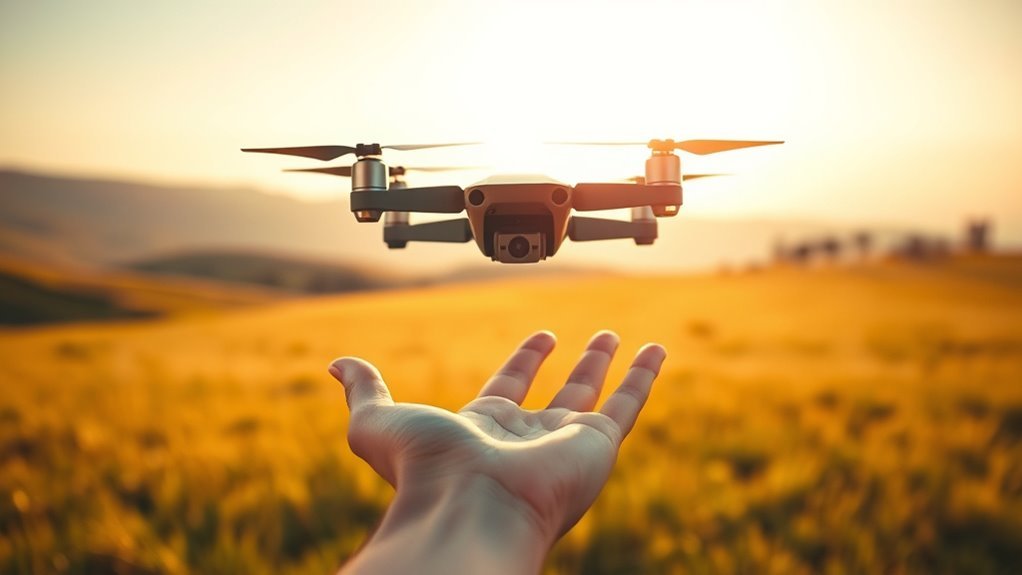
The DJI Flip is a compact camera drone designed for travel, everyday aerial photography, and self-filming. Its most distinctive feature is a folding structure with full-coverage propeller guards.
Instead of using the exposed propeller-arm layout found on many small drones, the Flip has integrated guards that fold beneath the aircraft for storage. This helps protect the propellers during handling and provides an additional barrier around the spinning blades.
The Flip belongs to DJI’s lightweight camera-drone category. It combines some of the portability associated with DJI Mini models with the automatic filming features found in simpler selfie drones.
Its AI-powered subject tracking can follow a person while keeping them in the frame. The aircraft also supports several intelligent shooting modes that reduce the need for constant manual control.
You can use it with compatible remote controllers, through the DJI Fly mobile app, or with supported palm-control functions.
The result is a drone suited to travel videos, walking footage, family activities, and short aerial sequences. For more demanding camera work, the remote controller offers greater control over framing and flight movement.
DJI Flip Weight, Camera, and Key Specs
The DJI Flip weighs less than 249 g with its standard battery and microSD card installed. Despite that low weight, it includes a stabilized camera, automatic shooting features, and DJI’s O4 video transmission system.
The official DJI Flip specifications confirm its camera, battery, speed, flight-time, and transmission ratings.
Weight and Portability
The DJI Flip’s sub-249 g weight makes it practical to carry in a small travel bag. Its folded dimensions are 136 × 62 × 165 mm, while its unfolded dimensions are 233 × 280 × 79 mm.
The full-coverage propeller guards make the folded shape different from a typical DJI Mini drone. Although lightweight, the Flip is not necessarily as slim as other folding camera drones.
Important portability features include:
- Takeoff weight: Less than 249 g with standard equipment.
- Folding construction: Propeller guards fold beneath the aircraft for transport.
- Integrated battery: A removable 3110 mAh Intelligent Flight Battery powers the drone.
- Quick startup: Unfolding the rear arms can automatically turn on the aircraft.
Its low weight can simplify certain registration requirements, but it does not remove other flight restrictions.
For example, the FAA registration rules generally exempt drones below 250 g when flown exclusively under the U.S. recreational exception. Drones used under Part 107 still require registration, regardless of this weight threshold.
Additional equipment can also change the aircraft’s takeoff weight, so check the complete configuration before flying.
Camera and Imaging
The DJI Flip uses a 1/1.3-inch CMOS sensor capable of capturing 12 MP or 48 MP still photographs. It supports 4K video at up to 60 fps with HDR, along with additional slow-motion recording options.
The 3-axis mechanical gimbal stabilizes the camera along its tilt, roll, and pan axes. This helps reduce visible shaking during normal flight and improves the appearance of moving shots.
| Spec | Detail |
|---|---|
| Sensor | 1/1.3-inch CMOS |
| Stills | 12 MP and 48 MP |
| Video | 4K/60 fps HDR; up to 4K/100 fps slow motion |
The lens has a 24 mm equivalent focal length and an f/1.7 aperture. That combination gives the camera a relatively wide view suited to landscapes, travel footage, and subject-following shots.
For editing flexibility, the Flip supports JPEG and DNG/RAW still images. It also offers an optional 10-bit D-Log M recording profile.
Digital zoom depends on the recording mode:
- 4K video: Up to 3× digital zoom.
- Full HD video: Up to 4× digital zoom.
- 12 MP photos: Up to 3× digital zoom.
Digital zoom crops and enlarges the captured image. For the best detail, move the aircraft closer when it is safe and legal rather than relying heavily on zoom.
The Flip has 2 GB of built-in storage and supports compatible microSD cards. DJI lists recommended cards with capacities up to 512 GB.
The internal space can help when you forget your memory card, but a suitable microSD card is the better option for regular 4K recording.
Core Flight Specs
The DJI Flip combines a 3110 mAh battery with a maximum rated flight time of 31 minutes. Its horizontal flight speed depends on the selected flight mode, wind conditions, and flight environment.
| Specification | DJI Flip Rating |
|---|---|
| Takeoff weight | Less than 249 g |
| Maximum flight time | 31 minutes |
| Maximum hover time | 28 minutes |
| Maximum horizontal speed | 12 m/s in Sport mode without wind; up to 16 m/s with the specified tailwind |
| Wind resistance | 10.7 m/s (Level 5) |
| Maximum transmission | 13 km FCC; 8 km CE/SRRC/MIC |
| Maximum rated flight distance | 14 km in controlled testing |
| Operating temperature | -10°C to 40°C |
| Battery capacity | 3110 mAh |
The maximum flight distance is a laboratory endurance measurement, not the distance you should fly away from the takeoff point. A return flight requires enough battery power to complete the journey safely.
DJI Flip Flight Time and Battery Life
DJI rates the Flip for up to 31 minutes of forward flight or 28 minutes of hovering under controlled conditions. Those figures describe specific test environments, not guaranteed flight times on every outing.
For active filming, approximately 20 minutes is a cautious planning estimate from the original guide. Your actual result may be higher or lower depending on conditions.
Several factors influence battery endurance:
- Wind: Fighting a headwind demands additional motor power.
- Flight speed: Repeated acceleration and aggressive maneuvers can shorten flights.
- Temperature: Cold conditions can affect available battery performance.
- Camera operations: Different flight and recording conditions contribute to overall energy consumption.
- Return distance: Flights that take the drone far from home need a larger battery reserve.
Do not plan to use the entire advertised flight time before returning. Set a comfortable safety margin and follow the battery and return-to-home warnings shown in DJI Fly.
How Long Does the DJI Flip Take to Charge?
DJI lists approximately 70 minutes to charge an empty battery through the aircraft using a suitable 30 W USB-C power source.
The Parallel Charging Hub can charge one battery in about 45 minutes with sufficient charging power. With an appropriate 65 W USB-C PD setup, it can charge two batteries in parallel in approximately 70 minutes.
These are rated charging times. Actual results depend on the charger, cable, battery temperature, and other conditions.
An additional Intelligent Flight Battery can extend a filming session without waiting for a recharge. The DJI Flip battery listing in the UK showed £59 when checked, although prices can change.
You can also use a suitable USB-C power bank to charge the aircraft between flights, provided its output meets the charging requirements.
For longer trips, carrying charged spare batteries is usually more convenient than relying on a single battery.
DJI Flip Range and Transmission Limits
The DJI Flip uses the DJI O4 transmission system, with an advertised maximum control range of 13 km under FCC conditions and 8 km under CE, SRRC, and MIC standards.
These measurements assume an open environment without interference or obstacles. The actual communication range can be considerably shorter.
DJI provides reference ranges for different conditions:
| Environment | DJI Reference Range |
|---|---|
| Strong interference, urban environment | 1–2.5 km |
| Medium interference, suburban environment | 2.5–7 km |
| Low interference, open environment | 7–13 km |
| Buildings obstructing the signal | 0–0.5 km |
| Trees obstructing the signal | 0.5–2 km |
These are DJI’s reference measurements under the FCC standard, not guaranteed real-world results.
The four-antenna transmission system operates across supported 2.4 GHz and 5 GHz frequency bands, depending on regional regulations.
When paired with a DJI RC-N3 or RC 2 controller, DJI lists a maximum download speed of 10 MB/s under laboratory conditions. Wi-Fi 5 transfers can reach a rated 30 MB/s.
The system can operate in temperatures from -10°C to 40°C, although weather conditions still affect overall flight safety.
Does 13 km Mean You Can Legally Fly That Far?
No. The advertised transmission range is a technical capability, not permission to fly beyond visual line of sight.
In the United States, ordinary recreational and Part 107 flights generally require you or an appropriately positioned visual observer to maintain visual line of sight with the aircraft, subject to applicable rules and authorizations.
Always consider the available battery, airspace restrictions, and safe return distance before flying farther away.
How to Palm Launch the DJI Flip?
The DJI Flip supports automatic palm takeoff without throwing the drone into the air. You hold it in the correct position, select a compatible shooting mode, and allow the aircraft to lift off automatically after its takeoff sequence.
Unlike a traditional hand launch that involves throwing an aircraft, DJI’s method depends on controlled positioning and subject recognition.
Warning: Never toss the DJI Flip during palm takeoff. Keep your fingers outside the propeller rotation area, and do not attempt to grab the drone while it is flying. Use an open area away from people, branches, and other obstacles.
Step-by-Step Palm Takeoff
- Choose a safe location. Find a clear outdoor area with good lighting and minimal wind. Avoid nearby obstacles, crowds, and water.
- Prepare the aircraft. Check the battery, propeller guards, and camera. Make sure the aircraft is activated and ready for flight.
- Disconnect active remote control devices. For independent palm control, follow DJI’s guidance to turn off connected remote controllers.
- Hold the aircraft correctly. Support the sides of the drone body from below, with its camera facing the intended subject. Keep fingers away from the propellers.
- Select the shooting mode. Use the mode button on the aircraft to select an available Smart Snap mode, such as Follow or Dronie.
- Start the takeoff sequence. Follow the aircraft’s mode-button and voice prompts. Hold the drone steady while it confirms the subject and prepares to lift off.
- Allow automatic takeoff. Keep your hand steady and let the aircraft rise on its own. Do not push or throw it upward.
DJI’s official palm-control instructions explain the supported hand positions and operating restrictions.
Under palm control, DJI specifies a maximum flight height of 30 m and maximum distance of 50 m. These restrictions differ from the longer transmission limits available with compatible controllers.
How to Land the DJI Flip on Your Palm
To use palm landing, extend your arm horizontally and place your open hand beneath the hovering aircraft.
Keep your fingers fully extended and wait for the drone to detect your hand and land automatically. Do not grab the sides of the aircraft during descent.
Avoid moving your hand suddenly. If the aircraft does not detect the landing position, stop and follow the supported landing procedure rather than reaching toward the spinning propellers.
DJI Flip Wind Resistance and Safety Tips
DJI rates the Flip for wind resistance up to 10.7 m/s, approximately 24 mph or 38 km/h. This Level 5 rating describes the aircraft’s tested wind-handling capability, not a recommendation to fly in strong winds.
Because the Flip is lightweight, gusts can affect its speed, stability, tracking path, and remaining battery time.
There is no verified universal wind speed at which every DJI Flip flight begins losing video stability. Conditions can vary with gust strength, direction, altitude, and flight mode.
How to Fly Safely in Wind
- Check wind and gust conditions: Do not rely only on the average wind speed at ground level.
- Allow extra battery reserve: A strong headwind can make the return journey take longer.
- Avoid aggressive tracking: High-speed pursuit shots leave less room to react to unexpected movement.
- Use a suitable flight mode: Normal or Cine mode generally gives beginners more controlled movement than Sport mode.
- Land if control becomes difficult: Do not continue flying simply because the weather remains below the published rating.
Does the DJI Flip Have Obstacle Avoidance?
The DJI Flip has forward 3D infrared sensing and downward positioning sensors, but it does not provide full omnidirectional obstacle avoidance.
According to the DJI Flip FAQ, automatic braking is supported in Normal mode, Cine mode, and during return-to-home under specified conditions.
DJI also states that intelligent functions, including subject tracking, do not support normal automatic obstacle avoidance.
Even when braking is available, detecting an object too late can lead to a collision. A faster-moving drone may not have sufficient distance to stop.
Warning: Do not depend on subject tracking to avoid trees, walls, wires, or people. DJI states that intelligent tracking does not support automatic braking. Plan an unobstructed route, remain ready to take control, and remember that the propeller guards do not protect the exposed camera and gimbal from every collision.
The Flip is also not waterproof. If rain begins during flight, return and land as soon as it is safe.
How to Get Better DJI Flip Footage
Better DJI Flip footage starts with smooth camera movement, the right recording format, and careful exposure settings. The drone supports automatic filming modes for quick shots and manual camera adjustments for creators who want more control.
For most everyday footage, 4K recording provides detailed video. For projects that need more color adjustment, D-Log M offers additional editing flexibility.
Shooting Modes
The DJI Flip supports intelligent shooting modes through its palm-control system, mobile app, and compatible remote controllers.
Available features include Follow, Dronie, Circle, Rocket, Spotlight, and Custom shooting modes. With compatible control methods, it also supports features such as QuickShots, MasterShots, Hyperlapse, and FocusTrack.
Different shooting modes suit different scenes:
- Follow: Record a moving person while the aircraft tracks their movement.
- Dronie: Capture a shot that moves away from the subject to reveal the surroundings.
- Circle: Film a subject while the drone moves around them.
- Rocket: Capture an upward movement that emphasizes the scene below.
- Spotlight: Keep the selected subject framed while adjusting aircraft movement.
- DirectionTrack: Support front-facing or rear-following movement after the required setup in DJI Fly.
DJI currently specifies human-subject tracking for its palm-control tracking functions, rather than general tracking of animals or arbitrary objects.
DirectionTrack can initially move the aircraft backward to create framing distance. Make sure there is clear space behind the drone before starting the shot.
Camera Settings for Sharper Video
For recording in changing lighting conditions, automatic exposure can be convenient. In scenes with consistent light, manually setting exposure can help prevent sudden brightness changes.
DJI Fly supports manual camera adjustments, including shutter speed, ISO, and white balance.
Try these settings and techniques:
- Choose the frame rate first. Use 25 or 30 fps for ordinary footage, or 50/60 fps when you need smoother movement or plan to slow the clip.
- Keep white balance consistent. Locking white balance can reduce unexpected color shifts during a shot.
- Use manual exposure when useful. Set suitable shutter and ISO values to prevent unwanted exposure changes.
- Avoid excessive digital zoom. Cropping reduces available image detail.
- Use smoother flight movement. Gradual turns and controlled gimbal movement usually look more polished than abrupt inputs.
For photographs, the Flip supports automatic exposure bracketing in 12 MP mode. It captures several exposures of the same scene, giving you more options when editing scenes with bright skies and dark foregrounds.
Editing for Quality
Editing begins before the flight, because recording settings determine how much flexibility you have later.
The DJI Flip’s optional 10-bit D-Log M profile is designed for footage that will receive color correction or grading. Normal color mode is simpler when you want a finished-looking result with minimal editing.
DJI also provides an official D-Log M to Rec.709 conversion LUT through its DJI Flip downloads page.
When working with footage recorded at 30 fps in a 25 fps project, simply placing the clip on the timeline may create uneven frame cadence.
If you want smooth slow motion, conforming 30 fps footage to 25 fps produces playback at approximately 83.3% of its original speed. This works best when the clip does not need to remain synchronized with real-time audio.
For normal-speed footage, matching the recording frame rate to the project frame rate is usually more straightforward.
Also consider these editing practices:
- Apply a suitable color conversion before making detailed adjustments to D-Log M footage.
- Avoid excessive sharpening, especially in detailed landscapes.
- Correct exposure and white balance before applying a creative color grade.
- Use short, deliberate clips rather than keeping unnecessary sections of a long recording.
- Keep original video files backed up before editing or formatting the microSD card.
For longer recording sessions, a suitable microSD card offers more practical storage than the drone’s limited 2 GB internal memory.
Frequently Asked Questions
How Far Away Can a DJI Flip Fly?
DJI rates its O4 control link at up to 13 km in FCC regions and 8 km in CE, SRRC, and MIC regions, assuming unobstructed, interference-free conditions. That is not permission to fly that far. Obey visual-line-of-sight rules, local airspace limits, battery warnings, and return-to-home guidance.
What Is the Flight Time on the DJI Flip?
DJI lists up to 31 minutes of forward flight and 28 minutes of hovering in controlled tests. Around 20 minutes may be a more cautious planning estimate for active filming, although real results vary. Bring a spare battery and begin returning well before the battery becomes low.
Can the FAA Know You Flew a DJI Drone?
Yes, in some circumstances. Drones subject to FAA Remote ID rules broadcast identifying and position data, and registration or flight records may help authorized officials investigate incidents. A sub-250 g drone flown exclusively under the recreational exception is generally exempt from registration unless its weight or use changes.
The FAA explains how drone identification works through its Remote ID guidance. Registration status, operating purpose, and the aircraft’s configuration determine which requirements apply.
Can You Fly a DJI Flip at Night?
Yes, provided you follow local rules and can keep the drone in sight. In the United States, Part 107 night flights require compliant anti-collision lights visible for three statute miles and appropriate pilot training. Recreational night flights follow applicable community-based safety guidelines. The Flip’s limited sensors are less dependable in low light.
The FAA’s drone operating guidance explains the different nighttime requirements for recreational and Part 107 pilots.
Does the DJI Flip Need FAA Registration?
For U.S. flights done solely under the recreational exception, a drone weighing less than 250 g generally does not require FAA registration. Part 107 operations require registration even at that weight, and added accessories can change the takeoff weight. Other countries have separate requirements.
Can the DJI Flip Avoid Trees Automatically?
No. The Flip has forward infrared sensing and downward positioning sensors, not full all-direction obstacle avoidance. DJI says intelligent tracking does not provide automatic braking. Use Follow and DirectionTrack only where the drone has a clear path, and keep control of the aircraft.
Conclusion
The DJI Flip combines a compact folding design with a capable 1/1.3-inch camera, stabilized 4K video, intelligent tracking, and convenient automatic palm takeoff.
Its strengths are portability, quick filming, and flexible camera controls. Its main limitations are real-world battery endurance, wind sensitivity, and restricted obstacle sensing during intelligent flight.
For the best results, fly in an open area, choose suitable recording settings, leave enough battery for a safe return, and treat every automated flight feature as an aid rather than a replacement for active piloting.
Sources
- DJI Flip official specifications: Camera, aircraft weight, flight time, charging, wind resistance, transmission range, and storage.
- FAA drone registration guidance: U.S. recreational weight exemptions and Part 107 registration rules.
- DJI Flip product FAQ: Shooting modes, manual camera settings, tracking, and obstacle sensing.
- DJI Flip Intelligent Flight Battery UK listing: Battery specifications and checked retail price.
- DJI Flip palm-control instructions: Safe hand positioning, takeoff, landing, and palm-control limits.
- DJI Flip downloads: Official D-Log M conversion LUT.
- FAA Remote ID guidance: Broadcast identification requirements and operator identification.
- FAA getting started guidance: Recreational and Part 107 operating requirements, including night flying.

