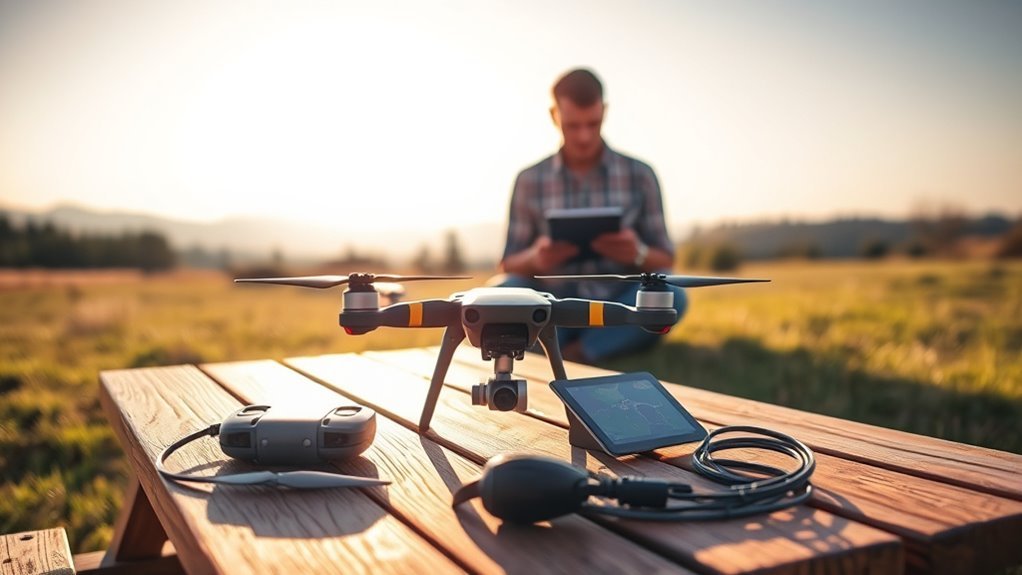
The DJI Mini 4K is a lightweight camera drone made for first-time pilots, travelers, and hobby filmmakers. It shoots 4K video with a mechanical gimbal, but its long-distance and battery claims need context. Before choosing it, you should understand its actual flight limits, camera strengths, and the rules that apply where you fly.
Quick Answer
The DJI Mini 4K weighs 246 g and records 4K video at up to 30 fps with a 3-axis gimbal. DJI rates it for up to 31 minutes per battery and a 10 km FCC or 6 km CE video link in ideal conditions. It is beginner-friendly but has no obstacle-avoidance system.
Key Takeaways
- The 31-minute rating comes from a controlled flight test, not normal filming in wind.
- The camera takes 12 MP JPEG or RAW photos, but needs a microSD card for full-quality recording.
- QuickShots and Return to Home help beginners; neither replaces watching for obstacles.
- In the United States, recreational flights under 250 g generally avoid registration, but the TRUST test and other rules still apply.
What Is the DJI Mini 4K?
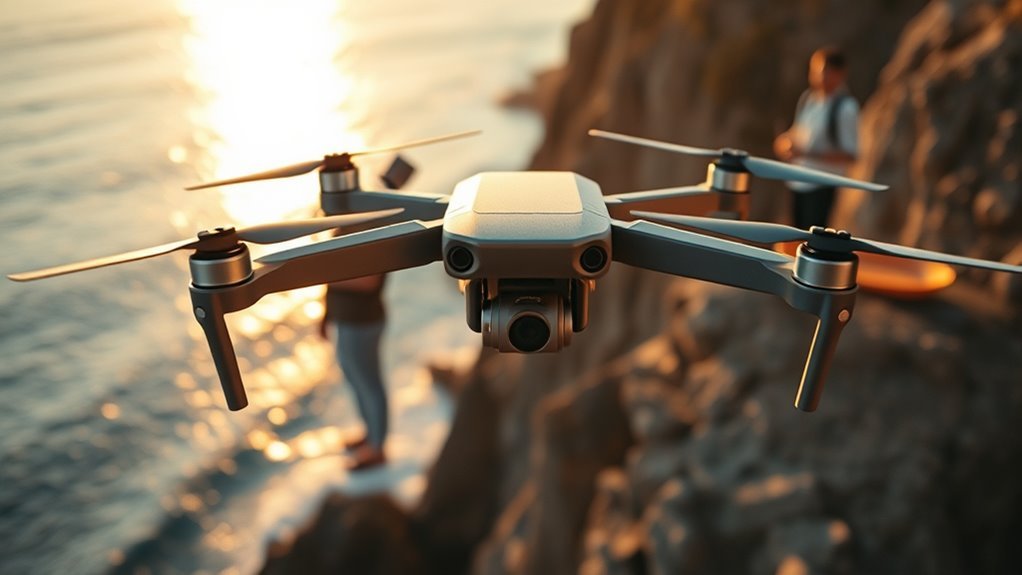
The DJI Mini 4K is a foldable, GPS-assisted consumer drone for aerial photos and video. At a standard takeoff weight of 246 g, it is easy to carry and falls below the U.S. recreational registration threshold when it remains under 250 g in flight.
Its strengths are a stabilized camera, predictable controls, one-tap takeoff and landing, and GPS-based Return to Home (RTH). The DJI Fly app also provides flight tutorials and automatic camera moves. However, the Mini 4K cannot sense and steer around objects ahead of it.
That trade-off makes it a good learning platform in open spaces, but not a drone to send between trees or buildings without close attention.
DJI Mini 4K Specs at a Glance
The DJI Mini 4K combines a 1/2.3-inch CMOS camera sensor with DJI O2 (OcuSync 2.0) transmission and a 3-axis mechanical gimbal. These are the key published values from DJI’s Mini 4K specifications.
| Specification | DJI Mini 4K |
|---|---|
| Standard takeoff weight | 246 g |
| Camera and photo resolution | 1/2.3-inch CMOS; 12 MP JPEG or DNG RAW |
| Video | 4K at 24/25/30 fps; 2.7K or 1080p up to 60 fps |
| Stabilization | 3-axis mechanical gimbal |
| Maximum advertised flight time | 31 minutes |
| Video transmission (ideal) | 10 km FCC; 6 km CE |
| Battery | 2,250 mAh, 17.32 Wh Li-ion |
| Wind resistance | 10.7 m/s (Level 5) |
| Maximum takeoff altitude | 4,000 m above sea level, or 2,000 m with propeller guards |
| Storage and controller | microSD card; DJI RC-N1C or RC-N1 with a phone |
The 4,000 m specification describes the elevation where the drone can take off, not permission to fly 4,000 m above the ground. Actual flight-height limits are much lower and depend on local law.
How Long Does the DJI Mini 4K Fly?
DJI advertises up to 31 minutes per battery. That result was measured in a windless, controlled test with the drone moving at a constant speed, so you should not expect a full 31 minutes of usable filming every time.
Wind, repeated climbs, Sport mode, cold weather, battery age, and time spent hovering all affect endurance. Leave enough power for the return trip and landing rather than waiting for the battery to reach its lowest level.
Three fully charged batteries provide up to 93 minutes of theoretical combined flight time across separate flights, not one continuous flight. The Fly More Combo adds two extra batteries and a charging hub. DJI specifies that the hub charges batteries in sequence, not all at once.
For planning, treat the remaining time shown in DJI Fly as an estimate that can change when you turn into the wind or climb.
How Far Can the DJI Mini 4K Go?
The DJI Mini 4K has an advertised maximum video-link distance of 10 km under FCC rules and 6 km under CE rules. These are unobstructed, interference-free transmission tests, not safe or legal round-trip flight distances.
DJI’s published examples for FCC-mode testing show about 1.5–3 km with strong urban interference, 3–6 km with medium interference, and 6–10 km with low interference. These are reference conditions, not guaranteed results. Buildings, trees, hills, radio traffic, and poor antenna direction can shorten the link further.
DJI O2 offers a more reliable live view than basic Wi-Fi control, but a strong connection does not remove battery or visibility limits. In the United States, FAA recreational flight rules require keeping the aircraft within visual line of sight or using a nearby visual observer under the rule’s conditions.
Warning: Do not use the advertised 10 km radio range as a distance target. Plan a shorter flight that keeps the drone visible and leaves enough battery to return against the wind.
DJI Mini 4K Camera and Gimbal Quality
The DJI Mini 4K records up to 3840 × 2160 at 30 fps, with a 3-axis gimbal that smooths tilt, roll, and pan. This makes it well suited to daylight landscapes, travel clips, and slow, steady reveal shots.
Its 12 MP sensor saves JPEG files for quick sharing or DNG RAW files for more control when editing photos. You can also use exposure bracketing and Sphere, 180-degree, or Wide-Angle panoramas. The camera supports manual shutter speed, ISO, and white-balance controls.
For video, the camera can shoot 2.7K or 1080p at up to 60 fps and offers 2× digital zoom in 4K. Digital zoom crops or processes the image; it does not provide true optical magnification. The 1/2.3-inch sensor and f/2.8 lens have less flexibility in dim light and high-contrast scenes than larger-sensor models.
The Mini 4K does not offer native rotating-gimbal vertical shooting or the advanced tracking features found on some higher-end drones. You can crop horizontal footage for vertical posts, but doing so reduces the usable frame.
Bring a microSD card. The drone has no internal storage for full-quality media. DJI’s Mini 4K beginner guide recommends a compatible card before recording or using QuickShots.
Easy-to-Use Flight Features
One-tap takeoff, location-assisted hovering, five QuickShots, and Return to Home help new pilots concentrate on steering and framing. These features reduce workload, but they do not turn the Mini 4K into a self-avoiding or hands-free follow drone.
One-Tap Takeoff
One-tap takeoff starts an automatic launch from DJI Fly after the aircraft completes its checks. You still need an open launch area, a secure controller connection, enough battery, and a recorded home point.
- Remove the gimbal protector, unfold the aircraft, and inspect the propellers.
- Connect the RC-N1C controller to your phone and open DJI Fly.
- Wait for positioning and home-point confirmation, then use the takeoff control.
- Practice slow turns and a controlled landing in an open area.
The DJI Fly Academy offers tutorials for basic flight, safety, and settings. Beginners should learn the manual landing controls too, rather than relying only on a tap.
Stable Hovering
The Mini 4K uses GPS, GLONASS, Galileo, downward vision, and infrared sensing to help hold its position. That combination makes steady framing easier when satellite reception and lighting are suitable.
Downward sensors work best above surfaces with visible texture and enough light. Over reflective water, dark ground, or poorly lit areas, position hold can be less dependable. Its 246 g standard weight aids portability, but gusts can still move the aircraft.
QuickShots Modes
Five QuickShots automate short camera moves while you select a subject and supervise the path. The DJI Fly app provides these options:
- Dronie: moves backward and upward while keeping the subject framed.
- Helix: circles outward and rises around the subject.
- Rocket: climbs with the camera pointed down.
- Circle: flies around the subject.
- Boomerang: makes an oval route that moves away and returns.
For a first attempt, use plenty of clear space and a short setting. DJI’s QuickShots instructions explain the selection steps and how to stop a move using the pause control.
GPS Return to Home and Its Limits
Return to Home can guide the Mini 4K toward its recorded home point when you command it, the battery becomes low, or the controller link is lost. It requires suitable satellite positioning and a valid home point.
Set the RTH altitude above nearby obstacles before taking off. Because the aircraft has no forward or side obstacle avoidance, it can hit a tree or building on the return route if that height is too low. RTH is an aid, not a recovery guarantee.
Why Range and Flight Time Vary
Range and endurance vary because DJI’s headline numbers are controlled-test maximums. Outdoor flying adds moving air, changing radio conditions, and extra energy use.
- Headwinds: the drone may need more power to return than to fly out.
- Obstacles and interference: trees and buildings can weaken the video link even at modest distances.
- Temperature: cold batteries can deliver less usable flight time; DJI lists a 0–40°C aircraft operating range.
- Battery condition: repeated cycles and age can shorten runtime.
- Altitude: thin air at high elevations reduces available thrust and can affect flight.
DJI rates the aircraft for up to 10.7 m/s of wind resistance. That does not mean every flight at that wind speed will be steady or that returning home will be easy. Choose calm weather while learning, and land when the app issues a serious flight warning.
DJI Mini 4K vs Other Beginner Drones
Compared with the DJI Mini 2 SE, the Mini 4K’s main improvement is its higher video resolution. The DJI Mini 3 offers a larger sensor, longer standard-battery flight rating, and a rotating camera for vertical video.
| Feature | Mini 2 SE | Mini 4K | Mini 3 |
|---|---|---|---|
| Top video resolution | 2.7K/30 fps | 4K/30 fps | 4K/30 fps HDR |
| Sensor | 1/2.3-inch | 1/2.3-inch | 1/1.3-inch |
| Max standard-battery flight time | 31 min | 31 min | 38 min |
| Native vertical video | No | No | Yes |
DJI’s Mini 3 specifications also list an optional high-capacity battery with a longer endurance rating, but that battery raises the aircraft above the sub-250 g class. Choose the Mini 4K for straightforward daylight 4K footage; consider the Mini 3 for a stronger camera and native vertical shooting.
Who Should Buy the DJI Mini 4K?
The DJI Mini 4K makes most sense for people who want stable aerial photos and video without learning a complex camera system. Its best use is in open outdoor locations with daylight and clear sight of the aircraft.
Beginner-Friendly Flight
First-time pilots benefit from one-tap launch, steady hovering, beginner lessons in DJI Fly, and RTH support. Start by learning turns, height control, manual landing, and what to do if the signal weakens.
The limitations matter too: there is no obstacle avoidance, and the RC-N1C needs a compatible phone for its live-view screen.
Travel-Friendly Portability
At 246 g in its standard configuration, the foldable aircraft takes little room in a backpack. Its 4K/30 fps camera suits scenic stops, short landscape clips, and family travel videos, where drone flying is permitted.
Travelers should pack the controller, phone cable, charger, spare batteries, and microSD card. An added guard or accessory can change the aircraft’s weight, so check the final takeoff weight and the rules at your destination.
Affordable 4K Upgrade
If your current drone records only low-resolution or shaky video, the Mini 4K’s real upgrade is its combination of 4K recording and a mechanical gimbal. It is also a simple entry point for 12 MP RAW photography.
Skip it if you need automatic subject following, obstacle avoidance, 4K at 60 fps, or native portrait video. These needs call for a different camera drone rather than an accessory for the Mini 4K.
FAA Rules and Safe Flight Before Your First Takeoff
In the United States, a DJI Mini 4K weighing less than 250 g does not need FAA registration when flown exclusively for qualifying recreation. That exemption is based on both the flight’s purpose and the aircraft’s weight, not its model name alone.
Under Part 107, drones must be registered even when they weigh less than 250 g. The FAA’s registration guidance also explains that aircraft required to register generally must comply with Remote ID, subject to applicable exceptions.
For recreational flying, you still need to pass the free TRUST safety test, follow airspace rules, give way to crewed aircraft, and maintain visual line of sight. In uncontrolled U.S. airspace, the usual recreational ceiling is 400 ft above ground level; controlled airspace may require authorization.
Note: Registration exemptions are not blanket flight permissions. For non-recreational work, flights abroad, or operations using added accessories, confirm the applicable requirements with the aviation authority before launch.
Is the DJI Mini 4K Worth It?
Yes, the DJI Mini 4K is a worthwhile starter drone when your priority is stable 4K daylight video, simple controls, and easy travel. Its main compromises are the small camera sensor, lack of obstacle avoidance, and no continuous subject tracking.
| Feature | Benefit | User Value |
|---|---|---|
| 4K camera | Detailed daylight video | More room to crop and edit |
| 3-axis gimbal | Smoother footage | Cleaner travel clips |
| GPS RTH | Assisted return when conditions allow | A useful backup, not obstacle protection |
The Fly More Combo makes more sense when you routinely want several short sessions between charging stops. You may get more value from upgrading to a camera-first model if you often shoot at dusk or need vertical social-video framing.
Frequently Asked Questions
How Far Away Can I Fly My DJI Mini 4K?
DJI rates the radio link for up to 10 km in FCC mode or 6 km in CE mode under ideal conditions. Legal flight distance is often much shorter because you must meet visual-line-of-sight rules and keep enough battery for the return trip. Buildings, trees, and interference can reduce the link further.
How Much Flight Time Does the DJI Mini 4K Have?
It offers up to 31 minutes from one fully charged 2,250 mAh battery in DJI’s controlled test. Actual flight time is usually less because of wind, climbs, temperature, and the reserve needed to land safely. With three batteries, the published maxima add up to 93 minutes across separate flights.
Can the FAA Know I Flew a DJI Drone?
Yes. Flights may come to the FAA’s attention through reports, investigations, records, or Remote ID broadcasts where required. However, not every recreational flight by a sub-250 g drone must broadcast Remote ID. The important point is that being small or unregistered does not remove the duty to follow airspace and flight-safety rules.
Can DJI Mini 4K Fly at Night?
Yes, but night flights require proper planning and compliance with the rules that apply to your operation. In the U.S., recreational pilots must follow recognized community-based safety guidelines for night lighting. Part 107 pilots need qualifying anti-collision lights visible for three statute miles. The drone has no night vision or obstacle avoidance.
Does the DJI Mini 4K Avoid Obstacles or Follow People?
No. The Mini 4K has downward sensing for positioning and landing, but it does not provide forward, rear, or side obstacle avoidance. It also lacks a continuous ActiveTrack-style follow mode. QuickShots can keep a selected subject in frame during a preset move, but you must watch the flight path and keep it clear.
Does the DJI Mini 4K Need a microSD Card?
Yes, for full-resolution 4K video, original photo files, and the complete creative feature set, use a compatible microSD card. The Mini 4K does not have built-in media storage. Without a card, DJI says only limited, lower-quality files can be saved to your phone, so check for a card before leaving home.
Conclusion
The DJI Mini 4K delivers the features most new pilots need: 4K/30 fps video, 3-axis stabilization, straightforward controls, and a portable airframe. Its limits matter just as much as its specifications. If you fly in open spaces, keep the drone visible, and treat RTH as backup rather than obstacle protection, it is a capable way to start filming from the air.
For U.S. flights, consult the FAA’s night-flight guidance before an evening session and its Remote ID requirements when your operation requires registration.
Sources
- DJI Mini 4K official specifications: aircraft, camera, battery, and radio-link ratings.
- DJI beginner guide for Mini 4K and Mini 2 SE: activation, storage, RTH, and safe setup.
- DJI QuickShots guide: preset routes and stopping a shot.
- DJI Mini 3 official specifications: side-by-side camera and flight-time comparison.
- FAA recreational flyer rules: TRUST, visual line of sight, and altitude restrictions.
- FAA drone registration: weight exemption, non-recreational registration, and Remote ID.
- FAA Getting Started: night lighting requirements.
- FAA Remote Identification of Drones: registration-linked broadcast requirements and exceptions.

