The Toyota Camry Smart Key system can unlock doors and release the trunk while the electronic key stays in a pocket or bag, but the exact features depend on the Camry’s model year, trim, and equipment. On newer Camrys, remote keyless entry, Push Button Start, Smart Key proximity entry, Digital Key, and Remote Connect are separate features. Knowing which system the car actually has makes locking, unlocking, trunk access, customization, and troubleshooting much easier.
Quick Answer
With a Smart Key-equipped Toyota Camry, carry the electronic key, grip the front door handle to unlock, touch the handle’s lock sensor to lock, and press the trunk-lid release while the key is nearby. Features vary by year and trim; on the 2026 Camry, Smart Key is available on LE, SE, and Nightshade and standard on XLE and XSE.
Key Takeaways
- Smart Key proximity entry is not the same as ordinary remote keyless entry or Push Button Start.
- On the 2026 Camry, Smart Key is available on LE, SE, and Nightshade and standard on XLE and XSE.
- Grip the appropriate front door handle to unlock and touch the handle’s lock sensor to lock when Smart Key is equipped.
- A weak fob battery, radio interference, gloves, dirt, ice, water, or the key’s position can interfere with operation.
- Remote window opening, Digital Key, and remote-start functions depend on configuration, customization, equipment, or connected-service availability.
At a Glance
| Time Required | Seconds for normal entry or trunk access; about 5–10 minutes for basic troubleshooting |
| Difficulty | Easy |
| Tools Needed | None for normal use; the mechanical key and owner’s manual help during a fob or system problem |
| Cost | No cost for normal operation; replacement fob-battery cost varies |
How to Use the Toyota Camry Smart Key
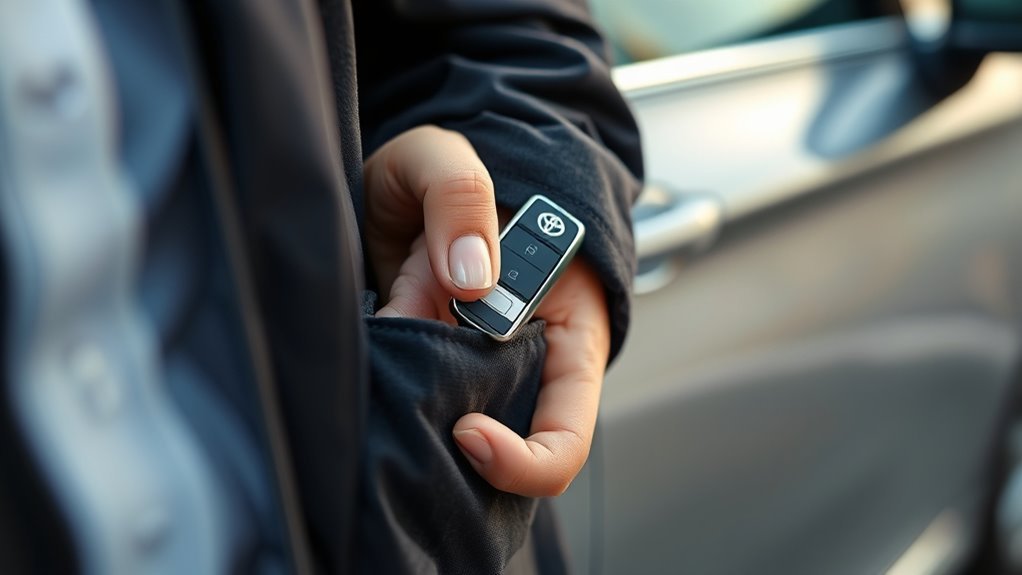
Using the Toyota Camry Smart Key is straightforward once the vehicle’s equipment is confirmed. Toyota describes the proximity feature as an entry function: the electronic key communicates with antennas in and around the vehicle so the driver can operate certain locks without pressing a fob button.
- Carry the electronic key. Keep it in a pocket, purse, or bag rather than leaving it inside the vehicle.
- Unlock the door. On Smart Key-equipped Camrys, grip the appropriate front door handle and make contact with the unlock sensor on the back of the handle. Door-unlock behavior can vary according to the vehicle’s settings.
- Lock the doors. Close the doors, then touch the lock sensor on the exterior door handle. Confirm the vehicle gives its normal lock confirmation.
- Open the trunk. With the electronic key in range, press the release button on the trunk lid. The latch releases so the trunk can be opened.
- Use the fob when preferred. The wireless remote can still provide lock, unlock, panic, and trunk-release functions according to the vehicle’s equipment.
Toyota notes that a door cannot immediately be unlocked through the entry sensor for a short period after it has just been locked. Exact sensor placement and behavior also vary by Camry generation, so the owner’s manual for the specific model year takes priority over generic instructions.
Pro Tip: After touching the lock sensor, verify the confirmation sound or flash and briefly check that the door is actually locked instead of walking away immediately.
Smart Key vs. Remote Keyless Entry vs. Digital Key
These terms are easy to confuse, but they describe different functions.
- Remote keyless entry: The driver presses buttons on the physical key fob to lock or unlock the vehicle.
- Push Button Start: The vehicle can be started with the electronic key detected in the cabin.
- Smart Key System: Proximity-based entry lets the driver unlock or lock designated doors and access the trunk without pressing the fob buttons.
- Digital Key: On compatible Camrys, a supported smartphone can act as a key. It is separate from the physical Smart Key and depends on equipment and Toyota Connected Services.
- Remote Connect: Toyota’s connected service can provide supported remote commands through the Toyota app. Available commands depend on the vehicle and service status.
[Amazon Products Picked for You]

【Fits Model】For 2025-2026 Camry,4Runner,2021-2026 RAV4 Prime,2021-2026 Sienna, 2023-2026 Collora,Collora Cross,Highland,Grand Highlander,Prius,Prius Prime,Sequoia,Crown,bz4X,GR86,Super 2019-2026 Land Cruiser,2021-2026 Venza,3/4/5/6 Button keyless entry remote control smart key.

**Please confirm compatibility using the fitment guide located in the product images**
Does Your Camry Have Smart Key?
The safest way to confirm Smart Key equipment is to check the exact vehicle specification, VIN-based equipment information, or owner’s manual instead of assuming that Push Button Start means proximity entry is included.
For the U.S.-market 2026 Toyota Camry, Toyota lists the following:
| 2026 Camry Grade | Remote Entry / Push Button Start | Smart Key on Front Doors and Trunk |
| LE | Standard | Available |
| SE | Standard | Available |
| Nightshade | Standard | Available |
| XLE | Standard | Standard |
| XSE | Standard | Standard |
Toyota’s official 2026 Camry eBrochure is the appropriate reference for current U.S. trim availability.
Note: Push Button Start does not by itself prove that a Camry has proximity Smart Key entry. The 2026 LE, for example, has Push Button Start and remote keyless entry as standard equipment while the full Smart Key System is available rather than standard.
[Amazon Products Picked for You]

COMPATIBILITY:Compatible with Toyota Camry 2018-2023.【Note】Please ensure your key matches the original in button layout. REPLACEMENT:Fits HYQ14FBC.Compatible with Part...
Unlocking and Locking the Toyota Camry Doors
With the Smart Key in range, grip the appropriate exterior front door handle to unlock the vehicle. The sensor is built into the handle, so there is no need to insert a mechanical key during normal operation.
Depending on the model year and customization, gripping the driver’s handle may unlock only the driver’s door first or may unlock all doors. Toyota allows certain unlocking behavior to be customized, so owners who want every door to unlock together should check their model’s vehicle settings or owner’s manual rather than relying on a universal key-fob button sequence.
To lock the vehicle, close the doors and touch the exterior handle’s lock sensor. If the vehicle detects that a door is not fully closed, Toyota specifies that a warning buzzer can sound and the door should be closed before attempting to lock again.
Gloves can reduce sensor response. Water, snow, ice, mud, or other contamination on the handle can also interfere with operation. If the lock sensor does not respond, remove gloves if practical, clean and dry the sensor area, and try again.
Opening the Toyota Camry Trunk
On a Smart Key-equipped Camry, carry the electronic key and press the release button on the trunk lid. The system recognizes the nearby key and releases the trunk latch.
The trunk can also be released through the vehicle’s interior trunk opener or the applicable trunk button on the wireless remote. Toyota’s current Camry manual also notes that when all doors are already unlocked through an approved method, the trunk can be opened without the electronic key being separately detected at the rear.
If the trunk does not respond, move the electronic key closer to the rear of the vehicle, try the wireless remote, and check whether the fob battery appears weak. Radio interference or an electronic key positioned too close to the body, ground, window, or other electronics can affect recognition.
Customizing Toyota Camry Smart Key Features
Several Smart Key and wireless-remote behaviors can be customized on supported Camrys. The options vary by model year and equipment, so not every function described online will work on every Camry.
Change Which Doors Unlock
Some Camrys allow the owner to change whether touching the driver’s handle unlocks only the driver’s door or all doors. Toyota documents different procedures across generations, so use the procedure in the owner’s manual for the exact model instead of assuming one fob-button combination applies universally.
Remote Window Opening
On supported Camrys, pressing and holding the fob’s unlock button can open the windows and, when equipped, the moonroof or panoramic roof. However, Toyota’s current Camry manual states that remote window-opening functionality must be enabled through customization, such as by a Toyota dealer. It should not be assumed to work from the factory on every vehicle.
Digital Key and Remote Connect
For the 2026 Camry, Toyota lists Digital Key capability on XLE and XSE when equipped with the applicable package and an active Remote Connect trial or subscription. Digital Key lets a compatible smartphone perform supported key functions and is separate from the physical Smart Key.
Remote Connect can provide supported commands through the Toyota app, but functions vary by model and grade. Toyota’s 2026 Connected Services feature chart specifically notes that Remote Connect on the 2026 Camry LE does not include Engine Start/Stop. Therefore, remote start should not be treated as a universal Camry key-fob or app feature.
Smart Key Battery and Troubleshooting Tips
If the Toyota Camry Smart Key stops responding, a weak electronic-key battery is one possibility, but it is not the only one. Toyota notes several conditions that can interrupt communication between the vehicle and the fob.
- Move the fob closer. Try operating the system beside the driver’s door or trunk rather than from several feet away.
- Try the wireless remote buttons. If proximity entry fails but the buttons still work, the problem may involve the entry sensor, vehicle setting, key position, or interference rather than a completely dead fob.
- Check the fob battery. Replace a depleted battery using the procedure and battery specification listed for the exact model-year key.
- Move away from interference. Strong radio sources, cellular devices, another electronic key, chargers, computers, or certain metallic objects can interfere with Smart Key communication.
- Check the door-handle sensor. Remove ice, mud, water, or other contamination. If gloves are interfering, try touching the sensor with a bare hand.
- Use the mechanical key if necessary. Toyota provides a mechanical-key fallback for situations in which Smart Key or wireless remote operation is unavailable.
- Check the vehicle display. If the Camry reports a Smart Key system malfunction or the problem remains after basic checks, have the system inspected by a qualified Toyota technician.
Toyota notes that Smart Key performance can be affected by the electronic key’s location, nearby radio signals, other electronic keys, metallic objects, and a depleted key battery.
[Amazon Products Picked for You]

COMPATIBLE DEVICES: Works with watches, fitness trackers, key fobs, remote controls, and any device requiring CR1632 / 3V lithium coin batteries.

Replacement Batteries for a 2010-2015 Toyota Prius Smart Key ** with a low or dead battery.

KEY FOB BATTERY INSTALLATION: This kit includes [qty 2] CR2016 batteries for an easy and secure replacement of your key fob battery for Toyota vehicles.
When Parking the Camry for a Long Time
Toyota advises owners not to leave the electronic key close to the vehicle for extended periods. Current Camry guidance recommends keeping the key at least about 6 ft. (2 m) from the vehicle during extended parking and notes that the electronic key can be placed in battery-saving mode to reduce battery drain.
Toyota Camry Smart Key Safety Tips
Smart Key is convenient, but it still requires basic checks. Confirm that every door and the trunk are properly closed, listen for the normal lock confirmation, and avoid leaving the electronic key inside the cabin or trunk.
Toyota includes anti-lockout safeguards, but electronic-key detection is not infallible. Radio conditions and the location of the key can affect whether it is detected correctly. Always make sure the key is with you before closing and locking the vehicle.
Warning: Toyota warns that people with implantable cardiac pacemakers, cardiac resynchronization therapy pacemakers, or implantable cardioverter defibrillators should keep away from Smart Key system antennas because the radio waves may affect those devices. Toyota advises consulting a doctor about whether the entry function should be disabled. Users of other electronic medical devices should consult the device manufacturer. See the vehicle owner’s manual for the antenna locations and complete warning.
The full Smart Key safety and operating information is available in the Toyota Camry Owner’s Manual.
Frequently Asked Questions
Does the Toyota Camry LE Have Keyless Entry?
Yes, but the term matters. The 2026 Camry LE has a multifunction key fob with remote entry and Push Button Start as standard equipment. Toyota lists proximity-based Smart Key on the front doors and trunk as available on the LE rather than standard.
Can My Toyota Wireless Electronic Key Lock the Car When a Door Is Open?
Normal Smart Key locking is designed to alert the driver when a door is not fully closed. Toyota states that an attempt to lock with an incompletely closed door can produce a continuous warning buzzer. Fully close the door and try again.
What Are Some Hidden Features on a Toyota Camry Key Fob?
Depending on model year and configuration, useful lesser-known functions can include a concealed mechanical key, customizable door-unlock behavior, battery-saving mode, and remote window opening after that function has been enabled. Remote start and other connected functions vary by vehicle and service, so they should be verified for the exact Camry.
Does the 2026 Camry LE Have a Smart Key?
The 2026 Camry LE can have Smart Key, but Toyota lists the Smart Key System on the front doors and trunk as available rather than standard. The LE does include remote keyless entry and Push Button Start as standard equipment.
What Is the Difference Between Toyota Smart Key and Digital Key?
Smart Key uses Toyota’s physical electronic key for proximity entry and starting. Digital Key lets a compatible smartphone act as a key on supported vehicles. For the 2026 Camry, Digital Key is offered on appropriately equipped XLE and XSE models and requires the applicable Remote Connect service.
Conclusion
The Toyota Camry Smart Key system makes door and trunk access convenient, but equipment varies by year and trim. For the 2026 Camry, LE, SE, and Nightshade offer Smart Key as an available feature, while XLE and XSE include it as standard. If the system stops responding, check the fob battery, key position, handle sensor, and possible radio interference before assuming a major fault. For model-specific settings or emergency procedures, follow the owner’s manual for the exact Camry.
Sources
- Toyota 2026 Camry eBrochure — Smart Key, remote-entry, Push Button Start, and trim availability.
- Toyota Camry Owner’s Manual — Smart Key operation, trunk access, customization, interference, battery-saving guidance, and safety warnings.
- Toyota 2026 Audio Multimedia & Connected Services Feature Applicability — Remote Connect availability and 2026 Camry LE Engine Start/Stop limitation.
- Toyota USA Newsroom: 2026 Camry — current 2026 Camry equipment, Push Button Start, Digital Key, and connected-service information.
