For a 2026 RAV4 media setup, the drive must support storage functions, not just simple charging. A compact USB-C model like the SANDISK 128GB Extreme Fit is often a practical choice, provided it is formatted to FAT32 and checked for compatibility with Toyota’s recorder system. Drive size, speed, and placement all affect reliability, yet the larger issue is how the vehicle manages clip retention over time.
What USB Drive Works in the 2026 RAV4?
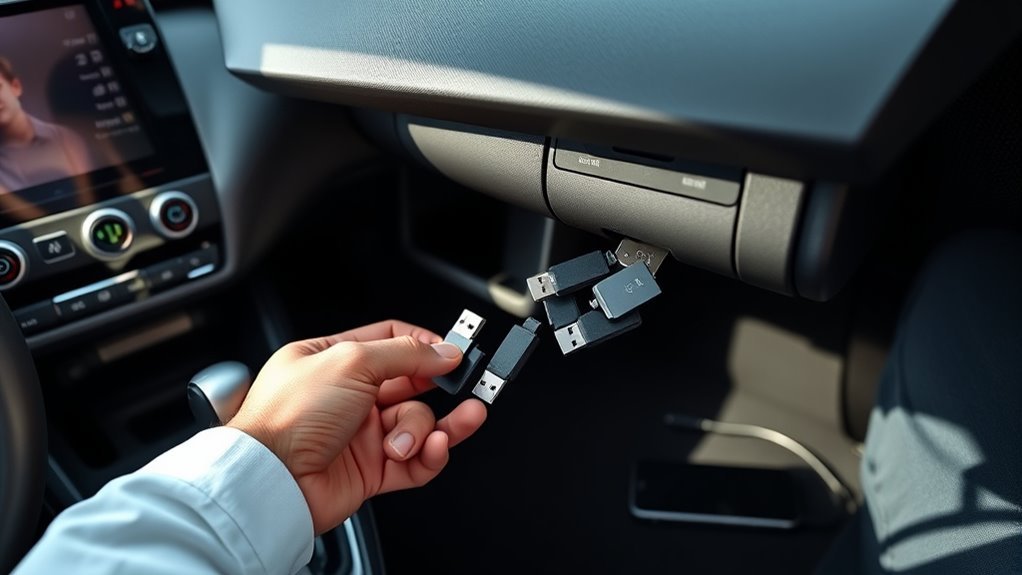
For the 2026 RAV4, a USB drive is needed to save and export Drive Recorder clips when the vehicle’s internal storage is not enough.
The RAV4 Drive Recorder works with a USB drive that supports data storage and vehicle file access, not just charging. A practical choice is the SANDISK 128GB Extreme Fit USB-C, which provides fast read speeds up to 400MB/s and a compact plug-and-stay design.
Existing USB 2.0 USB-A drives can also be used through a USB-A-to-USB-C adapter, provided the adapter carries data signals. For compatibility, the drive should typically be formatted to FAT32, and new or previously used media may need reformatting before use.
Regular functionality checks help confirm that clips can be captured and exported reliably. A durable drive supports consistent access to evidence and preserves user control over recorded data.
Why the RAV4 Drive Recorder Needs USB Storage
The 2026 RAV4 Drive Recorder depends on a separate USB memory device to store and export clips, because the vehicle’s internal storage may not hold enough footage for extended recording. This external space lets the system preserve incident evidence without forcing immediate deletion.
When no dedicated drive is installed, the recorder automatically overwrites older files, which can erase material needed for review or reporting. A compatible USB drive also supports faster transfer of saved clips to another device, making retrieval more practical and less dependent on dealer intervention.
The RAV4 offers a straightforward storage workflow: insert a properly formatted drive, verify FAT32 compatibility, and keep it connected in the center console for consistent access. Reliable options with strong read speeds, such as the SANDISK 128GB Extreme Fit USB-C, help maintain dependable operation.
Regular checks reduce failures and keep footage available when accountability matters.
Best USB Drive Size for RAV4 Media
For 2026 RAV4 media and Drive Recorder use, a 128GB USB drive is generally the most practical size, providing ample capacity for video clips while maintaining a reasonable cost.
Larger capacities can be used, but compatibility and performance depend on proper FAT32 formatting and reliable drive behavior.
A high-speed model, such as a 128GB USB-C drive with strong read performance, can improve recording stability and transfer efficiency.
Drive Recorder Capacity
Because the 2026 RAV4 Drive Recorder may rely on a separate USB flash drive for saving and exporting clips, a minimum capacity of 128GB is generally recommended to provide enough room for multiple recordings and retained evidence.
This Drive Recorder capacity supports ongoing capture without frequent file management, helping preserve important events for later review. The vehicle’s internal storage may not be sufficient, so external media becomes the practical archive.
For compatibility, the drive should be formatted correctly, typically to FAT32, before use. A reliable unit such as the SANDISK 128GB Extreme Fit USB-C can offer strong read performance and USB 3.2 Gen 1 support.
Periodic function checks and leaving the drive installed improve operational readiness, allowing the system to record with minimal interruption and maximum independence.
Best USB Size
A practical choice for 2026 RAV4 media use is a USB drive of at least 128GB, which provides enough space for recordings and stored files without frequent overwriting. This best usb size supports routine capture while preserving user control over storage.
For extended use, 256GB or higher offers more autonomy for multiple clips and media archives.
- 128GB: baseline capacity for dependable recording storage.
- 256GB+: suitable for heavier media retention.
- FAT32 and USB 3.2 Gen 1: improve compatibility and transfer speed.
USB 2.0 drives may function through an adapter, yet faster models such as the SANDISK Extreme Fit are more efficient.
Capacity and drive health should be checked regularly to maintain uninterrupted operation and protect valuable recordings.
How to Format a USB Drive for Toyota
Proper formatting is essential when preparing a USB drive for a Toyota, and the drive should be set to the FAT32 file system for compatibility with the vehicle’s systems.
For those seeking how to format a USB drive for Toyota, the process typically begins by backing up any files and selecting the correct drive in the operating system’s format utility. New drives and previously used drives may both need reformatting to guarantee reliable operation with the 2026 RAV4’s media and recorder functions.
Guidance is usually available online and can differ slightly between Windows and macOS, but the objective remains the same: create a stable storage medium that the vehicle can recognize without conflict.
While capacity limits are not clearly specified, a higher-capacity option such as 128GB may offer practical room for recordings.
Correct formatting reduces the risk of incompatibility, supports dependable performance, and preserves user control over stored data.
Can You Use a USB-A Drive With an Adapter?
A USB 2.0 USB-A thumb drive can be used with the 2026 RAV4 when paired with a compatible USB-A-to-USB-C adapter.
The adapter must support data transfer, since charging-only models will not function for this use case.
Adapter quality and fit in both the drive and the center-console port can affect connection reliability and overall performance.
USB-A Drive Compatibility
For owners who already have a USB 2.0 USB-A thumb drive, compatibility with the 2026 RAV4 is possible through a USB-A-to-USB-C adapter connected to the center-console port. This USB-A drive compatibility depends on proper formatting, typically FAT32, and on hardware that preserves access without unnecessary restriction.
- Use an adapter explicitly rated for data transfer.
- Verify the USB drive is formatted for the RAV4 system.
- Inspect both adapter and drive regularly for reliable Drive Recorder use.
Adapter quality influences connection stability and recognition. A charging-only adapter will not function for media access, limiting practical freedom.
With suitable components, the existing drive can remain serviceable, allowing efficient use without replacing hardware.
Adapter Data Transfer
Using a USB 2.0 USB-A thumb drive in the 2026 RAV4 is feasible when paired with a compatible USB-A-to-USB-C adapter at the center-console port.
The key requirement is adapter data transfer support; charging-only adapters cannot pass media signals and will fail. A well-built adapter improves reliability, preserving access to files without unnecessary interruption.
Secure fit matters, since loose connections can break playback or storage recognition. For greatest compatibility, the USB drive may need FAT32 formatting, which aligns with many in-vehicle systems.
Users seeking practical control over their media setup should verify both the adapter specification and file format before use. With correct hardware, the arrangement remains a straightforward, functional option for accessible media storage.
Which USB-C Drive Fits the RAV4 Best?
The best USB-C drive for the 2026 RAV4 is the SANDISK 128GB Extreme Fit USB-C, a compact plug-and-stay option with read speeds up to 400MB/s and USB 3.2 Gen 1 compatibility.
This USB-C drive suits drivers who want a low-profile media solution that preserves cabin order and operational freedom. Its small form factor reduces protrusion, helping it remain seated during routine use in the vehicle’s system.
- Performance: fast read access supports efficient media handling.
- Fit: plug-and-stay design minimizes interference.
- Compatibility: USB 3.2 Gen 1 support aligns with RAV4 media requirements.
Before use, the drive should be formatted correctly, typically FAT32, to guarantee recognition by the media interface.
Regular checks are prudent to confirm dependable operation over time. For owners seeking durable, unobtrusive storage, this model offers the most balanced technical profile.
How the RAV4 Drive Recorder Saves Clips
As the 2026 Toyota RAV4 operates, its Drive Recorder automatically captures video clips in the background, preserving events without driver input. When a specific incident needs to be retained, the clip can also be saved manually through the 12.9-inch Toyota Audio Multimedia touchscreen.
Each saved segment is written to an external USB drive, so the RAV4 Owner’s storage choice directly affects recording reliability. Because internal memory may be limited, a compatible thumb drive becomes the primary archive for evidence and review. Proper formatting, typically FAT32, is required for recognition and stable operation.
Routine checks are prudent, since a malfunctioning drive can interrupt capture at critical moments. The system is engineered to continue recording independently, giving users a practical tool for documenting road events with minimal effort.
For RAV4 Owner’s seeking dependable incident retention, a dedicated, verified USB drive provides the clearest path to consistent, portable recording support.
Why the RAV4 Overwrites Old Recordings
To preserve continuous operation within limited storage, the 2026 RAV4’s Drive Recorder automatically overwrites older clips as new footage is captured. This design keeps the system active without manual intervention, allowing the RAV4 to record whenever the vehicle is in use.
Limited internal memory cannot hold every segment indefinitely, so the recorder prioritizes the newest and most relevant evidence.
- Continuous recording protects uptime.
- Automatic replacement prevents storage saturation.
- Exporting key clips preserves critical evidence.
The result is a self-managing archive suited to routine driving, not permanent retention. Older files are removed only when space is needed, reducing the risk of failed recording during an event.
A self-managing archive suited to routine driving, removing older files only when space is needed.
For drivers seeking control and freedom from data loss, a separate USB drive remains the practical method for safeguarding important footage beyond the device’s short-term buffer.
Reliable Setup Tips for RAV4 Recording
Reliable recording in the 2026 RAV4 depends on using a separate USB memory device, ideally a model such as the SANDISK 128GB Extreme Fit USB-C, to save and export clips beyond the Drive Recorder’s limited overwrite buffer.
For reliable setup tips for RAV4 recording, the USB memory device should be formatted to FAT32 before use, because the vehicle system expects that file structure for recording and playback. A USB 2.0 USB-A thumb drive can also work when paired with a quality USB-A-to-USB-C adapter that supports data transfer.
For operational freedom, keep the drive in the center console so it remains plugged in, accessible, and ready for daily driving. Regular function checks are advisable, since the recorder continuously replaces older files.
Confirming that the device captures footage correctly helps preserve evidence when conditions matter. This setup emphasizes practical reliability, straightforward access, and consistent recording behavior without unnecessary complexity or dependence on the vehicle’s internal storage limits.
Common USB Drive Problems to Avoid
Common USB drive problems in the 2026 RAV4 usually come from incompatible formatting, insufficient capacity, or poor accessory choices. USB drives that are not formatted to FAT32 may fail to mount, limiting access to Drive Recorder functions and undermining evidence capture.
Low-capacity units can fill quickly, causing older clips to be overwritten before review. Charging-only adapters also block data transfer, making the port useless for media storage.
- Use FAT32 formatting to preserve recognition and stable recording.
- Choose 128GB or larger USB drives to reduce overwriting cycles.
- Verify adapters and drive quality to guarantee data transfer, speed, and durability.
Regular inspection is equally important. A drive that appears functional may still degrade, reducing read performance and risking missed footage during an incident.
Reliable USB drives support autonomous recording without dependence on restrictive dealer accessories or unnecessary workarounds. For drivers seeking practical control, careful selection protects access to recorded events and maintains system readiness.
Frequently Asked Questions
How Many USB Ports Does the 2026 RAV4 Have?
The 2026 RAV4 has at least two USB ports, with Port Locations typically in the center console for convenient access.
It usually includes both USB-A and USB-C connections, supporting charging and data transfer for media devices. Depending on trim and option package, additional ports may be present.
This configuration gives occupants flexible, plug-and-play connectivity, reducing dependence on proprietary adapters and helping users maintain practical control over their in-vehicle digital environment.
Can You Play Music From USB in RAV4?
Yes, music can be played from a USB drive in the RAV4, like a key opening a quiet archive of sound.
The Toyota Audio Multimedia system supports USB media playback, and a USB 3.2 Gen 1 drive formatted to FAT32 is typically preferred.
The touchscreen permits file browsing and control.
Audio Quality remains stable when drives are reliable and properly maintained, offering users practical, liberated access to their libraries.
What Format Do I Need to Play a USB in My Car?
The USB drive should usually be formatted as FAT32 for car playback, since it offers broad file compatibility with most infotainment systems.
A full format is preferable to a quick format, because it clears old data and prepares the drive correctly.
For best results, a USB 3.0 drive with 128GB or less is practical.
If playback fails, reformatting or checking file types can restore access and preserve user freedom.
What Infotainment System Does the 2026 Toyota RAV4 Have?
The 2026 Toyota RAV4 uses Toyota Audio Multimedia, centered on a 12.9-inch touchscreen, while a 12.3-inch digital gauge cluster handles driving data.
A common theory is that larger displays always mean complexity; in practice, the interface emphasizes clear control and freedom of access through voice commands, personalization, and Drive Recorder integration.
Its Infotainment Features support navigation, entertainment, and safety-aware operation alongside Toyota Safety Sense™ 4.0 for efficient, autonomous-feeling use.
Conclusion
In the 2026 RAV4, the best USB thumb drive is one that stores data reliably, formats cleanly to FAT32, and remains connected without interruption. A high-speed, compact model supports smoother Drive Recorder performance, while a poorly prepared drive invites missed clips, corrupted files, and unwanted overwrites. Proper size, proper format, and proper placement together create a stable setup: reliable access, consistent recording, and predictable retention.
