Before buying an Amazon Fire Stick in 2025, a buyer should first confirm that the TV has an HDMI port, since smart TV features are not required. Model choice depends on needs: Lite handles basic HD, while 4K and 4K Max suit higher-resolution setups. Key differences include processor speed, HDR, Dolby Atmos, Alexa voice control, and storage. Most major streaming apps are supported through Amazon’s app store, and the sections below break down those tradeoffs clearly.
Will Your TV Work With a Fire Stick?
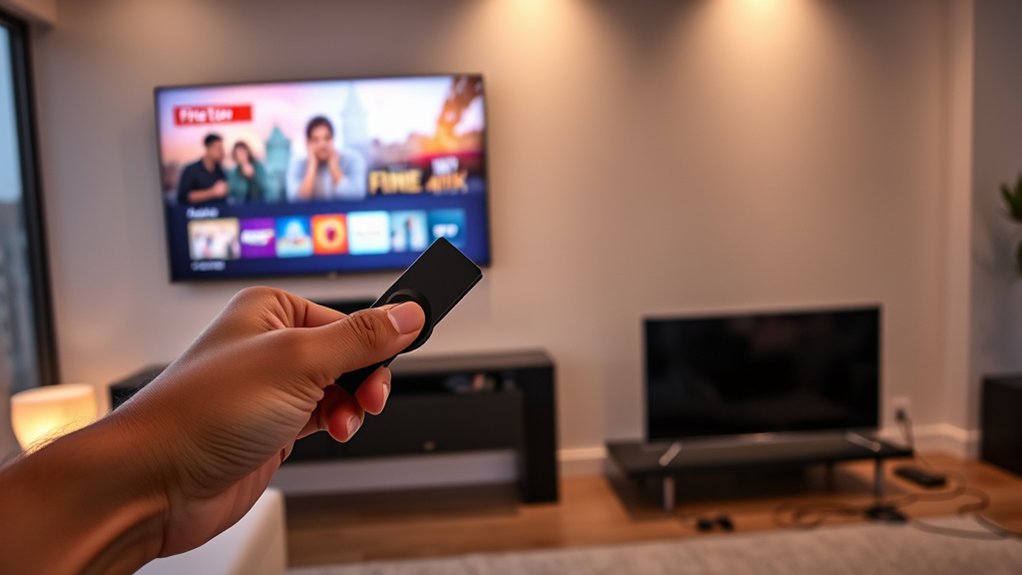
Before buying a Fire Stick, a buyer should first confirm that the TV has an available HDMI port, since the device connects directly through HDMI. That single hardware check determines basic compatibility and prevents avoidable setup friction. Most modern TVs, many monitors, and numerous projectors already include HDMI, so the Amazon Fire Stick generally integrates without difficulty.
Check for an open HDMI port first; that simple step decides whether a Fire Stick will work smoothly.
A smart TV is not required; HDMI support matters more than built-in apps or platform branding.
Older displays require closer inspection. Some CRT sets lack any HDMI port, while certain legacy panels may present VGA inputs or output-only HDMI connections that do not accept external streaming devices.
In those cases, adapters may be necessary, but they do not guarantee full compatibility or stable performance. A buyer seeking technical independence should verify the display’s exact specifications, supported input standards, and power arrangement before purchase.
That review clarifies whether the Amazon Fire Stick will function smoothly within the existing home setup without surprises later.
Which Amazon Fire Stick Should You Buy?
Once display compatibility is confirmed, the next purchase decision is selecting the Fire Stick model that matches viewing habits, performance expectations, and budget.
Across current Fire Stick models, pricing typically runs from about $30 to $60, creating a clear ladder of capability for buyers seeking freedom from bloated cable bundles.
For basic HD viewing, the Fire Stick Lite remains the entry option, while the standard Fire TV Stick suits users wanting broader app support and dependable access to major streaming services.
Households targeting 4K resolution should focus on the Fire TV Stick 4K or 4K Max. The 4K Max is the most capable choice for heavier demand, offering faster Wi-Fi and stronger overall responsiveness.
Storage also affects usability: higher-end units may provide up to 16GB, effectively double the storage space of lower tiers, which can improve app handling.
The practical comparison comes down to each model’s pros and cons, existing HDMI compatibility, and expected daily usage.
Which Fire Stick Features Matter Most?
Which features matter most depends largely on the TV, internet speed, and the type of streaming expected each day. For buyers seeking maximum control over their setup, resolution and HDR support are often decisive. A Fire TV Stick 4K Max can reveal 4K detail and Dolby Vision on compatible displays, while lower-tier models may leave premium panels underused and limit visual freedom.
Beyond picture quality, performance differences affect daily responsiveness. Faster processors and more RAM reduce lag, shorten load times, and handle heavier multitasking with fewer interruptions.
Voice control through Alexa also matters because it removes friction from search, playback, and smart-home commands. App compatibility is another practical checkpoint, especially for older sticks that may miss newer interface functions or advanced playback features.
Finally, customization options, such as rearranging apps and tailoring the home screen, help users shape a more efficient path to streaming content without unnecessary barriers or clutter daily.
Which Apps and Streaming Services Work on Fire Stick?
How broad the Fire Stick app ecosystem feels in practice depends on the services a household actually uses, but support is strong across most major streaming categories. The Amazon Fire TV Stick runs Netflix, Disney+, Hulu, Prime Video, and the YouTube app, with many apps available through the Amazon Appstore. That gives users practical freedom instead of platform lock-in.
| Category | Fire Stick support |
|---|---|
| Major streaming services | Netflix, Disney+, Hulu, Prime Video |
| App source | Amazon Appstore downloads |
| Extra requirements | Some need subscriptions or setup |
A Prime subscription expands Amazon content access, but it is not required to use competing services. Some third-party apps are available, though functionality may depend on separate downloads or account credentials. Buyers should also verify app-specific limits before assuming full access. Performance varies by internet speed and by model: HD units suit basic viewing, while 4K versions better support higher-resolution streaming services and evolving feature updates over time.
Is a Fire Stick Worth It in 2025?
For many buyers, a Fire Stick is still worth considering in 2025 because it remains one of the simplest and most cost-effective ways to add modern streaming features to an older TV.
With pricing starting near $60, the Amazon device offers a relatively low-risk upgrade path for users who want freedom from outdated interfaces and limited built-in software.
Its value depends on expectations. The Fire Stick continues to support major apps such as Netflix, Disney+, and Prime Video, which keeps content access broad and practical.
All current models also support HDR and Dolby Atmos, giving compatible TV and audio systems a more immersive result.
Buyers seeking stronger performance should look at the 4K Max, which adds faster Wi-Fi and improved processing for smoother high-resolution playback.
Regular software updates further extend relevance by improving usability and app support.
For budget-conscious streamers, the Fire Stick remains a technically solid and flexible choice in 2025 overall.
Frequently Asked Questions
What Are the Cons of the Amazon Fire Tablet?
Drawbacks include modest hardware performance, lower screen resolution, app limitations, inconsistent software updates, intrusive ecosystem controls despite useful parental controls, and variable battery life; these factors may constrain users seeking flexibility, speed, display quality, and autonomy.
Is There a Monthly Fee for Amazon Fire Tablet?
No monthly fee applies to an Amazon Fire tablet; ownership is one-time. Consumers evaluating Amazon Fire features, Battery life, Storage options, Parental controls, App availability, and Performance comparison should note subscriptions or purchases remain optional extra costs.
Is It Worth Buying an Amazon Fire Tablet?
Yes—like a key releasing budget freedom, an Amazon Fire tablet is worth buying for many users; performance comparison favors value, while app availability, parental controls, screen quality, battery life, and user experience remain competitively practical.
What Are the Drawbacks of a Fire TV?
Fire TV drawbacks include Fire TV limitations such as App availability restrictions, User experience issues, Streaming quality concerns, Voice assistant drawbacks, and Gaming performance limitations; advanced users may also encounter reduced customization, weaker enterprise management, and inconvenient app relaunching.
Conclusion
In 2025, a Fire Stick remains a practical upgrade for most TVs with HDMI and stable Wi‑Fi, provided buyers match device speed, video support, and remote features to their needs. App compatibility is broad, though service availability and subscription costs still require review. For budget-conscious streamers, the right model can feel like a tiny box with a universe inside. Overall, its value depends less on hype and more on technical fit, viewing habits, and long-term convenience.

