You want a drone that’s safe, fun, and easy to learn on, and choosing the right model matters because these toys shape early flying skills and encourage creativity. This guide focuses on kid-friendly features like stability, protective guards, simple controls and sensible battery life so you can pick a drone that keeps playtime fun and risk low while teaching basic piloting and problem solving.
Top Picks
|
Category |
Product |
Score |
|---|---|---|
|
🏆 Best Starter Pack |
88/100 |
|
|
💼 Best Foldable |
84/100 |
|
|
🎯 Best Hands-Free |
80/100 |
|
|
🎨 Best Night Lights |
86/100 |
|
|
⭐ Best Camera |
87/100 |
|
|
🔋 Best Long Flight |
85/100 |
|
|
🔰 Best for Safety |
89/100 |
|
|
🚀 Most Versatile |
82/100 |
|
|
🧠 Best for Learning |
83/100 |
|
|
💰 Best Value |
90/100 |
Selection Criteria
You need clear, practical standards when choosing a kid-friendly drone. We prioritized safety features like prop guards and solid stability because they reduce risk and make indoor learning possible.
Flight time, battery count and ease of recharging were next, since more continuous play matters for learning and enjoyment. Camera quality and connectivity were weighed for kids who want to capture photos or learn first-person piloting, while durability and spare parts availability determined how well a drone survives real-world play.
Finally, price and included extras such as spare batteries or foldable designs influenced overall value so you can match a purchase to your budget and your child’s skill level.
Holy Stone HS210

You’ll find the HS210 is built around simple, reliable flying rather than advanced camera tricks. It’s palm-sized and light, which makes indoor practice less stressful and safer for furniture and pets.
The three included batteries mean you can keep sessions going without constant charging, and features like auto-hovering, headless mode and one-key takeoff/landing smooth the learning curve. Use it for short indoor flight practice, casual obstacle courses, or as a starter before stepping up to a camera drone.
If you want a low-risk, easy-to-replace, beginner-focused quadcopter that encourages practice, this one’s a solid pick.
What People Say
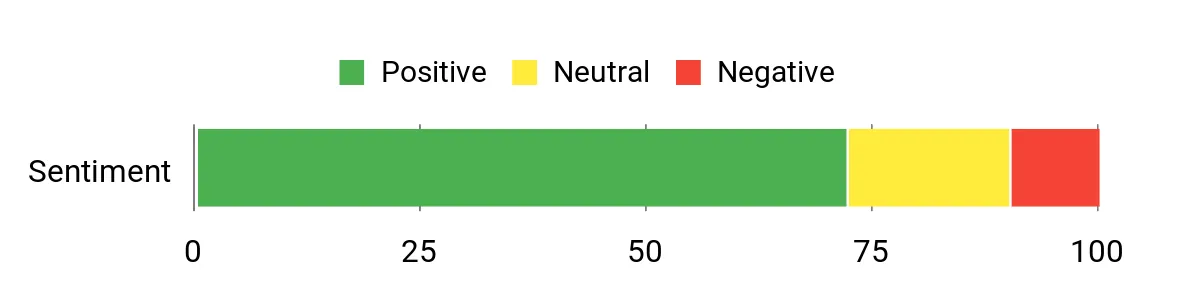
Across many reviews, people praise how easy the HS210 is to learn on and how the prop guards and lightweight frame reduce damage during practice. Buyers often mention the convenience of the extra batteries and that the short ~7-minute flights feel substantial during active flying. A few users note occasional durability issues, but most find the value and performance match expectations for a kid-friendly starter drone.
Overall Sentiment: Positive
Situational Benefits
|
Situation |
How It Helps |
|---|---|
|
Indoor Practice Sessions |
Lightweight frame and prop guards let you fly around the living room without worrying about costly crashes, so you can build confidence in tight spaces. |
|
Short Playdate or Party |
Three included batteries let multiple kids take turns flying without long waits, keeping the fun continuous during gatherings. |
|
Travel and Storage |
Small dimensions and minimal accessories make it easy to pack in a backpack for trips or weekend visits to friends and family. |
|
Skill Progression |
Simple flight modes like headless and auto-hover let you master basics before trying faster speeds or more advanced maneuvers. |
Educational Value
You can use this drone to teach spatial awareness, hand-eye coordination and basic remote-control skills. The straightforward controls and forgiving flight modes let kids experiment with steering, altitude and simple aerobatics while gradually learning cause-and-effect and troubleshooting when a prop needs replacement.
Ease of Use
|
Feature |
Ease Level |
|---|---|
|
Setup and Charging |
Easy |
|
Basic Controls |
Easy |
|
Battery Swapping |
Easy |
|
Headless Mode |
Easy |
|
Trimming and Calibration |
Moderate |
Safety Features
Propeller guards, low weight and stable auto-hovering reduce the chance of damage and make indoor flights safer. Multiple speed modes let you start slow, and the soft plastic frame helps absorb minor bumps.
Fun Factor
The HS210 is playful without being overwhelming: it does 3D flips, responds quickly to inputs and is nimble enough for simple races and obstacle courses. The compact size makes it entertaining for kids who like to pilot close to the ground and through small gaps.
Child Friendliness
Controls are designed for beginners and small hands, and the included spare propellers and batteries mean less downtime. While younger children will need supervision, the design prioritizes ease and safety so you can let older kids practice more independently.
Key Benefits
- Very beginner-friendly controls and stability
- Three batteries included for extended play sessions
- Compact, lightweight design safe for indoor use
- Basic 1080p capture for casual photos and videos
Rating: 4.2 (total: 16106+)
Holy Stone HS190
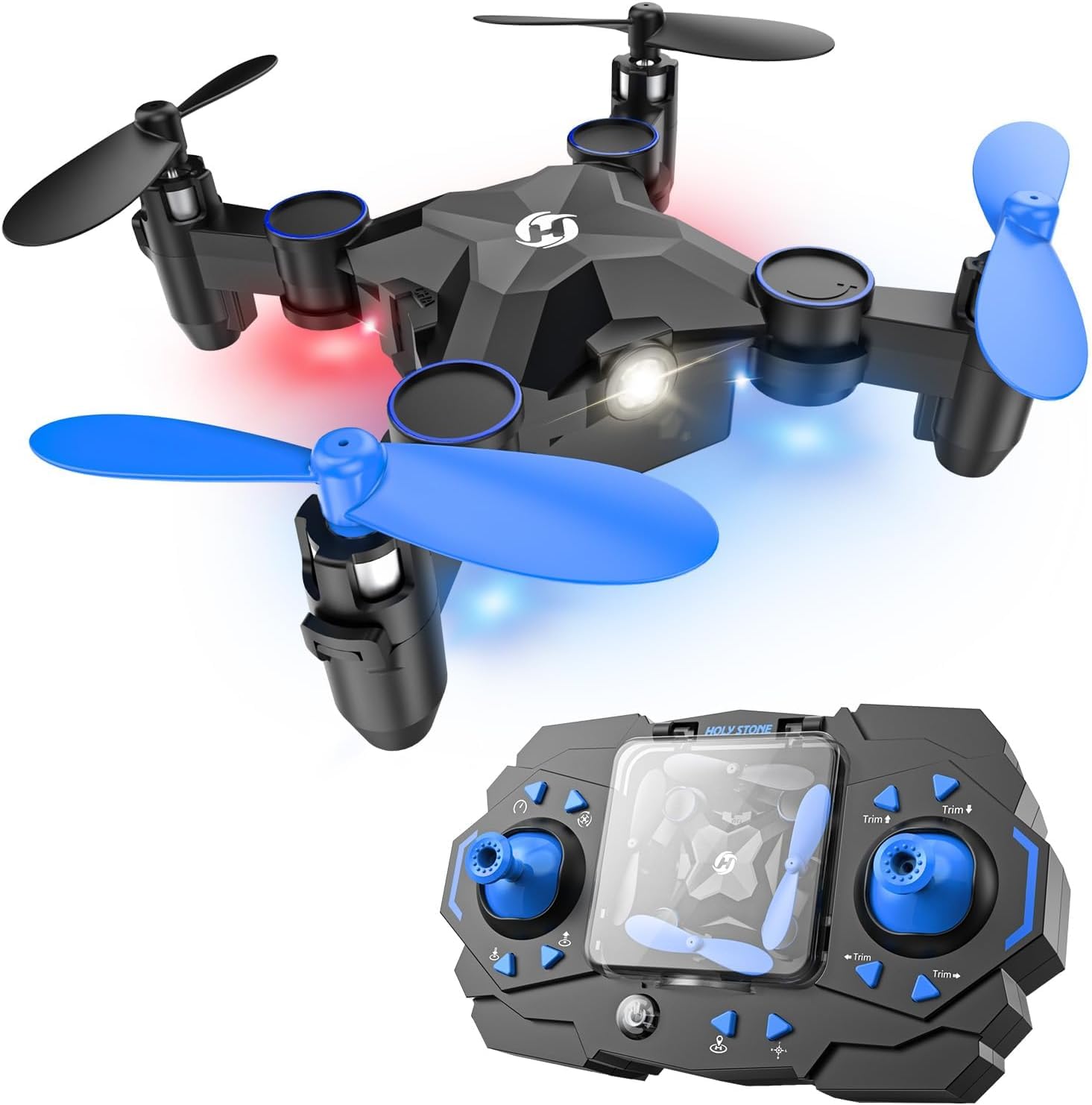
You’ll like the HS190 if you want a compact, packable drone that’s tuned for learning rather than advanced aerial filming. The foldable arms make it easy to toss in a bag for a weekend visit or store between play sessions, while altitude-hold and headless mode keep flight predictable as you learn controls.
It’s best for indoor practice, backyard hover sessions and casual trick attempts like 3D flips; the one-key return and throw-to-go features simplify recovery and quick launches. If you need a straightforward starter that’s portable and forgiving, this is a practical choice.
What People Say
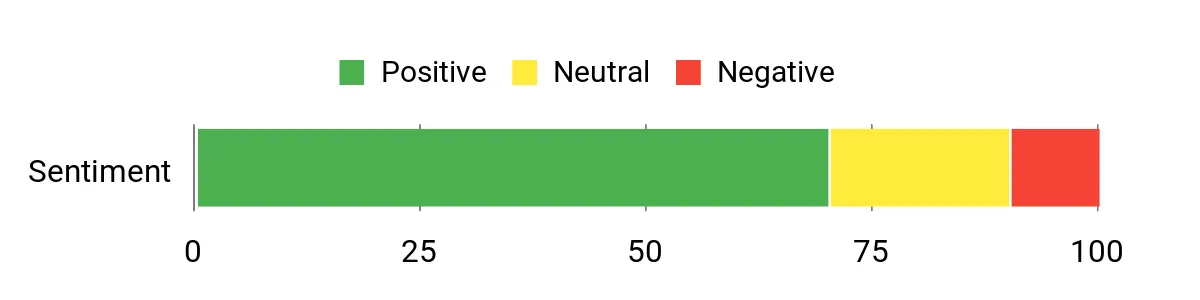
Reviewers commonly point out how portable and easy to fly the HS190 is, especially for kids and first-time pilots. People appreciate altitude hold and headless mode because those features simplify control and reduce crashes. Many note the foldable design and simple launch/recovery options as helpful for quick sessions and travel.
Overall Sentiment: Positive
Situational Benefits
|
Situation |
How It Helps |
|---|---|
|
Travel and Outings |
Folds down small so you can carry it in a backpack and get a quick flight at a park or on a trip. |
|
Indoor Practice |
Altitude hold and headless mode stabilize flight so you can practice steering and tricks without constant corrections. |
|
Quick Play Sessions |
One-key return and throw-to-go let you start and end flights fast when kids have short attention spans. |
|
Skill Progression |
Beginner modes provide a gentle learning curve before moving to faster speeds or manual controls. |
Educational Value
You can use the HS190 to teach spatial awareness, coordination and basic remote-control concepts. Its forgiving flight modes help kids learn cause-and-effect and develop patience as they swap batteries and troubleshoot small crashes.
Ease Of Use
|
Feature |
Ease Level |
|---|---|
|
Initial Setup |
Easy |
|
Folding/Unfolding |
Easy |
|
Flight Controls |
Easy |
|
Mode Switching |
Easy |
|
Trim Adjustment |
Moderate |
Safety Features
Prop guards, lightweight construction and altitude-hold reduce crash impact and make indoor flights safer. Lower-speed modes help you control how quickly a child progresses.
Fun Factor
The HS190 balances stability with playful moves like 3D flips and high-speed rotation, so you can run small obstacle courses or try tricks without overwhelming a new pilot.
Child Friendliness
Controls and launch/recovery options are designed with beginners in mind, and the compact size is easier for small hands. Supervision is still recommended for younger children, but the overall design supports independent practice.
Key Benefits
- Foldable, travel-friendly design
- Altitude hold for stable hovering
- Beginner-focused flight modes
- Easy one-key return and throw-to-go
Rating: 4.2 (total: 12899+)
Force1 Scoot

You’ll find the Scoot a different kind of drone because you don’t need a controller to fly it. It senses your hands and nearby objects, hovering away from collisions while the LED shell makes flights more visible and playful. It’s perfect for quick indoor sessions, party trick demos or a calm evening of hands-on play with kids. The USB recharge and simple launch behavior mean you spend more time flying and less time fussing with setup, so it’s a good fit when you want something approachable and tactile.
What People Say
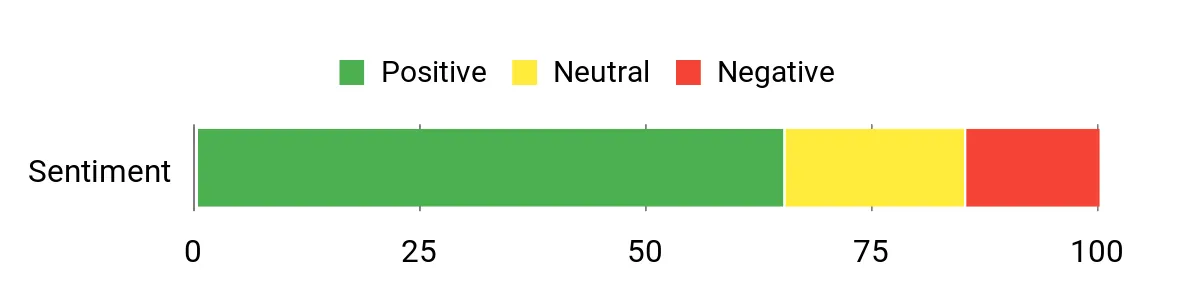
Buyers often praise how intuitive the Scoot is to fly without a traditional remote and how the sensors keep it from smacking into furniture. Many people highlight the bright LEDs as a fun feature for dimmer rooms, while others mention modest battery life and occasional sensitivity to strong drafts.
Overall, customers treat it as a playful, low-barrier device for quick indoor entertainment.
Overall Sentiment: Positive
Situational Benefits
|
Situation |
How It Helps |
|---|---|
|
Indoor Playtime |
Sensors and soft webbed shell reduce damage risk, so you can let kids experiment without constant worry about crashes. |
|
Small Parties |
Vibrant LEDs and hands-free control create an engaging demo that stitches into social play and keeps guests amused. |
|
Short Practice Sessions |
Quick USB recharges and simple operation mean you can get multiple short flights in during breaks or between activities. |
|
Reflex Training |
Hand-operated controls encourage hand-eye coordination and quick reactions as you learn to nudge the orb through small movements. |
Educational Value
You can use the Scoot to develop basic motor skills, spatial awareness and reflexes. The direct, tactile interaction helps kids link their movements to the drone’s response, which is a simple way to teach cause-and-effect and quick decision-making.
Ease Of Use
|
Feature |
Ease Level |
|---|---|
|
Takeoff/Launch |
Easy |
|
Hand Control |
Easy |
|
Charging |
Moderate |
|
Cleaning/Maintenance |
Moderate |
Safety Features
Soft, webbed plastic shell and obstacle sensors reduce impact from bumps, and the lightweight construction limits potential harm to people and objects during indoor flights.
Fun Factor
The hands-on flying style and colorful LEDs make sessions feel interactive and immediate, so kids stay engaged and you get playful, easy-to-manage flights that spark creativity.
Child Friendliness
Designed for both kids and adults, the Scoot is straightforward enough for older children to use independently while younger kids will benefit from supervision. The soft shell and sensor-based control make it especially forgiving for beginners.
Key Benefits
- Hands-free motion sensing for intuitive play
- Built-in obstacle avoidance for safer indoor flights
- Rechargeable via USB for easy power top-ups
- Eye-catching LED shell that boosts visibility
Rating: 4.0 (total: 11859+)
HASAKEE Q9s

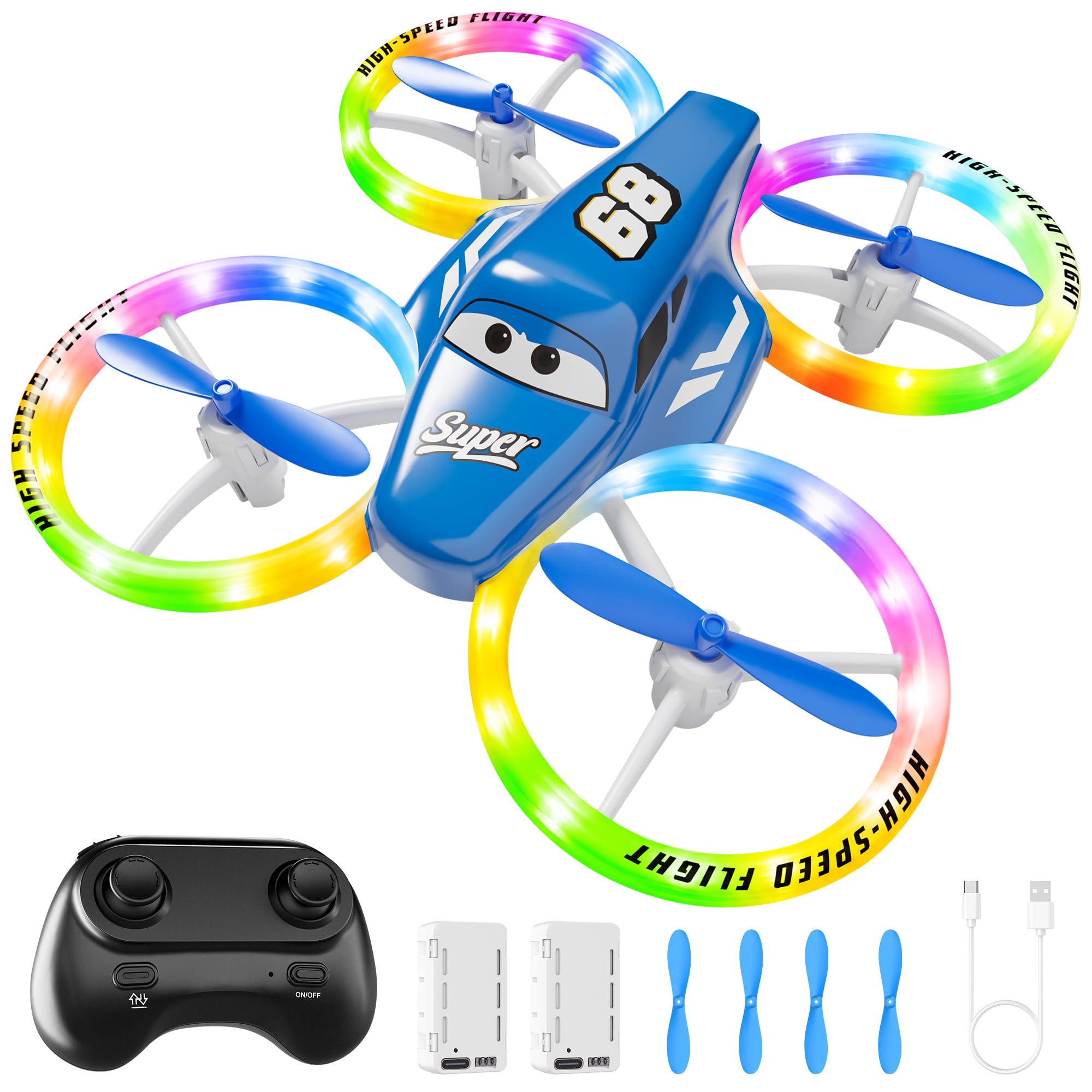
You’ll notice the Q9s leans into spectacle and stability. It’s bigger than palm-sized mini drones, so those neon LEDs and full guards make it feel robust during indoor and twilight flights.
Altitude hold and headless mode keep control predictable while multiple speed settings let you scale difficulty as skills improve. The two batteries extend playtime between charges, and the responsive controls make tricks and short courses enjoyable for both beginners and slightly older kids.
If you want a colorful, stable drone that’s built for show-and-learn sessions, this one fits that niche.
What People Say
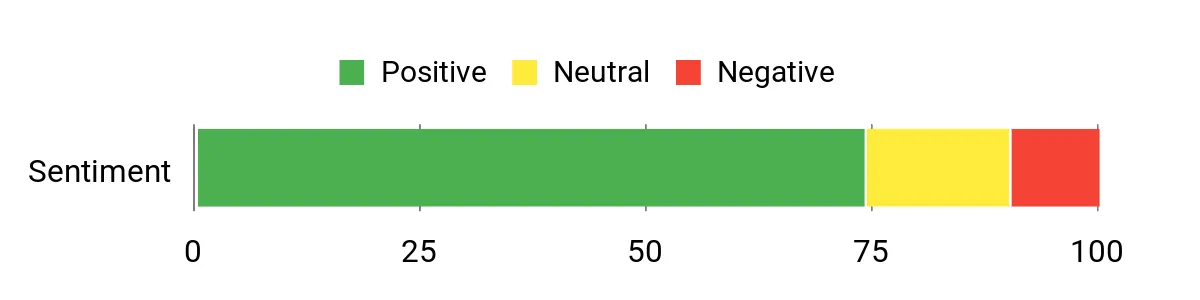
People commonly praise the Q9s for its striking LED colors and stable flight aided by altitude hold and headless mode. Many reviewers say it’s intuitive for kids to pick up and that the extra battery extends sessions appreciably. A recurring caution is occasional durability issues after heavy use, but most users treat it as a fun, entry-level quadcopter that delivers exciting flights.
Overall Sentiment: Positive
Situational Benefits
|
Situation |
How It Helps |
|---|---|
|
Evening Flights |
The vivid blue and green LEDs keep the drone visible and add a fun glow for dusk or indoor low-light sessions. |
|
Shared Play |
Two included batteries let multiple kids take turns without long waits, keeping engagement high during group play. |
|
Beginner Training |
Altitude hold and headless mode simplify control so you can focus on steering and timing before trying advanced maneuvers. |
|
Safe Indoor Practice |
Four protective guards and a larger frame reduce the risk of damage to walls, furniture and the drone itself during practice runs. |
Educational Value
You can use the Q9s to teach spatial awareness, throttle control and sequencing through battery swaps. The multiple speed modes provide a gentle progression, helping kids learn patience, cause-and-effect and basic problem solving when they troubleshoot minor crashes or trimming needs.
Ease Of Use
|
Feature |
Ease Level |
|---|---|
|
Setup |
Easy |
|
Basic Flight Modes |
Easy |
|
Speed Switching |
Easy |
|
Maintenance/Repairs |
Moderate |
Safety Features
Full propeller guards, moderate weight and multiple speed settings reduce impact severity. The guards help prevent blades from contacting hands or objects and make indoor flights less risky.
Fun Factor
The combination of fast speeds, 360° flips and bright LEDs keeps flights exciting and visual, so you get playful trick attempts and eye-catching drills that hold a child’s attention.
Child Friendliness
Controls and assisted flight modes are kid-focused, though younger children should be supervised. The guarded props and forgiving stability help older kids practice more independently while learning safe handling.
Key Benefits
- Bright LED lighting that’s great for low-light play
- Altitude hold and headless mode for easier control
- Two batteries included for more continuous flying
- Full propeller guards that reduce crash damage
Rating: 4.3 (total: 6250+)
Hiturbo S20

You’ll appreciate how the S20 mixes a capable 1080p camera with beginner-friendly automation. The foldable arms make it easy to carry to parks or family outings, while altitude hold and one-key start simplify takeoffs and landings so you can focus on framing shots. Voice and gesture controls add a playful way to capture selfies, and the twin batteries extend usable flight time for practice or short shoots. If you want a drone that teaches basics while letting you capture decent video, this strikes a practical balance.
What People Say
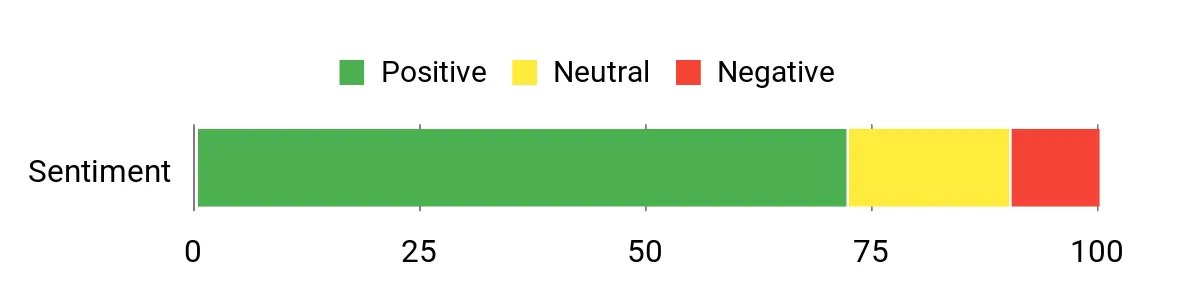
Reviewers often highlight how quick it is to get flying and how steady the drone feels during recording thanks to altitude hold. Many note the camera delivers solid beginner footage and that voice or gesture controls make selfies and short clips easier to capture. Battery life and occasional calibration needs come up too, but most users treat it as a dependable starter camera drone.
Overall Sentiment: Positive
Situational Benefits
|
Situation |
How It Helps |
|---|---|
|
Weekend Outings |
Foldable arms and compact size let you grab the drone for park trips or beach walks without extra bulk. |
|
Beginner Filming |
Altitude hold and stable controls let you concentrate on framing shots rather than constant piloting corrections. |
|
Quick Selfies |
Gesture and voice controls simplify selfie shots so you can capture hands-free clips during gatherings. |
|
Skill Practice |
Two batteries and easy flight modes let you practice maneuvers like 3D flips and basic navigation with less downtime. |
Educational Value
You can use this drone to teach basic aerodynamics, camera framing and remote-control coordination. The assisted flight modes let you introduce concepts like altitude control and orientation before moving to manual piloting, helping you scaffold learning gradually.
Ease Of Use
|
Feature |
Ease Level |
|---|---|
|
Initial Setup |
Easy |
|
Flight Controls |
Easy |
|
Camera Operation |
Moderate |
|
Folding/Transport |
Easy |
|
Calibration/Trim |
Moderate |
Safety Features
Altitude hold stabilizes hover while one-key return reduces loss risk; the foldable design reduces exposed parts in transit and the included prop guard offers basic protection during light collisions.
Fun Factor
Between 3D flips, gesture selfies and the satisfaction of capturing smooth clips, it keeps play engaging without overwhelming new pilots. The camera element adds a creative layer that extends interest beyond simple flying.
Child Friendliness
Designed for older kids and beginners, the S20’s assisted modes help you supervise first flights without constant intervention. Younger users will still need adult oversight for safe operation and handling.
Key Benefits
- Built-in 1080p camera for clear beginner footage
- Foldable design for easy transport
- Voice and gesture controls for intuitive selfie shots
- Altitude hold and one-key start for stable flights
Rating: 4.2 (total: 4236+)
Swifsen SWA35

You’ll find the SWA35 aims to be a dependable first camera drone for kids who want both stability and a little showmanship. It pairs a 720p camera with altitude hold and steady flight modes so framing simple clips is more forgiving, and the included dual batteries extend usable session time.
The full propeller guards and multiple speed settings help you tune the difficulty as skills develop, while 360° flips and visible LEDs add playful moments during short indoor flights or backyard practice. It’s well suited to birthday gifts, weekend park outings and learning sessions where you want the drone to feel capable without being complicated.
What People Say
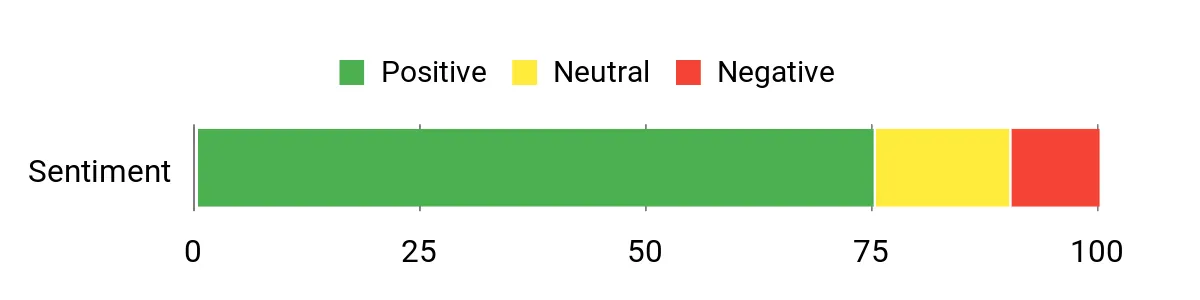
Reviewers generally praise the SWA35 for reliable, steady flight and the convenience of two batteries that reduce downtime. Many highlight altitude hold and protected props as features that make indoor practice less stressful. A few users mention occasional durability concerns after heavy use, but most feel it delivers solid beginner performance with fun extras.
Overall Sentiment: Positive
Situational Benefits
|
Situation |
How It Helps |
|---|---|
|
Birthday Presents |
Packed with beginner-friendly features and guards, it’s a ready-to-go gift that delights without overwhelming new pilots. |
|
Indoor Practice |
Altitude hold and guarded propellers let you work on steering and basic tricks in living rooms or basements safely. |
|
Weekend Outings |
Two batteries and compact size let you get multiple short flights at parks or family gatherings. |
|
Trick Learning |
Multiple speed settings and 360° flips let kids progress from cautious hovering to simple aerial stunts. |
Educational Value
You can use the SWA35 to build hand-eye coordination, basic flight sequencing and an introduction to aerial framing. Its assisted modes make it easier to teach concepts like altitude management and how small control inputs change movement.
Ease Of Use
|
Feature |
Ease Level |
|---|---|
|
Initial Setup |
Easy |
|
Basic Flight Modes |
Easy |
|
Battery Swapping |
Easy |
|
Camera Operation |
Moderate |
|
Repairs/Parts |
Moderate |
Safety Features
Full propeller guards, moderate weight and adjustable speed modes reduce impact and make indoor flights safer for kids and furniture. The guarded design helps prevent blade contact during minor bumps.
Fun Factor
With colorful LEDs, 360° flips and responsive controls, the SWA35 keeps sessions lively and visually appealing so kids stay engaged while trying new maneuvers.
Child Friendliness
Controls and assisted flight options are tailored to beginners; older children can practice more independently while younger ones benefit from supervision and the drone’s protective guards.
Key Benefits
- Stable hover with altitude-hold for easy framing
- Two batteries for longer practice sessions
- Full prop guards protect the drone and surroundings
- Multiple speeds and flips keep play engaging
Rating: 4.3 (total: 1049+)
SYMA X100

You’ll find the X100 built for safe indoor learning and steady practice. Its full propeller guard and infrared obstacle avoidance make it forgiving around furniture and pets, while altitude hold keeps hovering predictable so you can focus on steering.
Two batteries give you longer combined flight time for playdates or practice, and one-key 360° flips add a playful challenge as skills improve. It’s a solid choice when you want a drone tuned for supervised indoor use and gradual skill progression.
What People Say
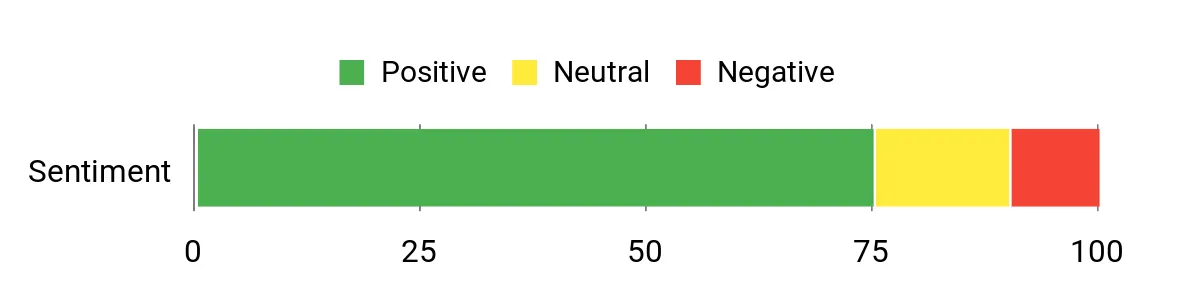
Reviewers frequently mention how reliable the X100 feels for indoor practice, noting the prop guards and obstacle avoidance reduce crashes. Many appreciate the longer combined flight time from the two batteries and say altitude hold makes recording and hovering less stressful.
A few users point to routine calibration needs or the expected limits of a beginner drone, but most recommend it for supervised learning.
Overall Sentiment: Positive
Situational Benefits
|
Situation |
How It Helps |
|---|---|
|
Living Room Practice |
Prop guards and obstacle sensors let you practice close-quarters flying with lower risk to walls and furniture. |
|
Playdates |
Two batteries mean multiple kids can take turns without long waits between flights. |
|
Skill Building |
Altitude hold and easy flips let you work on control basics before trying faster or manual modes. |
|
Supervised Use |
Clear, predictable controls help an adult coach while the child learns safe handling and landing routines. |
Educational Value
You can use the X100 to teach spatial awareness, hand-eye coordination and basic troubleshooting. Its assisted features help kids learn how small control inputs translate to movement and how to sequence tasks like battery swaps and preflight checks.
Ease Of Use
|
Feature |
Ease Level |
|---|---|
|
Initial Setup |
Easy |
|
Flight Controls |
Easy |
|
Battery Swapping |
Easy |
|
Obstacle Avoidance |
Moderate |
Safety Features
Full propeller guard, infrared obstacle avoidance and altitude hold reduce impact risk and keep flights predictable, making indoor sessions safer for kids and nearby objects.
Fun Factor
One-key 360° flips, stable hover and responsive handling keep practice engaging, so kids are motivated to try short courses, simple tricks and controlled races.
Child Friendliness
Designed for beginner pilots and suitable for roughly 8–12 year olds, the X100 balances assisted modes with enough responsiveness to grow skills under supervision.
Key Benefits
- Full prop guard and obstacle avoidance for safer indoor flights
- Altitude hold for stable hovering and easier control
- Two batteries for more continuous practice sessions
- One-key flips and simple controls to encourage learning
Rating: 4.3 (total: 866+)
Holy Stone HS210T

You’ll appreciate the HS210T if you want a playful, feature-rich indoor drone that doubles as a little light show. Its land-and-fly modes and four posture options give kids variety without needing advanced piloting skills, while auto-hovering and throw-to-go simplify launches and recoveries.
The extra LED modes add visual interest for evening play or parties, and included spare props and batteries keep downtime low. Use it for short indoor practice sessions, party demos or as a step-up toy that introduces trick flying before moving to larger camera drones.
What People Say
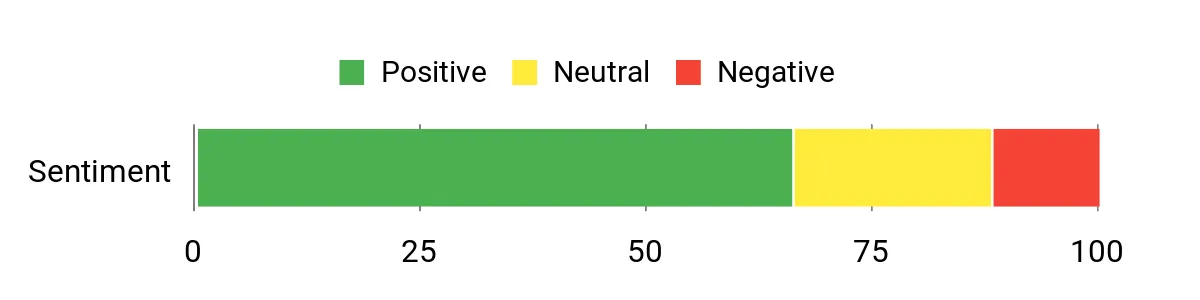
Many users like how feature-packed the HS210T feels for a small indoor drone, especially the different posture modes and the steady auto-hovering. Parents and beginners often point to the LEDs and simple launch/land options as fun and helpful, while some mention that durability and occasional trim adjustments are expectations for a toy in this class.
Overall, people treat it as an entertaining starter that offers variety over raw performance.
Overall Sentiment: Neutral
Situational Benefits
|
Situation |
How It Helps |
|---|---|
|
Birthday Parties |
LED light modes and playful flight styles create a visual centerpiece that keeps kids entertained during short demonstration flights. |
|
Indoor Practice |
Auto-hover and guarded design let you focus on steering and timing in a living room or basement without constant crashes. |
|
Trick Sessions |
Three-dimensional flips and posture changes let kids practice simple aerial tricks and build confidence before trying advanced models. |
|
Quick Play Between Activities |
Throw-to-go and one-key behaviors let you start and stop flights quickly, which fits short attention spans or busy schedules. |
Educational Value
You can use the HS210T to teach cause-and-effect, basic flight controls and sequential thinking through battery swaps and preflight checks. Its assisted modes provide a gentle way to introduce orientation and throttle control before moving to manual piloting.
Ease Of Use
|
Feature |
Ease Level |
|---|---|
|
Initial Setup |
Easy |
|
Mode Switching |
Easy |
|
Launching/Recovery |
Easy |
|
Trim/Calibration |
Moderate |
|
Battery Replacement |
Easy |
Safety Features
Auto-hovering, lightweight construction and protected props reduce the impact of minor collisions, and multiple assisted flight modes keep speeds manageable for indoor use.
Fun Factor
The range of posture modes, colorful LEDs and 3D flips deliver an engaging mix of tricks and visuals that keeps kids interested beyond simple hovering.
Child Friendliness
Designed for a broad kid audience, the HS210T’s simple controls and assisted launch/land features let older children explore independently while younger kids benefit from supervision and the drone’s forgiving design.
Key Benefits
- Multiple flight modes that keep learning engaging
- Auto-hover and throw-to-go reduce beginner frustration
- Bright LED options for low-light fun
- Includes spare props and extra battery for longer play
Rating: 4.1 (total: 822+)
ETPlanet UFO

You’ll notice this flying orb feels more like a toy you guide than a traditional quadcopter. Motion sensors let you nudge it with your hands and the soft, webbed shell keeps bumps low-key, which makes indoor sessions less stressful.
USB recharging is straightforward and the immediate responsiveness makes it ideal for short play bursts, parties or focused reflex practice. If you want a tactile, low-barrier way to teach coordination and keep younger kids entertained, this orb is a very approachable option.
What People Say
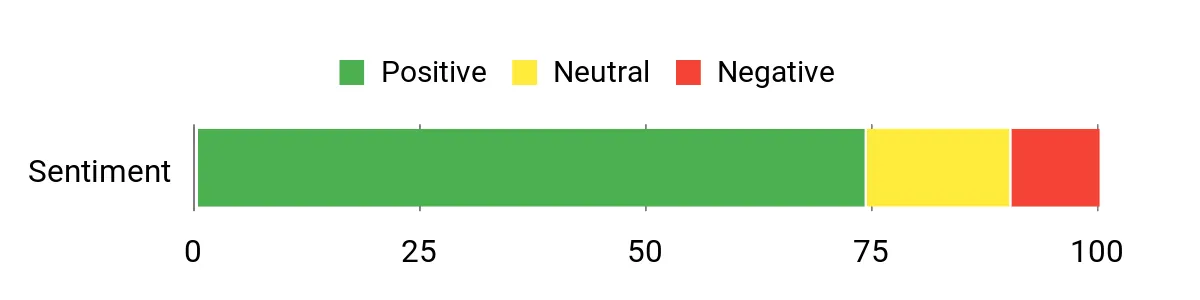
Customers frequently highlight how intuitive the hand-operated controls are and how the sensor-driven behavior makes it fun without a controller. Many reviewers appreciate the LED lights for evening play and the forgiving shell that helps avoid broken props.
A few mention limited flight time per charge, but most treat it as a playful, easy-to-use indoor toy that’s great for short sessions and skill practice.
Overall Sentiment: Positive
Situational Benefits
|
Situation |
How It Helps |
|---|---|
|
Quick Indoor Play |
You can get flights going fast—simple hand nudges launch usable play right in the living room or hallway. |
|
Kids’ Parties |
The colorful LEDs and hands-free action create an instant demo that draws a crowd and keeps kids engaged. |
|
Skill Practice |
Hand control encourages hand-eye coordination and faster reflex training compared with a traditional remote. |
|
Travel or Short Visits |
Compact size and USB charging make it easy to pack and recharge between short outings or visits to family. |
Educational Value
You can use this orb to develop fine motor skills, spatial awareness and quick decision-making. The direct, hands-on control gives immediate feedback that helps kids learn cause-and-effect and improves reaction times.
Ease Of Use
|
Feature |
Ease Level |
|---|---|
|
Takeoff/Control |
Easy |
|
Charging |
Easy |
|
Maintenance |
Moderate |
|
Sensor Calibration |
Moderate |
Safety Features
Soft, webbed shell and lightweight construction limit impact; built-in sensors avoid direct collisions and the enclosed design keeps fingers away from spinning parts.
Fun Factor
The tactile, hands-on flying style combined with vibrant LEDs makes sessions feel immediate and playful, so kids enjoy experimenting with movement and simple games.
Child Friendliness
Recommended for ages 6 and up, the orb’s forgiving shell and intuitive motion controls suit older kids for independent play while younger children will still benefit from supervision.
Key Benefits
- Hands-free motion control that’s intuitive for kids
- Soft, protective shell reduces damage from bumps
- USB rechargeable for quick top-ups between sessions
- Bright LEDs boost visibility and engagement indoors
Rating: 4.3 (total: 641+)
Helatt 807
You’ll like the 807 if you want a dependable, fuss-free quadcopter that focuses on stable flight and easy tricks. Altitude hold and headless mode keep hovering predictable while speed adjustment lets you scale the challenge as skills improve. The included spare props and two batteries reduce downtime, and the lightweight design is forgiving during indoor practice. Use it for short training sessions, backyard hover practice, or as a beginner-friendly gift that balances safety and fun.
What People Say
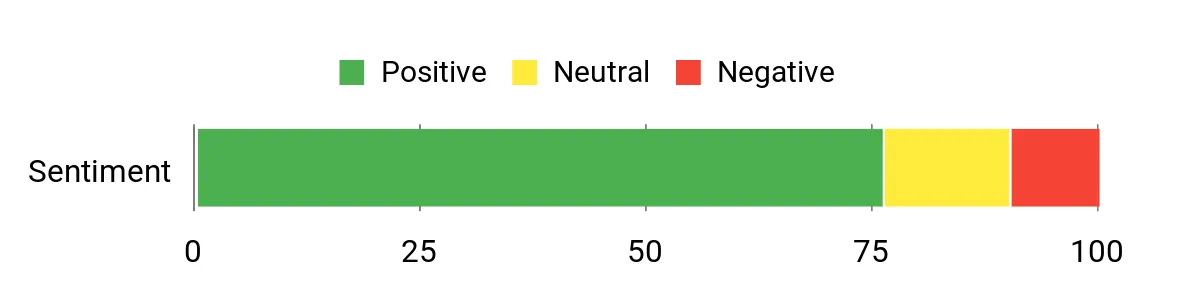
Customers frequently note how steady the 807 feels for a small drone, and how altitude hold and headless mode cut down on common beginner mistakes. Many reviewers appreciate the extra battery and spare propellers for longer sessions, while a small number mention the usual limits of toy-grade durability.
Overall, people treat it as a reliable starter that keeps practice simple and enjoyable.
Overall Sentiment: Positive
Situational Benefits
|
Situation |
How It Helps |
|---|---|
|
Daily Practice |
Altitude hold and adjustable speeds let you run short, focused training sessions that build control without constant intervention. |
|
Group Play |
Two batteries and quick swaps keep multiple kids engaged during shared playtime or small gatherings. |
|
Indoor Flights |
Lightweight frame and protected props reduce the risk of damage when flying around furniture and tight spaces. |
|
Learning Tricks |
One-key flips and speed modes allow you to introduce aerial stunts gradually while keeping recovery simple. |
Educational Value
You can use the 807 to teach hand-eye coordination, throttle control and sequencing through battery management. Its assisted features make it easier to explain concepts like altitude control and orientation before moving to more advanced flight techniques.
Ease Of Use
|
Feature |
Ease Level |
|---|---|
|
Initial Setup |
Easy |
|
Flight Modes |
Easy |
|
Battery Swapping |
Easy |
|
Trim Adjustment |
Moderate |
Safety Features
Headless mode, altitude hold and a lightweight ABS build reduce the chance of severe crashes. Spare propellers and a forgiving frame lower the impact of bumps during practice.
Fun Factor
Between 360° flips, responsive control and adjustable speeds, the 807 keeps sessions lively and encourages playful experimentation without overwhelming new pilots.
Child Friendliness
Designed for beginners and kids, the drone’s assisted modes and spare parts support independent practice for older children while younger pilots benefit from supervision.
Key Benefits
- Stable hover with altitude hold for easier control
- Headless mode and speed settings simplify learning
- Two rechargeable batteries and spare props reduce interruptions
- Lightweight, forgiving frame suited to indoor practice
Rating: 4.4 (total: 220+)
FAQ
What To Look For
Focus on features that make learning easier and safer: prop guards, altitude hold, headless mode and multiple speed settings so you can scale the challenge. Check included extras like spare batteries, replacement propellers and straightforward controls because those reduce downtime and frustration.
Match the drone’s size and control complexity to the child’s age and experience level to avoid buying something too advanced or too fragile.
Are They Safe For Kids
They can be, when you manage risk and supervise appropriately. Choose lightweight models with full guards and lower-speed modes, keep flights indoors or in open areas away from people and pets, and teach basic safety rules like keeping faces and loose hair clear of the propellers. Also follow battery charging guidelines and store spare batteries safely to avoid damage or overheating.
How To Extend Flight Time
You can get more usable flying by rotating batteries and keeping extras charged, flying in lower-speed modes and avoiding windy conditions that force the motor to work harder. Make sure batteries are fully charged before use, keep propellers clean and undamaged, and update firmware if available to improve efficiency.
Treat quoted flight times as single-battery estimates and plan sessions around swaps so playtime feels continuous rather than interrupted.
Buyer Preferences
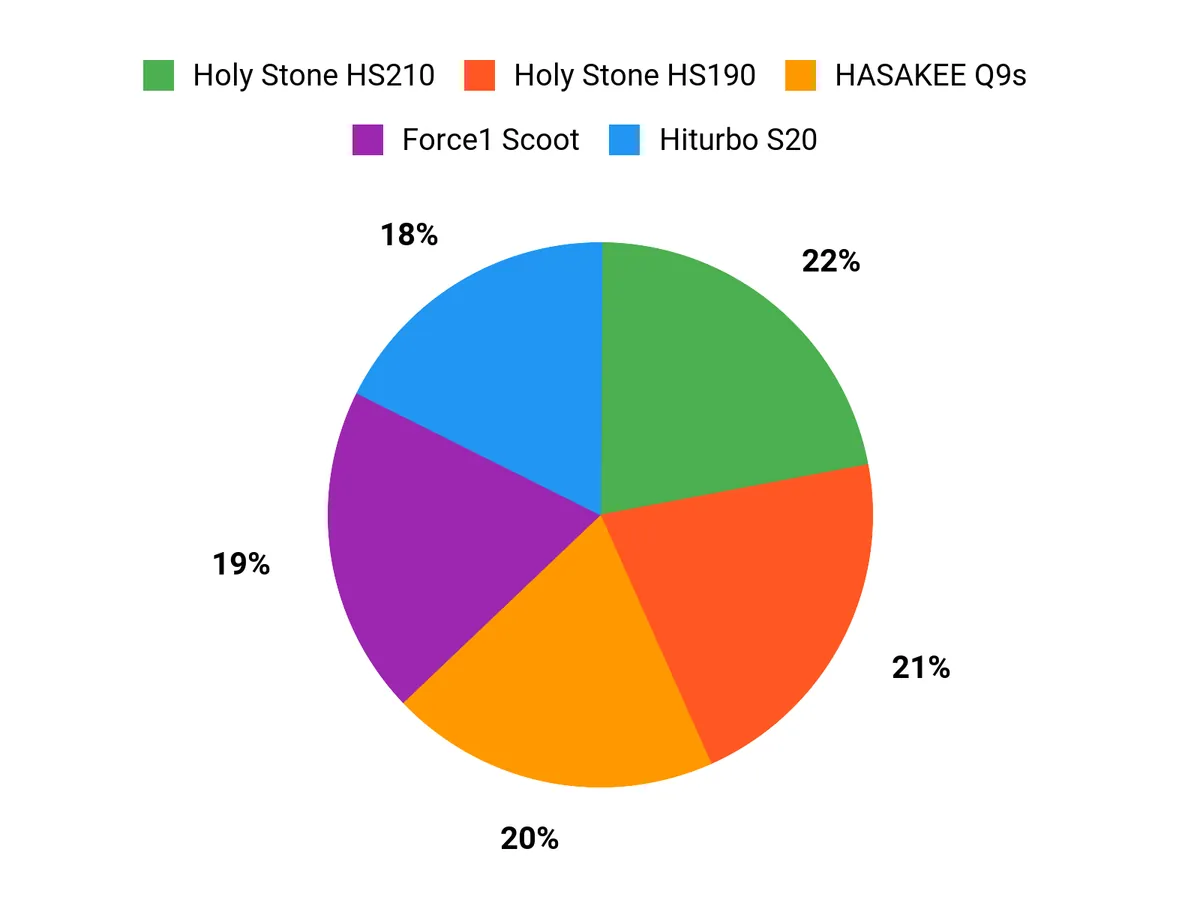
When choosing between the HS210, HS190 and the Force1 Scoot, you typically prioritize control style, safety and uninterrupted play time—whether that means extra batteries and stable hover for longer practice sessions, a foldable design for easy transport, or a hands-free orb that removes the controller learning curve. In practice that means you might pick the HS210 for steady indoor training and basic camera capture, the HS190 if portability and simple trick features matter most, and the Force1 Scoot when you want tactile, low-stress hands-free play.
Wrapping Up
When you pick a drone for a child, match the model to their age, interest and supervision level. For complete beginners who will fly indoors, choose models with prop guards, simple controls and extra batteries so you get longer practice sessions.
If they love photos or want a toy that grows with them, prioritize a stable 1080p camera and easy return or altitude-hold features. Remember that cheaper novelty or hand-operated drones are great for short-term play and learning reflexes, while slightly higher-tier models deliver longer flight times and better durability. Whatever you choose, plan for supervised flights, spare props and a safe open space so your child builds confidence and skill without unnecessary risk.
| Product Name | Image | Rating | Battery Life | Video Resolution | Maximum Range |
|---|---|---|---|---|---|
| Holy Stone Mini Drone for Kids (HS210) |
|
4.2/5 (16,106 reviews) | 7 minutes per battery (3 batteries included) | 1080p | 160 feet |
| Holy Stone HS190 Foldable Mini Drone |
|
4.2/5 (12,899 reviews) | Approx. 5-7 minutes | 480p | 96 feet |
| Force1 Scoot Hand Operated Drone |
|
4.0/5 (11,859 reviews) | N/A (Rechargeable via USB) | N/A | N/A (Hand-controlled operation) |
| Q9s Drone for Kids |
|
4.3/5 (6,250 reviews) | 10-12 minutes (2 batteries included) | 720p | 0.03 miles |
| Drone with 1080P Camera (S20) |
|
4.2/5 (4,236 reviews) | Approx. 10 minutes | 1080p | 0.05 km |
| Swifsen Drone with Camera (SWA35) |
|
4.3/5 (1,049 reviews) | Approx. 8-10 minutes (2 batteries included) | 720p | 60 feet |
This Roundup is reader-supported. When you click through links we may earn a referral commission on qualifying purchases.
