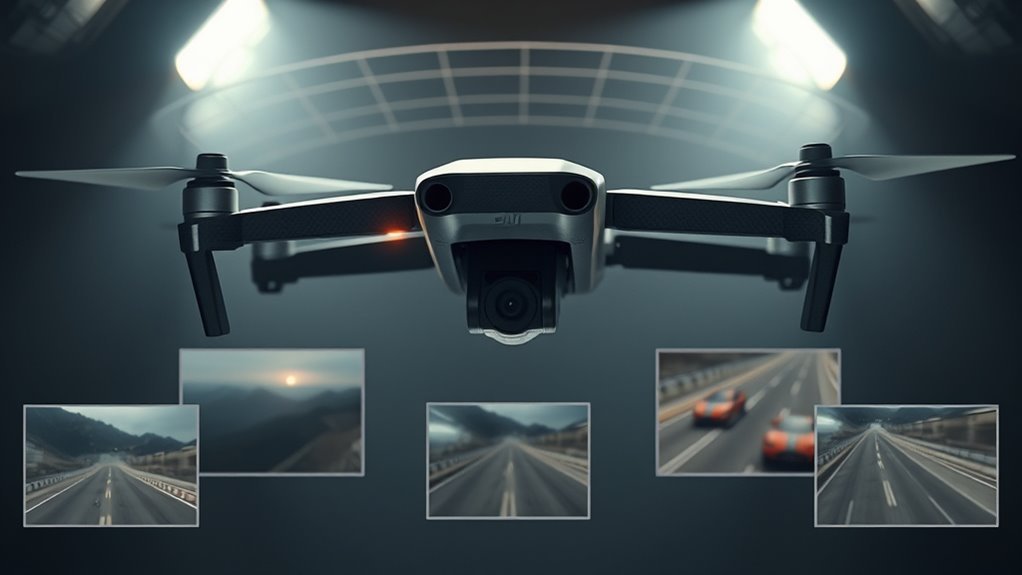
The DJI Avata 360 combines immersive FPV flying with 8K 360-degree video, letting you choose camera angles after recording. Its dual 1/1.1-inch CMOS sensors, integrated propeller guards, and intelligent tracking make it an interesting option for aerial filmmakers and content creators. But its flight modes, obstacle sensing, and editing workflow have limitations you should understand before choosing it.
Quick Answer
The DJI Avata 360 records 8K/60fps HDR 360-degree video and up to 120MP panoramic photos. It offers approximately 23 minutes of maximum flight time, 4K/60fps single-lens recording, and omnidirectional obstacle sensing in 360° mode. Its main advantage is creating multiple camera angles from one flight, although reframing reduces the resolution available for the final video.
Last checked: October 11, 2026. Key specifications and operating restrictions were checked against manufacturer and FAA documentation.
Key Takeaways
- Its 8K resolution covers an entire 360-degree scene, not just the cropped view you export.
- Single Lens mode offers conventional FPV footage but limits obstacle sensing to the forward direction.
- DJI Goggles 3 and Goggles N3 require compatible motion or FPV controllers.
- Sport mode prioritizes speed and responsiveness, with obstacle sensing disabled.
- The Antigravity A1 also records 8K 360° footage, but DJI offers a higher maximum 8K frame rate.
DJI Avata 360 Overview
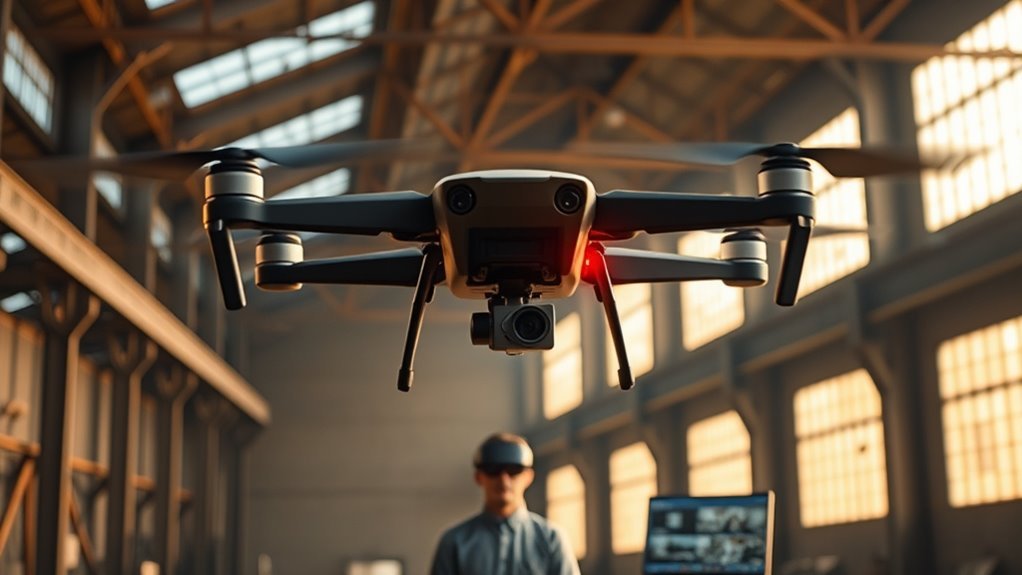
The DJI Avata 360 is an FPV-capable camera drone designed to record everything around it during flight. Instead of pointing a single camera at one subject, it captures a full panoramic scene that you can reframe during editing.
DJI officially launched the Avata 360 on March 26, 2026, with shipments beginning in April 2026. The model combines DJI’s Avata flight design with panoramic imaging and intelligent filming tools.
Its imaging system uses two square CMOS sensors with approximately 1-inch-equivalent imaging capabilities. The dual lenses capture a complete 360-degree scene, including views above, below, and behind the aircraft.
That flexibility makes the drone useful for solo creators. You can fly a single route, then create forward-facing footage, side views, sweeping reveals, and backward-looking shots from the same recording.
However, a 360-degree camera does not remove every shooting constraint. The drone’s movement, subject distance, lighting, and camera position still affect the footage you can produce.
The biggest difference from a traditional camera drone: you can decide much of the final composition after landing rather than during flight.
DJI Avata 360 Specs
The DJI Avata 360 combines 8K panoramic recording, 120MP still photography, and a maximum flight time of approximately 23 minutes. Its integrated propeller guards and obstacle-sensing system support controlled aerial filming, while the O4+ transmission system provides a live camera feed.
These are the main specifications to consider, based on DJI’s official product information.
| Specification | DJI Avata 360 |
|---|---|
| Camera sensors | Dual 1/1.1-inch square CMOS |
| 360° video | Up to 8K/60fps HDR |
| Single Lens video | Up to 4K/60fps |
| Maximum photo resolution | 120MP panoramic |
| Maximum video bitrate | 180 Mbps |
| Maximum flight time | Approximately 23 minutes |
| Takeoff weight | Approximately 455 g |
| Maximum horizontal speed | 18 m/s in Sport mode |
| Internal storage | 42GB |
| Video transmission | DJI O4+, up to 1080p/60fps live view |
| Obstacle sensing | Omnidirectional in 360° mode; forward only in Single Lens mode |
Maximum flight time and speed are measured under controlled conditions. Wind, flight style, recording settings, temperature, and battery condition can change actual performance.
Imaging and Video Specs
Two 1/1.1-inch square CMOS sensors power the Avata 360’s panoramic camera system. DJI describes their combined imaging capability as 1-inch-equivalent, with large 2.4-micrometer pixels and lenses offering approximately 200-degree fields of view.
The drone supports 7680 × 3840 panoramic video at up to 60 frames per second. It also records 6K panoramic footage and conventional 4K video through its Single Lens mode.
Its maximum 180 Mbps video bitrate helps retain image detail, while D-Log M provides a flatter color profile for editors who want more control when color grading.
For photography, the drone can capture up to 120MP panoramic images. That resolution applies to the full sphere, not a single cropped viewpoint.
Remember: an 8K 360-degree recording is not the same as an 8K conventional video. Only a portion of the original image appears in the final flat frame.
Flight and Safety Specs
The DJI Avata 360 offers approximately 23 minutes of maximum flight time and a top horizontal speed of 18 m/s in Sport mode. Its integrated propeller guards provide physical protection around the spinning propellers.
The sensing system combines a forward-facing LiDAR sensor, vision sensors, and three-dimensional infrared sensing. DJI’s obstacle-sensing documentation identifies the different sensors and the directions they cover.
In 360° mode, the panoramic cameras contribute to obstacle detection around the aircraft. In Single Lens mode, obstacle sensing becomes forward-only.
The drone also supports intelligent subject tracking through FocusTrack, including ActiveTrack 360° when using a compatible standard remote controller.
These systems can make filming easier, but they do not guarantee collision prevention. Thin wires, reflective surfaces, poor lighting, and fast movement can still cause problems.
Warning: Obstacle sensing is not equally available in every camera and flight mode. Sport mode disables obstacle sensing, and Single Lens mode only supports forward sensing. Maintain visual awareness and allow enough clearance around the drone.
How 360° Capture Changes Editing
360-degree recording lets you choose the final camera direction after a flight. Instead of recording one fixed perspective, the drone captures a full scene that can be turned into several different video clips.
This is especially useful when filming moving subjects, unpredictable action, and complex aerial movements.
Infinite Reframing Options
The DJI Avata 360’s virtual gimbal allows editors to rotate the viewpoint, adjust tilt, and create camera movements from recorded footage. You can look ahead, turn toward a subject, or rotate the horizon without physically repeating the flight.
Its editing workflow supports effects such as sweeping camera moves, rolling perspectives, and changes in viewing direction.
For example, one flight over a scenic landscape can produce a forward-moving shot, an overhead view, and a backward reveal.
However, reframing uses only part of the 360-degree image. Heavy cropping and digital zoom reduce visible detail, so it helps to keep subjects reasonably close without creating a collision risk.
Single Flight, Multiple Cuts
A single 360-degree flight can produce several finished edits. This reduces the need to repeat the same flight path just to capture a different camera angle.
Consider a drone following a cyclist on a trail. The same panoramic recording could produce:
- A forward-facing view showing the route.
- A side-facing shot that keeps the cyclist in frame.
- A wide scenic reveal showing the surrounding landscape.
- A backward-looking shot showing the trail behind the aircraft.
These options are helpful for short-form videos, YouTube content, travel films, and action-sports footage.
They also reduce some planning pressure during flight. You still need good camera placement and lighting, but the final framing is less restrictive.
Angle and Speed Control
The DJI Avata 360 lets you control the virtual camera’s angle and the apparent movement of the view during editing. You can also change playback speed to create a faster or slower final sequence.
DJI Fly supports quicker mobile edits, while DJI Studio provides a computer-based workflow for more detailed adjustments.
A practical workflow looks like this:
- Record a scene using 360° mode.
- Transfer the panoramic footage to your phone or computer.
- Open the footage in DJI Fly or DJI Studio.
- Choose the starting viewpoint and add keyframes for camera movement.
- Adjust framing, movement, and playback speed.
- Export the final flat video in your preferred format.
DJI’s Avata 360 beginner guide explains its panoramic editing and exporting options.
Pro Tip: Before editing an entire flight, test one short clip with several different camera angles. Compare the exported detail at each crop level to understand how much flexibility your footage provides.
Single-Lens Mode or Full 360° Mode?
Choose Single Lens mode when you want conventional FPV video with minimal reframing work. Choose Full 360° mode when you need several possible viewpoints from the same flight.
Both modes use the same aircraft, but their recording capabilities and obstacle-sensing behavior are different.
| Mode | Primary Use |
|---|---|
| Single-Lens Mode | Subject-focused 4K capture, conventional FPV footage, and faster flat-video editing |
| Full 360° Mode | Full panoramic recording, dynamic camera movements, and creative reframing |
| Maximum Video Resolution | Single Lens: 4K/60fps; Full 360°: 8K/60fps |
| Obstacle Sensing | Single Lens: forward only; Full 360°: omnidirectional under supported conditions |
Single Lens mode can be the more practical choice for footage that needs to be edited and shared quickly. You compose the shot as you fly, much like using a conventional camera drone.
Full 360° mode is better suited to complicated shots, creative camera effects, and situations where you cannot predict the best viewpoint in advance.
Its biggest compromise is post-production work. Panoramic footage generally needs reframing and exporting before it becomes conventional flat video.
DJI Avata 360 Flight Modes
The DJI Avata 360 supports Cine, Normal, and Sport flight modes with compatible standard controllers. With DJI Goggles, the available flight modes are Normal and Sport. Head Tracking is a separate viewing and control feature rather than a third flight mode.
According to DJI’s controller mode guidance, the modes differ in responsiveness, speed, and safety behavior.
- Cine mode: Slows aircraft movement for smoother camera motion. Available with compatible standard controllers.
- Normal mode: Balances stable flight, moderate speed, and supported intelligent functions. It is a sensible starting mode for newer pilots.
- Sport mode: Increases responsiveness and speed for dynamic flight. Obstacle sensing is disabled.
- Head Tracking: Lets the camera view respond to compatible goggles’ head movements when paired with supported control equipment.
DJI also offers Easy ACRO for assisted aerial maneuvers with compatible goggles and the RC Motion 3 controller.
However, Easy ACRO is not the same as unrestricted manual flight. The DJI Avata 360 does not support a full Manual or Acro flight mode.
That makes it more suitable for controlled FPV filming and assisted creative movement than for pilots who specifically want traditional manual freestyle flying.
DJI Avata 360 vs. Antigravity A1
The DJI Avata 360 and Antigravity A1 are both true 8K 360-degree camera drones. Their main differences involve maximum frame rate, weight, flight duration, camera hardware, and obstacle detection.
The A1 is not a single-lens conventional drone. It also captures panoramic footage that can be reframed after flight.
Here is how their published specifications compare.
| Feature | DJI Avata 360 | Antigravity A1 |
|---|---|---|
| 360° video | 8K/60fps | 8K/30fps |
| Image sensors | Dual 1/1.1-inch CMOS | 1/1.28-inch camera sensor specification |
| Maximum photo resolution | 120MP panoramic | 55MP panoramic |
| Maximum flight time | 23 minutes | 24 minutes standard; 39 minutes with high-capacity battery |
| Takeoff weight | Approximately 455 g | 249 g standard; 291 g high-capacity |
| Obstacle sensing | Omnidirectional in 360° mode | Forward and downward vision sensing |
| Integrated propeller guards | Yes | No |
These figures include the A1’s optional high-capacity battery. The aircraft’s specifications and test conditions differ, so maximum flight times are not a promise of equal real-world endurance.
The Antigravity A1 specifications confirm its 8K panoramic recording, 249 g standard-battery weight, and optional extended flight time.
Which Drone Is Better for Video Quality?
The Avata 360 has a specification advantage for high-frame-rate panoramic recording, supporting 8K at 60fps rather than the A1’s maximum 8K at 30fps.
Its larger sensor format and higher maximum bitrate also provide potential advantages for image capture. However, actual low-light quality depends on exposure, noise processing, movement, and editing.
Neither drone automatically produces a full-resolution 8K flat video from a narrow crop.
Which Drone Is Better for Portability?
The Antigravity A1 has a clear weight advantage. Its standard configuration weighs 249 g, compared with approximately 455 g for the DJI Avata 360.
That difference may matter for travel, carrying comfort, and drone-registration rules in certain countries.
The DJI model counters with integrated propeller guards, a more protected design, and additional obstacle-sensing coverage in supported modes.
Which Drone Should You Choose?
Choose the DJI Avata 360 if you value higher-frame-rate 8K recording, guarded propellers, and the option to switch between conventional remote control and immersive FPV equipment.
Consider the Antigravity A1 if you prioritize low weight and longer maximum flight time with its optional high-capacity battery.
Both can create impressive 360-degree footage, but neither removes the need for careful flying and editing.
Who Is the DJI Avata 360 For?
The DJI Avata 360 is best suited to people who want creative camera freedom more than the simplest possible editing workflow. It fits filmmaking, social media production, travel videos, and FPV-style aerial filming.
Filmmakers and Video Editors
Filmmakers can turn one flight into several camera movements. The drone works particularly well for sequences that benefit from alternate angles or surprising changes in perspective.
Editors should be comfortable processing panoramic footage and managing large video files.
Content Creators and Solo Operators
Creators working without a dedicated camera operator can benefit from 360-degree capture and supported automatic subject-tracking functions.
A single flight can supply several shots for different social platforms, reducing the need to repeat the same aerial movement.
FPV Enthusiasts
The drone offers immersive flying with compatible DJI goggles and motion controllers.
However, pilots who want full manual acrobatics should consider a different platform because the Avata 360 does not support unrestricted Manual mode.
Beginners
Normal mode, supported obstacle sensing, and integrated propeller guards can make the drone more approachable for less experienced pilots.
Still, its weight, camera system, and flight capabilities demand careful practice. Beginners should start in an open area away from people and obstacles.
Who Might Prefer Another Drone?
A conventional camera drone may be a better fit if you need high-detail flat footage straight from the camera or want a simple editing process.
A lighter model may also be preferable if portability and registration thresholds are major priorities.
Important Safety and Legal Considerations
The Avata 360’s approximately 455 g takeoff weight means it does not qualify for the US recreational registration exemption available to drones weighing 250 g or less.
According to the FAA’s drone-registration rules, this aircraft must be registered before recreational flight in the United States. Applicable Remote ID requirements also need to be met.
If you operate under commercial drone rules, additional pilot-certification and operational requirements can apply.
FPV goggles also create a visibility issue because the pilot is looking at a video feed instead of directly watching the aircraft. The FAA’s Part 107 guidance requires a visual observer to keep the aircraft within unaided sight when the pilot uses FPV technology.
Note: Drone registration, airspace authorization, and FPV observation rules vary by location and purpose. Confirm the requirements that apply to your flight before operating the aircraft.
Frequently Asked Questions
Is the DJI Avata 360 a Good Drone?
Yes, the DJI Avata 360 is a capable option for creators who want 8K panoramic recording, FPV flight, and flexible editing. Its main strengths are 360-degree reframing, intelligent shooting tools, and guarded propellers. Its main tradeoffs include shorter maximum flight time than some alternatives, additional editing work, and reduced resolution when exporting heavily cropped footage.
Can the DJI Avata 360 Follow You?
Yes, the DJI Avata 360 supports automatic subject tracking through FocusTrack, including ActiveTrack 360° with a compatible standard remote controller in 360° mode. It can help maintain framing around moving subjects, including during cycling or other outdoor activities. Tracking performance depends on visibility, available space, and the aircraft’s operating conditions.
Which Goggles Are Compatible With the DJI Avata 360?
The DJI Avata 360 supports DJI Goggles 3 and DJI Goggles N3. These goggles must be paired with the DJI RC Motion 3 or DJI FPV Remote Controller 3. Standard controllers such as DJI RC 2, RC-N2, and RC-N3 are supported separately, but cannot be used together with the goggles for this aircraft.
Does the DJI Avata 360 Have LiDAR?
Yes, the DJI Avata 360 uses forward-facing LiDAR as part of its obstacle-sensing system. It also uses vision cameras and three-dimensional infrared sensing. Omnidirectional obstacle detection is available in supported 360° mode conditions, while Single Lens mode provides forward sensing only. These systems assist flight safety but cannot detect every obstacle.
Does the DJI Avata 360 Support Manual FPV Flight?
No, the DJI Avata 360 does not support a full Manual or Acro flight mode. It offers Normal and Sport modes with goggles and adds Cine mode with compatible standard controllers. Assisted maneuvers through Easy ACRO are available with supported motion-control equipment, but this does not provide unrestricted manual flight control.
Can DJI Avata 360 Footage Be Exported as a Normal Video?
Yes, DJI Avata 360 panoramic footage can be reframed and exported as conventional flat video using DJI Fly or DJI Studio. You can select camera angles, add movement, and create different compositions from one recording. The finished frame contains only part of the original 8K sphere, so its detail depends on the crop and export settings.
Conclusion
The DJI Avata 360 offers an unusual combination of 8K panoramic recording, FPV-style flying, and creative editing freedom. Its strongest feature is the ability to turn one flight into several different camera angles without repeating the same route.
For filmmakers and content creators, that flexibility can be more valuable than raw resolution alone. However, its 23-minute maximum flight time, editing requirements, and mode-specific obstacle-sensing limits deserve consideration.
If you value flexible composition and immersive aerial footage, the Avata 360 is a compelling choice. If your priority is simple flat-video capture, lightweight travel, or unrestricted manual FPV, a different drone may suit you better.
Sources
- DJI launch announcement, March 26, 2026: product launch, imaging features, flight duration, and editing tools. Linked in the Overview section.
- DJI Store, Avata 360 product information: camera resolutions, controller compatibility, obstacle-sensing limits, and video transmission. Linked in the Specs section.
- DJI Support, Introduction to the Aircraft Obstacle Avoidance System: LiDAR, vision, and infrared sensing. Linked in the Flight and Safety Specs section.
- DJI Support, A Beginner’s Guide to DJI Avata 360: goggles, supported controllers, flying features, and editing workflow. Linked in the Editing section.
- DJI Support, Description of Remote Controller Modes: Cine, Normal, Sport, and operating limitations. Linked in the Flight Modes section.
- Antigravity, Official A1 Specifications: panoramic video, sensor, flight time, weight, and sensing capabilities. Linked in the comparison section.
- Federal Aviation Administration, How to Register Your Drone: US registration and Remote ID requirements. Linked in the Safety section.
- Federal Aviation Administration, Small UAS Regulations (Part 107): operating rules and FPV visual-observer requirements. Linked in the Safety section.

