
An eSIM, or embedded SIM, is a digital SIM built into your iPhone instead of a removable plastic SIM card. On iPhone 13, it lets you add cellular plans digitally, switch between saved plans, and use two active lines at the same time when your carrier supports it.
Quick Answer
iPhone 13 can store multiple eSIM plans, but only two cellular lines can be active at once. Depending on your setup and carrier support, those two active lines can be one physical SIM plus one eSIM, or two eSIMs.
Key Takeaways
- An eSIM is a digital SIM profile stored on your device, so you do not need to insert a physical card.
- iPhone 13 supports Dual SIM, including two active eSIMs when your carrier allows it.
- You can store more than two eSIM plans, but you can only use two lines actively at the same time.
- You can add an eSIM by scanning a carrier QR code, using a carrier app, or entering activation details manually.
- Managing labels, default voice lines, iMessage lines, and cellular data settings helps you avoid confusion and extra charges.
What Is eSIM Technology?
An eSIM, or embedded SIM, represents a major shift in mobile connectivity. Unlike a traditional SIM card, which is a physical card you insert into your phone, an eSIM is built directly into the device. It allows you to activate a cellular plan without handling a removable SIM card.
The biggest advantage is flexibility. An eSIM can be programmed with a carrier profile and later changed when you switch plans, change carriers, or add a temporary travel line. You do not need to open the SIM tray or wait for a physical SIM card to arrive.
eSIM technology follows industry standards developed by the GSMA, which helps carriers and device makers manage digital SIM activation securely. This matters because your carrier profile must be downloaded, stored, and managed in a safe way.
eSIMs also help device makers save internal space. Without relying only on a physical SIM card slot, manufacturers can design slimmer devices or use the space for other components. That is why eSIM support is common in smartphones, tablets, smartwatches, and other connected devices.
iPhone 13’s eSIM Capabilities
Dual SIM Capabilities
Each iPhone 13 model supports Dual SIM. You can use one physical nano-SIM and one eSIM, or you can use two active eSIMs if your carrier and region support that setup.
This feature is useful if you travel internationally, keep separate work and personal numbers, or want to compare plans from different carriers. Instead of carrying two phones, you can manage two numbers from one iPhone.
User-Friendly Implementation
Apple makes eSIM setup simple on iPhone 13. In many cases, you can add an eSIM by scanning a QR code from your carrier, using your carrier’s app, or entering the activation details manually.
After activation, your iPhone lets you label each line, choose a default number for calls, set which line uses cellular data, and control whether data switching is allowed. These settings make it easier to keep personal, work, and travel lines organized.
Flexibility and Choice
The iPhone 13 can store multiple eSIM profiles, but only two cellular lines can be active at the same time. This means you may keep several plans saved on the device and switch between them when needed.
For example, you might keep your main personal line active, add a work line, and save a travel eSIM for another country. When you no longer need one active line, you can turn it off and activate another saved plan.
Note: Carrier support matters. Even though iPhone 13 supports eSIM, your available options depend on your carrier, region, account type, and whether the phone is unlocked.
Benefits of Using Multiple eSIMs

Using multiple eSIMs on an iPhone 13 gives you more control over your mobile service. One of the biggest benefits is the ability to manage multiple phone numbers without carrying more than one device.
A business professional, for example, can keep a work number and a personal number on the same iPhone. This helps separate calls, messages, and contacts while keeping daily communication simple.
Multiple eSIMs are also helpful for travel. You can keep your main number available while adding a local or travel data plan. That can help reduce roaming costs, especially when you need mobile data for maps, rideshare apps, messaging, and email.
Another benefit is plan flexibility. If one carrier offers better coverage in a certain area or a better data plan for a short trip, you can add that plan without physically swapping SIM cards. This makes it easier to test service quality before making a long-term switch.
You can also keep backup connectivity available. If your main carrier has poor reception in a specific location, a second plan from another network may help you stay connected. This is especially useful for frequent travelers, remote workers, and people who rely on their phone for business.
How to Set Up Multiple eSIMs on iPhone 13
At a Glance
| Time Required | About 5 to 10 minutes per eSIM |
| Difficulty | Easy |
| Tools Needed | iPhone 13, Wi-Fi connection, carrier eSIM QR code, carrier app, or activation details |
| Cost | Usually free to set up, but your carrier may charge for the plan or service |
| Step | Description |
|---|---|
| 1 | Open Settings on your iPhone 13. |
| 2 | Tap Cellular or Mobile Data, depending on your region. |
| 3 | Tap Add eSIM or Add Cellular Plan. |
| 4 | Scan the QR code from your carrier, use the carrier app, or enter activation details manually. |
| 5 | Follow the on-screen instructions, label the line, and choose your default settings. |
Before adding an eSIM, update your iPhone 13 to a recent iOS version and make sure you have a stable Wi-Fi connection. Your iPhone needs internet access to download and activate the eSIM profile.
Next, get the eSIM activation details from your carrier. This may come as a QR code, a carrier app setup flow, or manual activation information. Some carriers also support eSIM transfer from a nearby iPhone.
To add the eSIM, open the Settings app, tap Cellular, and choose Add eSIM or Add Cellular Plan. Then follow the prompts on the screen. After the first eSIM is added, you can repeat the process to add more saved eSIM profiles.
After setup, give each line a clear label. Common labels include Personal, Business, Travel, Primary, and Data. These labels help you know which number you are using for calls, texts, iMessage, FaceTime, and mobile data.
Warning: Do not delete an eSIM unless you are sure you can reactivate it. Some carriers require a new QR code or customer support request after an eSIM is removed.
[Amazon Products Picked for You]

Get Your eSIM Instantly: After purchase, Just go to( mcrmgr.umacaroon.com/urozetta), enter your order number, you will immediately receive your eSIM QR code and user manual via email. Skip bulky rental devices! This eSIM card serves as the ultimate Pocket WiFi alternative.No physical SIM needed, instant QR activation.

Coverage: 33 Countries Across Europe | Data: Unlimited High-Speed Usage

Before purchasing, ensure your phone is eSIM-compatible and unlocked to avoid any issues. This eSIM is perfect for travelers who want a seamless data solution without the hassle of physical SIM cards.
Managing Multiple eSIMs on iPhone 13
Once you add multiple eSIMs, you can manage them from the Cellular section in Settings. This area shows your active and inactive plans, line labels, data settings, and default voice line options.
You can choose which line handles calls and messages. You can also select which line uses cellular data. If you turn on cellular data switching, your iPhone may use the other line for data when your selected data line has poor service.
This flexibility lets you adjust your setup based on your current situation. At home, you may use your main carrier for calls and data. While traveling, you may keep your main number available for calls and use a travel eSIM for data.
You can also customize each line. For example, you can label one line as Personal and another as Work. You can set different contacts to use different lines, which helps avoid calling a client from your personal number by mistake.
Data roaming settings should be reviewed for each plan. If you travel abroad, turn off roaming for any line that could trigger expensive charges. Then use the local or travel eSIM for mobile data instead.
Pro Tip: Rename your lines before traveling. Labels such as “Home Number” and “Europe Data” make it easier to avoid using the wrong plan.
Compatibility With Different Carriers

Carrier compatibility is one of the most important parts of using eSIM on iPhone 13. Most major carriers in the United States support eSIM for iPhone, including AT&T, Verizon, and T-Mobile. Many international carriers also support eSIM, especially in Europe, Asia, and popular travel destinations.
Still, support is not universal. Some smaller carriers, prepaid plans, business accounts, or regional networks may have limited eSIM support. Before you buy a plan, confirm that the carrier supports eSIM activation for iPhone 13 specifically.
You should also check whether your iPhone is unlocked. If your iPhone is locked to one carrier, you may not be able to activate another carrier’s eSIM until the device is unlocked. This can affect travel plans and carrier switching.
Activation methods may differ by carrier. Some carriers provide a QR code. Others require an app, an online account, a store visit, or customer service support. If your QR code fails, contact the carrier before deleting any active plan from your iPhone.
[Amazon Products Picked for You]
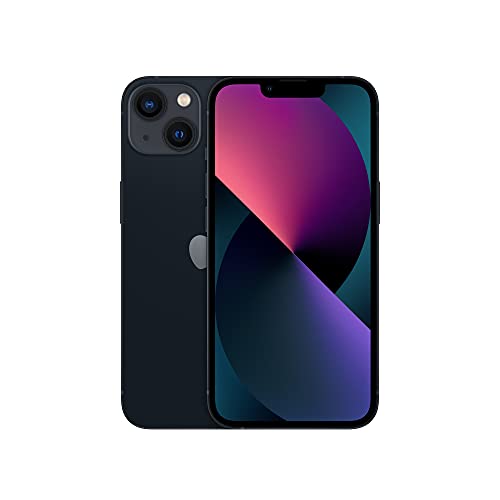
This pre-owned product is not Apple certified, but has been professionally inspected, tested and cleaned by Amazon-qualified suppliers.

6.1" Super Retina XDR display. 5G Superfast downloads, high?quality streaming

Troubleshooting iPhone 13 eSIM Problems
If your eSIM will not activate, start with the basics. Make sure your iPhone is connected to Wi-Fi, updated to a recent iOS version, and not locked to a different carrier.
If the QR code does not scan, check that the code is not expired or already used. Many eSIM QR codes can only be used once. If it has already been activated or deleted, your carrier may need to issue a replacement.
If your new line appears but has no service, restart your iPhone. Then go to Settings, tap Cellular, and confirm the line is turned on. Also check that the correct line is selected for mobile data.
If calls or messages use the wrong number, review your default voice line, iMessage settings, and contact-specific line preferences. Your iPhone can remember which line you used for a contact, so old settings may need to be changed.
If mobile data is not working while traveling, check data roaming for the travel eSIM. Some travel plans require roaming to be enabled because they connect through partner networks.
[Amazon Products Picked for You]

Written by a mechanic for real world, hands-on testing

✅ 𝗔𝗳𝗳𝗼𝗿𝗱𝗮𝗯𝗹𝗲 𝗣𝗹𝗮𝗻𝘀 𝗳𝗿𝗼𝗺 $𝟱/𝗠𝗼𝗻𝘁𝗵 – Choose your plan for your device. Get a SIM card with plans starting at just $5/month. Perfect for Any type of devices, smartphones, cameras, Smartwatch, hotspots, GPS trackers, IoT devices, tablets & more.

Improved test finds bad relays effectively
Security and Privacy Considerations
Security and privacy matter when using any mobile service. One advantage of eSIM technology is that the SIM profile is built into the device rather than stored on a removable card. This makes it harder for someone to physically remove your SIM from your phone.
If your iPhone is lost or stolen, your carrier can help deactivate the line. You can also use Apple account security features, such as Find My, passcodes, and activation lock, to protect your device and data.
However, you still need to be careful when adding new plans. Only activate eSIMs from trusted carriers or reputable travel eSIM providers. Avoid entering personal information on suspicious websites that claim to sell cheap mobile plans.
Each activated plan may require account details, identity information, payment information, or location-related data. Give only the information required for activation, and review the carrier’s privacy policy when possible.
Keep your iPhone updated, use a strong passcode, and protect your Apple ID with two-factor authentication. These steps help reduce the risk of unauthorized access to your device and mobile accounts.
Future Potential of eSIM Technology
The future of eSIM technology looks strong because more devices now need flexible mobile connectivity. Smartphones are only one part of the picture. Smartwatches, tablets, connected cars, laptops, security systems, and IoT devices can also benefit from digital SIM management.
For travelers, eSIM technology makes short-term connectivity easier. Instead of buying a physical SIM card after landing, you can install a travel eSIM before your trip and activate it when you arrive.
For carriers, eSIMs can reduce the need for physical SIM cards, shipping, packaging, and store visits. For users, the biggest advantage is convenience. You can add, store, switch, and manage plans directly from your device.
As more carriers improve eSIM support, users can expect simpler activation, better travel options, and easier plan switching. Over time, eSIMs may become the standard way many people connect phones and other smart devices to cellular networks.
In conclusion, eSIM is not just a small upgrade from the traditional SIM card. It changes how you manage mobile service. On iPhone 13, multiple saved eSIMs, Dual SIM support, and flexible line controls make it easier to balance work, personal, and travel connectivity from one device.
If you’re interested in learning more about the latest technology trends, you may want to check out this guide on how many eSIMs can iPhone 13 have. It explains how iPhone 13 handles eSIM profiles, active lines, and carrier plan flexibility.
Related Guides
Frequently Asked Questions
What is an eSIM?
An eSIM, or embedded SIM, is a digital SIM profile that lets you activate a cellular plan without inserting a physical SIM card.
How many eSIMs can iPhone 13 have?
iPhone 13 can store multiple eSIM profiles. The exact number may depend on storage, carrier setup, and iOS support, but only two cellular lines can be active at one time.
Can I use multiple eSIMs on iPhone 13?
Yes. You can store multiple eSIMs on iPhone 13 and switch between them. You can also use two active lines at once when your carrier setup supports it.
Can I switch between eSIMs on iPhone 13?
Yes. Go to Settings, tap Cellular, choose the plan you want to use, and turn that line on. You may need to turn off another active line first because only two lines can be active at the same time.
Can iPhone 13 use two eSIMs without a physical SIM?
Yes. iPhone 13 supports two active eSIMs when the carriers support eSIM activation. You can also use one physical nano-SIM with one eSIM.
Do I need an unlocked iPhone 13 to use another carrier’s eSIM?
Usually, yes. If your iPhone is locked to one carrier, another carrier’s eSIM may not activate. Check your carrier lock status before buying a second or travel eSIM plan.
Sources
- Apple Support: About eSIM on iPhone — supports eSIM setup, Dual SIM behavior, and carrier requirements.
- Apple Support: Using Dual SIM with an eSIM — explains how to manage two cellular plans on iPhone.
- Apple iPhone 13 Technical Specifications — confirms iPhone 13 SIM and eSIM capability.
- GSMA eSIM — explains the industry standard and broader eSIM technology.
