
If you’re searching for “HappyMod for Offroad Outlaws on iPhone,” the direct answer is no: the HappyMod app is distributed for Android as an APK, and Android APK files do not run natively on iPhone or iPad. Offroad Outlaws itself is available for iPhone and iPad from the official App Store listing published by Battle Creek Games, LLC. Apple now supports alternative app distribution in some regions, but that does not make an Android HappyMod APK compatible with iOS.
Last updated: September 19, 2026 — reviewed against Apple’s current app-distribution guidance and the current Offroad Outlaws App Store listing.
Quick Answer
You can’t connect the Android HappyMod app to Offroad Outlaws on iPhone. HappyMod’s Android package is an APK, while iPhone apps use Apple’s iOS distribution system. For the verified iPhone version of Offroad Outlaws, use the App Store listing from Battle Creek Games, LLC. Region-specific alternative iOS distribution exists, but it does not make Android APK files installable on iPhone.
Key Takeaways
- HappyMod is distributed as an Android APK; APK files do not run natively on iOS or iPadOS.
- You cannot connect the Android HappyMod app to the iPhone or iPad version of Offroad Outlaws.
- Apple allows alternative app distribution in certain regions, but those channels still use Apple-authorized, notarized iOS apps rather than Android APK files.
- The verified iPhone and iPad listing for Offroad Outlaws is published on the App Store by Battle Creek Games, LLC.
- Avoid installers that ask you to trust an unknown enterprise developer, install an unexplained profile, or complete unrelated “verification” downloads.
At a Glance
| Main Question | Can you use HappyMod with Offroad Outlaws on iPhone? |
| Answer | No. The Android HappyMod APK does not run on iOS. The verified iPhone/iPad version of Offroad Outlaws is available from the App Store. |
| Safe Option | Use the App Store listing published by Battle Creek Games, LLC, keep the game updated, and use features or purchases offered inside the official build. |
| Risk Level | Avoid unverified installers, unexplained configuration profiles, and enterprise-certificate workarounds that are not tied to a trusted organization or Apple’s authorized distribution systems. |
Is HappyMod available on iPhone?
The Android HappyMod app does not run natively on iOS because it is distributed as an APK. An iPhone cannot install and execute an Android APK as an iOS app. Be cautious when a page labels a profile, web clip, enterprise-signed app, or unrelated installer as “HappyMod for iOS.”
Apple’s app-distribution rules are broader in 2026 than older guides suggest. In addition to the App Store, Apple permits alternative app distribution in Brazil, Japan, and the European Union, with features varying by region. These alternatives still involve Apple-authorized distribution and notarized iOS apps; they do not make Android APK files compatible with iPhone. Apple’s enterprise program is for proprietary apps distributed within an organization, not a general public mod store.
See Apple’s current alternative app distribution guidance.
Warning: Do not install a profile, certificate, or “VIP installer” just because a website says it unlocks Offroad Outlaws. Unknown profiles can change trust settings, and manually trusted enterprise apps can stop working when certificate verification fails.
How to get Offroad Outlaws safely on iPhone
The clearest verified iPhone option is the official App Store listing published by Battle Creek Games, LLC. Apple currently lists Offroad Outlaws for iPhone and iPad, and the store description highlights open-world off-road driving, vehicle building/customization, and Map Maker features.
Download Offroad Outlaws on the App Store

To install it, open the App Store on your iPhone or iPad, search for Offroad Outlaws, and confirm that the listing names Battle Creek Games, LLC as the developer before installing. The current listing requires iOS 15.0 or later on iPhone and iPadOS 15.0 or later on iPad. Keep the game updated through the same distribution source you used to install it.
Pro Tip: Before spending money in the game, test different vehicles and terrain types first. That helps you upgrade the rig you actually enjoy driving.
[Amazon Products Picked for You]

WIDE SCREEN COMPATIBILITY — PHONE TO TABLET: X5 Lite is a versatile phone controller that stretches up to 213mm to fit iPhone 15/16, most Android phones, iPad mini 6/7, and compatible Android tablets. Secure Type-C connection keeps gameplay stable and responsive.

Why Choose the abxylute M4 Snap-On Phone Controller? Designed exclusively for short quick retro gaming, like Game Boy, NES, SNES and etc. Trusted by 6000+ backers on a tech-focused crowdfunding platform. Pocket-sized play, perfect for your rest time. This compact clip-on controller is compatible with iOS and Android, features a Turbo function—crafted for short bursts of play vertically, horizontally or in detached mode, and ideal for packing in your pocket.

【CONNECTION GUIDE】 ①Make sure the phone controller is NOT in charging before connected. ②Observe if the 4th LED on controller is flashing quickly (if flashing 1.2.3, it is incorrect), If not, press and hold the 'HOME' button to turn off the controller and then connect again: Open your bluetooth on mobile phone, then long press 'HOME' and the 4th light will flash quickly, then find corresponding Bluetooth name and connect.
Why “connecting HappyMod” or using modded builds on iOS is a bad idea
Pages advertising modded builds often promise free currency, unlocked vehicles, or faster upgrades. The key question is not whether the promise sounds useful, but whether you can verify who published the iOS app, how it is signed and distributed, and what permissions or profiles it asks you to trust. If you cannot verify those basics, do not install it.
| Risk | What it means |
|---|---|
| Publisher verification | A copied logo or game name does not prove that Battle Creek Games published the file. Verify the developer and distribution source before installing. |
| Updates & support | Apps from unofficial or revoked signing sources may stop launching or updating. Apple documents periodic verification for manually installed enterprise apps. |
| Game-account rules | [VERIFY: no current official Offroad Outlaws anti-cheat or mod-ban policy was located in the sources reviewed. Do not claim a specific ban consequence without a current developer source.] |
| Purchase support | Apple states that purchases made outside the App Store or Apple In-App Purchase are not supported by Apple; support depends on the alternative marketplace or app developer. |
| Profiles & certificates | Apple treats manually installed certificate profiles and enterprise-app trust as administrator-oriented workflows. Do not trust an unknown profile simply to unlock a game mod. |
For enterprise and certificate details, see Apple’s support documentation on trusting manually installed profiles.
If a download asks you to trust an unknown developer profile before you can play, treat it as a red flag.
Common fake HappyMod iOS claims to avoid
Many pages use similar tricks to make an iPhone mod look real. Watch for these warning signs before you tap anything:
- “HappyMod iOS no jailbreak” pages that ask you to install a profile.
- “Human verification” steps that make you download unrelated apps.
- Sites that promise unlimited money, unlocked trucks, or free purchases.
- Downloads that cannot be tied to the App Store or a documented Apple-authorized alternative distribution path.
- Instructions that tell you to trust an unknown enterprise developer.
- Videos with old screenshots, vague proof, or comment sections full of repeated spam.
Note: A website can copy the Offroad Outlaws name, logo, or screenshots without offering a real or safe iPhone app. The safest check is still the official App Store listing.
Safer, legal ways to enhance Offroad Outlaws on iPhone
You do not need HappyMod to enjoy Offroad Outlaws. The game gives you safer ways to progress, customize vehicles, and improve performance without installing an unofficial build.
[Amazon Products Picked for You]

Pack of 4.Compatible with WPL C14 C-14 C14K C-24 C24K 1/16 rc crawler off-road car truck.
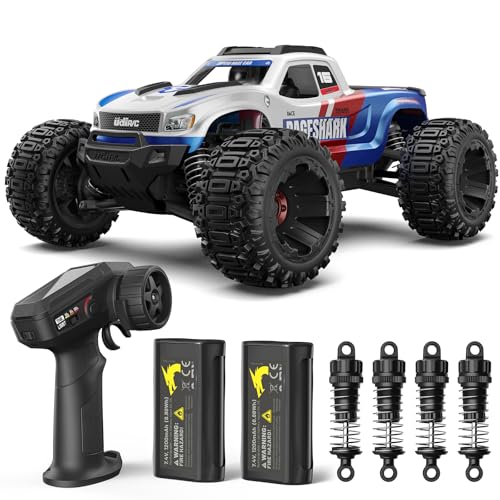
YOUR FIRST REAL RC TRUCK: Skip the toy-grade frustration. With hobby-grade metal drivetrain parts, full proportional throttle and steering, and oil-filled shocks, the UDIRC 1611 delivers a real RC driving experience that's easy for beginners and fun for experienced drivers alike

The RC Shock Absorber is designed for 1/10 RC crawler cars. These shocks feature a sealing design, threaded spring bodies for quick pre-load adjustments, suitable for off-road use and big jumps.
Use the official game features
- Explore the open-world maps and use the vehicle-building features described in the current App Store listing.
- Use Map Maker and the features available inside the official build rather than installing a modified client.
- Test vehicle changes in normal gameplay before spending more in-game currency or real money.
- Keep the app updated so your installed build stays aligned with the developer’s current release.
Customize without an external mod store
- Use the official vehicle-building and setup options already included in the game.
- Change one part of a setup at a time so you can tell what actually affects handling.
- Save cosmetic purchases until you know which vehicle you use most.
- Use the official Map Maker and driving environments to test a build instead of relying on a modified installer.
Optional, official purchases
- If you choose to spend money, use purchases offered inside the verified App Store build.
- Use Apple’s purchase controls or family settings when a child uses the device.
- Keep App Store receipts in your Apple account so you have a transaction record if you need purchase support.
Safe progress checklist for iPhone players
Use this quick checklist when you want faster progress without risking your device or account:
- For the verified iPhone/iPad build discussed here, use the App Store listing published by Battle Creek Games, LLC.
- Keep iOS and the game updated.
- Avoid profile-based installers and unknown developer certificates.
- Do not share your Apple ID, game account, or payment details with mod websites.
- If you choose to spend money in the App Store build, use the purchase flow provided inside that verified build.
- Back up your iPhone regularly so your device data stays protected.
- Report suspicious links, fake app pages, or scam downloads instead of testing them.
What to do if you already installed a suspicious Offroad Outlaws mod
If you installed an unknown profile, enterprise-signed app, or unverified “Offroad Outlaws mod,” stop using it until you can identify the publisher and distribution source. Do not enter passwords, payment details, or account credentials into an installer page you cannot verify.
- Delete the unofficial app from your iPhone.
- Check your iPhone settings for unknown VPN, device management, or profile entries.
- Remove any profile or certificate you do not recognize.
- Change passwords for accounts you entered on suspicious pages.
- Review recent Apple ID purchases and payment activity.
- Install the official Offroad Outlaws app from the App Store.
If your device still behaves strangely, check Apple’s support guidance or contact Apple Support before reinstalling anything from that source.
[Amazon Products Picked for You]
![Norton 360 Deluxe Antivirus, 3 Devices, Auto-Renews [Download]](https://m.media-amazon.com/images/I/41qw3FS3qLL._SL500_.jpg)
ONGOING PROTECTION Download instantly & install protection for 3 PCs, Macs, iOS or Android devices in minutes!

POWERFUL, LIGHTNING-FAST ANTIVIRUS: Protects your computer from viruses and malware through the cloud; Webroot scans faster, uses fewer system resources and safeguards your devices in real-time by identifying and blocking new threats

Bottom line: can you use HappyMod with Offroad Outlaws on iPhone?
No. The Android HappyMod APK cannot be connected to or run as an iPhone app. Offroad Outlaws has a verified iPhone and iPad listing from Battle Creek Games, LLC in the App Store. Apple does permit alternative app distribution in some regions, but those systems distribute notarized iOS apps and do not turn Android APK files into iPhone apps. If a “HappyMod iOS” page asks you to trust an unknown enterprise developer, install an unexplained profile, or complete unrelated downloads, do not treat that as proof of an official iOS release.
Related Guides
Frequently Asked Questions
Is HappyMod available for iPhone?
The Android HappyMod app is distributed as an APK, and Android APK files do not run natively on iPhone or iPad. A page using the HappyMod name on iOS does not by itself prove that it is an official HappyMod release.
Can I connect HappyMod to Offroad Outlaws on iOS?
No. The Android HappyMod APK cannot connect to or run as the iPhone version of Offroad Outlaws. The verified iOS listing is the App Store version published by Battle Creek Games, LLC.
Are third-party app stores like “TutuApp” or “AppValley” safe?
Do not judge a store only by its name. In supported regions, Apple allows authorized alternative app distribution and notarizes apps offered through those channels. An installer that instead asks you to trust an unknown enterprise developer or unexplained profile deserves extra scrutiny.
Will using a mod get my account banned?
[VERIFY: a current official Offroad Outlaws anti-cheat or mod-ban policy was not located in the sources reviewed.] Do not claim that a specific mod will cause a ban without a current developer source; use the verified game build and check the developer’s current rules or support guidance.
What are safe ways to progress faster?
Use the official game’s open-world driving, vehicle-building, Map Maker, and other features available in the current build. If you choose to spend money, use the purchase flow inside the verified App Store version.
Do I need to jailbreak my iPhone for Offroad Outlaws mods?
No jailbreak is required for the verified Offroad Outlaws iPhone app from the App Store. HappyMod’s Android APK still will not become an iOS app simply because a device is jailbroken.
Does Apple’s alternative app distribution mean HappyMod works on iPhone?
No. Apple permits alternative app distribution in certain regions, but those systems distribute Apple-notarized iOS apps. They do not make Android APK files installable or executable as native iPhone apps.
What should I do if a website promises unlimited money for Offroad Outlaws?
Avoid it. Pages that promise unlimited money, unlocked purchases, or free premium content usually rely on unsafe downloads, fake verification steps, or account-risking modified files.
Related articles
- iPhone app safety: what to know about third-party stores
- Offroad Outlaws: beginner tuning and terrain tips
Sources
- Apple Support: Installing apps through alternative app distribution — documents current regional availability, notarization, web distribution, and purchase-support limits.
- Apple Support: Install custom enterprise apps on iOS — explains that enterprise apps are proprietary organizational apps and how manually installed enterprise trust works.
- Apple Support: Trust manually installed certificate profiles — explains manual certificate-profile trust.
- Apple App Store: Offroad Outlaws — verifies the iPhone/iPad listing, developer, compatibility, and current store features.
- Battle Creek Games: Offroad Outlaws Privacy Policy — identifies the app as a Battle Creek Games, LLC mobile application and provides developer privacy information.
