
You rely on a fast, stable Wi-Fi connection for work, streaming, gaming, video calls and smart home devices, so choosing the right router matters more than ever. This roundup compares five high-performance routers across Wi-Fi 7 performance, gaming features, mesh coverage, Wi-Fi 6E capability and advanced network controls. The goal is to help you choose a router that fits your home, devices and internet plan without paying for features you cannot use.
Affiliate disclosure:. As an Amazon Associate I earn from qualifying purchases. This roundup is reader-supported. When you click an Amazon link, we may earn a referral commission on qualifying purchases at no additional cost to you.
Quick Verdict
The TP-Link BE800 is the best all-around option for a demanding home that can benefit from Wi-Fi 7 and extensive multi-gig connectivity. Choose the TP-Link GE800 when gaming controls and wired gaming connections matter most. The eero Max 7 is the simplest mesh option, the NETGEAR RAXE500 is the strongest Wi-Fi 6E alternative in this lineup, and the ASUS RT-BE96U provides the deepest controls for experienced users.
Top Picks
|
Category |
Product |
Why It Stands Out |
|---|---|---|
|
🏆 Best Overall |
Tri-band Wi-Fi 7, two 10G ports, four 2.5G ports and flexible fiber or copper connectivity. |
|
|
🎯 Best for Gamers |
Gaming prioritization, a dedicated gaming port and extensive 10G and 2.5G wired connectivity. |
|
|
🚀 Best Mesh System |
Simple app-based mesh expansion, multi-gig ports and built-in smart home support. |
|
|
💰 Best Wi-Fi 6E Pick |
A mature Wi-Fi 6E platform with a 6 GHz band, broad stated coverage and support for many devices. |
|
|
🔧 Best for Power Users |
Advanced management, AiMesh, extensive VPN tools, dual 10G ports and subscription-free security features. |
Speed note: advertised figures such as 19 Gbps and 10.8 Gbps are combined theoretical wireless rates across multiple bands. They are not the expected internet speed or single-device throughput.
Selection Criteria
You want a router that performs well in your actual home, not just one with a large number on the box. This roundup compares advertised wireless capability, available frequency bands, wired connectivity, mesh expansion, software features and the type of household each router is designed to serve.
Coverage also matters, but square-foot estimates should be treated as guidance rather than a guarantee. Walls, floors, neighboring networks, router placement and client hardware can all change the result. Multi-gig ports received extra consideration because they can prevent a wired bottleneck when you use fast fiber service, network storage, high-performance computers or wired mesh backhaul.
Security, firmware support and management tools can affect how useful a router remains over time. We also considered setup complexity and whether important controls require a separate subscription. No exact price, discount, rating or availability claim is used because those details can change.
Before You Buy
- Confirm that your phones, computers and adapters support Wi-Fi 6E or Wi-Fi 7 before paying primarily for 6 GHz performance.
- Match the router’s WAN port to your internet plan and its LAN ports to your fastest wired devices.
- Choose mesh when physical layout and dead zones are the problem; choose a single high-end router when centralized speed and advanced controls matter more.
- Check whether advanced security, parental controls or network insights require a recurring subscription.
- Plan for Ethernet backhaul when possible if you are building a multi-node mesh network.
The BE800 solves a common problem in high-demand homes: the router can become the bottleneck even when the internet plan and wired equipment are fast. Its Wi-Fi 7 radios support newer features such as 320 MHz channels and Multi-Link Operation, while its wired layout can accommodate 10G internet, high-speed local devices or a fiber SFP+ connection.
EasyMesh support gives you an expansion path if one router cannot cover the entire property. The LED panel provides visible status information, although it is more of a convenience than a reason to choose the router.
Best for: A busy home with multi-gig internet, newer Wi-Fi devices, fast wired equipment or plans to upgrade over the next several years.
Consider another option if: Your internet plan is below 1 Gbps, most devices use older Wi-Fi standards, or a simple multi-node mesh system would solve your coverage problem more effectively.
How It Helps
|
Situation |
How It Helps |
|---|---|
|
Busy Home With Many Devices |
Tri-band Wi-Fi 7 provides more wireless capacity for simultaneous streaming, calls, downloads and smart devices when paired with compatible clients. |
|
Multi-Gig Internet or Local Network |
Two 10G connections and four 2.5G LAN ports give fast internet, computers, switches and network storage more room to operate. |
|
Gaming or Low-Latency Workloads |
Fast wired ports and QoS controls can prioritize important traffic, although ISP quality and server distance still affect latency. |
|
Growing Home Network |
EasyMesh compatibility allows compatible nodes or extenders to be added later if the layout develops coverage gaps. |
Ease Of Use
|
Feature |
Typical Learning Curve |
|---|---|
|
Initial Setup |
Easy |
|
App Management |
Easy |
|
Mesh Expansion |
Moderate |
|
Advanced Configuration |
Moderate |
Key Benefits
- Tri-band Wi-Fi 7 support for newer high-bandwidth devices
- Two 10G ports, including flexible fiber or copper connectivity
- Four additional 2.5G ports for fast wired equipment
- EasyMesh support for later coverage expansion
- LED panel, VPN tools and HomeShield management features
The GE800 is designed for households in which gaming traffic competes with streaming, uploads and other users. Its dedicated gaming port and traffic-prioritization tools can make it easier to give a console or gaming PC preference on the local network.
Two 10G and four 2.5G ports also make the GE800 attractive for wired gaming computers, network storage and high-speed switches. These features cannot eliminate latency created by an overloaded internet connection, poor ISP routing or a distant game server, but they can reduce avoidable congestion inside your home.
Best for: A gamer who wants extensive wired connectivity, visible gaming controls and Wi-Fi 7 capacity for a busy household.
Consider another option if: You do not need gaming-specific controls, dislike RGB styling or would rather have a simpler mesh-first interface.
How It Helps
|
Situation |
How It Helps |
|---|---|
|
Competitive Gaming |
The dedicated gaming port and prioritization controls can reduce local-network contention for latency-sensitive traffic. |
|
Multiroom Streaming |
Tri-band Wi-Fi 7 provides additional capacity when several compatible devices are streaming, downloading or making calls. |
|
Wired Power Users |
Two 10G and four 2.5G ports support fast computers, consoles, switches and network storage without relying entirely on Wi-Fi. |
|
Gaming Events or Heavy Traffic |
Traffic controls and extensive wired capacity make it easier to manage several active devices at once. |
Ease Of Use
|
Feature |
Typical Learning Curve |
|---|---|
|
Initial Setup |
Easy |
|
App Control |
Easy |
|
Gaming Tweaks |
Moderate |
|
Firmware Management |
Moderate |
Key Benefits
- Gaming traffic controls and a dedicated gaming port
- Two 10G and four 2.5G ports for fast wired devices
- Tri-band Wi-Fi 7 capacity for a heavily connected home
- EasyMesh expansion if additional coverage is needed
- Game-focused dashboard and RGB hardware design
The eero Max 7 addresses coverage and management problems rather than emphasizing manual tuning. One unit can operate as the main router, and additional compatible eero devices can extend the network through rooms or floors that a single router cannot reach reliably.
The app-based setup, automatic network management and smart home hub functions suit households that want fewer networking decisions. However, advanced security, expanded parental controls and some extra management tools are tied to the optional eero Plus subscription.
Best for: A multiroom home that needs expandable coverage, simple management and support for a large smart home.
Consider another option if: You want extensive manual controls, prefer not to manage the network through an app or need every advanced security feature without a subscription.
How It Helps
|
Situation |
How It Helps |
|---|---|
|
Multi-Floor or Difficult Layout |
Additional eero nodes can extend the same network into areas that one centrally placed router cannot cover well. |
|
Smart Home With Many Devices |
Thread and Zigbee support can connect compatible smart devices while reducing the need for separate hubs. |
|
Remote Work and Video Calls |
Mesh routing and band management help maintain a connection as you move between rooms, although placement remains important. |
|
High Device Density |
The system is designed for more than 200 connected devices, making it suitable for homes with extensive smart equipment. |
Ease Of Use
|
Feature |
Typical Learning Curve |
|---|---|
|
Initial Setup |
Easy |
|
App Management |
Easy |
|
Mesh Expansion |
Easy |
|
Advanced Controls |
Limited to Moderate |
Key Benefits
- Simple app-guided setup and mesh expansion
- Up to 2,500 square feet of stated coverage per unit
- Two 10GbE and two 2.5GbE ports
- Thread and Zigbee smart home support
- Designed to handle more than 200 connected devices
The RAXE500 gives compatible devices access to the 6 GHz band without requiring a Wi-Fi 7 router. That extra band can reduce competition with older 2.4 GHz and 5 GHz devices, particularly at close range where 6 GHz performs best.
NETGEAR states coverage of up to 3,500 square feet and support for up to 60 devices, but actual results depend on the home and client hardware. One important limitation is that the single 2.5G port is configurable for WAN or LAN. Using it for a multi-gig internet connection leaves the other individual Ethernet ports operating at Gigabit speed unless link aggregation is practical for your equipment.
Best for: A household with Wi-Fi 6E devices that wants 6 GHz capacity, broad stated coverage and a traditional router interface.
Consider another option if: You want Wi-Fi 7 features such as 320 MHz channels and MLO, or you need separate multi-gig WAN and multi-gig LAN ports at the same time.
How It Helps
|
Situation |
How It Helps |
|---|---|
|
Large Home Coverage |
NETGEAR rates it for up to 3,500 square feet, although walls, floors and placement can reduce that figure. |
|
Multiple High-Bandwidth Devices |
Twelve streams and three frequency bands provide more wireless capacity when many devices are active. |
|
Wi-Fi 6E Computers and Phones |
The 6 GHz band gives compatible nearby devices access to cleaner spectrum and wider channels. |
|
USB Storage or Wired Equipment |
Two USB 3.0 ports, five Gigabit Ethernet ports and a configurable 2.5G port support several local devices. |
Ease Of Use
|
Feature |
Typical Learning Curve |
|---|---|
|
Initial Setup |
Easy |
|
Basic Management |
Easy |
|
Advanced Tweaks |
Moderate |
|
Multi-Gig Port Planning |
Moderate |
Key Benefits
- Wi-Fi 6E support with a dedicated 6 GHz band
- Advertised combined wireless rate of up to 10.8 Gbps
- Stated support for up to 60 devices and 3,500 square feet
- One configurable 2.5G port and five Gigabit Ethernet ports
- Two USB 3.0 ports for compatible storage devices
The RT-BE96U is aimed at users who want detailed control rather than a heavily simplified app experience. Its dual 10G ports can support a fast WAN connection and a high-speed local device, while AiMesh provides a path to multiroom coverage with compatible ASUS routers.
ASUS also includes extensive VPN options, Adaptive QoS, bandwidth monitoring, guest networking, parental controls and AiProtection Pro. Those settings create more flexibility, but they also give the interface a steeper learning curve than eero and other simplified mesh platforms.
Best for: A technically experienced household with multi-gig equipment, advanced traffic-management needs or plans to build an AiMesh network.
Consider another option if: You want the quickest possible setup, prefer automated network management or do not expect to use its advanced controls.
How It Helps
|
Situation |
How It Helps |
|---|---|
|
Dense Home Network |
Tri-band Wi-Fi 7, MLO and wide 6 GHz channels provide more capacity for compatible devices during busy periods. |
|
Power User With NAS |
Two 10G Ethernet ports can support a multi-gig internet connection and a high-speed local device or switch. |
|
Multiroom Coverage |
AiMesh compatibility allows additional compatible ASUS routers to extend the network. |
|
Custom Network Priorities |
Adaptive QoS, VPN tools, guest networks, traffic monitoring and bandwidth controls support detailed management. |
Ease Of Use
|
Feature |
Typical Learning Curve |
|---|---|
|
Initial Setup |
Moderate |
|
Basic Management |
Easy |
|
AiMesh Integration |
Moderate |
|
Advanced Tuning |
Advanced |
Key Benefits
- Tri-band Wi-Fi 7 with 320 MHz channels, 4096-QAM and MLO
- Two 10G ports for fast WAN and LAN connections
- AiMesh compatibility for expandable coverage
- Extensive VPN, QoS, traffic-monitoring and parental-control tools
- AiProtection Pro security features without a required security subscription
FAQ
Do You Need Wi-Fi 7?
Wi-Fi 7 makes the most sense when you have compatible devices, a multi-gig internet or local network, several simultaneous high-bandwidth users, or plans to keep the router through multiple device-upgrade cycles. Features such as Multi-Link Operation and 320 MHz channels can improve capacity and responsiveness under the right conditions.
A well-configured Wi-Fi 6 or Wi-Fi 6E router can still be the better purchase when your internet plan is modest, your devices are older or your main problem is placement rather than raw router capacity.
Do Advertised 19 Gbps Speeds Mean One Device Gets 19 Gbps?
No. BE19000 and similar figures combine the maximum theoretical link rates of all supported Wi-Fi bands. A single device connects using a limited number of spatial streams on one band or, with compatible Wi-Fi 7 hardware, through supported MLO combinations. Real throughput is lower and is also limited by the device, distance, interference, Ethernet ports and internet service.
Will the 6 GHz Band Improve Every Device?
No. A device must support Wi-Fi 6E or Wi-Fi 7 to connect directly to 6 GHz. Older equipment continues using 2.4 GHz or 5 GHz. The 6 GHz band can offer cleaner spectrum and wide channels, but it generally has less ability to travel through walls than lower frequencies, so placement is especially important.
Mesh or Single Router: Which Should You Pick?
Choose a powerful single router when your home has a compact layout, the router can sit near the center and you value maximum local speed or advanced controls. Choose mesh when the home has multiple floors, long distances, dense walls or persistent dead zones.
For the best mesh performance, connect nodes through Ethernet backhaul when practical. A wireless mesh node must otherwise use some wireless capacity to communicate with the main router.
How Can You Get the Best Real-World Performance?
Place the router centrally, keep it elevated and avoid hiding it inside a cabinet or beside large appliances. Use Ethernet for stationary high-bandwidth devices, update the firmware, choose uncongested channels when manual control is available and avoid buying solely on the advertised combined speed.
When using mesh, position each node where it still receives a strong connection from the main router or previous node. Placing a node directly inside an existing dead zone often gives it too little signal to extend effectively.
Wrapping Up
The TP-Link BE800 is the strongest all-around choice in this group because it combines tri-band Wi-Fi 7, flexible 10G fiber or Ethernet connectivity, four 2.5G ports and EasyMesh expansion. The TP-Link GE800 uses a similar high-capacity foundation but adds gaming-specific prioritization, a dedicated gaming port and gamer-focused controls.
The eero Max 7 is the better fit when straightforward mesh expansion and smart home integration matter more than advanced manual settings, although some expanded security and parental-control tools require eero Plus. The NETGEAR RAXE500 remains a capable Wi-Fi 6E choice for compatible 6 GHz devices, but its single configurable 2.5G port deserves careful planning. The ASUS RT-BE96U is the power-user option for buyers who want dual 10G ports, AiMesh and extensive network controls.
Match the router to the limitation you are actually trying to fix. Choose Wi-Fi 7 for newer clients and long-term capacity, gaming controls for local traffic prioritization, mesh for difficult coverage, Wi-Fi 6E for compatible 6 GHz devices, or advanced firmware for detailed management.
| Product Name | Image | Advertised Wi-Fi Class | Coverage Guidance | Wired Connectivity |
|---|---|---|---|---|
| TP-Link Tri-Band BE19000 WiFi 7 Router (Archer BE800) |
 |
Up to 19 Gbps combined across three bands | No fixed square-foot claim; placement and building materials affect coverage | 2×10G, 4×2.5G and 1×USB 3.0 |
| TP-Link Tri-Band BE19000 Wi-Fi 7 Gaming Router (Archer GE800) |
 |
Up to 19 Gbps combined across three bands | No fixed square-foot claim; EasyMesh can expand coverage | 2×10G, 4×2.5G and 1×USB 3.0 |
| Amazon eero Max 7 Mesh WiFi Router |
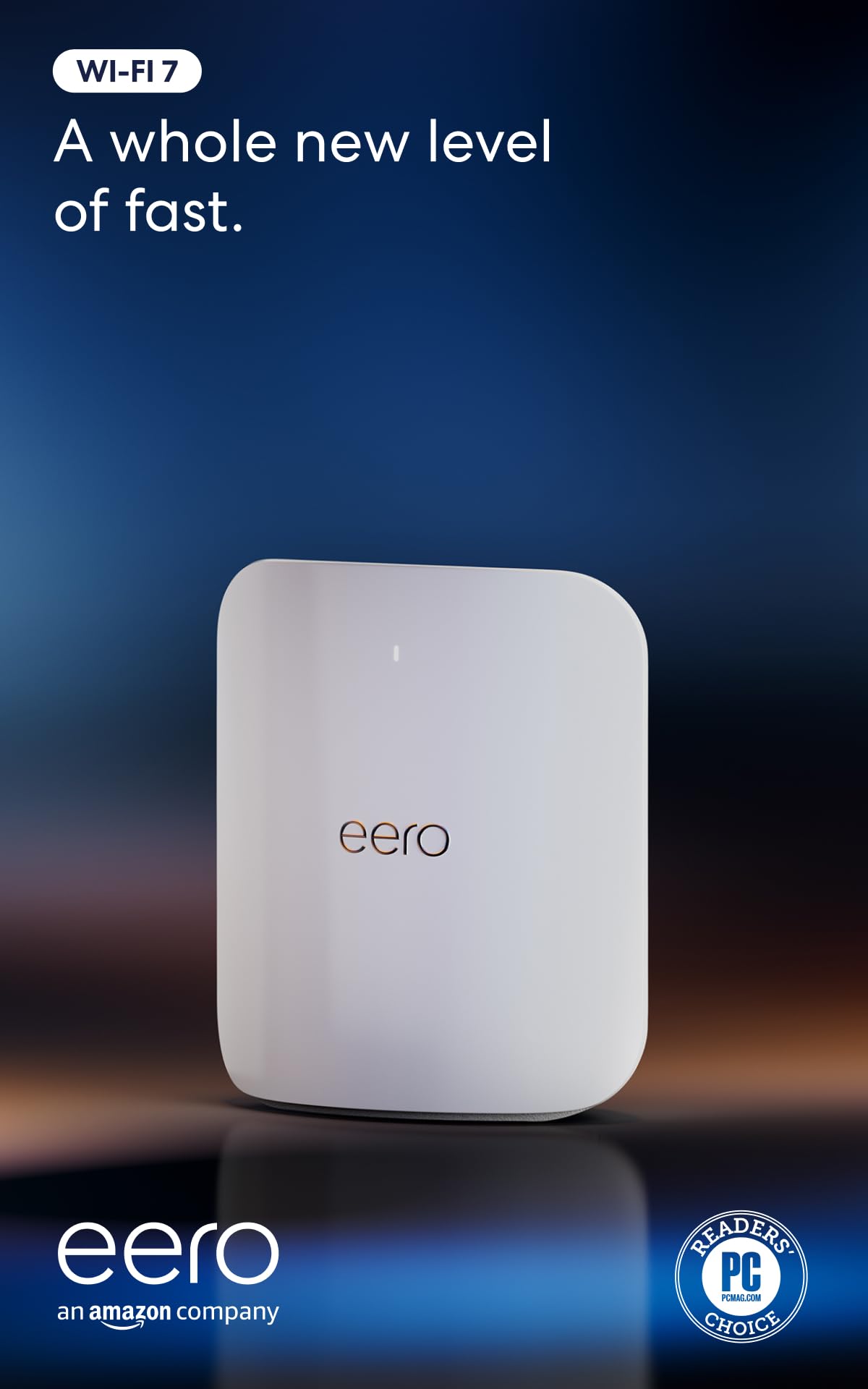 |
Wi-Fi 7; up to 4.3 Gbps stated wireless throughput | Up to 2,500 sq. ft. per unit under stated conditions | 2×10GbE and 2×2.5GbE |
| NETGEAR Nighthawk WiFi 6E Router (RAXE500) |
 |
Up to 10.8 Gbps combined across three bands | Up to 3,500 sq. ft. and 60 devices under stated conditions | 1×1G WAN, 4×1G LAN, 1×2.5G configurable port and 2×USB 3.0 |
| ASUS RT-BE96U BE19000 Tri-Band WiFi 7 Router |
 |
Up to 19 Gbps combined across three bands | Designed for demanding homes; AiMesh can expand coverage | 2×10G, 4×1G, 1×USB 3.2 Gen 1 and 1×USB 2.0 |
This roundup is reader-supported. When you click through Amazon links, we may earn a referral commission on qualifying purchases at no additional cost to you.

