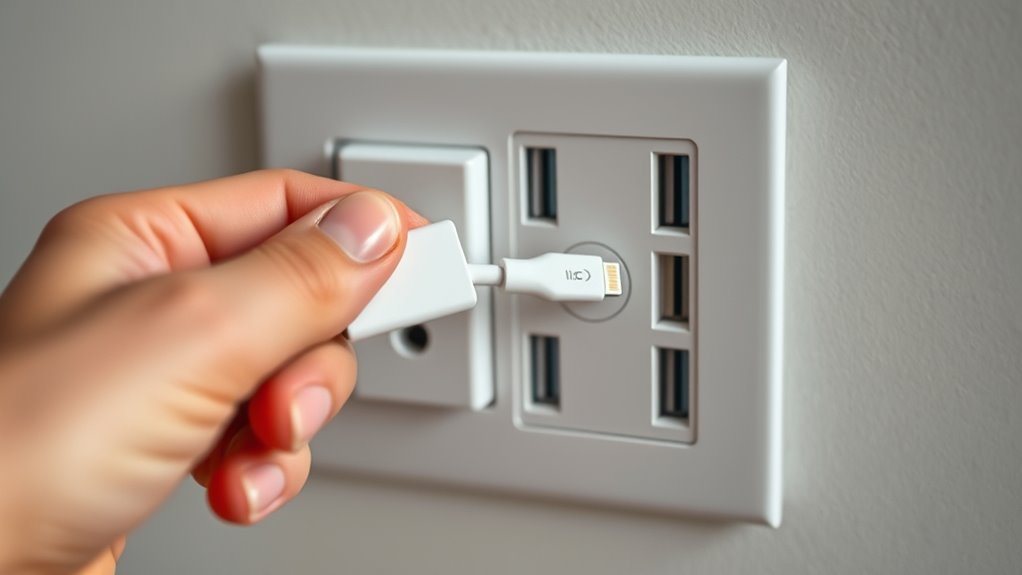
A Lightning cable can work with a USB-C outlet, but only if the connector on the charger end fits or you use a compatible adapter. A USB-C to Lightning cable is the simplest option for charging an older iPhone from a modern USB-C charger. The correct setup depends on your cable, device, and whether you need charging, fast charging, or data transfer.
Quick Answer
You cannot plug a Lightning connector directly into a USB-C port because their shapes differ. However, a USB-C to Lightning cable works with USB-C chargers and compatible computers. If your existing cable has a USB-A plug, use a suitable adapter or replace it with a USB-C to Lightning cable for easier charging.
Can You Plug a Lightning Cable Into USB-C?
)
A Lightning connector cannot fit directly into a USB-C port. Lightning and USB-C have different shapes, contact layouts, and connection requirements. However, a cable with USB-C on one end and Lightning on the other connects the two systems correctly.
The key is to identify both ends of your cable:
- Lightning: A small, flat connector with visible metal contacts, used by iPhone 14 and earlier models and several older Apple accessories.
- USB-C: A small, oval, reversible connector found on modern chargers, computers, and iPhone 15 and later models.
- USB-A: A larger rectangular connector commonly found on older chargers, computers, and charging cables.
A Lightning cable may have USB-A or USB-C on its other end. That difference determines which charger it can use without an adapter.
Apple confirms that iPhone 15 and later models use USB-C. These devices normally connect to a USB-C charger using a USB-C to USB-C cable rather than a Lightning cable.
Warning: Never force a Lightning plug into a USB-C port or a USB-C plug into a Lightning port. Doing so can damage the connector or charging socket. If the plug does not fit naturally, stop and check the connector type.
What Cable or Adapter Do You Need?
For a Lightning iPhone and a USB-C charger, choose a USB-C to Lightning cable. It has a USB-C plug for the power adapter and a Lightning plug for the phone.
If you already own a USB-A to Lightning cable, a compatible USB-C to USB-A adapter may let you reuse it. The right solution depends on which device and port you are connecting.
| Your Setup | What You Need | What It Supports |
|---|---|---|
| Lightning iPhone + USB-C wall charger | USB-C to Lightning cable | Charging and supported fast charging |
| USB-A to Lightning cable + USB-C computer port | Compatible USB-C to USB-A adapter | Charging and syncing when supported |
| USB-A to Lightning cable + USB-A charger | Existing cable | Standard charging |
| USB-C iPhone + USB-C charger | USB-C to USB-C cable | Charging and supported fast charging |
| USB-C iPhone + compatible Lightning accessory | Apple USB-C to Lightning Adapter | Supported charging, data, and audio functions |
Compatible Cable Options
Apple’s USB-C to Lightning cable is a direct solution for charging and syncing compatible Lightning devices. It works with supported iPhones, older iPads, AirPods charging cases, and other Apple accessories.
According to Apple’s USB-C to Lightning cable documentation, the cable can charge compatible devices from USB-C ports and transfer data when connected to a supported Mac or PC.
For third-party cables, select a product with genuine MFi certification, which means it meets Apple’s accessory requirements.
A cable should also have a suitable length and a durable connector housing. A short cable may work best for a power bank, while a longer one is more convenient at a desk or bedside.
Adapter Requirements
Adapters can connect certain older cables to newer ports, but the direction of the adapter matters. A product designed to connect Lightning accessories to a USB-C iPhone is not necessarily suitable for connecting an old cable to a USB-C wall charger.
If your Lightning cable has a rectangular USB-A plug, a compatible USB-C-to-USB-A adapter can help when connecting it to a computer.
For example, Apple’s USB-C to USB Adapter lets users connect a USB-A to Lightning cable to a compatible USB-C Mac for charging and syncing.
For a USB-C wall charger, confirm that any adapter explicitly supports the charging arrangement. Many small USB adapters are designed primarily for computer connections.
There is another important distinction: Apple’s USB-C to Lightning Adapter is designed to connect Lightning accessories to compatible USB-C iPhones and iPads.
It supports charging, data, and audio. Apple specifies a maximum charging output of 24W through this particular adapter and data transfer of up to 480 Mbps.
That 24W figure is a limit of the adapter, not a universal maximum for all Lightning cables.
Before choosing any adapter, confirm:
- Its USB-C and Lightning connector orientation matches your setup.
- It supports charging, data transfer, or audio as required.
- Its manufacturer lists your device as compatible.
- Its rated charging capability is suitable for your intended use.
- The connectors fit securely without movement or excessive force.
When Lightning Works With USB-C Chargers
A Lightning iPhone charges normally from a compatible USB-C charger when connected using a USB-C to Lightning cable. Fast charging is also possible if the phone and power adapter support the correct charging standard.
The important difference is that USB-C describes the connector, while USB Power Delivery (USB-PD) controls supported fast-charging behavior.
Charging Compatibility
To fast-charge an eligible Lightning iPhone, use a USB-C to Lightning cable with a USB-PD power adapter.
Apple’s official iPhone fast-charging guidance identifies an Apple 18W-or-higher USB-C adapter, or a comparable USB-PD adapter, as suitable for supported earlier iPhone models.
For example, eligible iPhone models can reach approximately 50% battery in around 30 minutes under Apple’s specified testing conditions.
However, the charging rate depends on the iPhone model, battery level, temperature, and available power.
A higher-wattage charger does not automatically force more power into the phone. With compatible USB-PD equipment, charging power is negotiated between the charger and device.
Also, a cable advertising 60W charging capability does not mean a Lightning iPhone will actually charge at 60W. The phone’s charging system determines what it can accept.
Some older Lightning devices may charge normally without supporting the faster charging rates offered by newer USB-C adapters.
Data Transfer Limits
USB-C to Lightning cables can transfer files, but ordinary iPhone syncing over this connection uses USB 2.0 data speeds of up to 480 Mbps.
That is the theoretical interface limit, not a guarantee that every file will transfer at that rate. Real speeds depend on the device, cable, computer, and transfer method.
The USB-C connector itself does not guarantee 10 Gbps data transfer. Some USB-C devices support only USB 2.0, while others can support much faster connections.
For example, certain USB-C iPhone Pro models support data transfer up to 10 Gbps when paired with an appropriate high-speed cable.
There are also specialized Lightning accessories with different capabilities. Certain older iPad Pro models support USB 3 transfer through Apple’s Lightning to USB 3 Camera Adapter, so the ordinary 480 Mbps limit should not be treated as an absolute limit for every Lightning accessory.
Another distinction matters: a USB-C wall charger supplies power but does not act as a computer for syncing files. To transfer files, connect your iPhone to a compatible computer or supported host device.
Why Some USB-C Setups Don’t Work
A Lightning-to-USB-C connection may fail because of an incompatible adapter, damaged cable, dirty charging port, or unsuitable power source. Charging and data transfer also have different requirements, so a setup that charges successfully may not support syncing.
Common problems include:
- Wrong connector: A USB-A plug cannot enter a USB-C socket without suitable conversion.
- Unsupported adapter: Some adapters support charging but not data or audio.
- Limited USB-C port: Some device ports provide less power or have restricted functions.
- Damaged cable: Broken insulation, bent contacts, or loose connectors can interrupt charging.
- Uncertified accessory: Some Lightning cables may trigger an accessory warning or fail to sync.
- Weak power source: A computer port or shared charger may provide less power than a dedicated USB-C adapter.
For example, Apple notes that the USB-C port on Apple TV HD does not support charging a Siri Remote through a USB-C to Lightning cable.
If your iPhone does not charge, follow this troubleshooting order:
- Disconnect the cable and confirm that both connectors match their ports.
- Check the cable and charger for visible damage. Do not continue using damaged equipment.
- Reconnect the cable directly without unnecessary adapters.
- Try another compatible USB-C charger or charging port.
- Inspect the iPhone’s charging port for debris and clean it carefully if necessary.
- Restart the iPhone and test again.
- Try a known-working, certified cable to isolate the problem.
Apple’s iPhone charging troubleshooting instructions also cover unsupported-accessory warnings, charging problems, and damaged connections.
If multiple known-working cables and chargers fail, the iPhone’s charging port or another internal component may need professional inspection.
How to Charge and Sync iPhone Safely
A USB-C to Lightning cable can charge a compatible iPhone and transfer data to a computer. For reliable operation, use a suitable cable, connect it directly where possible, and confirm that the computer recognizes your phone.
Follow these steps.
- Identify your iPhone port. Use a USB-C to Lightning cable for an iPhone with a Lightning socket. Use USB-C to USB-C for an iPhone with a USB-C socket.
- Choose the power source. For charging, use a compatible USB-C wall adapter. For syncing, use a supported USB-C port on your computer.
- Connect the cable. Insert the USB-C end into the charger or computer and the Lightning end into the iPhone.
- Confirm charging. Check the iPhone’s battery indicator to confirm that charging has started.
- Unlock the phone for syncing. If the iPhone asks whether to trust the connected computer, select Trust only if it is your computer or one you trust.
- Open the computer’s device software. On a Mac, use Finder. On a compatible Windows PC, use the Apple Devices app to access supported syncing and device-management features.
- Confirm the connection. Check that the iPhone appears in the software before starting a backup or file transfer.
With a suitable cable, the same connection can also support Personal Hotspot over USB, allowing a computer to use the iPhone’s mobile internet connection.
If charging works but the computer cannot detect the phone, check whether the cable supports data transfer. Then try another USB port, reconnect the phone, and respond to any trust prompt.
For a dependable connection, Apple recommends using genuine accessories or third-party Lightning accessories carrying its MFi certification.
Apple’s guide to identifying certified Lightning accessories explains how to recognize MFi labels and avoid counterfeit connectors that may fail or damage equipment.
Reliable hardware is especially important if you frequently connect and disconnect the same cable.
Best Lightning-to-USB-C Cables for iPhone
Apple’s USB-C to Lightning cable and the Anker 331 USB-C to Lightning Cable are two established options for charging older iPhones from USB-C power sources. Both offer the connector arrangement needed for compatible Lightning devices.
The better choice depends on whether you prioritize Apple’s own accessories, reinforced cable construction, or a particular cable length.
Apple USB-C to Lightning Cable
Apple’s cable is a straightforward choice for charging and syncing compatible Lightning devices.
- Connects a Lightning device to a USB-C charger or supported computer.
- Supports fast charging on compatible iPhone models with an appropriate USB-C power adapter.
- Supports file syncing and other compatible USB functions.
- Offers a direct connection without an additional adapter.
It is particularly useful if you prefer Apple’s own cable rather than adding a third-party adapter to an older USB-A cable.
Anker 331 USB-C to Lightning Cable
The Anker 331 is another option for users who want a reinforced cable for daily charging.
According to Anker’s official 331 cable specifications, the cable includes MFi certification, a braided nylon exterior, and compatibility with USB-PD charging.
The manufacturer also describes fast charging on compatible iPhones when used with a suitable USB-PD adapter.
- MFi-certified Lightning connection.
- Braided construction designed for frequent handling.
- USB-C connection for compatible chargers and computers.
- Multiple length options for different charging locations.
Neither cable removes the charging or data-transfer limits of the connected iPhone. A high-quality cable provides a reliable connection, but the device and power source still determine actual performance.
What to Check Before Choosing a Cable
Before buying a replacement cable, confirm these details:
- Connector type: USB-C on the charger end and Lightning on the device end.
- Certification: Genuine Apple hardware or MFi-certified third-party Lightning accessories.
- Charging support: Compatibility with USB Power Delivery if fast charging matters.
- Data support: Ability to transfer data if you plan to sync or back up your iPhone.
- Durability: Reinforced connectors and a cable jacket suitable for repeated use.
- Length: A cable that reaches your charging location without excessive strain.
A direct USB-C to Lightning cable is usually more convenient than connecting several adapters together. It also reduces the number of connection points that might loosen or fail.
Frequently Asked Questions
Can You Plug a Lightning Cable Into a USB-C Port?
A Lightning connector cannot plug directly into a USB-C port because the shapes are different. However, a cable with a USB-C plug on one end and a Lightning plug on the other works with compatible devices. If your cable has USB-A instead, you need a suitable adapter or replacement cable.
Are Lightning to USB-C Adapters Safe?
Yes, compatible, properly designed adapters are generally safe when used as intended. Check the connector direction, supported functions, and manufacturer specifications. Use genuine or certified accessories where applicable. Avoid damaged, unverified, or poorly fitting adapters because they can cause unreliable charging or connection problems.
How Do I Convert My USB-C to a Lightning Connector?
Use a USB-C to Lightning cable to connect a USB-C charger or supported computer to a Lightning iPhone. This is usually simpler than using a connector adapter. If you want to attach a Lightning accessory to a USB-C iPhone instead, choose an adapter specifically designed for that direction and function.
Is USB-C the Same as Lightning Cable?
No. USB-C and Lightning are different connector systems. Lightning is Apple’s proprietary connector used on many older devices, while USB-C is an industry-standard connector used across numerous manufacturers. USB-C can support higher charging power and faster data transfer, but actual performance depends on the connected devices and cable.
Can I Use My Old USB-A to Lightning Cable With a USB-C Charger?
Yes, potentially, if you use a compatible USB-C-to-USB-A adapter that supports the charging arrangement. However, not every adapter is intended for use with a USB-C wall charger. A USB-C to Lightning cable is the simpler choice, especially if you want supported fast charging without extra connectors.
Conclusion
A Lightning connector cannot fit directly into a USB-C port, but a USB-C to Lightning cable provides a simple connection for compatible older Apple devices. It can support charging, fast charging, and syncing when the connected hardware allows those functions.
For a Lightning iPhone and USB-C charger, start with a genuine or MFi-certified USB-C to Lightning cable. Choose an adapter only when you need to reuse existing equipment, and verify that it supports your specific connection before plugging it in.
Sources
- Apple Support: Charge and Connect With USB-C: iPhone USB-C compatibility, charging, and supported data-transfer capabilities.
- Apple Support: About the Apple USB-C to Lightning Cable: Charging, syncing, supported accessories, and port limitations.
- Apple Support: About the Apple USB-C to USB Adapter: Connecting existing USB-A to Lightning cables to compatible USB-C computers.
- Apple Support: About the USB-C to Lightning Adapter: Adapter direction, charging, data, audio, and the 24W limit.
- Apple Support: Fast Charge Your iPhone: USB-PD power adapter requirements and supported fast-charging performance.
- Apple Support: If Your iPhone or iPod Touch Won’t Charge: Charging troubleshooting and unsupported-accessory warnings.
- Apple Support: Identify Counterfeit or Uncertified Lightning Accessories: MFi certification and accessory safety guidance.
- Anker: 331 USB-C to Lightning Cable: Manufacturer specifications, MFi certification, and cable construction.

