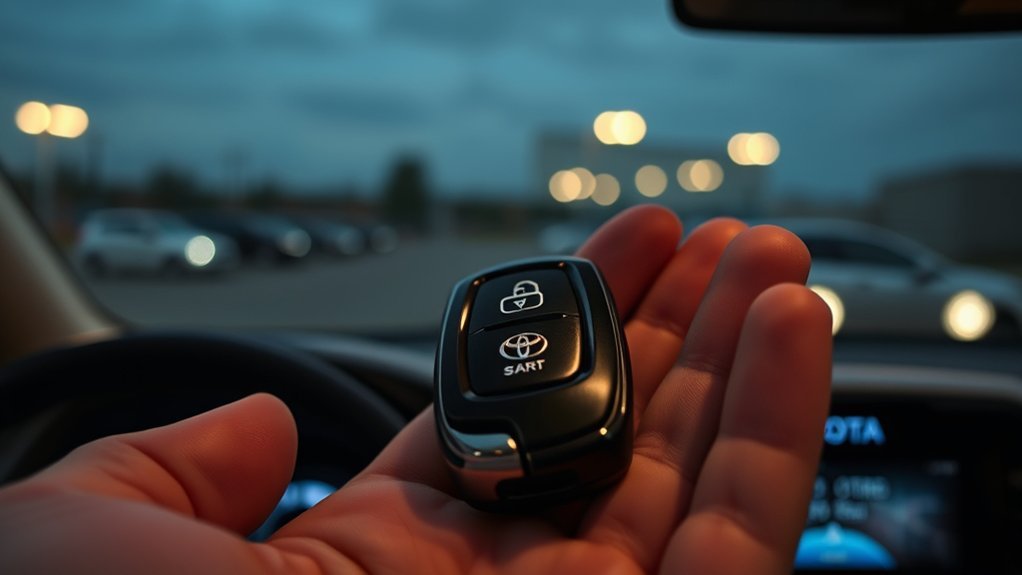
The 2026 RAV4 key fob remote start feature lets you start a compatible vehicle without opening the Toyota app. However, whether it works after your Remote Connect trial ends depends on Toyota’s Connected Services requirements. Here is how to check eligibility, use the correct button sequence, and solve common problems.
Quick Answer
Yes, compatible 2026 Toyota RAV4 models support key-fob remote start using the LOCK button three times, holding the third press. Toyota says an eligible Connected Services trial or subscription must remain active, but it does not always have to be Remote Connect. After the Remote Connect trial expires, key-fob access may continue if another qualifying service remains active.
Does 2026 RAV4 Key Fob Remote Start Work?
)
Yes. A compatible 2026 Toyota RAV4 can receive a remote-start command from its factory key fob. You must use Toyota’s button sequence and meet the vehicle’s safety and service requirements.
Unlike smartphone starting, the key-fob command uses short-range wireless communication. You do not need to open the Toyota app each time you start the vehicle.
However, the key fob is not completely independent of Connected Services eligibility. Toyota’s support guidance requires a Remote Connect-capable vehicle and an active qualifying Connected Services trial or subscription.
The key-fob starting sequence is:
- Press LOCK once.
- Press LOCK again within one second.
- Press LOCK a third time and hold it for three seconds.
On a compatible vehicle with all conditions satisfied, the vehicle should respond to the command and begin its remote-start cycle.
These steps come from the official Toyota key-fob remote-start instructions.
Remote starting a hybrid does not necessarily mean the gasoline engine runs continuously. The hybrid system can manage engine operation based on its operating needs.
If the vehicle does not respond, check the remote-start eligibility and troubleshooting sections below before assuming the key fob is defective.
Which 2026 RAV4 Trims Have Remote Start?
The U.S.-market 2026 Toyota RAV4 lineup offers Remote Connect trials across its hybrid and plug-in hybrid grades. However, Remote Connect availability, key-fob remote-start operation, and Digital Key are not identical features.
Toyota’s official 2026 Connected Services feature chart lists a one-year Remote Connect trial across the 2026 RAV4 lineup.
Standard vs. Optional Remote Start Features
The 2026 RAV4 has a different trim lineup from earlier model years. The main U.S. hybrid grades are LE, SE, XLE Premium, Woodland, XSE, and Limited.
Plug-in hybrid choices include SE, Woodland, XSE, and GR Sport.
The following comparison separates the published Remote Connect trial from other remote-access features.
| 2026 RAV4 grade | Remote Connect trial | What to know |
|---|---|---|
| LE and SE Hybrid | 1 year included | Digital Key is not included; confirm key-fob start operation for the vehicle. |
| XLE Premium and Woodland Hybrid | 1 year included | Digital Key is listed in Toyota’s feature chart; factory fob starting is a separate function. |
| XSE and Limited Hybrid | 1 year included | Digital Key is listed as standard; verify factory fob remote-start eligibility. |
| SE, Woodland, XSE and GR Sport Plug-in Hybrid | 1 year included | Remote climate functions and Digital Key availability vary by grade. |
These grades and powertrains are documented on Toyota’s official 2026 RAV4 model page.
Older RAV4 references to Adventure, TRD Off-Road, and RAV4 Prime should not be used to determine equipment on the redesigned 2026 U.S. model.
Subscription and Key Fob Differences
Key-fob remote start, smartphone remote start, and Digital Key serve different purposes.
- Key-fob remote start: Sends a short-range command using the physical LOCK button sequence on a compatible vehicle.
- Toyota app remote start: Uses Remote Connect to send commands through Toyota’s connected vehicle services.
- Digital Key: Allows a compatible smartphone to act as a vehicle key on supported trims. It requires an active Remote Connect trial or subscription.
Having a Smart Key with push-button ignition does not, by itself, prove that every remote feature is available.
For a specific vehicle, the Toyota app’s Connected Services information and the vehicle identification number (VIN) provide the most useful equipment and eligibility checks.
Does Key Fob Remote Start Need Remote Connect?
A separate paid Remote Connect subscription is not always required for key-fob starting. Toyota’s specific key-fob support article says that a Remote Connect-capable vehicle can qualify through another active Connected Services trial or subscription, excluding Wi-Fi Connect.
This distinction becomes important when the one-year Remote Connect trial expires.
Toyota’s 2026 RAV4 service chart also lists minimum five-year trials for Safety Connect and Service Connect. If those services remain active and the vehicle meets Toyota’s eligibility conditions, key-fob operation may continue without a paid Remote Connect plan.
There are important limits:
- At least one qualifying Connected Services trial or subscription must remain active under Toyota’s key-fob guidance.
- Wi-Fi Connect alone does not satisfy that stated requirement.
- Waiving Connected Services can disable key-fob remote starting.
- App-based remote starting requires active Remote Connect access.
- Feature eligibility remains vehicle-specific.
Toyota’s broader Connected Services information describes Remote Connect use with an active trial or paid subscription. Its dedicated key-fob instructions provide the additional qualifying-service distinction.
Because these Toyota explanations use different levels of detail, do not assume that key-fob starting is free forever. Confirm the active services associated with your vehicle.
The practical takeaway is that an expired Remote Connect trial does not automatically prove your key-fob remote start must stop working. However, the physical fob is not a guarantee of lifetime subscription-free access.
How Do You Use 2026 RAV4 Key Fob Remote Start?
To remote start a compatible 2026 RAV4, park safely, close the vehicle, and use the LOCK-LOCK-LOCK-HOLD sequence. The final press must be held long enough to send the start command.
Warning: Never remotely start a gasoline-powered or hybrid vehicle in a closed garage or another enclosed space. Exhaust can contain deadly carbon monoxide. Do not use remote start when a child or pet is unattended inside the vehicle.
- Park your RAV4. Select Park, turn the vehicle off, and make sure it is in a safe, open-air location.
- Close everything. Ensure the doors, hood, and liftgate are fully closed.
- Lock the vehicle. Use the factory key fob and confirm the doors are locked.
- Press LOCK once. Release the button.
- Press LOCK a second time. Do this within one second of the first press.
- Press LOCK a third time. Hold it for approximately three seconds.
- Watch for the vehicle’s response. The lights or hybrid system should indicate whether the command was accepted.
For remote-start systems that apply Toyota’s published readiness rules, the doors must have been closed and locked for at least two minutes. Fuel and other conditions can also prevent the command from working.
The table below summarizes the main controls.
| Input | Result |
|---|---|
| Parked, closed, and locked | Required starting conditions |
| Press LOCK button twice | Begins the command sequence |
| Hold LOCK button on third press for 3 seconds | Requests remote start |
| Door opened after remote start | May end the remote-start cycle, depending on system behavior |
Once the vehicle starts, allow the climate system to prepare the cabin. The remote-start cycle is temporary and does not replace the normal process of entering the vehicle and preparing it for driving.
If the engine stops when you open a door, that can be normal security behavior rather than a malfunction.
Always use the starting and takeover instructions for your specific RAV4 system.
Why Does RAV4 Key Fob Remote Start Fail?
A 2026 RAV4 may reject a remote-start command because of vehicle safety conditions, weak key-fob communication, service eligibility, or an electronic configuration issue.
Start with simple physical checks before investigating subscriptions or dealer software.
Vehicle Conditions That Block Remote Start
Remote-start systems will not operate unless their safety requirements are satisfied. Even a correctly timed LOCK sequence can fail if the vehicle is not ready.
Toyota Canada’s published Remote Connect troubleshooting guidance identifies the following conditions for applicable systems:
- The vehicle must be in Park.
- Doors must be closed and locked for at least two minutes.
- The hood, trunk or liftgate, and moonroof must be closed.
- Key fobs must not be inside or too close to the vehicle.
- The security alarm must not be triggered.
- The brake pedal and engine-start button must not be pressed.
- Fuel must remain above one-quarter tank.
- The vehicle must not already be running or in an incompatible ignition mode.
- Ambient temperature must be above approximately -30°C (-22°F).
These are Toyota’s general published Remote Connect conditions for the Canadian market. Exact restrictions for a U.S.-market 2026 RAV4 should be confirmed against its own operating instructions.
Also check the following common issues:
- Weak fob battery: Replace it if normal locking and unlocking also work poorly.
- Signal interference: Try again from a clearer position within normal key-fob range.
- Incorrect button timing: Repeat the three-press sequence without long pauses.
- Vehicle warning messages: Resolve relevant faults before testing again.
Severe weather can affect starting performance, but cold conditions alone do not prove the system is defective.
Subscription and Activation Problems
If the basic vehicle checks pass, verify Connected Services eligibility. A service cancellation, expired trial, or incomplete activation can affect remote-start access.
Check these items in order:
- Open the Toyota app and select your vehicle.
- Review its Connected Services and subscription information.
- Confirm whether Remote Connect or another qualifying service remains active.
- Check that Connected Services have not been waived.
- Confirm that the correct vehicle and VIN are associated with the account.
- Test the key-fob sequence again under safe conditions.
Remember that Toyota’s general Remote Connect explanation and its specific key-fob eligibility guidance are not worded identically.
An expired app-based Remote Connect trial should therefore be investigated separately from physical key-fob operation.
If you recently purchased a used RAV4, previous account enrollment or service cancellation may also need attention.
App and Dealer Configuration Issues
If the RAV4 meets the operating conditions and service requirements but still refuses to start remotely, an electronic setup problem may be responsible.
This is particularly relevant after certain vehicle control modules have been replaced.
A Toyota technical tip issued for the 2026 RAV4 Hybrid explains that remote engine start and remote lock functions may fail when required registration is missed after an electronic control unit (ECU) replacement.
The Toyota technical tip T-TT-0798-26 describes registration through Toyota’s GTS+ diagnostic system. The document’s stated validity period ended in August 2026, so a dealer should use the current repair instructions.
If basic troubleshooting does not resolve the problem:
- Ask the dealer to confirm factory remote-start compatibility using the VIN.
- Request a check of Connected Services enrollment and activation.
- Explain whether the failure began after a battery disconnection, software work, or ECU replacement.
- Ask whether remote-start registration or software diagnostics are needed.
- Have the dealer inspect persistent warning messages or electronic faults.
If normal vehicle operation is also affected, arrange professional diagnosis rather than repeatedly attempting remote start.
How Long Does 2026 RAV4 Remote Start Run?
A Toyota hybrid remote engine-start session commonly lasts up to 10 minutes. Plug-in hybrid remote climate operation can allow up to 20 minutes, depending on the system.
The distinction matters because a plug-in hybrid may prepare its cabin without running the gasoline engine continuously.
Toyota Canada’s published Remote Connect guidance identifies these general operating periods:
- Gasoline and hybrid vehicles: Up to 10 minutes of engine operation.
- Plug-in hybrids and electric vehicles: Up to 20 minutes of remote climate operation.
For another official reference, the Toyota Hawaii Connected Services FAQ describes 10-minute remote-start sessions and a maximum of two consecutive sessions for its supported system.
Do not assume every 2026 RAV4 configuration supports the same repeat-start behavior.
A remote-start session may also end early when:
- A door is opened on a system designed to shut down upon entry.
- The hood is opened.
- A safety condition is no longer satisfied.
- The driver manually stops the remote-start cycle.
- The system’s operating timer expires.
For plug-in hybrid owners, remote climate preparation and remote engine operation should not be treated as the same function.
If the vehicle shuts down after the expected time, the feature is usually operating as designed.
Frequently Asked Questions
Can I Remote Start My 2026 RAV4 Using a Key Fob?
Yes, if your 2026 Toyota RAV4 supports factory key-fob remote start and meets Toyota’s service eligibility rules. Press LOCK twice, then press and hold LOCK for three seconds on the third press. The doors must be locked and the vehicle must satisfy its safety conditions.
Why Does RAV4 Turn Off After Remote Start?
The RAV4 can shut down after remote start because its timer expires or a security condition changes. Some Toyota systems also stop when a door opens. This behavior can be normal. If the system stops immediately without an obvious reason, check for warnings, low fuel, and other blocking conditions.
Can I Remote Start My RAV4 With My Key Fob After Remote Connect Expires?
Possibly. Toyota’s dedicated key-fob instructions say another active qualifying Connected Services trial or subscription can satisfy the service requirement, excluding Wi-Fi Connect. The 2026 RAV4 includes longer Safety Connect and Service Connect trials. Actual operation still depends on vehicle eligibility, activation, and Toyota’s applicable service terms.
How to Remote Start a 2026 Toyota With a Key Fob?
Press the LOCK button once, press it again within one second, then press and hold it a third time for three seconds. Use this sequence only on compatible Toyota vehicles. If nothing happens, check door locks, vehicle readiness, key-fob battery strength, and Connected Services eligibility before contacting a dealer.
Conclusion
The 2026 RAV4 key fob remote start feature offers a convenient way to prepare your vehicle before driving, but it depends on compatible equipment, qualifying Connected Services, and correct operating conditions.
For the best results, confirm your vehicle’s eligibility, use the LOCK-LOCK-LOCK-HOLD sequence, and review active Connected Services before assuming a subscription or hardware problem. If the feature still fails after basic checks, a Toyota dealer can investigate using your VIN.
Sources
- Toyota Customer Support: Key-Fob Remote Start: Official button sequence and qualifying Connected Services requirements.
- Toyota 2026 Audio Multimedia and Connected Services Feature Applicability: Remote Connect trials, model applicability, and connected service trial periods.
- Toyota 2026 RAV4: Official U.S. model lineup, trims, and powertrain information.
- Toyota Connected Services: Remote Connect features, account activation, and service access.
- Toyota Canada Multimedia Services Help Centre: General remote-start safety conditions, fuel requirements, and remote climate runtime.
- Toyota Technical Tip T-TT-0798-26: Remote-start and remote-lock registration issues after ECU replacement on the 2026 RAV4 Hybrid.
- Toyota Hawaii Connected Services FAQ: General remote-start session duration and repeat-start limitations.

