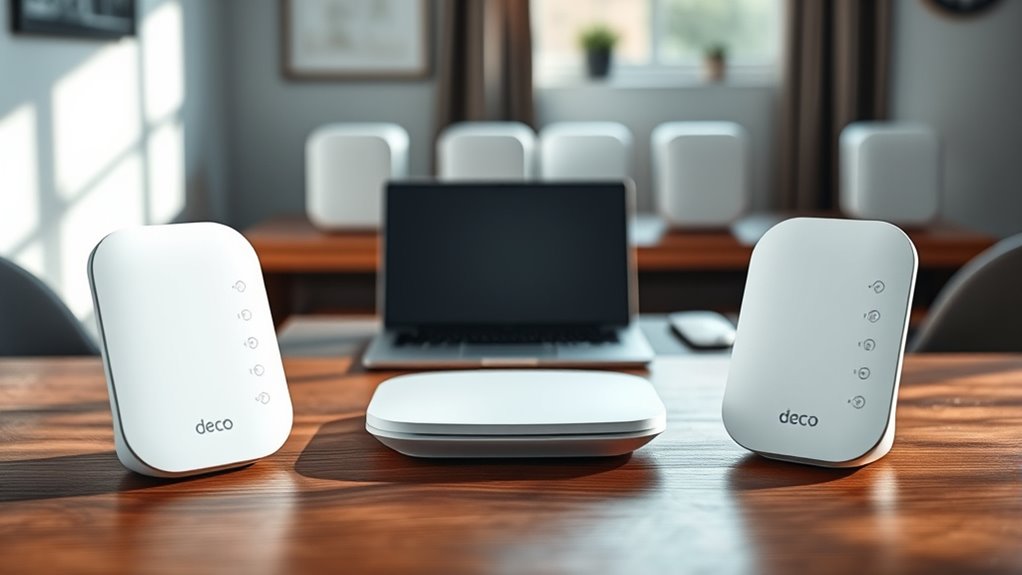
How many Deco X55 units can you use? TP-Link recommends up to six Deco units in one mesh when they connect wirelessly, and says there is theoretically no limit when the units are linked by Ethernet. For most homes, a 2-pack (up to 4,500 sq ft) or 3-pack (up to 6,500 sq ft) is enough.
How Many Deco X55 Units: Quick Answer
| Setup | TP-Link guidance |
|---|---|
| Wi-Fi backhaul (units connect wirelessly) | Up to 6 units recommended |
| Ethernet or hybrid backhaul | Theoretically no limit; add units as coverage requires |
| 2-pack coverage | Up to 4,500 sq ft |
| 3-pack coverage | Up to 6,500 sq ft (4–6+ bedroom homes) |
| Connected devices | Over 150 (system) |
Source: TP-Link’s Deco X55 product page and its “How Many Deco Units Do I Need?” FAQ. Coverage figures are TP-Link’s estimates; walls, floors and layout reduce real coverage.

Which Deco X55 Pack Should You Buy?
- 1-pack: an apartment or small home, or to add a node to an existing Deco mesh.
- 2-pack: most 2–3 bedroom homes, or a single-floor home with a few thick walls.
- 3-pack: larger or multi-story homes. TP-Link rates it for 4–6+ bedrooms.
- More than 3: buy extra 1-packs only if you still have dead zones after placing three units well.
Every Deco X55 unit is identical, so any unit can be the main router. Each has three gigabit Ethernet ports that auto-detect WAN or LAN.
Deco X55 Key Specs
| Wi-Fi standard | Wi-Fi 6 (802.11ax), AX3000 dual-band |
| Speeds | Up to 2402 Mbps (5 GHz) + 574 Mbps (2.4 GHz) |
| Ports per unit | 3 × Gigabit Ethernet (WAN/LAN auto-sensing) |
| Backhaul | Wireless, or optional Ethernet backhaul |
| Security | WPA3, HomeShield (Basic free; Pro is paid) |
| Size | 110 × 110 × 114 mm per unit |
The Deco X55 Pro is a separate model with two 2.5 Gbps ports per unit, useful if you have internet faster than 1 Gbps.
Wireless vs Wired Backhaul
With wireless backhaul, each Deco shares airtime between your devices and the link back to the main unit. That is why TP-Link recommends no more than six units this way.
With Ethernet backhaul, units talk over cables, so wireless capacity goes to your devices. If your home has Ethernet wall jacks, wire as many units as you can.
Why More Units Do Not Mean More Speed
TP-Link notes that adding units does not always improve throughput or stability. Extra nodes help only where there is a real dead zone.
- Units placed too close together compete for the same channels.
- Units placed too far apart have weak links back to the main Deco.
- Your internet plan still caps download speed, no matter how many units you add.
How to Place and Add Deco X55 Units
- Connect the main Deco to your modem and set it up in the Deco app.
- Place the next unit roughly halfway between the main unit and the dead zone, ideally no more than two rooms away.
- In the Deco app, tap + and add the new Deco. Wait for its LED to turn solid.
- Check the connection quality the app shows for each unit. Move it closer if the signal is weak.
- If possible, connect satellites with Ethernet for best performance.
Can You Mix Deco X55 With Other Deco Models?
Yes. TP-Link says the Deco X55 works with every other Deco model in one mesh. For the best features, use the newest or fastest model as the main unit; older Wi-Fi 5 nodes can limit speed in the rooms they cover.
If you are considering a Wi-Fi 7 upgrade, see our Deco BE25 Wi-Fi 7 guide. For a single-router option for smaller homes, read our TP-Link Archer AC1200 guide.
Pros and Limitations
- Pros: simple app setup, three Ethernet ports per unit, Ethernet backhaul support, works with other Deco models, WPA3.
- Limitations: gigabit ports only (no 2.5G), dual-band so wireless backhaul shares bandwidth with devices, advanced HomeShield features require a subscription.
FAQ
How many Deco X55 units can I connect?
TP-Link recommends up to six units with wireless backhaul. With Ethernet or hybrid backhaul, it says there is theoretically no limit.
How many square feet does a Deco X55 3-pack cover?
TP-Link rates the 3-pack for up to 6,500 sq ft and the 2-pack for up to 4,500 sq ft. Real coverage depends on walls, floors and placement.
Do I need a 2-pack or 3-pack?
A 2-pack suits most 2–3 bedroom homes. Choose a 3-pack for larger or multi-story homes, or when one area is far from the modem.
Can I add a Deco X55 to an existing Deco network?
Yes. Add it in the Deco app with the + button. TP-Link says all Deco models work together.
Will adding more Deco units make my Wi-Fi faster?
Only in areas that had weak coverage. Extra units do not raise your internet plan speed and can reduce performance if placed poorly.
Bottom Line
Buy the pack size that covers your home, start with two or three units, and add more only where you still have dead zones. Stay at six or fewer units on wireless backhaul, and use Ethernet backhaul if you need more.