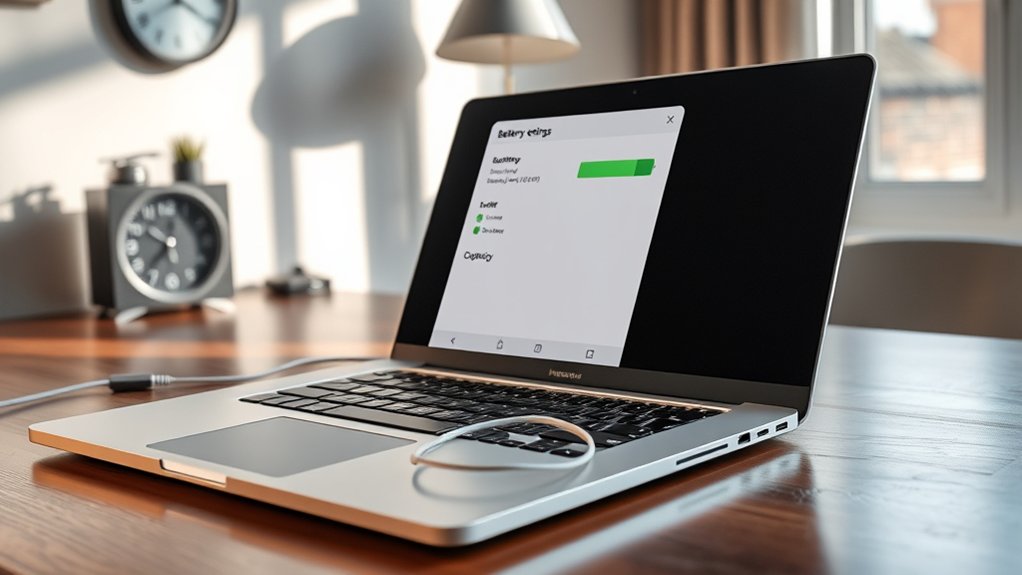
No. A laptop battery’s max capacity does not recalibrate itself during normal use. The battery controller estimates full charge capacity from stored reference points, and those values can drift over time. Recalibration requires a manual full cycle: charge to 100%, discharge to shutdown, then recharge uninterrupted. This improves reporting accuracy and health tracking, but it does not restore lost lithium-ion capacity. Additional details explain when calibration is needed and how different manufacturers handle the process.
Does Laptop Battery Max Capacity Recalibrate Itself?

How does laptop battery max capacity recalibrate in practice? It generally does not recalibrate itself. Battery management systems estimate charge capacity through voltage, current, and discharge curves, but those estimates drift over time.
To regain accurate reporting, users must initiate battery calibration manually: discharge the pack to 0%, then recharge to 100% in one uninterrupted cycle. This process updates the controller’s reference points and reduces reporting error.
Manual calibration restores reporting accuracy: fully discharge the battery, then recharge uninterrupted to 100% to reset its reference points.
Calibration improves measurement fidelity, not chemistry. A worn cell may display a higher reported maximum after calibration, yet no lost energy storage is restored. The procedure thus serves informational accuracy and better operational autonomy, not rejuvenation.
On some HP laptops, BIOS protections can block a true full discharge, so that lockout must be bypassed before recalibration can complete.
Performed periodically, battery calibration supports clearer trend data, more trustworthy charge capacity estimates, and more transparent battery health monitoring over time for users seeking independence.
What Does Max Battery Capacity Mean?
Max battery capacity denotes the maximum energy a laptop battery can store, typically compared as design capacity versus current full charge capacity in mWh or Wh.
The gap between these values quantifies battery wear, while calibration improves reporting accuracy so the system reflects charge levels more precisely without increasing actual capacity.
Because declining full charge capacity is associated with reduced runtime and aging-related degradation, it serves as a practical indicator of battery health and potential replacement need.
Design Vs Full Capacity
Although battery reports often show a single “maximum capacity” figure, that value is best understood by comparing design capacity with full charge capacity.
Design capacity specifies the energy a battery was built to store when new. Full charge capacity measures the energy it can presently accept, so it reflects aging, wear, and operating history.
A pack rated at 55,997 mWh may report only 40,550 mWh after use, demonstrating a substantial reduction in available runtime.
When users recalibrate the battery, the management system may correct stored estimates and, if the cells remain healthy, reported full charge capacity can move closer to design capacity.
This distinction empowers independent assessment: a newer laptop should not show major separation, while persistent gaps usually indicate genuine degradation rather than normal variation or temporary drift.
Capacity Reporting Accuracy
Capacity reporting accuracy determines whether the displayed maximum battery capacity reflects actual cell condition or merely an estimate maintained by the laptop’s battery management system.
Max capacity denotes the highest energy storage the pack can deliver, commonly expressed in mAh or Wh. Because charge cycles, temperature exposure, and usage patterns shift electrochemical behavior, reported values can diverge from measurable reality over time.
This gap explains why a new laptop may show 10% battery wear despite little use: the estimate is misaligned, not necessarily the cells.
A recalibration process, typically involving a controlled discharge and full recharge, can refresh internal tracking and improve capacity reporting accuracy.
However, because lithium-ion chemistry dislikes routine deep discharge, recalibration should be occasional and diagnostic, enabling users to rely on truer data rather than restrictive misleading telemetry.
Battery Health Impact
Define maximum battery capacity as the greatest amount of energy a laptop battery can store relative to its original design rating, usually expressed in mAh or Wh, because this value directly indicates battery health and runtime potential.
A declining battery capacity signals electrochemical wear, not software failure. New packs should remain near 95% of design capacity; materially lower readings may justify recalibration.
During recalibration, the battery management system compares charge input and discharge behavior, sometimes after the pack is fully discharged, to correct estimation errors. If reported maximum capacity rises afterward, the increase usually reflects measurement accuracy rather than cell regeneration.
Accurate capacity data empowers users to act independently, replacing packs based on evidence instead of guesswork.
Over time, irreversible reactions reduce lithium inventory and raise internal resistance, cutting efficiency, endurance, and sustained power delivery under load conditions.
Why Battery Max Capacity Reads Wrong
Because battery health estimates are derived from firmware counters rather than direct measurement, a laptop can report an incorrect maximum capacity even when runtime appears normal. This mismatch arises when embedded controllers miscalculate battery capacity, wear level, or full-charge thresholds.
HP and Dell systems have documented cases where diagnostics are required despite software showing 0% wear. For users seeking liberation from misleading indicators, the key point is that reported values are model-dependent estimates, not absolute measurements.
Lithium-ion aging steadily reduces true charge acceptance, so design capacity and reported full charge capacity often diverge over time. Temperature exposure, sustained high charge states, and irregular charging habits further distort the data captured by the laptop battery management system.
Calibration can realign inaccurate counters, but it does not restore lost chemistry. Accurate assessment consequently depends on manufacturer utilities and diagnostic logs, since generic tools may misread firmware tables and understate actual degradation or overstate remaining health.
When Does a Laptop Battery Need Calibration?
A laptop battery typically requires calibration when reported full charge capacity drops below 95% of design capacity or when abrupt percentage declines, such as 20% to 6%, indicate state-of-charge miscalibration.
Capacity reading errors are also suspected when unusually high wear percentages appear on new or recently serviced devices, including cases near 14.5% wear despite limited cycle use.
After battery replacement, a full 100% charge, complete discharge to shutdown, and uninterrupted recharge cycle is generally recommended to restore accurate capacity reporting.
Signs Of Miscalibration
Watch for reporting errors rather than chemistry alone: a battery often needs recalibration when the reported full-charge capacity falls materially below 95% of design capacity, when charge level readings drop abruptly—for example, from 20% to 6% in a short interval—or when a health report shows either unexpectedly high wear on a new device or an implausible 0% wear despite clear runtime problems.
These signs of miscalibration matter because they distort battery care decisions and obscure the true capacity of the battery.
Additional indicators include discharge behavior that is consistently faster than expected and weak charge retention under ordinary workloads.
For users seeking operational independence, accurate telemetry is essential: it prevents false replacement decisions, restores confidence in runtime estimates, and separates firmware estimation faults from actual cell aging before more invasive battery maintenance or replacement actions are considered.
Capacity Reading Errors
When reported full-charge capacity declines materially below design capacity—commonly under the 95% threshold—the issue may reflect gauge estimation error rather than proportional cell degradation.
Such capacity reading errors are common in lithium-ion systems that operate through routine partial cycles, where the battery management controller gradually loses accuracy. New machines may even display apparent wear of 8% to 14.5%, a range often inconsistent with actual electrochemical aging.
In such cases, recalibrating becomes a diagnostic correction, not a restorative repair. The standard procedure involves fully discharging the pack until automatic shutdown, then charging uninterrupted to 100% so the internal gauge can relearn usable energy boundaries.
Reported gains, for example from 34,006 mWh to 40,550 mWh after recalibrating, indicate liberated measurement accuracy rather than newly created capacity for users seeking autonomy.
Post-Replacement Calibration Timing
Because a replacement pack arrives with no usage history tied to the host system’s fuel gauge, calibration should be performed soon after installation to establish an accurate baseline for maximum capacity and health reporting.
Early battery charge data often misstates health, with initial wear readings commonly appearing between 8% and 14.5%, even on new cells.
A disciplined sequence is preferred: fully charge the battery to 100%, discharge it to empty under controlled use, then recharge it uninterrupted.
This calibration cycle allows the controller to map true upper and lower limits, improving reported full charge capacity and runtime estimates.
Delaying calibration leaves the system dependent on inherited assumptions rather than measured behavior.
After replacement, and again after substantial usage drift, recalibration supports more autonomous, trustworthy power management decisions for users.
How to Check Battery Max Capacity on Windows
A reliable way to check battery max capacity on Windows is to generate a battery report by opening Command Prompt or PowerShell and running `powercfg /batteryreport`, which saves a detailed report in the `WindowsSystem32` directory. This report lets users check battery capacity by comparing design capacity with full charge capacity, a direct measure of remaining usable energy freedom.
| Metric | Meaning |
|---|---|
| Design capacity | Original factory-rated charge |
| Full charge capacity | Current maximum storable charge |
If full charge capacity is far below design capacity, especially under 95% on a new system, the data suggests abnormal wear or a reporting issue. Windows also exposes battery health indicators through Settings under System > Battery, where usage patterns and health status can be reviewed. For deeper autonomy, third-party tools such as BatteryMon provide real-time monitoring, wear estimates, and trend analysis. Using these sources together produces a more precise, independent assessment of battery condition on Windows systems.
How to Calibrate Battery Max Capacity
Begin calibration by charging the laptop battery to 100%, then allowing the system to run on battery power until it fully discharges and shuts down, a process that helps synchronize the battery gauge with actual stored energy.
This controlled drain establishes a measurable endpoint for systems seeking transparent, self-directed power management without reliance on misleading estimates.
After shutdown, the device should remain off for 3 to 5 hours before any recharge begins. It should then recharge uninterrupted to 100%, allowing the firmware and operating system to recalibrate reporting logic under stable conditions.
Verification should follow through tools such as `powercfg /batteryreport`, which compare design capacity against full charge capacity. If deviation persists, up to three calibration cycles are generally recommended.
Ongoing battery health checks indicate whether another attempt is justified, particularly when a new laptop reports full charge capacity below 95% of design.
This method helps users calibrate accurately and reclaim dependable battery data autonomy.
How a Calibration Cycle Changes Battery Readings
A calibration cycle forces the battery gauge to relearn its full-charge and empty reference points by running the pack to shutdown and then restoring a complete charge.
This process can materially shift reported capacity, with observed readings increasing from 34,006 mWh to 40,550 mWh after successful recalibration.
Because lithium-ion wear estimates are often measurement-limited rather than purely degradation-limited, corrected readings can also change the reported health classification from Good to Excellent.
Gauge Relearn Process
Triggering a gauge relearn cycle forces the battery management system to re-estimate state-of-charge and full charge capacity from measured discharge and recharge endpoints rather than prior assumptions.
In practice, the gauge relearn process requires technicians to log baseline data, fully discharge the battery, and then recharge it to completion so reported capacity left aligns with measurable electrochemical behavior.
This calibration method is used when health reports on new devices fall below roughly 95% or when full charge capacity appears inconsistent with design capacity.
Post-cycle verification compares before-and-after values to confirm correction accuracy. Documented examples show full charge capacity rising from 34,006 mWh to 40,550 mWh, while repeated successful cycles have improved readings from 84,520 mWh to 95,441 mWh.
The result is greater autonomy from misleading telemetry and constrained runtime estimates.
Capacity Reading Shifts
When a laptop battery is discharged to automatic shutdown and then recharged uninterrupted to full, the battery management system recalculates full charge capacity from observed endpoints rather than stale estimates. This often produces an immediate shift in reported maximum capacity.
This calibration cycle does not create new energy storage; it refines measurement accuracy. Reported values can jump from 34,006 mWh to 40,550 mWh after one full discharge and charge sequence, indicating previously hidden capacity rather than chemical recovery.
In new systems, apparent wear above 10% may similarly decline once the gauge relearns actual limits. Repeated recalibration can further stabilize readings, with documented increases from 84,520 mWh to 95,441 mWh across multiple cycles.
Liberation from misleading telemetry comes through accurate data: occasional recalibration corrects reporting drift, especially in worn lithium-ion packs under practical field use.
How HP and Dell Battery Calibration Differ
Comparing HP and Dell battery calibration procedures reveals a clear difference in tooling, discharge control, and expected outcomes.
HP centers battery calibration in its UEFI diagnostics, which measures health status and enforces a 15% BIOS lockout, limiting deep discharge.
HP anchors battery calibration in UEFI diagnostics, pairing health measurement with a 15% BIOS lockout that restricts deep discharge.
Dell relies on Dell Power Manager alongside BIOS configuration, with ePSA and SupportAssist Pre-Boot tests supplying a broader assessment of battery performance under controlled conditions.
This divergence changes practical results.
HP’s safeguards reduce risk but can constrain calibration depth, leaving some users reporting persistent wear-percentage inconsistencies after a full charge and discharge cycle.
Dell permits complete discharge during calibration and recommends as many as three cycles, producing a more aggressive relearning process.
Reported outcomes show Dell systems more often regain measurable full charge capacity accuracy, while HP systems prioritize protective thresholds over recalibration range.
For users seeking autonomy from misleading capacity estimates, Dell emphasizes reset precision; HP emphasizes battery protection and diagnostic containment during long-term ownership.
What Battery Calibration Can and Cannot Fix
Clarity is essential in evaluating battery calibration: the procedure can correct inaccurate charge reporting, but it cannot recover capacity already lost to age, cycle wear, or chemical degradation.
In practical terms, battery calibration improves the controller’s estimate of remaining charge and full-charge capacity, reducing capacity inaccuracies that cause abrupt percentage drops or premature shutdown behavior during mobile use.
The method typically requires a controlled full discharge followed by a complete recharge. That cycle can refresh reported metrics and align software readings with actual cell behavior.
However, it does not rebuild lithium-ion material, repair damaged cells, or reverse electrolyte breakdown. If design capacity was 60 Wh and measured full-charge capacity has fallen to 38 Wh, calibration may improve reporting precision, not restore the missing 22 Wh.
For users seeking operational freedom, the distinction matters: battery calibration can refine measurement accuracy and usability, while true battery health remains constrained by irreversible physical wear and time itself.
How Often Should You Recalibrate Battery Capacity?
Although recalibration is not needed weekly, a practical maintenance interval is every 1 to 3 months for most laptops, particularly those using lithium-ion batteries whose charge controllers can drift from actual cell behavior over time. This schedule helps recalibrate reported battery capacity against measurable discharge and recharge data, improving estimate accuracy without imposing unnecessary cycle stress.
On new systems, earlier intervention is reasonable if full charge capacity falls below 95% unexpectedly.
The process typically requires a controlled full discharge followed by a complete recharge, and it may consume several hours. Users seeking independence from misleading metrics can monitor battery health with diagnostics such as `powercfg /batteryreport`, then recalibrate only when deviations appear.
For aging packs, recalibration may improve the controller’s reporting logic, but it cannot restore lost chemical capacity or reverse wear. It functions as preventive maintenance: useful for trustworthy readings, ineffective as a cure for degraded cells or persistent instability.
Frequently Asked Questions
What Is the 40-80 Rule for Laptop Batteries?
The 40-80 rule recommends maintaining laptop batteries between 40% and 80% charge. These charging practices reduce cell stress, support energy management, and statistically extend battery lifespan by limiting full-cycle depth and high-voltage exposure.
What Kills a Laptop Battery the Most?
Heat is the silent executioner; among Battery lifespan factors, Temperature effects typically kill laptop batteries most. Poor Charging habits—constant full charge, deep discharge, heavy plugged-in loads—accelerate lithium-ion degradation, reducing capacity, cycle life, and operational autonomy.
How Long Does It Take for a New Battery to Calibrate?
A new battery typically calibrates within several charge-discharge cycles, usually 2-3 weeks. Accurate monitoring of charging habits improves energy efficiency, supports battery lifespan, and helps the management system converge toward reliable maximum-capacity readings and autonomous performance.
How Do I Recalibrate My Laptop Battery?
To recalibrate a laptop battery, one charges fully, discharges until shutdown, waits 3–5 hours, then recharges to 100%. Repeating improves battery health metrics, aligns power management readings, and clarifies charging cycles for autonomous device maintenance.
Conclusion
Battery max capacity does not “heal” itself; it is inferred from charge-discharge data and only recalibrates when the battery management system observes a full, controlled cycle. Calibration can correct the gauge, not restore lost chemistry. Windows tools, along with HP and Dell diagnostics, refine these estimates with measurable voltage and discharge patterns. Like a compass realigned to true north, recalibration improves direction, while the battery’s actual aging remains an irreversible drift etched into its cells.

