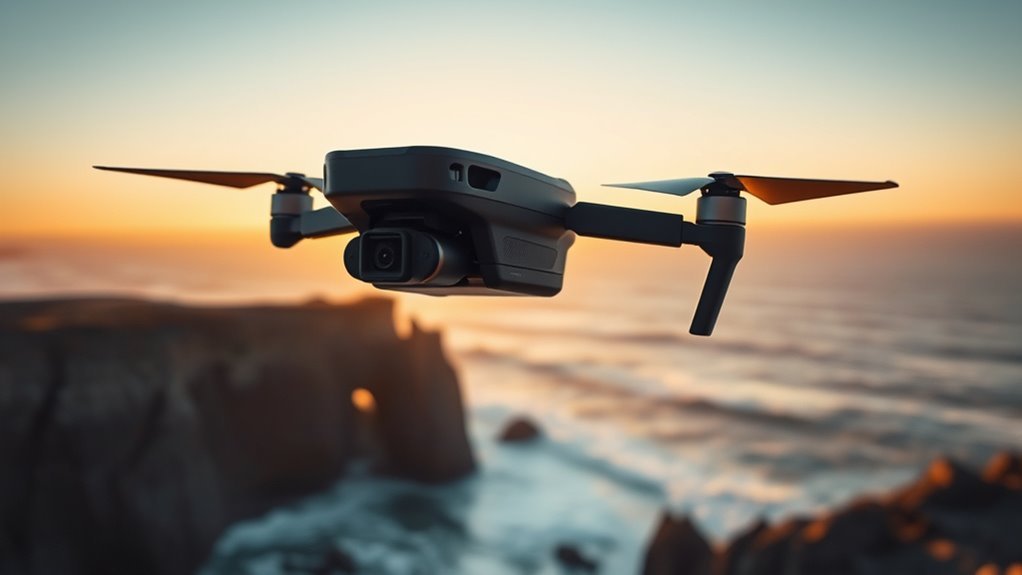
A drone for GoPro-style shooting needs more than enough lift to get a camera into the air. The best setup depends on whether you want a simple stabilized camera drone or an FPV aircraft carrying a separate action camera. Weight, mounting security, power, stabilization, flight time, local drone rules, and the way you plan to edit the footage all affect the final result.
Quick Answer
For GoPro-style aerial footage, choose either an integrated-camera drone for simple stabilized filming or a purpose-built FPV drone that can safely carry an action camera. Check total mounted weight, frame compatibility, battery voltage, balance, vibration, flight time, stabilization workflow, and local flight rules before buying or mounting a camera.
Key Takeaways
- An integrated-camera drone and a GoPro-carrying FPV drone solve different filming problems.
- GoPro HERO10 Black Bones was designed for FPV use and weighs roughly 54–60 g depending on configuration.
- For a ReelSteady workflow, GoPro recommends 4K/60fps, 1/120 shutter, SuperView and in-camera stabilization Off.
- ND filters are mainly useful in bright conditions when you need to reduce incoming light and maintain a slower shutter speed.
- Added camera weight can change flight time, handling, balance and regulatory weight classification.
- Always check local aviation rules, including registration, Remote ID where applicable, VLOS and FPV-observer requirements.
What Makes a Good GoPro-Style Drone?
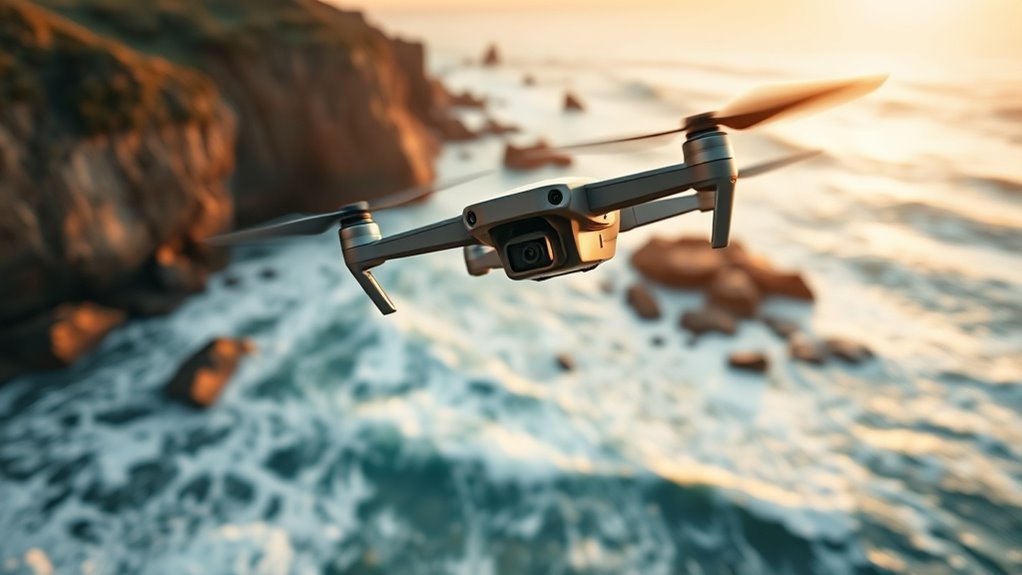
A good GoPro-style drone combines enough power for its total flying weight with predictable handling, secure camera mounting, useful flight time and a camera workflow that matches the footage you want.
For a dedicated FPV action-camera setup, low camera weight matters because every additional gram affects acceleration, braking, battery demand and center of gravity. GoPro introduced the HERO10 Black Bones specifically for FPV use. Depending on configuration and lens-cover specification, official GoPro material lists it at roughly 54–60 g.
The best drone is not simply the one with the strongest camera specification. It is the aircraft-and-camera combination that remains balanced, controllable and legal at its complete flying weight.
Image quality is also important. HERO10 Black Bones supports high-resolution and high-frame-rate capture including 5.3K60 and 4K120, while GoPro specifically recommends a 4K/60fps workflow for many FPV shots.
Control options matter when the action camera has no convenient screen. HERO10 Black Bones can be controlled through its onboard buttons, GoPro Quik, compatible remote control, GoPro Labs QR commands or supported transmitter integration. GoPro Labs can also load camera settings from QR codes.
Battery life should be considered at the aircraft level rather than the camera alone. A heavier camera or mount requires more thrust, so real flight time can fall even when the drone battery itself has not changed.
Choose the Right Drone for Camera Work
The first decision is whether you actually need to carry a GoPro. Many modern camera drones already include stabilized cameras, while purpose-built FPV aircraft offer a different flight style and can be designed around a separate action camera.
| Setup | Best suited to | Main tradeoff |
|---|---|---|
| Integrated-camera drone | Travel, landscapes, smooth aerial video, easier operation | Less suitable for carrying a separate GoPro unless the manufacturer specifically supports a payload |
| Cinewhoop / FPV drone | Close, immersive, low-altitude and dynamic movement | Shorter flight times and more pilot skill |
| Custom larger FPV build | Carrying lightweight action cameras and aggressive outdoor filming | More setup, tuning, maintenance and wiring knowledge |
Current integrated-camera examples include the DJI Air 3S, which uses a dual-camera system and advanced obstacle sensing, and the newer DJI Mini 5 Pro, which combines a 1-inch-class camera system with a compact aircraft.
For immersive FPV-style flying without adding a separate GoPro, current DJI options include DJI Avata 2 and DJI Avata 360. Avata 360 adds native 360-degree capture, while Avata 2 records conventional ultra-wide FPV footage.
If the goal is specifically to carry HERO10 Black Bones, use a compatible FPV frame rather than assuming an ordinary folding camera drone can accept an external payload.
Camera Compatibility Checklist
- Check the frame size: GoPro describes HERO10 Black Bones as suitable for 3-inch-class and larger FPV drones.
- Calculate total mounted weight: include the camera, protective lens cover, adapter, screws and wiring.
- Check center of gravity: the camera should not make the drone excessively nose-heavy or tail-heavy.
- Confirm propeller clearance: neither the camera nor its cable should be able to enter a propeller arc.
- Check voltage: the camera’s supported input and the selected flight-controller connection must match.
- Check cooling: an FPV camera relies on airflow, and long powered-on periods while stationary may create more heat.
Why Do FPV Drones Change the Look?
FPV drones change the look because the camera moves with the aircraft rather than remaining isolated from most of its motion by a multi-axis gimbal. The result can feel closer to flying through the scene instead of observing it from above.
| FPV characteristic | Visual result |
|---|---|
| Tight-space flight | Closer, more immersive framing |
| Fast banking and turning | Stronger sense of speed and direction |
| Wide-angle camera | More environment visible around the subject |
| Gyro-based stabilization | Smoother motion without removing the FPV flight path |
A lightweight action camera such as HERO10 Black Bones can record high-quality footage while the pilot flies using a separate FPV camera and video link. This separates the pilot’s low-latency view from the high-quality recording camera.
Another approach is an all-in-one FPV aircraft. DJI Avata 360, for example, can record native 8K/60fps 360-degree footage in its 360 mode, allowing the viewing direction to be reframed after the flight. Its obstacle-sensing capability also changes according to the selected shooting mode, so pilots should not assume every sensing function remains available in every configuration.
How Much Should You Spend on a Drone?
How much you should spend depends less on one advertised aircraft price and more on the complete shooting system. Controller or goggles, batteries, charger, spare propellers, action camera, ND filters, storage cards and repair parts can materially increase the total.
As a planning framework rather than a live price list:
- About $300–$600: entry-level or compact camera-drone setups and some basic FPV packages.
- About $600–$1,200: stronger camera systems, more complete FPV kits, additional batteries and better controllers.
- $1,200 and above: higher-end camera drones, advanced custom builds or complete filming kits with significant accessories.
Prices vary by country, bundle and promotion, so compare the complete usable kit rather than the aircraft-only price.
Pro Tip: If two drones are close in price, compare the cost of two or three additional batteries, replacement propellers and the required controller or goggles. Those items often matter more to long-term cost than a small difference in the aircraft price.
Which GoPro Settings Work Best for Drones?
GoPro’s published HERO10 Black Bones FPV guidance recommends a practical starting point of 4K at 60fps, 1/120-second shutter, 16:9, SuperView and ProTune controls. That setup follows the familiar idea of using a shutter speed around twice the frame rate for natural-looking motion blur.
| Setting | Useful FPV starting point |
|---|---|
| Resolution / frame rate | 4K / 60fps |
| Shutter | 1/120 second when lighting permits |
| Field of view | SuperView |
| ISO | ISO Min 100; keep ISO Max reasonably low when light allows |
| Sharpness | Low when planning to edit |
| Color | Flat for grading; Normal for quicker delivery |
| Stabilization | Off for GoPro’s ReelSteady-oriented FPV workflow |
The stabilization setting needs context. GoPro recommends turning in-camera stabilization Off when the goal is to stabilize HERO10 Black Bones footage afterward with ReelSteady. That preserves the motion data needed for the post-production workflow.
If you instead want stabilized footage directly from a compatible GoPro without a ReelSteady pass, an in-camera stabilization workflow may be more convenient. Do not switch stabilization off simply because the camera is attached to a drone; choose the setting around the editing workflow.
GoPro Labs QR codes can speed up repeated configuration changes. This is particularly useful on HERO10 Black Bones because the camera does not have the normal rear LCD interface of a full-size HERO camera.
How Do You Mount and Power an Action Camera?
An action camera should be attached to a rigid mount that is appropriate for the FPV frame and positioned so it does not interfere with propellers, antennas, GPS equipment or battery straps. The mount should resist vibration without allowing the camera to move during abrupt acceleration or landing.
HERO10 Black Bones uses an external drone power source instead of its own removable GoPro battery. GoPro specifies compatibility with 2S–6S battery systems and 5–27 V input.
Warning: HERO10 Black Bones installation can require soldering. Confirm the exact flight-controller pads, polarity and voltage before connecting power. Incorrect wiring or excessive voltage can permanently damage the camera or other electronics.
Mounting Options
GoPro HERO10 Black Bones includes a single screw mounting point and can also use the supplied adapter for the GoPro mounting ecosystem. GoPro designed it specifically around FPV installations rather than as a payload for every consumer camera drone.
Its low mass helps a compatible FPV aircraft retain agility, but the total mounted weight is more important than camera-body weight alone. Lens protection, mounting hardware and wiring all contribute to the final load.
- Rigid screw mount: compact and light when it fits the frame directly.
- Purpose-built TPU or similar FPV mount: can protect the camera and control vibration when correctly designed.
- GoPro-style adapter: useful when the frame uses the standard GoPro mounting ecosystem, but usually adds weight and height.
After installation, confirm that the mount cannot shift and that the lens remains clear of the frame and propellers throughout the expected camera angle.
Power Connections
HERO10 Black Bones can draw power from a compatible drone electrical system within its specified 5–27 V / 2S–6S range. Its supplied connector carries power, ground and a shutter-control connection.
Follow both the GoPro instructions and the flight-controller manufacturer’s wiring diagram. Do not choose a solder pad only because its physical location is convenient.
Powering the camera from the flight battery also means camera consumption becomes part of the aircraft’s energy budget. Flight time therefore depends on the complete build, battery, motors, propellers, flying style and camera load.
Warning: HERO10 Black Bones is not waterproof or water resistant. Do not expose it to rain, snow, submersion or other conditions in which water can reach the camera electronics.
What Accessories Improve Drone Footage?
The most useful accessories solve a specific filming problem. ND filters control incoming light, remote-control tools reduce unnecessary handling, spare batteries extend the shooting session, and properly designed mounts protect the camera and improve consistency.
Lens Filters
ND filters are useful mainly in bright conditions. By reducing incoming light, they allow the camera to use a slower shutter speed without overexposing the image.
For example, if you want to maintain approximately 1/120 second while recording at 60fps in bright sunlight, an ND filter may be needed. The required strength depends on the amount of light.
Compatible HERO9/HERO10-style ND filters were specifically referenced by GoPro for HERO10 Black Bones. Verify that any filter is physically compatible with the Bones lens cover before flying.
- Bright shoreline: an ND filter can control highlights while maintaining the intended shutter speed.
- Sunny landscape pass: reduced light can preserve natural motion blur instead of forcing a very fast shutter.
- Water or reflective surfaces: some filter systems also offer polarization, but orientation and exposure should be tested before takeoff.
Note: An ND filter does not brighten low-light footage. Because it blocks light, remove unnecessary ND filtration when light levels become too low.
Remote Control
Remote camera control can save time after an FPV drone has been powered and positioned. HERO10 Black Bones supports several methods, including GoPro Quik, GoPro Labs, onboard buttons, compatible GoPro remote control and supported transmitter integration.
These controls operate the GoPro camera; they should not be confused with the flight controller or remote system used to pilot a DJI or custom FPV aircraft.
For repeated filming setups, a GoPro Labs QR preset can be particularly useful. One scan can load a prepared camera configuration before takeoff, reducing the chance of discovering after the flight that the wrong frame rate or exposure setting was used.
Stabilization Tools
Smooth footage starts with a mechanically sound aircraft. Software stabilization cannot fully correct loose screws, bent propellers, severe motor vibration or a camera mount that moves independently of the frame.
- Secure mount: remove camera movement that is unrelated to the aircraft’s intended motion.
- Healthy propellers and motors: damaged components can introduce high-frequency vibration.
- Balanced aircraft: poor center of gravity makes the flight controller work harder and can affect handling.
- ReelSteady or another compatible gyro workflow: use post-production stabilization when you deliberately record footage for that process.
- Correct ND filter: use one when bright conditions require light reduction to maintain the intended shutter speed.
Do not assume that Max Lens Mod 2.0 is a HERO10 Black Bones accessory. GoPro’s current Max Lens Mod 2.0 compatibility information lists newer HERO models rather than HERO10 Black Bones.
How Do You Capture Smoother Flying Shots?
Smoother FPV footage comes from both the pilot and the equipment. A well-tuned drone flown with progressive stick inputs usually produces better source footage than an unstable aircraft that relies on software to repair every movement afterward.
For HERO10 Black Bones, a useful starting workflow is 4K/60fps with a 1/120-second shutter when lighting permits. If you plan to use ReelSteady, follow GoPro’s recommended workflow and record with stabilization Off.
In bright daylight, use an appropriately strong ND filter if necessary to hold the intended shutter speed without overexposure. In dim light, remove unnecessary ND filtration and allow more light to reach the sensor.
Weight distribution also matters. A heavy front-mounted camera can force the aircraft to compensate continuously and may change its pitch response. Move the battery or camera only within the frame manufacturer’s safe mounting options until the aircraft is properly balanced.
Preflight Checklist for Camera Work
- Inspect propellers for cracks, bends or loose hardware.
- Confirm the action camera and mount cannot move.
- Check that camera wiring is secure and clear of propellers.
- Insert a suitable microSD card and confirm adequate free space.
- Verify resolution, frame rate, shutter, ISO, white balance and stabilization mode.
- Confirm the aircraft battery and controller or goggles are sufficiently charged.
- Check local airspace and operating restrictions.
- Confirm that the takeoff area is clear of uninvolved people.
- Verify any required observer is positioned and able to communicate with the pilot.
- Record a short test clip before the main flight when the shot cannot easily be repeated.
Drone Rules to Check Before You Fly
Drone rules vary by country, aircraft weight and type of operation. Adding an action camera can also change the aircraft’s total takeoff weight and therefore the rules that apply.
In the United States, the Federal Aviation Administration says recreational drones weighing 250 g or more must generally be registered. Aircraft that are required to be registered generally must also comply with applicable Remote ID requirements.
FPV goggles do not automatically remove visual-line-of-sight requirements. Under common U.S. recreational operations, the drone must remain within visual line of sight or a co-located visual observer must assist as permitted by the applicable rule. Commercial operations under Part 107 have their own requirements.
European rules are different. Under the EASA Open Category, aircraft class, weight, pilot competency and distance from uninvolved people determine where and how the drone may be flown.
Warning: Never treat an online filming guide as a substitute for your aviation authority’s current rules. Check airspace, people-overflight restrictions, registration, identification requirements and FPV/VLOS rules for the exact location and operation before takeoff.
Frequently Asked Questions
Should I get a drone or a GoPro?
Choose a drone if your priority is aerial perspective and controlled flight. Choose a GoPro if you mainly film body-mounted, vehicle-mounted or handheld action. For FPV filmmaking, the answer can be both: a suitable FPV drone can carry a lightweight action camera such as HERO10 Black Bones while a separate FPV camera provides the pilot’s live view.
What do I need to know before buying a drone?
Check camera style, total takeoff weight, flight time, battery cost, controller or goggles, obstacle-sensing capability, repair parts, action-camera compatibility and local flight laws. If you intend to fly FPV, also understand visual-line-of-sight or observer rules before buying equipment.
What drone should a beginner buy?
There is no single beginner drone for every type of filming. A lightweight integrated-camera model such as DJI Neo 2 emphasizes simple capture and automated features. DJI Mini 5 Pro offers a more advanced camera-oriented path. DJI Avata 2 or Avata 360 suits pilots specifically interested in immersive FPV-style flying. A custom action-camera FPV build normally requires more setup and repair knowledge, so new pilots should learn basic flight control before adding an expensive camera payload.
What is the 1:1 rule for drones?
The “1:1 rule” is not a universal rule requiring a drone to remain as far from every obstacle as its altitude. In EASA’s A2 open-category guidance, it is a reference for separation from uninvolved people: the lateral distance should generally be no less than the drone’s height, while the applicable minimum distance and aircraft-class requirements still apply. Other countries use different rules, so always follow the aviation authority for the location where you fly.
Conclusion
A good drone for GoPro-style filming is a complete system rather than just an aircraft with a camera attached. An integrated-camera drone offers the simplest route to smooth aerial footage, while a purpose-built FPV platform can deliver the fast, immersive movement associated with action-camera flying.
For HERO10 Black Bones, pay close attention to mounted weight, secure installation, 2S–6S / 5–27 V power requirements, wiring, weather exposure and stabilization workflow. Use ND filters when bright conditions require light reduction, balance the aircraft carefully, inspect it before every flight and confirm the rules that apply to the location. Those steps matter more to usable footage than chasing a single headline specification.
Sources
- GoPro — HERO10 Black Bones — camera specifications, weight, power requirements, mounting and installation information.
- GoPro — Best FPV Drone Camera Guide — manufacturer FPV settings, mounting guidance and ReelSteady workflow.
- GoPro — Max Lens Mod 2.0 — current camera compatibility information.
- DJI — Avata 360 — current 360-degree video, imaging and obstacle-sensing specifications.
- Federal Aviation Administration — Recreational Flyers — U.S. registration, operating and visual-line-of-sight guidance.
- European Union Aviation Safety Agency — Open Category — European drone categories, operating restrictions and separation requirements.

