Which iPhone should I buy? The best choice depends on your budget, camera needs, battery life, storage, and whether you want a new or used device. The iPhone 17 offers a strong balance for everyday buyers, while the iPhone 18 Pro models provide more advanced features. If you’re buying used or placing the highest bid at an auction, condition and hidden costs matter just as much as the model.
Quick Answer
The iPhone 17 is the best overall choice for most buyers. Choose the iPhone 17e for a lower price, the iPhone 18 Pro for advanced cameras, or the 18 Pro Max for maximum battery life. For a used iPhone, check Activation Lock, battery health, repair history, and total ownership cost before bidding.
Last checked: October 23, 2026. Dates and figures were verified against official sources.
Key Takeaways
- Choose an iPhone based on features you will actually use, not simply the newest model or highest price.
- The iPhone 17 combines a 120Hz display, dual 48MP cameras, and 256GB of base storage.
- For professional photography, the iPhone 18 Pro offers the same advanced rear camera system as the Pro Max.
- Apple’s video playback ratings are useful for comparisons, but real battery life depends on usage.
- Used iPhones require extra checks for Activation Lock, carrier restrictions, previous repairs, and battery wear.
- Your maximum auction bid should account for repairs, shipping, taxes, and the risk of unexpected problems.
What to Check Before Buying a Used iPhone?
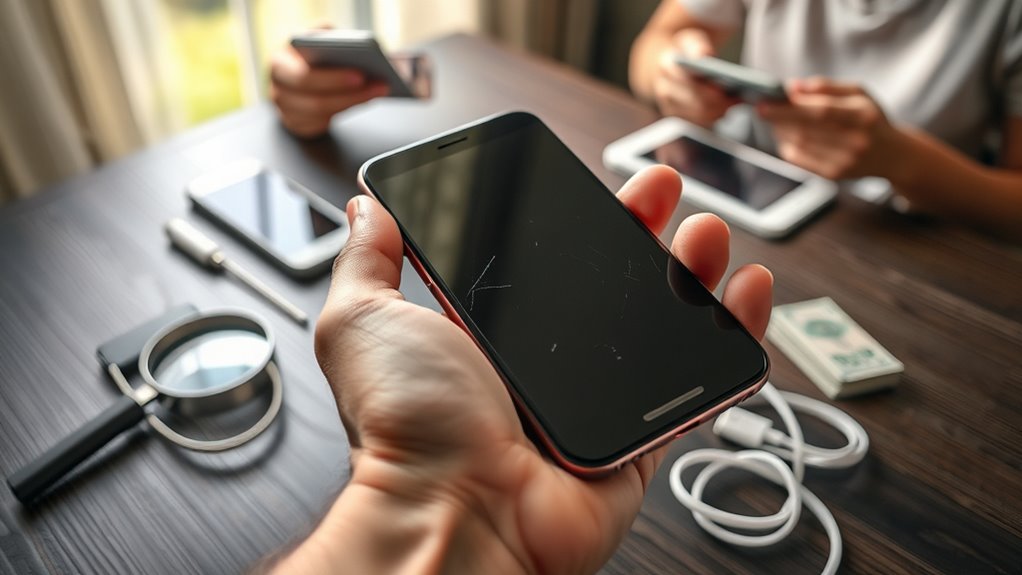
Before buying a used iPhone, inspect its physical condition, battery health, cameras, charging system, and ownership status. A phone that looks clean may still have hidden damage, worn components, or an account lock that prevents activation.
Use the following inspection checklist before paying or submitting your final bid.
- Inspect the screen and body. Look for cracks, deep scratches, bent edges, loose buttons, and gaps between the display and frame. Check the back glass and camera lenses.
- Check battery health. Open Settings > Battery > Battery Health, or Battery Health & Charging on supported older versions. Look at maximum capacity and any service warnings. A worn battery reduces useful runtime and may need replacement.
- Test all cameras. Take photos and videos with the available Main, Ultra Wide, and Telephoto cameras. Check focus, clarity, stabilization, and visible lens damage.
- Test charging. Connect a compatible charging cable and confirm that charging starts reliably. Test wireless charging if the model supports it.
- Check buttons and sound. Test the volume controls, side button, speakers, microphones, vibration, and Face ID or Touch ID.
- Inspect previous repairs. Open Settings > General > About and review Parts and Service History when available. Check for Genuine, Used, Unknown, Unverified, or Finish Repair messages.
- Confirm cellular compatibility. Check whether the iPhone is carrier-unlocked and supports the SIM or eSIM service you intend to use.
- Confirm ownership. Have the seller remove their Apple Account and Activation Lock. Make sure the phone can complete setup without requiring the previous owner’s credentials.
Apple’s preowned iPhone inspection guide provides additional testing advice, including what to do when the phone displays a Locked to Owner message.
Warning: Never buy an iPhone while Activation Lock is enabled. A normal Home screen or an erased device alone does not prove that the phone is ready for a new owner. Complete the activation check before handing over payment.
How to Check iPhone Battery Health and Repairs
Battery health deserves special attention because a replacement can change the total purchase cost. Maximum Capacity estimates how much charge the battery can hold compared with when it was new.
A battery near 100% maximum capacity will generally have more capacity remaining than one with substantial wear. However, the percentage alone does not guarantee battery condition or future performance.
For repaired phones, check Apple’s Parts and Service History guidance. A genuine, properly completed repair is not automatically a reason to reject a phone.
However, an Unknown or Unverified message deserves investigation. Some messages indicate an unrecognized component, incomplete calibration, or another repair-related issue.
How to Check Whether a Used iPhone Is Unlocked
An unlocked iPhone gives you more freedom to choose carriers. A carrier-locked device may work only with its approved network until the carrier removes the restriction.
To check, open Settings > General > About and find Carrier Lock. If the field says No SIM restrictions, the iPhone is carrier-unlocked.
Apple explains this process in its carrier unlocking instructions. Only the carrier can remove a network lock.
Also confirm that the device is not subject to unresolved financing or account obligations. A carrier-unlocked status does not independently prove that every financial obligation has been cleared.
Which iPhone Should I Buy for the Best Value?
The iPhone 17 offers the best balance of features and price for many buyers. It combines a 6.3-inch ProMotion display, the A19 chip, dual 48MP rear cameras, and 256GB of starting storage.
The iPhone 17e costs less and still delivers strong everyday performance. The iPhone 18 Pro and Pro Max are better suited to buyers who specifically need professional camera features, advanced performance, or longer battery life.
Best Value Models
Apple’s current lineup covers several price levels. The following table compares US starting prices and the main reason to choose each model.
| iPhone Model | US Starting Price | Best For |
|---|---|---|
| iPhone 17e | $699 | Budget-conscious buyers |
| iPhone 16 | $799 | Buyers wanting an older model with dual cameras |
| iPhone 17 | $899 | Best overall balance |
| iPhone Air | $1,099 | Thin, lightweight design |
| iPhone 18 Pro | $1,199 | Advanced photography and performance |
| iPhone 18 Pro Max | $1,299 | Longest battery life |
| iPhone Duo | $1,999 | Foldable display and multitasking |
These are published US starting prices before applicable taxes and optional extras, not guaranteed prices from every retailer. Apple lists current models through its official iPhone store.
Budget vs Features
For most people, the choice comes down to the iPhone 17e, iPhone 17, and iPhone 18 Pro. Each offers a different balance between cost and capability.
- iPhone 17e: Uses the A19 chip, provides 256GB of base storage, and has a single 48MP rear camera. Its 60Hz display is less smooth than ProMotion screens.
- iPhone 17: Adds a 120Hz ProMotion display, Always-On support, dual 48MP cameras, and an 18MP Center Stage front camera.
- iPhone 18 Pro: Adds an A20 Pro chip, advanced cooling, a dedicated Telephoto camera, and professional photo and video controls.
If you mostly message, browse, stream, and take casual photos, the iPhone 17e may be enough. The iPhone 17 makes more sense if display smoothness and camera flexibility matter.
Meanwhile, buyers who shoot demanding video, use manual camera controls, or play intensive games may benefit from the iPhone 18 Pro.
The iPhone 16 and discounted older models remain worth considering when the savings are substantial. Compare their price against the newer model’s storage, battery, software support, and features before deciding.
Which iPhone Has the Best Camera?
The iPhone 18 Pro and iPhone 18 Pro Max offer Apple’s most advanced current rear camera system. Both include a triple 48MP setup, variable aperture on the Main camera, and a dedicated Telephoto lens.
The Pro Max does not have a clear camera-hardware advantage over the smaller Pro. The main reasons to choose it are its larger display and longer battery life.
Key camera differences include:
- iPhone 18 Pro and Pro Max: 48MP Main, 48MP Ultra Wide, and 48MP Telephoto cameras, including a dedicated 4x Telephoto lens and optical-quality 8x framing.
- iPhone 17: 48MP Main and 48MP Ultra Wide cameras, with a 2x optical-quality crop from the Main sensor.
- iPhone Duo: Dual 48MP rear cameras, with Main and Ultra Wide lenses but no dedicated Telephoto lens.
- iPhone 17e: A single 48MP rear camera with a 2x framing option, but no separate Ultra Wide lens.
The iPhone 18 Pro models also support ProRAW, ProRes, and advanced manual controls. These features help photographers and videographers who want greater control during shooting and editing.
Variable aperture adjusts the amount of light entering the Main camera and gives additional control over depth of field. That helps when working with difficult lighting or creative compositions.
Apple provides detailed lens specifications and camera modes in its iPhone 18 Pro technical specifications.
For everyday family photos, travel pictures, and social media, the iPhone 17 remains a strong choice. Its missing dedicated Telephoto lens matters most if you regularly photograph distant subjects.
Which iPhone Has the Best Display?
The iPhone Duo offers the largest display, with a 7.6-inch folding inner screen. Apple says it provides about 50% more screen area than the iPhone 18 Pro Max.
The iPhone 18 Pro Max is the better conventional option for buyers who prefer a single, nonfolding display. It has a 6.9-inch Super Retina XDR OLED panel with adaptive ProMotion up to 120Hz.
For comparison:
- iPhone Duo: 7.6-inch inner display and 5.4-inch outer display.
- iPhone 18 Pro Max: 6.9-inch OLED display.
- iPhone 18 Pro: 6.3-inch OLED display.
- iPhone 17: 6.3-inch OLED display with ProMotion and Always-On support.
- iPhone 17e: 6.1-inch OLED display with a 60Hz refresh rate.
The iPhone 18 Pro models and Duo support up to 3,000 nits of peak outdoor brightness. That can make the display easier to view under strong sunlight.
A 120Hz refresh rate can make scrolling and supported animations look smoother than on a 60Hz screen. However, a higher refresh rate alone does not guarantee better picture quality.
The Duo’s larger inner screen is especially useful for reading, watching videos, and using apps side by side. Its folding design also introduces a different handling experience from a standard iPhone.
Buyers considering a foldable phone should think about hinge durability, repair costs, and how often they will actually use the larger screen.
Apple explains its folding display, outer screen, and hardware details in the iPhone Duo technical specifications.
How Much iPhone Storage Do You Need?
For most buyers, 256GB is a practical storage choice. It provides room for everyday apps, photos, videos, downloads, and future needs without requiring the highest-capacity model.
However, your ideal capacity depends on how much content you keep locally. iPhone storage cannot be expanded with a memory card after purchase.
| Storage | Best For | Main Consideration |
|---|---|---|
| 128GB | Light users | More dependence on cloud storage and cleanup |
| 256GB | Most everyday users | Balanced space and cost |
| 512GB | Heavy photo and video users | More local media storage |
| 1TB–2TB | Professional creators | Higher cost; limited model availability |
Recent Pro models and the iPhone Duo offer capacities up to 2TB. These larger options can help users who record high-resolution video or work with large project files.
Before upgrading, open Settings > General > iPhone Storage on your current device. Check how much space your apps, photos, messages, and downloaded files use.
If your existing phone is nearly full, buying the same capacity again may recreate the problem. Cloud storage can help with some files, but it does not replace the need for local space for apps and system data.
Which iPhone Battery Life Fits You Best?
The iPhone 18 Pro Max offers the longest published video playback rating among the current models discussed here, at up to 45 hours. The iPhone 17 offers up to 30 hours, which may be sufficient for many everyday users.
Apple’s ratings use controlled testing conditions. Real battery life varies with brightness, cellular reception, gaming, navigation, video calls, and battery age.
All-Day Battery Needs
Choose a phone based on what you do between charges. If you spend long periods away from outlets, longer battery endurance may matter more than having the smallest device.
For ordinary messaging, browsing, and occasional video, the iPhone 17 offers a sensible balance. For longer travel days or demanding use, the iPhone 18 Pro Max provides more capacity for extended activity.
A larger battery can be useful, but it also often comes with a heavier phone. Consider portability alongside endurance.
Heavy Use vs Light Use
Heavy users should pay attention to sustained power consumption, not just advertised playback time. Gaming, camera recording, GPS navigation, and poor cellular reception can shorten runtime considerably.
Light users may not benefit enough from the Pro Max’s extra endurance to justify its additional cost and weight.
For a used iPhone, battery condition can be more important than the model’s original advertised rating. An older phone with significant battery wear may perform poorly even if it once offered excellent endurance.
Battery charging habits also affect long-term health. On supported iPhones, Apple’s Charge Limit feature can reduce wear by limiting how fully the battery charges.
Battery Life by Model
The following figures show Apple’s published maximum video playback ratings. They are useful for comparing models under similar testing conditions, not predicting your exact daily screen time.
| iPhone Model | Video Playback |
|---|---|
| iPhone 18 Pro Max | Up to 45 hours |
| iPhone Duo — outer display | Up to 44 hours |
| iPhone 18 Pro | Up to 36 hours |
| iPhone Duo — inner display | Up to 31 hours |
| iPhone 17 | Up to 30 hours |
| iPhone Air | Up to 27 hours |
| iPhone 17e | Up to 26 hours |
The iPhone Duo has an important distinction: its 44-hour rating applies when using the outer display. The larger inner display has a lower published rating of 31 hours.
For most buyers, battery life should be weighed against screen size, weight, camera features, and purchase price rather than considered alone.
Which iPhone Size Fits You Best?
The best iPhone size depends on your hands, pockets, and daily habits. A smaller phone is usually easier to carry and use one-handed, while a larger screen makes reading, editing, and watching video more comfortable.
The iPhone 17 and iPhone 18 Pro both use 6.3-inch displays, offering a middle ground between portability and screen space.
The iPhone 18 Pro Max has a 6.9-inch display and weighs 249 grams. It provides a larger viewing area but may be less comfortable for extended one-handed use.
The iPhone Duo is different because it folds. Its 5.4-inch outer display supports use while closed, while the 7.6-inch inner display provides a tablet-like experience.
However, screen diagonal alone does not show how a phone feels in your hand. Width, thickness, weight, and shape can matter just as much.
The lightweight iPhone Air is another option for buyers who value a thin design. Its single rear camera and shorter battery rating are trade-offs worth considering.
For a familiar everyday experience, the iPhone 17 remains a practical starting point. Apple lists its dimensions, weight, and display details in the iPhone 17 technical specifications.
Where Should You Buy Your iPhone?
The safest buying channel depends on your budget and how much risk you are willing to accept. Apple and established retailers offer clearer support and return options, while private sellers and auctions may offer lower prices with less protection.
Consider the following options before choosing a seller.
- Apple: A strong choice for new devices, official support, trade-in options, and direct access to current models.
- Carrier: Useful when promotional credits reduce the overall cost, provided you understand the plan and financing terms.
- Certified refurbished: A practical option for saving money while getting a device that has been inspected and prepared for resale.
- Independent retailer: Useful for comparing models in person, provided warranty and return conditions are clear.
- Online marketplace or auction: May offer attractive prices, but requires careful seller verification and realistic bidding limits.
Apple’s Certified Refurbished program includes functional testing, a new battery and outer shell for refurbished iOS devices, and a one-year limited warranty.
Independent refurbished sellers may use different grading systems and replacement parts. Make sure you understand what terms such as Excellent, Good, or Fair actually mean for the listing.
How Much Should You Bid for a Used iPhone?
Your maximum bid should reflect the device’s realistic market value, not the excitement of winning an auction. The highest bid only makes sense when the final cost remains competitive with similar phones in comparable condition.
Start by comparing listings for the same iPhone model, storage capacity, carrier status, and condition. Then account for any repairs the phone may need.
Pro Tip: Set your maximum bid by taking the comparable market price and subtracting expected repair costs, shipping, taxes, and a margin for unexpected problems. If bidding exceeds that amount, walk away.
For example, a used iPhone 13 with strong battery health and a working camera system may be a better purchase than a newer model with screen damage or uncertain ownership.
Accessories can affect value, but do not assume that a charging cable, original box, or case makes a poorly maintained phone worth more.
Also compare the final cash cost with promotional offers. Some carrier discounts are delivered through monthly bill credits and may depend on keeping a qualifying plan for the required period.
If you travel frequently or change carriers, consider an unlocked device. Some newer iPhones use eSIM only, so confirm compatibility with your intended mobile provider.
Frequently Asked Questions
What Is the 20/80 Rule for an iPhone?
The 20/80 rule usually refers to keeping the battery roughly between 20% and 80% to limit wear. It is a charging habit, not a rule for choosing which iPhone to buy. On iPhone 15 and later, Apple’s Charge Limit setting lets you choose an 80% limit if it suits your routine.
What Is the Smartest Way to Buy an iPhone?
Start with the features you actually use, then compare the full price after taxes, trade-in credits, and plan costs. Choose an unlocked device when carrier flexibility matters. For used phones, prioritize Activation Lock status, battery health, repair history, and a real return policy.
Which iPhone Should You Stay Away From?
Avoid any used iPhone with Activation Lock, a seller who refuses testing, or damage that makes repairs uneconomical. Do not automatically rule out iPhone 16, iPhone 17e, or older models; they can still be sensible buys at the right price and in good condition.
What Is the Three-Finger Trick on iPhone?
After selecting text, pinch inward once with three fingers to copy it. Pinch inward twice to cut, and spread three fingers outward to paste. These gestures work in compatible text-editing areas. Apple’s text-editing instructions explain the gestures in more detail.
Can You Use a Physical SIM in iPhone 18 Pro or iPhone Duo?
No. Apple’s iPhone 18 Pro models and iPhone Duo use eSIM and do not accept physical SIM cards. Confirm that your carrier supports eSIM before you buy, especially if you travel or switch networks often.
How Do You Decide Your Maximum Bid for a Used iPhone?
Start with the going price of the same model and storage in similar condition. Subtract likely repair costs, shipping, taxes, and a margin for uncertainty. Treat the result as your ceiling, and walk away if bidding rises above it.
Conclusion
The best iPhone is the one that fits your needs without making you pay for features you rarely use. The iPhone 17 offers strong everyday value, the iPhone 17e is the more affordable choice, and the iPhone 18 Pro models serve buyers who need advanced cameras, performance, or battery life.
For a used iPhone, condition and ownership status can matter more than its age. Compare the total cost, check battery health and Activation Lock, and decide your maximum bid before paying. A carefully chosen older iPhone can offer better lasting value than a newer device with expensive hidden problems.
Sources
- Apple Support: Buying a Preowned iPhone: Used-device inspection and Activation Lock checks.
- Apple Support: iPhone Parts and Service History: Genuine, Used, Unknown, and Unverified repair messages.
- Apple Support: Carrier Unlocking: Checking carrier restrictions and unlocking requirements.
- Apple: Shop iPhone: Current US starting prices and available models.
- Apple: iPhone 17 Technical Specifications: Display, cameras, storage, battery, and dimensions.
- Apple: iPhone 18 Pro Technical Specifications: Pro camera systems, displays, battery ratings, and eSIM requirements.
- Apple: iPhone Duo Technical Specifications: Foldable displays, cameras, and separate battery playback ratings.
- Apple: Certified Refurbished: Refurbishment standards, replacement parts, and warranty.
- Apple Support: Charge Limit: Battery charging limits and long-term battery care.
- Apple Support: Select, Edit, and Move Text: Three-finger copy, cut, and paste gestures.