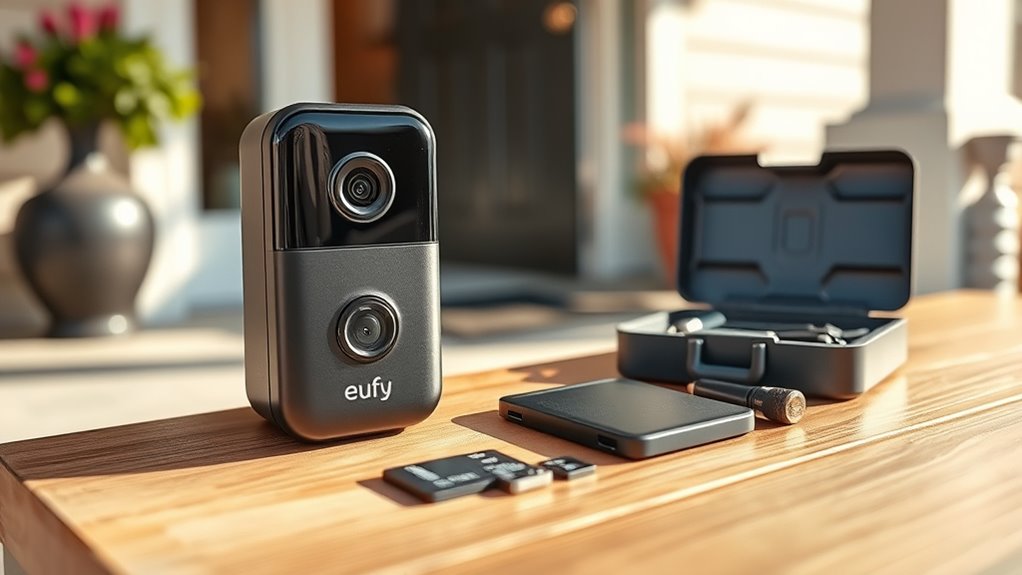
The Eufy E340 has 8 GB of built-in eMMC internal storage for local event recordings. It saves short motion clips on-device instead of relying on cloud storage, which helps avoid subscription fees and improves privacy. Under normal use, it can store up to about 60 days of footage, though busy activity may fill it sooner. Lowering motion sensitivity and using event zones can help it last longer, and HomeBase S380 can expand capacity further for more demanding setups.
Key Takeaways
- The Eufy E340 has 8 GB of built-in eMMC internal storage.
- It supports up to 60 days of local event recordings under normal use.
- Storage is for short event clips, typically around 20 seconds each.
- Lower motion sensitivity and shorten recording time to make storage last longer.
- You can expand storage with HomeBase S380 for more recording capacity.
How Much Storage Does the Eufy E340 Have?
The Eufy E340 Video Doorbell includes 8 GB of built-in eMMC storage for local video recordings, which supports up to 60 days of event footage based on an average of 30 videos per day.
The Eufy E340’s 8 GB eMMC storage supports up to 60 days of local event footage.
This internal storage gives the Eufy E340 a self-contained recording system that reduces dependence on external cloud services. Stored event recordings are protected with AES-128 encryption, supporting privacy and controlled access.
For users requiring more retention, the system can integrate with the HomeBase S380 to extend storage capacity without changing the device’s local-first design.
Because the platform avoids subscription fees, it remains a cost-effective solution for home security. The 8 GB allocation is adequate for typical daily activity, especially where only event-based clips are saved.
What Does the Eufy E340 Save Locally?
With 8 GB of built-in local storage, the Eufy E340 saves event-based recordings directly on the device, typically retaining footage for up to 60 days under normal use. The Eufy E340 uses local storage for short event recordings, not continuous cloud video storage, which helps reduce dependence on external services and preserves user autonomy.
- Event recordings are stored on-device in concise clips, often about 20 seconds each, supporting practical recording capacity.
- Subscription fees are avoided because built-in storage handles routine video storage without recurring cloud costs.
- AES 128-bit encryption protects stored files, reinforcing data privacy while keeping access local.
For users needing more capacity, the Eufy HomeBase S380 can expand storage options for longer-term retention.
This setup keeps control close to the user, limits exposure, and supports a more liberated, self-managed security workflow.
How Long Does 8GB Last on the Eufy E340?
At 8 GB, the Eufy E340’s built-in eMMC storage can retain up to about 60 days of event recordings under average use, or roughly 90 clips when activity averages around 30 short videos per day.
This internal storage level gives the Eufy E340 a practical video capacity for routine monitoring without dependence on cloud plans. Because local storage is onboard, recordings remain accessible without subscription fees, supporting a more autonomous setup.
Actual recording duration will vary with average usage, since more frequent triggers or longer clips consume space faster. The figure of 60 days reflects typical event recordings, not continuous capture.
For users needing more room, the HomeBase™ S380 can extend local storage well beyond the base 8 GB, raising retention time substantially.
In short, the Eufy E340 balances compact storage with useful retention, providing clear local control for everyday security coverage and reduced recurring cost.
How Can You Make Eufy E340 Storage Last Longer?
Storage on the Eufy E340 can be extended by reducing recording frequency through lower motion sensitivity, which limits clips triggered by minor activity.
Event zones can further improve efficiency by restricting detection to key areas and excluding irrelevant motion.
Together, these settings help preserve the 8 GB local capacity for more important events.
Reduce Recording Frequency
Reducing how often the Eufy E340 records is one of the most effective ways to extend its 8 GB internal storage. The device can retain many event recordings, but lowering trigger frequency helps manage storage without sacrificing critical coverage.
- Lower motion sensitivity so minor movement does not create unnecessary recordings.
- Shorten recording duration to conserve space while preserving usable clips.
- Schedule active hours so recordings occur only when needed, then review footage and delete excess files.
These controls reduce non-essential recordings, allowing the Eufy E340 to store more relevant events over time.
With careful tuning, users can maintain access to important footage, conserve space, and keep local storage available for essential security needs.
Use Event Zones
By narrowing activity detection to custom event zones, the Eufy E340 can avoid recording irrelevant motion outside the monitored area and conserve its 8 GB of built-in eMMC storage.
These event zones, available through customizable settings, help the Eufy E340 focus internal storage on meaningful video recordings rather than ambient movement.
Lower motion sensor sensitivity where appropriate to minimize false alerts and reduce unnecessary clips. This approach can extend retention from the baseline 30-day estimate and optimize storage for higher-value events.
Users should also review and delete footage regularly to keep space available for new recordings.
For longer-term expansion, pairing with HomeBase S380 can add substantial capacity without subscription fees, supporting years of additional archives while preserving a more autonomous and liberated security setup.
When Should You Add HomeBase S380 Storage?
HomeBase S380 becomes useful when the eufy E340’s built-in 8 GB of eMMC memory is likely to be exceeded by regular recording activity. The add-on expands internal storage, extending storage capacity for longer video recordings and more complete recording history.
For households with frequent visitors or package deliveries, it reduces the risk of overwriting footage during busy periods.
- Heavy daily motion events
- Frequent package deliveries or visitor traffic
- Need for years of retained footage
HomeBase S380 offers seamless integration with the eufy E340, so security management remains straightforward while adding room for larger footage volumes.
HomeBase S380 integrates seamlessly with the eufy E340, simplifying security while expanding storage for larger video volumes.
It is most appropriate when average usage regularly outpaces local memory, or when a user wants storage headroom without constant monitoring.
In short, the expansion is practical for households that value extended retention and want the eufy E340 to preserve more evidence of daily activity with minimal effort and maximum freedom.
How Does Eufy E340 Storage Protect Your Privacy?
The eufy E340 protects privacy through its 8 GB of built-in local storage, which keeps video recordings on the device rather than in the cloud and supports up to 60 days of event history without subscription fees.
This internal storage model reduces exposure to third-party servers and strengthens data privacy for users seeking personal data control. Every recording is secured with AES 128-bit encryption, adding a technical layer of security against unauthorized access.
The Eufy E340 also includes privacy zones, allowing specific areas to be excluded from capture, such as neighbors’ property or other sensitive spaces.
Because storage remains local, users avoid monthly charges and retain direct access to recordings without recurring account dependence.
For those prioritizing liberation from cloud lock-in, the system offers a practical balance of convenience, security, and privacy.
The result is a doorbell that keeps essential video access close, controlled, and self-managed.
Frequently Asked Questions
What Happens When Eufy Storage Is Full?
When Eufy storage is full, oldest clips are deleted automatically, preserving video retention and minimizing performance impact. Effective storage management benefits from storage upgrades or cloud options, reduces accessibility issues, and supports user experience, privacy concerns, troubleshooting tips, data deletion.
What Are the Pros and Cons of the Eufy E340?
A fair objection is limited storage; yet the Eufy camera offers strong video quality, respectable storage capacity, solid battery life, accurate motion detection, simple user interface, straightforward installation process, responsive customer support, firmware updates, and robust security features.
What Was the Eufy Camera Scandal?
The Eufy camera scandal involved exposed video access flaws, intensifying camera privacy concerns and Eufy camera security scrutiny; Eufy firmware updates, customer support, and security features comparison followed, while user experience feedback, design flaws, and smart home integration drew attention.
Where Are Eufy Doorbell Videos Stored?
Eufy doorbell videos are stored locally on the device or HomeBase, not cloud storage, improving privacy concerns, user accessibility, storage management, data security, video quality, storage capacity, app integration, and backup options for video retention.
Conclusion
The Eufy E340 includes 8GB of built-in local storage, which is enough for routine event clips when motion activity is moderate. It records key footage on-device, reducing dependence on cloud subscriptions and improving privacy. Users may worry that 8GB is too limited, but its efficiency can be extended by adjusting motion sensitivity and clip length. For higher activity or longer retention, adding HomeBase S380 storage provides a scalable upgrade without sacrificing local control.

