
You can reset your Toyota Tacoma’s maintenance required light in a few minutes after the scheduled service is complete. The correct method depends on the model year: 2016 and newer trucks generally use the instrument-cluster menu, while most 2005–2015 Tacomas use the odometer/trip button. Use the year-specific steps below so you do not repeat the wrong procedure.
Quick Answer
For a 2016–2023 Tacoma, open the gear-shaped Settings menu, choose Maintenance Reset, and confirm. On many 2024 and newer models, choose Settings > Vehicle Settings > Scheduled Maintenance. For most 2005–2015 Tacomas, display the odometer, switch the ignition off, then hold the trip-reset button while turning the ignition back on.
Key Takeaways
- Complete the required maintenance before resetting the reminder.
- Use the instrument-cluster menu on most 2016 and newer Tacomas.
- Use the odometer/trip-button sequence on most 2005–2015 models.
- The maintenance reminder is different from the check-engine, oil-pressure, ABS, airbag, and brake warning lights.
At a Glance
| Time Required | 2–5 minutes |
| Difficulty | Easy |
| Tools Needed | No tools; use the steering-wheel controls or odometer/trip button |
| Cost | $0 |
Reset the Maintenance Required Light: Quick Steps
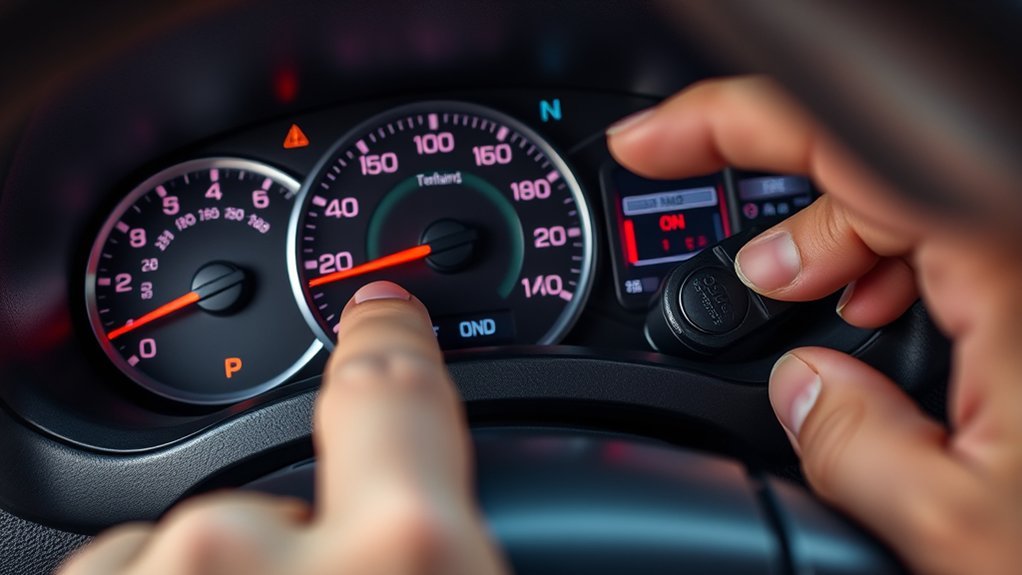
First, identify your Tacoma’s model year and dashboard type. Toyota has used both menu-based and odometer-button reset systems, so a procedure written for another generation may not work on your truck.
| Tacoma model year | Usual reset method | Main control |
|---|---|---|
| 2024 and newer | Settings > Vehicle Settings > Scheduled Maintenance, then confirm | Steering-wheel arrows and OK button |
| 2016–2023 | Gear icon > Settings > Maintenance Reset, then confirm | Steering-wheel arrows and center/OK button |
| 2005–2015 | Display ODO, switch off, hold the trip-reset button, and switch back on | Odometer/trip button |
| 1995–2004 | Indicator equipment varies; check the model-year manual | Varies by cluster |
Warning: Reset only the scheduled-maintenance reminder. Do not ignore or attempt to reset a red oil-pressure light, flashing check-engine light, brake warning, ABS light, airbag light, overheating warning, or other fault indicator.
What the Maintenance Light Means on a Toyota Tacoma
The maintenance required indicator is a mileage-based service reminder. It commonly appears around a scheduled maintenance point to remind you to review the maintenance guide and complete the listed work. It is not proof that the engine oil is low, and it does not diagnose a failed part.
| Dashboard message or light | What it generally means | What to do |
|---|---|---|
| MAINT REQD or scheduled-maintenance message | A routine maintenance interval is due or approaching | Complete the listed service, record it, and reset the reminder |
| Check-engine light | The powertrain or emissions system detected a fault | Read diagnostic codes and repair the cause; do not treat it as a maintenance reset |
| Red oil-pressure light | Oil pressure may be dangerously low | Stop safely, switch off the engine, and follow the owner’s manual |
Use your model-year Toyota owner’s manual and maintenance guide to confirm the exact interval and required tasks. The reminder itself does not verify that an oil change, tire rotation, inspection, or repair was completed.
Note: Resetting the maintenance reminder does not clear diagnostic trouble codes, erase a check-engine light, or repair any mechanical problem.
Check This Before You Reset: Service, Mileage, and Other Warning Lights
Before resetting the light, confirm that the scheduled work is complete. Review the service date and mileage, check the engine-oil level on level ground, and verify that the correct oil and filter were used when an oil change was required.
- Confirm the service: Review the maintenance guide for the current mileage and driving conditions.
- Record the work: Note the date, mileage, oil grade, filter, tire rotation, and inspections completed.
- Identify the correct light: Make sure you are resetting the maintenance reminder, not another dashboard warning.
- Address separate faults: If the check-engine, ABS, airbag, brake, charging, or oil-pressure light is on, diagnose that warning separately.
You do not need an OBD-II scanner just to reset the scheduled-maintenance reminder. A scanner is useful only when a diagnostic warning or stored fault code needs investigation.
Reset Steps: 2016–2023 Tacoma Instrument-Cluster Method

Most 2016–2023 Tacomas use the multi-information display and steering-wheel controls. Button symbols can differ slightly by trim, but the path usually leads through the gear-shaped Settings screen to Maintenance Reset.
Start the Vehicle and Open the Display
- Park the truck, apply the parking brake, and place the transmission in Park or Neutral as appropriate.
- Turn the ignition on. You may start the engine, but it is usually unnecessary.
- Press the back or center button to clear any startup message.
- Use the left or right arrow until the gear-shaped Settings icon appears.
Navigate to Maintenance Reset
| Action | Control | Expected result |
|---|---|---|
| Highlight the gear icon | Left/right arrows | Settings screen appears |
| Open Settings | Center, circle, or OK button | Settings menu opens |
| Select Maintenance Reset | Up/down arrows, then OK | Confirmation prompt appears |
Confirm and Verify the Reset
Select Yes when the display asks whether you want to reset the maintenance data. Wait for the completion message, then switch the ignition off. Turn it back on and confirm that the maintenance reminder no longer appears.
This reset changes only the reminder counter. It does not change your service history, so keep a receipt or written record of the work.
Pro Tip: If you cannot find Maintenance Reset, hold the OK button while the gear icon is selected or check whether the option sits inside Vehicle Settings. Menu wording can vary by model year and cluster software.
Reset Steps: 2024 and Newer Tacoma
The fourth-generation Tacoma uses a newer digital display. On many configurations, the scheduled-maintenance reset sits one level deeper in the vehicle settings.
- Turn the ignition on without pressing the accelerator. For push-button start, press the Start button twice without pressing the brake pedal.
- Use the steering-wheel arrows to select the gear-shaped Settings icon.
- Open Vehicle Settings.
- Select Scheduled Maintenance or the similarly named maintenance-reset item.
- Select Yes, wait for the completion message, and restart the ignition to verify the reset.
If the menu wording does not match, use Toyota’s model-specific manual selector rather than trying an older odometer-button sequence.
Reset Steps: 2005–2015 Tacomas With an Odometer Button
Most 2005–2015 Tacomas use the odometer/trip-reset button instead of a settings menu. The important first step is displaying the total odometer reading before switching the ignition off.
- Turn the ignition to ON without starting the engine.
- Press the ODO/TRIP button until the display shows ODO or the total vehicle mileage, not Trip A or Trip B.
- Turn the ignition off.
- Press and hold the ODO/TRIP reset button.
- While holding the button, turn the ignition back to ON without starting the engine.
- Keep holding while the display counts down with dashes or zeros.
- Release the button after the display returns to the odometer and the maintenance light goes out.
Start the truck and confirm that the light stays off. If the sequence fails, repeat it slowly and verify that the display was set to ODO before you turned the ignition off.
Troubleshooting: Light Won’t Reset or Returns Right Away
A failed reset usually points to the wrong year-specific method, the wrong starting display, a missed confirmation, or a cluster-menu difference. The maintenance reminder does not detect whether a technician actually changed the oil.
| Problem | Likely cause | What to try |
|---|---|---|
| No Maintenance Reset option | Wrong menu level or different cluster wording | Check Vehicle Settings and the model-year manual |
| Older-model sequence does nothing | Trip A or Trip B was displayed instead of ODO | Set the display to total mileage and repeat the sequence |
| Reminder returns after the next ignition cycle | Reset was not confirmed or completed | Repeat the correct method and wait for the completion message or countdown |
| Another warning light remains on | A separate system has a fault or warning condition | Identify that symbol and diagnose it separately |
| Buttons or display do not respond | Weak battery, damaged switch, cluster issue, or electrical fault | Check battery condition and seek professional diagnosis if controls remain unresponsive |
When Not to Reset: Required Services You Must Do First
Do not clear the reminder merely to remove an annoying message. Review the maintenance guide first and complete the work due at the current mileage. Depending on the interval and operating conditions, that may include an oil and filter change, tire rotation, fluid inspections, brake inspection, and checks of steering or suspension parts.
Verify Required Maintenance Items
- Confirm the service interval using the model-year maintenance guide.
- Check the oil level and inspect for leaks after an oil change.
- Verify tire pressures and record any tire rotation.
- Confirm fluid, brake, steering, suspension, and filter inspections that were due.
- Record the date, mileage, and completed work before resetting the reminder.
Complete Safety-Related Repairs
A maintenance reminder does not monitor every safety system, and resetting it will not turn off separate ABS, brake, airbag, tire-pressure, oil-pressure, or check-engine warnings. If another warning is active, use Toyota’s warning-light guide and your owner’s manual to identify it.
Repair urgent brake, steering, tire, overheating, oil-pressure, or charging problems before driving. You can also check your VIN for open campaigns through Toyota’s recall and service-campaign lookup.
Related Guides
Frequently Asked Questions
How do I reset the maintenance light on my Toyota Tacoma?
Use the instrument-cluster Settings menu on most 2016 and newer models. On most 2005–2015 Tacomas, display ODO, turn the ignition off, hold the trip-reset button, and turn the ignition back on while continuing to hold the button.
How do I reset the maintenance light on a 2012 Toyota Tacoma?
Turn the ignition on and set the display to ODO. Turn the ignition off, press and hold the ODO/TRIP button, then turn the ignition back to ON without starting the engine. Keep holding until the countdown finishes and the light goes out.
How do I reset the maintenance light on a 2015 Toyota Tacoma?
Use the odometer-button method. Display the total odometer reading, switch the ignition off, hold the ODO/TRIP reset button, and switch the ignition back on. Release the button after the display finishes counting down and the reminder turns off.
How do I reset the maintenance required light on a 2009 Toyota Tacoma?
Set the display to ODO with the ignition on, then turn the ignition off. Hold the ODO/TRIP button while turning the ignition back to ON. Continue holding until the display countdown completes and the maintenance reminder goes out.
Can I reset the maintenance light without changing the oil?
You can reset the counter, but you should not reset it until the maintenance due at that mileage is complete. Clearing it early removes a useful reminder and can make your records less accurate.
Will resetting the maintenance light clear the check-engine light?
No. The maintenance reminder and check-engine light are separate. A check-engine light requires diagnosis of the stored fault code and the condition that triggered it.
Conclusion
Resetting a Tacoma maintenance light is simple once you match the procedure to the truck’s model year. Use the dashboard menu on most 2016 and newer models, or the ODO button sequence on most 2005–2015 trucks. Complete and document the required service first, then verify the reminder stays off after restarting the ignition. Diagnose any other warning light separately.
Sources
- Toyota Manuals and Warranties — model-specific owner’s manuals and maintenance guides.
- Toyota Warning Lights — guidance for identifying dashboard warnings and indicators.
- ToyotaCare and Maintenance Plans — Toyota’s overview of factory-scheduled maintenance coverage.
- Toyota Recall and Service Campaign Lookup — VIN-based safety recall and service-campaign information.

