Resetting the oil light on a 2019-2024 Toyota RAV4 is usually a quick dashboard-menu task after you finish the oil change. The key is to reset the scheduled maintenance reminder, not ignore a real oil-pressure warning. If your screen labels look different, use your vehicle-specific owner’s manual because Toyota display menus can vary by year, trim, and cluster style.
Quick Answer
To reset the Toyota RAV4 oil light on most 2019-2024 models, turn the ignition to On, use the steering-wheel controls to open Settings, select Vehicle Settings, choose Scheduled Maintenance or Oil Maintenance, then confirm Reset. Only reset it after the oil and filter service is complete.
Key Takeaways
- For most 2019-2024 Toyota RAV4 models, the dashboard menu method is the best place to start.
- Use the Trip/ODO button method only if your RAV4 has that control and the menu reset option is not available.
- Reset the reminder only after the oil change, oil filter replacement, and oil-level check are complete.
- Do not treat a red low-oil-pressure warning as a simple maintenance reminder. Stop safely and check the oil level.
- If the light returns after a correct reset, check the oil level, look for leaks, and schedule service if the warning stays on.
At a Glance
| Time Required | 2-5 minutes after the oil change is finished |
| Difficulty | Easy |
| Tools Needed | No tools for the reset; use steering-wheel controls or the Trip/ODO button if equipped |
| Cost | Free if you only reset the reminder |
Warning: Do not reset a warning light to hide a real oil problem. A red oil-pressure warning can mean low oil pressure and needs immediate attention. Stop in a safe place, check the oil level, and get professional help if the warning remains.
Understanding the Oil Light on Your Toyota RAV4
The message most owners want to clear is the scheduled maintenance reminder. It appears after the vehicle reaches a service interval and reminds you to complete maintenance such as an oil change, tire rotation, or inspection.
That reminder is different from a low-oil-pressure warning. Toyota’s owner resources explain that warning lights and indicators can vary by vehicle, and red warning icons can require immediate attention. You can review Toyota’s official warning-light guidance through Toyota Owners warning lights.
Resetting the reminder after service helps the RAV4 track the next maintenance interval correctly. If you reset it before changing the oil, you can lose track of the real service date and mileage.
Before You Reset the Oil Light
Take a minute to confirm the service is complete before you clear the reminder.
- Park on a level surface and set the parking brake.
- Confirm the engine oil and oil filter were changed.
- Check the dipstick after the engine has been off for a few minutes.
- Make sure the oil level sits between the low and full marks.
- Use the oil grade and filter listed for your exact RAV4 in the owner’s manual.
- Close all doors so the multi-information display is easier to use.
Note: Toyota manuals are vehicle-specific. If your RAV4 screen uses slightly different labels, check your model year on the Toyota Owners manuals and warranties page.
Step-by-Step Instructions for Resetting the Oil Light (2019-2024 Models)
For most 2019-2024 Toyota RAV4 models, use the steering-wheel controls and the multi-information display. The exact wording can vary, but the path is usually close to Settings > Vehicle Settings > Scheduled Maintenance or Oil Maintenance.
- Press the engine switch twice without pressing the brake, or turn the ignition to On without starting the engine.
- Use the steering-wheel arrow buttons to open the Settings screen on the multi-information display.
- Scroll to Vehicle Settings. On some displays, you may need to press and hold OK to open it.
- Select Scheduled Maintenance, Maintenance Reset, or Oil Maintenance.
- Choose Yes or Reset when the display asks for confirmation.
- Turn the ignition off, then start the RAV4 and confirm the reminder no longer appears.
If the reminder clears, the reset worked. If the message returns immediately, repeat the process once and make sure you confirmed the final prompt.
Using the Dashboard Menu to Reset the Oil Light
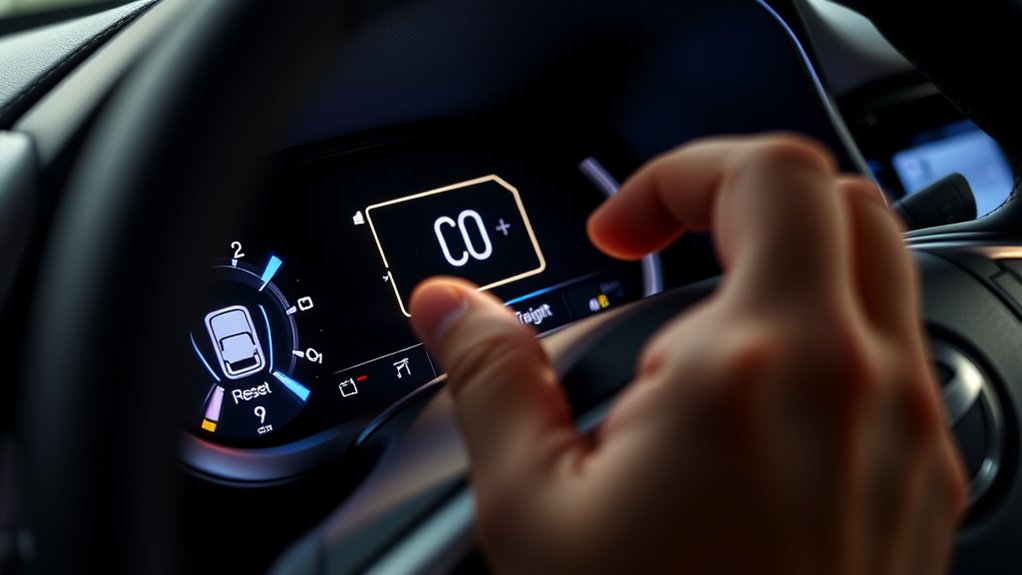
The dashboard menu method is the cleanest reset process for newer RAV4 models because it uses the same display that shows the maintenance reminder.
Use this method when your RAV4 has steering-wheel buttons and a multi-information display:
- Put the vehicle in Park.
- Switch the ignition to On, but do not start the gas engine if you do not need to.
- Open the gear-shaped Settings menu.
- Select Vehicle Settings.
- Select Scheduled Maintenance or Oil Maintenance.
- Press OK, choose Yes, and wait for the confirmation.
Pro Tip: If you keep passing the menu option, slow down and look for a gear icon first. Toyota display menus often hide vehicle settings inside that gear menu.
Using the Odometer Button as a Fallback
Some Toyota reset procedures use the Trip/ODO button, but this should be treated as a fallback for 2019-2024 RAV4 owners. Use it only if your RAV4 has the physical button and the dashboard menu reset is not available.
- Turn the ignition to On without starting the engine.
- Press the Trip/ODO button until the display shows Trip A.
- Turn the ignition off.
- Press and hold the Trip/ODO button.
- While holding the button, turn the ignition back to On.
- Keep holding until the display finishes the reset countdown, shows zeros, or the maintenance reminder clears.
If your RAV4 does not respond to this method, do not keep repeating it. Go back to the dashboard menu method or check the owner’s manual for your exact model year.
Common Problems Following an Oil Light Reset
If the reminder stays on, the issue is usually one of four things: the reset was not confirmed, the wrong menu was selected, the oil change was not completed correctly, or the light is a real warning instead of a maintenance reminder.
Light Remains On
If the maintenance reminder remains on after the reset, repeat the dashboard menu method once. Pay close attention to the final confirmation screen because backing out too early can cancel the reset.
If it still stays on, check these items:
- Wrong menu: Make sure you selected Scheduled Maintenance or Oil Maintenance, not another vehicle setting.
- Ignition mode: The vehicle must be in On mode, not Accessory mode.
- Door or display interruption: Close the doors and wait for other dashboard messages to clear.
- Oil service not complete: Confirm the oil and filter were actually changed.
Engine Performance Issues
A reset does not fix low oil, old oil, leaks, engine noise, or oil-pressure problems. If you notice ticking, burning-oil smell, low dipstick readings, oil spots under the vehicle, or loss of power, treat it as a mechanical issue.
Do not drive far with a red oil-pressure warning. Stop safely, turn the engine off, check the oil level, and call a mechanic or Toyota service center if the warning remains after adding the correct oil.
If the Oil Light Stays On
First, identify what you are seeing. A maintenance required message usually means the reminder was not reset or a service interval has arrived. A red oil-pressure warning can point to a more serious oil-system problem.
- Check the oil level: Use the dipstick on level ground after the engine has been off for a few minutes.
- Look for leaks: Check under the vehicle and around the oil filter area if the oil was just changed.
- Confirm the correct oil and filter: Use parts and fluid that match your exact RAV4. Toyota’s official parts site lets you add your vehicle to browse parts that fit through Toyota Genuine Parts.
- Repeat the reset once: Use the dashboard menu method and confirm the final prompt.
- Schedule service: If the light stays on or returns while driving, have the RAV4 inspected.
Reset the maintenance reminder only after the oil service is complete. If the warning is red or the engine sounds abnormal, diagnose the oil system first.
Maintenance Tips to Prevent Oil Light Alerts
Good records and regular checks help prevent confusion the next time the RAV4 displays a maintenance message.
Regular Oil Changes
Follow the maintenance schedule for your model year, engine, and driving conditions. Short trips, heavy traffic, dusty roads, towing, and extreme temperatures can shorten service intervals.
ToyotaCare covers normal factory scheduled maintenance for many new Toyota vehicles, and Toyota explains current maintenance-plan options on its ToyotaCare and maintenance plans page. If your plan has expired, your owner’s manual and service records become even more important.
- Record the mileage and date after every oil change.
- Replace the oil filter with each oil change.
- Keep receipts or digital service records.
- Use the oil grade listed for your exact RAV4.
Monitor Fluid Levels
Check the engine oil monthly and before long trips. A quick dipstick check can catch low oil before it becomes a warning light.
You should also monitor coolant, brake fluid, windshield washer fluid, and any visible leaks. These checks do not replace scheduled service, but they help you spot problems early.
When Should You Reset the Oil Light?
Reset the oil light only after the oil-change service is finished. This keeps the reminder aligned with your next maintenance interval.
Good times to reset it include:
- After an oil and filter change: This is the main reason to reset the reminder.
- After dealer or shop service: Confirm the shop reset it before you leave.
- After correcting an incomplete reset: Repeat the reset only if the service was already done.
Do not reset the reminder early just to remove the message. That can make it harder to track the next service.
When to Seek Professional Help for Your Toyota RAV4
Get professional help if the maintenance reminder will not reset after the correct process, the oil-pressure warning comes on, the oil level drops quickly, or the engine makes unusual noise after an oil change.
You should also schedule service if the light returns while driving. A technician can check for leaks, oil-pressure problems, sensor faults, or service mistakes such as a loose filter or drain plug.
If a warning seems unusual or repeated, you can also check your VIN for recalls or manufacturer communications through the NHTSA recall lookup. A recall check does not replace diagnosis, but it can help you catch known safety issues.
Related Guides
Frequently Asked Questions
Can I reset the Toyota RAV4 oil light without a key?
You still need the vehicle in On mode. If your RAV4 has push-button start, keep the key fob inside the vehicle and press the start button without pressing the brake. If your RAV4 uses a physical key, turn it to On without starting the engine.
What happens if I do not reset the oil light?
The maintenance reminder may keep appearing even after the oil change. That can make it harder to know when the next service is due. It does not damage the engine by itself, but poor service tracking can lead to missed maintenance.
Will resetting the oil light change my oil-change interval?
No. Resetting the light only restarts the reminder counter. It does not change the oil, extend oil life, or change the maintenance schedule for your RAV4.
Does the reset procedure differ for RAV4 Hybrid models?
Most 2019-2024 RAV4 Hybrid models use the same dashboard menu idea, but the screen wording can vary. Put the vehicle in On mode, open Settings, then look for Vehicle Settings and Scheduled Maintenance or Oil Maintenance.
Can a faulty sensor cause the oil light to stay on?
Yes, a sensor fault can be one possible cause, but do not assume that first. Check the oil level, look for leaks, and confirm the service was done correctly. If the warning stays on, have the oil-pressure system inspected.
Why does my RAV4 still say Maintenance Required after an oil change?
The shop may have completed the oil change but skipped the reminder reset. Use the dashboard menu method to reset it. If it comes back right away, confirm you selected the correct maintenance reset option.
What should I do if the red oil-pressure light comes on?
Stop safely, turn the engine off, and check the oil level. Add the correct oil only if the level is low. If the warning remains, do not keep driving. Have the RAV4 inspected.
Conclusion
Resetting the Toyota RAV4 oil light is simple once you use the right method for your display. For most 2019-2024 models, start with the dashboard menu, then confirm the Scheduled Maintenance or Oil Maintenance reset. Use the Trip/ODO process only as a fallback if your RAV4 supports it.
Most importantly, reset the reminder only after the oil service is complete. If you see a red oil-pressure warning, low oil level, leaks, or engine noise, treat that as a real mechanical issue and get it checked before you keep driving.
Sources
- Toyota Owners Manuals and Warranties — vehicle-specific manuals and warranty resources
- Toyota Owners Warning Lights — warning-light color meaning and owner-manual guidance
- ToyotaCare and Maintenance Plans — Toyota maintenance-plan information
- Toyota Genuine Parts — vehicle-fit parts lookup through Toyota’s official parts site
- NHTSA Recalls — VIN, year, make, and model recall lookup

