
A Toyota Tundra TPMS light is not always a reset problem. A steady warning usually means one or more tires are significantly underinflated, while a light that flashes for about a minute before staying on usually points to a system malfunction. Start by checking the tires and correcting the cause before attempting initialization.
Last updated: September 11, 2026. This guide was rechecked against Toyota owner documentation, NHTSA tire-safety guidance, and U.S. Department of Energy tire-inflation guidance.
Quick Answer
Check every tire when cold and inflate it to the pressure on the driver-door placard, not a generic PSI or the tire-sidewall maximum. A steady light may clear after pressure is corrected and the truck is driven. If the light flashes for about a minute before staying on, treat it as a TPMS malfunction rather than a low-pressure reset problem. Use the reset switch or TPWS menu only when your model-year owner’s manual calls for initialization.
Key Takeaways
- Use the cold tire pressures listed on your Tundra’s driver-door Tire and Loading Information label.
- Correcting low pressure and initializing the TPMS are different procedures.
- Some Tundras use a physical reset switch, while others use a TPWS setting in the instrument display.
- A warning that flashes for about a minute and then stays on normally indicates a TPMS malfunction.
- Replacement sensors require model-specific ID registration. Depending on the system, registration may be owner-performed or may require compatible Toyota/TPMS service equipment.
At a Glance
| Time Required | 10–20 minutes for inspection and inflation, plus any model-specific drive time |
| Difficulty | Easy for pressure correction; moderate if sensor registration is required |
| Tools Needed | Accurate tire-pressure gauge, air source, flashlight, and your model-year owner’s manual |
| Cost | Usually free or a few dollars for air; professional sensor diagnosis or registration costs extra |
Why TPMS Matters for Your Toyota Tundra

Your Tundra’s Tire Pressure Monitoring System uses sensors to warn you when tire pressure falls significantly below the vehicle manufacturer’s recommended cold pressure. It is an important backup, but it does not replace regular checks with a tire-pressure gauge.
The National Highway Traffic Safety Administration recommends checking all tires, including the spare, at least once a month while they are cold. A tire is generally considered cold when the truck has not been driven for at least three hours.
NHTSA reported 511 traffic fatalities in tire-related crashes during 2024, which reinforces why a pressure warning should be investigated rather than simply reset.
Understand the TPMS Warning Before Resetting It
What Does a Steady TPMS Light Mean?
A light that remains steadily illuminated usually means at least one monitored tire is underinflated. Stop in a safe place, inspect the tires, and measure their pressures when cold. Do not assume the tires are correct because they look similar or because the dashboard shows matching rounded values.
What Does a Flashing TPMS Light That Stays On Mean?
A warning that flashes for approximately 60–90 seconds after startup and then remains illuminated indicates that the TPMS has detected a malfunction. Possible causes include an unregistered replacement sensor, an exhausted sensor battery, incompatible aftermarket equipment, a damaged sensor, or a communication problem.
Warning: Never initialize or reset the system merely to hide a recurring warning. If a tire keeps losing pressure, inspect it for a puncture, damaged valve stem, wheel damage, or another leak before driving at highway speed.
Which Toyota Tundra TPMS Action Do You Need?
| Situation | Correct Action | What It Does |
|---|---|---|
| Steady light and low pressure | Correct the cold tire pressure and inspect for leaks | Fixes the underlying low-pressure condition; a manual reset may not be needed |
| Correct pressure but the system needs a new pressure reference | Run the model-specific initialization or Set Pressure procedure | Stores or establishes the pressure reference used by the warning system |
| New or replacement TPMS sensor | Perform the model-specific sensor-ID registration procedure | Tells the vehicle which sensor IDs belong to the truck; this is separate from pressure initialization |
| Pressure appears at the wrong wheel after rotation or wheel service | Perform the prescribed wheel-position registration or relearn | Associates registered sensors with their wheel locations |
| Light flashes for about a minute, then stays on | Diagnose the TPMS malfunction instead of repeatedly resetting it | Identifies sensor, registration, compatibility, receiver, or communication faults |
This page focuses on TPMS clearing and initialization. For symptom-only diagnosis, see Toyota Tundra TPMS light meaning. If the warning remains after a reset, see why the Toyota Tundra TPMS light will not turn off. For sensor-ID and position-learning questions, see the Toyota Tundra TPMS relearn guide.
Step-by-Step Guide to Clearing or Resetting Your TPMS Light
1. Park and Let the Tires Cool
Park on a level surface and wait until the tires are cold. Checking immediately after driving can produce higher readings because the tires and the air inside them have warmed.
2. Inspect Each Tire
Look for a visibly low tire, embedded object, sidewall damage, bent wheel, cracked valve stem, or escaping air. If a tire is severely low, damaged, or losing pressure quickly, do not rely on a reset procedure.
3. Find the Correct Cold Pressure
Open the driver’s door and read the Tire and Loading Information label on the doorjamb. Use the listed front and rear cold pressures for your truck. The values may differ by configuration, so do not substitute a generic 30–35 PSI range.
Note: The number molded on a tire’s sidewall is usually a maximum inflation or load-related specification. It is not the normal target pressure for your Tundra. Use the vehicle placard instead.
4. Adjust All Tire Pressures
Measure each road tire with an accurate gauge and add or release air until it matches the door placard. Check the spare separately as part of routine maintenance. The spare will affect the TPMS warning only if your particular Tundra is equipped to monitor it.
5. Check Whether the Light Clears
Start the truck and check the warning. A steady low-pressure light may not disappear immediately after inflation. Drive normally for the distance and speed stated in your owner’s manual so the sensors can transmit updated readings.
If the light clears, no additional initialization may be necessary. If it remains on, recheck all cold pressures and continue with the correct procedure for your Tundra’s controls.
6. Use the Correct Initialization Method
Toyota Tundra procedures vary by model year and equipment. Select your exact truck in the Toyota Manuals and Warranties portal before initializing the system.
Tundras With a Physical TPMS Reset Switch
If your owner’s manual identifies a tire-pressure warning reset switch, the procedure commonly follows this pattern:
- Adjust every monitored tire to the correct cold pressure.
- Park the truck and place the ignition in the position specified by the manual.
- Press and hold the tire-pressure warning reset switch.
- Release it after the warning indicator flashes the number of times stated in the manual.
- Leave the ignition in the required position long enough for initialization to begin.
- Complete any drive cycle listed for your model year.
Do not assume that every physical-switch Tundra uses the same waiting time, ignition sequence, or drive speed.
Tundras With a TPWS Instrument-Display Menu
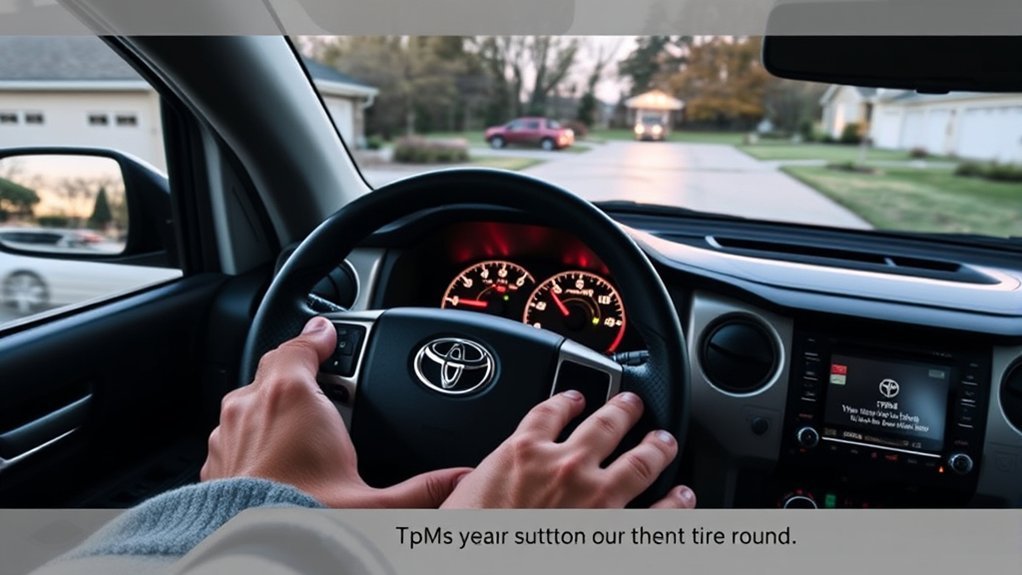
Many newer Tundras perform pressure initialization through the multi-information display instead of a separate switch under the dashboard. Menu wording can vary by model year, display, market, and equipment, so use the exact owner’s manual rather than copying another Toyota model’s menu sequence. The general process is:
- Correct the cold tire pressures and park the truck.
- Use the steering-wheel controls to open the settings menu.
- Open the vehicle settings and locate the TPWS or tire-pressure setting.
- Select the pressure-setting or initialization option shown in your manual.
- Press and hold the confirmation control until the display or warning light confirms that initialization has started.
- Drive the truck as directed so the system can complete learning.
Pro Tip: Take a photo of the driver-door pressure label before using the TPWS menu. This gives you a reliable reference when adjusting pressures after seasonal temperature changes or tire service.
When TPMS Initialization Is Actually Needed
Initialization establishes the pressure reference used by the warning system. Depending on the model, Toyota may call for it after the specified cold pressure changes, after certain tire or wheel services, or when the owner’s manual specifically instructs you to run the pressure-setting procedure.
Initialization is not the same as registering a new sensor or relearning wheel positions. A replacement sensor has a unique identification code that must be recognized by the truck. Depending on the Tundra’s model year and system, Toyota may provide an owner-performed sensor-ID registration procedure, wheel-set function, or position-learning sequence, while other cases require compatible TPMS diagnostic equipment or professional service.
You also should not initialize the system while a tire is underinflated. Doing so may store an incorrect reference pressure and prevent the warning system from behaving as intended.
Troubleshooting Common TPMS Reset Issues in Your Toyota Tundra
Why Does the TPMS Light Stay On After Adding Air?
Recheck all tires with the same reliable gauge when they are cold. Confirm the front and rear values against the door placard. Look for a slow leak, and check the spare if your Tundra monitors it. The system may also need the model-specific drive cycle before displaying updated readings. Do not initialize the system again until you have confirmed that the pressures are correct.
Why Does the TPMS Light Blink Before Staying On?
This pattern indicates a system fault rather than ordinary low pressure. Check whether the problem began after new wheels, replacement sensors, tire service, or installation of a second wheel set. A qualified tire shop or Toyota service center can read the fault and verify sensor communication when the model-specific registration procedure does not resolve it.
Why Isn’t a New TPMS Sensor Recognized?
Confirm that the sensor is compatible with the truck’s model year and market. Then follow the exact sensor-ID registration procedure for that model. Some systems provide an owner-performed registration sequence, while others require Toyota-compatible TPMS service equipment. Universal sensors may also require configuration before installation.
Why Does the Display Show Pressure at the Wrong Wheel?
The truck may need to relearn the sensor positions after tire rotation, wheel-set installation, or sensor registration. Pressure initialization and wheel-position registration are separate functions, so running a Set Pressure procedure alone may not correct a wrong-wheel display. On equipped models, confirm that the correct registered wheel set is selected. If the positions do not correct themselves after the manual’s position-learning procedure, have a technician diagnose the system.
Why Does the TPMS Warning Appear During Cold Weather?
Colder air can lower tire pressure enough to trigger the warning even when the tires were correctly inflated during warmer weather. Measure and adjust the tires when cold instead of resetting the system without checking them. Do not release air from a warm tire simply because its reading rises after driving.
Why Is the TPMS Light On When All Displayed Pressures Look Equal?
Equal readings are not necessarily correct readings. All four tires can be equally below the placard specification. Dashboard values may also be rounded or delayed. Verify each tire with a gauge, check for a flashing malfunction sequence, and confirm whether a monitored or non-displayed spare is involved.
Essential Tips for Year-Round Tire Pressure Maintenance
- Check every tire at least once a month and before towing, carrying a heavy load, or taking a long trip.
- Measure pressure before driving or after the truck has been parked for at least three hours.
- Use the driver-door placard rather than the tire-sidewall maximum.
- Inspect tread, sidewalls, wheels, and valve stems while checking pressure.
- Follow the rotation interval and pattern in your Tundra’s maintenance guide.
- Recheck pressure when outdoor temperatures change significantly.
- Keep a gauge and portable inflator in the truck for roadside adjustments.
NHTSA states that properly inflated tires can extend average tire life by an estimated 4,700 miles. The U.S. Department of Energy also reports that correct inflation can improve fuel economy by about 0.6% on average and by as much as 3% in some cases. These are general estimates rather than guarantees for a particular tire or Tundra.
When to Call in the Pros for Your TPMS?
Arrange professional diagnosis when:
- The warning flashes for about a minute and then stays illuminated.
- A tire repeatedly loses pressure after being inflated.
- A sensor was replaced but the truck does not recognize it after the prescribed registration procedure.
- The displayed tire locations remain incorrect after the prescribed position relearn.
- The warning began after aftermarket wheels or a seasonal wheel set was installed.
- A valve stem is damaged or leaking.
- The reset or initialization procedure repeatedly fails.
- Your scan tool reports a TPMS fault that you cannot identify.
A Toyota dealer can perform the work, but a qualified tire shop with compatible TPMS equipment can often test sensors, locate leaks, register IDs, and perform relearning as well.
Related Guides
Frequently Asked Questions
How do you clear the tire-pressure light on a Toyota Tundra?
Check the tires while cold, inflate them to the driver-door placard, and inspect for leaks. Start and drive the truck as directed in its owner’s manual. Use the reset switch or TPWS menu only if the manual calls for initialization and the pressure problem has already been corrected.
Do I need to reset the Tundra TPMS after adding air?
Not always. After correcting every cold tire pressure to the driver-door placard, the warning may clear after the system receives updated sensor readings. Use the reset switch or TPWS pressure-setting procedure only when the owner’s manual for your exact Tundra calls for initialization.
Is TPMS initialization the same as registering a new sensor?
No. Pressure initialization establishes the pressure reference used by the warning system. Sensor-ID registration tells the truck which transmitters belong to it, while wheel-position learning identifies where registered sensors are located. The required registration method varies by model year and equipment.
Where is the TPMS reset button on a Toyota Tundra?
Some Tundras have a physical reset switch beneath the dashboard or steering-column area. Other models use a TPWS option in the instrument-cluster settings and have no separate button. Check the manual for your exact model year before removing trim or searching under the dashboard.
How do you correct a TPMS reading assigned to the wrong tire?
Complete the position-relearn procedure listed in your owner’s manual and confirm that the correct wheel set is selected, if your truck supports multiple sets. Pressure initialization alone may not correct wheel locations. If the positions remain wrong, a technician may need to activate or diagnose the sensors with compatible TPMS equipment.
Why is the TPMS light on when all four pressures are equal?
All four tires may be equally underinflated, so compare them with the placard instead of comparing them only with each other. The display may also round or delay readings. Check for a slow leak, a monitored spare, or a flashing malfunction sequence.
Why does the Toyota Tundra TPMS light blink and then stay on?
A light that flashes for approximately 60–90 seconds and then stays on indicates a TPMS malfunction. Common causes include an unregistered sensor, incompatible replacement sensor, weak sensor battery, damaged sensor, or communication fault.
Can the spare tire turn on the Tundra TPMS light?
It can if your model is equipped with a monitored spare and its sensor is registered. Other configurations monitor only the road tires. Check the spare during monthly maintenance even when it is not connected to the warning system.
Conclusion
Start every Toyota Tundra TPMS reset by finding and correcting the actual pressure problem. Use the driver-door placard, check the tires when cold, and inspect for leaks before touching a reset switch or TPWS menu. Remember that pressure initialization, sensor-ID registration, and wheel-position learning are different procedures. If the warning flashes, a replacement sensor is not recognized after the prescribed registration process, or the pressure keeps dropping, have the system tested with proper TPMS equipment.
Sources
- Toyota Manuals and Warranties — model-year-specific controls, warnings, initialization, sensor-registration, and tire-pressure instructions
- NHTSA TireWise — cold-pressure checks, door-placard guidance, TPMS warning behavior, tire maintenance, and tire-safety information
- 49 CFR 571.138: Tire Pressure Monitoring Systems — federal TPMS warning and malfunction-indicator requirements
- FuelEconomy.gov Vehicle Maintenance Guidance — fuel-economy effects of correct tire inflation