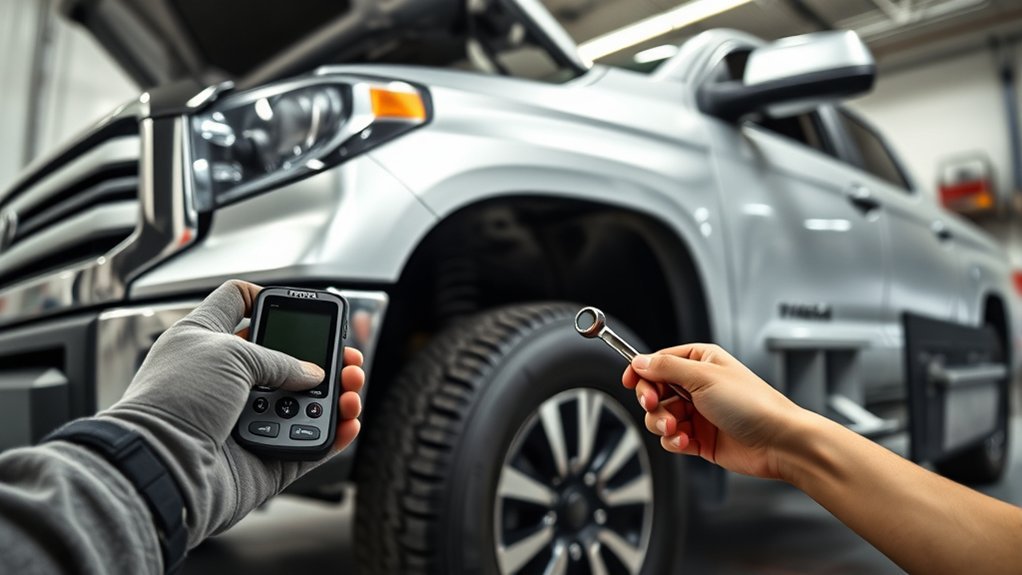
Resetting the Tire Pressure Monitoring System on a Toyota Tundra is not a one-size-fits-all procedure. Most 2007–2021 trucks use a physical TPMS SET button, while 2022-and-newer Tundras use the Multi-Information Display. Before starting, check every road tire with an accurate gauge and inflate it to the cold pressure shown on the driver-door label.
Quick Answer
For a 2007–2021 Tundra, switch the ignition on and hold the TPMS SET button until the warning light blinks three times. On a 2022-or-newer Tundra, open Vehicle Settings, select TPWS, choose Set Pressure, and hold OK. Replacement sensors may require a separate registration procedure.
Key Takeaways
- Use the cold tire pressures printed on your Tundra’s driver-door label, not a universal 34 PSI target or the maximum pressure molded into the tire sidewall.
- The physical TPMS SET button generally applies to 2007–2021 Tundras; 2022-and-newer trucks use the dashboard menu.
- Initializing the system sets its pressure reference. It does not automatically repair a leak or universally register new sensor IDs.
- A steady TPMS light normally points to low pressure. A light that flashes for about one minute and then remains on indicates a system malfunction.
- Check the spare manually, but do not assume your Tundra’s TPMS monitors it.
At a Glance
| Time Required | About 5–15 minutes for pressure checking and initialization |
| Difficulty | Easy for initialization; moderate or professional-level for sensor registration |
| Tools Needed | Accurate tire-pressure gauge and an air source; a TPMS service tool is optional unless sensors were replaced |
| Cost | No added cost if you already have a gauge and air source; sensor diagnosis or programming may require paid service |
What a Toyota Tundra TPMS Reset Actually Does

Your Tundra uses tire-pressure sensors to send pressure information to the vehicle’s TPMS computer. When pressure falls far enough below the system’s threshold, the warning light comes on. Some model years can also display individual tire readings on the Multi-Information Display.
The terms reset, initialization, relearn, and registration are often used interchangeably, but they can describe different jobs:
- Initialization or Set Pressure: Establishes the current correctly inflated tires as the system’s pressure reference.
- Position relearn: Helps the vehicle determine which sensor is installed at each wheel position when that feature is supported.
- Sensor-ID registration: Adds replacement sensor identification codes to the vehicle.
- Fault clearing: Clears a stored diagnostic code after the underlying problem has been repaired.
Holding the SET button or selecting Set Pressure usually performs initialization. It does not necessarily register brand-new sensor IDs, clear a dead-sensor fault, or repair a tire that is losing air.
Warning: Do not initialize the TPMS while a tire is underinflated. Use the cold pressure on the driver-door tire-information label. The number molded into the tire sidewall is normally a maximum tire rating, not your Tundra’s recommended operating pressure.
Choose the Correct Tundra TPMS Reset Procedure
The Tundra’s reset controls changed with the third-generation redesign. Use the truck’s model year and available controls to choose the correct method.
| Model year | Usual initialization control | Where to look |
| 2007–2021 | Physical TPMS SET button | Usually below the dashboard near the steering column; confirm in the owner’s manual |
| 2022 and newer | Set Pressure option in the Multi-Information Display | Settings → Vehicle Settings → TPWS → Set Pressure |
Some early Tundras may not have the same factory TPMS equipment, and menu wording can vary by market, trim, or software version. When the controls in your truck do not match these descriptions, use the TPMS section of the manual for your exact model year.
Prepare Your Tundra Before Resetting the TPMS
- Park on a safe, level surface. Set the parking brake and place the transmission in Park.
- Let the tires cool. Check them before driving or after the truck has been parked long enough for the tires to return close to ambient temperature.
- Read the driver-door label. Note the specified front and rear cold pressures. They may not be identical on every configuration.
- Inspect each road tire. Look for a nail, cut, bulge, damaged valve, or other sign of air loss.
- Set each road tire to the placard pressure. Use an accurate handheld gauge rather than relying only on a dashboard reading.
- Check the spare separately. The spare still needs proper pressure even when it is not monitored by the vehicle’s TPMS.
Pro Tip: Write the front and rear placard pressures in your phone before walking around the truck. This helps prevent accidentally setting every tire to the same value when the front and rear specifications differ.
How to Reset the TPMS on a 2007–2021 Toyota Tundra
The 2021 Toyota Tundra Quick Reference Guide describes the physical-button initialization process. The same general method appears in several earlier Tundra guides, but you should still confirm your exact model year.
- Inflate the road tires to the cold pressures printed on the driver-door label.
- Turn the ignition switch to the ON position without starting the engine, unless your model-year manual directs otherwise.
- Locate the TPMS SET button below the dashboard.
- Press and hold the SET button until the TPMS warning indicator blinks three times.
- Release the button and leave the ignition on while the system initializes.
- Wait several minutes, following any dashboard messages shown by your truck.
- Switch the ignition off, restart the truck, and check the warning light.
If the tires are correctly inflated and no malfunction is present, the warning should turn off after the system receives valid readings. A short drive may be necessary on some configurations, but do not use an invented fixed distance or waiting time in place of your owner’s manual.
How to Reset the TPMS on a 2022-or-Newer Toyota Tundra
Current-generation trucks use the steering-wheel controls and Multi-Information Display. The following path appears in Toyota’s 2024 Tundra Quick Reference Guide.
- Set all road tires to the cold pressures shown on the driver-door label.
- Switch the truck on and leave it safely parked.
- Use the steering-wheel controls to select the Settings icon on the Multi-Information Display.
- Select Vehicle Settings, then press and hold the OK control as directed by the display.
- Select TPWS.
- Select Set Pressure.
- Press and hold OK until the TPMS warning light blinks three times.
- Wait for the initialization message to disappear. Toyota identifies that point as completion of the initialization process.
Do not repeatedly run Set Pressure to hide a warning. When the light returns, recheck the tires with a gauge and look for a leak or system malfunction.
Note: Set Pressure initializes the pressure reference. A separate Change Wheel, Tire Set, or sensor-registration option may appear on certain years or configurations. Use that function only when your exact owner’s manual instructs you to do so.
When New TPMS Sensors Need Registration or Relearning
Installing a new sensor is different from adjusting tire pressure. Each direct TPMS sensor has an identification code that the truck must recognize. A standard initialization may fail when the vehicle does not have the replacement sensor’s ID.
Separate registration may be needed after:
- Installing one or more brand-new sensors
- Fitting a second set of seasonal wheels
- Replacing a damaged wheel and sensor assembly
- Using an aftermarket sensor that has not been cloned or programmed for the truck
- Replacing a sensor with the wrong frequency or an incompatible communication protocol
Some newer Toyota systems provide an in-vehicle wheel-change or sensor-registration function. Other configurations require Toyota Techstream or a compatible TPMS service tool connected through the diagnostic port. A tire shop or Toyota technician can activate each sensor, read its ID, check its battery response, and register the correct IDs when required.
Do not assume that “pre-programmed” means “registered to your truck.” A sensor can be configured for a Toyota protocol but still need to be paired with the vehicle.
Common TPMS Issues That Prevent a Successful Reset
A failed reset does not always mean you performed the steps incorrectly. The light may remain on because the system is still detecting low pressure or cannot communicate with a sensor.
The TPMS Light Stays Solid
A steady light usually means at least one monitored tire is significantly underinflated. Check every road tire with a gauge, even when one tire looks normal. Underinflation can be difficult to judge visually.
If the pressure is low again soon after inflation, inspect the tire and valve for a puncture or leak. Resetting the system will not repair the source of the air loss.
The Light Flashes and Then Stays On
According to the National Highway Traffic Safety Administration, a TPMS lamp that flashes for about 60–90 seconds and then remains illuminated indicates a system malfunction. Possible causes include:
- A weak or failed sensor battery
- A damaged sensor or valve stem
- An unregistered replacement sensor
- An incompatible sensor
- Communication or antenna problems
- A stored TPMS diagnostic trouble code
Initialization normally cannot correct these faults. The system needs diagnosis with a compatible scan or activation tool.
The Warning Returns During Cold Weather
Air pressure falls as temperature drops. Tire-industry guidance indicates that passenger and light-truck tires may lose about 1–2 PSI for each 10°F decrease in outside temperature. Check the tires cold and restore them to the placard pressure instead of resetting the system without adding air.
The Truck Does Not Recognize Replacement Sensors
Confirm that the sensors match the truck’s model year, market, frequency, and TPMS protocol. Also confirm that the installer did not damage a sensor while mounting the tire.
Using OEM sensors can reduce compatibility uncertainty, but it does not guarantee successful installation or registration. Verified-compatible aftermarket sensors can also work when they are configured and registered correctly.
The Spare Tire Pressure Is Low
Inspect and inflate the spare because it must be ready for use. However, do not assume the dashboard monitors it. Toyota’s older Tundra documentation described the warning system as monitoring the road tires while excluding the spare, and equipment can vary by year.
Essential Tools for DIY TPMS Sensor Diagnostics

You only need a few basic items for pressure correction and initialization:
- Accurate tire-pressure gauge: Confirms the actual cold pressure instead of relying solely on the warning lamp.
- Air compressor or reliable air source: Lets you bring each tire to the door-label specification.
- Your model-year owner’s manual: Confirms the control location, menu path, monitored tires, and any required drive cycle.
- Valve-cap tool or soapy-water solution: Can help identify a leaking valve area, although a damaged tire should be inspected professionally.
More advanced work may require:
- TPMS activation tool: Wakes each sensor and reads its ID, pressure, temperature, and battery response when supported.
- TPMS scan/programming tool: A compatible Autel MaxiTPMS model or similar professional tool may activate sensors, diagnose TPMS faults, and perform supported registration functions.
- Toyota Techstream: Toyota’s diagnostic platform can access TPMS data and registration functions when used with supported hardware and valid software access.
- Compatible vehicle interface: Third-party interfaces, including products marketed as VXDiag VCI Nano cables, vary in compatibility and are not automatically Toyota-approved. Confirm software licensing, vehicle support, and interface compatibility before use.
A basic generic OBDII code reader may read engine or emissions codes but lack access to the TPMS computer. Confirm that a tool specifically supports Toyota TPMS functions for your exact model year before buying or using it.
When to Seek Professional Help for TPMS Problems
Professional diagnosis is appropriate when correct tire pressures and the proper initialization procedure do not resolve the warning. A technician can test sensor output, inspect installation, read TPMS-specific codes, and register replacement IDs.
Persistent Warning Light Issues
Schedule an inspection when:
- The warning lamp flashes for about one minute and then remains on.
- The light returns after every reset despite correct cold pressures.
- One tire repeatedly loses pressure.
- The dashboard shows a TPWS malfunction or unavailable message.
- Individual pressure readings are missing or remain blank after driving.
- The TPMS stopped working immediately after tire, wheel, or brake service.
Do not continue resetting the system without checking the tires. Repeated initialization can mask the diagnostic process without correcting the cause.
Sensor Installation Concerns
A sensor may fail when it is damaged during tire mounting, fitted with an incorrect service kit, tightened improperly, or installed in an incompatible wheel. The replacement must also use the correct communication specification for the truck.
After installation, the sensor may need activation, ID registration, position relearning, or a Set Pressure initialization. A qualified tire technician or Toyota service department can determine which step your model requires.
Warning: Stop and inspect the tire before driving when it is visibly low, damaged, bulging, or losing air quickly. TPMS troubleshooting should never take priority over a possible tire failure.
How to Maintain Tire Pressure for Optimal Safety and Performance
Check tire pressure at least monthly, before a long trip, and after a major temperature change. Perform the check while the tires are cold and use the values printed on the truck’s tire-information label.
TPMS is an important warning system, but it does not replace regular inspections with an accurate tire-pressure gauge.
- Reinstall valve caps after checking pressure to keep dirt and moisture away from the valve core.
- Investigate any tire that needs frequent top-offs.
- Check the spare according to the pressure printed on its label or in the owner’s manual.
- Inspect tires for cuts, cracks, bulges, uneven wear, and embedded objects.
- Recheck cold pressure after seasonal temperature changes.
- Initialize the system only after all monitored tires are set correctly.
Frequently Asked Questions
How do you reset the TPMS on a Toyota Tundra?
First inflate the road tires to the cold pressures on the driver-door label. On most 2007–2021 Tundras, switch the ignition on and hold the TPMS SET button until the light blinks three times. On 2022-and-newer trucks, select Settings, Vehicle Settings, TPWS, and Set Pressure, then hold OK.
Is a TPMS reset the same as a sensor relearn?
Not always. A reset or Set Pressure operation normally initializes the pressure reference. A relearn may identify wheel positions, while sensor-ID registration adds replacement sensor codes to the vehicle. New sensors may need more than a standard reset.
Why is my Tundra TPMS light still on after resetting it?
One or more tires may still be low, a tire may be leaking, or initialization may not have finished. If the light flashes for about one minute and then stays on, the system has detected a malfunction such as a failed, damaged, incompatible, or unregistered sensor.
Do new Toyota Tundra TPMS sensors need programming?
They may need configuration and ID registration. The requirement depends on the sensor, model year, and available in-vehicle functions. Some newer systems can register a wheel set through the dashboard, while other trucks require Techstream or a compatible TPMS service tool.
Does the Toyota Tundra TPMS monitor the spare tire?
Do not assume it does. Monitoring can vary by year and configuration, and Toyota’s older Tundra documentation specifically excluded the spare. Check and inflate the spare manually according to its label or the owner’s manual.
What tire pressure should I use before resetting the system?
Use the front and rear cold pressures printed on the tire-information label inside the driver’s door area. Do not rely on a universal 34 PSI recommendation or use the maximum pressure molded into the tire sidewall as the normal setting.
Conclusion
A successful Toyota Tundra TPMS reset starts with the correct cold tire pressures and the procedure designed for your model year. Use the physical SET button on most 2007–2021 trucks or the Set Pressure menu on 2022-and-newer models. When replacement sensors are involved, remember that initialization and sensor registration may be separate tasks.
If the lamp flashes before remaining on, individual readings are missing, or the warning keeps returning after proper inflation, have the system tested with a compatible TPMS diagnostic tool. Continue checking all tires, including the spare, with a gauge because the dashboard warning does not replace regular tire maintenance.
Sources
- Toyota 2021 Tundra Quick Reference Guide — physical SET-button initialization procedure and door-label pressure guidance
- Toyota 2024 Tundra Quick Reference Guide — Multi-Information Display Set Pressure procedure and warning-light guidance
- Toyota 2007 Tundra Quick Reference Guide — older Tundra TPMS operation and spare-tire exclusion
- NHTSA TireWise — TPMS warning-light meanings and monthly tire-pressure inspection guidance
- U.S. Tire Manufacturers Association Tire Care Guide — cold-pressure checks, natural air loss, and temperature-related pressure changes