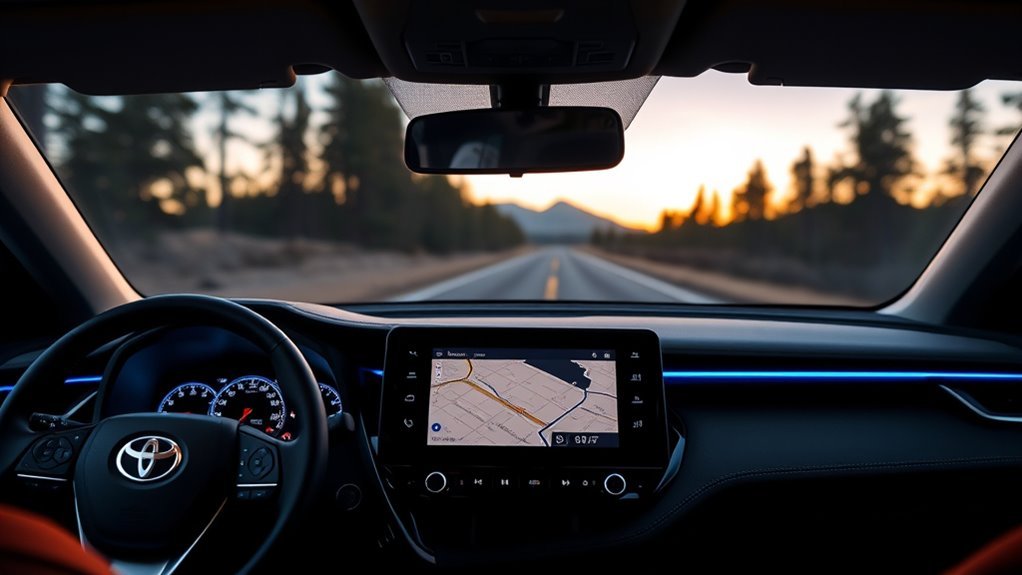
Setting the 2026 RAV4 Hybrid compass is mainly a matter of choosing how the navigation map faces on the screen. Toyota provides North Up, Heading Up, and 3D Heading Up views through the map itself. If the vehicle’s displayed location is wrong, there is a separate GPS map-position correction procedure. Here is how to use both features without confusing them.
Quick Answer
To set the 2026 RAV4 Hybrid compass view, open Toyota’s navigation map and tap the map-orientation icon. Each tap switches between North Up, Heading Up, and 3D Heading Up. You do not need to drive in circles. If the map shows the wrong vehicle location, use Settings > Navigation > Map display > Recalibrate map while parked.
At a Glance
| Difficulty | Easy |
| Tools Needed | Built-in multimedia touchscreen or steering-wheel controls |
What to Know Before Changing Compass Settings
The 2026 RAV4 Hybrid has different controls for the navigation map and the digital instrument cluster. The center touchscreen controls map orientation, while the steering-wheel controls change the available gauge layouts.
- Map orientation: Changes whether north or the direction of travel appears at the top of the map.
- Dashboard navigation: Shows available navigation information in the driver display.
- Map recalibration: Corrects the vehicle’s displayed position when GPS positioning is inaccurate.
- Cloud navigation: Requires an active subscription or applicable trial and enabled geolocation in supported markets.
These functions are related, but they are not interchangeable. In particular, changing the map orientation does not recalibrate a magnetic sensor.
How to Set the Compass on a 2026 RAV4 Hybrid
)
The normal way to change compass behavior is to adjust the map orientation on the center multimedia display. Toyota documents this procedure in its 2026 RAV4 multimedia owner’s manual, under Changing Map Orientation on page 125.
- Park safely. Turn on the vehicle and allow the multimedia screen to start.
- Open the navigation map. Select the navigation or map icon from the multimedia system’s main menu.
- Find the map-orientation icon. It appears on the map screen. Touch the map if its controls are hidden.
- Tap the orientation icon. Each tap cycles to another available map view.
- Select your preferred view. Stop when the map shows North Up, Heading Up, or 3D Heading Up.
- Check the result. The road layout should face the way you selected. Heading Up changes as the vehicle’s travel direction changes.
You do not need a separate compass calibration screen for this task. The orientation button is part of the map interface, not a hidden vehicle-maintenance setting.
Where Are the Compass Settings?
For the 2026 model’s Toyota navigation system, the primary compass-related control is the map-orientation icon. You can use it directly without opening the general Settings menu.
The Settings menu serves a different purpose. It contains navigation preferences, including a map-position correction function, but Toyota does not document a separate Compass > Calibrate command for the 2026 multimedia system.
To change which direction faces the top of the map, use the map-orientation icon rather than searching for a compass calibration menu.
If you cannot see the navigation map, check whether Toyota’s cloud navigation service is active. The multimedia manual also states that geolocation must be enabled in the system’s privacy settings.
Menus and navigation availability may differ by region and equipment. The instructions here follow Toyota’s North American 2026 documentation.
Do You Need to Calibrate the 2026 RAV4 Hybrid Compass?
You normally do not need to calibrate anything to switch compass or map direction. Toyota’s documented procedure simply cycles between map views when you tap the orientation icon.
Older Toyota compass guides sometimes tell drivers to park on level ground, select a calibration mode, and drive slowly in circles. Those instructions refer to other compass systems and should not automatically be applied to the 2026 RAV4 Hybrid.
The original instruction to drive at least 5 mph during calibration is not part of Toyota’s documented 2026 map-orientation procedure.
Driving in circles will not select North Up or Heading Up. It also does not replace the current model’s manual GPS map-position correction process.
If the navigation map is facing the wrong way, first change the orientation mode. If the vehicle marker is in the wrong location, follow the separate correction steps below.
How to Fix a Wrong or Drifting Compass Reading
An incorrect direction display can have several causes. The map may be set to an unexpected orientation, GPS reception may be poor, or the vehicle-position marker may not yet match the actual road.
Check these possibilities in order:
- Check the orientation mode. North Up keeps north at the top even when the vehicle changes direction. This can look wrong if you expect the road ahead to stay at the top.
- Look at the vehicle marker. Confirm whether the problem is the map’s rotation or the actual location shown.
- Move into an open area. Large buildings, covered parking structures, and tunnels can interfere with satellite reception.
- Allow normal GPS correction. Toyota states that a new vehicle or one with a recently reconnected 12-volt battery may need some driving before its displayed position matches the road.
- Correct the map position manually. If the location remains wrong, use the procedure below.
Manually Correct the Vehicle Position
Toyota provides a Recalibrate map setting for correcting the current vehicle-position marker. It adjusts the displayed location, not a separate magnetic compass.
- Park the vehicle in a safe place.
- Open the multimedia system’s Settings menu using the gear icon.
- Select Navigation.
- Select Map display.
- Select Recalibrate map.
- Scroll the map until the position marker matches the vehicle’s actual location.
- Tap Done, then Save.
Warning: Toyota states that manual map-position recalibration cannot be performed while driving. Complete this procedure only when the vehicle is safely parked. Do not drive in circles on public roads to attempt an undocumented compass reset.
If the map still places the vehicle incorrectly after good GPS reception and manual adjustment, check for multimedia software issues. A persistent fault may require inspection by a Toyota service technician.
How to Show Navigation on the 2026 RAV4 Hybrid Dashboard
The 2026 RAV4 uses a digital driving display as well as the center multimedia screen. Navigation information can appear in both areas, depending on the vehicle’s equipment and available services.
However, displaying navigation on the dashboard does not necessarily create a separate compass readout. It is important to distinguish a map view from a stand-alone cardinal-direction indicator.
Where Is the Dashboard Compass Located?
The center touchscreen is the clearest place to find the map-orientation control. The digital instrument cluster, located directly in front of the driver, provides additional navigation-linked information.
Toyota describes this arrangement in its 2026 RAV4 digital cockpit overview. The integrated system connects navigation information with the multimedia touchscreen and multi-information display.
When navigation is active, the driver display may show a map, street information, or upcoming directions. A vehicle with the available head-up display can also show certain route guidance on the windshield.
Do not assume that every 2026 trim includes an independently selectable compass widget. The available items depend on the display layout and equipment.
How to Enable the Navigation Display
Use the steering-wheel meter controls to change the instrument-cluster layout. The 2026 display includes a Navigation layout among its available meter views.
- Park the RAV4 and turn on the instrument display.
- Locate the meter controls on the steering wheel.
- Use the left or right controls to cycle through the available meter layouts.
- Select Navigation when that layout appears.
- Check whether the desired map or route information is displayed.
The cluster offers other layouts, including simpler gauge views, driving-support information, and efficiency information. Switching layouts changes what appears ahead of the steering wheel; it does not change the center map’s orientation mode.
If Navigation is unavailable or blank, check that the navigation service is active and that a route or supported map display is available.
North Up vs. Heading Up vs. 3D Heading Up
The three orientation modes answer different driving needs. They change how the map is drawn, not the vehicle’s actual direction of travel.
| Map Mode | How It Works | Best Use |
|---|---|---|
| North Up | North stays at the top of the screen. | Understanding your location relative to north. |
| Heading Up | The direction of travel stays at the top. | Following roads and turns from the driver’s viewpoint. |
| 3D Heading Up | Shows a 3D map with the direction of travel at the top. | Viewing the road ahead in perspective. |
For a traditional compass-style sense of north, choose North Up. For everyday turn-by-turn navigation, many drivers may find Heading Up easier to follow.
How to Save Your Compass and Map Settings
Changing the map-orientation icon applies the selected view immediately. Toyota’s 2026 instructions do not describe a separate Save button for this choice.
That differs from manual map-position correction, which explicitly requires tapping Done and Save. If your view changes after the next startup, check the active user profile and the navigation display again.
Will the Compass Orientation Stay Saved?
Do not assume that selecting North Up or Heading Up guarantees the same view after every restart. The exact behavior can depend on the multimedia configuration and active profile.
To check whether your preference remains active:
- Select your preferred map orientation.
- Return to the main multimedia screen.
- Reopen navigation and confirm the map view.
- At the next vehicle startup, check the same view again.
If it resets, verify that you are using the intended multimedia user profile. Do not repeatedly run GPS recalibration to fix a preference that is not being retained.
Keep Map Settings Consistent
Navigation preferences, map direction, and vehicle-position correction serve different purposes. The table below shows which control to use for each issue.
| Action | Benefit | Note |
|---|---|---|
| Change map orientation | Shows the preferred direction at the top | Use the map icon |
| Choose North Up or Heading Up | Changes how roads are displayed | Three map views are documented |
| Check the user profile | Helps identify preference changes | Retention can depend on system configuration |
| Check multimedia software | Helps investigate display faults | Use approved Toyota updates |
| Recalibrate map position | Corrects the displayed vehicle location | Tap Done, then Save while parked |
The multimedia system also supports user profiles and customizable screen content. These settings can help organize what you see, but they do not replace the navigation map’s own orientation control.
When Should You Recheck Compass Accuracy?
Recheck the map when its orientation or position seems incorrect, particularly after a navigation interruption or a 12-volt battery disconnection. Toyota notes that the vehicle-position marker can temporarily differ from the actual location after battery reconnection.
Routine tire service, long-distance travel, and changes in time zone do not automatically mean the 2026 map compass requires calibration. The need for correction should be based on an actual display error.
- After 12-volt battery work: Allow GPS positioning to correct itself during normal driving before using manual map correction.
- After parking indoors: Check the display again once satellite reception improves.
- If north appears to move: Confirm whether Heading Up is selected. Map rotation in this mode is normal.
- If the vehicle marker remains misplaced: Use the documented Recalibrate map setting.
- If the system repeatedly freezes or resets: Investigate the multimedia system rather than treating it as a compass calibration issue.
Strong magnetic objects can affect certain magnetic compass systems, but the 2026 Toyota navigation procedure described here uses map orientation and GPS positioning. These should not be confused with an older mirror-mounted compass.
If your vehicle’s controls differ from these instructions, Toyota provides model-specific documentation through its 2026 RAV4 owner manuals.
Frequently Asked Questions
Does the Toyota RAV4 Have a Compass?
The 2026 RAV4 Hybrid provides a map-orientation control through its available Toyota navigation system. You can choose North Up, Heading Up, or 3D Heading Up. Navigation-linked information is also available in the digital cockpit, but a separate compass-only widget is not guaranteed on every configuration.
What Is the Best Driving Mode for a Toyota RAV4 Hybrid?
Normal suits everyday driving, while Eco is designed to support fuel efficiency with gentler accelerator response. Sport gives a sharper response. Toyota describes these settings in its 2026 driving mode instructions. Trail Mode, where equipped, is for suitable uneven or low-traction conditions. Driving modes do not calibrate the compass.
What Is a Common Problem in a RAV4 Hybrid?
No single most common defect of the 2026 RAV4 Hybrid has been established here. Battery concerns and occasional display or audio glitches are different types of problems, and their frequency should not be assumed. If a warning or malfunction occurs, record the symptoms and have the specific issue checked.
How Do You Change the Dashboard Display on a RAV4?
Use the steering-wheel meter controls to cycle through the available digital gauge layouts. Select the Navigation layout if you want navigation-linked information in the instrument cluster. For the center touchscreen map, use the map-orientation icon instead. These are two separate display controls.
Do You Have to Drive in Circles to Calibrate the 2026 RAV4 Compass?
No. Toyota’s documented 2026 map-orientation procedure does not require circular driving. To change direction, tap the map-orientation icon. If the vehicle’s map position is wrong, allow GPS to correct it or use Settings > Navigation > Map display > Recalibrate map while parked.
Conclusion
To set the 2026 RAV4 Hybrid compass view, open the navigation map and choose North Up, Heading Up, or 3D Heading Up. Use the steering-wheel controls separately when you want navigation information on the digital dashboard. If the vehicle marker is in the wrong place, correct its GPS map position rather than attempting an older circular-driving compass procedure.
Sources
- Toyota 2026 RAV4 Multimedia Owner’s Manual, OM0R164U: Map orientation modes, cloud navigation requirements, GPS positioning, and the Recalibrate map procedure. Manufacturer manual hosted by a third-party documentation site.
- Toyota Canada: 2026 RAV4 Features: Digital cockpit, navigation integration, multimedia displays, and connected navigation availability.
- Toyota 2026 RAV4 Owner’s Manual: Driving Mode Select Switch: Normal, Eco, Sport, and Custom driving-mode behavior.
- Toyota Owners: 2026 RAV4 Manuals: Official access to model-specific owner documentation and equipment information.

