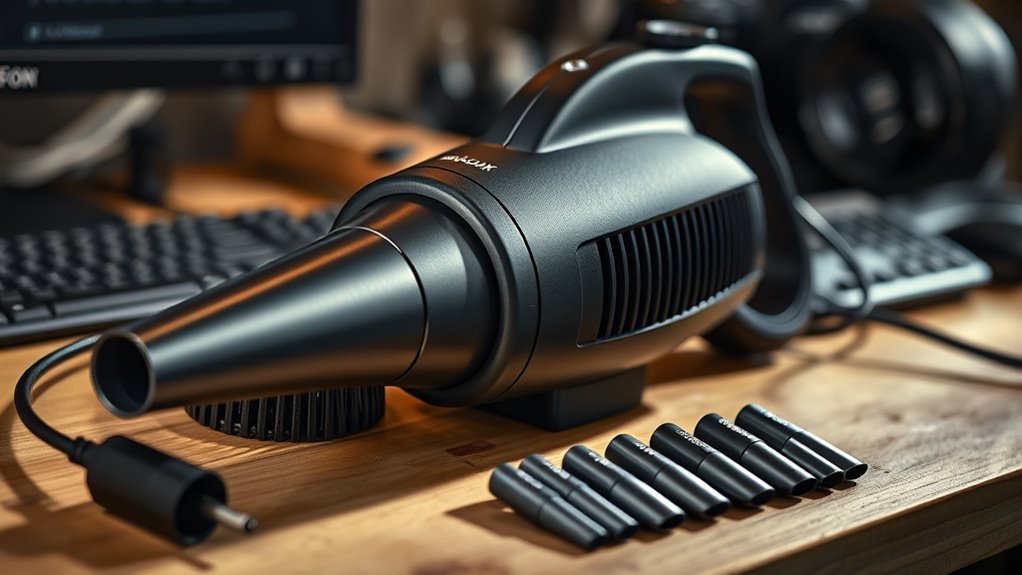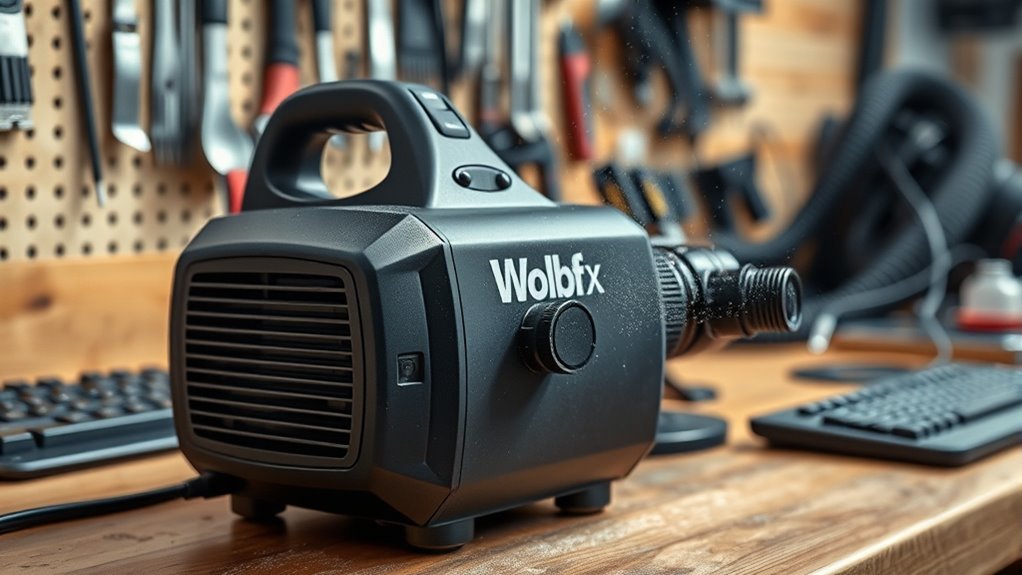
The Wolfbox MF100 is a compact cordless cleaning blower with a 150,000 RPM motor, up to 45 m/s airflow, and three speed settings for controlled dust removal. It weighs 0.66 lb, runs about 30 to 100 minutes depending on speed, and recharges in roughly 2.5 hours through USB-C. Noise is rated around 65 to 70 dB. It suits keyboards, PCs, and camera gear, with setup and cleaning technique affecting results. More details follow below.
Key Takeaways
- The Wolfbox MF100 uses a 150,000 RPM motor and pushes airflow up to 45 m/s for strong dust removal.
- It weighs just 0.66 lb, has three speed settings, and includes a lanyard for easier handling.
- Two 3,000mAh batteries provide up to 100 minutes on low speed and recharge fully in about 2.5 hours.
- For setup, charge via USB-C, keep it off while charging, then choose the speed before cleaning.
- Use low speed for electronics, short bursts on keyboards and PCs, and avoid blowing directly on camera sensors.
Wolfbox MF100 Specs Explained

The Wolfbox MF100 is built around a high-speed motor rated at up to 150,000 RPM, producing airflow as strong as 45 m/s (100 MPH) for efficient debris removal.
The Wolfbox MF100’s 150,000 RPM motor delivers up to 45 m/s of airflow for efficient debris removal.
This electric air duster from Wolfbox pairs that output with two 3,000mAh batteries, providing up to 100 minutes on low speed and roughly 30 to 45 minutes at high speed.
At 0.66 lb, the MF100 remains light enough for controlled handling during extended cleaning.
Its three-speed selector gives precise airflow control, which helps protect sensitive electronics while still clearing dust from keyboards, vents, and workshop surfaces.
Noise is rated at 65 to 70 dB at full power, a level similar to a medium vacuum cleaner, so operation stays relatively restrained.
Taken together, these specifications position the MF100 as a practical tool for users seeking greater autonomy from compressed air cans and greater control over routine maintenance.
How to Set Up the Wolfbox MF100
Before use, the Wolfbox MF100 should be fully charged through its USB-C port, with a complete charge taking about 2.5 hours to support ideal output.
For a controlled setup, the unit should remain powered off while the charging cable is connected, reducing the risk of accidental activation.
After charging, the user can select the desired speed with the three-speed selector: low for delicate electronics, higher settings for more demanding cleaning work.
The Wolfbox MF100 is shaped for ergonomic, one-handed operation, which helps direct the nozzle into awkward angles without strain.
For freer movement, the included lanyard can be attached so the device stays accessible during cleaning sessions.
This setup routine also supports efficient charge cycles, since full recharging is preferable to partial interruptions.
Once configured, the device is ready for independent use across varied surfaces, with its controls arranged for practical, immediate access.
MF100 Airflow and Cleaning Power
The Wolfbox MF100 produces airflow up to 45 m/s, or 100 MPH, from a 150,000 RPM brushless turbine fan, giving it substantially higher and more consistent output than canned air.
Its three-speed selector broadens the cleaning performance range, with a low setting suited to delicate electronics and a high setting capable of dislodging heavier dust buildup.
This variable control supports effective cleaning while reducing the risk associated with moisture and pressure loss common in disposable compressed-air cans.
Airflow Speed And Power
Delivering up to 150,000 RPM, the Wolfbox MF100 produces a 45 m/s (100 MPH) airflow that gives it substantial cleaning power for dust removal across keyboards, camera sensors, and PC case vents.
This airflow speed is controlled by a three-speed selector, so the MF100 delivers calibrated output for sensitive components or more forceful cleaning sessions.
Compared with canned air at roughly 70 MPH, the blower maintains steadier pressure and avoids moisture, enabling cleaner results without residual propellant.
Its brushless turbine fan supports sustained output, reducing performance drop during extended use.
The design favors controlled, liberated maintenance: users can remove debris efficiently, keep equipment accessible, and rely on consistent airflow rather than disposable sprays for repeated precision tasks.
Cleaning Performance Range
With airflow reaching 45 m/s (100 MPH) at up to 150,000 RPM, the Wolfbox MF100 covers a practical cleaning range that suits dust removal on keyboard keycaps, camera sensors, and PC case vents.
Its electric air dusters format gives a stable alternative to disposable cans, while MF100 spins sustain pressure across longer sessions. The result is consistent force to remove dust from surfaces without visible drop-off.
- Keyboards: targets debris between keycaps with controlled output.
- Cameras: clears loose particles from exterior housings and sensor-adjacent areas.
- PC cases: expels lint from vents, fans, and tight corners.
The three-speed selector extends operating range, letting users match output to the task.
Ergonomic handling also supports precise aiming in awkward positions.
Delicate Electronics Safety
Beyond general dust removal, the Wolfbox MF100’s airflow profile also supports safer handling around delicate electronics. Its 45 m/s maximum output and 150,000 RPM motor deliver strong particulate clearance without the moisture residue associated with canned air.
For camera sensors, circuit boards, and similar delicate electronics, the three-speed selector gives the MF100 a controlled low speed mode suited to precision work. Medium or low speed is preferred when cleaning sensitive components, because excessive airflow can dislodge connectors or stress fragile surfaces.
The ergonomic housing improves one-handed control, helping users reach confined zones with steadier aim. Maintaining a 6–8 inch gap from targets, especially on low speed, further reduces risk while preserving effective dust removal and supporting safer, more autonomous maintenance practices.
Wolfbox MF100 Battery Life
The Wolfbox MF100 uses two 3,000mAh cells for a total battery capacity of 6,000mAh, giving it enough reserve for sustained cordless use. For the Wolfbox MF100, this battery capacity translates into practical runtime across varied tasks, supporting self-directed cleaning without frequent interruptions.
On low speed, the unit can run up to 100 minutes, which suits longer surface clearing sessions. On high speed, runtime drops to 30 to 45 minutes, but output remains suitable for targeted, rapid work.
- USB-C charging reaches full recovery in about 2.5 hours.
- The pack is rated for 500+ charge cycles, supporting long service life.
- With regular use, overall lifespan may extend to roughly 10 years.
This profile favors users seeking mobility, reduced dependence on outlets, and a tool that preserves autonomy during maintenance tasks.
How Loud Is the MF100?
Battery endurance is only part of the Wolfbox MF100’s practical appeal; acoustic output also matters during extended use. At full output, the MF100 reaches a noise level of roughly 65–70 dB, placing it in the range of a medium vacuum cleaner. That profile is not silent, yet it remains controlled for a blower delivering high airflow.
The adjustable speed system is central here: lower settings reduce the noise level substantially, which can support use in quiet home offices or shared spaces without excessive disturbance. This tuning allows users to choose a balance between audible presence and airflow intensity, rather than accepting a fixed output.
The housing and airflow path appear designed to limit unnecessary mechanical noise while preserving performance. As a result, the MF100 presents a technically efficient compromise: strong cleaning capability, moderated sound emission, and enough flexibility for users seeking practical freedom in different environments.
Cleaning a PC With the MF100
Before cleaning a PC with the MF100, the unit should be powered off and unplugged, and static discharge should be addressed by touching a metal surface before the case panel is opened.
The MF100 delivers air outward to remove dust from heatsink fins, motherboard surfaces, and other open areas without the moisture risk associated with canned air. Medium or low speed is recommended so delicate headers, fans, and traces are not stressed.
The MF100 blows air outward to clear dust safely, with medium or low speed protecting delicate components.
Hold fan blades still, then use short bursts from top to bottom to dislodge debris efficiently. Compared with duster vs canned air, the MF100 provides sustained airflow and avoids propellant residue.
- Target heatsinks first for maximum thermal benefit.
- Clean GPU and power supply exhaust vents briefly from outside.
- Use low speed for extended sessions; runtime can reach 100 minutes.
This controlled method supports safer maintenance and cleaner airflow paths, helping users reclaim performance with minimal interruption.
Cleaning Keyboards and Camera Gear With the MF100
After dusting a PC chassis, the MF100 also proves useful for smaller electronics that require controlled airflow rather than aggressive blasting.
For keyboard cleaning, the unit is held at a 45–75° angle and operated in short bursts at low or medium speed between key rows, where the focused stream dislodges crumbs and lint without forcing debris deeper into the switches.
Afterward, key surfaces are wiped with a dry microfiber cloth to remove residue.
For camera gear, the MF100 should be used at low speed from 6–8 inches away when cleaning lens barrels, exterior contacts, and housings.
Its adjustable airflow supports delicate electronics with precise, restrained output.
Exposed sensors are excluded from blower use; a manual rubber blower remains the safer choice there.
This method preserves control, minimizes contact, and supports cleaner, freer maintenance routines for users who value technical independence and care.
Is the Wolfbox MF100 Right for You?
For users who need a compact but capable cleaning tool, the Wolfbox MF100 is a strong fit for PC enthusiasts and home office workers. The Wolfbox MF100 electric duster delivers up to 150,000 RPM and 45 m/s airflow, giving it enough force to clear dust from vents, keyboards, and peripherals without the pressure drop common to canned air.
Compact yet powerful, the Wolfbox MF100 clears dust from vents, keyboards, and peripherals with impressive 150,000 RPM airflow.
Its 0.66 lb body supports one-handed control, improving reach in tight spaces and awkward angles.
- Runtime: up to 100 minutes on low speed for longer cleaning cycles.
- Charging: USB-C recharge in about 2.5 hours for fast turnaround.
- Noise: 65–70 dB at full speed, acceptable in quiet work environments.
It is also a practical alternative for users who prefer reusable tools over disposable canisters.
While it does not replace HEPA filtration, it complements filtered cleaning setups by removing loose debris before vacuuming.
Frequently Asked Questions
Is the Wolfbox MF100 Good?
Yes, the Wolfbox MF100 appears good: design features include 150,000 RPM and light weight; user reviews often praise runtime and airflow. Maintenance tips: keep vents clear, charge regularly, and avoid continuous high-speed use.
How Do the Wolfbox MF100 and MF200 Compare in Terms of Performance?
The MF200 delivers stronger performance metrics, with higher airflow, longer runtime, and swappable battery support; user reviews often favor it for demanding tasks. Feature differences make the MF100 better for gentler, lighter cleaning.
Which Wolfbox Air Duster Is Better, the 100 or the 50?
The MF100, like a sharper gust through dust, is the better choice. Wolfbox features comparison favors its 150,000 RPM, three speeds, longer runtime, and lighter body; Air duster efficiency and User experience reviews both incline toward it.
Is Wolfbox the Best Air Duster?
Wolfbox is not definitively the best air duster, though its airflow efficiency, battery life, and manageable noise levels make it highly competitive. Superior choice depends on liberation from cords, budget, and cleaning demands.
Conclusion
In the end, the Wolfbox MF100 proves that a compact blower can make dust look more organized than ever. Its specifications, airflow, and battery life suggest a practical tool for PCs, keyboards, and camera gear, though its noise level reminds users that power rarely arrives quietly. Setup is straightforward, cleaning performance is solid, and the irony is simple: a device built to remove mess can create quite a scene while doing it.