Remote Connect availability in a 2019 Toyota RAV4 depends on its factory multimedia system. Some models support Toyota’s app-based remote controls, while vehicles with the base Entune 3.0 Audio system do not. Before considering an upgrade or aftermarket equipment, identify your system and confirm eligibility using your VIN. Last updated: September 19, 2026.
Quick Answer
Yes, some U.S.-market 2019 Toyota RAV4s support Remote Connect. Toyota’s 2019 compatibility chart lists the service with Entune 3.0 Audio Plus and Entune 3.0 Premium Audio, but not with the base Entune 3.0 Audio system. Check your VIN in the Toyota app or with a Toyota dealer before assuming your vehicle is compatible.
Key Takeaways
- Entune 3.0 Audio Plus and Premium Audio were factory-compatible with Remote Connect in the U.S.-market 2019 RAV4.
- The base Entune 3.0 Audio system did not include Remote Connect.
- Remote Connect is different from Dynamic Navigation, Service Connect, Safety Connect, and Wi-Fi Connect.
- A compatible vehicle still needs Toyota app registration, working telematics, cellular coverage, and an active trial or subscription for app-based Remote Connect.
- Current pricing and service availability should be checked by VIN because Toyota’s newer subscription bundles do not automatically apply to a 2019 model.
Does the 2019 Toyota RAV4 Have Remote Connect?
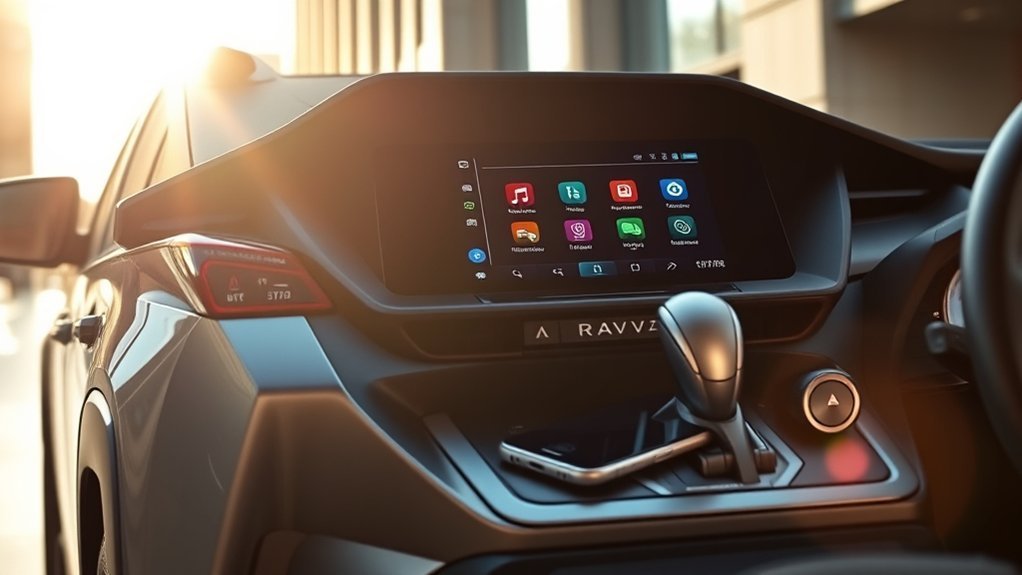
The answer is not a simple yes or no. According to Toyota’s official 2019 Connected Services compatibility chart, Remote Connect availability depended on the RAV4’s factory audio package.
| 2019 RAV4 multimedia system | Remote Connect | Important distinction |
|---|---|---|
| Entune 3.0 Audio | Not available | This was the base system with a 7-inch display. |
| Entune 3.0 Audio Plus | Factory-compatible | This system used an 8-inch display and added connected-service capability. |
| Entune 3.0 Premium Audio | Factory-compatible | Premium Audio also included embedded Dynamic Navigation. |
Fast Compatibility Check
7-inch base Entune 3.0 Audio: Toyota did not list Remote Connect for this package.
8-inch Audio Plus or Premium Audio: Toyota listed Remote Connect, but use the VIN to confirm the original equipment and current service eligibility.
Remote Connect appears in the Toyota app: Complete ownership verification and check whether an eligible trial or subscription is active.
Remote Connect does not appear: Confirm the VIN, registered owner, factory multimedia package, and telematics equipment before paying for aftermarket hardware.
Toyota’s compatibility chart applies to U.S.-market vehicles. Equipment, apps, cellular support, and subscription availability can differ in other countries.
Note: Your trim name alone may not prove compatibility. Optional packages could change the installed multimedia system, so a VIN-based check is more reliable than assuming every XLE, Adventure, or Limited has identical equipment.
How to Check Whether Your 2019 RAV4 Supports Remote Connect
You can narrow down compatibility by looking at the display and installed features, but the Toyota app or a VIN lookup provides a stronger answer.
- Add your vehicle to the Toyota app. Sign in or create an account, enter the VIN, and complete any ownership-verification steps.
- Review the available services. Look for Remote Connect under subscriptions, connected services, or vehicle controls.
- Identify the multimedia system. The base system used a 7-inch display, while Audio Plus and Premium Audio used an 8-inch display. Screen size is a useful clue, but it is not a substitute for VIN confirmation.
- Check the original window sticker or build record. Look for “Entune 3.0 Audio Plus” or “Entune 3.0 Premium Audio.”
- Ask a Toyota dealer to check the VIN. A dealer can confirm the factory multimedia package and whether the telematics equipment was installed.
Pro Tip: If Remote Connect does not appear in the app, do not immediately assume the vehicle lacks it. Confirm ownership registration, subscription status, primary-driver authorization, and the VIN’s original equipment first.
What Remote Connect Can Do on a Compatible 2019 RAV4
Toyota describes Remote Connect as an app-based service for controlling selected vehicle functions. The exact controls shown in your Toyota app depend on the vehicle, hardware, software, market, and subscription.
Remote Engine Start and Stop
A compatible 2019 RAV4 can support remote engine start and stop through Toyota’s connected-service system. This can help warm or cool the cabin before departure. Toyota’s 2019 Entune guidance says the engine or hybrid system can run for up to 10 minutes using Remote Connect and may shut off when a door is opened, the brake is pressed, or the vehicle is stopped remotely.
An older RAV4 normally uses the climate-control settings that were selected before the vehicle was turned off rather than providing the broader direct climate controls available on some newer Toyota vehicles.
Remote start is not the same as starting the vehicle for driving. You must still enter with the authorized key and follow the normal in-vehicle start procedure before moving the RAV4.
Can You Remote-Start a 2019 RAV4 With the Key Fob?
On select Remote Connect-capable 2019 Toyota vehicles, Toyota documented a key-fob remote-start sequence: press LOCK once, press LOCK again within one second, then press LOCK a third time and hold it for about three seconds. Availability still depends on the vehicle’s original equipment and Connected Services status.
Toyota’s earlier Remote Connect guidance described key-fob functionality for up to three years on select 2019 Audio Plus vehicles and up to ten years on select 2019 Premium Audio vehicles, with a subscription required afterward. Toyota’s current Remote Connect guidance says compatible key-fob operation requires an active trial or paid subscription. Because eligibility can differ by VIN and service status, do not assume that every 2019 Audio Plus or Premium Audio RAV4 will still provide unpaid key-fob remote start in 2026.
Remote Locking, Unlocking, and Vehicle Status
Depending on the supported feature set, Remote Connect can provide door-lock controls and status information through the Toyota app. This may help you check whether the doors are locked without returning to the vehicle.
Status information is based on data last transmitted by the vehicle. A weak cellular signal, an inactive vehicle, or a communication delay can prevent the app from showing an immediate update.
Vehicle Finder and Notifications
Remote Connect may show your last parked location and selected vehicle-status notifications. These tools can help in a large parking area, but they should not be treated as continuous live tracking or an antitheft replacement.
Safety Connect’s Stolen Vehicle Locator is a separate service. It requires an active qualifying service and involvement from law enforcement after a theft report.
Warning: Never remotely start the engine in a garage or another enclosed space. Do not use remote start when a child, pet, or another vulnerable occupant is inside the vehicle. Confirm that the surrounding area is safe before sending a remote command.
Remote Connect Is Not the Same as Navigation or Other Toyota Services
The original Entune ecosystem used several connected-service names. Mixing them together can make it seem as though one subscription controls every connected feature.
| Service | Main purpose | What it does not mean |
|---|---|---|
| Remote Connect | Selected app-based controls such as starting, locking, locating, or checking the vehicle. | It is not the navigation or maintenance-report service. |
| Service Connect | Vehicle health information, maintenance reminders, and selected alerts. | It does not provide remote engine start by itself. |
| Safety Connect | Emergency assistance, collision notification, roadside support, and qualifying stolen-vehicle assistance. | It is not a general remote-control package. |
| Dynamic Navigation | Embedded map data, route calculation, and points-of-interest information. | It is separate from Remote Connect. |
| Wi-Fi Connect | An in-vehicle mobile hotspot through a supported data provider. | A Wi-Fi subscription does not add Remote Connect to incompatible hardware. |
Do You Need a 2020 RAV4 to Get Remote Connect?
No. You should not base an upgrade decision on the claim that every 2019 RAV4 lacks Remote Connect. A properly equipped 2019 vehicle already offered it. Instead, compare the exact equipment and active services on each vehicle.
- Check the multimedia package: Confirm whether the 2019 vehicle has base Audio, Audio Plus, or Premium Audio.
- Check Toyota app eligibility: Add each VIN to your account or ask Toyota to confirm the supported services.
- Consider phone compatibility: Toyota states that Apple CarPlay compatibility was included across the U.S.-market 2019 RAV4 lineup. Factory Android Auto was not listed among its original multimedia features.
- Compare navigation: Premium Audio added embedded Dynamic Navigation, while Apple CarPlay lets an iPhone display supported navigation apps.
- Review subscription status: A compatible used vehicle may still need a paid subscription because its original trial has expired.
The 2020 model may be preferable when its exact equipment better matches your phone or infotainment needs. However, moving from a 2019 to a 2020 solely to obtain Remote Connect is unnecessary when the 2019 already has compatible factory hardware.
[Amazon Products Picked for You]
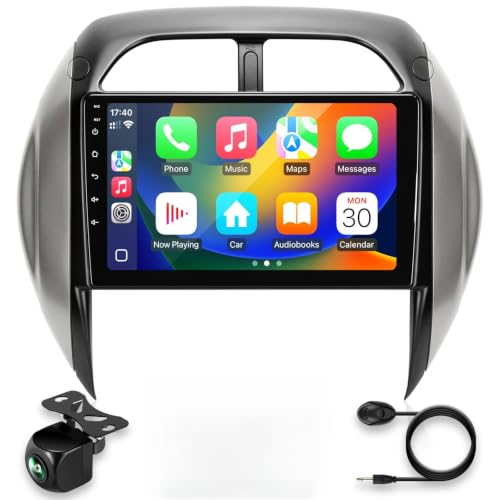
Applicable to Toyota RAV4 2004 2005.Please check your original meter profile.Easy to install and operate. Installation tools will be presented, 30 day refund. If you have any questions, Please click"Sold by:Crownyu",click "Ask question ",We will respond to your question as soon as possible, thanks.

This is a plug-and-play Android tablet specially designed for toyota RAV4 2019-2023 that retains all your factory features while adding plenty of new ones—many of which aren't even available in today’s factory systems.It comes fully loaded with Wireless Apple CarPlay and Wireless Android Auto for seamless smartphone integration.This easy,direct-fit upgrade instantly modernizes your interior with a larger 13 inch ultra slim screen and advanced features,giving your interior a new look

Built in Carplay and Android Auto:This RAV4 car stereo compatible with Apple Carplay and android auto, allowing superior voice assist control and making it easier to access your phone functions including music, GPS navigation, calls, notification, messages and much more , while keeping your hands free for totally safe driving maneuvers!
Remote Connect Subscription and Trial Information
Toyota’s 2019 Connected Services chart originally listed a six-month Remote Connect trial for compatible new vehicles. That trial began from the vehicle’s original purchase or lease date, not from the date a later owner bought the used vehicle.
The historical chart also displayed the renewal price offered when it was published. Toyota stated that services and prices could change without notice, so old figures should not be treated as the current cost for your vehicle.
Toyota currently advertises Music Lover, Go Anywhere, and Premium Connected Services bundles for select 2022-and-later vehicles. Those newer plans include Remote Connect in different combinations with streaming or Drive Connect, but they should not be applied automatically to a 2019 RAV4. A 2019 owner should use the Toyota app or Toyota support to see the service and price actually offered for that VIN.
For an accurate answer:
- Open the Toyota app and select your RAV4.
- Review its available subscriptions and expiration information.
- Confirm that Remote Connect appears as an eligible service.
- Check the price displayed for that VIN before subscribing.
- Contact Toyota support or a dealer if the app shows conflicting information.
You can review Toyota’s current service descriptions, activation guidance, and plan eligibility on the official Toyota App and Connected Services page.
[Amazon Products Picked for You]
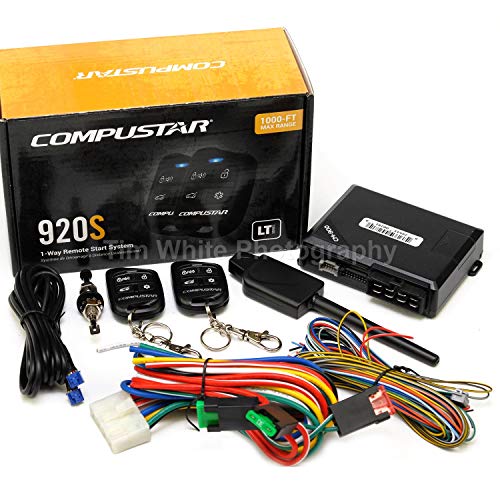
Compustar CS920-S (920S) 1-way Remote Start and Keyless Entry System with 1500-ft Range (BLADE-AL Ready)
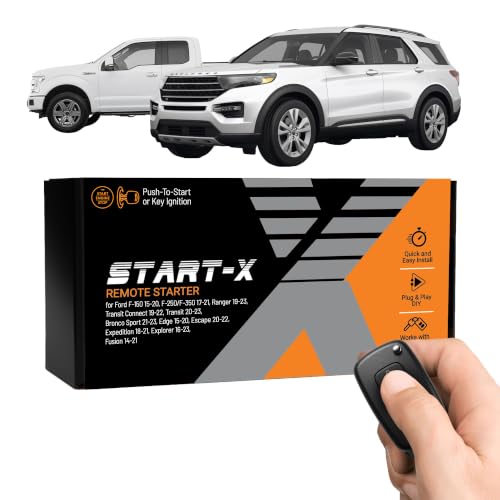
𝗩𝗲𝗵𝗶𝗰𝗹𝗲 𝗰𝗼𝗺𝗽𝗮𝘁𝗶𝗯𝗶𝗹𝗶𝘁𝘆: 2015-2020 F-150, 2017-2021 F-250, 2019-2023 Ranger, 2020-2022 Transit, 2019-2022 Transit Connect, 2021-2023 Bronco Sport, 2015-2020 Edge, 2020-2022 Escape, 2018-2021 Expedition, 2016-2023 Explorer, and 2014-2021 Fusion models with either push-to-start or key ignition.

𝗩𝗲𝗵𝗶𝗰𝗹𝗲 𝗰𝗼𝗺𝗽𝗮𝘁𝗶𝗯𝗶𝗹𝗶𝘁𝘆: Subaru Legacy and Outback (2010, 2011, 2012, 2013, 2014) models with key ignition.
Alternatives When a 2019 RAV4 Lacks Factory Remote Connect
If your RAV4 has the base Entune 3.0 Audio system, downloading another app will not create the missing factory telematics hardware. You still have several practical options.
- Use the physical key fob for normal locking and unlocking: Factory remote-start capability is limited to compatible vehicles, so confirm the feature before relying on the three-press sequence.
- Install a compatible aftermarket remote-start system: A professional installer can determine whether a system supports your RAV4’s ignition, immobilizer, hybrid or gas powertrain, and key configuration.
- Use Apple CarPlay for phone-based features: A connected iPhone can provide supported navigation, calls, messages, and audio apps through the vehicle display.
- Use a separate tracking device: A dedicated tracker can help locate a parked vehicle, although it is not the same as Toyota Remote Connect or Safety Connect.
- Upgrade only when broader technology matters: A newer vehicle may make sense when you also want a newer multimedia interface, broader phone support, or newer remote functions.
For broader model-year instructions, see how to remote start a Toyota RAV4. If your vehicle does not have compatible factory hardware, compare the OEM and aftermarket paths in how to add remote start to a Toyota RAV4.
Aftermarket equipment should be installed according to the product instructions and the vehicle’s electrical requirements. Poor installation can cause battery drain, warning lights, unreliable starting, or conflicts with the factory security system.
[Amazon Products Picked for You]

𝗩𝗲𝗵𝗶𝗰𝗹𝗲 𝗰𝗼𝗺𝗽𝗮𝘁𝗶𝗯𝗶𝗹𝗶𝘁𝘆: Toyota RAV4 (2019, 2020, 2021) models equipped with push-to-start ignition. Not compatible with hybrid models.
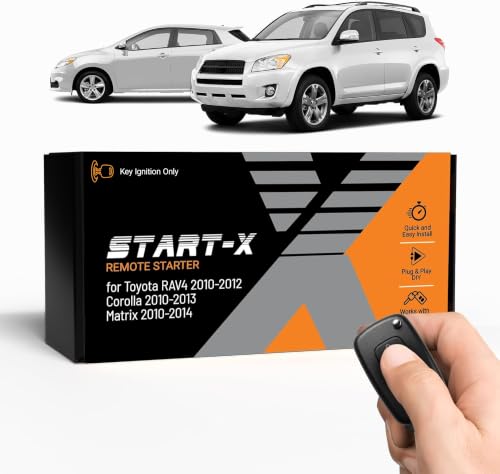
𝗩𝗲𝗵𝗶𝗰𝗹𝗲 𝗰𝗼𝗺𝗽𝗮𝘁𝗶𝗯𝗶𝗹𝗶𝘁𝘆: Toyota RAV4 (2010, 2011, 2012), Corolla (2010, 2011, 2012, 2013), and Matrix (2010, 2011, 2012, 2013, 2014) models equipped with G key ignition. Please make sure your key has a little "g" on it.

𝗩𝗲𝗵𝗶𝗰𝗹𝗲 𝗰𝗼𝗺𝗽𝗮𝘁𝗶𝗯𝗶𝗹𝗶𝘁𝘆: Toyota RAV4 (2013, 2014, 2015, 2016, 2017, 2018) and Corolla (2014, 2015, 2016, 2017, 2018, 2019) models with push-to-start ignition. *𝗡𝗼𝘁 𝗰𝗼𝗺𝗽𝗮𝘁𝗶𝗯𝗹𝗲 𝘄𝗶𝘁𝗵 𝗵𝘆𝗯𝗿𝗶𝗱 𝘃𝗲𝗵𝗶𝗰𝗹𝗲𝘀. 𝗡𝗼𝘁 𝗰𝗼𝗺𝗽𝗮𝘁𝗶𝗯𝗹𝗲 𝘄𝗶𝘁𝗵 𝗖𝗼𝗿𝗼𝗹𝗹𝗮 𝟮𝟬𝟭𝟵 𝗵𝗮𝘁𝗰𝗵𝗯𝗮𝗰𝗸 𝗺𝗼𝗱𝗲𝗹𝘀.*
Key Entune 3.0 Features in the 2019 RAV4
Every U.S.-market 2019 RAV4 came with an Entune 3.0 multimedia system, but the display, navigation, audio, and connected services differed by package. Toyota’s original 2019 RAV4 launch information identifies the following key differences.
| Feature | 2019 RAV4 availability |
|---|---|
| Apple CarPlay | Toyota listed Apple CarPlay compatibility across the 2019 RAV4 lineup. |
| Android Auto | It was not listed as a factory feature in Toyota’s original U.S. specifications for the 2019 RAV4. |
| Entune 3.0 Audio | Base 7-inch touchscreen system. Remote Connect was not available with this package. |
| Entune 3.0 Audio Plus | Added an 8-inch touchscreen and SiriusXM. Toyota’s compatibility chart lists Remote Connect with this system. |
| Entune 3.0 Premium Audio | Used an 8-inch display and added embedded Dynamic Navigation. Remote Connect was also listed. |
| Bluetooth and hands-free calling | Included for compatible phone calls and audio streaming. |
| Wi-Fi Connect | Originally offered with a limited data trial and a separate provider relationship. |
Some original Entune-branded apps and services have changed since 2019. The Toyota app and your VIN-specific account are the best places to see which connected services remain available for your vehicle.
Is It Time to Upgrade Your RAV4?
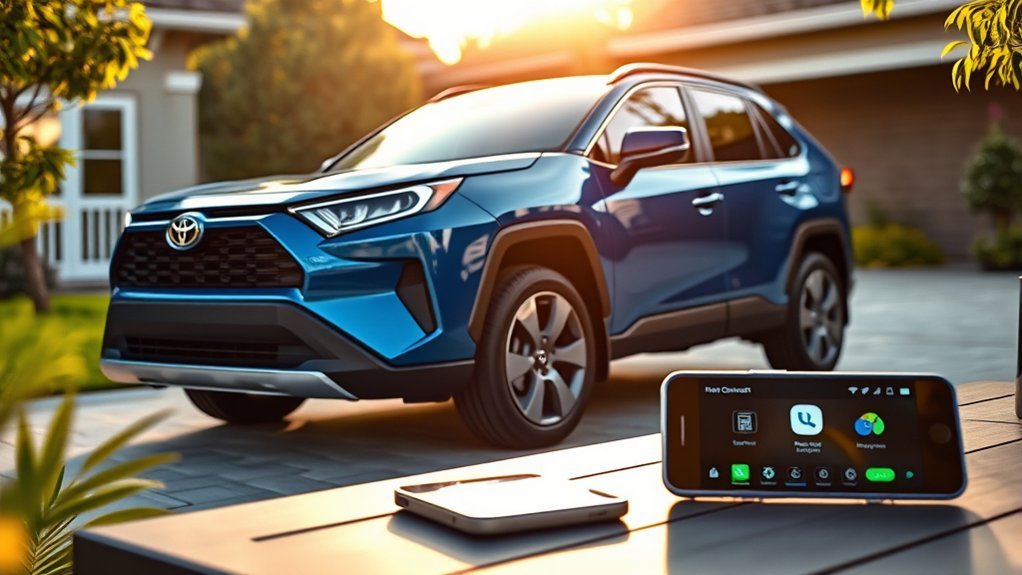
Remote Connect alone may not justify replacing your 2019 RAV4. Start by confirming whether your current vehicle already supports it.
Keeping the 2019 may make sense when:
- It has Entune 3.0 Audio Plus or Premium Audio and Remote Connect remains available for the VIN.
- Apple CarPlay, Bluetooth, and the current audio system meet your needs.
- You prefer an aftermarket remote-start solution over replacing the vehicle.
- The vehicle is otherwise reliable and suitable for your driving needs.
A newer model may make sense when:
- You want a newer multimedia interface or broader factory phone integration.
- You want vehicle-specific remote climate, digital-key, smartwatch, or other newer functions.
- Your 2019 lacks compatible telematics and you do not want aftermarket equipment.
- You are already considering an upgrade for safety, efficiency, condition, warranty, or powertrain reasons.
Compare the complete ownership cost rather than replacing the vehicle for one app feature. Subscription charges, installation costs, insurance, depreciation, financing, and maintenance can matter more than the remote-control feature itself.
Troubleshooting Remote Connect on a 2019 RAV4
Troubleshooting only applies when Toyota confirms that your vehicle has compatible factory equipment. If the base audio system was installed, repeated app resets will not add Remote Connect.
Remote Connect Does Not Appear in the Toyota App
- Confirm that you entered the correct VIN.
- Make sure the vehicle is registered to your account and that you completed ownership verification.
- Check whether another person remains listed as the primary driver or account owner.
- Update the Toyota app and sign in again.
- Review the subscriptions associated with the vehicle.
- Ask Toyota or a dealer to confirm the factory audio package and telematics equipment.
Remote Start Does Not Work
Before sending another command, check the basic vehicle conditions:
- The transmission is in Park.
- The ignition is off.
- The doors, hood, and liftgate are fully closed.
- The doors are locked.
- The vehicle has sufficient fuel or hybrid-system readiness for the requested operation.
- No condition requiring immediate service is preventing remote operation.
- The Remote Connect trial or subscription is active when required for the requested method.
- The vehicle and phone have usable cellular or internet connectivity for app-based commands.
If app remote start succeeds but the vehicle shuts off when you open a door or press the brake, that can be normal behavior on the 2019 system rather than a fault. Toyota’s 2019 Entune guidance describes those events as conditions that end the remote-start session.
Remote commands can take time to reach the vehicle. Avoid repeatedly tapping the command while the first request is still processing.
Lock, Status, or Location Information Is Delayed
The app may display information from the vehicle’s last successful data transmission. Try these steps:
- Refresh the vehicle dashboard in the Toyota app.
- Confirm that your phone has a stable internet connection.
- Move the vehicle to an area with better cellular coverage when practical.
- Drive the vehicle normally, turn it off, lock it, and check the app again after the system has had time to update.
- Sign out of the app, restart the phone, and sign in again.
- Contact Toyota support if the controls remain missing or consistently fail.
For vehicle-specific operating conditions and warnings, use Toyota’s official 2019 RAV4 manuals and warranty page.
What Newer Toyota Connectivity May Add
Newer Toyota vehicles may offer features that were not available on every 2019 configuration. Depending on the model and package, these can include newer Toyota Audio Multimedia systems, wireless phone integration, enhanced voice assistance, cloud navigation, expanded status controls, digital-key support, and direct remote climate functions.
Availability still varies by vehicle. Toyota’s current Music Lover, Go Anywhere, and Premium plans are advertised for select 2022-and-later models, so their prices and included services should not be used as a 2019 RAV4 quote.
The important question is not simply whether the vehicle is a 2019 RAV4. It is whether that specific VIN has Entune 3.0 Audio Plus or Premium Audio, working telematics, and an eligible Remote Connect service.
Frequently Asked Questions
Can I install Toyota Remote Connect on a 2019 RAV4?
If your RAV4 has Entune 3.0 Audio Plus or Premium Audio, it may already contain the required factory hardware and only need account activation or an eligible subscription. If it has the base Entune 3.0 Audio system, Remote Connect generally cannot be added through a software download or third-party app alone. Ask Toyota to verify the VIN before purchasing equipment.
How can I tell which Entune 3.0 system my RAV4 has?
The base Entune 3.0 Audio system used a 7-inch display. Audio Plus and Premium Audio used an 8-inch display, with Premium Audio adding embedded Dynamic Navigation. Because optional packages can vary, confirm the system through the original window sticker, Toyota app, dealer records, or a VIN lookup.
Does the 2019 RAV4 have remote start?
Some 2019 RAV4s support remote start through Remote Connect because they were equipped with Audio Plus or Premium Audio. A vehicle with the base audio system does not have Toyota Remote Connect. Confirm the original multimedia package and current service eligibility for your VIN.
Can I remote-start a 2019 RAV4 with the key fob without paying for the app?
It depends on the vehicle and its Connected Services eligibility. Toyota previously documented up to three years of key-fob functionality on select 2019 Audio Plus vehicles and up to ten years on select 2019 Premium Audio vehicles, with subscription required afterward. Current Toyota guidance ties compatible key-fob Remote Connect use to an active trial or paid subscription, so check the Toyota app or Toyota support for your VIN rather than assuming the feature is permanently free.
What is the difference between Remote Connect and Entune 3.0?
Entune 3.0 is the vehicle’s multimedia platform. Remote Connect is one connected service that was available with selected Entune 3.0 systems. Entune handles in-vehicle audio, phone, and navigation functions, while Remote Connect uses the Toyota app for supported vehicle controls.
Does the 2019 RAV4 support Android Auto?
Toyota’s original U.S. specifications list Apple CarPlay compatibility for the 2019 RAV4 but do not list factory Android Auto. An aftermarket multimedia receiver may add Android Auto, but compatibility with the factory camera, steering-wheel controls, amplifiers, microphones, and vehicle settings should be checked before installation.
Can a third-party app give my 2019 RAV4 remote access?
An app alone cannot replace missing factory telematics equipment. Some aftermarket remote-start or security systems include their own cellular module and app, but they operate separately from Toyota Remote Connect and require compatible hardware and installation.
Why does the Toyota app not show Remote Connect for my RAV4?
Possible reasons include an incompatible base audio system, incomplete ownership verification, an expired subscription, another registered primary driver, unavailable cellular communication, or a vehicle-account error. Confirm the VIN and multimedia package with Toyota if the feature remains absent.
Conclusion
Some 2019 Toyota RAV4s do have Remote Connect. Toyota’s official compatibility chart lists it with Entune 3.0 Audio Plus and Premium Audio, while the base Entune 3.0 Audio system does not support it.
Before replacing the vehicle, paying for a subscription, or installing aftermarket equipment, add the VIN to the Toyota app and confirm its factory multimedia package. If the vehicle is compatible, registration, working telematics, and an eligible trial or subscription may be all you need. If it is not compatible, a professionally installed remote-start system can provide some of the convenience without being presented as Toyota Remote Connect.
Sources
- Toyota Connected Services: 2019 Vehicles — Remote Connect compatibility, original trial information, service limitations, and package availability.
- Toyota USA Newsroom: All-New 2019 Toyota RAV4 — Original multimedia systems, display sizes, Apple CarPlay, and Dynamic Navigation information.
- Toyota App and Connected Services — Current Remote Connect descriptions, activation guidance, key-fob guidance, and plan eligibility.
- Toyota 2019 RAV4 Manuals and Warranties — Vehicle-specific operating instructions, precautions, and reference documents.
- Toyota Remote Connect Guide — Historical key-fob remote-start sequence and select 2019 Audio Plus/Premium Audio functionality periods.
