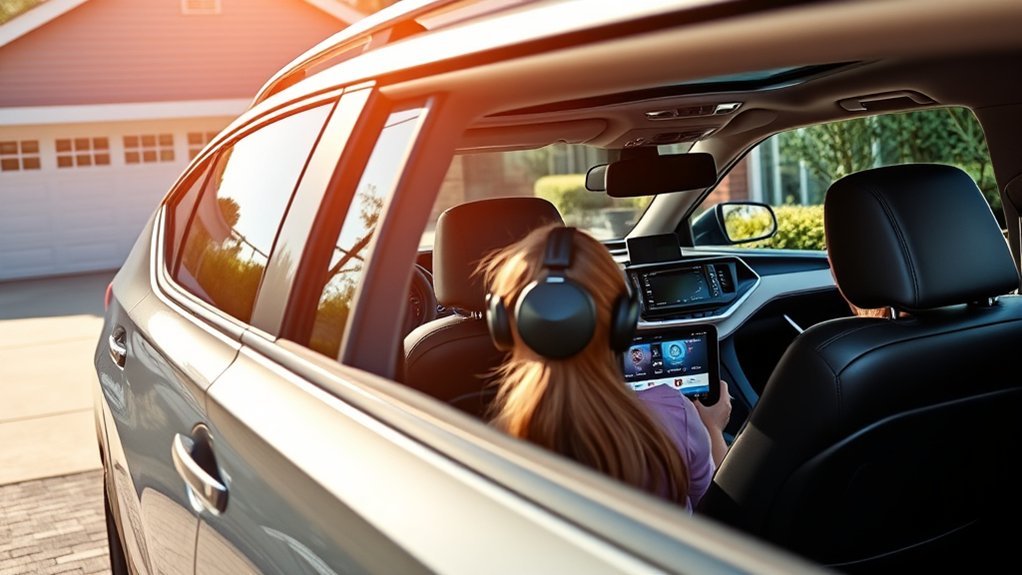
For U.S.-market 2021 Toyota RAV4 models, Toyota USA does not list a factory-installed CD/DVD drive or a factory rear-seat entertainment screen. The factory multimedia system instead supports features such as Bluetooth, USB media, SiriusXM, Apple CarPlay, Android Auto, and available navigation or JBL audio. Passengers who want to watch DVDs are best served by a securely mounted portable DVD player or separate rear-seat display.
Last updated: September 19, 2026 — 2021 U.S.-market RAV4 equipment and multimedia guidance rechecked against Toyota documentation.
Quick Answer
No, not on U.S.-market models. The 2021 Toyota RAV4 does not have a factory CD/DVD drive or factory rear-seat movie screen. Apple CarPlay and Android Auto also do not provide normal movie playback on the factory display. However, Toyota’s 2021 RAV4/RAV4 Hybrid multimedia system documents a separate USB-video mode for compatible files; on-screen USB video is restricted while the vehicle is moving. Equipment can differ outside the United States, so imported vehicles should be checked against their market-specific specifications.
Key Takeaways
- U.S.-market 2021 RAV4 models have no factory CD/DVD drive or factory rear-seat entertainment display.
- Apple CarPlay and Android Auto do not display ordinary phone video through the 2021 factory interface.
- Toyota’s 2021 RAV4/RAV4 Hybrid multimedia documentation includes USB-video playback as a separate media function, with on-screen video restricted while driving.
- A portable DVD player is the simplest choice for physical discs; a tablet is more flexible for downloaded or streaming content.
- Screens, mounts, and cables should stay outside the driver’s view and clear of airbags, head restraints, seat tracks, controls, and visibility.
- Equipment varies by country, so check the market-specific manual before assuming every 2021 RAV4 has the same multimedia hardware.
Is There a DVD Player in the 2021 Toyota RAV4?

No. For the U.S. market, Toyota’s official 2021 RAV4 equipment descriptions list touchscreen multimedia, Apple CarPlay, Android Auto, Amazon Alexa compatibility, Bluetooth phone and music functions, SiriusXM, USB connections, and available navigation or JBL audio. Toyota USA does not list a factory CD/DVD drive or rear-seat entertainment system. See Toyota’s 2021 RAV4 multimedia specifications and 2021 RAV4 model information.
Depending on equipment, the regular 2021 RAV4 used a 7-inch standard touchscreen or an available 8-inch Audio Plus display. Premium Audio could add integrated navigation and JBL speakers. The separate 2021 RAV4 Prime XSE offered a 9-inch multimedia display.
Market note: Do not apply the U.S. answer to every 2021 RAV4 worldwide. Equipment differed by country. For example, Toyota Oman’s 2021 brochure listed disc-based audio/video equipment on certain local grades. If your RAV4 was imported, check the original market’s brochure or multimedia manual.
What Can the 2021 RAV4 Factory Multimedia System Do?
| Feature | U.S.-Market 2021 RAV4 | What It Means |
|---|---|---|
| Factory DVD drive | No | Physical DVDs cannot be inserted into the U.S. factory system. |
| Factory CD drive | No | Use compatible USB, Bluetooth, smartphone projection, radio, or SiriusXM for audio. |
| Rear-seat movie screen | No factory system listed | Rear passengers need a separate portable or aftermarket display. |
| Apple CarPlay / Android Auto | Yes | The 2021 U.S. system uses the USB media connection and does not provide normal phone-video projection. |
| USB video | Documented in the 2021 multimedia system | Compatible video files are a separate USB-media function; on-screen video is restricted while driving. |
| Bluetooth audio | Yes | Useful for calls and audio streaming, not normal video-image transmission. |
Can the 2021 RAV4 Factory Screen Play Video?
Yes, there is an important distinction. Toyota’s 2021 RAV4/RAV4 Hybrid multimedia documentation includes a USB-video mode for compatible files. Toyota also states that while the vehicle is being driven, the USB-video function can output sound but does not provide normal on-screen video. Check the exact multimedia manual for your vehicle and equipment before preparing files.
That factory USB-video feature is separate from Apple CarPlay and Android Auto. Toyota’s 2021 multimedia guidance states that when video is playing through a connected CarPlay or Android Auto device, the video image is not displayed through the system; audio may still be output. CarPlay and Android Auto therefore should not be treated as movie-mirroring tools for a 2021 RAV4.
For a broader explanation of streaming apps, adapters, and newer model years, see our guide to watching videos in a Toyota RAV4.
For a U.S.-market 2021 RAV4, “no DVD player” does not mean “no factory video function at all”: compatible USB video and smartphone projection are separate features with different limits.
Note: U.S.-market 2021 RAV4 factory Apple CarPlay and Android Auto use the USB media connection. Factory wireless projection was not part of the 2021 U.S. RAV4 system. A third-party wireless adapter or replacement receiver is different from factory wireless capability.
Aftermarket DVD Player Options for the RAV4
If you specifically want to play physical DVDs in a U.S.-market 2021 RAV4, a passenger-focused external device is simpler than modifying the factory dashboard. Your main choices are a portable DVD player, tablet, headrest-mounted display, or professionally installed rear-seat entertainment system.
Which Entertainment Option Fits Your Needs?
| Your Priority | Best-Fit Option | Main Tradeoff |
|---|---|---|
| Keep using a physical DVD collection | Portable DVD player | Requires a secure mount and appropriate power source. |
| Downloaded movies, streaming, games, and books | Tablet | No physical-disc playback; streaming may need mobile data. |
| Two rear passengers | Dual-screen portable system or separate tablets | More screens and cables must be secured. |
| Cleaner permanent appearance | Professionally installed rear-seat system | Higher installation complexity and less portability. |
Portable DVD Player
A portable DVD player is the most direct solution when you already own physical discs. Depending on the device, useful features can include a rechargeable battery, built-in speakers, headphone output, and USB or memory-card support. A dual-screen kit can serve two rear passengers, but both displays and every cable need secure mounting.
Tablet or Phone
A tablet is more versatile when physical discs are not essential. It can hold downloaded movies, streaming apps, games, e-books, and audiobooks. Download entertainment before a trip when cellular coverage may be weak or when you want to avoid mobile-data use. A phone can serve one passenger, but a larger tablet is generally easier to view from a rear seat.
Headrest or Visor System
A headrest-mounted display can provide a cleaner passenger setup than a loose portable player, but compatibility depends on the headrest-post spacing, mount design, device dimensions, seat structure, and cable routing. A front-row visor display requires additional caution because its location can create driver distraction or interfere with normal visor use.
Do not assume a product described as “universal” will fit safely. Confirm the mounting dimensions, device weight, power requirements, cable routing, return policy, and instructions before buying. A product designed around an older RAV4 generation is not automatically suitable for a 2021 model.
What to Check Before You Buy
- Vehicle fit: Confirm that the mount fits the 2021 RAV4’s chosen mounting point without permanent modification or interference with normal seat/head-restraint operation.
- Power: Check whether the device uses USB power, a 12-volt adapter, an internal battery, or professional hardwiring. Do not assume a vehicle USB port can supply every device’s required power.
- Screen position: Keep passenger entertainment outside the driver’s normal and peripheral view while driving.
- Audio: Headphones are often the simplest solution. Bluetooth audio may work when both devices support compatible profiles, but delay can affect lip synchronization.
- Media support: Verify DVD region, disc formats, supported digital-file formats, streaming-app requirements, and offline playback.
- Mount security: Choose a mount intended for vehicle use and rated for the device’s size and weight.
- Support: Favor clear installation instructions, a useful warranty, replacement parts, and a practical return policy.
The Move From CDs to Digital Media in Cars

The U.S.-market 2021 RAV4 reflects Toyota’s move away from built-in optical-disc drives toward USB media, smartphone projection, Bluetooth audio, satellite radio, and connected multimedia features. That is why an owner moving from an older vehicle may find CarPlay and multiple USB connections but no slot for a CD or DVD.
Digital Media Advantages
Digital storage can carry a much larger library than a few discs and does not require a mechanical disc drive in the dashboard. The RAV4’s factory controls can manage compatible audio sources, while rear passengers can keep downloaded movies or other entertainment on a separate device.
There is also a factory-media distinction worth remembering: compatible USB video is different from CarPlay or Android Auto video. Toyota’s 2021 multimedia system documents USB-video controls, while smartphone projection does not display ordinary phone video.
Changing Consumer Preferences
For owners who mainly want music, a compatible phone or USB audio library is the practical replacement for discs. For owners who want to keep using a physical CD or DVD collection, an external player remains the straightforward solution because the U.S.-market factory system has no optical-disc drive.
Benefits of Using Portable DVD Players and Tablets
The strongest advantage of a portable entertainment device is separation from the vehicle’s dashboard system. Rear passengers can watch their own content without replacing the factory receiver or turning the front display into the entertainment screen.
Enhanced Portability Advantages
A battery-powered portable player or tablet can continue working during stops and can be removed when the trip ends. Dual-screen DVD systems can serve two viewers, while separate tablets allow passengers to choose different content.
Removing the device when it is not needed also keeps the cabin less cluttered and reduces the temptation to leave valuable electronics visible in a parked vehicle.
Multiple Media Format Support
Support varies by device. A portable DVD player may accept discs plus USB storage or memory cards, while a tablet can use downloaded files and streaming apps. Check the actual supported formats before buying; the presence of a USB connector alone does not guarantee compatibility with every storage device or media file.
For audio, passengers can use headphones, device speakers, or Bluetooth when compatible. Bluetooth can introduce noticeable audio delay with video, so wired headphones or the device’s own speakers may provide better synchronization.
Easy Installation Process
A portable or headrest-mounted setup usually requires less work than replacing the RAV4’s factory receiver. You can install a compatible mount, connect the approved power source, secure the cables, test the system while parked, and remove it later without changing the dashboard.
The important part is secure installation. A screen or player should not be left loose on a seatback, dashboard, console, or other location where it can move during hard braking.
How to Install a DVD Player in Your RAV4
The following process applies to a removable, passenger-facing portable or headrest-mounted unit. Replacing the dashboard receiver, modifying factory wiring, or integrating screens into seats is better handled by a qualified automotive electronics installer.
At a Glance
| Time Required | About 15–30 minutes for a removable setup; longer for routed or hardwired systems |
| Difficulty | Easy for a portable mount; moderate to advanced for permanent wiring |
| Tools Needed | Compatible mount, approved power adapter, cable clips, microfiber cloth, and the device manufacturer’s instructions |
| Cost | Varies by device, mount, power adapter, number of screens, and whether professional installation is required |
- Park safely. Put the RAV4 in Park, set the parking brake, and switch off the vehicle before attaching or routing equipment.
- Read both manuals. Check the entertainment-device instructions and the Toyota 2021 RAV4 manuals page before using an outlet or routing cables.
- Confirm fit. Measure the headrest-post spacing or other approved mounting point. Verify the mount’s dimensions and weight capacity and make sure it does not alter the head restraint’s normal position.
- Choose a passenger-only viewing position. The screen should face rear passengers and stay outside the driver’s normal and peripheral view.
- Attach the mount. Follow the mount manufacturer’s instructions and tighten each fastener evenly. Do not drill into seats, trim, pillars, or the dashboard for a removable setup.
- Install the device. Lock the player or tablet into its mount and confirm that all latches or retainers are fully engaged.
- Route power safely. Use the device’s specified USB or 12-volt adapter. Keep cables away from pedals, seat tracks, sharp edges, door latches, airbag seams, and walkways.
- Choose audio. Test the device’s speakers, wired headphones, or compatible Bluetooth audio. If Bluetooth creates a noticeable delay, switch to headphones or direct device audio.
- Test while parked. Check screen stability, power, volume, disc or file playback, and cable clearance before the trip.
- Recheck regularly. Inspect the mount and cable routing after seat adjustments and before long journeys.
Warning: Never position entertainment video where the driver can watch it while the vehicle is moving. Do not block windows, mirrors, airbags, controls, head restraints, or seat movement. NHTSA identifies interaction with entertainment systems as a potential source of driver distraction, and applicable screen-use laws vary by jurisdiction.
Pro Tip: Download movies and app updates before leaving home, charge every device, and pack wired headphones. That reduces buffering, mobile-data use, and Bluetooth audio-delay problems.
Power and Audio Connection Tips
The 2021 RAV4 could be equipped with up to five USB ports, but not every port serves the same purpose. The USB media connection handles compatible smartphone projection and media functions, while additional ports may be intended primarily for charging. Use each port within the limits described in the vehicle and device documentation. A portable DVD player with higher power requirements may need its specified 12-volt adapter rather than USB power.
Bluetooth works well for compatible calls and audio, but it does not turn the RAV4 display into a Bluetooth video screen. Pair devices while parked. If Bluetooth audio lags behind the picture on a passenger device, use wired headphones or direct device audio instead.
Troubleshooting a Portable Entertainment Setup
- No power: Confirm the vehicle is in the required accessory/ignition mode, check the adapter and device battery, and test the outlet with another appropriate device.
- No sound: Raise the device volume, confirm the selected audio output, re-pair Bluetooth if applicable, or test headphones.
- Audio delay: Stop using Bluetooth for the movie and switch to wired headphones or the device speakers.
- Playback stops: Clean the disc, check its region and format, or test a digital file that the device officially supports.
- Screen shakes: Stop using the display until the mount is retightened or replaced with one compatible with the mounting point and device weight.
- Battery drains: Unplug entertainment devices after use and avoid powering them for extended periods with the vehicle’s propulsion system off.
Alternatives to DVD Players: Streaming and Digital Solutions

If you do not need physical discs, a tablet is usually more flexible than a portable DVD player. Rear passengers can use downloaded movies, streaming apps, games, audiobooks, and e-books, and downloaded content remains available in areas with weak cellular service.
The factory system also has digital-media options of its own. Compatible USB video is available through the documented multimedia interface, while Apple CarPlay and Android Auto handle supported smartphone functions rather than ordinary movie projection. Bluetooth supports compatible audio, and the USB media connection supports compatible media devices.
A USB flash drive can therefore be useful for compatible audio and, where supported by the exact multimedia system, USB video. An MP3 CD is different: a U.S.-market 2021 RAV4 has no factory optical-disc drive in which to insert it.
Making the Most of Your RAV4’s Multimedia Features
You can get more from the U.S.-market 2021 RAV4 without replacing its factory system:
- Connect a compatible iPhone through the USB media port for Apple CarPlay and supported navigation, calls, messages, and audio apps.
- Connect a compatible Android phone through the USB media port for Android Auto and supported phone functions.
- Pair a phone through Bluetooth for compatible hands-free calling and wireless audio streaming.
- Use compatible USB media for supported audio or USB-video files as described in the multimedia manual.
- Use the other available USB ports for charging according to their specified function and output.
- Use SiriusXM or factory radio when you want audio entertainment without relying on a phone connection.
- Use a separate, passenger-facing device when rear passengers need DVDs, streaming apps, games, or independent video.
For a model-year breakdown of smartphone integration, see which Toyota RAV4 years have Apple CarPlay and Android Auto. If you specifically want wireless CarPlay, see the separate guide to RAV4 wireless Apple CarPlay support.
If a wired connection fails, try a known-good data-capable cable, check the phone’s charging port, restart the phone and multimedia system, remove and recreate the relevant connection, and confirm that supported phone software and apps are up to date.
Frequently Asked Questions
Does a U.S.-market 2021 Toyota RAV4 have a factory DVD player?
No. Toyota USA does not list a factory DVD drive for the 2021 RAV4. Owners who want to play physical DVDs need a separate portable or aftermarket passenger-entertainment device.
Does the 2021 RAV4 have a CD player?
U.S.-market 2021 RAV4 models do not have a factory CD drive. Equipment differs by country, however, so an imported RAV4 should be checked against its original-market specifications.
Can the 2021 RAV4 play video from a USB drive?
Toyota’s 2021 RAV4/RAV4 Hybrid multimedia documentation includes a USB-video mode for compatible files. This is separate from Apple CarPlay and Android Auto. Toyota restricts on-screen USB video while the vehicle is moving, so consult the multimedia manual for the exact system and supported media requirements.
Can I use my smartphone to play movies on the RAV4’s factory screen?
Not through normal 2021 factory Apple CarPlay or Android Auto operation. Toyota’s multimedia guidance states that when video is playing through a connected CarPlay or Android Auto device, the video image is not displayed through the system. Use a separate passenger device for ordinary phone-video viewing.
What multimedia features does the U.S.-market 2021 RAV4 include?
Toyota listed a standard 7-inch touchscreen, available 8-inch Audio Plus system, Apple CarPlay, Android Auto, Amazon Alexa compatibility, Bluetooth hands-free calling and music streaming, SiriusXM, a USB media port, available additional USB charging ports, and available navigation or JBL audio depending on trim and package. The separate RAV4 Prime XSE offered a 9-inch display.
Are there built-in rear-seat entertainment screens?
Toyota USA does not list a factory rear-seat entertainment screen for the 2021 RAV4. Rear passengers who need an independent movie display can use a securely mounted portable player, tablet, or compatible aftermarket rear-seat system.
Does the U.S.-market 2021 RAV4 have wireless Apple CarPlay or Android Auto?
No factory wireless projection is provided on the U.S.-market 2021 RAV4. Its factory Apple CarPlay and Android Auto connection uses the USB media port. A third-party wireless adapter is an aftermarket addition rather than factory wireless capability.
Can a RAV4 USB port power a portable DVD player?
Only if the player is designed for USB power and its electrical requirements are compatible with the port being used. Some portable players instead require their specified 12-volt adapter. Follow the device instructions and the RAV4 manual rather than using an improvised adapter or overloaded splitter.
Do all 2021 Toyota RAV4s worldwide have the same CD and DVD equipment?
No. Equipment varies by sales market and grade. The no-CD/DVD answer in this guide applies to U.S.-market 2021 RAV4 models; Toyota documentation from other countries shows that some regional configurations used different disc-based multimedia equipment.
Conclusion
For a U.S.-market 2021 Toyota RAV4, the answer is straightforward: there is no factory CD/DVD drive and no factory rear-seat movie screen. That does not mean the multimedia system lacks every video-related function—Toyota’s 2021 system documents compatible USB-video playback separately from CarPlay and Android Auto. If you want to use physical DVDs, choose a securely mounted passenger-facing portable player; if you mainly use downloaded or streaming content, a tablet is usually more flexible. For an imported RAV4, verify the original market’s specifications because equipment can differ substantially by country.
Sources
- Toyota USA Newsroom: New XLE Premium Grade for 2021 RAV4 Hybrid — U.S.-market touchscreen sizes, Apple CarPlay, Android Auto, Bluetooth, USB, SiriusXM, navigation, and audio equipment.
- Toyota USA Newsroom: 2021 Toyota RAV4 — official U.S. model-year information and product documents.
- Toyota Owners: 2021 RAV4 Manuals and Warranties — official 2021 RAV4 and RAV4 Hybrid owner and multimedia manuals.
- Toyota USA Newsroom: 2021 RAV4 Prime — model-specific RAV4 Prime multimedia equipment.
- Toyota Oman: 2021 RAV4 Brochure — example of market-specific 2021 RAV4 disc-player equipment differing from U.S. specifications.
- Apple Support: Use CarPlay with Your iPhone — CarPlay setup and supported functions.
- Android: Android Auto — official Android Auto overview.
- National Highway Traffic Safety Administration: Distracted Driving — driver-distraction guidance.
