Last updated: September 22, 2026 — rechecked Toyota battery-fitment examples, dead-key backup guidance, coin-battery safety, and recycling advice.
To replace a Toyota RAV4 key fob battery, first identify your exact key design and read the battery code on the old cell or in the owner’s manual. Toyota documentation includes CR2016, CR1632, CR2032, and CR2450 across different RAV4 key designs, years, powertrains, and markets. Open the case only at the intended notch, copy the original polarity, install the exact replacement, snap the housing closed, and test every function.
Scope note: Toyota has used different key designs by model year, powertrain, and market. This is a manual-based guide; it does not claim hands-on testing of every RAV4 fob. When your key or manual differs from an example below, follow the documentation for your exact vehicle.
Quick Answer
Check the battery code in your owner’s manual or on the old cell before buying anything. Toyota documentation shows CR2016 on some conventional keys, CR1632 on some older smart keys, CR2032 on many later smart keys, and CR2450 on some RAV4 Prime/Plug-in Hybrid key designs. Open the case carefully, install the exact replacement in the documented polarity, reassemble the fob, and test lock, unlock, smart entry, and starting functions that apply to your vehicle.
Key Takeaways
- Check your exact model-year manual or the code stamped on the old battery before buying a replacement.
- Battery size is not universal: Toyota documentation includes CR2016, CR1632, CR2032, and CR2450 depending on key design, powertrain, model year, and market.
- Smart electronic keys and remote-head keys use different opening procedures.
- Install the new battery in the same orientation as the old one and avoid bending the metal terminals.
- Toyota’s owner battery-replacement procedure does not include a key-registration step; if a registered fob fails afterward, recheck the battery installation first.
- Keep loose coin batteries away from children and recycle the old battery through an approved collection program.
At a Glance
| Time Required | About 5 to 10 minutes |
| Difficulty | Easy |
| Tools Needed | Small flathead screwdriver, soft cloth or nonmetallic tape, and possibly a coin |
| Cost | Low; normally only the cost of one replacement coin battery |
Why You Need to Replace Your Key Fob Battery

A weakening key fob battery can reduce the remote’s operating range or cause intermittent lock and unlock responses. A compatible RAV4 may also display a low-key-battery message before the cell becomes fully depleted.
A dead coin battery does not necessarily mean you are stranded. Smart keys contain a mechanical key for door access, and compatible push-button-start RAV4 models have a backup starting procedure. However, replacing a weak battery early is more convenient than using those emergency methods.
Toyota advises replacing a depleted key battery with the same or an equivalent type recommended for the key. Its RAV4 instructions also warn owners to work with dry hands, avoid disturbing internal components, and avoid bending the battery terminals.
The safest battery choice is the exact code printed on the old cell or specified in the owner’s manual for your model year and key design.
Know Your Key Fob Type
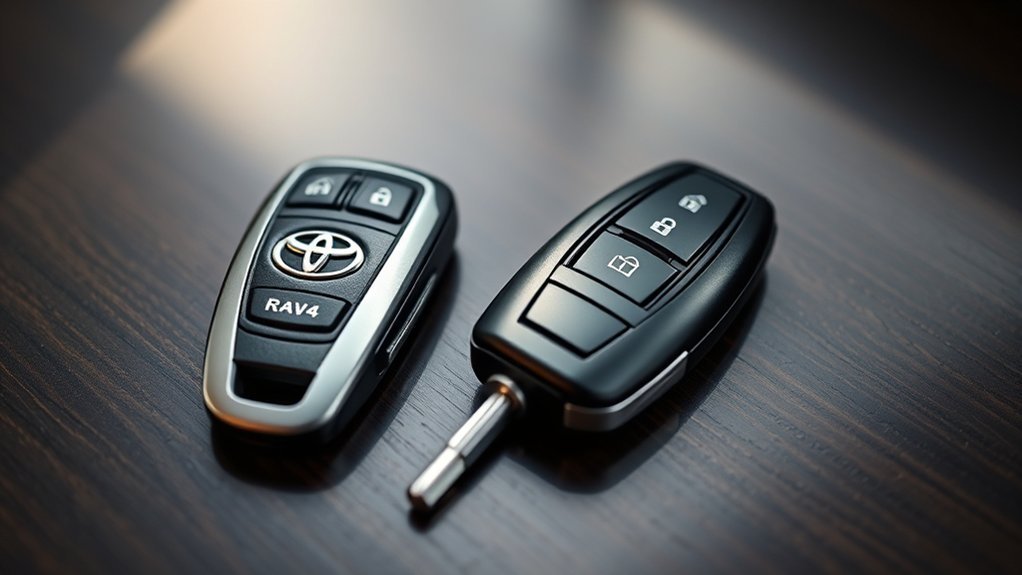
Identify the physical key you have before opening it. Toyota has used more than one remote design across RAV4 generations, trims, and markets.
Smart Key Features
A smart electronic key is usually paired with push-button starting and proximity entry. It contains a removable mechanical key that can unlock the driver’s door when the electronic functions are unavailable.
In a Toyota RAV4 manual covering both key systems, the specified battery for the smart electronic key is CR2032. Your exact fob may differ, so verify the code before purchase.
Standard Fob Characteristics
A conventional remote-head key has a metal ignition blade attached to the remote body. It may have lock, unlock, and panic buttons but no proximity-entry function or removable emergency key.
Toyota manuals for certain RAV4 models specify a CR2016 battery for this design. Opening it may require removing an outer cover, lifting out a small transmitter module, and opening a second battery cover.
What Battery Does a Toyota RAV4 Key Fob Use?
There is no single battery size for every RAV4 key. For example, Toyota’s 2013 U.S. RAV4 manual specifies CR2016 for vehicles without the Smart Key System and CR2032 for vehicles with it. Toyota documentation for older smart-key RAV4s also shows CR1632, while Toyota’s model-history guidance shows CR2450 on some Plug-in Hybrid key designs. These are examples, not a universal fitment chart.
| Documented example | Battery | What it tells you |
|---|---|---|
| 2013 U.S. RAV4 without Smart Key System | CR2016 | A conventional remote-head key can use a thinner cell than a smart key. |
| Some older RAV4 smart-key systems | CR1632 | Earlier smart-key generations can use a different coin cell from later RAV4 smart keys. |
| 2013 U.S. RAV4 with Smart Key System | CR2032 | Many smart-key RAV4s use CR2032, but the size should still be verified. |
| Some RAV4 Prime/Plug-in Hybrid key designs | CR2450 | Powertrain and key generation can change the battery even when the vehicle name is still RAV4. |
CR2016, CR1632, CR2032, and CR2450 are 3-volt lithium coin cells, but their dimensions and capacities differ. Installing the wrong cell can prevent proper contact, strain the case, or leave the cover unable to close.
Use one of these methods to identify the correct replacement:
- Check the battery-replacement section of your exact RAV4 owner’s manual.
- Read the code printed on the exposed side of the old battery.
- Compare the fob’s Toyota part number with an official parts listing or ask a Toyota dealer.
- Do not rely only on a battery listing that says it fits every RAV4 year.
Pro Tip: Photograph the old battery before removing it. The photo records both the battery code and its polarity in case the cell flips over while you work.
Tools You’ll Need for Key Fob Battery Replacement
Gather the correct replacement battery before opening the case. You may also need:
- A small flathead screwdriver
- A soft cloth or nonmetallic tape to cover the screwdriver tip
- A coin for a transmitter-module cover on certain conventional keys
- A clean, dry, well-lit work surface
- A small container for holding the mechanical key or loose cover pieces
Avoid using a knife, sharp pick, or oversized screwdriver. These tools can scar the plastic, slip into the circuit board, or bend a terminal.
Warning: Coin batteries can cause severe internal burns or death if swallowed. The U.S. Consumer Product Safety Commission warns that serious injury can develop in as little as two hours. Keep old and new batteries away from children and pets. If a person may have swallowed one, seek emergency medical care immediately; in the United States, CPSC lists the National Battery Ingestion Hotline at 800-498-8666 and Poison Help at 800-222-1222.
[Amazon Products Picked for You]

Our CR2032 batteries deliver the long lasting power and longer battery life. High Capacity 240mAh, Diameter 20mm, Height 3.2mm, Weight 3.0g. These CR2032 coin cell batteries have full 3 Volts Charge, 10 Years Shelf Life. UL, REACH and RoHS Certified. The CR2032 battery is an excellent choice for the remote that controls small tea light candles, flameless tea light candles, artificial votive candles, LED Lamps that we put out during Christmas, New Year or other Holidays

10-Year Ultra-Long Shelf Life with Stable Discharge: Philips CR2430 3V lithium battery delivers industry-leading 10-year sealed shelf life, retaining over 90% of original capacity after a decade of storage. It maintains consistent 3V stable discharge until full power depletion, eliminating expired battery emergencies, frequent reorders, and device malfunctions from voltage drops. This long-lasting CR2430 button battery fits daily use, emergency preparedness, and long-term backup
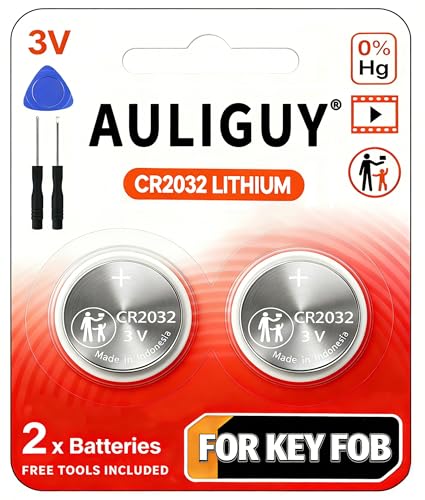
[Original Key Fob Battery as Provided by Manufacturer] - Keyless entry remote fob not included. (Note: For compatibility, your key fob must use a CR2032 battery. )
How to Remove the Emergency Key From Your Key Fob
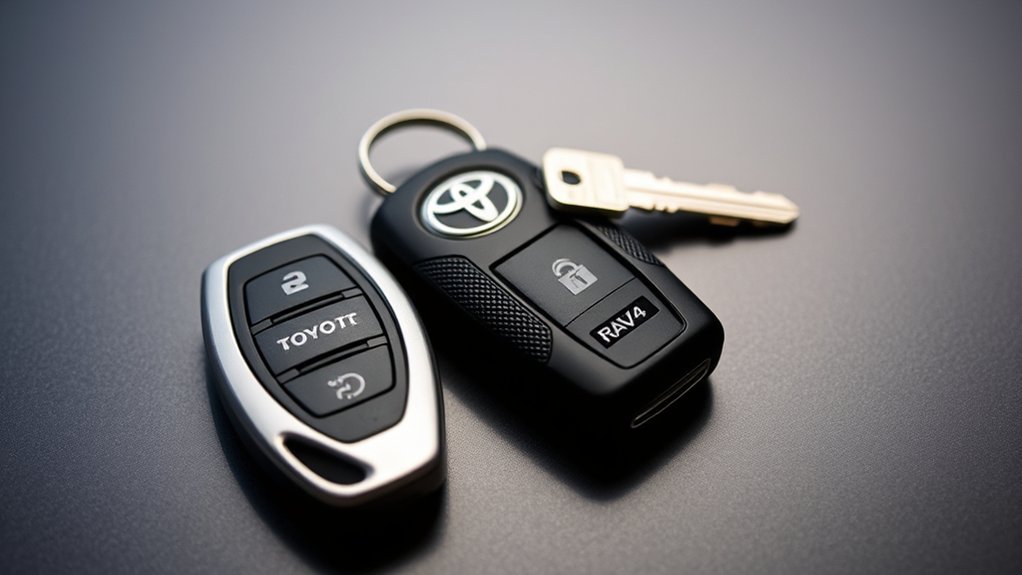
This step applies to a smart electronic key. A conventional remote-head key does not have a removable emergency key.
- Hold the fob securely over a table.
- Find the small release button or sliding latch near the mechanical-key slot.
- Hold the release while pulling the mechanical key straight out.
- Place the key where it will not roll away or scratch the fob.
The mechanical key can unlock the driver’s door if the smart-key battery is depleted or radio interference prevents normal operation.
How to Open Your Key Fob for Battery Replacement
Inspect the shell for a small slot or notch near the mechanical-key opening. Toyota’s exact opening point can differ between fob designs.
Cover the tip of a flathead screwdriver with a thin cloth or nonmetallic tape. Insert it only into the designated opening slot, then rotate it gently. Do not force the screwdriver deeply into the fob.
As the seam opens, work around the edge with your fingers. Keep the button side controlled so the rubber button pad and internal parts do not fall out.
Note: Some smart keys can be opened with the removable mechanical key, while Toyota instructions for other designs specify a protected flathead screwdriver. Use the method shown in your exact owner’s manual rather than forcing the case.
Step-by-Step Guide to Replacing the Battery
Work with dry hands and keep drinks away from the open fob. Moisture, oils, and bent terminals can interfere with normal operation.
Before You Remove the Old Battery
- Confirm the replacement code matches the manual or old battery.
- Note which side of the battery faces upward.
- Check how the cell sits beneath the retaining tabs.
- Avoid touching the circuit board or moving small internal components.
Smart Key Battery Replacement
- Remove the mechanical key by pressing the release latch.
- Use the designated notch to separate the two halves of the fob.
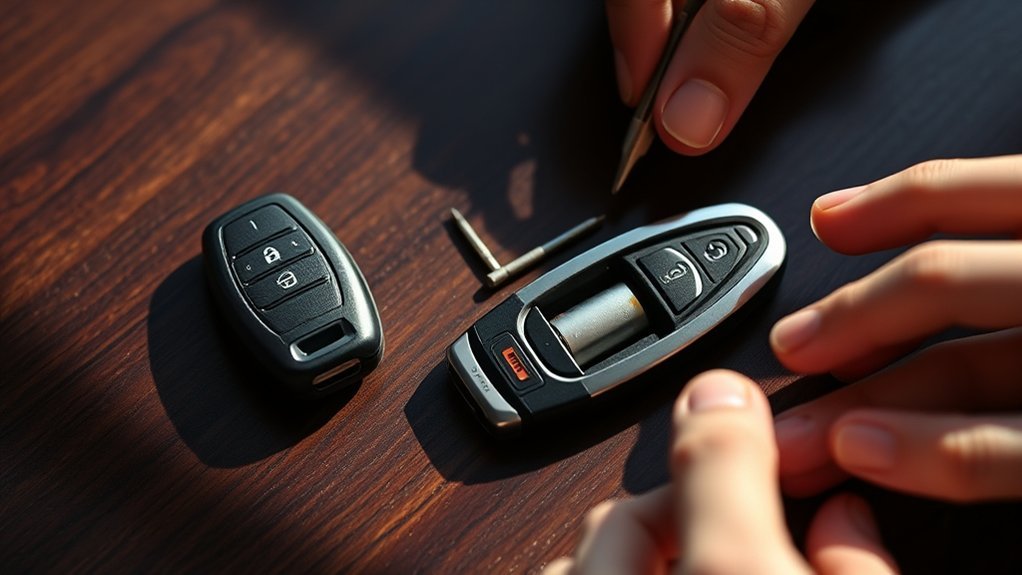
- Locate the coin battery and note its orientation.
- Use a small protected screwdriver to lift the edge of the battery without bending the retaining terminals.
- Insert the exact replacement battery. On the Toyota design documented in the cited RAV4 manual, the positive “+” side faces up.
- Check that the cell sits flat and beneath the retaining tabs.
- Align the two case halves and press around the edge until every clip closes.
- Reinsert the mechanical key.
Conventional Remote-Head Key Battery Replacement
- Place the key on a clean surface with the buttons controlled.
- Insert a cloth-wrapped flathead screwdriver into the outer-cover slot and twist gently.
- Lift the transmitter module from the key frame without pressing its buttons repeatedly.
- If the module has a separate cover, open it with a protected coin or the method shown in your manual.
- Remove the old battery without bending the electrode or terminals.
- Install the exact replacement in the same orientation. Toyota’s cited conventional-key instructions show the positive “+” side facing up.
- Close the module securely, return it to the key frame, and snap the outer cover into place.
How to Reassemble Your Key Fob After Battery Replacement
Before closing the fob, inspect the rubber seal, button pad, and circuit board. Each part should sit flat in its original position.
- Align the case halves without pinching the seal or button pad.
- Press along the entire perimeter until the clips engage.
- Check for uneven gaps or a button that remains pressed.
- Reinsert the mechanical key on a smart fob.
- Test lock, unlock, panic, liftgate, and remote-start buttons that apply to your vehicle.
- Test the smart entry and push-button start functions if equipped.
Toyota’s owner battery-replacement procedure does not include a reprogramming step. If the fob worked before the old battery died but fails after replacement, first suspect battery type, polarity, contact, or assembly.
What to Do if Your Key Fob Still Doesn’t Work?
Use the following checks before paying for programming or replacing the entire key.
[Amazon Products Picked for You]

COMPATIBLE WITH AIRTAG & KEY FOBS: Works with Apple AirTag, all major car key fobs (Toyota, Honda, BMW, Ford, Chevrolet, Lexus), fitness trackers, glucose monitors, tire pressure sensors, and any CR2032 / 3V lithium coin battery device.

**Please confirm compatibility using the fitment guide located in the product images**

*Select your vehicle above*
Check the New Battery and Installation
- Confirm the battery code. A CR2016 and CR2032 may look similar but are different thicknesses.
- Check polarity. Compare the new cell with your photo or the polarity markings inside the fob.
- Try another fresh battery. A newly purchased cell may be old, discharged, damaged, or poorly stored.
- Clean the contact surfaces. Wipe the battery with a clean, dry, lint-free cloth.
- Inspect the terminals. A retaining tab may have been bent away from the battery.
- Close the case fully. An internal piece or rubber seal can prevent the battery from maintaining contact.
Rule Out Other Key and Vehicle Problems
- Test the spare key. If the spare works, the repaired fob likely has a battery, contact, or internal problem.
- Move away from strong radio transmitters, chargers, metal objects, or other electronic keys that may interfere with communication.
- Check whether the vehicle’s interior lights, horn, and other electrical equipment work normally. If several systems are weak or dead, the vehicle’s 12-volt battery may be the problem.
- Look for water damage, corrosion, a cracked circuit board, loose buttons, or a damaged case.
When Programming or Professional Service May Be Needed
Changing only the coin battery is separate from registering a replacement key. Programming or registration may be necessary when you are adding a replacement key, using an unregistered fob, or dealing with internal key damage or a vehicle receiver fault.
Contact a Toyota dealer or qualified automotive locksmith when:
- The fob failed before the battery became weak.
- The fob has water, impact, or corrosion damage.
- A correct, fresh battery and proper assembly do not restore operation.
- Neither the main key nor spare key communicates with the vehicle.
- The mechanical key, immobilizer, or push-button-start system also behaves abnormally.
How to Use Your RAV4 When the Smart-Key Battery Is Dead
For a compatible smart-key RAV4, remove the mechanical key and use it to unlock the driver’s door. The alarm may sound when the door opens, depending on the vehicle’s settings.
On the Toyota RAV4 generations that use the engine-switch backup reader, Toyota documents this starting method:
- Make sure the transmission is in Park.
- Press and hold the brake pedal.
- Touch the Toyota-emblem side of the registered electronic key to the engine switch.
- Wait for the vehicle to detect the key and provide its confirmation signal.
- Keep the brake pedal depressed and press the engine switch.
Important: The backup recognition point is not universal across every RAV4 generation. If the multi-information display tells you to place the key at a different marked location, follow that message and the emergency-start procedure in your exact model-year owner’s manual.
Tips for Maintaining Your Key Fob for Longevity
- Replace the battery when range drops, responses become intermittent, or the vehicle displays a low-key-battery warning.
- Keep the fob dry and remove moisture promptly with a soft cloth.
- Do not leave it on a hot dashboard or expose it to prolonged extreme temperatures.
- Avoid dropping it or carrying it where heavy items can press its buttons.
- Keep smart keys away from strong magnets, metal containers, chargers, and radio-emitting electronics when troubleshooting interference.
- Store an unused spare key in a dry location and test it periodically.
- Do not leave a Smart Key close to the vehicle longer than necessary. Toyota notes on newer smart-key systems that staying near the vehicle can increase key-battery depletion.
How to Dispose of the Old Battery
Cover the positive and negative faces with nonmetallic tape, or place the battery in its own small plastic bag. This reduces the chance of a short circuit while you transport it.
The U.S. Environmental Protection Agency recommends keeping lithium and coin batteries out of household trash and curbside recycling. Take the used cell to a battery collection point, participating retailer, or household hazardous-waste program accepted in your area.
Related Guides
Frequently Asked Questions
What battery does a Toyota RAV4 key fob use?
The battery depends on model year, powertrain, market, and key design. Toyota documentation includes CR2016 for some conventional keys, CR1632 for some older smart keys, CR2032 for many later smart keys, and CR2450 for some RAV4 Prime/Plug-in Hybrid key designs. Check your exact owner’s manual or the code printed on the old cell before buying a replacement.
How often should I replace my RAV4 key fob battery?
Toyota does not provide one universal replacement interval for every RAV4 key. Replace the battery when the remote range decreases, button responses become intermittent, or the vehicle displays a low-key-battery warning.
Can I use any battery brand?
The exact battery code and condition matter more than the brand name. Use a fresh lithium coin cell from a reputable manufacturer or retailer, and confirm that its size and voltage match the original battery.
Will changing the battery erase the key programming?
Changing only the coin battery should not require you to register the key again. If the key still fails, recheck the battery type, polarity, contacts, and case assembly before seeking programming service.
Why does my key fob still not work with a new battery?
Common causes include the wrong battery size, reversed polarity, a discharged replacement cell, bent terminals, incomplete case assembly, moisture damage, radio interference, or a fault in the key or vehicle. Test the spare key to help separate a fob problem from a vehicle problem.
Can I start my RAV4 with a dead smart-key battery?
Yes, many push-button-start RAV4s have a backup recognition method even when the coin battery is depleted. On models that use the engine-switch reader, press the brake, touch the Toyota-emblem side of the registered key to the engine switch, wait for detection, and press the switch. Newer designs may use a different marked recognition point, so follow the dashboard message and your exact model-year manual.
Is a key fob battery covered by a warranty?
Coin batteries are normally treated as replaceable consumable items, but coverage can vary by battery seller, vehicle warranty, service plan, and region. Check the battery packaging and your Toyota warranty documents for the terms that apply to you.
Can I replace the battery without professional help?
Yes. Most owners can replace the battery with a small screwdriver and the correct coin cell. Work gently, keep the components dry, and stop if the case will not open without force.
Conclusion
A Toyota RAV4 key fob battery replacement is usually an easy do-it-yourself job once you identify the correct key design and battery. Do not assume every RAV4 uses CR2032: Toyota documentation also shows CR2016, CR1632, and CR2450 on other key designs. Check the old cell or exact owner’s manual, copy the original polarity, protect the terminals, and test every function after closing the case.
If a correct fresh battery does not restore operation, compare the spare key and inspect the fob for damage before paying for programming. Keep every loose coin battery away from children, tape the old cell’s terminals, and take it to an approved battery collection location.
Sources
- Toyota RAV4 Owner’s Manual OM42809U — CR2016/CR2032 examples, opening procedures, polarity, depleted-battery symptoms, and handling precautions.
- Toyota Manuals and Warranties — model-year-specific owner’s manual lookup for U.S.-market vehicles.
- Toyota Japan: RAV4 Electronic-Key Battery FAQ — model-history examples showing that battery type can vary, including CR1632, CR2032 and CR2450 on different RAV4 generations/powertrains.
- U.S. Consumer Product Safety Commission: Button Cell and Coin Batteries — ingestion hazards, urgent-response guidance, and terminal taping.
- U.S. Environmental Protection Agency: Used Household Batteries — household battery handling, taping/bagging, and recycling recommendations.
