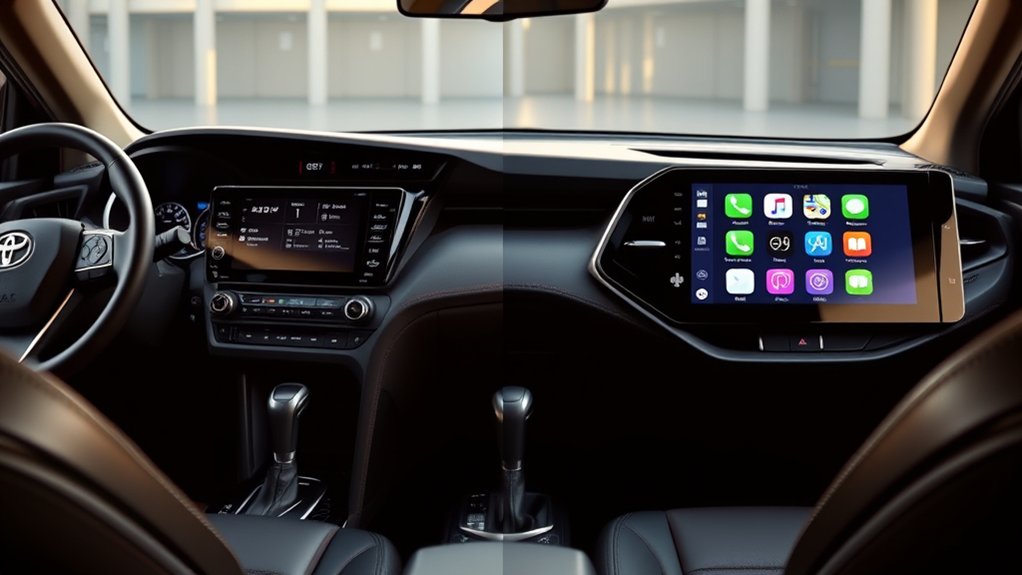
Adding Apple CarPlay to a Toyota RAV4 starts with one detail: the model year and factory radio. U.S.-market 2019 and newer RAV4 models already support factory CarPlay, while 2018 and older models usually need an aftermarket screen, integration module, or replacement head unit. Your best choice depends on the radio, factory features you want to keep, and how much dashboard work you accept.
Quick Answer
To add Apple CarPlay to a RAV4, use the factory system on 2019 and newer U.S. models. For 2018 and older models, choose a vehicle-specific integration module, compatible replacement head unit, or portable CarPlay display. Verify the exact radio, JBL amplifier, camera, steering-wheel controls, and USB connections before buying.
Key Takeaways
- 2019 and newer U.S. RAV4 models have factory Apple CarPlay. Toyota introduced it across the 2019 lineup.
- 2023 through 2025 RAV4 models use Toyota Audio Multimedia with standard wireless CarPlay. Apple also lists the 2026 RAV4 as CarPlay-compatible.
- A wireless adapter does not add CarPlay to a radio that never had CarPlay. It only converts an existing wired CarPlay connection.
- For 2018 and older RAV4 models, aftermarket compatibility depends on the exact radio and options. JBL audio, factory navigation, cameras, and hybrid trim can change the required parts.
- Do not rely on a universal price or installation time. Hardware, labor, trim removal, programming, and feature-retention needs vary widely.
At a Glance
| Time Required | A few minutes for factory pairing; longer for a portable display, integration module, or replacement head unit |
| Difficulty | Easy for factory setup or a portable screen; moderate to advanced for dashboard integration |
| Tools Needed | Compatible iPhone and cable; installation may also require plastic trim tools, sockets, screwdrivers, and vehicle-specific harnesses |
| Cost | Varies by solution, retained factory features, hardware quality, and professional labor |
Understanding Apple CarPlay Compatibility for the RAV4
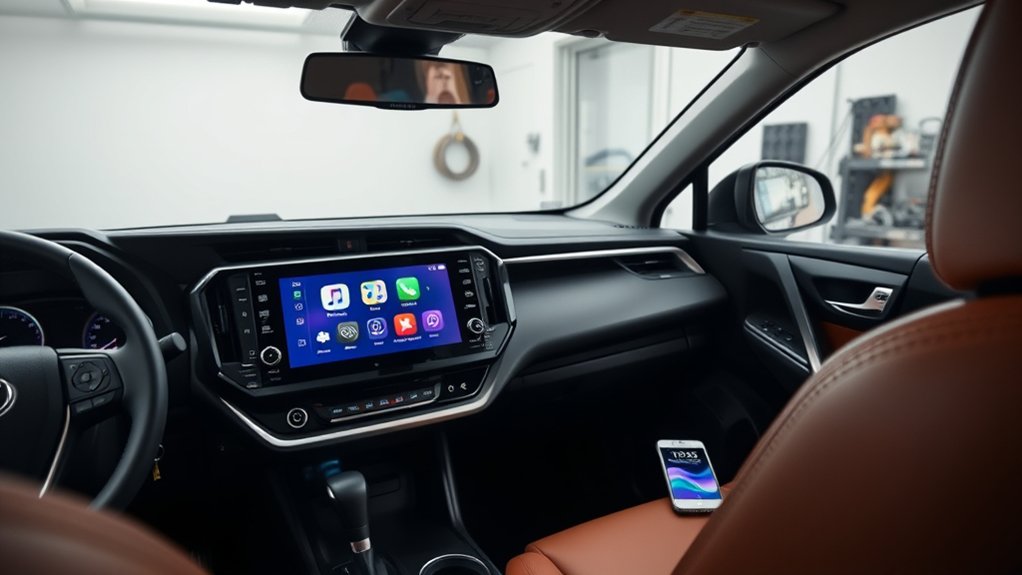
Start by confirming your RAV4’s model year, sales market, trim, and radio. Apple currently lists the Toyota RAV4 as CarPlay-compatible from model year 2019 onward. Toyota’s U.S. launch information also says every 2019 RAV4 included Apple CarPlay compatibility.
Vehicle equipment can differ by country, production date, and trim. A used RAV4 may also have a replacement radio. Check the settings menu, owner’s manual, USB-port markings, and radio part number instead of relying only on the registration year.
| RAV4 model year | Factory CarPlay status in the U.S. | Practical route |
|---|---|---|
| 2018 and older | No factory CarPlay on the original RAV4 radio | Portable display, vehicle-specific integration module, or replacement head unit |
| 2019 to 2022 | Factory Apple CarPlay | Use the factory connection; consider a compatible wireless adapter only when you already have working wired CarPlay |
| 2023 to 2025 | Standard wireless Apple CarPlay through Toyota Audio Multimedia | Pair the iPhone with the factory system; no retrofit should be needed |
| 2026 | Factory CarPlay | Use the factory system and follow the current vehicle setup instructions |
Note: This model-year guide covers U.S.-market RAV4 vehicles. Equipment can differ in Canada, Europe, Australia, Japan, and other markets, so confirm the original radio before ordering hardware.
OEM Solutions for Newer RAV4 Models
If you own a U.S.-market 2019 or newer RAV4 with its original multimedia system, try the factory CarPlay setup before buying anything. Toyota introduced standard CarPlay compatibility on the 2019 RAV4, and the 2019 Toyota RAV4 release confirms that every model received it.
For 2023, Toyota replaced the older multimedia setup with Toyota Audio Multimedia and added standard wireless Apple CarPlay. That factory setup applies through the 2025 model year. Apple’s current compatibility list also includes the 2026 RAV4, so a 2026 owner should use the vehicle’s factory setup instructions rather than buy a retrofit.
Toyota Multimedia Upgrades Available
A routine software or firmware update may fix bugs in an existing compatible radio, but it does not automatically give an older RAV4 the hardware needed for CarPlay. No broad U.S. Toyota program is documented for adding factory CarPlay to 2018-and-older RAV4 radios through a simple USB update.
Ask a Toyota dealer to check the VIN and radio part number when you suspect a factory system should support CarPlay but the icon is missing. The dealer can verify whether the vehicle needs a multimedia update, a repair, or only correct phone setup. Get the diagnosis and price in writing before approving work.
Dealer Installation Benefits Explained
A Toyota dealer is useful when you need a factory-system diagnosis, current firmware, or confirmation of original equipment. However, many dealers do not install third-party CarPlay modules or replacement radios. A qualified mobile-electronics installer may offer more aftermarket choices.
- Choose a dealer for factory multimedia diagnosis, VIN-specific information, and Toyota software procedures.
- Choose a specialist installer for dash kits, integration modules, replacement receivers, amplifier interfaces, and custom USB or microphone routing.
- Ask either provider to list which factory functions will remain, which will change, and what warranty applies to the new hardware and labor.
Aftermarket Solutions for Older RAV4 Models: What You Need to Know
For a 2018 or older RAV4, aftermarket equipment is usually the practical way to add CarPlay. Do not buy by model year alone. Two RAV4 vehicles from the same year can use different radios, amplifiers, cameras, connectors, and control interfaces.
Portable CarPlay Display
A portable display mounts on the dashboard or windshield and sends sound through an AUX input, Bluetooth connection, FM transmission, or its own speaker. It avoids removing the factory radio and can work well when you want a reversible upgrade.
The trade-offs include visible wiring, another screen on the dashboard, variable microphone quality, and possible audio delay. Mount it where it does not block your view, vents, controls, or airbags.
Factory-Screen Integration Module
An integration module connects behind a compatible factory radio and displays CarPlay through the original screen. This route can preserve the factory look and may retain the original camera and steering-wheel controls.
Compatibility is strict. Confirm whether the module supports your screen size, touch input or control knob, JBL amplifier, factory navigation, backup camera, 360-degree camera, hybrid model, microphone, and original USB port. “Plug and play” does not mean universal.
Replacement Head Unit
A replacement receiver can provide the most complete upgrade, including a newer screen, wired or wireless CarPlay, Android Auto, improved audio controls, and extra camera inputs. Older RAV4 generations with a conventional radio opening often suit this option best.
You may need a dash kit, antenna adapter, vehicle-specific harness, steering-wheel-control interface, amplifier interface, USB extension, microphone, and camera-retention adapter. Avoid cutting the factory harness when a proper adapter is available.
Wireless CarPlay Adapter
A wireless adapter is only for a RAV4 that already has functional wired CarPlay. It plugs into the CarPlay USB port and creates a wireless connection to the iPhone. It cannot add CarPlay to a 2018-or-older factory radio that lacks CarPlay.
Pro Tip: Before you order any module or radio, photograph the current screen, settings pages, USB ports, steering-wheel buttons, camera view, and the label on the factory head unit. Send those details to the seller or installer and request written compatibility confirmation.
Key Features to Look for in CarPlay Systems
The best CarPlay system is not simply the one with the largest screen. It is the one that fits your exact RAV4 and keeps the functions you use.
- Exact radio compatibility: Match the model year, trim, screen size, connector type, and radio part number.
- Wired or wireless CarPlay: Wired connections can be simple and stable. Wireless connections reduce cable handling but rely on Bluetooth and Wi-Fi pairing.
- Factory amplifier support: JBL systems often need a dedicated interface to keep correct volume, fading, and sound output.
- Camera retention: Confirm support for the backup camera, dynamic guidelines, 360-degree view, and camera button when equipped.
- Steering-wheel controls: Check volume, track, voice, phone, and display-button support instead of assuming every button will work.
- Microphone quality: Some systems use the factory microphone; others require a supplied external microphone.
- USB and charging behavior: Confirm which port carries CarPlay data and whether the system supports your iPhone’s connector.
- Reversibility: A harness-based installation is easier to return to stock than a cut-and-splice installation.
- Updates and support: Choose hardware with accessible firmware, clear instructions, and responsive technical support.
- Android Auto: Dual-platform support helps when another driver uses an Android phone.
A correct vehicle-specific harness and interface matter more than a long feature list. The wrong interface can disable audio, cameras, controls, or vehicle-setting screens.
Installation Process: What to Expect
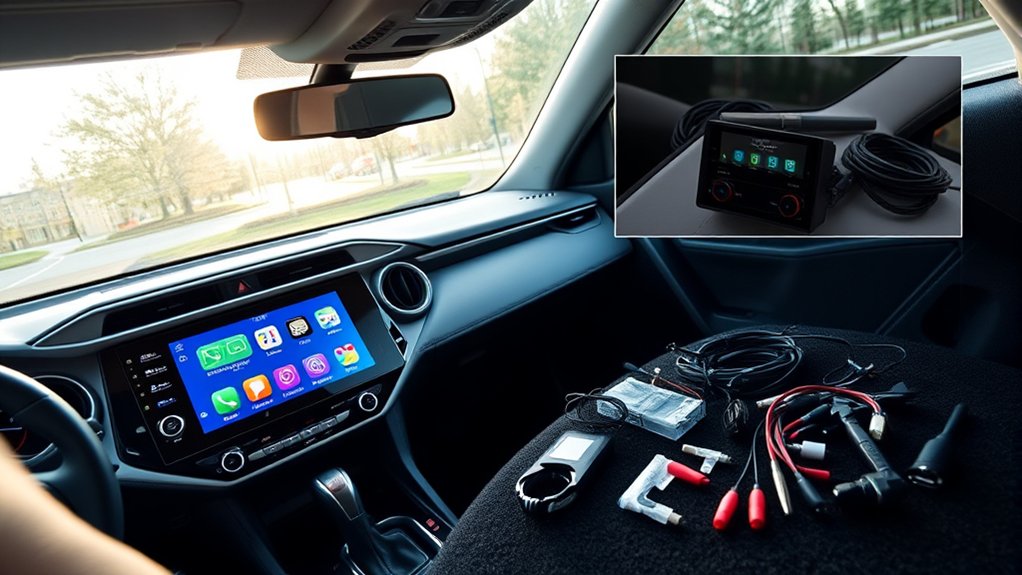
Factory pairing takes only a few steps. A hardware retrofit can involve trim removal, radio removal, harness connections, microphone placement, USB routing, testing, and reassembly. Follow the instructions for the exact product and RAV4 instead of copying switch settings or wire colors from another installation.
Warning: Do not probe, splice, or route wiring around yellow SRS connectors, airbags, steering components, or orange high-voltage cables on hybrid and plug-in hybrid models. Stop if the product instructions conflict with the vehicle manual or if you cannot identify a connector safely.
1. Identify the Current System
Record the model year, trim, market, radio part number, screen size, JBL status, navigation, camera type, and available USB or AUX ports. Confirm whether your existing system already shows a CarPlay icon.
2. Choose the Correct Upgrade Path
Use factory pairing on a compatible 2019-or-newer system. For an older RAV4, choose between a portable display, integration module, or replacement head unit based on the factory features you need to keep.
3. Check Every Required Part
Compare the package contents with the installation guide. Confirm the dash kit, main harness, amplifier interface, steering-wheel-control interface, antenna adapter, camera adapter, microphone, USB cable, and mounting hardware before taking the dashboard apart.
4. Prepare the Vehicle and Phone
Park safely, set the parking brake, switch the ignition off, and keep the key away from the vehicle. Save radio presets and settings. Update the iPhone and make sure Siri is enabled. Follow the device and vehicle instructions for 12-volt battery disconnection when required.
5. Install Without Forcing Trim or Connectors
Use plastic trim tools and the correct sockets or screwdrivers. Release clips evenly, support removed panels, and label unfamiliar plugs. Connect vehicle-specific harnesses firmly. Route the microphone and USB lead away from sharp edges, pedals, airbags, and moving parts.
6. Test Before Reassembly
Temporarily power the system and test CarPlay, all speakers, phone calls, microphone, steering-wheel buttons, backup camera, parking guidelines, factory amplifier, radio reception, vehicle settings, warning chimes, and USB charging. Fix problems before reinstalling every panel.
7. Pair and Configure CarPlay
Apple’s CarPlay setup instructions say to start the vehicle, turn on Siri, and connect through the supported USB port or wireless pairing process. Approve the prompts on the iPhone and vehicle display, then arrange apps under Settings > General > CarPlay on the iPhone.
Tools and Accessories Needed for Installation
Your tool list depends on the solution. Factory pairing needs only a compatible iPhone and, for wired systems, a reliable data cable. A dashboard retrofit needs more preparation.
Essential Tools Required
- Plastic trim-removal tools to reduce scratches and broken clips.
- Correct metric sockets and screwdrivers for radio brackets and trim fasteners.
- Flashlight and magnetic parts tray to keep screws visible and organized.
- Multimeter only when the product instructions call for electrical testing and you know how to use it safely.
- Protective cloth or tape to shield nearby trim surfaces.
A wire stripper and crimp tool should not be the default. Use a proper vehicle-specific harness whenever possible. Cutting factory wires can make troubleshooting harder and may create avoidable electrical problems.
Additional Accessories Needed
- Vehicle-specific wiring harness for power, speakers, data, and retained functions.
- Dash kit and mounting brackets for a replacement receiver.
- JBL amplifier interface when the vehicle has the factory amplified system.
- Steering-wheel-control interface when the radio does not support the vehicle data directly.
- Camera-retention adapter for the factory backup or multi-view camera.
- Antenna adapter for AM/FM reception.
- USB extension or port-retention adapter for a clean data connection.
- External microphone when the new system cannot use the Toyota microphone.
- GPS antenna only when the selected receiver or integration system requires one.
Common Installation Issues and How to Troubleshoot Them
Start with simple checks before reopening the dashboard. Apple’s official troubleshooting guidance recommends confirming compatibility, updating iOS, checking Siri, testing the USB cable or wireless settings, restarting the phone and vehicle, forgetting the car, pairing again, and checking the stereo firmware.
| Problem | What to check | Safe next step |
|---|---|---|
| CarPlay does not appear | Correct USB data port, data-capable cable, Siri, iOS update, Screen Time restrictions, and radio compatibility | Restart both devices, try another cable or port, then forget and pair the vehicle again |
| Wireless CarPlay will not reconnect | Bluetooth, Wi-Fi, Auto-Join, saved vehicle profile, and adapter firmware | Delete the pairing from both devices and complete a fresh setup |
| No sound or sound from only some speakers | JBL amplifier interface, harness seating, audio-source selection, gain settings, and balance/fader | Switch the vehicle off and verify the correct harness and interface; do not swap wires blindly |
| Backup camera or guidelines disappear | Camera adapter, reverse trigger, voltage conversion, CAN interface, and radio settings | Use the vehicle-specific camera-retention instructions or ask an installer to test the circuit |
| Steering-wheel buttons do not work | Interface programming, radio profile, data connection, and button mapping | Reprogram the interface using its exact instructions |
| Touchscreen gestures do not behave normally | Whether the module uses touch, a factory knob, steering controls, or a separate control mode | Use the module’s supported control method and install current firmware |
| Calls echo or the microphone sounds weak | Microphone location, factory-microphone support, gain, noise reduction, and competing Bluetooth links | Move or replace the microphone and remove duplicate phone pairings |
| Battery drains or the radio stays on | Accessory-power wiring, CAN interface, sleep behavior, and improper constant-power connection | Disconnect the added equipment and have the wiring checked before continued use |
For factory-system problems, follow Apple’s CarPlay troubleshooting steps and check the RAV4 owner’s manual. For aftermarket problems, document the radio model, interface model, firmware version, phone model, iOS version, and exact symptom before contacting support.
Apple CarPlay User Experiences: Success Stories and Challenges
A well-matched system can add clearer navigation, hands-free messaging, music apps, Siri voice control, and a familiar interface without replacing the vehicle. The result depends more on integration quality than on whether the product advertises wired or wireless CarPlay.
Factory-screen modules appeal to owners who want the original dashboard appearance. Replacement receivers appeal to owners who want a larger or faster screen and broader audio features. Portable displays suit owners who want minimal modification. Each choice has a different compromise.
- Factory-screen module compromise: Controls may feel less direct than native CarPlay, and some systems rely on a knob or steering buttons.
- Replacement-radio compromise: You may lose factory menus or need several interfaces to keep cameras, JBL audio, and controls.
- Portable-display compromise: Installation is reversible, but the setup adds visible wiring and may use less direct audio connections.
- Wireless compromise: It removes the cable but can add connection delay, pairing problems, or greater phone battery use.
Before purchase, read instructions and support policies rather than relying only on star ratings or a short installation video. A product that works in a base audio RAV4 may not work in a JBL or navigation-equipped version.
Cost Evaluation for Apple CarPlay: OEM vs Aftermarket Solutions
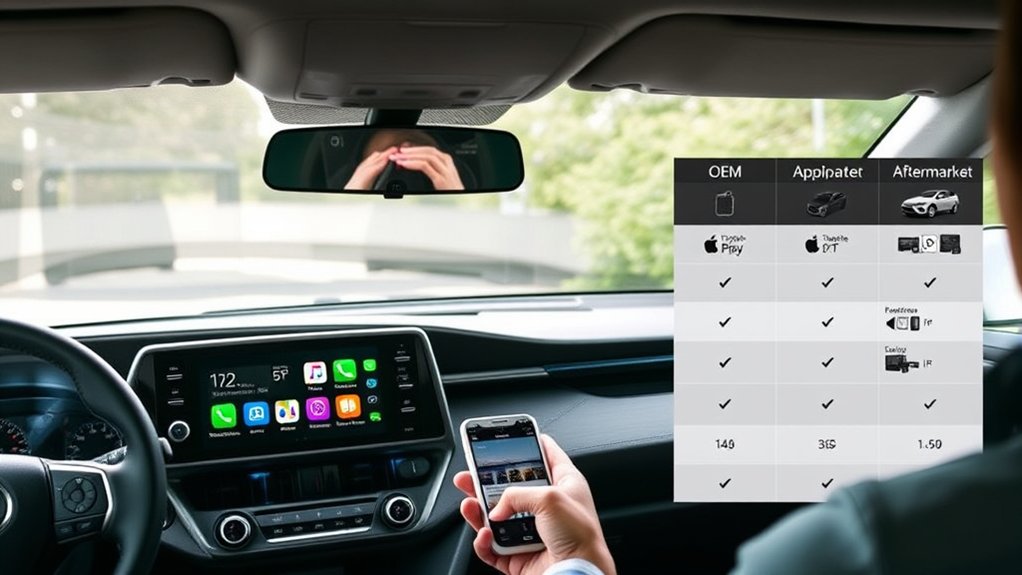
A useful cost comparison includes more than the screen or module. Add every interface, adapter, dash kit, cable, microphone, installation charge, tax, shipping cost, and possible troubleshooting visit.
| Option | Typical cost drivers | Value considerations |
|---|---|---|
| Factory CarPlay setup | Compatible cable or no added hardware on supported wireless models | Lowest complexity when the original radio already supports CarPlay |
| Wireless adapter | Adapter quality, firmware support, and return policy | Convenient only when wired CarPlay already works |
| Portable display | Screen quality, mount, audio connection, power cable, and optional camera | Reversible and simple, but less integrated |
| Factory-screen module | Radio-specific hardware, harnesses, microphone, firmware, and labor | Keeps the original look when compatibility is exact |
| Replacement head unit | Receiver, dash kit, amplifier and camera interfaces, controls, accessories, and labor | Offers the broadest upgrade but can require the most supporting parts |
Because product and labor prices change, a fixed amount can become inaccurate quickly. Compare at least two complete installed quotes. Ask each provider to state whether the quote retains the JBL amplifier, all cameras, steering-wheel controls, factory USB port, microphone, radio reception, warning chimes, and vehicle settings.
Choosing the Best Option: OEM or Aftermarket?
Your RAV4’s model year usually narrows the choice. For 2019 and newer models, use the factory system unless it is faulty. For 2018 and older models, choose the least invasive aftermarket solution that provides the screen, audio quality, and retained features you need.
| Your priority | Best starting point |
|---|---|
| No dashboard disassembly | Portable CarPlay display |
| Original dashboard appearance | Compatible factory-screen integration module |
| Largest feature and audio upgrade | Replacement head unit with all required interfaces |
| Wireless use on a factory wired-CarPlay RAV4 | Compatible wireless CarPlay adapter |
| Factory diagnosis or software issue | Toyota dealer or Toyota multimedia support |
Cost Considerations
Compare total installed cost, not the advertised hardware price. A cheaper receiver may need extra interfaces that erase the initial saving. A more expensive vehicle-specific kit may include the harnesses and programming you would otherwise buy separately.
Also compare the return window, hardware warranty, labor warranty, firmware support, and cost of restoring the vehicle to stock. Keep the original radio and trim pieces when possible.
Installation Complexity
Factory pairing and portable displays are usually manageable for most owners. Integration modules and replacement receivers demand careful trim work, connector identification, cable routing, and testing. JBL audio, multi-view cameras, factory navigation, and hybrid trims can raise the difficulty.
Use professional installation when the product requires wire cutting, amplifier integration, camera voltage conversion, custom programming, or work near safety-system wiring. A clean installation should not leave loose cables, blocked vents, damaged clips, warning lights, or missing factory functions.
Related Guides
Frequently Asked Questions
Which Toyota RAV4 years have factory Apple CarPlay?
Apple and Toyota list factory CarPlay for the U.S.-market RAV4 beginning with model year 2019. Toyota introduced standard wireless CarPlay for the 2023 through 2025 RAV4 lineup, and Apple also lists the 2026 RAV4 as CarPlay-compatible. Equipment can differ by country, so verify imported vehicles separately.
Can I use Apple CarPlay with an older RAV4 model?
Yes. A 2018-or-older RAV4 can use CarPlay through a portable display, a compatible integration module, or a replacement head unit. Match the product to the exact factory radio, JBL amplifier, cameras, navigation, steering controls, and trim.
Can a wireless CarPlay adapter add CarPlay to a 2018 RAV4?
No. A wireless adapter needs an existing wired CarPlay system. Since the original U.S.-market 2018 RAV4 radio did not include CarPlay, you need a portable display, integration module, or replacement receiver instead.
Is professional installation recommended for aftermarket systems?
Professional installation is a good choice when you must remove several panels, integrate a JBL amplifier, retain multiple cameras, program steering-wheel controls, convert camera voltage, or cut wires. A simple portable screen may not need professional help.
Will adding CarPlay void my vehicle warranty?
Using an aftermarket part does not automatically cancel the entire vehicle warranty. The U.S. Federal Trade Commission says warranty coverage remains in effect, but a manufacturer or dealer may deny coverage for damage that a defective part or improper installation caused. Keep receipts and installation records.
Are there monthly fees for using Apple CarPlay?
Apple does not charge a separate monthly fee for CarPlay itself. Your cellular plan, streaming service, navigation app, connected-vehicle service, or other subscription may still have its own charges.
Can I use voice commands with Apple CarPlay?
Yes. You can use Siri through the steering-wheel voice button, the CarPlay screen, or “Hey Siri” when supported and enabled. Microphone quality depends on whether the upgrade uses the factory microphone or an added microphone.
Will the factory backup camera and steering-wheel controls still work?
They can work when the system includes the correct camera and steering-control interfaces. Retention is product-specific, so get written confirmation for your exact radio, camera type, amplifier, and trim before purchase.
Conclusion
Choose your CarPlay route by model year and radio, not by a universal product claim. A U.S.-market 2019-or-newer RAV4 should use its factory CarPlay system. Toyota documented standard wireless CarPlay for the 2023 through 2025 lineup, while Apple continues to list the 2026 RAV4 as CarPlay-compatible. For a 2018-or-older RAV4, a portable display offers the simplest reversible setup, an integration module keeps the original look, and a replacement receiver delivers the broadest upgrade.
Before spending money, verify the radio part number and every factory feature you want to keep. Use vehicle-specific harnesses, test all functions before reassembly, and involve a qualified installer when the work affects amplifiers, cameras, data networks, or safety-system areas.
Sources
- Apple CarPlay Available Models — lists Toyota RAV4 compatibility beginning with model year 2019.
- Toyota USA: All-New 2019 Toyota RAV4 — confirms standard Apple CarPlay compatibility on every 2019 RAV4.
- Toyota USA: 2023 RAV4 Multimedia Update — confirms standard wireless Apple CarPlay for the 2023 RAV4 lineup.
- Apple Support: Use CarPlay With Your iPhone — provides official wired and wireless setup steps and Siri controls.
- Apple Support: If You Need Help With CarPlay — provides official connection and troubleshooting checks.
- Federal Trade Commission: Auto Warranties and Service Contracts — explains warranty treatment of aftermarket parts and installation-related damage.
