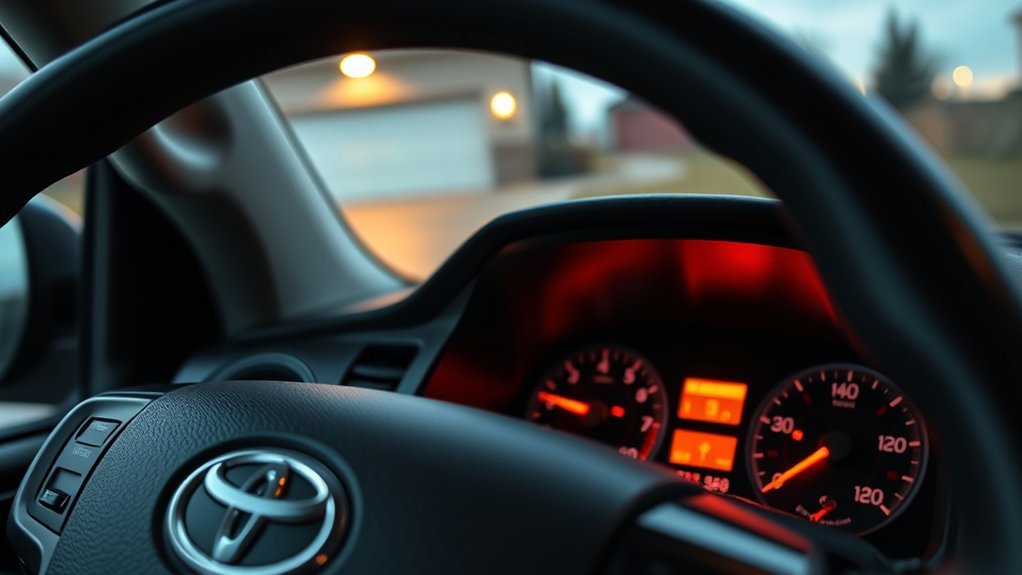
The Maintenance Required light or maintenance message on a Toyota Tundra is a scheduled-service reminder, not a diagnosis of a mechanical failure. Reset it only after the required maintenance has been completed, and use the procedure that matches your model year because older trucks use the odometer button while newer models use the multi-information display.
Quick Answer
After completing the scheduled service, reset the Toyota Tundra maintenance reminder with the instrument-cluster controls. On 2018-and-newer trucks, use the multi-information display’s Vehicle Settings menu. On 2007–2017 models, use Trip A and the trip-reset button; on 2000–2006 models, use the odometer. Menu wording can vary by year and trim.
Key Takeaways
- Reset the reminder only after completing the maintenance listed for the current service interval.
- The procedure differs among 2000–2006, 2007–2017, 2018–2021, and 2022-and-newer Tundras.
- A 5,000-mile service checkpoint does not automatically mean every Tundra needs an oil change at that mileage.
- The Maintenance Required reminder is different from the Check Engine light and normally does not store an OBD-II fault code.
- Do not disconnect the battery simply to clear a routine maintenance reminder.
At a Glance
| Time Required | About 2–5 minutes |
| Difficulty | Easy |
| Tools Needed | No tools; the owner’s manual is helpful if the display differs |
| Cost | $0 |
How to Reset the Maintenance Required Light on Your Tundra

Before starting, park the truck safely, complete the scheduled service, and identify the exact message shown in the instrument cluster. A newer Tundra may have separate options for Scheduled Maintenance and Oil Maintenance, while older models use one mileage-based Maintenance Required indicator.
Warning: Do not reset the reminder simply to turn off the light when the scheduled maintenance has not been performed. Resetting only restarts the counter; it does not service the truck, inspect its systems, or correct a fault.
[Amazon Products Picked for You]

COMPATIBLE WITH ALL TOYOTA CARTRIDGE STYLE OIL FILTERS - The Motivx Tools 64.3mm 14 flute oil filter wrench is compatible with all Toyota and Lexus cartridge style oil filter caps from 1.8L - 5.7L engines. This includes popular models like Camry, Tundra, Tacoma, 4Runner, RAV4, Corolla, Highlander, Prius and more that use a cartridge style filter where you remove a plastic cap to expose the paper filter element inside.
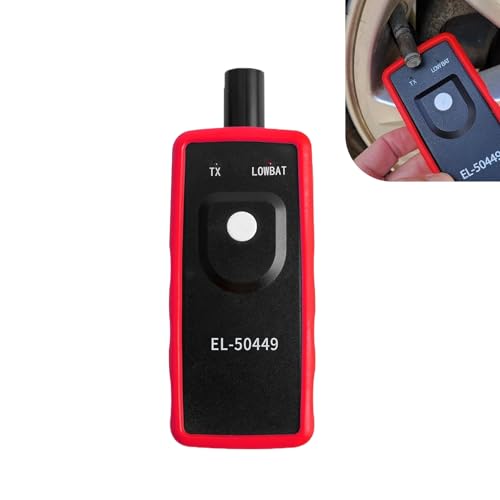
Key Functions: The battery not included. This tpms relearn tool is for vehicles with direct TPMS. It activates sensors, clears dashboard warning lights, and checks for bad or low-power sensors. It is compatible with many major vehicle brands.
Resetting the Maintenance Light on 2022 and Newer Tundra Models
Third-generation Tundras use the steering-wheel meter controls and multi-information display. Menu labels may differ slightly by model year, trim, software version, or market, so consult the applicable Toyota Tundra owner’s manual page when the options do not match your display.
- Turn the ignition or engine switch to ON without starting the engine.
- Use the steering-wheel meter controls to select the Settings or gear icon in the multi-information display.
- Open Vehicle Settings. Some versions require you to press and hold the OK button to enter this menu.
- Select Scheduled Maintenance, Oil Maintenance, or the maintenance-reset option that matches the message you are clearing.
- Select Yes to confirm the reset.
- Turn the ignition off, restart the truck, and verify that the completed-service message no longer appears.
If both Scheduled Maintenance and Oil Maintenance counters are present, reset only the counter associated with the service that was completed. For example, a tire-rotation and inspection visit may satisfy the scheduled-maintenance reminder without requiring the oil counter to be reset.
Resetting the Maintenance Light on 2018–2021 Tundra Models
On most 2018–2021 Tundras, the reminder is reset through the instrument-cluster menu:
- Turn the ignition to ON without starting the engine.
- Use the meter-control switches to open the Settings or gear-icon screen.
- Select Vehicle Settings.
- Select Maintenance Reset.
- Choose Yes to confirm.
- Cycle the ignition and confirm that the maintenance message has cleared.
The exact screen arrangement can vary. The 2018 Toyota Tundra manual resource is the best reference when your instrument cluster uses different wording.
Resetting the Maintenance Light on 2007–2017 Tundra Models
Most 2007–2017 Tundras use Trip A and the trip-reset button:
- Turn the ignition to ON without starting the engine.
- Press the trip or display button until Trip A appears.
- Turn the ignition completely off.
- Press and hold the trip-reset button.
- While continuing to hold the button, turn the ignition back to ON without starting the engine. On a push-button-equipped truck, press the engine switch as required to enter ignition-on mode without pressing the brake pedal.
- Keep holding the button while the display counts down or shows a row of zeros.
- Release the button after the countdown finishes and the maintenance indicator turns off.
If the light does not reset, repeat the procedure and confirm that the display was set to Trip A, not Trip B or the total odometer, before the ignition was switched off.
Resetting the Maintenance Light on 2000–2006 Tundra Models
First-generation Tundras generally use the total odometer rather than Trip A:
- Turn the ignition to ON without starting the engine.
- Set the display to the regular odometer reading.
- Turn the ignition off.
- Press and hold the trip-reset button.
- While holding the button, turn the ignition back to ON.
- Continue holding until the display finishes its countdown or displays zeros and the maintenance light goes out.
Instrument clusters can differ among early model years. Consult the Toyota manual resource for the applicable first-generation model if your truck does not respond to this sequence.
Pro Tip: Before turning the ignition off on a button-reset model, pause and confirm that the display shows the required Trip A or odometer screen. Selecting the wrong display is one of the most common reasons the reset sequence fails.
Understanding the Maintenance Required Light
The Maintenance Required light or maintenance message is a reminder to review the factory maintenance schedule. Depending on the truck’s year and mileage, the service may include a tire rotation, fluid-level checks, inspections, an oil and filter change, or other listed work.
The reminder is normally based on an interval counter. It does not analyze the engine oil, measure brake-pad thickness, inspect filters, or verify that a technician performed the required work.
Resetting the maintenance light restarts a reminder counter; it does not create a service record or confirm that maintenance was completed.
Importance of Maintenance Reminders
Many Toyota maintenance schedules use regular service checkpoints, often including a 5,000-mile interval. However, the work required at each checkpoint is not identical. The proper oil-change interval depends on the model year, engine, specified oil, driving conditions, and the applicable maintenance guide.
Severe or special operating conditions—such as repeated short trips in freezing weather, extensive idling, heavy towing, dusty-road use, or frequent low-speed driving—may require services sooner than the normal schedule. Follow the maintenance guide for your exact truck rather than assuming that every illuminated reminder calls for the same service.
Reset the relevant maintenance counter after completing the listed work so the next reminder appears at the correct interval. Toyota’s maintenance-plan information also describes covered work as normal factory-scheduled maintenance rather than one identical service at every visit.
Differences From the Check Engine Light
The Maintenance Required reminder and Check Engine light serve different purposes:
- Maintenance Required: A scheduled-service reminder based primarily on an interval counter. It normally does not identify a failed component.
- Check Engine light: An engine or emissions diagnostic warning that can store an OBD-II trouble code. A steady light should be diagnosed promptly.
- Flashing Check Engine light: Treat this as urgent. Reduce engine load, avoid continued hard driving, and arrange an inspection as soon as safely possible.
- Red warning light: A red oil-pressure, charging-system, brake, temperature, or similar warning may require immediate action. Do not assume it is the maintenance reminder.
Toyota notes that dashboard indicators use different colors and meanings and directs owners to the applicable manual for the exact symbol. Review the Toyota warning-light guide when you are unsure which light is illuminated.
Note: An OBD-II scanner can help diagnose a Check Engine light, but it normally will not clear or explain a routine Maintenance Required reminder because that reminder is not a diagnostic fault code.
Troubleshooting Common Issues With the Maintenance Light

If the maintenance reminder stays on after service, first confirm that you used the procedure for the correct model year and reset the correct maintenance counter. A persistent reminder usually means the sequence did not register; it does not automatically indicate an engine problem.
[Amazon Products Picked for You]

Efficient Problem Solving: The TPMS reset tool is designed to activate tire pressure sensors. When an alarm is triggered due to tire replacement, pressure adjustment, or...
Common Causes Explained
- The wrong display was selected: Many 2007–2017 trucks require Trip A, while many 2000–2006 trucks require the total odometer.
- The button was released too soon: Keep holding it until the countdown, dashes, or zeros finish.
- The ignition was in the wrong mode: The cluster must be on, but the engine should not be running during most reset procedures.
- The wrong counter was reset: Newer models may have separate Scheduled Maintenance and Oil Maintenance counters.
- The confirmation was not completed: Menu-based systems normally require selecting Yes after opening the reset option.
- The light is not the maintenance reminder: Confirm that it is not the Check Engine, low-oil-pressure, master-warning, ABS, brake, or charging-system indicator.
- The procedure differs by cluster or market: Trim, software, and regional specifications can change menu wording or button behavior.
Reset Procedure Verification
Use this checklist before repeating the reset:
- The scheduled service has been completed.
- The parking brake is applied and the truck is stationary.
- The engine is off.
- The ignition or engine switch is in the required ON mode.
- The display shows Trip A, the odometer, or the correct settings menu for the model year.
- The trip button or OK control is held for the full required time.
- The correct Scheduled Maintenance or Oil Maintenance counter is selected.
- The final confirmation message is accepted.
After resetting, switch the ignition off for several seconds and restart the truck. A brief reminder may still appear if a different maintenance counter is due or if the reset did not complete.
Seeking Professional Assistance
Contact a Toyota dealer or qualified repair facility when:
- The correct procedure has been attempted several times without success.
- The instrument display, trip button, or steering-wheel controls are not responding normally.
- A Check Engine light or another warning is illuminated at the same time.
- The maintenance reminder returns immediately after a confirmed reset.
- You cannot determine which maintenance service is due.
Do not disconnect the battery merely to clear the reminder. Battery disconnection can erase clock settings, radio presets, learned values, and other stored information, and it does not correct an incomplete maintenance-reset sequence.
How Often Should You Reset the Maintenance Light?
Reset the maintenance counter whenever the corresponding scheduled service has been completed and the reminder is due. Do not reset it after every isolated repair or inspection unless that work completes the service interval represented by the reminder.
| Service or Situation | When It Occurs | Reset Guidance |
|---|---|---|
| Scheduled service checkpoint | At the interval listed in the maintenance guide | Reset Scheduled Maintenance after all listed work is complete. |
| Engine oil and filter change | According to the model-year schedule and operating conditions | Reset Oil Maintenance when the truck has a separate oil counter and the oil service was completed. |
| Tire rotation | At the interval specified for the truck and tires | Reset the scheduled-service counter only when the rotation completes the due maintenance visit. |
| Brake inspection or fluid check | At scheduled intervals or when symptoms require inspection | Do not reset solely for an isolated check unless the entire due service was completed. |
| Unscheduled repair | As needed | No reset is normally needed unless the repair also completes the scheduled maintenance that triggered the reminder. |
[Amazon Products Picked for You]

Reset Piston: With our rear brake tool, you can easily drive the piston to rotate back into place, so that it can be smoothly and evenly returned to the inside of the...
Why You Should Keep Track of Maintenance for Your Tundra
The maintenance reminder is useful, but it is not a complete service history. Keep dated records showing the mileage, work performed, fluids and parts used, and the shop or person who completed the service.
- Follow the correct interval: Use the owner’s warranty and maintenance guide for your exact year, engine, and operating conditions.
- Avoid duplicated or missed work: A written log shows which services were actually completed rather than relying on a reset counter.
- Support warranty or repair discussions: Receipts and service records provide evidence of completed maintenance.
- Improve resale documentation: An organized history can help a future buyer understand how the truck was maintained.
- Track severe-use maintenance: Note towing, dusty-road driving, extensive idling, and other conditions that may change the schedule.
Frequently Asked Questions
How do you reset Maintenance Required on a Toyota Tundra?
Complete the scheduled service first. On 2022-and-newer and most 2018–2021 trucks, use the instrument display’s Settings and Vehicle Settings menu. On 2007–2017 models, select Trip A, switch the ignition off, hold the trip-reset button, and turn the ignition on. Most 2000–2006 trucks use the same button sequence with the total odometer selected.
How do I clear my Toyota Maintenance Required notification?
Use the reset procedure for the truck’s model year after completing the due maintenance. Newer models normally use the multi-information display, while older Tundras use the trip or odometer button. If the notification remains, verify that you selected the correct display or maintenance counter.
What does “Maintenance Required Soon” on a Toyota Tundra mean?
It means the truck is approaching a scheduled service checkpoint. Review the maintenance guide to see which inspections or replacements are due. It does not automatically mean the engine has a fault or that every service visit requires an oil change.
What triggers the Maintenance Required light?
The reminder is normally triggered by an interval counter rather than a sensor that measures oil quality, tire condition, brake wear, or filter restriction. The truck therefore cannot confirm which maintenance tasks were completed; the owner or technician must review the schedule and reset the counter afterward.
Why did the maintenance reminder return after I reset it?
The reset may not have completed, the wrong display may have been selected, or a separate Oil Maintenance or Scheduled Maintenance counter may still be due. Repeat the correct model-year procedure and confirm the final reset message. If another warning light is present, have that warning diagnosed separately.
Should I disconnect the battery to clear the Maintenance Required light?
No. Battery disconnection is not a recommended routine method for resetting the maintenance reminder. It may erase presets and learned settings without correcting the reset sequence. Use the proper instrument-cluster procedure or consult the owner’s manual or a qualified technician.
Conclusion
Resetting the Toyota Tundra’s Maintenance Required light is a simple process once you match the procedure to the truck’s model year. Newer Tundras use the multi-information display, 2007–2017 models normally use Trip A, and most 2000–2006 trucks use the total odometer. Complete the scheduled maintenance first, reset only the applicable counter, and consult the owner’s manual when the display or menu wording differs.
If the reminder will not clear, recheck the display selection, ignition mode, button timing, and Scheduled Maintenance or Oil Maintenance option. Do not disconnect the battery as a shortcut, and do not confuse the routine reminder with a Check Engine light or urgent red warning.
Sources
- Toyota 2006 Tundra Manuals and Warranties — model-specific owner-document resource for first-generation Tundras.
- Toyota 2017 Tundra Manuals and Warranties — model-specific owner-document resource for button-reset second-generation trucks.
- Toyota 2018 Tundra Manuals and Warranties — supports checking the updated multi-information-display procedure.
- Toyota 2022 Tundra Manuals and Warranties — model-specific resource for the third-generation Tundra.
- Toyota Dashboard Warning Lights — explains indicator colors, warning-light differences, and the need to consult the applicable manual.
- ToyotaCare and Maintenance Plans — supports following normal factory-scheduled maintenance rather than assuming every interval requires identical work.
