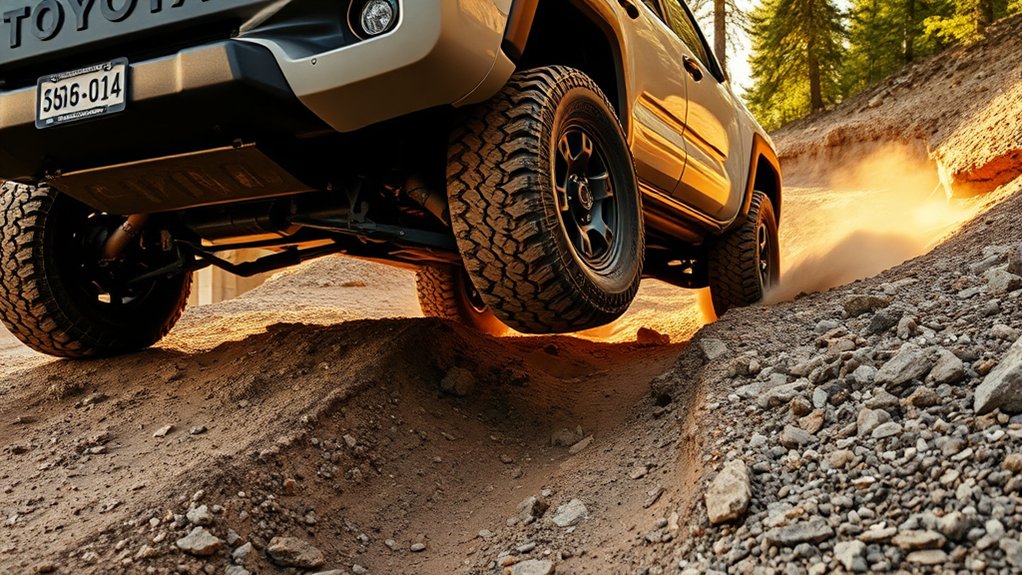
When Should You Use A-TRAC on a Toyota Tacoma?
Last updated: September 19, 2026. This update clarifies fourth-generation Tacoma off-road controls and Multi-Terrain Select range behavior using current Toyota documentation.
Use A-TRAC when an equipped Toyota Tacoma is moving slowly off-road and one or more tires are spinning, unloading, or losing grip on uneven terrain. Good examples include rocky ledges, diagonal ruts, loose climbs, mud, and other low-speed obstacles where some tires still have usable traction. Do not treat A-TRAC as an everyday rain or snow mode, and do not assume the same activation sequence applies to every Tacoma generation.
Quick Answer
Use A-TRAC when a four-wheel-drive Tacoma is moving slowly off-road and a tire is spinning or lifting, such as on rocks, ruts, loose climbs, mud, or sand. Do not treat it as an everyday rain or snow setting. On newer Tacomas, the driver-facing off-road controls may use Multi-Terrain Select or other integrated systems instead of an older-style dedicated A-TRAC button, so follow the owner’s manual for your exact model year.
Key Takeaways
- A-TRAC is most useful during slow off-road driving when individual tires are spinning or losing contact with the ground.
- A-TRAC uses brake intervention to create a limited-slip-like effect, but it is not the same as mechanically locking the rear differential.
- Normal TRAC and VSC should generally remain active during public-road driving in rain, ice, or snow.
- Do not assume every Tacoma uses the same button, 4WD mode, speed limit, or activation sequence.
- If repeated attempts create brake odor, warning lights, or no forward progress, stop and choose another approach.
At a Glance
| Best Use | Slow off-road obstacles where one or more tires are spinning, unloading, or encountering less grip than the others |
| Avoid | Treating A-TRAC as a normal rain/snow road mode or selecting an unsuitable part-time 4WD/4LO setting on dry, high-traction pavement |
| 2024–2026 Control Strategy | Do not assume there is a dedicated A-TRAC button. Fourth-generation Toyota documentation emphasizes Multi-Terrain Select, CRAWL Control, the 4WD selector, rear locker, and related integrated controls. |
| Before You Engage | Confirm the exact model-year procedure, select a safe tire line, choose the permitted 4WD range, and stop repeated wheelspin if the truck is not progressing |
Understanding A-TRAC: What It Is and How It Works
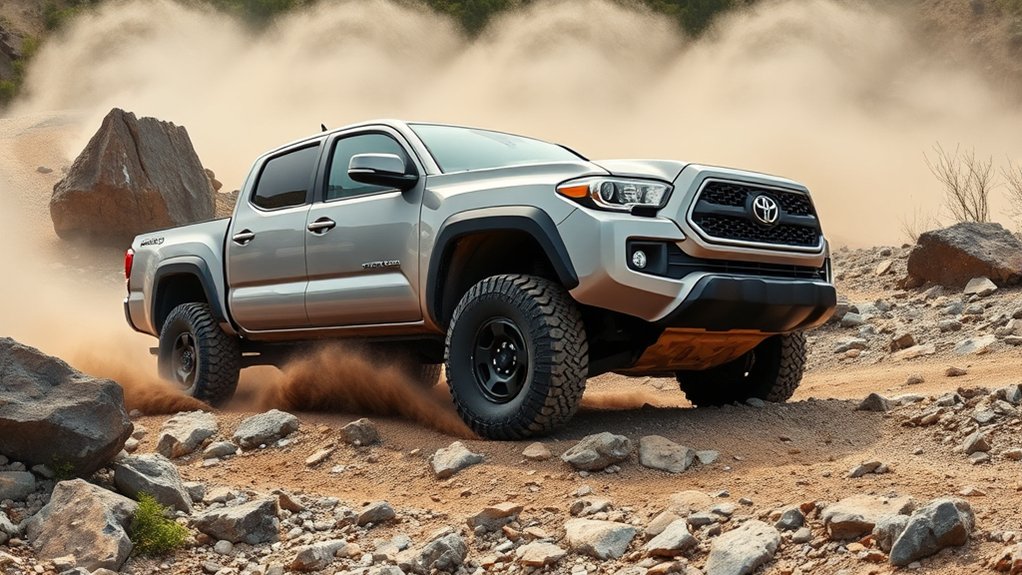
A-TRAC stands for Active Traction Control. On an equipped Tacoma, the system monitors wheel speed and can apply braking force to a wheel that is spinning. Because the differential responds to resistance at that wheel, more usable driving force can reach another wheel that still has traction.
This action can feel similar to a limited-slip differential when a tire lifts or slips. However, A-TRAC does not mechanically lock the axle, and it cannot create grip that the tires do not have. Deep mud, polished ice, poor tires, excessive throttle, or a badly chosen line can still stop the truck.
A-TRAC manages wheelspin. It does not increase the surface’s available traction or replace careful driving.
Availability has changed across Tacoma generations and trims. Toyota’s 2024 Tacoma launch information listed A-TRAC with four-wheel-drive models. Toyota’s 2026 Tacoma overview emphasizes Multi-Terrain Select, CRAWL Control, an available electronic rear locker, and Downhill Assist Control. Check the Toyota owner’s-manual portal before applying instructions from a different model year.
2024–2026 control note: Toyota’s 2024 Tacoma Quick Reference Guide shows Multi-Terrain Select and DAC/CRAWL controls rather than an older-style dedicated A-TRAC switch in its center-console control map. The same guide lists AUTO, SAND, MUD, and ROCK when the applicable four-wheel-drive control is in 4L, while 4H lists AUTO, DIRT, SAND, DEEP SNOW, and MUD. Treat the available buttons and terrain modes as model-specific rather than assuming an older activation sequence applies.
For a broader explanation of the system itself, see Toyota Tacoma A-TRAC explained. This page focuses on deciding when to use A-TRAC and when another Tacoma traction system makes more sense.
Note: Some Tacomas have a dedicated A-TRAC switch. Others manage off-road traction through a drive-mode selector or integrated controls. Use the labels and procedure shown in your own vehicle.
A-TRAC Use Cases by Terrain
Use A-TRAC when the truck is moving slowly off-road and wheelspin is preventing controlled forward movement. The system is especially useful when traction changes from one wheel to another, such as when crossing diagonal ruts or climbing uneven rock ledges.
| Condition | A-TRAC Guidance | Why |
|---|---|---|
| Rocky ledges or cross-axle ruts | Use it if a tire spins or lifts and your model permits activation in the selected 4WD mode. | Brake intervention may help a tire with grip continue driving the truck. |
| Loose dirt or gravel climb | Use it with light, steady throttle when wheelspin begins to interrupt the climb. | Reducing uncontrolled wheelspin can preserve momentum and steering control. |
| Mud or soft sand | Use cautiously when slow, controlled movement is appropriate. On newer equipped Tacomas, a terrain-specific MTS setting may be the more direct driver control. | Brake-based wheelspin control may help when grip differs between tires, but soft surfaces may also require controlled momentum and a terrain strategy matched to the surface. |
| Off-road snow or uneven icy trail | Use only when appropriate for the selected off-road mode and your manual’s instructions. | It may help with uneven wheel grip, but it cannot overcome the low friction of ice. |
| Dry paved road or tight paved turn | Do not select an unsuitable part-time 4WD or 4LO setting. | High-traction pavement may cause driveline binding when the transfer-case setting does not allow normal speed differences. |
| Routine public-road rain or snow | Rely on the normal road-driving systems and use an appropriate drivetrain setting. | A-TRAC is not a substitute for normal TRAC, VSC, safe speed, or winter-capable tires. |
How to Effectively Engage A-TRAC in Your Toyota Tacoma
The exact sequence depends on the Tacoma’s year and equipment. The following process is a safe general framework for an equipped, button-operated truck. If your Tacoma uses Multi-Terrain Select or another integrated off-road control instead of a dedicated A-TRAC switch, follow that model-specific procedure. The owner’s manual takes priority.
Before You Engage the System
- Stop or slow the truck in a stable location before changing transfer-case settings.
- Inspect the obstacle and identify where each tire should travel.
- Confirm that the surface is suitable for the required 4WD setting.
- Check that the tires are properly inflated for the planned terrain and vehicle load.
- Secure loose cargo and ask passengers to remain seated with seat belts fastened.
- Use a spotter when a ledge, rut, drop-off, or blind approach limits visibility.
Engaging A-TRAC Properly
- Select the required four-wheel-drive mode. Older button-equipped configurations commonly require a specific low-range setting. Fourth-generation configurations may use MTS or another integrated control whose available modes change with the selected 4WD range. Follow the transfer procedure in your manual.
- Activate the appropriate control. Press the A-TRAC switch on a button-equipped model, or choose the model-specific terrain setting when MTS or another integrated control is the driver-facing system. Confirm the expected dashboard indicator.
- Approach slowly. Align the tires before reaching the obstacle and avoid abrupt steering.
- Use light, steady throttle. Smooth accelerator input makes brake-based traction intervention more predictable than repeated bursts of throttle.
- Maintain a controlled crawl. Avoid large speed changes while a tire is climbing or suspended.
- Stop if the truck is not progressing. Reverse carefully if the path is clear, reassess the line, and consider another system or recovery method.
- Return to the correct normal-driving setting. After leaving the obstacle or trail, disengage modes that are not intended for ordinary road travel.
Warning: Do not select part-time 4WD Low on dry, high-traction pavement unless your owner’s manual specifically permits the situation. Driveline binding can make steering difficult and place unnecessary stress on components.
Pro Tip: Use smooth, progressive accelerator input once wheelspin begins. Repeated bursts of throttle can dig the tires deeper and make the truck’s response less predictable.
Comparing A-TRAC With Other Tacoma Traction Systems
Tacoma equipment differs by generation and trim, so your truck may have only some of the following systems. They perform related tasks but are not interchangeable.
| System | Primary Function | Best Use |
|---|---|---|
| A-TRAC | Applies braking to individual spinning wheels to improve usable traction at other wheels. | Slow off-road obstacles with uneven wheel grip. |
| TRAC and VSC | Help reduce wheelspin and support directional stability during normal driving. | Routine road use, including wet or slippery roads. |
| Auto LSD | Uses traction-control logic to reduce rear-wheel spin on applicable two-wheel-drive or selected configurations. | Loose surfaces when the vehicle’s manual permits its use. |
| Multi-Terrain Select | Adjusts brake control, steering feel, and drive-force control for the selected terrain. Available mode choices can differ between 4WD-High and 4WD-Low. | Matching an equipped truck’s response to the trail surface and selected 4WD range. |
| Electronic rear locker | Mechanically commands both rear axle shafts to rotate together on equipped models. | Severe low-speed obstacles where one rear tire has little or no traction. |
| Crawl Control | Automatically manages low-speed acceleration and braking while the driver steers. | Technical terrain where consistent low speed is difficult to maintain manually. |
| Downhill Assist Control | Helps maintain a controlled low speed during steep descents. | Loose or steep downhill sections on equipped models. |
If individual-wheel slip is the problem and your truck provides A-TRAC as the applicable control, use it under the conditions allowed by the manual. If your Tacoma presents Multi-Terrain Select as the driver-facing control, choose the mode that matches the terrain and current 4WD range. Use the rear locker for the specific low-speed rear-axle traction situations allowed by your manual, CRAWL Control when consistent low-speed progress is the goal, and DAC or proper gearing for descents.
For more detail, see A-TRAC vs. traction control on a Tacoma, Toyota Tacoma Multi-Terrain Select explained, and when to use the Tacoma rear differential lock.
Tackling Off-Road Challenges With A-TRAC
Rocks and Cross-Axle Ruts
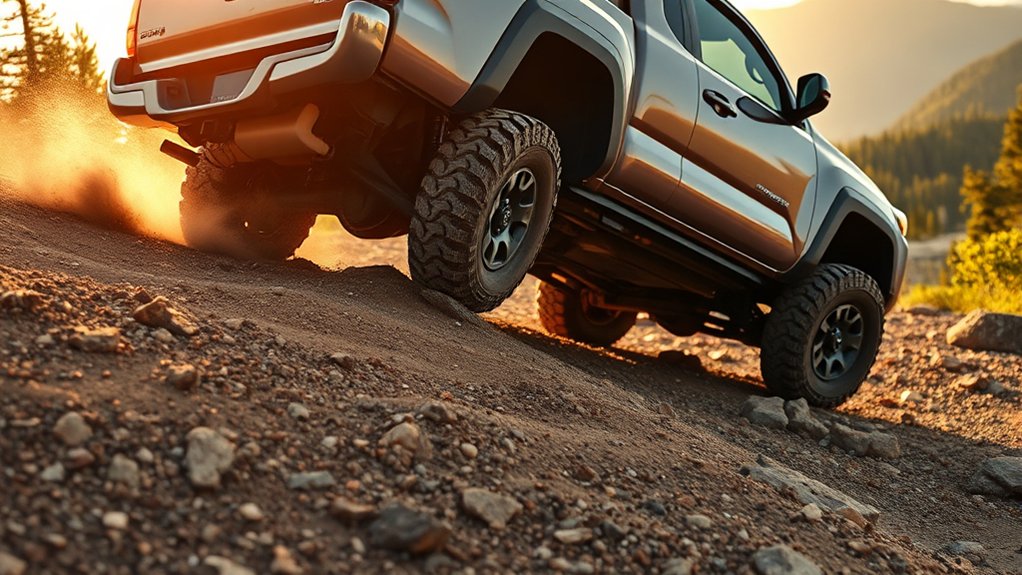
A-TRAC is particularly useful when the suspension articulates enough to reduce pressure on one tire. Approach at a crawl, place the tires on stable high points, and use steady throttle. If a tire begins spinning, avoid immediately adding more accelerator. Give the traction system an opportunity to intervene.
A spotter should stand where the driver can see them and away from the truck’s path. The spotter can help protect the tires, rocker panels, differential, and steps from hidden contact.
Loose Gravel and Dirt Climbs
Build only the momentum the surface and visibility safely allow. Excessive wheelspin can dig holes and reduce lateral control. When the traction system begins working, keep steering inputs small and avoid stopping on the steepest part of the climb unless necessary.
If the truck loses progress, do not continue spinning the tires. Back down only when the route is clear and you can keep the truck straight. Choose a firmer line or use a different approved traction setting.
Deep Sand and Mud
A-TRAC may help when one tire spins faster than the others, but brake intervention is not always the only requirement. Sand often rewards controlled momentum, while deep mud may require more suitable tread, recovery boards, a winch, or a different route. On newer equipped Tacomas, use the terrain mode Toyota specifies for the surface and selected 4WD range.
Repeatedly applying heavy throttle can bury the axles and add heat to the braking system. Stop before the truck settles onto its frame or underbody.
Snow and Ice
Separate an off-road snowy trail from a public snow-covered road. On the trail, A-TRAC or an appropriate terrain-control mode may help when wheel grip differs sharply across ruts or uneven ground. On public roads, keep the normal stability systems active, reduce speed, increase following distance, and use suitable tires.
No electronic system can generate dependable traction on polished ice. Steering, braking, and climbing ability remain limited by tire grip.
Steep Descents
A-TRAC is designed primarily to manage wheelspin under power. It should not be treated as a descent-control system. Select the proper low gear or low range and use Downhill Assist or CRAWL Control if your Tacoma is equipped and the manual recommends it.
Keep the truck straight, avoid sudden braking, and confirm the path before beginning the descent. Once committed, turning around may not be possible.
Maximizing A-TRAC Performance: Essential Tips
Ideal Terrain Scenarios
A-TRAC offers the most value when traction is uneven rather than uniformly poor. Useful situations include:
- Diagonal ruts that unload opposite corners of the truck
- Rock ledges where one tire briefly lifts
- Loose climbs where one tire begins spinning first
- Muddy trail sections with alternating firm and soft ground
- Slow sand crossings where controlled wheelspin is preferable to digging
- Uneven snow-covered trails where tire grip differs from side to side
If all four tires lack grip, A-TRAC may have little usable traction to work with. Better tires, a terrain strategy appropriate for the surface, suitable recovery equipment, or another route may be more effective.
Best Driving Technique
- Look ahead: Decide where the tires will go before the hood blocks your view.
- Use steady throttle: Avoid rapid accelerator changes while the system is intervening.
- Keep wheels pointed accurately: Large steering angles increase rolling resistance and can expose sidewalls to rocks.
- Protect momentum: Carry enough movement for loose ground without charging the obstacle.
- Let the system work: Brief pulsing, clicking, or changes in wheel speed may occur during brake intervention on some systems.
- Limit repeated attempts: Every failed attempt can deepen ruts, add brake heat, and damage the trail.
Note: A flashing traction indicator during active wheelspin may be normal, depending on the model and selected system. A warning light that remains illuminated after the system is disengaged or the truck is restarted may indicate a fault.
Troubleshooting A-TRAC Issues: Maintenance and Solutions
If A-TRAC does not activate or does not seem effective, start with the operating conditions before assuming the system has failed.
The Switch or Mode Does Not Respond
- Confirm that the truck is equipped with A-TRAC or identify the terrain-control system your model uses instead.
- Check whether the required 4WD or low-range mode is fully engaged.
- Place the transmission in the position specified by the owner’s manual when changing transfer settings.
- Confirm that any model-specific operating conditions or interlocks are satisfied.
- Look for the expected confirmation indicator or display message rather than relying only on the switch.
A-TRAC Activates but the Truck Does Not Move
- Reduce throttle and use a smoother accelerator input.
- Straighten the front tires when possible.
- Check whether the truck is resting on its frame, axle, skid plate, or differential.
- Inspect the terrain for a tire buried against a ledge or deep rut.
- Try a different line instead of repeating the same failed approach.
- Use approved recovery points and suitable recovery equipment when driving out is no longer practical.
Warning Lights or Brake Odor Appear
A-TRAC depends on the truck’s braking, wheel-speed, ABS, and stability-control systems. If an ABS, VSC, brake, or traction warning remains illuminated, diagnose that fault before relying on A-TRAC during technical off-road driving.
Stop in a safe location if you smell hot brakes, notice reduced braking performance, or see a brake-system warning. Allow the brakes to cool naturally. Do not pour water onto hot brake components. Persistent ABS, VSC, brake, or traction warnings should be diagnosed before further technical off-road use.
A-TRAC Feels Too Aggressive
Strong brake intervention may indicate that the tires are spinning more than necessary. Use less throttle, improve tire placement, or select a better-matched terrain mode if available. A traction aid should support a controlled line rather than compensate for continuous heavy acceleration.
Frequently Asked Questions
What does A-TRAC do on a Toyota Tacoma?
A-TRAC detects excessive wheelspin and applies braking to individual slipping wheels. That resistance can help the drivetrain send more usable driving force toward wheels that still have grip. It produces a limited-slip-like effect but does not mechanically lock the axle.
Does A-TRAC work in 4HI or 4LO?
The permitted range depends on the Tacoma’s model year, drivetrain, and control system. Many older button-operated A-TRAC procedures are associated with low-range operation. Fourth-generation Tacomas use newer integrated off-road controls, and Toyota’s 2024 guide shows different Multi-Terrain Select choices in 4H and 4L. Follow the operating section of the manual for your exact truck rather than applying one universal procedure.
Should I use A-TRAC while driving on snowy roads?
Do not treat A-TRAC as a routine public-road snow setting. Use the normal road-driving traction and stability systems, an appropriate drivetrain mode, safe speed, and winter-capable tires. A-TRAC or an applicable terrain mode may be useful on a slow uneven off-road snow trail when your manual permits it.
Is A-TRAC the same as the rear differential lock?
No. A-TRAC uses individual-wheel braking to manage slip. An electronic rear locker mechanically commands both rear axle shafts to turn together. The locker can be effective when one rear tire is unloaded, but its activation limits and effect on steering differ from A-TRAC.
Why doesn’t my 2024–2026 Tacoma have a dedicated A-TRAC button?
Do not assume a newer Tacoma should have the same dedicated A-TRAC switch shown in older videos or manuals. Toyota’s fourth-generation driver documentation emphasizes controls such as Multi-Terrain Select, CRAWL Control, the 4WD selector, DAC, and the rear locker. Use your model-year manual and the controls actually fitted to the truck instead of applying an older button sequence.
When should I turn off normal traction control?
Keep normal traction and stability control active during ordinary public-road driving. Select an off-road mode or reduced-intervention setting only when the vehicle’s manual recommends it for the terrain. Do not disable stability assistance simply because a road is wet, snowy, or covered with loose gravel.
Can repeated A-TRAC use add brake heat?
Yes. Because A-TRAC uses brake intervention to control wheelspin, repeated or prolonged intervention can add heat. Pause if you smell hot brakes, receive a warning, or are making repeated attempts without progress. Let the truck cool and reassess the obstacle rather than continuing to spin the tires.
Conclusion
Use A-TRAC when uneven low-speed off-road traction is the problem: one or more tires are spinning or unloading while other tires still have grip. Use smooth throttle, choose a deliberate tire line, and give the traction system a chance to work before adding more accelerator.
Do not rely on A-TRAC as an everyday rain or snow mode, a substitute for a rear differential lock, or a guarantee that the truck will clear an obstacle. On newer Tacomas, pay particular attention to Multi-Terrain Select and the truck’s other integrated off-road controls rather than assuming an older A-TRAC button procedure applies. Match the system to the terrain, follow your model-specific owner’s manual, and stop before repeated wheelspin creates excessive heat, trail damage, or a more difficult recovery.
Sources
- Toyota USA Newsroom: The 2026 Toyota Tacoma—Adventure Awaits — current Multi-Terrain Select, CRAWL Control, rear-locker, and Downhill Assist information.
- Toyota USA Newsroom: 2024 Toyota Tacoma Is the Ultimate Adventure Machine — fourth-generation launch information, including A-TRAC and four-wheel-drive equipment.
- Toyota 2024 Tacoma / Tacoma Hybrid Quick Reference Guide — driver-facing off-road controls and Multi-Terrain Select mode availability in 4H and 4L.
- Toyota Owner’s Manuals and Warranty Information — model-specific activation procedures, indicator meanings, restrictions, and warnings.
