
Toyota Tacoma Crawl Control can reduce pedal work when you’re crossing rough terrain at a slow, controlled pace. It manages engine output and braking while you concentrate on steering. The system is useful on rocks, ruts, steep grades, mud, and snow, but it cannot replace careful route selection, suitable tires, or good off-road judgment.
Quick Answer
Use Tacoma Crawl Control on extremely rough, loose, or slippery off-road terrain when you need a steady low speed and precise steering. Engage it only after selecting 4L as your owner’s manual directs. Do not use part-time 4WD or Crawl Control on dry, hard-surfaced roads.
Key Takeaways
- Crawl Control is a low-speed off-road aid that manages engine output and individual braking while you steer.
- Applicable Tacoma systems require 4L, an operating engine, a closed driver’s door, and a gear other than P or N.
- Older Tacomas use numbered settings, while newer models use LO, LO-Mid, Mid, Mid-Hi, and Hi modes.
- A 15-mph function limit does not mean that the highest mode is a 15-mph setting.
- Crawl Control may help in mud or snow, but it cannot guarantee traction or prevent the truck from becoming stuck.
- Always follow the owner’s manual for your exact model year, trim, transmission, and four-wheel-drive system.
At a Glance
| Time Required | About 1 to 2 minutes after stopping in a safe location |
| Difficulty | Easy controls, but moderate off-road judgment is required |
| Tools Needed | No tools; keep your Tacoma owner’s manual available |
| Cost | No operating cost beyond normal vehicle use |
Understanding Crawl Control: When and Why to Activate It
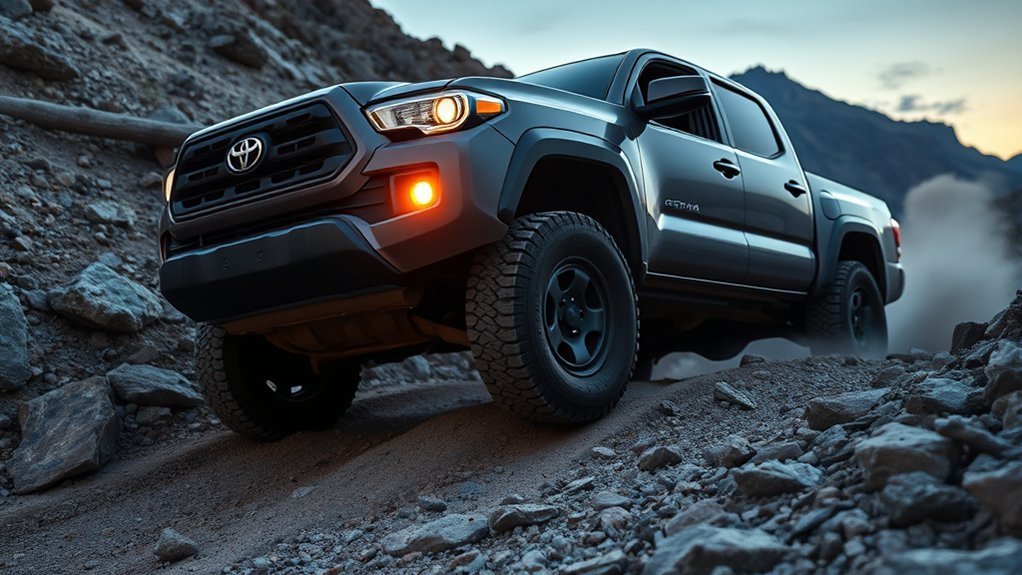
Crawl Control is Toyota’s low-speed off-road control system. According to the 2024 Tacoma Quick Reference Guide, it lets the truck travel over extremely rough surfaces at a fixed low speed without continuous accelerator or brake input.
The system adjusts engine output and braking to reduce wheel slip and help maintain a controlled pace. You still control the steering and remain responsible for watching the terrain, choosing a safe line, and stopping when conditions exceed the truck’s limits.
Feature availability varies by model year, trim, drivetrain, transmission, and equipment package. Look for a CRAWL, DAC/CRAWL, or related mode-control switch, then confirm its operation in the manual supplied with your truck.
Note: Crawl Control, Multi-Terrain Select, Downhill Assist Control, and the rear differential lock are separate features. They may work together, but one does not automatically replace or activate the others.
Before You Activate Crawl Control
Prepare the Tacoma before pressing the Crawl Control switch. A short inspection can prevent underbody damage, loss of control, or the need for a difficult recovery.
- Check the route: Walk the obstacle when it is safe to do so. Look for deep holes, loose ledges, side slopes, sharp rocks, and hidden drop-offs.
- Confirm clearance: Make sure the obstacle will not strike the front bumper, differential, transfer case, fuel tank, or rocker panels.
- Secure everyone: All occupants should wear seat belts, and loose cargo should be tied down.
- Engage 4L correctly: Stop and follow the transfer-case procedure in your model-year manual. Automatic and manual transmissions may require different steps.
- Check the instrument panel: Wait until the 4L or 4LO indicator confirms that low range has engaged.
- Clear the area: Keep spotters, passengers, pets, and other trail users away from the truck’s path.
Warning: Crawl Control requires low-range four-wheel drive on applicable Tacoma models. Toyota directs drivers to use 2H for normal travel on dry, hard-surfaced roads. Operating part-time 4WD on a high-traction surface can cause tire binding, difficult steering, and drivetrain stress.
How to Turn Toyota Tacoma Crawl Control On
Button names and displays differ across Tacoma generations, but the basic sequence is similar. Use these steps only as a general guide and follow your exact owner’s manual when the procedures differ.
- Stop in a safe position. Hold the brake and shift the transfer case into 4L using the procedure specified for your transmission.
- Confirm the operating conditions. The engine must be running, the driver’s door must be closed, and the transmission must be in a gear other than P or N.
- Press the Crawl Control switch. Depending on the year, it may be marked CRAWL or DAC/CRAWL.
- Check the display. The Crawl Control indicator should appear, and the slip indicator may flash while the system operates.
- Select a suitable speed or mode. Start with a slow setting when the obstacle is steep, rocky, narrow, or unfamiliar.
- Ease off the pedals. Allow the system to manage speed while you hold the steering wheel firmly and guide the tires along your chosen line.
To turn the system off, press the Crawl Control or DAC/CRAWL switch again as directed by your manual. If you disengage it while moving, be ready to take immediate control of the accelerator and brakes.
Pro Tip: Begin with the slowest practical setting. Increase it only when the trail becomes smoother and the truck maintains a stable line without harsh wheel movement.
Best Uses of Crawl Control on Steep Terrain
Crawl Control can be useful on a steep climb when careful wheel placement matters more than momentum. It meters power and braking so you do not have to make repeated, abrupt pedal corrections while steering around rocks or ruts.
On a descent, the system can help hold a controlled pace while you concentrate on the route ahead. Select a low mode for rocky or sharply descending terrain. Do not assume the lowest setting is always best for climbing. Toyota’s newer guidance associates LO mainly with rocky roads or declines, while LO-Mid and Mid also cover bumpy inclines.
Avoid activating the system merely because a road has a moderate hill. Normal manual control may provide smoother progress when the surface is firm, predictable, and free of technical obstacles.
How Crawl Control Enhances Off-Roading in Mud and Snow
Mud and snow create rapid changes in grip. Crawl Control can respond with engine and brake adjustments while you maintain a steady steering line. Higher low-speed modes may suit flatter snow-covered, muddy, gravel, or grass surfaces on newer Tacoma systems.
Crawl Control may reduce sudden wheel slip, but it cannot create traction that the tires and surface do not provide.
The system can help in three main ways:
- Smoother control inputs: Measured engine and brake adjustments may be less disruptive than abrupt pedal movements.
- Consistent low-speed progress: A steady pace can help you place the tires on firmer sections of a muddy or snowy trail.
- Lower driver workload: You can devote more attention to steering, obstacles, and changing surface conditions.
Do not treat Crawl Control as a guarantee against becoming stuck. Deep snow, bottomless mud, poor tires, excessive side slope, and loss of ground clearance can stop the truck. Toyota also warns that the system may not maintain a fixed speed on snow-covered or other slippery surfaces.
How Crawl Control Aids in Navigating Rocky Terrain
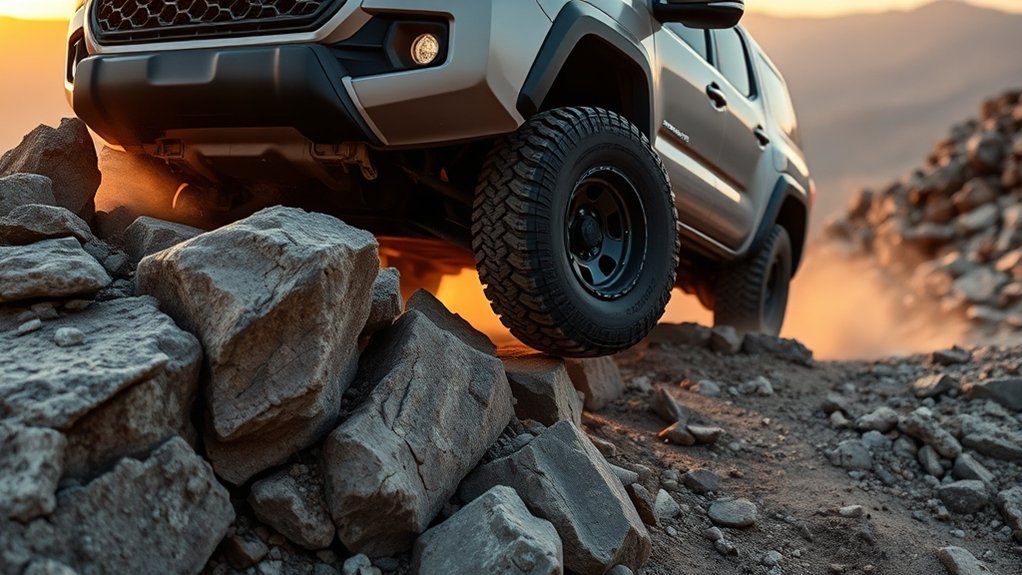
Rocky terrain is one of the strongest use cases for Crawl Control. A slow, steady pace gives you more time to position each tire and avoid striking the underbody. The system can also reduce the tendency to surge after a tire climbs over a ledge.
On 2024-generation controls, Toyota identifies LO for rocky roads or declines and LO-Mid for rocky roads, declines, or bumpy inclines. Mid may suit a bumpy uphill section. These labels are recommendations, not guarantees, so reduce speed whenever visibility, clearance, or tire placement becomes uncertain.
Crawl Control can operate in reverse on applicable systems because Toyota permits operation in any gear except P or N. Reverse can help when you need to back away from a failed line. Use a spotter when rear visibility is limited, and never stand directly behind or downhill from the truck.
Advantages of Crawl Control for Uphill and Downhill Driving
On long technical climbs and descents, Crawl Control can improve consistency and reduce the amount of pedal work required. Its main value is not extra horsepower or ground clearance. It is the ability to make small control adjustments while you focus on steering.
Enhanced Stability Control
- Steady pace: The system attempts to hold the selected low speed instead of relying on repeated accelerator and brake inputs.
- Wheel-slip management: Engine and brake control can limit sudden spinning or sliding when traction changes.
- Better steering focus: Reduced pedal workload gives you more time to watch the front tires, trail edges, and obstacles.
The system does not prevent rollovers, side slips, or underbody contact. Avoid steep side slopes and turn around when the route exceeds your experience or the truck’s clearance.
Reduced Driver Fatigue
Constantly balancing the accelerator and brake can tire your legs and divide your attention. Crawl Control reduces that workload during slow technical sections, although you must remain ready to intervene.
| Feature | Benefit | Driver Responsibility |
|---|---|---|
| Automatic low-speed control | Reduces repeated pedal movement | Choose a safe speed and line |
| Five selectable modes | Adapts the pace to different terrain | Match the setting to your manual |
| Reverse operation | Helps you back away from an obstacle | Check behind the truck first |
| Brake assistance | Helps manage steep descents | Watch for overheating warnings |
Distinctive Features of Crawl Control for Off-Roading
- Forward and reverse operation: Applicable systems can operate in any gear except P or N when the other operating conditions are satisfied.
- Five selectable levels: The driver can adjust the low-speed pace to suit rocks, declines, bumpy climbs, mud, snow, gravel, or grass.
- Independent operation from Multi-Terrain Select: The 2024 manual states that Crawl Control can work with Multi-Terrain Select either on or off.
- Automatic cancellation: The system turns off when you select P or N, change the transfer case to 4H, or open the driver’s door.
- Driver alerts: Indicators, buzzers, and display messages report operation, cancellation, overheating, or a malfunction.
Multi-Terrain Select can change brake control, steering feel, and drive-force control for a selected surface. Crawl Control performs a different task by maintaining a chosen low-speed pace. Select each feature separately and verify its indicator before moving.
[Amazon Products Picked for You]
【Fitment】Compatible with 2024 2025 2026 Toyota Tacoma(4 Door) and 2025 2026 Toyota 4Runner. Please note: Only for driver's side, not for passenger’s side

Compatible Model: for 2025 2026 2027 Toyota Tacoma screen protector is exclusively designed for 2024 2025 2026 2027 Toyota Tacoma (Limited/TRD Pro/Trailhunter/TRD Sport/TRD Off-Road), 2022 2023 2024 2025 2026 2027 Tundra, 2023 2024 2025 2026 2027 Sequoia, 2025 2026 2027 4Runner 14-inch Audio Multimedia touchscreen, laser cutting and well constructed for perfect fit for 2024 2025 2026 Toyota Tacoma accessories. A must have protection accessory for 2024 2025 2026 2027 Tacoma owners

[Custom Design for Tacoma/4Runner]: Our tow hooks are uniquely designed to perfectly fit and enhance the front of your Tacoma 2024-2026/4Runner 2025-2026//Land Cruiser 250 2024-2026. This custom design ensures seamless integration for a personalized and sophisticated look.
How Crawl Control Settings Differ by Tacoma Model Year
Do not apply one generation’s speed labels to every Tacoma. Toyota changed the interface when it introduced the fourth-generation truck.
| Tacoma System | Control Style | Important Detail |
|---|---|---|
| Applicable 2016–2023 models | Numbered settings 1 through 5 | Toyota described the 2017 system as offering selectable speeds from 1 to 5 mph. Check the manual for your year. |
| Applicable 2024-and-newer models | LO, LO-Mid, Mid, Mid-Hi, and Hi | The modes are tied to terrain recommendations. Toyota does not define HI as a 15-mph setting. |
Toyota continues to describe the 2026 Tacoma’s next-generation Crawl Control as low-speed off-road cruise control. Availability still depends on vehicle equipment.
Limitations of Crawl Control in Real-World Off-Roading
Crawl Control is an assistance system, not an autonomous off-road driver. It cannot inspect the route, judge rollover risk, detect every obstacle, or increase the truck’s ground clearance.
[Amazon Products Picked for You]

Dimensions: The size of one traction board L 41.7 inches (106 cm), W 11.8 inches (30 cm), H 2.8 inches (7 cm); The thickness of the two pieces is 4.3 inches (11cm)

Jack Base Function: Designed with unique jack base in the center of the traction board is for emergency work, compatible with offroad jack.And a bunker recovery boards could be placed under it to provide a solid surface for lifting

Build-in Jack Base: Our recovery off-road traction boards designed with unique jack base in the center of the traction mat is for emergency work. Made to fit almost all 4X4 Farmer Jacks on the market and fit a wide range of terrains like sand, mud, snow
Speed Limitations Impact Performance
The commonly repeated 6-mph and 15-mph figures require context. According to the 2024 Tacoma Owner’s Manual:
- When the rear differential is locked, engine and brake control stop temporarily above approximately 6 mph.
- When the rear differential is unlocked, engine and brake control stop temporarily above approximately 15 mph.
- On vehicles with the locking differential system, engine control may become unavailable above approximately 6 mph in certain constant-speed uphill conditions.
These are function limitations, not recommended trail speeds and not the assigned speed of a particular mode. Operate as slowly as the terrain requires.
Terrain-Specific Effectiveness Considerations
Toyota warns that Crawl Control may not maintain a fixed low speed on extremely steep inclines, extremely uneven surfaces, snow-covered roads, or other slippery surfaces. That warning does not mean the system can never be used there. It means you must be prepared for its performance to change.
Manual control may be better when you need momentum for a short sandy climb, a rapid speed change, or a smooth transition over a predictable obstacle. Stop and reassess rather than forcing the truck forward when the selected Crawl Control mode is not working.
Manual Control Versus Crawl Control
- Choose Crawl Control for long, slow, technical sections where steady progress and precise steering are the priorities.
- Choose manual control when the surface is predictable or the obstacle requires an immediate, carefully judged change in momentum.
- Stop and inspect whenever neither method provides a safe line.
Skilled manual driving remains important because electronics cannot evaluate every trail condition. Crawl Control works best as another tool, not as a substitute for experience.
How Does Crawl Control Compare With Manual Driving Techniques?

Crawl Control is usually smoother during slow rock crawling, rutted climbs, and controlled descents because it makes frequent engine and brake adjustments. You can keep both hands on the steering wheel and concentrate on tire placement.
Manual driving gives you more direct control over momentum. That can help when crossing a short patch of soft sand, climbing out of a muddy rut, or responding to an obstacle that changes suddenly. It also lets an experienced driver stop applying power before the electronic system reacts.
Neither method is always superior. Use Crawl Control when a steady low speed improves precision. Use manual control when immediate pedal response is more important.
[Amazon Products Picked for You]

For: 1.9 inch sized wheels

【Fit for】:The rc 1.3" Beadlock Wheels and Tires fit for 1/18 TRX4M,Ascent-18,1/24 SCX24,FCX24 RC Car.
Made of high quality material, long serve time.
Tips for Effectively Using Crawl Control in Various Conditions
- Start slowly: Choose the lowest practical mode before increasing speed.
- Keep steering inputs smooth: Sudden turns can increase side slip and place the tires against sharp rocks.
- Watch the front corners: Crawl Control does not protect the bumper, wheels, steps, or rocker panels from contact.
- Use a trained spotter: Agree on hand signals before moving and keep the spotter visible at all times.
- Avoid fighting the system: If the truck repeatedly surges, slips, or leaves your intended line, stop and choose a different mode or technique.
- Monitor warning messages: A buzzer or flashing indicator may signal automatic cancellation, overheating, or a malfunction.
- Use the rear locker only when needed: Locking the differential can improve rear-wheel traction, but it reduces turning flexibility and introduces lower operating-speed limits.
Staying Safe With Crawl Control on the Trails
Do not rely solely on Crawl Control. Toyota states that the system does not extend the Tacoma’s performance limits. Check the route, maintain a safe escape path, and stop before the truck reaches an unstable angle.
The system automatically cancels if you move the transmission to P or N, select 4H, or open the driver’s door. Keep your foot ready to control the brake whenever you expect a cancellation.
Extended use can overheat the brakes or transmission. If a buzzer sounds or the display reports overheating or a malfunction, stop in a safe place and let the affected system cool until the message clears.
Pulsing, motor sounds, and vibration through the body or steering can occur while Crawl Control applies the brakes. These sensations may be normal. Stop and arrange an inspection if warning lights remain on, the truck responds unpredictably, or the system produces unusual mechanical noise.
Warning: Never place a spotter in front of, behind, or downhill from a moving truck. The driver must stop immediately if visual contact with the spotter is lost.
Why Won’t Tacoma Crawl Control Turn On?
Check these items before assuming the system has failed:
- Confirm that your Tacoma has the feature. Not every year, trim, powertrain, or transmission includes Crawl Control.
- Check 4L engagement. The 4L or 4LO indicator should be steady rather than flashing.
- Close the driver’s door. An open door prevents operation or causes automatic cancellation.
- Move out of P or N. Select an appropriate forward gear or R while holding the brake.
- Check the switch and display. Press the correct CRAWL or DAC/CRAWL control and look for the Crawl Control indicator.
- Read warning messages. Brake or transmission overheating can make the system temporarily unavailable.
- Restart only when safe. If the message permits normal driving, move to a safe, level location before cycling the vehicle.
If the indicators do not appear after all operating conditions are satisfied, or a malfunction warning remains on, have the Tacoma inspected by a qualified Toyota technician.
Frequently Asked Questions
When should you use Tacoma Crawl Control?
Use it on slow, technical off-road terrain where steady speed and careful steering matter. Common examples include rocks, deep ruts, steep descents, bumpy climbs, mud, snow, loose gravel, and grass. Do not use it for normal paved-road driving.
What year was the worst year for the Toyota Tacoma?
No authoritative source identifies one Tacoma year as universally the worst. Reliability varies by engine, transmission, configuration, maintenance, mileage, and individual vehicle history. Before buying a used Tacoma, review its service records, arrange an inspection, and check the VIN through the NHTSA recall database.
How do you use Toyota Crawl Control?
Stop safely, shift into 4L according to your owner’s manual, keep the engine running, close the driver’s door, and select a gear other than P or N. Press the CRAWL or DAC/CRAWL switch, choose a suitable mode, release the pedals, and steer smoothly.
Does Crawl Control work in snow?
It may help maintain a controlled pace on snow-covered terrain, especially when sudden pedal inputs would cause wheel slip. However, Toyota warns that the system may not maintain a fixed speed on snow or other slippery surfaces. Tire condition, snow depth, slope, and ground clearance still matter.
Does every Toyota Tacoma have Crawl Control?
No. Availability varies by model year, trim, transmission, drivetrain, and equipment package. Check for a CRAWL or DAC/CRAWL switch and confirm the feature in the owner’s manual or original vehicle specifications.
Can Tacoma Crawl Control work in reverse?
Yes, applicable systems can operate in reverse because the transmission may be in any gear except P or N. Confirm that 4L is engaged, the driver’s door is closed, and the area behind the truck is clear before backing up.
Are clicking sounds and vibrations normal?
Some motor sounds, brake pulsing, and vibration through the body or steering can be normal while the system operates. Stop and inspect the truck if warning lights remain on, the response becomes unpredictable, or the noise sounds mechanical rather than like normal brake control.
Conclusion
Crawl Control is most useful when your Toyota Tacoma must move slowly across rough terrain and precise steering matters more than speed. Engage it only under the operating conditions listed in your owner’s manual, begin with a conservative setting, and remain ready to take control.
The system may reduce wheel slip and driver workload, but it cannot guarantee traction or overcome unsafe terrain. Inspect the route, respect speed and differential-lock limitations, and stop whenever warning messages, overheating, poor clearance, or unstable vehicle angles appear.
Sources
- 2024 Toyota Tacoma Owner’s Manual — operating requirements, terrain modes, cancellation conditions, speed limitations, overheating, and safety warnings.
- 2024 Toyota Tacoma Quick Reference Guide — basic activation procedure and LO-to-HI mode recommendations.
- 2020 Toyota Tacoma Owner’s Manual — older numbered settings, operating conditions, and function limitations.
- Toyota USA: 2017 Tacoma Off-Road Technology — older-generation 1-to-5-mph Crawl Control description.
- Toyota USA: 2026 Tacoma — current availability and next-generation Crawl Control description.
- National Highway Traffic Safety Administration Recall Lookup — VIN-specific recalls, complaints, investigations, and manufacturer communications.
