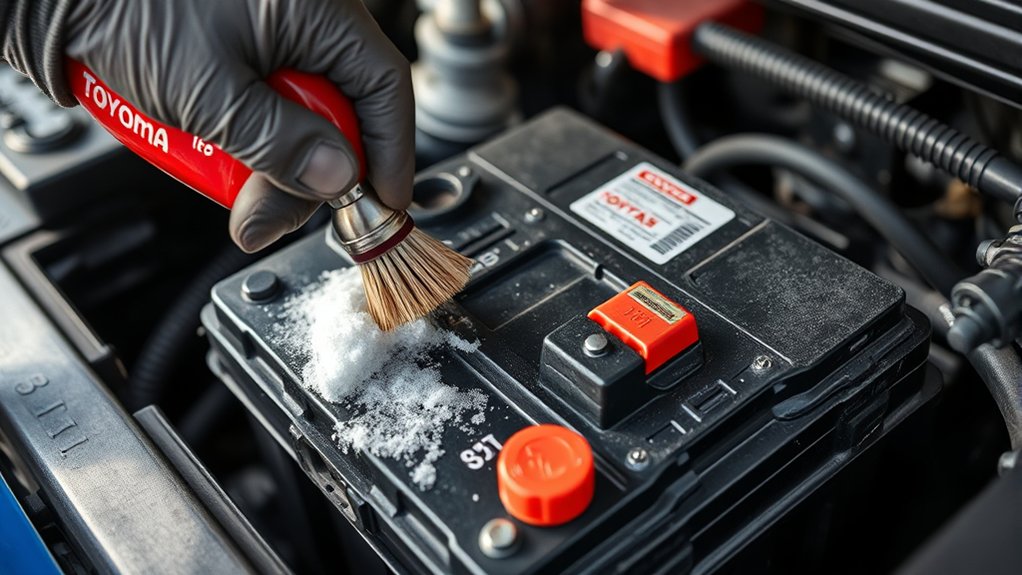
Battery terminal corrosion can cause slow cranking, intermittent electrical power, or a no-start condition in your Toyota Tacoma. You can clean light to moderate buildup at home, but you must use the correct cable order and stop immediately if the battery is cracked, swollen, leaking, or unusually hot.
Quick Answer
To clean Toyota Tacoma battery terminal corrosion, turn the truck off, wear eye and hand protection, and disconnect the negative cable before the positive cable. Clean the posts and clamps with baking soda solution and a terminal brush. Dry them, reconnect positive first, then negative, and protect the finished connection.
Key Takeaways
- Remove the negative cable first and reconnect it last to reduce accidental short-circuit and spark risk.
- Do not clean a battery that is cracked, swollen, leaking, loose at a post, or producing a strong rotten-egg odor.
- Use a small amount of baking soda solution and keep it out of battery vents, fuse boxes, and electrical connectors.
- Reconnect clean, dry terminals securely without overtightening them.
- Fast-returning corrosion, slow cranking, or charging problems require a battery and charging-system test.
At a Glance
| Time Required | About 20 to 30 minutes |
| Difficulty | Easy to moderate |
| Tools Needed | Safety glasses, chemical-resistant gloves, correct-size wrench, terminal brush, baking soda, water, disposable rags, and terminal protectant |
| Cost | Low, especially if you already have basic safety equipment and hand tools |
Warning: Do not continue if the battery case is cracked, swollen, wet, leaking, frozen, unusually hot, or producing a strong rotten-egg smell. Battery electrolyte contains sulfuric acid, which can burn your skin and eyes. Keep sparks, cigarettes, flames, and metal jewelry away from the battery.
Why Battery Terminal Corrosion Matters for Your Tacoma
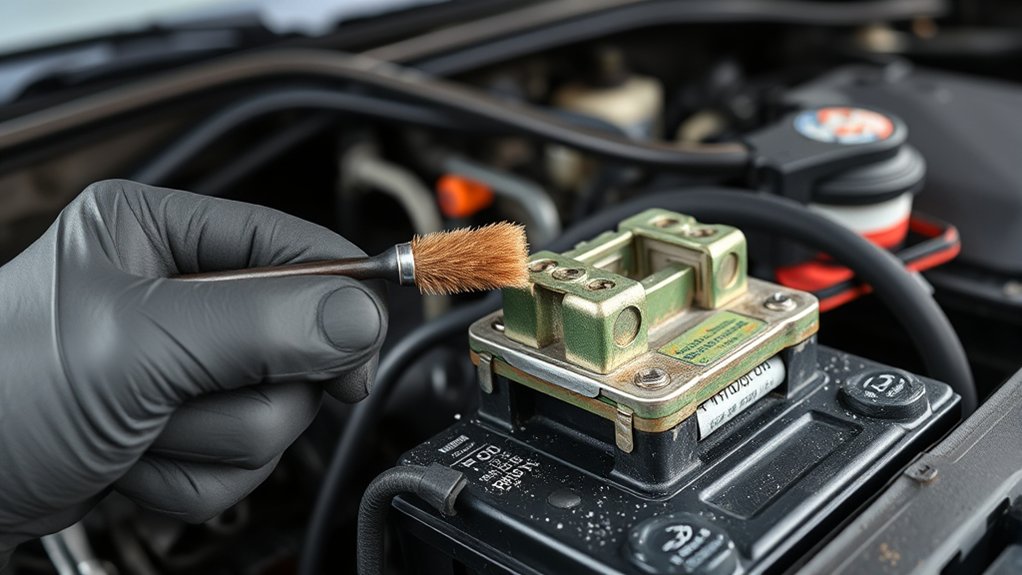
Battery terminal corrosion usually appears as white, gray, blue, or green buildup around a battery post, cable clamp, or nearby section of cable. The deposits can form when moisture, electrolyte residue, battery vapor, road salt, heat, or damaged terminal seals react with metal components.
A small amount of surface residue may not cause an immediate problem. Heavy buildup between a battery post and its clamp can add electrical resistance, however. That resistance may contribute to slow cranking, clicking during startup, flickering lights, intermittent power, or a complete no-start condition.
Corrosion can also hide damaged cable ends, loosened clamps, pitted posts, or a failing battery seal. Cleaning the connection may restore good contact, but it will not repair a cracked case, internal battery failure, damaged cable, weak starter, or charging-system problem.
A clean terminal helps current flow, but repeated corrosion often points to a battery, cable, connection, or charging problem that cleaning alone cannot solve.
Safety Checks Before Cleaning Your Tacoma Battery
Park your Tacoma on a flat, dry surface. Shift into Park, apply the parking brake, switch off the ignition, remove the key or move the smart key away from the truck, and turn off all lights and accessories. Allow hot engine-compartment parts to cool before working near them.
Wear safety glasses and chemical-resistant gloves. Remove rings, watches, bracelets, and other metal jewelry. A metal tool or piece of jewelry that bridges the positive terminal and a grounded metal part can create a dangerous short circuit.
Inspect the battery before loosening a cable. Do not perform routine cleaning if you find any of these conditions:
- A cracked, bulging, warped, or leaking battery case
- A battery post that moves inside the case
- Wet electrolyte around a vent or terminal seal
- A strong sulfur or rotten-egg smell
- Heavy corrosion that has eaten through a clamp or cable
- A frozen battery or signs that the case has previously frozen
- Melted plastic, burned wiring, or heat damage
Have the battery inspected or replaced by a qualified technician when one of these warning signs appears. Toyota also recommends checking the owner’s manual for vehicle-specific battery precautions before working on the electrical system. You can find manuals for individual model years through the Toyota manuals and warranties portal.
Note: Disconnecting the 12-volt battery may reset the clock, audio presets, automatic window functions, learned idle settings, or other electronic features. The exact effects depend on your Tacoma’s model year and equipment.
Step-by-Step Guide to Cleaning Battery Terminals
1. Gather and position your supplies
Place your tools where you can reach them without setting anything on top of the battery. Keep disposable towels nearby so you can collect loosened residue instead of washing it across the engine compartment.
A practical cleaning mixture is about one tablespoon of baking soda in one cup of clean water. You can also use a purpose-made battery terminal cleaner according to its label. Do not mix several cleaning chemicals together.
2. Identify the positive and negative terminals
Look for the plus and minus markings molded into the battery case. The positive terminal normally has a red cover or red cable. The negative cable is usually black and connects to the truck’s body or engine ground.
Do not rely on cable color alone. Confirm the plus and minus markings before touching either connection.
3. Disconnect the negative cable first
Use the correct-size wrench to loosen the negative cable clamp. Lift or gently work the clamp off the post, using a battery-terminal puller if it is stuck. Do not pry forcefully against the battery case.
Move the disconnected negative cable aside so it cannot spring back and touch the post. Removing the negative connection first reduces the chance of creating a short circuit if your wrench touches grounded metal.
4. Disconnect the positive cable
Remove the protective positive-terminal cover, loosen the positive clamp, and move the cable away from the post. Prevent the two disconnected cable ends from touching each other.
Keep tools from bridging the positive post to the battery hold-down, bodywork, engine, or another grounded metal surface.
5. Remove loose corrosion carefully
Use a disposable nylon brush to loosen heavy surface deposits. Brush away from your face and do not use compressed air, which can spread contaminated dust around the engine compartment.
Place disposable towels around the battery base to catch residue. Avoid pushing loose material into a fuse box, wiring connector, air intake, or belt area.
6. Apply the baking soda solution
Dip a nylon brush or disposable cloth into the solution and apply it gradually to the outside of the posts, cable clamps, and affected battery-case surfaces. A fizzing reaction may occur when the solution contacts acidic residue.
Do not pour a large amount across the top of the battery. Keep the mixture out of vent openings and do not allow it to enter the battery. Battery manufacturers recommend cleaning the exterior while keeping foreign material out of the cells.
7. Clean the posts and cable clamps
Use a dedicated battery post-and-clamp brush to clean the outside of each post and the inside of each clamp. Continue until the metal contact surfaces are clean and free of loose residue.
Inspect each part as you clean it. Replace or professionally repair a clamp or cable that is deeply pitted, cracked, stretched, thinning, or missing wire strands. Cleaning cannot restore metal that corrosion has removed.
8. Wipe, rinse, and dry the area
Use a small amount of clean water on a cloth or spray bottle to remove remaining baking soda. Avoid flooding the battery tray or nearby electrical components. Collect the liquid and residue with disposable towels.
Dry the battery case, posts, clamps, hold-down, and surrounding area completely. Moisture left around the connection can encourage more corrosion.
9. Reconnect the positive cable first
Place the positive clamp fully onto the positive post and tighten it securely. The clamp should not rotate by hand after tightening, but do not overtighten it or force it farther down the tapered post.
Reinstall the positive-terminal cover before working on the negative connection.
10. Reconnect the negative cable last
Install and tighten the negative clamp. Confirm that both cables are routed correctly and cannot rub against sharp edges, hot parts, belts, or pulleys.
The general sequence is:
- Negative cable off first
- Positive cable off second
- Positive cable on first
- Negative cable on last
This matches Toyota’s general battery replacement guidance, which you can review in its car battery replacement instructions.
11. Protect the completed connections
Apply a thin coating of battery-terminal protectant, silicone terminal grease, petroleum jelly, or dielectric grease according to the product instructions. Make sure the clamps remain securely seated with proper metal-to-metal contact.
Permatex, for example, instructs users to clean the connection, coat the terminal contact, and reassemble while maintaining metal-to-metal contact. Review the instructions for the specific product you use rather than applying an unidentified general-purpose grease.
12. Test the Tacoma
Start the engine and watch for slow cranking, flickering lights, warning messages, or unusual electrical behavior. Confirm that the battery cables remain secure and that no tool or cleaning material has been left under the hood.
Reset the clock, windows, audio presets, or other features if needed. Follow the owner’s manual for model-specific initialization procedures.
Pro Tip: Take a clear photo of the battery, cable routing, terminal covers, and hold-down before disconnecting anything. The photo provides a quick reference during reassembly.
Tools and Products for Effective Battery Cleaning
You do not need many specialized products, but the correct tools make the job safer and reduce the chance of damaging a post or clamp.
- Safety glasses: Protect your eyes from liquid splashes and loosened corrosion particles.
- Chemical-resistant gloves: Prevent direct contact with acidic residue. The Agency for Toxic Substances and Disease Registry advises using eye protection and chemical-resistant gloves around material found on the outside of a car battery.
- Correct-size wrench or socket: A properly fitting tool is less likely to slip or round the clamp fastener.
- Battery-terminal puller: This helps remove a stuck clamp without prying against the battery case.
- Post-and-clamp brush: Its shaped brushes clean both battery posts and the inside of cable clamps.
- Nylon utility brush: Use it for the battery case, tray, and surrounding areas.
- Baking soda and clean water: This solution helps neutralize acidic residue on the battery’s exterior.
- Disposable towels: Use them to contain cleaning residue and keep it away from electronics and painted surfaces.
- Terminal protectant: Choose a purpose-made spray, silicone terminal grease, dielectric grease, or petroleum jelly.
The best terminal protectant cannot compensate for a loose clamp, damaged cable, leaking battery, or incorrect charging voltage.
Products to avoid or use cautiously
- Unidentified grease: Do not use a product simply described as “diesel grease.” Use a product labeled for electrical connections or battery terminals.
- Steel tools used aggressively: Excessive scraping can damage a soft lead post or remove too much material from a clamp.
- Compressed air: It can spread contaminated dust and residue.
- Large amounts of water: Flooding can move residue into wiring, connectors, fuse boxes, or battery vents.
- Household beverages: Soda leaves sticky residue and offers no advantage over a controlled baking soda solution or purpose-made cleaner.
- Open flames or heat: Never use a torch, lighter, or heat gun to loosen a terminal.
Simple Steps to Keep Your Battery Terminals Corrosion-Free
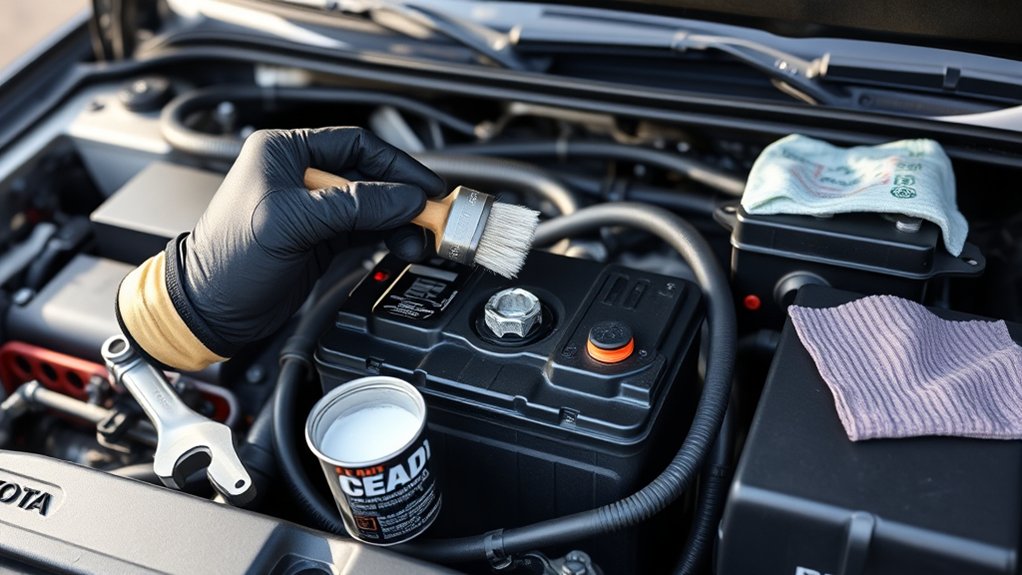
Check the battery whenever you inspect fluids or prepare your Tacoma for very hot or cold weather. Toyota recommends looking for corrosion or buildup during routine battery checks and cleaning affected contacts with a battery cleaning brush.
Use these habits to reduce future buildup:
- Keep the battery case and tray clean and dry.
- Make sure the battery hold-down is secure.
- Keep both terminal clamps snug without overtightening them.
- Protect clean connections with a thin terminal coating.
- Replace cracked terminal covers and damaged cable insulation.
- Have the battery tested if the engine begins cranking slowly.
- Have the charging system tested if corrosion returns soon after cleaning.
- Repair damaged battery seals, cables, grounds, or clamps instead of repeatedly cleaning them.
Why corrosion may return quickly
Corrosion that reappears within a short period can indicate more than normal exposure to moisture. Possible causes include a damaged post seal, electrolyte leakage, a loose connection, a cracked case, severe heat exposure, battery movement, cable damage, or a charging-system fault.
The location or color of the buildup alone cannot confirm the cause. A technician can perform a battery condition test, charging-voltage test, cable voltage-drop test, and visual inspection to find the actual problem.
Should you switch to an AGM battery?
An absorbent glass mat battery holds its electrolyte in fiberglass separators. This design resists spilling and reduces water loss compared with a conventional flooded battery. It does not make the terminals immune to corrosion.
Do not install an AGM battery only as a corrosion cure. Confirm that the battery construction, physical group size, terminal layout, cold-cranking capacity, reserve capacity, and charging requirements are suitable for your Tacoma’s model year and equipment.
Troubleshooting Problems After Cleaning the Terminals
The Tacoma still will not start
Recheck that both clamps are fully seated and cannot rotate by hand. Confirm that the positive and negative cables were connected to the correct posts. If the connections are correct, the battery may be discharged, internally damaged, or unable to supply enough starting current.
A no-start condition can also come from a damaged ground cable, starter circuit, alternator, fuse, relay, ignition system, fuel system, or another electrical problem. Have the battery and charging system tested instead of repeatedly cleaning the terminals.
The engine cranks slowly
Slow cranking after cleaning may indicate a weak battery, internal cable corrosion, poor engine ground, worn starter, or excessive resistance elsewhere in the starting circuit. Corrosion can travel beneath cable insulation where it is not visible from the outside.
Lights flicker or electrical power cuts out
Switch the truck off and recheck both clamps. A clamp that appears tight may still be sitting too high on a tapered post. Inspect the cable ends for cracks, stretching, missing metal, and damaged wire strands.
Corrosion returns within weeks
Fast-returning corrosion deserves professional diagnosis. Ask for an inspection of the battery case and post seals, battery hold-down, cable ends, grounds, alternator output, and charging voltage.
A warning light appears after reconnection
Some warning indicators may appear temporarily after the battery has been disconnected. Others may indicate a real fault. Follow the model-year owner’s manual for initialization instructions and obtain a diagnostic scan if a warning remains on.
Knowing When to Consult a Professional for Battery Problems
Routine surface corrosion is often manageable at home. Professional help is the safer choice when the battery or surrounding electrical system shows signs of damage.
- Extensive corrosion: Obtain service if a clamp, cable, hold-down, or battery post has lost metal or become brittle.
- Leaking or damaged battery: Do not clean or charge a cracked, swollen, leaking, frozen, or overheated battery.
- Loose battery post: A post that moves inside the case can indicate structural damage.
- Strong sulfur smell: A rotten-egg odor may be associated with overheating, overcharging, venting, or internal failure.
- Recurring buildup: Corrosion that returns quickly may require battery and charging-system testing.
- Continuing electrical problems: Slow cranking, dim lights, intermittent power, or a no-start condition after cleaning needs diagnosis.
- Uncertain electronic procedures: Get help if you are unsure about disconnecting the battery or restoring model-specific electronic functions.
A failed lead-acid battery should not go into household trash or a municipal recycling bin. Return it to a battery retailer, repair facility, dealership, or local household hazardous-waste program. The U.S. Environmental Protection Agency recommends retailer or approved collection-program recycling for lead-acid batteries.
Frequently Asked Questions
How do you prevent battery terminals from corroding?
Keep the battery clean, dry, and securely mounted. Make sure the cable clamps are properly seated, repair damaged cables or terminal covers, and apply a thin layer of terminal protectant after cleaning. If corrosion returns quickly, have the battery and charging system tested.
What can I put on battery terminals to prevent corrosion?
You can use a purpose-made battery terminal protectant, silicone terminal grease, dielectric grease, or a thin layer of petroleum jelly. Clean and dry the connection first, follow the product directions, and maintain secure metal-to-metal contact between each post and clamp.
Will WD-40 keep battery terminals from corroding?
Some WD-40 products are marketed for cleaning electrical contacts or protecting metal from moisture and corrosion. They do not replace neutralizing residue, brushing the posts and clamps, drying the area, and repairing a failing battery or cable. A dedicated battery terminal protectant is usually the clearer long-term choice.
Do I need to clean corroded battery terminals?
Yes, clean buildup that is forming on the posts or cable clamps before it interferes with the electrical connection. Stop and seek professional service if the corrosion is severe, the cable is damaged, the post is loose, or the battery is leaking, swollen, cracked, or unusually hot.
Which battery terminal should you remove first?
Remove the negative terminal first, followed by the positive terminal. When reconnecting, install the positive terminal first and the negative terminal last. This order reduces the chance of accidentally shorting the positive terminal to grounded vehicle metal.
Can you clean battery terminals without disconnecting them?
You may remove loose material from the outside, but you cannot properly clean corrosion trapped between a post and clamp while the connection remains assembled. Disconnecting the cables also requires additional safety precautions and may reset some vehicle settings.
Conclusion
Cleaning Toyota Tacoma battery terminal corrosion can restore a solid electrical connection when the battery, cables, and charging system are otherwise healthy. Work with the ignition off, protect your eyes and hands, remove the negative cable first, and reconnect it last.
After cleaning, keep the connection dry, secure, and protected with a suitable terminal product. Have the truck inspected if corrosion returns quickly, the battery is damaged, or starting and electrical problems continue.
Sources
- Toyota: How to Replace a Car Battery — supports battery safety, cable removal order, cleaning, and reconnection guidance.
- Toyota Manuals and Warranties — provides model-year-specific Tacoma battery and electrical-system instructions.
- ATSDR: Sulfuric Acid Public Health Statement — supports acid-exposure hazards and protective-equipment guidance.
- Trojan Battery Maintenance Guide — supports baking soda cleaning, rinsing, drying, and terminal protection.
- Permatex Dielectric Grease Instructions — supports dielectric grease use while maintaining metal-to-metal contact.
- EPA: Used Household Batteries — supports proper lead-acid battery recycling and disposal guidance.

