To use Multi-Terrain Select (MTS) on a Toyota Tacoma, first identify the truck’s model year, select the 4WD range the system permits, turn MTS on, choose the terrain mode shown in the multi-information display, and confirm the indicator before adding throttle. On equipped 2016–2023 automatic-transmission Tacomas, MTS is documented for 4L operation and uses five terrain modes. Toyota’s 2024–2026 Tacoma information says fourth-generation MTS can operate in both 4WD High and 4WD Low, with the available mode choices depending on the selected range and vehicle configuration.
Last updated: September 19, 2026
Quick Answer
For a 2016–2023 MTS-equipped Tacoma, follow the 4L activation procedure in the owner’s manual, make sure Crawl Control is off, then select the mode that matches the surface. On an equipped 2024–2026 Tacoma, Toyota says MTS can work in 4H or 4L; press the MTS control, select only from the modes offered for that range, and verify the indicator in the display before driving into the obstacle.
Key Takeaways
- Tacoma Multi-Terrain Select settings and operating ranges vary by model year.
- Toyota’s third-generation Tacoma guidance documents MTS operation in 4L, with Crawl Control off, and five terrain positions.
- Toyota describes 2024–2026 Tacoma MTS as functional in both 4H and 4L; the choices shown can vary with the selected 4WD range.
- Do not treat Mud, Dirt, and Sand from Toyota press materials as an exhaustive fourth-generation mode list; use the modes shown in your truck’s display.
- MTS manages traction, but it cannot replace suitable tires, ground clearance, careful steering, or safe recovery practices.
At a Glance
| 2016–2023 | MTS is documented for 4L operation on equipped automatic-transmission trucks; Crawl Control must be off |
| 2024–2026 | MTS can operate in 4H or 4L on equipped trucks; available terrain choices depend on the selected range and configuration |
| Activation | Select the permitted 4WD range, turn MTS on, choose the displayed terrain mode, and confirm the indicator |
| Use Case | Loose or uneven off-road surfaces; not ordinary dry, high-traction pavement |
Warning: Multi-Terrain Select is a driver aid, not an autonomous off-road system. You remain responsible for steering, braking, route selection, vehicle clearance, and recovery decisions. Do not use part-time 4WD or off-road settings on dry, high-traction pavement unless your owner’s manual specifically permits it.
What Does Multi-Terrain Select Do on a Tacoma?
Multi-Terrain Select, commonly shortened to MTS, changes how an equipped Tacoma responds to wheelspin on off-road surfaces. Third-generation Toyota material describes MTS as regulating wheelspin through throttle and brake control. Fourth-generation owner information also describes optimization of brake control, drive force, and steering feel depending on the selected mode.
MTS does not simply eliminate tire slip. It changes the truck’s control strategy to suit the selected surface. Loose sand or mud may need controlled wheelspin and momentum, while rock or deeply uneven terrain usually benefits from slower movement and more precise traction control. The exact calibration and mode names differ by generation.
MTS is also different from a mechanical limited-slip or locking differential. The traction system can use engine and brake control to manage wheel behavior, while a rear differential lock mechanically links rear-wheel rotation when the system is engaged.
Note: Equipment varies by trim, transmission, drivetrain, and market. Confirm that your Tacoma has an MTS control, then use Toyota’s official manuals portal to check the instructions for your exact model year.
Which Tacoma MTS System Do You Have?
The biggest setup mistake is using instructions from the wrong Tacoma generation. Toyota changed MTS operation with the fourth-generation Tacoma, so a 2023 activation sequence or mode list should not be applied to a 2024–2026 truck.
MTS on 2016–2023 Tacomas
Toyota’s third-generation guidance shows MTS on equipped automatic-transmission Tacomas operating with the transfer case in 4WD Low and Crawl Control off. The selector uses five terrain positions:
- Mud & Sand
- Loose Rock
- Mogul
- Rock & Dirt
- Rock
Availability still depends on trim, transmission, drivetrain, and market. Use the labels printed on your selector and the instructions shown in the multi-information display rather than assuming every TRD-branded Tacoma has the same equipment.
MTS on 2024–2026 Tacomas
Toyota’s fourth-generation Tacoma introduction says MTS became functional in both 4WD High and 4WD Low. Toyota’s press materials cite terrain such as:
- Mud
- Dirt
- Sand
Toyota repeated the 4H/4L capability for the 2025 Tacoma and the 2026 Tacoma. However, Mud, Dirt, and Sand are examples in those press releases, not a complete mode map. On fourth-generation trucks, the choices presented can change with the selected 4WD range, so the multi-information display and model-year owner’s manual are the controlling references.
Which Tacoma MTS Mode Should You Use?
Select the setting that best matches the material contacting the tires. A trail can contain mud, rock, gravel, and sand within a short distance, so reassess the surface as conditions change.
[Amazon Products Picked for You]

Spaces wheel 1.5" allowing use of wider tires.

Compatibility: 1995-2023 Tacoma(only fit 6 lug); 1989-2023 4Runner; 2000-2006 Tundra; 2007-2023 FJ Cruiser; 2004-2019 Ventury; 2001-2007 Sequoia; 2005-2023 Fortuner; 2002-2023 GX460 GX470.Recommended torque:70-80 FT/LBS

This 18x9 6x5.5 wheel Does Not Fit vehicles with manual locking hubs. Compatible with Toyota Trucks SUVs: 2001-2023 Tacoma, 2002-2024 4Runner, 2007-2014 FJ Cruiser, 2001-2007 Sequoia. Compatible with Lexus: 2003-2009 GX470, 2010-2024 GX460. Also compatible with Toyota 2022+ Tundra XK70 and 2022+ Sequoia XK80 (We recommend using 95.1mm to 106.1mm hubrings, not included in listing).
Common 2016–2023 MTS Settings
- Mud & Sand: Intended for soft surfaces where maintaining momentum may require controlled tire slip.
- Loose Rock: Suited to loose stones and gravel where the tires need to keep moving without excessive spinning.
- Mogul: Intended for deeply uneven terrain that can unload one or more wheels as the suspension articulates.
- Rock & Dirt: Useful on mixed hard and loose surfaces where traction changes frequently.
- Rock: Intended for slow travel over solid, rugged obstacles where precise power delivery matters.
Fourth-Generation 2024–2026 MTS Settings
Fourth-generation mode availability is range-dependent. Toyota’s Tacoma press materials repeatedly use Mud, Dirt, and Sand as examples, while current owner-manual information shows that additional labels can appear depending on the selected 4WD range and configuration. That means the correct fourth-generation rule is simple: use only the modes displayed by your truck for the range you selected.
- Mud or Sand: Use when the displayed mode matches a soft, loose surface where controlled wheelspin and momentum matter.
- Dirt: Use when offered for unpaved, loose, or mixed trail surfaces.
- Deep Snow or Rock: These labels can appear in some fourth-generation mode menus; follow the display and owner’s manual rather than assuming they are available in every range.
These are separate from ordinary on-road Drive Mode Select choices such as Normal, Eco, or Sport. For a broader mode-by-mode overview, see Toyota Tacoma Multi-Terrain Select Explained.
How Do You Activate MTS on a Toyota Tacoma?
Choose a safe location before adjusting the transfer case. Keep the wheels as straight as practical, reduce speed, and follow any instructions shown in the instrument display.
Required Vehicle Settings
First, identify which generation and control layout you have:
- 2016–2023 MTS-equipped automatic Tacomas: Follow the owner’s-manual procedure for shifting into 4L and make sure Crawl Control is off before activating MTS.
- 2024–2026 MTS-equipped Tacomas: MTS can function in 4H or 4L. Use the range appropriate for the terrain, then select only from the modes the truck offers in that range.
Do not force a transfer-case switch or continue if the 4WD indicator keeps flashing. The transfer case must complete its shift before the selected off-road system can operate correctly.
Activating the MTS System
- Stop or slow the truck as required by your owner’s manual.
- Select the permitted 4WD range for your Tacoma and the terrain ahead.
- Press or turn the MTS control to activate the system.
- Select the terrain setting that matches the surface under the tires.
- Confirm the selected setting appears in the instrument display.
- Apply the throttle gradually and give the system time to respond.
If the setting does not appear, check the transfer-case range, transmission position, vehicle speed, and any instructions displayed by the truck. On a third-generation Tacoma, also confirm that Crawl Control is off because MTS and Crawl Control are not operated together in that system.
Selecting the Right Terrain Mode
Do not choose a setting only because of the trail’s name or general appearance. Look at the immediate tire-contact surface.
For example, a rocky trail covered by several inches of loose sand may require a sand-oriented setting until the tires reach exposed rock. A muddy route with a firm rock base can require a different setting after the soft layer ends.
Pro Tip: Choose the least aggressive line before relying on an electronic setting. Good wheel placement, steady momentum, and early speed control usually matter more than changing modes repeatedly.
Best Practices for Using Mud and Sand Settings
Mud and sand can look similar from the driver’s seat, but they do not always require the same speed or throttle input. Use the setting named on your truck and avoid treating the accelerator like an on-off switch.
When to Use Mud or Sand-Oriented Settings
Use a mud or sand setting when the tires are traveling over soft material that can allow the truck to sink or dig holes. Common examples include:
- Loose beach or desert sand on an authorized route
- Deep, soft trail sand
- Wet mud with a passable base
- Soft soil where ordinary traction control cuts power too aggressively
Avoid entering mud or sand without checking depth, firmness, exit conditions, and obstacles hidden below the surface. MTS cannot protect the engine, axles, body, or exhaust from water, deep ruts, or buried rocks.
Tips for Effective Navigation
- Build modest momentum before the softest area rather than accelerating sharply after the truck begins sinking.
- Use smooth steering so the front tires do not act like brakes in deep sand.
- Avoid repeated full-throttle wheelspin, which can dig the tires deeper.
- Reduce throttle if the truck begins bouncing or moving sideways.
- Stop before the vehicle settles onto its frame, suspension, or underbody.
If progress stops, do not continue spinning the tires indefinitely. Back out along your existing tracks when it is safe, reassess tire placement, and use properly rated recovery equipment when necessary.
How to Use Rock and Dirt Settings Off-Road
Rock-oriented labels are prominent on the 2016–2023 five-mode selector, but Rock is not automatically absent from fourth-generation trucks. On 2024–2026 Tacomas, available MTS choices can change with 4WD range, so select Rock only when the truck actually presents that mode in the display.
When your Tacoma has Rock, Rock & Dirt, Loose Rock, or Mogul settings, use the label that most closely matches the obstacle:
- Rock: Slow travel over solid rock where precise tire placement and restrained wheelspin are priorities.
- Rock & Dirt: Mixed surfaces that alternate between firm rock and loose soil.
- Loose Rock: Gravel, scree, or stones that move under the tires.
- Mogul: Deeply uneven terrain that causes diagonal wheels to carry very different loads.
Use low speed and steady accelerator input. Allow the tires to climb instead of charging the obstacle. A spotter can help when the hood blocks your view, but the spotter must remain visible and clear of the vehicle’s path.
MTS can manage wheelspin, but it cannot create ground clearance or prevent body and undercarriage damage from a poor line.
How Should You Use Tacoma MTS in Snow?
The answer depends on generation. The 2016–2023 Tacoma MTS menu does not use a dedicated Snow label; Toyota’s third-generation owner information lists Mud & Sand as suitable for snow-covered roads among other slippery surfaces. On 2024–2026 trucks, some fourth-generation MTS menus can present a Deep Snow choice depending on 4WD range and configuration. Use the mode actually shown by your truck and follow the model-year manual.
For winter roads, begin with the normal 4WD guidance in your owner’s manual. Suitable tires, adequate tread depth, longer following distances, and gentle steering and braking remain essential.
On a part-time 4WD Tacoma, 4H may be appropriate on loose or snow-covered surfaces when permitted by the manual. Avoid keeping part-time 4WD engaged after reaching dry, high-traction pavement. Reserve 4L for slow situations that genuinely require low-range gearing.
MTS should not be used to justify higher speeds on snow or ice. Electronic traction aids cannot overcome the limited grip available between the tires and the road.
[Amazon Products Picked for You]
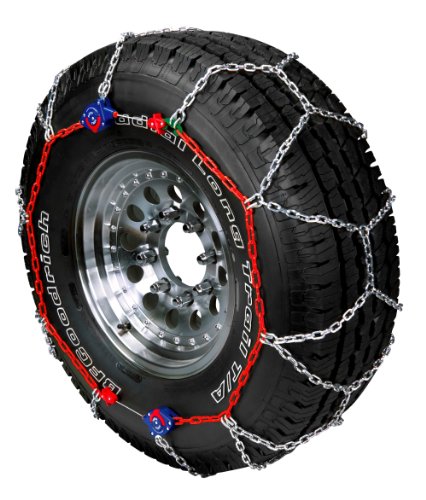
Worry-Free Self-Tightening Ratchets Provide Automatic Tightening And Centering

LIKE SNOW CHAINS, BUT SMARTER: Slip on a set of tire snow socks for maximum grip and safer travel on snow and ice. K&K Pro Snow Socks install in under 5 minutes and won’t damage your tires or rims.
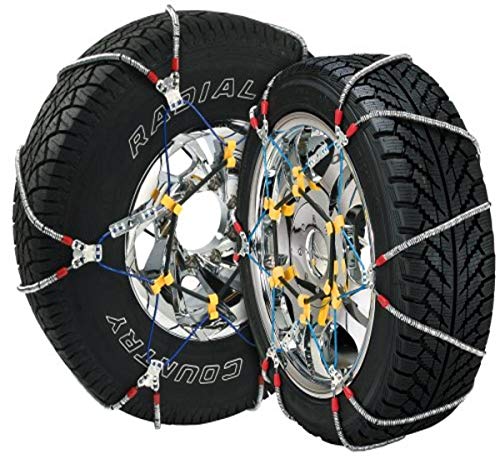
Country of origin : China
How to Safely Transition Between Terrain Modes
The required procedure depends on whether you are changing only the MTS setting or changing the transfer-case range.
- Changing into or out of 4L: Stop the truck and use the transmission and transfer-case procedure specified in your owner’s manual.
- Changing an MTS terrain setting: Reduce speed and follow the instrument display. Some newer systems may allow changes without a complete stop when operating conditions are satisfied.
- Returning to pavement: Turn off MTS when it is no longer needed and return the transfer case to the appropriate on-road setting.
- Flashing indicators: Do not assume the shift is complete. Stop safely and follow the manual’s instructions.
After changing settings, confirm the intended 4WD and MTS indicators are steadily illuminated before applying significant throttle.
Avoid These Common Mistakes With Multi-Terrain Select
- Using instructions from the wrong model year: Third-generation and fourth-generation Tacoma systems do not operate identically.
- Assuming every year has the same MTS mode list: Third-generation and fourth-generation menus differ, and fourth-generation choices can also vary with 4WD range. Use only the modes displayed by your truck.
- Using part-time 4WD on dry pavement: High traction can place unwanted stress on the drivetrain and affect turning behavior.
- Selecting a mode by scenery: Match the setting to the surface directly under the tires.
- Applying abrupt throttle: Sudden power can cause digging, bouncing, or sideways movement.
- Expecting MTS to replace suitable tires: Worn, damaged, overinflated, or inappropriate tires limit every traction system.
- Ignoring vehicle clearance: Electronic controls cannot move the frame, differential, bumpers, or exhaust away from an obstacle.
- Spinning the tires after becoming stuck: Repeated wheelspin can deepen holes and make recovery harder.
Using MTS With Crawl Control and the Rear Differential Lock
Multi-Terrain Select, Crawl Control, and the electronic rear differential lock perform different jobs.
- MTS adjusts traction-system behavior for the selected surface.
- Crawl Control manages very low-speed throttle and braking so the driver can concentrate on steering. Toyota describes the fourth-generation system as offering five selectable speeds. For the separate activation procedure, see Toyota Tacoma Crawl Control Explained.
- The rear differential lock mechanically helps the rear wheels turn together when severe traction loss occurs.
Availability and permitted combinations vary by model year and configuration. Do not assume every system can be engaged at the same time. Follow the display messages and owner’s manual, especially when activating the rear locker or Crawl Control.
Use Crawl Control for slow, technical obstacles rather than as a general trail-speed cruise control. Keep both hands ready to steer, watch the vehicle’s path, and brake immediately if conditions become unsafe.
[Amazon Products Picked for You]

[Vehicle Fitment]: Compatible with Toyota Yaris 2007-2009, Venza 2009 & 2014-2015, Tundra 2005-2010 & 2014-2021, Tacoma 2005-2009 & 2014-2023, Solara 2004-2008, Sienna 2004-2010 & 2013-2015, RAV4 2004-2009, Prius 2004-2022, Matrix 2009-2010, Land Cruiser 2003-2009 & 2014-2021, Highlander 2005-2009, FJ Cruiser 2007-2009, Corolla 2009-2010 & 2014-2016, Camry 2005-2010 & 2014-2017, Avalon 2005-2013, 4Runner 2003-2009 & 2014-2019 --- without Adaptive Cruise Control & Collision Mitigation Braking

Plug and play, yank out the defective switch and slide the new a/c switch replacement into position, done

For Toyota Tacoma 4dr 2012-2015 LED Lighting Power Window Switch Control With Auto Up/Down. NOTE: NOT Fit Access Cab
Troubleshooting Multi-Terrain Select
MTS Will Not Activate
Check whether your Tacoma is in a compatible 4WD range, gear position, and vehicle-speed range. Many older MTS-equipped Tacomas require 4L, while Toyota’s published fourth-generation system can work in 4H or 4L.
If an indicator continues flashing, stop safely and repeat the transfer-case procedure from the owner’s manual. Do not force the selector.
The Mode Cancels or Becomes Unavailable
The truck may cancel or block a setting when an operating condition is no longer satisfied. On fourth-generation Tacomas, owner information notes automatic cancellation in situations such as switching the transfer case to 2H or selecting an incompatible drive mode while MTS is active in 4H. Reduce speed, read the display message, and confirm the transfer-case position before trying again.
A Warning Light Stays On
Stop using the feature if the truck reports a malfunction or if normal braking, steering, or 4WD operation feels abnormal. Consult the owner’s manual and arrange diagnosis through a qualified Toyota service provider.
The Truck Is Still Stuck
MTS cannot overcome every condition. The vehicle may be resting on its underbody, the tires may have no firm surface to grip, or the route may exceed the truck’s safe capability. Stop wheelspin, inspect the situation, and use appropriately rated recovery points and equipment.
Warning: Vehicle recovery can cause severe injury if a strap, shackle, winch line, or attachment point fails. Keep people away from the recovery path and use only equipment and attachment points rated for the load.
Frequently Asked Questions
When should I use MTS on a Toyota Tacoma?
Use MTS on loose or uneven off-road surfaces when your truck’s operating conditions permit it. Select the setting that matches the material under the tires, such as mud, dirt, sand, loose rock, or solid rock. Turn the system off when it is no longer needed.
Does Tacoma MTS work in 4H?
Yes on equipped fourth-generation trucks. Toyota’s 2024, 2025, and 2026 Tacoma information says MTS can operate in both 4WD High and 4WD Low. Third-generation 2016–2023 MTS is documented for 4L operation, so use the instructions for your model year.
Does the Toyota Tacoma have a Snow MTS mode?
The 2016–2023 Tacoma does not use a dedicated Snow MTS label; Toyota lists Mud & Sand for snow-covered roads among its intended surfaces. Some 2024–2026 fourth-generation mode menus can include Deep Snow depending on 4WD range and configuration. Use the choice shown in your truck’s display.
Can I use Multi-Terrain Select on pavement?
MTS is intended for appropriate off-road or loose-surface conditions. Turn it off after returning to ordinary pavement. Do not operate part-time 4WD on dry, high-traction pavement unless your owner’s manual specifically permits it.
Which Tacoma MTS mode should I use for mud or sand?
Use the Mud, Sand, or Mud & Sand setting printed on your truck’s control. Maintain smooth momentum and avoid excessive wheelspin. Check the depth and firmness before entering because MTS cannot prevent the truck from becoming high-centered or sinking.
Is MTS the same as Crawl Control?
No. MTS changes traction-system behavior for a selected surface. Crawl Control manages throttle and braking at very low speed. Their availability and permitted operating combinations vary by model year and configuration.
Conclusion
Using Multi-Terrain Select correctly starts with identifying your Tacoma’s generation and selecting the 4WD range that generation permits. Third-generation 2016–2023 MTS is documented for 4L operation with five terrain positions, while Toyota describes the 2024–2026 fourth-generation system as working in both 4H and 4L with range-dependent mode choices.
Select the mode that matches the surface under the tires, use smooth throttle and steering, and turn the system off when the trail ends. MTS can improve traction management, but safe wheel placement, suitable tires, adequate clearance, and sound judgment remain more important than any electronic setting.
Sources
- Toyota USA Newsroom: 2023 Toyota Tacoma — confirms third-generation MTS availability on automatic-transmission TRD Off-Road models and describes throttle/brake wheelspin control.
- Toyota USA Newsroom: 2024 Toyota Tacoma Is the Ultimate Adventure Machine — confirms fourth-generation MTS operation in 4H and 4L and cites Mud, Dirt, and Sand as terrain examples.
- Toyota USA Newsroom: The 2025 Toyota Tacoma Is Ready for Adventure — confirms continued 4H/4L MTS capability and five-speed next-generation Crawl Control.
- Toyota USA Newsroom: The 2026 Toyota Tacoma — Adventure Awaits — confirms the 2026 Tacoma still offers MTS in both 4WD High and 4WD Low.
- Toyota Manuals and Warranties — provides model-specific mode lists, operating requirements, warnings, and cancellation conditions.
