To read Toyota Camry OBD2 codes, park the vehicle, connect a compatible scanner to the 16-pin port beneath the driver-side dashboard, switch the ignition to ON with the engine off, and save the full scan before clearing anything. Record stored, pending, and permanent codes, freeze-frame data, and readiness status. A code identifies a detected condition or test failure; it does not prove that the component named in a short code description has failed.
Last updated: September 19, 2026
Method: This guide was checked against Toyota Techstream/TIS information, Toyota owner manuals, California Air Resources Board OBD-II guidance, U.S. EPA scan-tool documentation, and SAE J2012. It does not claim hands-on testing of every Camry model year or market.
Quick Answer
Park the Camry, connect a compatible OBD2 scanner to the 16-pin port beneath the driver-side dashboard, and switch the ignition to ON without starting the engine. Read and save stored, pending, permanent, freeze-frame, and readiness data before clearing anything. Treat each code as a diagnostic clue, not proof that a named part has failed.
Key Takeaways
- Standard OBD2 access generally applies to 1996-and-newer North American Toyota Camrys; older vehicles may require a model-specific procedure.
- A basic code reader may retrieve emissions-related powertrain codes but not Toyota ABS, airbag, hybrid, body, TPMS, or network codes.
- Record the codes, status, freeze-frame data, mileage, and readiness monitors before erasing anything.
- A trouble code identifies a condition detected by a control module; it does not prove that a particular component needs replacement.
- A flashing check-engine light with shaking, power loss, or a strong fuel smell requires immediate attention.
At a Glance
| Time Required | About 5–10 minutes for an initial scan |
| Difficulty | Easy to retrieve codes; diagnosis may require professional testing |
| Tools Needed | Compatible OBD2 scanner or adapter and app; optional extension cable |
| Cost | Varies by scanner; no vehicle parts are required just to retrieve codes |
Warning: If the check-engine light is flashing and the engine shakes, loses power, stalls, or smells strongly of unburned fuel, reduce speed and stop in a safe place. Continued driving during a severe misfire can damage the catalytic converter. Arrange professional diagnosis or towing if the vehicle runs badly.
What Do Toyota Camry OBD2 Codes Mean?
OBD2, also written as OBD-II, is the standardized on-board diagnostic system used to monitor emissions-related operation and make diagnostic information available through the vehicle’s data link connector. The system stores trouble codes when a control module detects a condition that meets its fault criteria.
For U.S.-market gasoline passenger vehicles, OBD-II became a 1996 model-year requirement; the California Air Resources Board notes that a small number of 1994 and 1995 gasoline vehicles were also equipped. Toyota says Techstream Lite supports DLC3/J1962-based diagnostic functions on 1996-and-later Toyota vehicles marketed in North America. Earlier Camrys and vehicles from other markets may use different standards or model-specific procedures. Confirm the exact year and market in the Toyota owner’s manual library.
A diagnostic trouble code normally has one letter followed by four characters:
- P — powertrain, including the engine, emissions system, and transmission
- C — chassis systems, which may include braking and stability-control functions
- B — body systems, such as climate, restraint, or convenience functions
- U — communication and vehicle-network faults
The second character can help, but the full DTC range matters. SAE J2012 defines standardized diagnostic trouble codes and reserves specific ranges for manufacturer-defined use. P0 codes are generally standardized and P1 codes are generally manufacturer-specific; body, chassis, network, and portions of the expanded powertrain ranges also mix standardized and manufacturer-defined assignments. Verify Toyota-specific definitions against service information for the exact model year and system.
For a broader overview of the connector, code families, and module coverage, see Toyota Camry OBD2 system explained.
A trouble code tells you which test failed or which condition was detected. It does not automatically identify the component that should be replaced.
What Scanner Do You Need to Read Camry OBD2 Codes?
The right tool depends on which warning light is on and how deeply you need to diagnose the vehicle. A basic reader may be enough for a check-engine light, while an ABS, airbag, hybrid, or network warning may require Toyota-enhanced coverage.
[Amazon Products Picked for You]

⚠️【Important Tips Before Purchase】1️⃣ Compatible with standard OBD II vehicles manufactured from 1996 onward in the US market. 2️⃣ Due to the Secure Gateway (SGW) / FCA AutoAuth security system, this tool is unable to access OBDII modules or clear codes for FCA vehicles (including Chrysler, Dodge, Jeep, etc.) produced after 2017. ⚠️3️⃣Vehicles equipped with an SGW module are also not supported. 4️⃣Functions are not universal. Please send a mes-sage via 📞auteldirect @ outlook . com📞 to check compatibility before ordering. Need any help? Please don't histate to con-tact us via above em-ail.

【TURN OFF CEL】 This AL319 car scanner diagnostic tool supports Reading and Clearing DTCs, DTC Look Up, displaying Live Data, Freeze Frame & I/M Readiness, view vehicle information, etc., to figure out the root cause of the Check Engine Light (CEL) and turn it off, helping you catch any potential issues early and avoid excessive costs from unnecessary repairs.

Understand Your Check Engine Light – The ANCEL AD410 OBD2 scanner helps everyday drivers quickly read and clear engine-related fault codes, view code definitions, and understand why the check engine light is on before visiting a repair shop. With 42,000+ built-in DTC lookups, this car code reader helps reduce guesswork and makes basic vehicle diagnostics easier for beginners and DIY users
What Should a Camry OBD2 Scanner Be Able to Read?
Before buying or borrowing a scanner, confirm that it supports your Camry’s model year and the control modules you need to access. Standard OBD2 readers focus mainly on mandated emissions-related data. They may not communicate with the ABS, vehicle stability control, supplemental restraint system, body control module, tire-pressure system, or hybrid-control modules.
A more capable scanner should provide:
| Feature | Why It Matters |
|---|---|
| Stored and pending codes | Shows confirmed faults and problems that have been detected but may not yet meet confirmation criteria. |
| Permanent codes | Shows applicable emissions faults that cannot be manually erased and must clear after successful self-testing. |
| Freeze-frame data | Records operating conditions such as speed, engine load, temperature, and fuel trim when a fault was stored. |
| Live data | Helps compare sensor readings and identify faults that occur only under certain conditions. |
| Readiness monitors | Shows whether emissions self-tests have completed since codes were cleared or the battery was disconnected. |
| Toyota-enhanced modules | May provide access to ABS, SRS, hybrid, body, TPMS, and other manufacturer-specific systems. |
| Updates and saved reports | Improves compatibility and lets you preserve evidence before clearing or repairing anything. |
Note: Toyota describes Techstream as its factory-level diagnostic platform. An inexpensive generic scanner can still be useful, but “no codes found” may only mean that the tool could not access the module containing the fault.
Do You Need Cables or Adapters?
Most handheld scanners plug directly into the vehicle’s 16-pin connector. A Bluetooth or Wi-Fi adapter also plugs into the connector but communicates with an app on a phone or tablet. Confirm that the app supports the adapter, your phone’s operating system, and the Toyota data you need.
An OBD2 extension cable can improve access when the connector is recessed or the adapter would interfere with your legs. Route the cable away from the brake and accelerator pedals. Do not leave a loose scanner or cable where it can obstruct pedal movement.
A normal code reader does not require a separate data cable or external power supply. Avoid unapproved splitters, improvised wiring, and adapters with bent or damaged pins.
How Should You Power the Scanner?
The diagnostic connector normally powers the scanner from the Camry’s 12-volt electrical system. For an initial scan, use ignition ON and engine OFF. Switch off the headlights, climate-control blower, heated seats, audio system, and other unnecessary loads.
If the 12-volt battery is weak, communication may drop out or modules may report low-voltage faults. Charge or test the battery before relying on the scan results. During an extended professional diagnostic session, a manufacturer-approved battery maintainer may be connected to the vehicle according to its instructions.
Warning: Never feed power into unknown diagnostic connector pins, bridge pins with wire, or probe the connector with a test light unless an exact Toyota service procedure instructs you to do so.
Where Is the OBD2 Port on a Toyota Camry?
On an OBD2-equipped Toyota Camry, the diagnostic connector is normally beneath the driver-side dashboard within reach of the steering area. Its exact orientation and surrounding trim can vary by model year.
- Park safely. Select Park, apply the parking brake, and switch the vehicle off.
- Move the driver’s seat back. Make enough room to look beneath the lower dashboard without pressing a pedal accidentally.
- Look below the steering area. Check the lower edge of the dashboard and the area near the driver-side kick panel.
- Identify the connector. The OBD2 connector is a trapezoidal 16-pin socket. It may face downward or toward the driver.
- Check for a cover. Some configurations may place the connector behind or beside a small trim opening. Do not remove screws or force a panel unless the owner’s manual calls for it.
- Inspect before connecting. Stop if the connector is loose, wet, damaged, obstructed, or has bent terminals.
Older pre-1996 Camrys may use a different diagnostic connector and procedure. Do not assume that a modern 16-pin scanner or a generic jumper method applies to those vehicles.
How Do You Connect an OBD2 Scanner to a Camry?
Connect the scanner with the Camry stationary and the ignition initially off. A straight, careful connection protects the scanner plug and the vehicle connector.
[Amazon Products Picked for You]

OBD2 16Pin male to female extension cable
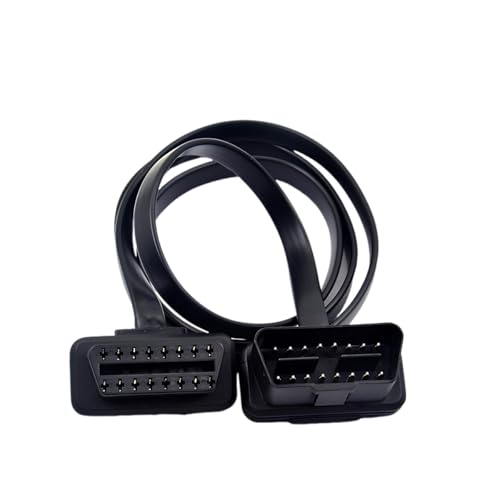
【Material】:This OBD2 extension cable is made of all-copper wire, which has excellent conductivity and can provide a stable power supply for devices. The outer is flame-retardant and high-temperature material, which is sturdy and wear-resistant, can effectively avoid the risk of overheating and short circuits, and ensure safe use.

Confirm the OBD2 Port Before Connecting
Confirm that you have found the trapezoidal 16-pin diagnostic connector beneath the driver-side dashboard. The scanner plug fits in only one orientation. Align it visually rather than twisting or forcing it.
If the port is difficult to reach, use a compatible extension cable instead of pulling on the vehicle wiring or leaving a bulky adapter where it could contact your knee or the pedals.
Connect the Scanner Step by Step
- Turn the ignition off. Make sure the vehicle is in Park and the parking brake is applied.
- Plug in the scanner. Insert it straight into the connector until it is fully seated. Do not force it.
- Switch the ignition to ON. Leave the engine off for the initial scan.
- For a keyed ignition: turn the key to ON without turning it to START.
- For push-button start: with your foot off the brake, press the power button as required to enter ignition-on mode. The exact sequence can vary, so follow the owner’s manual and scanner instructions.
- Open the scanner menu or app. Pair a wireless adapter if needed and select the correct vehicle profile or automatic protocol detection.
- Run a complete scan. Read all modules available to the tool rather than selecting only “erase check-engine light.”
- Save the report. Record the VIN shown by the scanner, all codes, their status, freeze-frame information, readiness monitors, mileage, and symptoms.
- Do not clear anything yet. Research and test the fault first.
Pro Tip: Take screenshots of every code page and freeze-frame screen. A code may not return immediately after it is erased, and the original operating conditions can be more useful than the code description alone.
Should the Engine Be Running When You Read OBD2 Codes?
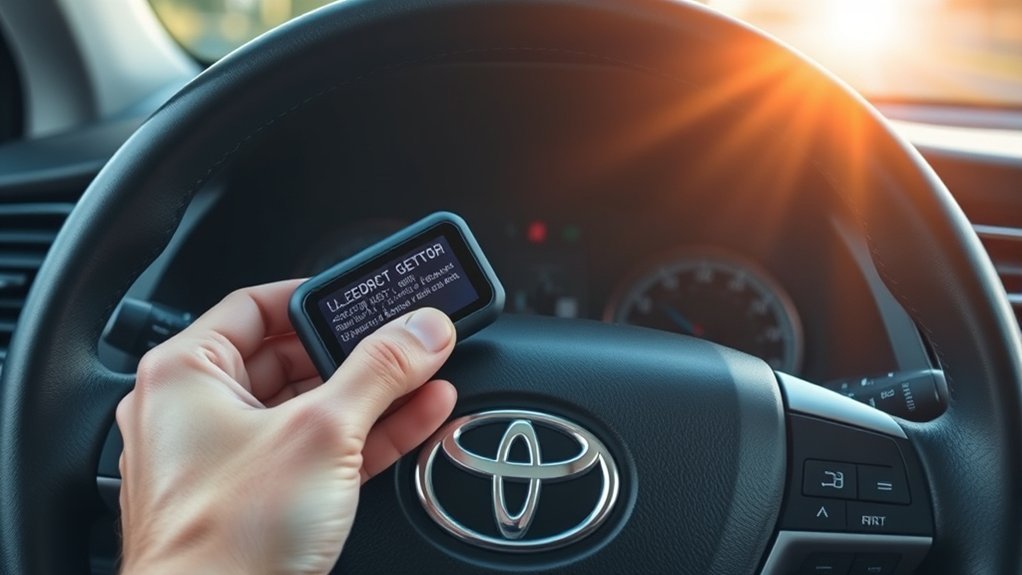
Most initial code retrieval should be performed with the ignition on and the engine off. This powers the relevant control modules without adding moving-engine variables or unnecessary exhaust.
- Keyed Camry: turn the key to ON without cranking the engine.
- Push-button Camry: keep your foot off the brake and use the power button to reach ignition-on mode as described in the owner’s manual.
- Hybrid Camry: follow the scanner and model-year manual. Some module tests may require a specific IG-ON or READY state, and the gasoline engine can start automatically while the vehicle is in READY.
Start the engine only when a diagnostic procedure specifically requires running live data. Keep the transmission in Park, apply the parking brake, secure loose clothing, and keep cables away from pedals, fans, belts, and hot components.
Warning: Never run the engine in a closed garage or other poorly ventilated area. Carbon monoxide can build up without visible smoke or a strong warning odor.
What Are Common Toyota Camry OBD2 Codes?
The following codes can appear on many vehicles, including Toyota Camrys. The description identifies the condition detected by the control module—not a guaranteed failed part.
| Code | General Meaning | What to Check |
|---|---|---|
| P0300 | Random or multiple-cylinder misfire detected | Misfire counters, freeze-frame conditions, ignition, fuel delivery, unmetered air, compression, and wiring. Stop driving if the MIL flashes and the engine runs badly. |
| P0301 | Cylinder 1 misfire detected | Cylinder-specific ignition, injector operation, wiring, compression, coolant intrusion, and related service information. |
| P0171 | System too lean, Bank 1 | Fuel trims, intake leaks, airflow-sensor data, fuel pressure, injector operation, exhaust leaks, and sensor wiring. |
| P0420 | Catalyst-system efficiency below threshold, Bank 1 | Misfires, fuel-control faults, exhaust leaks, oil or coolant consumption, oxygen-sensor signals, and catalyst condition. Do not replace the converter from the code alone. |
| P0455 | Evaporative-emissions system large leak detected | Confirm that the fuel cap is correct and fully sealed, then inspect and test EVAP hoses, valves, seals, and the canister system. A smoke test may be required. |
| C1210 | Toyota-specific chassis code; definition depends on the vehicle, system, and available subcode | Use a Toyota-capable scanner and exact model-year service information. On applicable Toyota systems, C1210 may relate to yaw-rate sensor zero-point calibration; it should not be universally described as an ABS pump-motor fault. |
P0171 reports a lean condition, and P0455 reports a large EVAP leak. Neither code proves which hose, sensor, valve, cap, or other component caused the test to fail.
How Do You Interpret Camry OBD2 Code Status and Freeze-Frame Data?
Do not stop after reading the five-character code. Check its status and the information stored with it.
- Pending code: the fault has been detected, but the conditions required to confirm it may not yet be complete.
- Stored or confirmed code: the fault has met the control module’s confirmation criteria. The warning light may be on now, may have been on previously, or may behave differently depending on the system.
- Permanent code: an applicable emissions-related code retained after clearing. It cannot normally be erased with the scan tool or by disconnecting the battery. The vehicle must rerun the relevant monitor and verify that the malfunction is gone.
- History code: a tool or manufacturer-specific label for a previously detected fault. Availability and terminology vary.
Next, open the freeze-frame record. Useful values can include:
- Engine speed
- Vehicle speed
- Coolant temperature
- Calculated load
- Short- and long-term fuel trim
- Intake-air temperature
- Fuel-system status
- Battery or control-module voltage
Compare the stored conditions with the driver’s report. A fault that occurred during a cold start may require a different test than one that occurred at highway speed under heavy load.
Also review readiness monitors. A monitor marked “not ready” does not automatically mean a part has failed. It may simply mean the required self-test has not completed since codes were cleared or the 12-volt battery was disconnected.
Note: “No codes found” does not rule out a mechanical problem, intermittent fault, warning stored in an inaccessible module, weak battery, sensor value that is wrong but still within the module’s limits, or a tool-communication problem.
What Should You Do After Reading a Camry OBD2 Code?
Start by judging the warning lights and vehicle symptoms, then preserve the diagnostic evidence. Do not erase codes simply to turn off a warning light.
| Scan Result or Symptom | What It Tells You | Next Step |
|---|---|---|
| Flashing check-engine light with rough running or misfire codes | An active misfire may be severe enough to damage the catalytic converter. | Reduce load, stop safely if the vehicle runs badly, and arrange prompt diagnosis. |
| Steady check-engine light with normal drivability | A fault is stored, but the code and symptoms determine urgency. | Save the scan and diagnose soon; avoid unnecessary heavy load until the cause is understood. |
| Permanent code remains after repair | The relevant emissions monitor has not yet verified that the fault is gone. | Do not erase repeatedly. Allow the required self-test to complete, then rescan. |
| Readiness monitor shows “not ready” | The self-test has not completed since a reset, code clear, or 12-volt battery disconnect. | Do not replace parts from readiness status alone; complete normal driving until the monitor can run. |
| Scanner powers up but cannot access ABS, SRS, or hybrid modules | The tool may lack Toyota-enhanced module coverage. | Use a Toyota-capable scanner or factory-level diagnostic support. |
How Urgent Is the Code?
Stop as soon as it is safe and seek help when any of the following occurs:
- The check-engine light flashes while the engine shakes, loses power, or smells strongly of fuel.
- A red oil-pressure, temperature, charging-system, or brake warning remains on.
- The vehicle overheats, leaks fuel, produces smoke, or makes severe mechanical noise.
- Braking, steering, or acceleration feels abnormal.
- A hybrid warning appears with reduced propulsion or instructions to stop the vehicle.
Arrange prompt diagnosis when the check-engine light is steady and the vehicle still drives normally. Avoid heavy acceleration, towing, high engine load, and long trips until you understand the fault.
For each scan, record:
- All codes and status labels
- Freeze-frame data
- Readiness monitors
- Mileage and date
- Weather and engine temperature
- Fuel level
- Recent repairs, refueling, battery work, or jump-starting
- Driver symptoms and when they occur
When Should You Clear Camry OBD2 Codes?
Clear codes only after saving the complete scan and after the underlying fault has been repaired or the diagnostic procedure specifically calls for a reset.
- Save or photograph all codes, status information, freeze-frame data, and readiness results.
- Complete the required inspections and tests.
- Repair the confirmed cause rather than replacing a part based only on the code name.
- Use the scanner’s clear function only if needed.
- Switch the ignition off when the scanner instructs you to do so.
- Restart or drive the vehicle according to the repair verification procedure.
- Rescan for pending, confirmed, and permanent codes.
- Confirm that the relevant readiness monitor eventually completes without resetting the fault.
Warning: Clearing codes or disconnecting the battery resets many emissions-readiness monitors. The Camry may fail or be rejected from an emissions inspection until the required monitors run again. A permanent DTC will not disappear merely because you press “Erase.”
The California Air Resources Board explains that a permanent DTC cannot be cleared by disconnecting the battery or using a scan device. After the repair, the relevant monitor must rerun successfully before the permanent code clears.
For the complete reset-and-verification workflow, see how to clear OBD2 codes on a Toyota Camry safely.
Clearing a code does not repair the vehicle. If the fault remains, the pending or confirmed code will return when the control module reruns the affected test.
When Should You Get Professional Help With Camry OBD2 Codes?
Professional diagnosis is appropriate when:
- The check-engine light flashes or the vehicle runs poorly.
- A red warning light appears.
- The scanner reports ABS, brake, SRS/airbag, hybrid, immobilizer, steering, or network faults.
- Your scanner cannot access the module responsible for the warning.
- Multiple codes appear across several modules.
- The codes return after a reasonable repair attempt.
- Testing requires fuel-pressure, compression, smoke, oscilloscope, high-voltage, or bidirectional-control equipment.
- You find damaged wiring, burned terminals, leaking fuel, leaking brake fluid, coolant loss, or evidence of collision damage.
- A repair requires calibration, module programming, or Toyota service procedures.
Provide the technician with your saved report and a description of the symptoms. This can preserve useful context, but the technician should still perform an independent scan and diagnosis.
How Can You Make Camry OBD2 Diagnosis More Reliable?
- Scan when there is a reason. Useful times include when a warning light appears, symptoms develop, a repair has been completed, an emissions inspection is approaching, or you are evaluating a used vehicle. Scanning every few months is optional, not a Toyota maintenance requirement.
- Keep a log. Record codes, mileage, freeze-frame data, repairs, and whether the code returned.
- Update the scanner or app. Firmware and software updates may improve communication and code definitions.
- Check all available modules. A powertrain code may be secondary to voltage or communication faults stored elsewhere.
- Look at live data in context. A single reading is rarely enough; compare related sensors and verify the operating conditions.
- Check the 12-volt battery. Low voltage can disrupt communication and create multiple misleading faults.
- Use exact service information. Manufacturer-specific codes, calibration procedures, and electrical tests vary by year and powertrain.
- Do not leave an adapter installed indefinitely. Some adapters draw power while the vehicle is parked and may create security or battery concerns.
Why Won’t the Camry OBD2 Scanner Connect?
[Amazon Products Picked for You]

📢⚠️【Please Read Carefully before Purchasing】- ▶ This is just a 22Pin to 16Pin converter cable ONLY, not a diagnostic scanner. ▶Please comfirm that your cars support the OBD2 protocol, and your scanner being compatible with your cars with the functions you need – none of which is related to our cable. ▶ This 22pin OBD port does not provide a power supply. Any question, pls conta.ct us via 📩Autelchoice @ outlook . com📩.

Your Personal Car Doctor - Officially licensed for compatibility with Volkswagen Group (VAG), BMW Group, Mercedes-Benz, Toyota Group, and US-made Ford Group, Safescan equipped with 65,000+ built-in DTC lookups, quickly reads & clears engine codes while providing precise interpretations. It views freeze frame data, checks I/M readiness status, runs oxygen sensor tests, and vehicle information (VIN, CIN, CVN) just to help you fully assess engine health before paying for costly, unnecessary repairs. Perfect for pre-purchase inspections to avoid buying used cars with hidden engine problems or unknown origins.
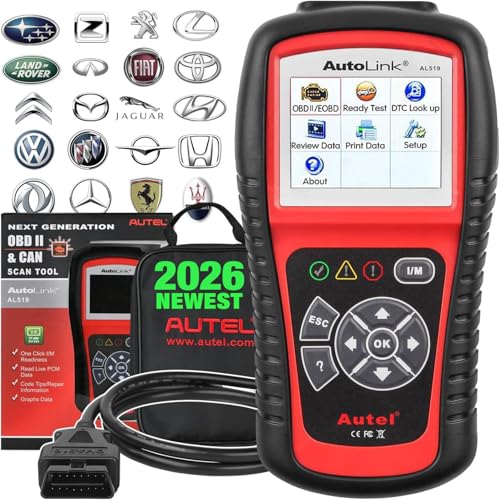
🔥【AL519 Autel Classic OBD2 Code Reader, Upgraded Ver. of AL319/ MS309】Autel develops more new features in AutoLink AL519 base on the old AL319, MS309. Instead of just reading and clearing codes, this AL519 OBD2 scanner can perform full OBDII functions (mode 1~10), and provide quick DTCs lookup and live data in text & graph. It can also retrieve generic(P0, P2, P3, and U0), manufacturer specific(P1, P3, and U1) codes and pending codes, car VIN#, turn off CEL, check I/M readiness status, locate bad parts like a O2 sensor, do evap leak test, etc. 📢Note: Autel AL519 works only for cars of 2015 or before, pls contact us check the compatibility first.
Why Doesn’t the Scanner Power On?
- Confirm that the plug is fully seated and correctly aligned.
- Check the Camry’s 12-volt battery condition.
- Inspect the connector for bent, pushed-back, corroded, or damaged terminals.
- Check the exact model-year fuse information in the owner’s manual. On some vehicles, diagnostic connector power may share a circuit with an accessory or power outlet.
- Try a known-good compatible scanner before assuming the vehicle wiring has failed.
Do not substitute a larger fuse, bridge connector terminals, or feed external power into the port.
Why Does the Scanner Power On but Not Communicate?
- Confirm that the ignition is ON rather than only in accessory mode.
- Verify the correct vehicle profile, protocol setting, and app connection.
- Turn off the ignition, unplug the tool, wait briefly, and reconnect it.
- Close other phone apps that may be connected to the Bluetooth adapter.
- Check whether the scanner supports the requested Toyota module.
- Try a wired scanner if a wireless adapter continues to fail.
- Have the diagnostic network inspected if more than one known-good tool cannot communicate.
Why Can’t a Basic Scanner Read ABS, Airbag, or Hybrid Codes?
This usually indicates a scanner capability limitation rather than proof that no code exists. Use a Toyota-enhanced scanner or professional factory-level equipment. Toyota’s Techstream information describes factory-level Toyota diagnostic support.
Can You Read Toyota Camry Codes Without a Scanner?
There is no dependable universal procedure in which cycling a modern Camry’s ignition three times makes the check-engine light display standard OBD2 codes. That method applies to certain other vehicle makes and should not be presented as a general Toyota procedure.
Some older pre-OBD2 Toyota vehicles have model-specific diagnostic modes that use a particular connector and warning-light flash sequence. The terminals, preparation, and code interpretation depend on the exact year, engine, market, and system. Use the correct Toyota repair manual rather than guessing or bridging diagnostic pins.
For an OBD2-equipped Camry, the safe and reliable method is to use a compatible scanner. Many parts stores and repair facilities may also offer code retrieval, although a retrieved code still requires diagnosis.
Frequently Asked Questions
How do you read a Toyota OBD-II fault code?
Park the vehicle, connect a compatible scanner to the 16-pin diagnostic port, switch the ignition to ON with the engine off, and run a complete scan. Save the code status, freeze-frame data, and readiness results. Verify manufacturer-specific codes with service information for the exact Camry year and powertrain.
How do you use an OBD scanner step by step?
With the ignition off, plug in the scanner. Turn the ignition on without starting the engine, connect the app if required, select the vehicle or automatic protocol, scan all supported modules, and save the results. Diagnose and repair the cause before using the erase function.
Where is the OBD2 port on a Toyota Camry?
On an OBD2-equipped Camry, the 16-pin diagnostic connector is normally beneath the driver-side dashboard near the lower steering area or driver-side kick-panel zone. Its exact angle and trim location vary by model year, so check the Toyota manual if it is not immediately visible.
Should the engine be running when you read Camry OBD2 codes?
For an initial code read, use ignition ON with the engine off unless the scanner or Toyota service procedure says otherwise. Start the engine only for tests that specifically require running live data, and never run it in a closed or poorly ventilated area.
How should you interpret OBD2 codes?
Start with the code’s system and whether it is generic or manufacturer-specific. Then check whether it is pending, confirmed, permanent, or historical. Review freeze-frame and live data, inspect related systems, and follow a diagnostic procedure. Do not replace a component based only on the code description.
Can you get Toyota Camry check-engine codes without a scanner?
Not through a reliable universal key-cycling method on modern OBD2 Camrys. Use a compatible scanner. Older pre-OBD2 models may have model-specific flash-code procedures, but those should be performed only with the correct Toyota repair instructions.
Can a basic OBD2 scanner read Toyota ABS and airbag codes?
Many basic readers cannot. Standard OBD2 functions mainly cover emissions-related powertrain data. ABS, stability-control, airbag, body, hybrid, TPMS, and network codes commonly require a scanner with Toyota-enhanced module support.
Does clearing an OBD2 code fix the problem?
No. Clearing removes certain stored information and turns off the warning light temporarily, but it does not repair the fault. It also resets many readiness monitors. If the problem remains, the code will return when the control module reruns the test.
Why does a permanent code remain after a repair?
A permanent emissions code cannot normally be erased manually. After the repair, the vehicle must complete the relevant self-test and verify that the malfunction is no longer present. The required operating conditions and number of trips vary by monitor and vehicle.
Conclusion
Reading Toyota Camry OBD2 codes is straightforward when you use a compatible scanner, the correct ignition state, and a careful read-before-erase process. Save every code, status label, freeze-frame record, and readiness result before making changes. Use the information to guide testing rather than replacing parts by name. Seek professional help for flashing warning lights, severe symptoms, brake or airbag faults, hybrid-system warnings, inaccessible modules, or codes that return after repair.
Sources
- Toyota Manuals and Warranties — year-specific owner’s manuals, warnings, and operating instructions.
- Toyota Techstream Lite Information — Toyota factory-level diagnostic coverage and DLC3/J1962 support.
- California Air Resources Board: OBD II Systems Fact Sheet — OBD-II purpose, applicability, warning-light behavior, and stored diagnostic information.
- U.S. EPA: On-Board Diagnostic Hand-Held Scan Tool Technology — scan-tool data, diagnostic trouble codes, freeze-frame information, and readiness status.
- California Air Resources Board: OBD Readiness Criteria — permanent diagnostic trouble codes and why they cannot be manually cleared.
- Toyota Camry Warning-Light Guidance — manufacturer guidance for responding to warning indicators.
- SAE J2012 Diagnostic Trouble Code Definitions — standardized DTC format and ranges reserved for manufacturer-specific use.
