
To turn off the Toyota Camry Pre-Collision System (PCS), park safely, shift to P, open the Multi-Information Display (MID) settings with the steering-wheel controls, select PCS, and choose Off. The exact path varies by model year: the 2025 Camry uses Toyota Safety Sense 3.0 and a newer settings layout, while the 2024 Camry uses the prior TSS 2.5+ display path. Confirm the dedicated PCS OFF message or status symbol after the change, and never test the system by driving toward an obstacle.
Last updated: September 11, 2026 · Toyota source check: 2024 and 2025 U.S. Camry documentation.
Quick Answer
Park the Camry, shift to P, and open the MID settings. On a 2025 Camry, select PCS and press and hold OK to open the PCS settings, then select PCS again and press OK to switch it off. On a 2024 Camry, select PCS in the settings display and press OK to toggle it off. Confirm the “Pre-Collision System OFF” message or the model-specific PCS OFF symbol. Never test the system by approaching an obstacle.
Key Takeaways
- The PCS menu and button sequence are not identical on every Toyota Camry.
- A PCS OFF message or off-status symbol confirms deliberate disablement; a flashing warning or “unavailable” message may indicate a different condition.
- Changing warning timing does not turn PCS off. On the 2024 Camry guide, it changes alert timing without changing brake operation; on the 2025 TSS 3.0 Camry, Toyota also ties the setting to Emergency Steering Assist timing.
- PCS, Proactive Driving Assist, and parking automatic braking are separate features.
- Verified 2024 and 2025 U.S. Camry guides state that PCS is enabled again each time the vehicle is turned on.
At a Glance
| Time Required | About 1–3 minutes |
| Difficulty | Easy, once the correct model-year menu is identified |
| Tools Needed | None; use the steering-wheel meter controls and Multi-Information Display |
| Cost | $0 |
Model-Year Quick Check
| Camry | PCS control path | Warning timing | After restart |
|---|---|---|---|
| 2025 U.S. | MID settings → PCS → press and hold OK → PCS → OK | Later / Default / Earlier | PCS is enabled again when the power switch is turned on |
| 2024 U.S. | 4.2- or 7-inch MID settings → PCS → OK | Far / Middle / Near | PCS is enabled again when the vehicle is turned on |
| Earlier Camrys | Varies by generation; some use another MID layout or a physical PCS switch | Varies by model year | Verify in the exact owner’s manual |
Warning: PCS is a driver-assistance feature, not a substitute for steering, braking, or watching the road. Leave it enabled during normal driving unless your exact owner’s manual or a qualified service procedure directs otherwise. Never test PCS by driving toward a person, cyclist, vehicle, wall, box, or other object.
Understanding the Pre-Collision System in Your Toyota Camry

The Toyota Pre-Collision System with Pedestrian Detection, usually abbreviated PCS or PCS w/PD, uses a forward-facing camera and radar to monitor the road ahead. When operating conditions are met and the system judges that a frontal collision risk is high, it may provide an audible and visual warning, add braking assistance, or apply automatic emergency braking.
Detection capability varies with the Camry’s model year and Toyota Safety Sense generation. The 2025 U.S. Camry uses Toyota Safety Sense 3.0, and Toyota describes its PCS w/PD as designed to help detect a vehicle, pedestrian, bicyclist, or motorcyclist in certain situations. Earlier Camrys can have different detection capabilities. Weather, darkness, curves, sensor obstruction, object movement and position, and vehicle speed can all limit operation.
PCS may help avoid or reduce the severity of some frontal collisions, but it cannot recognize every hazard or prevent every crash. The driver must remain ready to steer and brake.
A collision warning and an off-status indication are different:
- Collision warning: A buzzer, collision icon, and message urging you to brake or take evasive action.
- PCS deliberately switched off: A message such as “Pre-Collision System OFF” and a corresponding PCS OFF or warning/status symbol, depending on the model year.
- PCS temporarily unavailable or malfunctioning: A separate warning message or flashing indicator that requires you to read the displayed instructions and consult the manual.
Situations When You Should Disable the Pre-Collision System
PCS should normally remain enabled. Heavy traffic, stop-and-go driving, parking, pedestrians, bicyclists, or frequent warning activity are not blanket reasons to disable a forward-collision mitigation feature.
For the 2025 U.S. Camry, Toyota’s Driving Support Systems owner’s-manual excerpt says Toyota Safety Sense 3.0 should be disabled for specific conditions. These include towing another vehicle, transport by truck/ship/train, lift or drum-tester work, sporty or off-road driving, and use of an automatic car wash. The same section also lists an overloaded or flat-tire condition that tilts the vehicle and extremely high-speed driving. Earlier Camrys have overlapping but not identical instructions.
Note: These situations are not universal to every Camry. Use the Toyota Manuals and Warranties selector to find the instructions for your exact year, equipment, software, and market.
| Situation | Best next step |
|---|---|
| Normal street/highway driving, traffic, pedestrians, or cyclists | Leave PCS enabled. |
| Toyota-listed temporary condition, such as transport, certain test equipment, or a 2025 automatic car wash | Follow the exact model-year manual and disable the applicable system when directed. |
| Repeated false or unexplained warning | Check approved sensor areas for obstruction and arrange inspection if the problem persists; do not use permanent disablement as the first fix. |
| PCS “unavailable” or malfunction message | Follow the displayed instruction. This is not the same state as deliberately selecting PCS Off. |
If you are trying to solve repeated false warnings, do not make permanent disablement your first response. Check whether the windshield area in front of the camera or the radar area in the grille is dirty, covered by snow or ice, damaged, modified, or affected by recent repair work. Persistent warnings should be inspected by a Toyota dealer or another qualified technician.
What to Watch Out For Before Changing Settings
Park on a safe, level area, shift to P, and set the parking brake before navigating the instrument-cluster menus. Do not look down at settings while driving.
Before continuing, confirm these points:
- Your Camry is equipped with PCS and the feature is not already reporting a malfunction.
- You know whether the instrument cluster is controlled by directional arrows, a gear-shaped settings menu, and an OK button.
- You have identified the vehicle’s model year and market.
- You understand that disabling PCS removes some forward-collision warnings and braking assistance until the system is re-enabled.
- You are not confusing PCS with PDA, parking support braking, Dynamic Radar Cruise Control, or another driving-assistance feature.
Accessing the Multi-Information Display
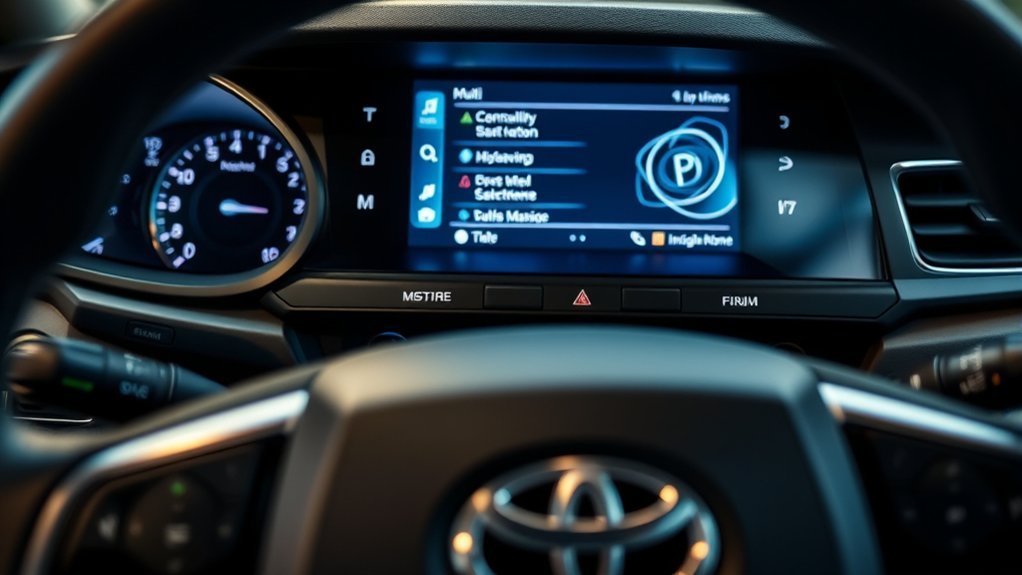
The Multi-Information Display, or MID, is the screen in the instrument cluster. Its menus are normally controlled by directional switches and an OK or enter button on the steering wheel.
- Turn the vehicle on while it remains parked.
- Use the left or right steering-wheel arrow to reach the gear-shaped settings menu.
- Use the up or down arrows to find PCS or the pre-collision icon.
- Follow the procedure that matches your model year below.
Pro Tip: Photograph the original setting before changing it. The image can help you restore the previous warning timing or compare the display with the owner’s manual.
How Do You Turn Off PCS on a Toyota Camry?
2025 Toyota Camry Procedure
The 2025 Toyota Camry Quick Reference Guide gives this sequence. Toyota’s current 2025 driving-support excerpt also notes that Toyota Safety Sense 3.0 procedures can change with software updates, so use the digital manual that matches the vehicle’s software version if the display differs.
- Use the steering-wheel left or right switches to select the gear-shaped settings icon in the MID.
- Use the directional switches to select PCS.
- Press and hold OK to open the PCS setting screen.
- Inside that screen, select PCS again.
- Press OK to switch PCS off.
- Press the back switch to leave the menu.
The display should show a “Pre-Collision System OFF” message and the corresponding off-status symbol. Toyota also notes that PCS is enabled each time the vehicle is turned on.
2024 Toyota Camry Procedure
The 2024 Toyota Camry Quick Reference Guide shows a shorter path:
- Select the settings screen for the 4.2-inch or 7-inch MID.
- Use the directional switches to select PCS.
- Press OK to switch PCS on or off.
- Press the back switch to leave the menu.
The 2024 guide also states that the system is enabled each time the vehicle is turned on.
Older Toyota Camry Models
Some older Camrys use a different MID layout, a separate meter-settings submenu, or a physical PCS switch. On certain older Toyota implementations, the switch must be held for several seconds to turn the system off. Do not assume that a procedure for a 2024 or 2025 Camry applies to an earlier generation.
Search the exact owner’s manual for “PCS,” “Pre-Collision System,” “changing settings,” or “turning off the pre-collision system.” Follow the illustrations and indicator definitions in that manual.
How to Adjust the Pre-Collision System’s Warning Timing
If warnings seem too early or too late, consider changing the warning timing instead of disabling PCS. Toyota may label the choices Earlier, Default, and Later or Far, Middle, and Near, depending on the model year.
[Amazon Products Picked for You]

🚗【Wide Compatibility】Compatible with Toyota Models: 2005-2009 Toyota Camry Base 2.4L, 2007-2008 Toyota Camry CE 2.4L, 2007-2011 Toyota Camry Hybrid 2.4L, 2004-2009 Toyota Camry LE 2.4L, 2004-2009 Toyota Camry SE 2.4L, 2004-2009 Toyota Camry XLE 2.4L; 2006-2008 Toyota RAV4 Base 2.4L, 2006-2008 Toyota RAV4 Limited 2.4L, 2006-2008 Toyota RAV4 Sport 2.4L(Please browse the product description to confirm model year before purchasing)

Increases Horsepower And Improves Air/Fuel Ratio And Mpg

【6 Pieces of 16mm Sensor Cleaning Swabs】 Tailored according to the size of the APS-C frame frame sensor;Smudge-and lintfree, flexible grip rod allows the head to be close to the sensor without harm. The width of swab is 16mm and each swab is vacuum packaged.
Accessing Sensitivity Settings
On the verified 2025 Camry procedure:
- Open the gear-shaped settings menu in the MID.
- Select PCS and press and hold OK.
- Select Warning timing.
- Press OK to choose Later, Default, or Earlier.
- Press the back switch to exit.
On a 2024 Camry, enter the PCS settings and select Sensitivity to choose the available Far, Middle, or Near setting.
What Does the Warning-Timing Setting Change?
Warning timing changes when the driver receives the pre-collision alert. It does not let you set the radar’s physical range or choose which objects the camera recognizes. On the 2024 Camry Quick Reference Guide, Toyota states that the setting changes alert timing only and that brake operation remains the same. Do not generalize that sentence to every 2025 TSS 3.0 assistance function: the 2025 Camry Owner’s Manual also ties the selected pre-collision warning timing to Emergency Steering Assist timing.
Note: Selecting “Later” does not guarantee fewer warnings in every condition. Repeated or unexplained alerts can indicate weather interference, sensor obstruction, damage, modification, calibration problems, or operating conditions described in the owner’s manual.
How to Confirm PCS Is Disabled
Check the Status Message and Indicator
After switching PCS off, look for the confirmation shown for your model year. On the 2025 Camry, Toyota depicts:
- A “Pre-Collision System OFF” message.
- A pre-collision symbol with OFF beneath it.
Other Camry years may use an illuminated PCS warning or PCS OFF indicator together with a message. An illuminated off-status indicator can therefore mean the system is disabled; it does not prove the system is active.
Do not use the absence of a “BRAKE!” collision warning as confirmation. That message appears only when the system judges that a collision risk is high enough to warn the driver. It is not a normal PCS status display.
Verify the Setting Without Road-Testing PCS
Confirm the setting through the MID only:
- Return to the PCS menu and verify that its switch is off.
- Check for the PCS OFF message or model-specific status symbol.
- Compare the symbol with the indicator section of the exact owner’s manual.
Warning: Do not drive toward an obstacle, person, cyclist, parked vehicle, or another road user to see whether PCS responds. Toyota specifically warns owners not to test the system themselves.
Recognizing PCS Off, Unavailable, and Malfunction States
These conditions should not be treated as interchangeable:
- PCS OFF: You deliberately switched the feature off, and the display confirms that choice.
- PCS temporarily unavailable: The vehicle may report that the system is unavailable because the camera or radar cannot operate correctly. Snow, ice, dirt, fogging, intense weather, heat, or another temporary condition may be involved.
- PCS malfunction: A warning light may flash or a message may request inspection. Follow the displayed instructions and arrange service if the warning persists.
VSC/TRAC note: Do not use the VSC/TRAC OFF control as a substitute for the dedicated PCS setting. On the 2025 Camry, turning both TRAC and VSC off can also disable PCS intervention while leaving the Pre-Collision Warning available. Confirm the state through the PCS menu and the 2025 Camry Owner’s Manual.
If the warning appears after windshield replacement, front-grille work, collision repair, suspension or alignment work, or installation of accessories near the sensors, have the camera and radar installation and calibration checked by a qualified technician.
Re-Enabling the Pre-Collision System

Verified 2024 and 2025 U.S. Camry guides state that PCS is enabled each time the vehicle is turned on. After restarting, check that the PCS OFF message and off-status symbol have disappeared.
To re-enable it without restarting:
- Open the MID settings menu.
- Select PCS using the procedure for your model year.
- Switch PCS on.
- Return to the normal display and confirm that the off-status message is gone.
If the system remains unavailable after it is switched on, read the MID message rather than repeatedly toggling the setting. Clean only the areas and surfaces identified in the owner’s manual, remove temporary obstructions, and seek qualified service when a warning persists.
Troubleshooting PCS Settings
[Amazon Products Picked for You]



The PCS Option Is Missing
The vehicle may use a different menu, a physical switch, or terminology that varies by software version and market. It may also lack the feature. Check the vehicle’s equipment list and exact owner’s manual rather than selecting a similarly named system.
The PCS Setting Is Grayed Out
Make sure the Camry is safely parked and in P. Some settings may be restricted while the vehicle is moving or while another warning screen is active. Turn the vehicle off and restart it once. If the option remains unavailable, follow the displayed message or arrange inspection.
A PCS Warning Will Not Clear
Check for snow, ice, mud, dirt, stickers, accessories, damage, or condensation around the forward-facing camera area and front radar location described in the manual. Severe weather can also limit detection. Do not remove sensor covers, aim the radar, alter brackets, or attempt camera calibration yourself. If several instrument-cluster warnings appear together, identify each symbol before troubleshooting; see the Toyota Camry dashboard warning lights guide.
PCS Warns When No Collision Seems Likely
Record when the warning occurs, including the road shape, weather, speed, nearby metal objects, shadows, overhead structures, and recent vehicle repairs. Try the model-approved warning-timing setting rather than disabling PCS indefinitely. Have persistent or sudden changes diagnosed professionally.
Frequently Asked Questions
Can you turn off the Toyota Camry Pre-Collision System?
Yes. Equipped Camrys generally provide a PCS on/off setting through the Multi-Information Display, although some older versions use different menus or a physical switch. The feature is intended to be switched off temporarily, and verified 2024 and 2025 U.S. Camry guides state that it is enabled again when the vehicle is turned on.
When should a pre-collision system be disabled?
Leave PCS enabled for normal driving. Temporarily disable it only when the exact owner’s manual, a displayed instruction, or a qualified repair or transport procedure directs you to do so. Heavy traffic, pedestrians, cyclists, or ordinary parking are not general reasons to turn it off.
How do I turn off PDA on a Toyota Camry?
PDA means Proactive Driving Assist and is separate from PCS. On the 2025 Camry, open the MID settings menu, select PDA, and press OK to switch it on or off. Consult the exact owner’s manual because PDA availability, subfunctions, and menu behavior vary.
How do I turn off Toyota automatic braking?
There is no universal switch for every Toyota feature capable of applying or assisting with braking. PCS controls forward-collision warning and braking assistance. Proactive Driving Assist, Dynamic Radar Cruise Control, and available parking support braking are separate systems with their own controls and operating conditions.
Why does my Camry say the Pre-Collision System is unavailable?
The camera or radar may be obstructed, weather may be limiting operation, the vehicle may be too hot or cold, or the system may need inspection. Follow the exact message shown in the MID. A temporary-unavailable warning is not the same as deliberately switching PCS off.
Does changing PCS sensitivity change automatic braking?
Changing PCS warning timing does not turn PCS off. On the 2024 Camry Quick Reference Guide, Toyota says the setting changes alert timing only and brake operation remains the same. On the 2025 TSS 3.0 Camry, the owner’s manual also ties warning timing to Emergency Steering Assist timing, so the effect is not limited to the audible/visual warning.
Does turning off VSC or TRAC turn off PCS on a 2025 Camry?
Not in the same way as selecting PCS Off in the dedicated menu. Toyota’s 2025 Camry owner documentation states that turning both TRAC and VSC off also disables PCS intervention, while the Pre-Collision Warning remains available. Use the dedicated PCS setting when you intend to change PCS, and confirm the status shown in the Multi-Information Display.
Conclusion
To turn off PCS safely, park the Camry, use the menu or switch specified for its exact model year, and confirm the dedicated PCS OFF message or status symbol. Do not rely on the absence of a collision warning, and never road-test the feature by approaching an obstacle. Restore PCS after the temporary condition has ended and arrange service if an unavailable or malfunction warning persists.
Sources
- 2025 Toyota Camry Owner’s Manual — PCS enable/disable behavior, warning-timing behavior, Emergency Steering Assist interaction, VSC/TRAC interaction, and status indications.
- 2025 Toyota Camry Driving Support Systems Owner’s Manual Excerpt — TSS 3.0 precautions, software-version guidance, disable conditions, and sensor limitations.
- 2025 Toyota Camry Quick Reference Guide — PCS operation, warning timing, disablement procedure, status display, and restart behavior.
- 2024 Toyota Camry Quick Reference Guide — TSS 2.5+ PCS menu, sensitivity settings, disablement procedure, and restart behavior.
- Toyota Manuals and Warranties — model-year and vehicle-specific owner’s manuals.
- Toyota Safety Sense — official description of PCS, PDA, supported detections, and system limitations.
- NHTSA Driver Assistance Technologies — automatic emergency braking definitions and driver-responsibility guidance.
