
You want a gaming tablet that feels responsive, looks sharp, and is still practical to carry. The right choice depends on more than peak processor speed: display refresh rate, sustained performance, game availability, controller support, battery behavior, storage, and operating-system compatibility all affect the experience.
This guide compares four distinct options for different buyers. The iPad Pro 11 is the strongest all-around tablet pick, the ROG Flow Z13 is the best choice for portable Windows PC gaming, the Galaxy Tab S10 Ultra suits buyers who want a huge premium Android display, and the Xiaomi Pad 6 offers the most accessible entry point for casual and mid-range gaming.
Quick Verdict
Choose based on your game library first. iPadOS and Android provide strong mobile-game ecosystems, while the ROG Flow Z13 runs Windows PC games. Check that your favorite games, controllers, accessories, and required subscriptions are supported before buying.
Affiliate disclosure: This roundup is reader-supported. When you click qualifying links, we may earn a referral commission at no additional cost to you.
Top Picks
|
Category |
Product |
Best For |
|---|---|---|
|
🏆 Best Overall |
High-end mobile gaming and creative work |
|
|
🎨 Best Large Android Display |
Immersive Android gaming and multitasking |
|
|
🚀 Best Portable PC Gaming |
Windows games in a detachable 2-in-1 |
|
|
💰 Best Budget Pick |
Casual gaming, media, and everyday use |
Selection Criteria
A useful gaming-tablet comparison needs more than a flashy specification sheet. We prioritized processor and graphics capability, sustained thermal behavior, display quality and refresh rate, game-library compatibility, controller support, storage, battery capacity, connectivity, portability, and the cost of important accessories.
We also considered the wider ecosystem. A powerful tablet is a poor fit when your preferred games are unavailable, a controller is unsupported, or a keyboard, stylus, charger, or dock must be purchased separately. The labels below describe use cases rather than laboratory rankings, and performance will vary by game, settings, updates, and device configuration.
The Flow Z13 solves a problem conventional tablets cannot: it provides access to Windows PC games in a slate-style, detachable form factor. The high-refresh touchscreen supports smooth motion, while USB4, HDMI, USB-A, and microSD connectivity make it easier to attach displays, storage, controllers, and other peripherals.
The tradeoff is weight, heat, fan noise, and gaming battery life. At roughly 2.65 pounds before accounting for every accessory, it is much heavier than an iPad or Android tablet, and demanding games are best played near a charger.
Why You’ll Like It
- Runs Windows PC games rather than only mobile titles
- 13.4-inch 2.5K touchscreen with a 180Hz refresh rate
- Adjustable kickstand and detachable design for desk or tablet use
- Useful port selection, including USB4, USB-A, HDMI, and microSD
- Strong fit for gaming, streaming, and demanding creative software
Who Should Avoid It
Skip it if you primarily want a silent, lightweight tablet with long unplugged gaming sessions. It is a compact gaming PC first and a casual tablet second.
Check Current Amazon Availability
The oversized AMOLED display is the main reason to buy this tablet. Games, movies, remote play, and split-screen apps have room to breathe, while the anti-reflective treatment helps reduce glare. The S Pen is useful for drawing and notes, and a microSD card can add space for media and supported app data.
Its size is also the main limitation. The Tab S10 Ultra is easier to enjoy on a desk, stand, or lap than while held for long periods. Android game support is broad, but controller support and high-refresh modes vary by title.
Why You’ll Like It
- Expansive 14.6-inch Dynamic AMOLED 2X display
- 120Hz refresh rate for smooth compatible games and interface motion
- S Pen included for drawing, notes, and navigation
- Quad speakers, microSD expansion, and Wi-Fi 7
- IP68-rated tablet and S Pen for added everyday durability
Who Should Avoid It
Choose a smaller tablet if you expect to hold the device for long gaming sessions or travel with the lightest possible setup. Also confirm that the Amazon listing matches the storage, memory, and connectivity configuration you intend to buy.
Check Current Amazon Availability
The Pad 6 remains appealing because it delivers a crisp 144Hz screen and solid everyday speed without the premium pricing of flagship tablets. It is well suited to lighter Android games, streaming, web use, and media playback.
It is not a current flagship, and the Snapdragon 870 will not sustain the highest graphics settings in the most demanding newer games. The display is LCD, not AMOLED, and the tablet does not include cellular connectivity or a microSD slot. Software version and regional warranty coverage should be checked carefully on imported listings.
Why You’ll Like It
- 11-inch 2880 × 1800 LCD with a 144Hz refresh rate
- Snapdragon 870 performance suited to casual and mid-range gaming
- 8,840mAh battery and 33W wired charging
- Four speakers with Dolby Atmos support
- Light 490g body for easier handheld use
Who Should Avoid It
Skip it if you want maximum performance in new demanding games, long-term flagship software support, expandable storage, or a cellular model. Verify the seller, region, charger, warranty, and exact memory configuration before purchase.
Check Current Amazon Availability
The iPad Pro 11 is the easiest recommendation for buyers who want high performance without moving to a Windows gaming PC. The M4 chip and 120Hz OLED display make supported games feel fast and polished, while the compact body is comfortable to carry and easier to hold than oversized tablets.
The main limitation is ecosystem fit. It runs iPadOS games rather than desktop Windows titles, and major accessories such as a controller, Apple Pencil Pro, or Magic Keyboard may add substantially to the total cost. The M4 model was introduced in 2024, so compare the exact listing with newer iPad Pro generations and current support before buying.
Why You’ll Like It
- Bright tandem OLED Ultra Retina XDR display
- Adaptive 10Hz–120Hz ProMotion for smooth supported games
- M4 chip with hardware-accelerated ray tracing
- Compact 444g Wi-Fi model and strong accessory ecosystem
- Up to 10 hours of web browsing or video playback under Apple’s stated test conditions
Who Should Avoid It
Choose the ROG Flow Z13 instead if your priority is native Windows PC gaming. Also compare the total price after adding any controller, keyboard, stylus, case, or higher storage tier you need.
Check Current Amazon Availability
Before You Buy a Gaming Tablet
- Check the game library: Confirm that your must-play titles are available on iPadOS, Android, or Windows.
- Verify controller support: Compatibility can vary by game even when the tablet supports Bluetooth controllers.
- Compare sustained performance: Thin devices may reduce speed as heat builds during long sessions.
- Budget for accessories: Keyboards, pens, controllers, docks, cases, chargers, and microSD cards may be sold separately.
- Confirm the exact configuration: RAM, storage, connectivity, included accessories, and warranty coverage can differ by region and seller.
- Plan for battery drain: Manufacturer battery estimates usually reflect video or web use, not maximum-brightness gaming at high refresh rates.
FAQ
How Do I Choose the Right Gaming Tablet?
Start with the games you want to play. Then compare processor and graphics capability, display refresh rate, controller support, storage, cooling, battery capacity, weight, and the total cost after accessories. Windows offers the broadest PC-game access, while iPadOS and Android are usually simpler and lighter for mobile gaming.
Will a Tablet Get Hot or Drain the Battery While Gaming?
Yes. Gaming places sustained load on the processor and graphics hardware, which increases heat and power use. Lowering graphics settings, brightness, frame-rate targets, or refresh rate can extend play time. Avoid blocking vents, and use the manufacturer-recommended charger and cable.
Which Accessories Matter Most for Gaming?
A compatible controller and comfortable headset usually make the biggest difference. A stand or keyboard can improve desk play, while a power bank or charger may help during travel. Confirm compatibility with the tablet, operating system, and individual games before purchasing accessories.
Is a 120Hz or 144Hz Screen Always Better for Gaming?
A higher refresh rate can make motion and touch response feel smoother, but only when the game supports a matching frame rate and the hardware can sustain it. Running at a high refresh rate may also increase battery use.
Can a Gaming Tablet Replace a Gaming Laptop?
The ROG Flow Z13 can replace a compact gaming laptop for some buyers because it runs Windows, but it still has thermal and battery constraints. iPad and Android tablets are better viewed as mobile-gaming and media devices unless your workflow and game library are already built around those platforms.
Wrapping Up
Choose the iPad Pro 11 for the strongest all-around premium tablet experience, the ROG Flow Z13 for portable Windows PC gaming, the Galaxy Tab S10 Ultra for a huge Android display and flexible multitasking, or the Xiaomi Pad 6 for lower-cost casual gaming and media.
No single model is best for every buyer. Match the operating system to your games, verify the exact configuration and warranty, and include the cost of necessary accessories before deciding.
| Product Name | Image | Display | Processor & Memory | Battery | Connectivity | Best For | Amazon |
|---|---|---|---|---|---|---|---|
| ASUS ROG Flow Z13 |
 |
13.4-inch IPS-level touchscreen, 2560 × 1600, 180Hz | Ryzen AI MAX-series platform; memory varies by configuration | 70Wh | Wi-Fi 7, Bluetooth 5.4, USB4, USB-A, HDMI, microSD | Portable Windows PC gaming | Check Details |
| Samsung Galaxy Tab S10 Ultra |
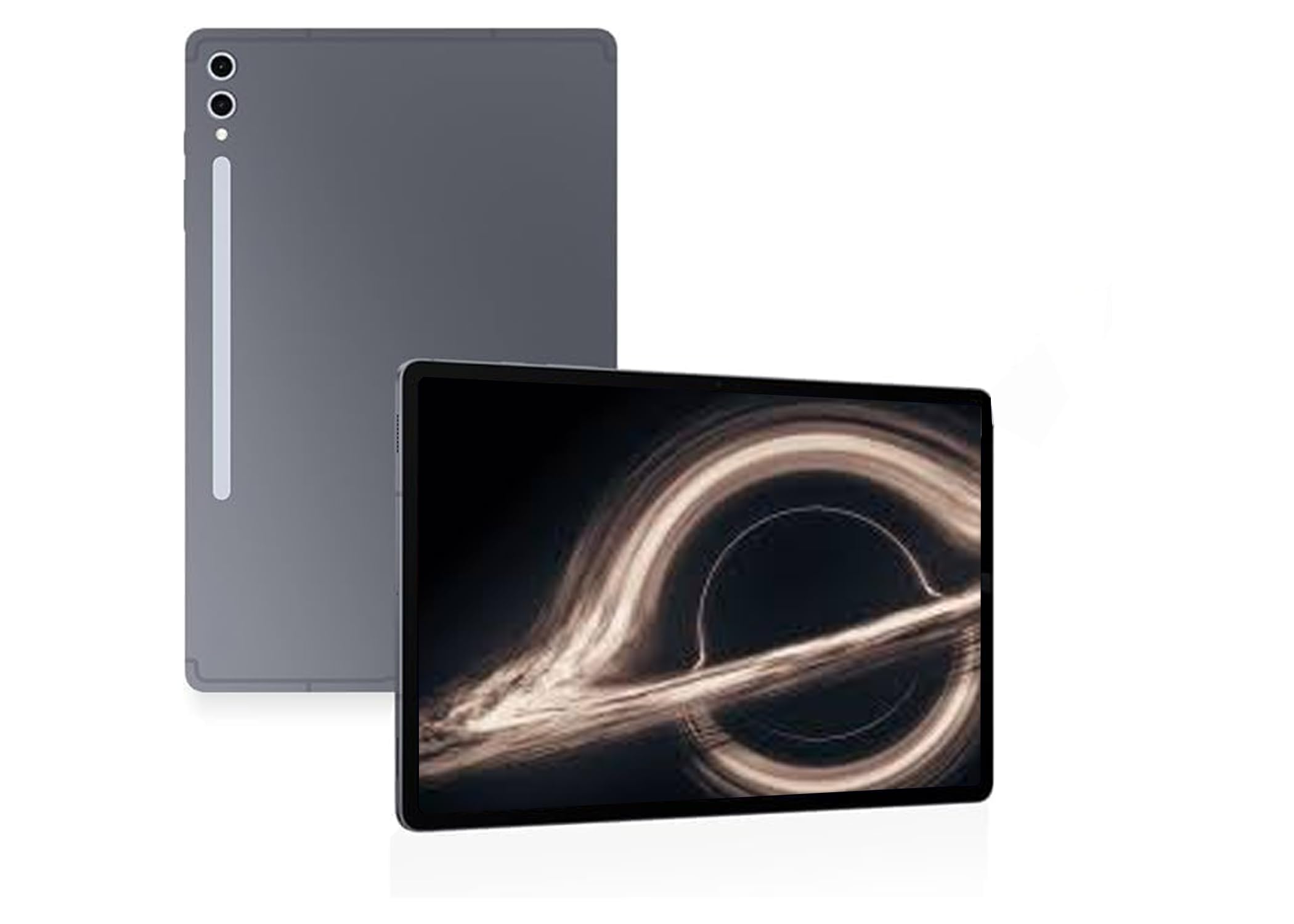 |
14.6-inch Dynamic AMOLED 2X, 2960 × 1848, 120Hz | MediaTek Dimensity 9300+; 12GB or 16GB RAM | 11,200mAh; actual gaming time varies | Wi-Fi 7, Bluetooth, microSD; optional cellular versions | Large-screen Android gaming | Check Details |
| Xiaomi Pad 6 |
 |
11-inch LCD, 2880 × 1800, 144Hz | Snapdragon 870; 6GB or 8GB RAM | 8,840mAh; 33W wired charging | Wi-Fi 6, Bluetooth 5.2, USB-C | Budget casual gaming and media | Check Details |
| Apple iPad Pro 11-Inch (M4) |
 |
11-inch tandem OLED, 2420 × 1668, adaptive 10–120Hz | Apple M4; 8GB or 16GB RAM by storage tier | Up to 10 hours web or video; gaming time varies | Wi-Fi 6E, Bluetooth 5.3, Thunderbolt / USB4 | Premium mobile gaming and creative apps | Check Details |
This Roundup is reader-supported. When you click through links we may earn a referral commission on qualifying purchases.
