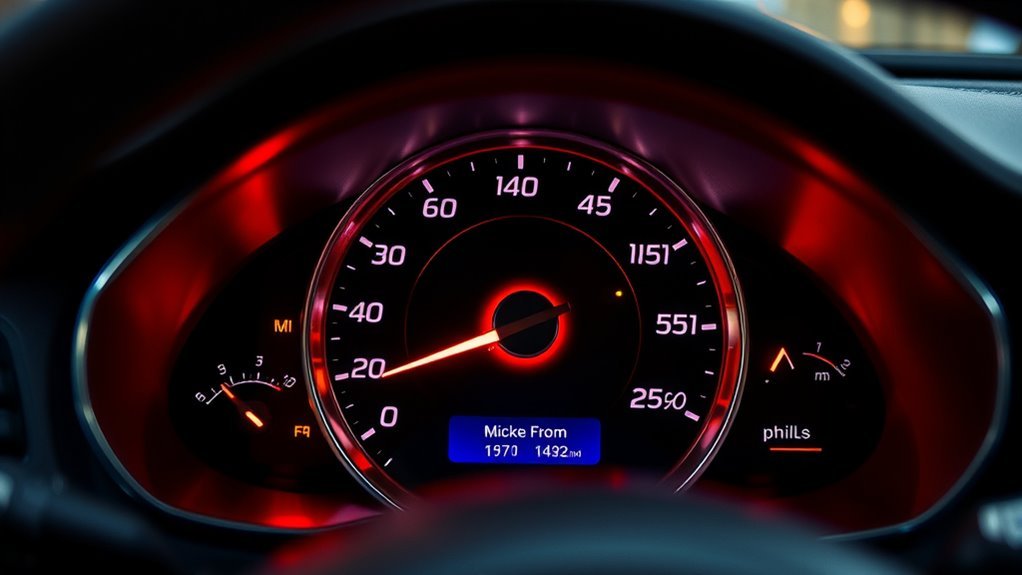
Many vehicles can display both km/h and mph on the speedometer, either through a dual-scale gauge, a dashboard setting, or an aftermarket overlay. The exact method depends on the instrument cluster design and regional market. Some systems also allow the digital display to switch units independently. The main issue is not whether it can be done, but which option is legal, accurate, and practical for the vehicle in question.
Can Your Speedometer Show Both Units?
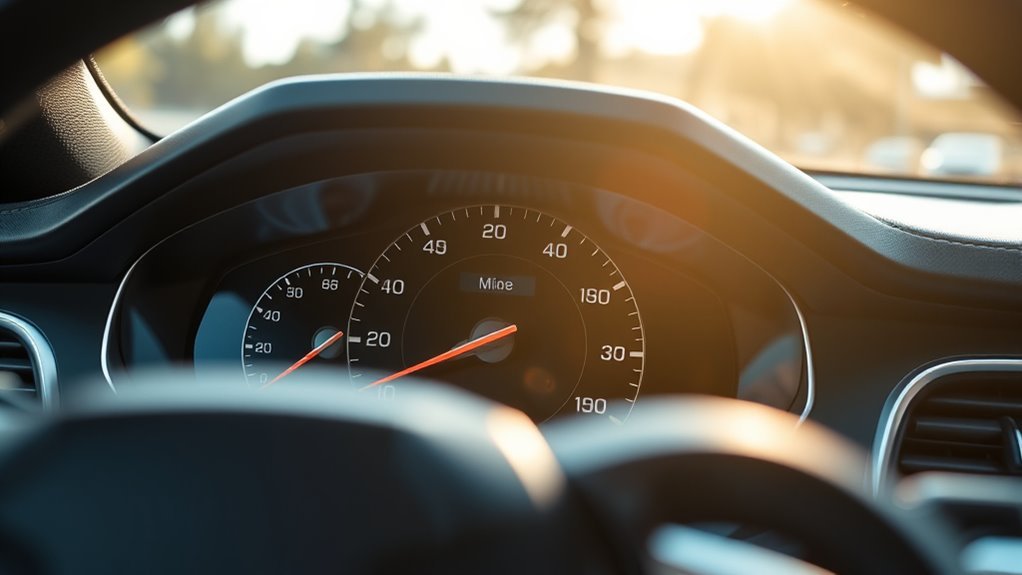
A vehicle’s speedometer can sometimes display both kilometers per hour and miles per hour, but this depends on the instrument design and any modifications made. Many imported vehicles leave the factory with one unit only, so the dial reflects either km/h or mph, not both.
Dual display is possible when an aftermarket kit is fitted, or when a calibrated system allows switching between units. In a proper speedo conversion, the speed reading and odometer must remain accurate in the selected scale.
Dual-scale layouts usually place km/h and mph on the same face, though the exact arrangement varies by manufacturer. Verification is essential after any conversion, because an incorrect unit match can mislead a driver and undermine practical freedom on the road.
When performed correctly, the setup supports movement across regions without constant calculation, making the instrument more adaptable while preserving measurement integrity.
What Dual-Scale Speedometers Look Like
Dual-scale speedometers present kilometers per hour on the outer ring and miles per hour on the inner scale, allowing both units to be read at a glance. These dual-scale speedometers use distinct typography, spacing, and needle paths to separate metric and imperial readings without crowding the dial. The outer ring usually carries the higher km/h values, while the inner scale compresses mph for quick reference. Many models end near 180 km/h, with mph limits commonly around 140 mph or 85 mph, depending on design.
| Feature | km/h ring | mph scale |
|---|---|---|
| Placement | Outer | Inner |
| Typical limit | 180 km/h | 140 mph |
| Purpose | Metric reading | Imperial reading |
Vehicles imported from different measurement regions often use this layout to support versatile operation. A small “KM” marking near the face may indicate metric orientation. Such instruments favor readable, liberated choice across systems.
How to Tell Miles From Kilometers?
To tell miles from kilometers on a speedometer, the markings and scale limits provide the clearest clues: U.S.-style gauges often end at 85 or 140, while metric clusters usually extend to 180.
A cluster labeled km/h on the outer ring and mph on the inner ring is a dual-scale unit, with miles per hour shown for convenience but kilometers setting the primary range.
If the face includes a “KM” label near the odometer, the readings are in kilometers. Numeric limits help too: ranges of 0-110 or 0-120 usually signal metric calibration, while higher top speeds often indicate miles.
A practical check is to reset the trip meter, drive a known distance, and compare the odometer; a reading near double suggests kilometers.
These cues let the driver verify the system quickly, without dependence on assumptions, preserving informed control over the vehicle’s data.
How to Switch the Display
To switch the display, the driver should open the Settings icon on the touchscreen and enter the System menu.
From there, the Units option allows selection of either metric or US measurement preferences.
After choosing the desired setting, pressing Home returns to the main screen and saves the change.
Access Units Menu
On the vehicle’s touchscreen, the display units can be changed through the Settings menu. To access the units menu, the operator taps the Settings icon, then scrolls to System, where measurement controls are located.
Inside that section, the Units option appears as the gateway to available display standards. Selecting it opens the choice between Metric and US formats, enabling the driver to align the interface with personal or regional preference.
After the selection is made, pressing Home returns the screen to normal operation and preserves the update. This change applies broadly, affecting the speedometer, fuel economy readouts, and navigation distances.
The result is a liberated, legible dashboard that supports clear movement across different measurement systems without additional steps or hidden settings.
Choose Metric Or US
With the Units menu already open in the System settings, the display can be switched between Metric and US formats to change the speedometer from kilometers to miles.
The touchscreen interface presents a direct selection, allowing the driver to adopt the measurement system that matches local road rules. Choosing US changes speed readings, distance-to-empty estimates, and fuel economy data, including miles per gallon.
Choosing Metric restores kilometer-based values. This adjustment improves dashboard legibility and supports compliance with US speed limits while driving in the US.
The process is designed for quick control, giving the user authority over the instrument display without unnecessary steps. Once selected, the new format remains active, aligning the vehicle interface with the driver’s preferred standards.
Return To Home Screen
After selecting the preferred unit setting, the driver can press Home on the touchscreen to return to the main screen and confirm the display change. This return to Home screen action completes the switch from metric to US units without extra steps.
Once saved, the instrument cluster shows speed in mph, while related data such as fuel economy and navigation distances also updates to match. The change is useful for drivers who want a clear, liberated reading standard across the vehicle interface.
If needed, the settings path remains accessible through the settings icon, then System, then Units. The display should now reflect the chosen measurement mode consistently.
How to Verify Units With a Trip Test
The trip meter should be reset to zero before driving a known distance under normal conditions.
After reaching the destination, the recorded distance is compared with the expected mileage from a reliable map or source.
A result that is roughly double the expected value suggests the odometer is displaying kilometers rather than miles.
Reset Trip Meter
Resetting the trip meter and driving a known distance provides a practical way to verify whether the odometer is displaying miles or kilometers. To reset the trip meter, the driver zeros the display before beginning the test.
A consistent route to a familiar location, such as a gas station, then gives a reference point. After travel, the trip reading is compared with the expected distance. If the indicated value is nearly double, the odometer is likely calibrated in kilometers rather than miles.
This simple check reduces uncertainty, supports informed vehicle use, and helps users regain control over confusing instrument readings. For reliable results, the distance should be long enough to limit error, ideally around 10 to 15 miles or kilometers.
Drive Known Distance
Driving a known distance offers a practical way to verify whether the speedometer and odometer are calibrated in miles or kilometers. After resetting the trip meter, one can drive a known distance to a nearby location, such as a gas station, and record the reading.
If the displayed distance is roughly twice the expected value, the unit is likely kilometers, not miles; this is a simple KM to Miles check. A map or GPS can provide an accurate route benchmark for comparison without dependence on guesswork.
Speed signs along the route also help confirm whether the indicated speed aligns with the measured distance. This trip test gives the driver a clear, independent method to identify units and reclaim certainty about the instrument panel.
Compare Expected Distance
A simple trip test can confirm whether the odometer is reporting miles or kilometers by comparing the recorded distance with a known route length. The process is direct: reset the trip meter, drive to a familiar destination such as a gas station, then compare the odometer reading against the expected mileage.
If the value is close to double the anticipated distance, the instrument cluster is likely calibrated in kilometers rather than miles. This check requires only a short drive and gives a reliable result without dealer equipment.
Accurate measurement supports maintenance schedules, resale evaluation, and fuel economy analysis. For owners seeking practical control over vehicle data, this verification method offers a clear, low-cost path to confirm the unit system and reclaim confidence in distance tracking.
Why Imported Cars May Need Conversion
Imported cars, especially those brought in from Japan, may require speedometer conversion because their instruments often display only kilometers per hour. This can make speed monitoring less straightforward in countries that use miles per hour. Without miles per dial face, the driver must translate readings continuously, reducing clarity and control.
In the UK, vehicles under 10 years old may need an mph speedometer to satisfy inspection rules, while older imports can be exempt for an initial MOT. Conversion methods include replacing the dial face, fitting conversion chips, or reprogramming the ECU. Costs vary from about £50 to several hundred pounds, depending on the vehicle and method.
Because many imports are exported before any modification, discrepancies can arise between the speedometer and odometer. Knowing the legal standard and common conversion practices supports compliance, accurate operation, and freedom from avoidable penalties.
How to Get MPH Without Converting
To obtain MPH readings without converting the speedometer itself, a dual-scale speedometer can be fitted so both kilometers and miles per hour are shown on the same dial. This arrangement lets the driver read speed directly in either unit, preserving the vehicle’s original configuration and supporting free movement across borders.
Aftermarket overlays provide another path, adding MPH markings while keeping the odometer unchanged. For those who prefer digital assistance, a GPS device or smartphone app can display real-time MPH alongside the native KM readout, improving accuracy for speed and distance tracking.
Some newer vehicles include a settings menu that toggles the display between KM and MPH without hardware changes. When selecting a method, a professional auto technician can confirm compatibility and proper calibration.
Each option offers practical access to familiar measurements without surrendering factory systems or altering the instrument cluster.
Speedometer Conversion Options and Costs
Speedometer conversion can be achieved through electronic chips, ECU reprogramming, or replacing the dial face with a dual-unit display for miles and kilometers.
Costs usually start around £50 and can rise to several hundred pounds, depending on vehicle type and installation complexity.
DIY work may reduce expense, but skilled installation is often preferred to preserve accuracy and avoid wiring-related faults.
Conversion Methods
Conversion options typically include electronic chips, ECU reprogramming, or replacing the dial face so both mph and km/h are visible at once.
These speedometer conversion methods differ in invasiveness and calibration demands. Chip modules alter signal interpretation, while ECU reprogramming adjusts the vehicle’s software directly. A dual-marked dial preserves original mechanics yet improves immediate readability.
Skilled technicians are advised, because poor installation can trigger gear change delays, inaccurate readings, or reduced fuel efficiency.
Vehicles under 10 years may require IVA testing to confirm mph compliance, so legality should be checked before modification.
For drivers seeking autonomy across borders, a properly executed conversion can support clearer navigation without forcing dependence on a single measurement system.
Cost Factors
The choice of conversion method has a direct effect on both cost and complexity, with options such as electronic chips, ECU reprogramming, or replacing the dial face each carrying different price points.
Typical cost factors range from about £50 to several hundred pounds, influenced by vehicle type, wiring complexity, and the precision required for dual-unit display.
DIY work can reduce expenditure, but it demands strong electrical knowledge and careful calibration.
Professional installation raises the initial outlay, yet it improves accuracy and helps avoid faults such as delayed gear changes or incorrect trip meter readings.
For drivers seeking practical liberation, budget planning should include long-term effects on fuel use, instrument reliability, and overall vehicle function, not only the immediate conversion fee.
Odometer Reading vs Speedometer Units
Odometer and speedometer units do not always match, so the display should be checked carefully before assuming mileage or distance.
In many vehicles, speedometer units are indicated by the cluster design: metric faces often place KM on the outer scale with miles inside, while U.S. clusters commonly end at 85 or 140, signaling miles. Metric dials usually extend to 180, indicating kilometers.
This matters because odometer reading can differ from the displayed speed scale when faces have been swapped or modified. A practical check is to reset the trip meter, drive to a known point, and compare the result; if the distance appears nearly doubled, the odometer may be counting kilometers.
Accurate interpretation protects maintenance planning, resale value, and informed use. Freedom from error begins with verifying the unit, not trusting appearance alone.
UK MOT, IVA, and Insurance Rules
In the UK, compliance depends on the vehicle’s age and test type: a speedometer must be present and functional, but it does not always have to display mph. For the first MOT on vehicles over 10 years old, the gauge may avoid miles per hour, provided the system works.
By contrast, an IVA test for cars under 10 years old requires mph alongside km/h, usually on the dial face, so the driver has clear reference in miles per hour. This is a regulatory boundary, not a design preference.
Imported vehicles should also be checked against insurance disclosure rules, because speedometer conversion or cluster replacement may be treated as a modification. Insurers can require notification before cover is confirmed.
The IVA does not test satellite navigation functionality, though it limits certain screen displays.
For owners seeking freedom from ambiguity, the practical rule is simple: keep the speedometer legal, readable, and declared where necessary.
Frequently Asked Questions
How to Display Mileage on Dashboard?
Mileage display is typically enabled through the vehicle’s Dashboard Customization menu. He or she can open Settings, then System, then Units, and select kilometers or miles for the odometer and trip data.
If the cluster supports dual scales, both may appear at once. Otherwise, aftermarket gauges or digital converters can add the readout.
This approach gives drivers practical control over measurement, supporting informed, autonomous movement across regions and roads.
How to Change Mileage Display to Km?
Yes—mileage can be changed to km through the vehicle’s settings.
The driver should open the touchscreen menu, enter System, then Units, and select Metric for the required Unit Conversion. This updates speed, distance, fuel economy, and navigation readings from miles to kilometers.
After confirming, pressing Home returns to the main screen for verification.
The process removes imperial dependence and restores measurement choice to the user.
Does the Odometer Still Show the Distance Driven by the Car?
Yes, the odometer still records the vehicle’s driven distance. It operates independently from the speedometer face and continues counting in its original unit, even after a gauge swap or Digital Conversion.
In dual systems, the display may differ from the outer scale, but the accumulated mileage remains stored in the odometer.
For accurate tracking, the unit should be verified against a known route and the vehicle’s specifications, ensuring transparent measurement.
Are the Speedometer and Odometer Connected?
Yes, the speedometer and odometer are typically connected through the same vehicle sensor and electronic system.
Both receive wheel or driveline rotation data, so changes to one can affect the other.
Speedometer Calibration is often required if display units or faces are modified.
In dual km/h and mph setups, separate readouts may exist, but the underlying measurement source usually remains shared and linked.
Conclusion
Yes—many vehicles can display both km/h and mph, either through a dual-scale speedometer, a dashboard setting, or an aftermarket overlay. A useful statistic to note is that road speed limits are posted in kilometers per hour in only about 17% of countries, while most of the world uses mph or mixed signage, making dual-unit displays especially practical. The key is confirming the active unit before driving, especially after any conversion or import.
