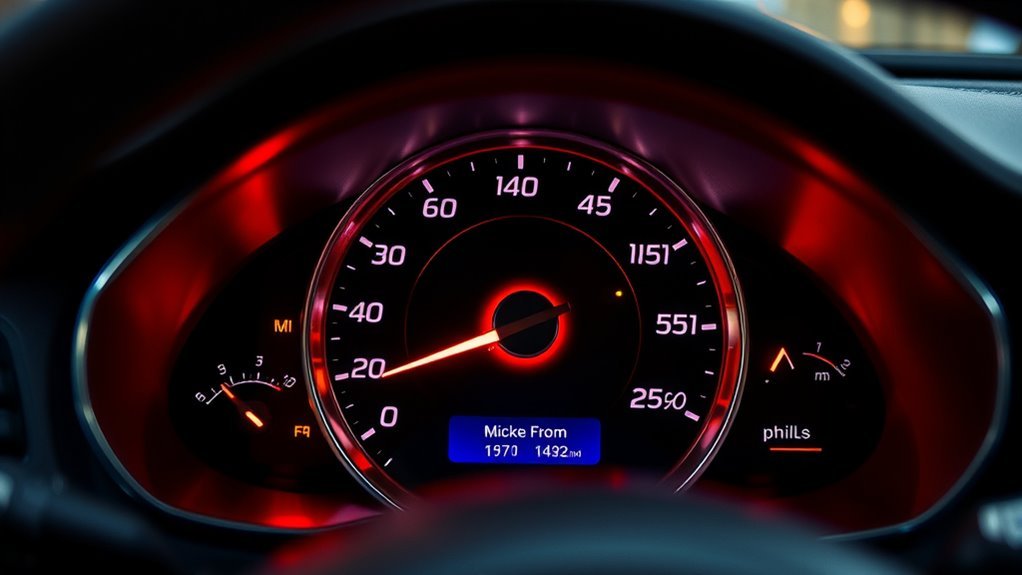
Can you show km and miles on a speedometer at the same time? Yes, many cars have dual-scale gauges that show both km/h and mph, while others let you switch units through the dashboard settings. If your vehicle supports neither option, a suitable aftermarket solution may help. The best method depends on your instrument cluster, the country where you drive, and whether you need both readings simultaneously.
Quick Answer
You can display both km/h and mph using a factory dual-scale speedometer, a compatible digital display, or a correctly calibrated aftermarket gauge. Some cars allow you to switch between units rather than show both together. Check your dashboard settings first. If you need a modification, confirm its accuracy and local legal requirements.
Can Your Speedometer Show Both Units?
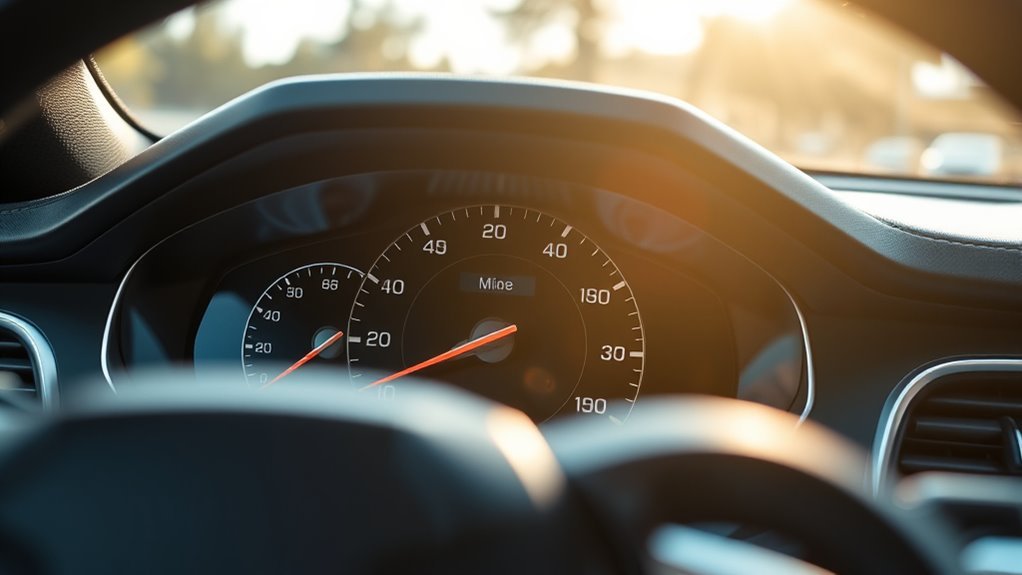
Many vehicles can show both kilometres per hour (km/h) and miles per hour (mph). However, the display method depends on the vehicle’s design, model year, and original market.
There are three main factory arrangements:
- Dual-scale analogue speedometer: One needle points to two sets of numbers, allowing you to read km/h and mph simultaneously.
- Switchable digital speedometer: A dashboard setting changes the displayed speed between km/h and mph.
- Combined analogue and digital display: The main dial uses one unit while a secondary screen may show the other.
Some imported vehicles have a single-unit speedometer. For example, a Japanese-market car may display only km/h, while a vehicle intended for the United States may emphasize mph.
If your car does not support both units, a compatible dial replacement, calibrated overlay, or electronic conversion may be an option.
Keep in mind that showing both units simultaneously is different from switching between them. A setting that changes the active unit does not necessarily create a permanent dual-unit display.
What Dual-Scale Speedometers Look Like
A dual-scale speedometer has two sets of speed markings on the same gauge. One set shows km/h, and the other shows mph. Both correspond to the same needle position, so you can read either unit without changing settings.
The larger numbers may appear on the outer ring, with smaller numbers inside. However, this arrangement varies by manufacturer and market. A UK-market dial, for example, may emphasize mph, while a metric-market version may give km/h greater prominence.
| Feature | km/h scale | mph scale |
|---|---|---|
| Unit marking | km/h | mph |
| Reading at 60 mph | 96.6 km/h | 60 mph |
| Placement | Inner or outer scale | Inner or outer scale |
Both scales measure the same vehicle speed. The difference is the measurement unit, not how fast the vehicle travels.
The conversion is based on the exact relationship of 1 mile = 1.609344 kilometres, as documented in the National Institute of Standards and Technology conversion tables.
That means 50 mph equals approximately 80.5 km/h, while 100 km/h equals approximately 62.1 mph.
Don’t identify the units based only on the gauge’s maximum speed. Speedometers have different upper limits depending on vehicle performance, manufacturer, and instrument design.
How to Tell Miles From Kilometers?
The easiest way to identify your speedometer’s measurement unit is to read the label beside its numbers. Look for mph, km/h, or both.
If the display has two scales, each should have its own unit marking. On a single-scale gauge, the label identifies the measurement used by the main dial.
Use these checks:
- Inspect the gauge face: Find the mph or km/h label near the numbers.
- Check the digital speed reading: Some clusters show the active unit directly beside the speed.
- Inspect the odometer: Look for mi, miles, km, or kilometres near the total distance.
- Review the dashboard settings: See whether the vehicle offers a speed or distance unit selection.
- Consult the owner’s manual: Confirm which readings can change and which remain fixed.
The maximum number on a dial is not a reliable way to identify its units. A speedometer ending at 140 might be marked in mph or km/h, depending on the vehicle.
Also, speedometer units and odometer units are not necessarily the same. The speedometer measures speed, while the odometer records accumulated distance.
For example, a car may show mph on a replacement speedometer face while continuing to display its total distance in kilometres.
How to Switch the Display
On vehicles with a configurable digital dashboard, switching from km/h to mph usually involves opening a settings menu and selecting the desired measurement unit. The exact steps depend on the manufacturer and instrument cluster.
Make all display changes while the vehicle is safely parked.
Access Units Menu
Start by opening the dashboard’s settings menu. Depending on the car, you may use steering-wheel buttons, an instrument-cluster control, or the central touchscreen.
Follow these general steps:
- Park the vehicle safely and switch on the instrument display.
- Open Settings, Display Settings, User Settings, or the equivalent menu.
- Look for Units, Speed Unit, Measurement Units, or Instrument Cluster.
- Open the available measurement options.
For a specific example, certain Ford instrument clusters use the steering-wheel menu button followed by Display Settings and Measurement Units. Some also have separate controls for showing the speedometer in km/h or mph, as explained in Ford’s instrument-cluster instructions.
Other vehicles may place the unit controls within a System or Vehicle menu on the touchscreen.
If no speed unit option appears, the cluster may use a fixed display or require a different menu, depending on the equipment installed.
Choose Metric Or US
Once you locate the unit settings, select the measurement system you want. The menu may offer Metric, US, mph, km/h, or individual speed and distance settings.
- Metric: Usually displays speed in km/h and distance in kilometres.
- US or Imperial: Usually displays speed in mph and distance in miles, where supported.
- Separate speed setting: Some vehicles let you change the speed unit without changing other measurements.
Depending on the vehicle, changing units may also affect the trip meter, range estimates, navigation distances, or fuel economy display. These changes are not universal.
For example, a car might allow you to select mph while leaving fuel consumption in litres per 100 kilometres.
Select the appropriate unit and confirm the choice using the touchscreen, OK button, or instrument controls.
Return To Home Screen
After changing the setting, return to the main instrument display. Depending on the vehicle, press Home, Back, or the relevant steering-wheel control.
Check the unit label next to the speed reading to confirm the change.
Then verify whether the trip meter and distance-to-empty display changed too. Do not assume that every reading uses the same measurement system.
If the display reverts after restarting the vehicle, review the saved settings or consult the owner documentation. Certain systems may restore their original unit settings after a reset or power interruption.
If your car has a fixed analogue speedometer, changing a digital unit setting may leave the printed dial unchanged. This is normal because software cannot alter the physical markings.
How to Verify Units With a Trip Test
A trip test can help determine whether your odometer or trip meter records miles or kilometres. Reset the trip meter, travel a known distance, and compare the displayed result with the route length.
This method checks recorded distance. It does not, by itself, prove that the speedometer is correctly calibrated.
Reset Trip Meter
Before starting, find the trip meter in your instrument cluster. It may be labelled Trip A, Trip B, or simply Trip.
- Park the vehicle safely.
- Display the trip meter.
- Reset it to zero using the appropriate control.
- Confirm that the reading shows zero before setting off.
Do not attempt to reset the vehicle’s total odometer. The trip meter is designed to be reset for individual journeys, while the total odometer records the car’s accumulated distance.
Drive Known Distance
Choose a route with a reliable recorded distance. A familiar journey or a route measured with a navigation map can work well.
For example, suppose the route is 10 miles long.
After completing the route, the trip display should show approximately:
- 10.0 miles if it records miles.
- 16.1 kilometres if it records kilometres.
These represent the same distance in different units.
Drive normally and obey local speed limits. Do not handle or adjust a phone while driving. Set up any navigation equipment before the journey begins.
Compare Expected Distance
Once parked at your destination, compare the trip reading with the known route distance.
If you drove 10 miles and the display shows about 16.1, it is likely using kilometres. If it shows about 10.0, it is likely using miles.
Remember the conversion:
- To convert miles to kilometres, multiply by 1.609344.
- To convert kilometres to miles, divide by 1.609344.
The figure should be about 1.61 times larger when changing from miles to kilometres, not twice as large.
Small differences may occur because of route measurement, tyre size, and trip-meter rounding.
Pro Tip: If you suspect the speedometer itself is inaccurate, have its reading checked with suitable calibration equipment. A trip-distance comparison identifies measurement units but cannot confirm speedometer accuracy across the full speed range.
Why Imported Cars May Need Conversion
Imported vehicles sometimes need a speedometer conversion because their original instruments were designed for a different country’s measurement system.
For example, a car imported from Japan may have a km/h-only dial. That can be inconvenient in the United Kingdom, where road speed limits are generally displayed in mph.
Common conversion reasons include:
- Regional compatibility: Matching the speedometer to local road signs.
- Vehicle approval: Meeting the instrument requirements that apply to an imported car.
- Readability: Allowing the driver to recognize local speed limits without mental calculation.
- Instrument replacement: Correcting mismatched markings after a dashboard or cluster swap.
In the United States, the National Highway Traffic Safety Administration requires applicable speedometer displays to identify speed in MPH, or MPH and km/h. A 2023 NHTSA interpretation involving Canadian vehicle imports explains that a km/h-only analogue dial combined with an optional mph screen does not necessarily satisfy federal requirements.
This means a dashboard’s ability to select mph does not automatically prove that a vehicle meets every import requirement.
For UK imports, vehicle approval depends partly on age and the applicable approval route. The government’s imported-vehicle approval guidance explains that vehicles first registered or manufactured more than 10 years ago may qualify for an approval exemption.
However, an exemption from an approval process should not be confused with an exemption from all road-use equipment requirements.
How to Get MPH Without Converting
You may be able to obtain an mph reading without modifying your original instrument cluster. The simplest method is to use a factory unit setting, if your vehicle provides one.
Other options can help when the built-in dashboard cannot display mph.
- Factory digital display: Select mph through the supported instrument settings.
- Secondary digital readout: Use a factory-supported screen that can show an additional speed reading.
- GPS speed display: A dedicated navigation device or mounted phone can provide a supplementary mph reading.
- Aftermarket dial overlay: A correctly designed overlay can add mph markings to an existing km/h gauge, but it is a physical modification.
- Replacement dual-scale dial: A compatible gauge face can provide both units, although fitting it also counts as a modification.
GPS speed readings can be useful as an additional reference, especially on a steady, open route. However, GPS may be less dependable in tunnels, areas with poor satellite reception, or conditions that interrupt its signal.
More importantly, a GPS application should not be assumed to replace a legally required vehicle speedometer. For example, the UK’s IVA inspection requirements do not generally accept a standalone GPS-dependent device as the vehicle’s approved speedometer.
An aftermarket overlay also requires correct calibration. Simply attaching a different scale without matching the original needle movement may create inaccurate speed readings.
Warning: Never rely on an incorrectly marked or unverified speedometer. A misleading mph or km/h scale can cause you to exceed speed limits without realizing it. Do not use an aftermarket device as the only speed display unless it meets the applicable legal requirements.
Speedometer Conversion Options and Costs
Speedometer conversion methods include replacing the dial face, installing a compatible electronic interface, reprogramming the instrument cluster, or replacing the complete cluster.
The right approach depends on whether the problem involves printed markings, an electronic display, or the speed signal itself.
Conversion Methods
There are several ways to convert a speedometer from km/h to mph, but not every method works with every vehicle.
- Dial face replacement: Replaces the printed scale with mph markings or a dual-unit layout. The replacement face must match the gauge’s calibration.
- Electronic conversion module: Changes a compatible speed signal so the instrument displays the intended measurement. Proper installation and calibration are essential.
- Instrument-cluster programming: Uses manufacturer-supported software or specialist equipment to change available unit settings.
- Complete cluster replacement: Replaces the original instrument assembly with a compatible mph or dual-scale version.
Older mechanical speedometers and newer electronic clusters may require different approaches. A physical dial replacement does not necessarily change the odometer’s recorded unit.
Likewise, electronic conversion should not be attempted without understanding the vehicle’s instrument design and control systems.
Professional installation is usually the safer choice when wiring, software programming, or calibration is involved.
Cost Factors
Speedometer conversion prices depend on the vehicle, conversion method, required parts, and technician labour.
Some basic conversions have been quoted at around £50, while more complex work can cost several hundred pounds. Treat these as rough estimates rather than guaranteed current prices.
The main cost factors include:
- Vehicle make and model: Some instrument clusters are easier to modify than others.
- Hardware requirements: A replacement dial may cost less than a complete electronic instrument cluster.
- Programming: Some systems require specialist diagnostic tools and manufacturer-specific software.
- Calibration: Accurate readings may need to be checked using appropriate equipment.
- Labour: Dashboard removal, wiring, and instrument installation increase the work involved.
DIY conversion may reduce the initial expense, but incorrect installation can lead to inaccurate readings, warning lights, or other electrical problems.
A poorly chosen module that interferes with shared vehicle signals may also cause problems beyond the speedometer.
Before paying for a conversion, ask whether the quoted work includes calibration, an explanation of how the odometer will behave, and documentation of the modification.
Odometer Reading vs Speedometer Units
The speedometer and odometer perform different jobs, even though they are often displayed in the same instrument cluster.
The speedometer shows the vehicle’s current speed, normally in mph or km/h. The odometer records the total distance travelled, usually in miles or kilometres.
Both may use information from the vehicle’s wheel-speed or drivetrain sensors, but their displayed units can differ.
For example:
- A speedometer may show mph while the odometer records kilometres.
- A dual-scale gauge may display both speed units, while the odometer uses just one distance unit.
- A digital cluster may convert displayed distances when its measurement settings change.
- A replacement gauge face may change the printed speed scale without changing accumulated distance records.
Changing the display from kilometres to miles does not mean the vehicle has travelled a different distance. It changes how that distance is represented.
For example, 100,000 kilometres is approximately 62,137 miles. Both describe the same total distance.
The NHTSA has separately clarified that an odometer can record distance in kilometres rather than miles, provided its display meets applicable identification requirements. This distinction appears in its odometer measurement interpretation.
When purchasing an imported or used vehicle, confirm the odometer unit before interpreting its mileage. Also check the service records and any documentation relating to instrument replacement.
This matters for maintenance schedules, mileage declarations, and resale information. A cluster swap must not be used to misrepresent the vehicle’s actual accumulated distance.
UK MOT, IVA, and Insurance Rules
In the UK, speedometer requirements involve several different rules. The most relevant are road-use equipment regulations, the MOT inspection, and Individual Vehicle Approval (IVA) for vehicles that need it.
These processes serve different purposes, so passing an MOT does not automatically confirm that every speedometer modification meets all applicable requirements.
UK Road-Use Speedometer Requirements
Under Regulation 35 of the Road Vehicles (Construction and Use) Regulations 1986, motor vehicles first used on or after 1 April 1984 generally need speedometers capable of displaying both mph and km/h, either together or through switching.
The regulation includes exemptions and alternative compliance routes. Regulation 36 also addresses maintaining the speedometer in working condition and keeping it readable.
The requirements that apply to a particular vehicle depend on its type, age, and relevant approvals.
What Does the MOT Check?
The MOT checks that a required speedometer is present, working, and adequately illuminated where required.
According to the DVSA MOT inspection manual, Section 7.8, a missing required speedometer or one that does not work is a major defect.
Other problems, such as impaired operation or insufficient illumination, may be classified differently.
The MOT inspection criteria do not create a simple rule that every km/h-only speedometer automatically fails. Equally, passing the MOT does not establish that a vehicle complies with all separate construction and use requirements.
Do not treat the age of an imported car as a blanket exemption from the need for a legal, functioning speedometer.
What Does the IVA Require?
IVA is a vehicle approval process that can apply to certain imported or individually built vehicles.
The DVSA’s M1 IVA Inspection Manual, Section 17 requires an acceptable speedometer capable of indicating speed in mph.
For an analogue dial, mph markings must meet the specified interval requirements. The instrument must also be readable and function correctly.
The IVA manual sets out speedometer accuracy tolerances and recognizes suitable supporting evidence, such as calibration instructions or conversion documentation, when performance is in question.
Vehicles that qualify for an exemption from IVA may follow a different registration route. The exemption does not automatically settle every road-use compliance question.
Do You Need to Tell Your Insurer?
Notify your insurer before making a significant instrument-cluster modification or changing the speedometer’s original configuration.
A speedometer conversion, electronic module, or cluster replacement may count as a vehicle modification under your policy.
The UK government’s MoneyHelper service advises motorists to provide insurers with accurate vehicle details and disclose relevant modifications. Its car insurance guidance explains that incomplete information can affect cover and claims.
Keep any invoices, calibration records, and insurer correspondence. These documents may also help when selling the vehicle or registering an imported car.
Note: Speedometer laws and approval requirements vary between countries and vehicle categories. If you are importing a vehicle or modifying its instrument cluster, consult a qualified conversion specialist or the relevant vehicle approval authority before making changes.
Key Takeaways
- Dual-scale speedometers show km/h and mph simultaneously, but digital unit switching may show only one at a time.
- Speedometer and odometer units can differ. Confirm each separately, especially on imported vehicles.
- A 10-mile trip measures about 16.1 kilometres. This helps identify a trip meter’s units.
- Changing an instrument setting is not the same as recalibrating or replacing a speedometer.
- UK MOT, IVA, and road-use regulations have distinct requirements. Passing one inspection does not guarantee compliance with every rule.
Frequently Asked Questions
How to Display Mileage on Dashboard?
Press the trip or information button to cycle to the odometer or trip meter. On supported vehicles, the unit can also be selected through the cluster settings. The display location and menu names depend on the model, so use its owner’s manual if the mileage screen is hidden.
How to Change Mileage Display to Km?
Open the vehicle’s instrument-cluster or display settings while parked and look for Units, Distance, or Measurement Units. Select kilometres if the model offers that choice, then check the odometer and trip meter. Some vehicles only change speed or trip data, while the total odometer stays in its original units.
Does the Odometer Still Show the Distance Driven by the Car?
Yes. The odometer continues tracking the car’s accumulated distance even if you change the displayed unit or fit a different speedometer face. Its numeric reading may be shown in miles or kilometres depending on the design. Never assume a replacement cluster preserved the previous total without documentation.
Are the Speedometer and Odometer Connected?
Usually, yes. Both typically use speed or distance information from the vehicle’s electronic systems, but they display different measurements. The speedometer shows how fast you are travelling; the odometer records total distance. Changing a display preference does not, by itself, change the distance already travelled.
Conclusion
Many vehicles can show both km/h and mph through a dual-scale speedometer, a factory digital display, or a suitable aftermarket modification. If your dashboard supports unit switching, that is usually the easiest place to start.
Before changing anything, identify the speedometer and odometer units separately. If your vehicle needs physical or electronic conversion, use a compatible solution and confirm its calibration, road legality, and insurance requirements. That will help you read local speed limits correctly while preserving accurate distance records.
Sources
- National Institute of Standards and Technology (NIST), Guide to the SI, Appendix B.8: exact mile-to-kilometre conversion factors.
- Ford Owner’s Manual, instrument-cluster personalized settings: example speedometer and measurement-unit controls.
- National Highway Traffic Safety Administration, March 2023 Speedometer Conformity Interpretation: US import compliance and mph displays.
- National Highway Traffic Safety Administration, April 1995 Odometer Interpretation: odometer measurement and unit identification.
- GOV.UK, Importing Vehicles Into the UK: vehicle approval requirements and possible age-related exemptions.
- The Road Vehicles (Construction and Use) Regulations 1986, Regulations 35 and 36: UK speedometer equipment and maintenance requirements.
- DVSA MOT Inspection Manual, Section 7.8: speedometer inspection and defect categories.
- DVSA M1 Individual Vehicle Approval Inspection Manual, Section 17: speedometer standards, readability, and accuracy requirements.
- MoneyHelper, Car Insurance: What You Need to Know: modification disclosure and vehicle information requirements.

