Encrypted iMessages are displayed separately from regular texts through distinct bubble colors. Blue bubbles indicate end-to-end encryption, while green bubbles usually mark SMS or MMS messages sent without it. This visual split is more than cosmetic. It signals a difference in transport, privacy, and risk. Yet the boundary is not always obvious, and the conditions that trigger each format raise further questions.
What Blue and Green Bubbles Mean
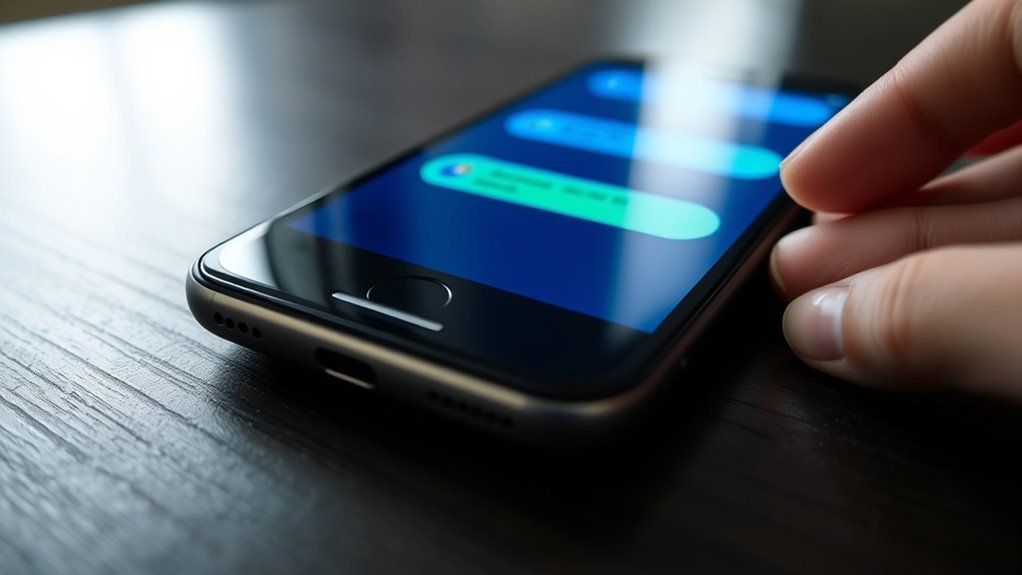
Blue and green message bubbles serve as a visual indicator of the underlying messaging protocol and its security properties. Blue bubbles denote iMessage, which uses end-to-end encryption to protect content so that only the sender and recipient can access it. This mechanism materially strengthens security by reducing exposure to interception and unauthorized inspection.
Green bubbles indicate SMS or MMS, a different transport that does not provide encryption and consequently carries greater risk. When a recipient lacks iMessage or uses a non-Apple device, the conversation shifts to green, signaling the absence of E2EE support.
For users seeking communication freedom, bubble color functions as a practical diagnostic tool: blue suggests secure exchange, while green warrants caution. Observing this distinction allows participants to verify whether both parties are using iMessage and to choose channels that better preserve privacy and autonomy.
Why iMessage Is Encrypted
iMessage is encrypted to protect message content from unauthorized access by using end-to-end encryption, which limits readability to the sender and recipient alone. This design is make sure that each exchange remains end-to-end encrypted in transit, reducing exposure to interception by hackers, carriers, or other third parties.
Blue message bubbles signal this protected channel, while green bubbles indicate SMS traffic that lacks the same cryptographic safeguards. The encryption model supports user autonomy by preserving private communication outside routine network surveillance and platform-side inspection.
Apple’s security posture reflects a broader commitment to privacy, including continued work to extend encryption across more messaging functions. For users seeking liberation from pervasive data extraction, the rationale is clear: confidentiality is not incidental, but engineered into the system.
How to Check iMessage Encryption
To verify whether iMessage encryption is active, one can inspect the message bubble color: blue indicates that end-to-end encryption is enabled, while green indicates that it is not, typically because the recipient is not using iMessage or has disabled it.
Blue bubbles signal iMessage encryption, while green ones usually mean the message is not end-to-end protected.
This visual cue is among the most direct iMessage features for evaluating message privacy. For a more controlled check, the device owner can open Settings > iMessage and confirm that iMessage is enabled.
In the same panel, disabling “Send as SMS” reduces the chance that unencrypted texts will bypass the protected channel. A practical test is to send a message to another iMessage user and observe whether the bubble remains blue throughout transmission.
This simple comparison helps distinguish encryption methods without requiring technical inspection of packets or account logs. For users seeking liberated communication, such verification supports informed control over which conversations remain protected.
Why Messages Turn Green
Messages turn green when the conversation falls back to SMS or MMS, which indicates that iMessage is not active on one or both devices and that the transmission is not end-to-end encrypted. This shift reflects iMessage functionality failing to engage, so message delivery is routed through carrier channels governed by SMS limitations.
Green status can appear when the recipient uses a non-Apple device, when iMessage is disabled, or when connectivity and settings prevent iMessage receipt.
- iMessage is disabled on sender or recipient
- The recipient device is not Apple-based
- Connectivity or configuration blocks iMessage
- “Send as SMS” permits fallback delivery
For users pursuing digital autonomy, the green bubble is a visible marker of reduced control and reduced privacy.
Checking Settings > iMessage can confirm whether the service is enabled and operating correctly. Disabling “Send as SMS” prevents automatic fallback, but it may also interrupt delivery when iMessage is unavailable.
How to Secure iMessage
Securing iMessage begins with confirming that the service is enabled in Settings and that encryption is active on the device.
Blue message bubbles indicate end-to-end encryption, while green bubbles signal that messages are not fully protected.
To reduce fallback risk, the “Send as SMS” option should be disabled so unencrypted messages are not transmitted when iMessage is unavailable.
Enable IMessage Encryption
Activating iMessage encryption begins in iPhone Settings under iMessage, where the feature should be switched on so messages are transmitted as blue bubbles, indicating encrypted delivery.
In iMessage settings, this configuration supports secure messaging and preserves encryption benefits by limiting exposure of content in transit.
- Verify iMessage is enabled in Settings.
- Keep Send as SMS disabled to reduce fallback risk.
- Send a test message to an iMessage contact.
- Confirm blue indicators to validate E2EE status.
Green bubbles usually mean E2EE is absent or the recipient lacks iMessage support.
This distinction matters because liberation from surveillance depends on knowing when message confidentiality is technically enforced and when it is not.
Check Blue Bubbles
Blue bubbles in iMessage indicate that end-to-end encryption is active, meaning only the sender and receiver can access the message content. This visual marker is central to iMessage security features, because it confirms that transport is not exposing data to intermediaries.
When messages appear green, encryption benefits are absent, typically because iMessage is disabled or unavailable on the recipient’s device. A practical verification method is to send a test message to an iMessage-enabled contact and confirm blue bubbles appear.
In Settings > iMessage, activation should remain on, supporting encrypted exchange. User awareness strategies should emphasize that color indicators are not cosmetic; they signal whether private communication remains under the user’s control.
Turn Off Sms Fallback
Disable the “Send as SMS” option in Settings > Messages to prevent iMessage from falling back to unencrypted text messaging when a recipient is unavailable on iMessage. This preserves message privacy and the encryption benefits of blue-bubble delivery, rather than routing content through weaker SMS alternatives.
- iMessage remains the default transport.
- Green bubbles indicate SMS, not end-to-end encryption.
- Contacts should also use iMessage for secure exchange.
- Settings should be checked regularly to confirm protection.
From a technical perspective, disabling SMS fallback reduces involuntary exposure of content and strengthens communication autonomy.
A disciplined configuration keeps encrypted messages within Apple’s secure channel, limiting metadata leakage caused by fallback behavior.
For those seeking liberation from surveillance-prone channels, this control is a necessary safeguard.
Are Green Messages Less Secure?
Yes—green iMessage bubbles generally indicate that the message was sent as SMS or MMS rather than through Apple’s end-to-end encrypted iMessage service.
In security terms, this means green message vulnerabilities are structural, not cosmetic. Without E2EE, content may traverse carrier infrastructure in plaintext, exposing it to SMS interception risks from networks, malware, or lawful access.
Green messages often appear when the recipient lacks iMessage or uses a non-Apple device, so the fallback itself signals a weaker transport layer. Data retention implications also matter: telecom operators may preserve metadata, and sometimes message records, under local retention rules, expanding the surface for unauthorized scrutiny.
For users pursuing communication liberation, the blue-versus-green distinction is operationally important. Blue messages better support confidentiality, while green messages should be treated as lower assurance, especially for sensitive coordination, organizing, or dissent.
Awareness of this difference enables more deliberate, privacy-conscious messaging practices.
Frequently Asked Questions
Why Are My iMessages Showing up as Encrypted Messages?
They appear as encrypted because iMessage security is active between Apple devices, so the system labels those chats as protected end-to-end exchanges.
This preserves message privacy by restricting access to the sender and recipient only. The encryption benefits include reduced interception risk and stronger confidentiality than SMS.
If the conversation turns green, encryption is absent and the channel may be routed through standard text messaging instead of iMessage.
How Do I Fix Encrypted Messages on iMessage?
To fix encrypted messages on iMessage, the user should verify iMessage settings, confirm both devices are signed in, and guarantee stable internet access so encryption keys can exchange correctly.
If green bubbles appear, disabling Send as SMS may prevent fallback to unencrypted delivery. A test message to another iMessage contact can confirm message privacy and end-to-end encryption.
When configuration is correct, the system restores secure, liberated communication.
Is iMessage Encrypted Good or Bad?
Good, because iMessage encryption strengthens iMessage security.
Like a lock on a private door, it limits access to sender and receiver, producing clear encryption benefits against interception by hackers, carriers, or other third parties.
Yet privacy concerns remain if messages fall back to SMS or if users misunderstand blue versus green bubbles.
In analytical terms, encryption is a liberation tool: it expands communicative autonomy while reducing exposure of sensitive data.
How Can I See My Encrypted Messages on My iPhone?
Encrypted messages appear automatically in the Messages app when iMessage security is enabled.
Blue bubbles indicate encrypted messaging between Apple devices; green bubbles mean SMS and no encryption.
To verify privacy features, the user should open Settings > Messages, enable iMessage, and send a test message to another iMessage user.
If messages remain in iCloud, Advanced Data Protection improves liberation from platform exposure by reducing access to stored content.
Conclusion
In sum, the blue and green bubbles act like distinct signal lights on a communication dashboard, separating encrypted iMessages from unprotected SMS or MMS traffic. Blue indicates end-to-end encryption, where content remains sealed between sender and recipient. Green, by contrast, marks messages traveling without that safeguard. This visual coding is not merely cosmetic; it is an analytical cue that helps users assess privacy, understand transmission type, and choose the more secure path for sensitive exchanges.
