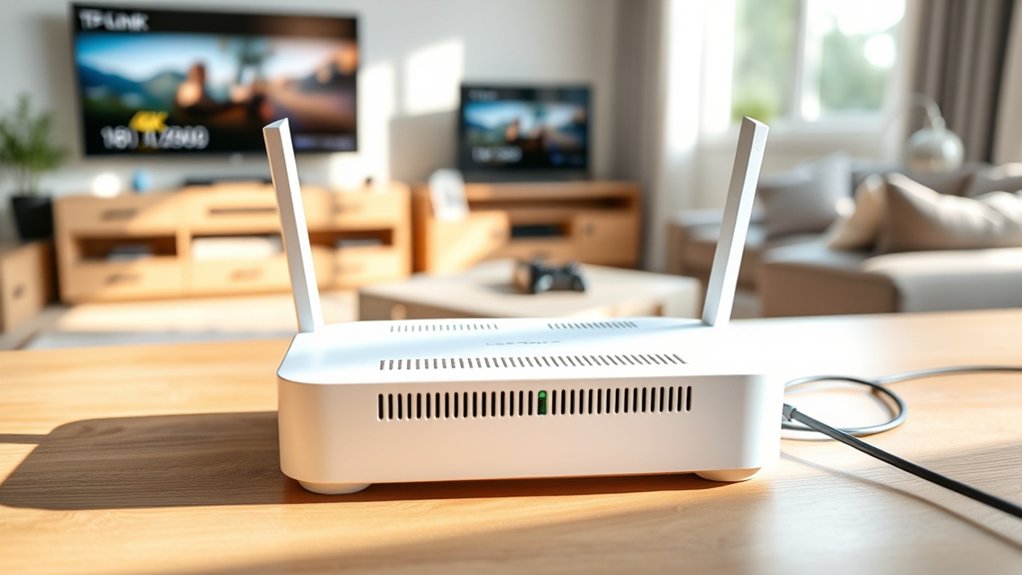
The TP-Link Deco BE25 suits small to mid-sized homes that need consistent Wi‑Fi 7 coverage rather than maximum peak speed. It can cover up to 6,600 square feet and handle around 150 devices, but real performance depends on walls, placement, and node count. The app is simple, though advanced security and parental controls require a HomeShield subscription. Buyers should also note the lack of 6GHz support and possible mesh latency tradeoffs. Additional details clarify where it fits best.
Who Should Buy the TP-Link Deco BE25?
For households evaluating whether the TP-Link Deco BE25 fits their network profile, the strongest match is a small to medium-sized home that needs broad, stable Wi‑Fi coverage without significant complexity.
Its mesh design is well aligned with residences up to 6,600 square feet, where dead zones undermine autonomy and consistent connectivity. The Deco platform also suits families managing many phones, tablets, TVs, and smart-home devices, with support for as many as 150 concurrent connections.
Ideal for larger homes, the Deco mesh reduces dead zones and keeps up with dense, device-heavy family networks.
It is particularly appropriate for users who want liberated control through a simplified mobile app rather than manual network tuning.
Setup, monitoring, and routine adjustments remain accessible, while advanced parental controls add practical governance for households balancing openness with oversight.
Buyers focused on 4K streaming, everyday downloads, and predictable whole-home performance are the clearest audience.
TP-Link Deco BE25 Speed in Real Homes
That fit becomes clearer when measured against real-world throughput. The TP-Link Deco BE25 uses dual-band Wi-Fi 7, rated for up to 4,324 Mbps on 5GHz and 688 Mbps on 2.4GHz. Those headline figures do not fully translate to client devices, yet practical results remain strong.
Under sustained load, it preserves high throughput across multiple simultaneous 4K streams, online gaming sessions, and background smart-home traffic without obvious instability or congestion.
In everyday deployment, its value lies in consistency rather than marketing peaks. Reports indicate support for as many as 150 connected devices, which positions it well for dense households seeking freedom from bottlenecks.
The Deco app exposes setup controls and monitoring clearly, while advanced features help prioritize stable performance under mixed demand. Actual speed still depends on wall materials, interference, client hardware, and placement.
Even so, the BE25 demonstrates enough usable bandwidth to liberate typical homes from routine network saturation and lag.
TP-Link Deco BE25 Range and Mesh Coverage
While peak speed attracts most attention, range determines whether that performance remains usable beyond a single room. The TP-Link Deco BE25 targets practical autonomy with rated whole-home coverage up to 6,600 square feet. In a mesh layout, dead zones are reduced, and signal continuity remains more consistent than with a single router.
| Factor | BE25 Assessment | Practical Effect |
|---|---|---|
| Coverage | Up to 6,600 sq ft | Broad whole-home reach |
| Architecture | mesh / Wi-Fi 7 mesh | Better roaming continuity |
| Scaling | Add Deco units | Flexible expansion |
| Capacity | Up to 150 devices | Handles dense usage |
| Multi-unit results | Stronger cross-floor throughput | Better large-home stability |
Testing indicates that multiple TP-Link Deco nodes materially improve throughput and signal strength across floors. For apartments and small homes, one configuration may be sufficient. Larger, fragmented layouts benefit from extra nodes, preserving independence from weak-signal rooms and reducing reliance on awkward extender workarounds.
TP-Link Deco BE25 App and Subscription Costs
Coverage and mesh consistency matter less in daily use if management is cumbersome, and the TP-Link Deco BE25 addresses this with an app-centric control model. The TP-Link Deco BE25 app centralizes setup, monitoring, and routine administration from a smartphone, reducing dependence on browser-based interfaces and giving users more autonomous control over their network environment.
Within the app, users can view connected devices, adjust bandwidth allocation, optimize settings, and switch channel bandwidth through a streamlined interface. This simplicity supports fast management, though technically inclined operators may regard the design as somewhat abstracted.
The key financial consideration involves subscription costs. Core controls are available without recurring payment, but advanced features such as enhanced parental controls and expanded security tools are tied to TP-Link HomeShield subscriptions. As a result, buyers seeking full policy control should factor software service costs into total ownership.
Advanced controls extend beyond the base purchase, making HomeShield subscription costs part of long-term ownership planning.
Regular app updates may also refine functionality, making version awareness relevant before purchase decisions.
TP-Link Deco BE25 Downsides to Know
Several limitations temper the Deco BE25’s value proposition despite its straightforward setup and modern Wi‑Fi 7 branding. Although marketed around Wi-Fi 7 performance, the Deco BE25 unit omits 6GHz entirely, restricting throughput gains and leaving it closer to an upgraded dual-band Wi-Fi system than a full-spectrum next-generation platform.
- No 6GHz support constrains peak wireless capacity and future-proofing.
- The 2.5Gbps Ethernet ports may disappoint, often behaving nearer 1Gbps in real-world use.
- Subscription-gated parental controls and security features reduce user autonomy and raise long-term ownership costs.
- Coverage is better aligned with smaller residences; larger layouts may require extra nodes to escape dead zones.
- Mesh satellites can introduce higher latency, weakening suitability for competitive gaming and other delay-sensitive workloads.
Taken together, these constraints suggest the BE25 is best viewed as a pragmatic entry device rather than an uncompromised Wi-Fi 7 solution. Buyers seeking performance freedom should weigh those tradeoffs carefully before committing.
Frequently Asked Questions
What to Know Before Buying a Wi-Fi Router?
Before buying a Wi-Fi router, one should assess Speed requirements, Wi Fi range, supported standards, device capacity, security features, and mesh scalability. User reviews help verify real-world reliability, enabling more autonomous, constraint-free network choices.
Which Is Better, the Deco x55 or the Deco BE25?
The Deco BE25 is better overall; this performance comparison shows faster Wi-Fi 7 throughput, broader coverage, and stronger multi-device efficiency. For liberation-minded buyers evaluating mesh technology, user reviews would likely favor the BE25 over X55.
Which Is Better, the Deco X50 or the Deco BE25?
The Deco BE25 is better; for example, a 6,000-square-foot household gains mesh network advantages through wider coverage and faster Wi-Fi 7. Performance comparisons favor BE25, while user experience feedback highlights stronger security and future-ready capability.
Which Router Is Better, the Tp-Link Deco BE25 or the Eero Pro 7?
The Eero Pro 7 is generally better. Performance comparison favors its tri-band stability and 10Gbps port; Price analysis favors Deco BE25. User reviews suggest Deco suits smaller spaces, while Eero better liberates dense, demanding networks.
Conclusion
The TP-Link Deco BE25 suits buyers seeking competent Wi‑Fi 7 mesh performance without premium pricing, but its appeal narrows under close inspection. In real homes, it behaves less like a breakthrough and more like a well-tuned engine: efficient, steady, and bounded by design limits. Coverage is solid, app control is streamlined, and subscription costs remain a consideration. Its drawbacks form the fine print beneath the shine, making it a practical tool rather than a universal recommendation.
