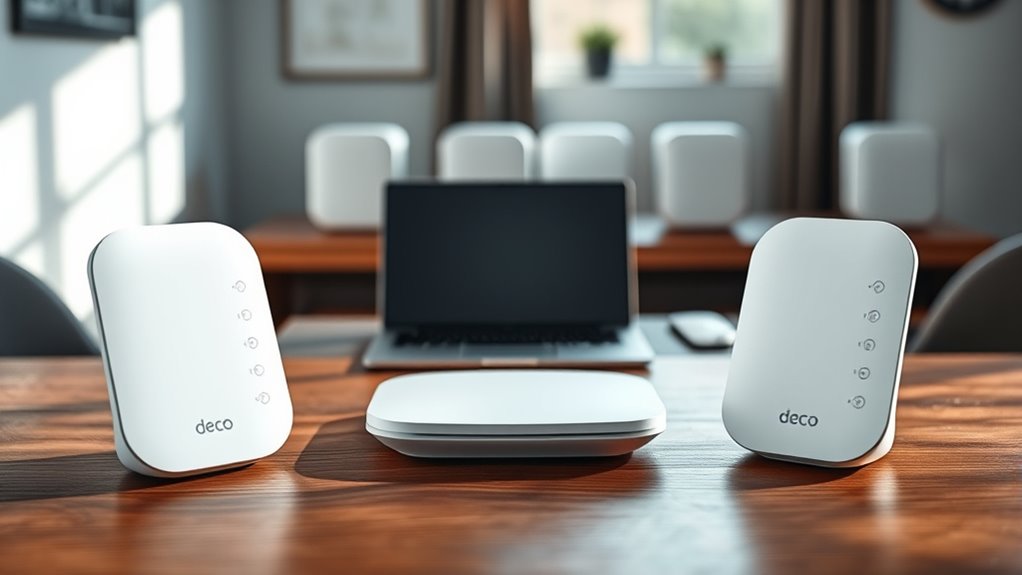
The Deco X55 supports up to 10 units in a mesh network, though TP-Link recommends six or fewer for best Wi-Fi or PLC backhaul stability. With Ethernet backhaul, there is no practical limit, but performance is usually strongest at six units or less. More nodes do not always increase speed and can add latency. The main X55 should connect to the modem. Mixed Deco models work, and the full setup details explain the ideal layout.
Key Takeaways
- Deco X55 supports up to 10 units in a Wi-Fi backhaul mesh, with best results at three or fewer hops.
- TP-Link recommends up to six Deco X55 units for stable Wi-Fi or PLC backhaul performance.
- Ethernet backhaul has no practical unit limit, but six units is a practical ceiling for peak performance.
- Adding more units improves coverage, not speed, and too many nodes can increase latency or reduce throughput.
- Mixing Deco models is supported, but performance is best when the Deco X55 is the main unit.
How Many Deco X55 Units Can You Add?

TP-Link recommends using up to six Deco X55 units in Wi-Fi or PLC backhaul configurations for peak performance.
In practical terms, the answer to “units can I add” depends on topology. With Ethernet backhaul, there is theoretically no limit, because wired links reduce wireless contention and preserve performance across additional nodes.
For homes with complex layouts, more Deco X55 units may be justified to eliminate coverage gaps and sustain stable roaming.
Mixing different Deco models is supported, but ideal performance is usually achieved when the Deco X55 serves as the main unit, since its higher-spec hardware can better coordinate the mesh.
The final count should consequently follow coverage needs, backhaul method, and desired throughput rather than a fixed ceiling.
The final count should be guided by coverage, backhaul, and throughput needs, not an arbitrary limit.
For users seeking network autonomy and dependable access, this architecture allows expansion without surrendering control to arbitrary limits.
What Are the Wi-Fi Backhaul Limits for Deco X55?
The Deco X55 recommends a maximum of six units in a Wi-Fi backhaul network for peak performance, though larger deployments may be used when coverage requirements demand it.
Each unit should remain within a three-hop path to preserve signal integrity and stability.
Actual performance depends on layout, obstacles, and unit spacing, and Ethernet backhaul removes the practical limit on expansion.
Wi-Fi Backhaul Limit
For Wi‑Fi backhaul deployments, the Deco X55 is recommended to use no more than six units to preserve peak performance and stability. This recommended maximum supports balanced data transfer across the mesh, reducing strain on wireless links. More units can be added for broader coverage, yet each extra Deco X55 may not improve throughput or reliability.
| Factor | Effect |
|---|---|
| Six units | Recommended maximum for stable Wi‑Fi backhaul |
| Beyond six units | Possible, but performance gains are not assured |
| Layout and obstacles | Can alter wireless performance |
In practice, the network should be arranged to avoid unnecessary congestion. The Deco X55 performs best when spacing, architecture, and obstacle density are evaluated carefully, allowing users to retain control over connectivity and coverage.
Hop Count Guidance
Although the Deco X55 supports up to 10 units in a Wi‑Fi backhaul network, performance is best preserved when the hop count is kept to three or fewer between units. This limit helps reduce latency from repeated packet transfers, keeping the Deco X55 network responsive and stable.
For deployments seeking broad coverage, maximum units should be arranged so traffic reaches the main node with minimal relays. A shorter hop count generally delivers cleaner throughput and more predictable roaming.
Strategic placement can extend coverage without forcing extra wireless bridges. In practical terms, the backhaul network remains most efficient when paths are direct and not chained excessively.
For greater scale, Ethernet backhaul removes this hop constraint, but wireless designs benefit from disciplined layout.
X55 Performance Factors
Deco X55 Wi‑Fi backhaul networks are best limited to six units for ideal performance, with each unit capable of maintaining stable connectivity across up to three hops.
Deco X55 performance depends on layout, walls, and spacing, so liberated deployment choices should balance Wi‑Fi coverage with signal integrity.
In backhaul mode, additional units can extend coverage beyond six when needed, but throughput may decline as hop count rises.
- Six units remain the practical Wi‑Fi backhaul ceiling.
- Three hops per unit preserve stable connectivity.
- Larger homes may exceed six units, especially with Ethernet backhaul.
With Ethernet, the theoretical unit limit is effectively unrestricted, though six remains ideal for Wi‑Fi 5 models.
Careful placement sustains performance and frees the network from avoidable congestion.
How Many Deco X55 Units Work With Ethernet and Hybrid Setups?
The Deco X55 imposes no practical unit limit in an Ethernet backhaul deployment, so coverage can scale with wired nodes as needed.
In hybrid configurations, wired and wireless links may coexist, but performance is best maintained when no more than three consecutive Wi-Fi hops are used.
Actual results depend on unit spacing and home layout, so keeping the network structured and manageable remains advisable.
Ethernet Backhaul Limits
With Ethernet backhaul, Deco X55 units can be added in theory without a fixed limit because each node communicates over wired links; however, up to six units is the recommended practical ceiling for peak performance.
This ethernet backhaul approach reduces Wi-Fi hops, supports stable connectivity, and preserves improved coverage across larger spaces.
For superior performance, the deployment should remain disciplined:
- Use wired links for primary inter-node traffic.
- Keep Deco X55 units at six or fewer when possible.
- Reserve extra nodes only when coverage demands justify added complexity.
Because traffic stays on Ethernet, interference is minimized and throughput remains high.
The result is a freer network architecture, with more consistent access and less dependence on wireless relays.
Hybrid Setup Guidance
Hybrid deployments of Deco X55 units combine Ethernet and Wi‑Fi backhaul, and the recommended ceiling is six units for stable operation.
In a hybrid setup, the Deco X55 can expand beyond a purely wireless layout while preserving routing flexibility. Ethernet backhaul imposes no theoretical unit limit, yet six nodes remain the practical target for predictable behavior.
Wi‑Fi hops should generally stay within three to reduce latency and protect throughput. Performance variation can occur as distance increases or walls intervene, so placement matters.
Mixing Deco models is supported, but the main unit determines available network features and overall coordination.
This configuration gives users a controlled path to extend coverage without surrendering efficiency, keeping the network responsive, adaptable, and technically disciplined.
Performance And Hop Count
Performance limits on the Deco X55 depend on the backhaul type: when units communicate entirely over Ethernet, the topology can scale theoretically without a fixed unit cap, since traffic stays on wired links.
In Wi‑Fi backhaul deployments, however, ideal results are typically achieved with no more than 10 units, and no more than three wireless hops should be used to reduce latency and throughput loss.
- Ethernet backhaul supports maximal scalability.
- Wi‑Fi backhaul favors fewer Deco X55 units and fewer hops.
- Hybrid setups should cap consecutive Wi‑Fi hops at three for stable performance.
In hybrid setups, the Deco X55 balances wired freedom and wireless reach, but performance remains strongest when wireless chaining is restrained.
This preserves throughput, lowers delay, and keeps coverage reliable.
Why Adding More Deco X55 Units May Not Improve Speed?
Adding more Deco X55 units may not improve speed because mesh performance can experience diminishing returns as additional nodes introduce extra latency and reduce effective throughput.
In a Deco X55 setup, adding nodes does not guarantee better speed or performance when coverage is already sufficient. Each unit is designed for a defined coverage zone, and excess units can force traffic across more wireless hops, reducing throughput.
Physical obstacles such as walls, furniture, and dense building materials can weaken signal quality regardless of unit count.
Network layout also matters: if nodes are spaced too closely, wireless links may become inefficient; if they are too far apart, stability can decline.
Consequently, expansion should be driven by measured coverage gaps, not by assumptions that more hardware yields more speed. A restrained, evidence-based configuration preserves performance and supports a more liberated, efficient network environment.
Which Deco X55 Should Be the Main Unit?
The main Deco X55 should be the unit connected directly to the modem, since it serves as the network’s primary controller and supports the full Wi‑Fi 6 feature set needed for optimal mesh operation.
In a Deco X55 mesh network, this main unit governs settings in the Deco app and enables peak performance across all satellite nodes. For liberation from congestion, place it centrally when possible, reducing hops and preserving throughput.
- Connect the main Deco X55 to the modem first.
- Use it as the control point in the Deco app.
- Keep it central to maximize Wi‑Fi 6 coverage.
Because the main unit exposes the strongest feature set, every attached Deco X55 benefits from faster coordination and more efficient routing.
This arrangement delivers consistent management, stable roaming, and clean network control without unnecessary complexity.
Can You Mix Deco X55 With Other Deco Models?
Yes—Deco X55 units can be mixed with other Deco models within the same TP-Link mesh system. This permits users to mix different Deco models without breaking mesh continuity, though the main Deco unit governs the Deco app features and system behavior.
| Aspect | Effect |
|---|---|
| Main Deco unit | Determines available Deco app functions |
| Higher-spec main unit | Can improve network performance |
| Slower satellite units | May reduce overall speed |
For ideal performance, the Deco X55 should be assigned as the main Deco unit when possible, because its capabilities often exceed those of lower-tier nodes. A mixed deployment remains functional, but the slowest hardware can constrain throughput and latency across the mesh. In practical terms, liberation from single-model rigidity is possible, yet performance remains bounded by the least capable node. As a result, users should evaluate node roles carefully, place Deco X55 strategically, and avoid assuming that compatibility alone guarantees ideal performance.
Frequently Asked Questions
Can You Have Too Many Deco Mesh Units?
Yes; too many Deco mesh units can reduce network performance. Ideal mesh configurations depend on mesh unit limitations, signal strength impacts, network performance analysis, user experience feedback, and installation best practices for reliable coverage.
Is Deco X55 Better Than X20?
Yes, the Deco X55 is generally better than the X20. Deco performance comparison favors X55’s Wi‑Fi 6, higher throughput, and capacity. Mesh network advantages, User experience feedback, Setup simplicity evaluation, Price value analysis, Future proofing options all improve.
How Many Mesh Nodes for a 3000 Sq Ft House?
For 3000 sq ft, a three-node mesh is usually ideal; evidence suggests two may suffice in open layouts. Mesh coverage, signal strength, installation tips, network stability, user experiences, and performance comparison support this assessment.
Is the Deco X55 Good?
Yes, the Deco X55 appears good: strong signal strength, solid performance comparison, favorable user reviews, and straightforward installation tips. Price analysis suggests value. Troubleshooting issues are manageable, supporting reliable, liberated connectivity for demanding households.
Conclusion
In practice, the Deco X55 can welcome several satellite units, but its comfort zone depends on backhaul quality and layout. Wireless links tend to grow faint as more nodes join the mesh, while Ethernet keeps the network’s pulse steadier. The main unit should remain the strongest anchor, and mixed-model arrangements may still function, though not always with equal grace. Overall, expansion is possible, but measured placement often yields the clearest signal tapestry.

