The Samsung Galaxy Watch7 has useful health tracking, messaging, and customization features. But if you own an iPhone, compatibility matters more than the feature list. Understanding Samsung Watch 7 iOS compatibility can help you avoid buying a smartwatch that cannot connect to your phone. This guide explains the restrictions, supported features, and better choices for iPhone users.
Quick Answer
No. The Samsung Galaxy Watch7 does not support pairing with iPhones or other iOS devices. Bluetooth pairing and third-party apps cannot provide normal iPhone integration. The watch requires a compatible Android phone for connected smartwatch features. iPhone users should consider an Apple Watch or an older Samsung model that officially supports iOS.
Is the Samsung Watch 7 Compatible With Your iOS Device?
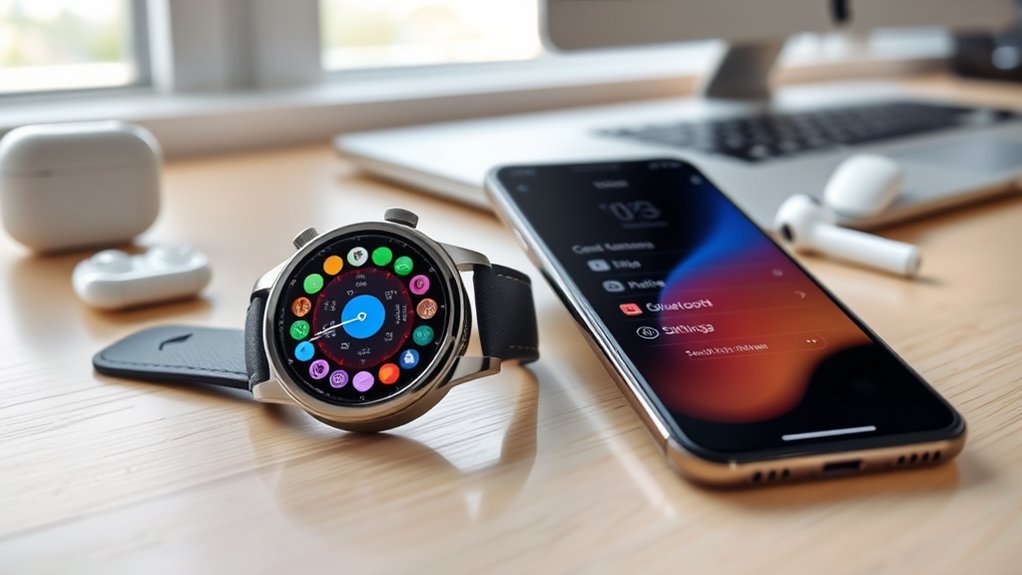
The Samsung Galaxy Watch7 is not compatible with iOS. You cannot pair it with an iPhone through the Galaxy Wearable app to receive phone notifications, synchronize calls and messages, or transfer health information.
Samsung confirms this restriction in its official Galaxy Watch compatibility requirements. The Watch7 uses Wear OS with Google services that do not support iPhone pairing.
The same limitation applies to the Galaxy Watch4, Watch5, Watch6, and Galaxy Watch Ultra. These models cannot serve as normal iPhone companion watches.
For Android users, the Galaxy Watch7 requires Android 11 or later, sufficient device memory, and compatible Google services. Samsung lists at least 1.5 GB of RAM in its compatibility requirements. Support can also vary by phone model, carrier, and region.
According to Samsung’s phone and watch feature compatibility guide, most everyday functions work with supported Samsung and non-Samsung Android phones, although some features require a Galaxy phone.
Which Samsung Watches Work With iPhone?
Some older Samsung watches support iOS because they use an earlier software platform. However, support for those older devices does not extend to the Galaxy Watch7.
| Watch model | iPhone compatibility |
|---|---|
| Galaxy Watch7 | Not supported |
| Galaxy Watch4, Watch5, Watch6, and Watch Ultra | Not supported |
| Galaxy Watch3, original Galaxy Watch, Watch Active, and Active2 | Officially listed as compatible with iPhone 5 or newer running iOS 9 or later; features and current software support may vary |
| Apple Watch | Designed for iPhone; requirements depend on the Apple Watch model |
If you already own an older compatible Samsung watch, check that its companion app still works with your current iPhone and iOS version. Official historical compatibility does not guarantee that every feature continues to work.
Which Galaxy Watch7 Features Work With Android Instead of iOS?
The Galaxy Watch7 offers several useful features when connected to a supported Android phone. These are genuine watch capabilities, but they should not be mistaken for features available through iPhone pairing.
- Exercise tracking: Record workouts, daily activity, and fitness information through Samsung Health.
- BioActive sensor: Measure heart rate and other supported wellness metrics.
- Notifications and replies: View compatible Android notifications and respond to messages from your wrist.
- Music and media controls: Manage supported audio playback and use compatible watch apps.
- Customizable watch faces: Change layouts, colors, and displayed information.
- Energy Score: Review Samsung’s wellness estimate based on activity and recovery-related information.
These features make the Watch7 useful for Android owners who want fitness tracking and quick access to phone functions.
However, an iPhone cannot act as its supported companion phone. If your primary smartphone runs iOS, the practical benefits of these features are greatly restricted.
How Can You Customize the Galaxy Watch7?
The Galaxy Watch7 supports watch-face personalization, communication shortcuts, and gesture controls. Most customization works through the watch itself or Galaxy Wearable on a supported Android phone.
Options vary by installed watch face, phone model, and software version.
Personalize Watch Faces
You can change the Galaxy Watch7’s appearance with different watch faces, colors, and complications. Complications are small information areas that can display details such as activity, weather, or battery status.
Samsung explains these options in its official watch-face customization guide.
To customize a watch face using a compatible Android phone:
- Open the Galaxy Wearable app.
- Select Watch faces.
- Choose the watch face you want.
- Tap Customize if the selected face supports editing.
- Adjust the available colors, background, or complications.
- Save your changes.
You can also touch and hold the current watch face to enter editing mode directly on the watch.
Supported photo-based watch faces can use pictures from your gallery. Animated backgrounds and GIF support depend on the particular face rather than being guaranteed across all designs.
The Ultra Info Board watch face is another customization option, providing multiple areas for useful information.
Profile Card Customization
Profile cards are primarily a feature of Samsung Galaxy phones. They allow users to personalize contact information and pictures, but they are not an independent iOS feature of the Galaxy Watch7.
On supported Galaxy phones, users can customize profile pictures, names, and colors in the Contacts app.
Contact information can then synchronize with a paired watch where supported. However, the appearance of contact images and profile details depends on the phone, contacts settings, and watch software.
The Galaxy Watch7 also supports gestures such as double pinch for certain actions, including answering calls and controlling media.
These gestures do not remove the need for a compatible phone. They should not be confused with an iPhone integration feature or a universal shortcut for sending text replies.
Quick Reply Setup
Quick replies let compatible Galaxy Watch users respond to messages without typing a complete answer. You can create your own commonly used responses through Galaxy Wearable.
Samsung describes this process in its official smartwatch messaging instructions.
- Open Galaxy Wearable on the connected phone.
- Select Watch settings.
- Open General.
- Choose Quick responses.
- Select Add response.
- Enter your message and save it.
You can then select a saved response when replying to a supported message notification.
Some communication features, including Samsung’s suggested replies, have additional Galaxy phone and software requirements.
The WalkieTalkie app provides another communication option. Samsung’s WalkieTalkie app description confirms that it supports voice conversations between compatible Galaxy Watch users.
Its initial registration requires a connected Galaxy smartphone. It is not a workaround for pairing the Watch7 with an iPhone.
What Health Features Does the Samsung Watch 7 Offer?
The Galaxy Watch7 includes tools for tracking exercise, sleep, heart rate, and other wellness measurements. These features work within Samsung’s supported watch and Android phone ecosystem.
They can help you understand personal fitness patterns, but they do not replace professional medical assessment.
Advanced Health Monitoring
Samsung Health combines information from the Galaxy Watch7’s sensors to present activity and wellness trends.
Its main tracking functions include:
- Exercise tracking: Record workouts and monitor activity progress.
- Blood oxygen measurement: View estimated oxygen saturation levels through supported measurement options.
- Heart rate monitoring: Track heart rate during everyday activity and exercise.
- Sleep tracking: Review sleep duration, patterns, and related information.
- Stress monitoring: Follow stress estimates and use breathing exercises.
- Body composition: Estimate body fat and skeletal muscle measurements using the watch’s supported sensors.
Samsung also offers Energy Score, which combines several health and recovery signals into a daily wellness estimate.
The company’s Galaxy Watch7 AI and health feature guide explains how sleep, activity, and related data contribute to these insights.
Not every health feature works on every Android phone. For example, Samsung Health Monitor functions such as ECG, irregular heart rhythm notifications, and supported sleep apnea features have specific device and regional requirements.
According to Samsung Health Monitor compatibility guidance, the app requires supported Samsung Galaxy phones and watches. It is not available for iPhone pairing.
Note: Smartwatch health measurements are intended to support wellness awareness. Sensor readings can vary with movement, fit, and other conditions. Do not use them alone to diagnose a medical condition or change treatment. Consult a healthcare professional about concerning symptoms or readings.
Heart Rate Tracking
The Galaxy Watch7 uses its BioActive sensor to monitor heart rate during workouts and everyday activities. Users can review readings and trends through Samsung Health on a compatible phone.
Supported settings allow users to adjust heart rate monitoring behavior and receive alerts for certain unusual readings.
Heart rate variability, or HRV, describes differences in the time between heartbeats. Samsung uses heart-related signals in supported stress and wellness insights.
During workouts, heart rate monitoring can help you understand exercise intensity. Historical trends may also help you recognize changes in your usual activity and recovery patterns.
For better readings, wear the watch snugly above your wrist bone, keep the sensor clean, and avoid excessive movement during manual measurements.
Can Any iOS Apps Connect the Galaxy Watch7 to an iPhone?
No supported iOS app can turn the Galaxy Watch7 into a fully compatible iPhone smartwatch. Apps may manage separate fitness information, but they cannot replace Samsung’s required Android pairing system.
Several apps are sometimes mentioned as possible integration tools:
- Wearable Widgets: Widget-related functions do not provide official Watch7-to-iPhone pairing.
- Health Sync: Health data transfer features do not establish a supported iPhone connection for the Watch7.
- Google Fit: Fitness tracking functionality does not overcome the watch’s iOS compatibility restriction.
- MyFitnessPal: Nutrition and calorie tracking can be useful independently, but it does not pair the Watch7 with iOS.
- IFTTT: App automation cannot replace the required watch setup and communication services.
There is an important distinction between an app working on an iPhone and that app supporting the Galaxy Watch7 as a connected device.
For example, Samsung Health is available for iPhone and can provide certain fitness and activity functions.
However, installing Samsung Health on iOS does not enable Galaxy Watch7 pairing or normal health data synchronization from the watch.
Similarly, older versions of the Galaxy Watch companion app were designed for compatible earlier Samsung watches. Installing those apps does not add Watch7 support.
If you already purchased a Galaxy Watch7 expecting it to connect to your iPhone, avoid spending money on unverified compatibility apps or services promising full integration.
How Can You Optimize Galaxy Watch7 Performance?
Galaxy Watch7 performance depends on its software, battery settings, active features, and connection with a supported phone. A few basic adjustments can improve daily use.
These tips apply to a properly configured Galaxy Watch7, not an unsupported iPhone connection.
- Keep software updated: Use Galaxy Wearable on Android to check for watch updates. Update installed watch apps through the supported app store.
- Manage background activity: Close unnecessary apps when they cause slowdowns or excessive battery use.
- Use power saving: Open Settings, select Battery, and enable Power saving when you need longer battery life. Some functions will become limited.
- Adjust the display: Lower brightness or disable Always On Display when battery life is more important than constant screen visibility.
- Enable disconnection alerts: Where supported, turn on phone disconnection notifications so you know when the connection is lost.
- Customize tiles: Arrange commonly used tiles for quick access to timers, activity information, and other functions.
- Use media controls: Add the media controller tile to manage compatible music or video playback from connected devices.
You can also choose a watch face with useful complications, including activity information or Samsung’s Energy Score where supported.
For battery savings, avoid running unnecessary background functions. However, remember that reducing health measurement frequency or disabling wireless features may also reduce available tracking and connectivity.
If the watch becomes unresponsive, restart it before attempting more disruptive troubleshooting. Back up important information before any reset.
What Is the Best Alternative to Galaxy Watch7 for iPhone Users?
For most iPhone owners, an Apple Watch is the more practical choice because it is designed to work with iOS. It supports integrated notifications, calls, messaging, apps, and health-related features within Apple’s ecosystem.
Before buying, compare your iPhone with Apple’s official watch and iPhone compatibility list. Different Apple Watch generations require different iPhone models and software versions.
Older Samsung watches are another possible option if you specifically want a Samsung wearable. However, the original Galaxy Watch, Galaxy Watch3, and Watch Active models are aging devices with potentially limited app support.
If advanced health tracking, dependable notifications, and long-term integration are important, choose a smartwatch that explicitly supports your current iPhone model and iOS version.
Frequently Asked Questions
What Are Some Cool Things I Can Do With My Galaxy Watch 7?
You can track workouts, monitor heart rate, review sleep trends, customize watch faces, control music, and use supported gesture controls. Samsung Health also provides wellness information such as Energy Score. Connected notifications and messaging require a compatible phone, and some advanced functions need a Samsung Galaxy device.
Does the Samsung Galaxy Watch 7 Work With iOS?
No. The Samsung Galaxy Watch7 does not officially support iPhone pairing or iOS integration. It requires a compatible Android device for connected smartwatch functions. Older Samsung watches, including the original Galaxy Watch and Watch Active series, have different compatibility rules and may support certain iPhones.
Why Are People Ditching Smart Watches?
Some people prefer traditional watches because they do not require frequent charging, software updates, or phone connections. Others dislike constant notifications or find that they rarely use advanced features. However, smartwatches remain useful for people who regularly use fitness tracking, communication, and health monitoring tools.
Should I Buy the Samsung Galaxy Watch 7?
The Galaxy Watch7 can be a good choice if you own a compatible Android phone and want fitness tracking, customizable watch faces, and useful notifications. It offers additional features with supported Samsung Galaxy phones. If your main phone is an iPhone, choose a watch designed for iOS instead.
Can You Connect Galaxy Watch7 to an iPhone Through Bluetooth?
No. Standard Bluetooth settings do not provide supported Galaxy Watch7 pairing with an iPhone. The watch requires compatible software and services beyond a basic Bluetooth connection. Third-party applications cannot reliably replace Samsung’s official setup process or enable complete phone notification and health data integration.
Does the Galaxy Watch7 LTE Version Work With iPhone?
No. Having LTE connectivity does not make the Galaxy Watch7 compatible with iOS. An activated cellular watch may support certain independent functions, depending on its setup and carrier. However, it cannot become a normal iPhone companion watch or provide supported iOS notification and health synchronization.
Conclusion
The Samsung Galaxy Watch7 offers useful health monitoring, personalization, and communication features, but it is not compatible with iPhone pairing.
Its strongest experience comes from supported Android phones, especially Samsung Galaxy devices that provide access to additional features.
If you use an iPhone, choose a smartwatch with official iOS support instead of relying on third-party workarounds. Confirm your phone’s compatibility before purchasing so the watch can perform the functions you actually need.
Sources
- Samsung Galaxy Watch Compatibility Requirements: Supported operating systems, Android requirements, and iOS restrictions.
- Samsung Smartwatch and Phone Compatibility: Supported phone types and differences between Samsung and other Android devices.
- Samsung Watch Face Customization Guide: Watch-face selection, customization, and complications.
- Samsung Smartwatch Messaging Guide: Messages, quick replies, and communication requirements.
- Samsung WalkieTalkie App: Supported watches and initial registration requirements.
- Galaxy Watch7 AI Features: Energy Score, sleep tracking, and wellness information.
- Samsung Health Monitor Compatibility: Device restrictions for advanced health monitoring features.
- Samsung Health for iPhone: Availability and limitations of Samsung Health on iOS.
- Apple Watch and iPhone Compatibility: Supported Apple Watch generations and required iPhone software versions.