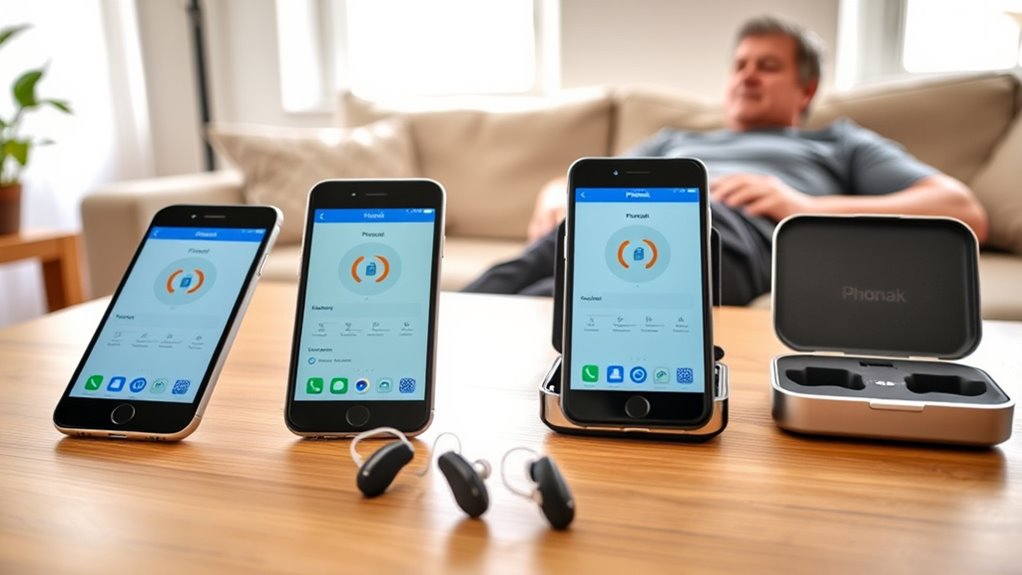
Yes. myPhonak generally works better on iPhone than on Android, mainly because iOS offers more stable Bluetooth behavior and fewer connection drops. On iPhone, the app typically supports smoother streaming, more reliable reconnection after calls, and easier access to controls, health tracking, Find My Hearing Aids, and remote support features. It requires iOS 16.0 or later. Android compatibility is wider, but performance can vary by device and firmware, which affects consistency. More details follow below.
Key Takeaways
- myPhonak is optimized for iPhone and requires iOS 16.0 or later for best performance.
- iPhone users typically get more stable Bluetooth connections and fewer streaming dropouts.
- The app offers easy controls for programs, volume, health tracking, and Find My Hearing Aids.
- iOS users often receive updates and bug fixes sooner than Android users.
- Android support is broader but can be less consistent across devices and may have more connectivity issues.
Does myPhonak Work Better on iPhone?
Yes—myPhonak is generally optimized for iPhone use, and it requires iOS 16.0 or later for best compatibility with current Phonak hearing aids.
The myPhonak app on iPhone is designed for stable Bluetooth connectivity, which supports smoother audio streaming, phone calls, and device pairing. Users often report fewer dropouts and a more consistent connection than on other platforms. This reliability matters for people seeking greater autonomy in daily communication and hearing management.
iPhone users also benefit from remote support features that are usually easier to access and more dependable within iOS. Navigation is typically straightforward, with clear access to program adjustments, health tracking, and other control options.
In practical terms, the iPhone environment appears to support faster troubleshooting and better integration with Phonak’s support resources. For users who value freedom through dependable technology, myPhonak on iPhone is often the more refined and predictable option.
myPhonak on iPhone vs Android
The myPhonak app generally shows stronger Bluetooth stability on iPhone, where iOS 16.0 or later supports smoother pairing and more consistent connectivity with Phonak hearing aids.
Android compatibility is broader in device terms but less uniform, as performance can vary with Bluetooth 4.2 and Android 10.0 or newer, sometimes leading to interrupted streaming or call disconnections.
These differences also affect feature access, with some advanced functions, including Remote Support, being more consistently available on iOS.
iPhone Bluetooth Stability
Users have generally reported more stable Bluetooth performance with the myPhonak app on iPhone than on Android, with fewer disconnection events and more reliable connectivity during everyday use.
The myPhonak platform is optimized for Apple hardware, and its iPhone and iPad support on iOS 16.0 or later appears to contribute to steadier Bluetooth behavior.
In clinical terms, the connection model is more consistent, especially after phone calls, when the app typically reconnects automatically. This reduces user burden and supports uninterrupted hearing aid control.
Android users may still experience acceptable performance, but reported variability is greater.
For individuals seeking dependable access and greater autonomy, the iPhone environment offers a more predictable connectivity profile for myPhonak, particularly where stable, low-maintenance wireless operation is the priority.
Android Compatibility Differences
How does myPhonak compare across platforms? The myPhonak app generally shows stronger performance on iOS than on Android, especially for users seeking dependable hearing-aid control.
Android compatibility is functional, but it is more variable across devices, firmware versions, and manufacturers. Reports indicate more frequent connectivity issues on Android, including dropped links and less reliable switching between phones. This can limit autonomous use when consistent access matters.
In addition, some advanced remote support options and remote control features available on iPhone may be reduced or absent on Android. iOS also tends to receive updates and bug fixes sooner, which can improve stability.
For users prioritizing seamless access and fewer interruptions, iOS often provides the more liberated and dependable experience.
What iPhone Features Help myPhonak?
Bluetooth audio routing on iPhone supports direct pairing with Phonak hearing aids, enabling stable audio streaming and remote control through myPhonak.
iOS accessibility tools also contribute by offering system-level support that can complement hearing aid use and simplify device interaction.
Together, these features help the app function with greater consistency and usability on compatible iPhones.
Bluetooth Audio Routing
A key iPhone feature that supports myPhonak is Call Audio Routing, which allows call audio to be directed to Phonak hearing aids for clearer communication and direct Bluetooth streaming.
This bluetooth audio routing within the myPhonak app gives users greater control over listening conditions on each iOS Version supported device. Phonak hearing aids can remain paired to multiple devices, yet stream from one source at a time, preserving orderly shifts between calls and media.
Compatibility with Bluetooth 4.2 and newer contributes to stable performance and dependable audio delivery. After a call ends, automatic reconnection restores the hearing aids to media use without manual intervention.
For individuals seeking liberation from constant adjustment, this configuration reduces friction and supports independent, continuous communication across everyday listening tasks.
iOS Accessibility Tools
iOS accessibility tools can improve the usability of the myPhonak app for a wide range of users. VoiceOver gives auditory guidance through menus and controls, supporting navigation for people with visual impairment.
Magnifier can enlarge text and images, improving readability when app elements are small. Hearing Accessibility features add practical value for users seeking more independent listening, including Live Listen, which can turn the iPhone into a remote microphone when paired with Phonak hearing aids.
Sound Recognition may also notify users about important environmental sounds. Customizable display settings, including text size and color filters, further adapt the interface to individual needs.
Together, these functions reduce barriers and expand access, allowing the myPhonak experience to be more usable, more responsive, and more liberating for diverse users.
How to Set Up myPhonak on iPhone
To set up the myPhonak app on an iPhone, the device should run iOS 16.0 or later, have Bluetooth enabled, and be an iPhone 6s or newer. The myPhonak app can then be downloaded free from the App Store.
After installation, a myPhonak account should be created to access personalized controls for Phonak hearing aids. The iPhone’s Bluetooth settings must remain active during setup, because the app relies on wireless pairing.
Next, the user should follow the in-app prompts and place the hearing aids in pairing mode. This step allows the app to identify and connect to the devices with minimal delay.
Once pairing is complete, the interface supports adjustment of volume, storage of preferred settings, and access to remote support features. The result is a more direct, self-directed hearing experience, with fewer barriers between the user and daily sound management.
How to Fix myPhonak Connection Problems
When myPhonak connection problems occur, Bluetooth should first be turned off and then re-enabled on both the iPhone and the Phonak hearing aids to refresh the link. If the app displays Not Connected, tapping the connection status may restore access without re-pairing. Disconnections can also be addressed by powering the hearing aids off and back on, then confirming pairing mode. Keeping iPhone software current reduces compatibility faults and supports stable Bluetooth behavior. Regular app updates from the App Store should be checked, because fixes are often released quietly.
| Step | Purpose |
|---|---|
| Toggle Bluetooth | Renew the link |
| Restart aids | Clear faults |
| Check connection status | Restore access |
| Update iOS | Improve compatibility |
| Install app updates | Resolve bugs |
What Can myPhonak Do on iPhone?
Once connection issues are resolved, the myPhonak app on iPhone provides direct control over compatible Phonak hearing aids. Through myPhonak, the user can adjust volume, change listening programs, and manage key features without external hardware.
The app also supports personalized health tracking, displaying steps and heart rate for a broader view of daily activity. Its Find My Hearing Aids function offers real-time location guidance, reducing loss-related disruption and restoring autonomy quickly.
For clinical support, Remote Control and Remote Support can connect the user with a hearing care professional by live video, streamlining assistance and follow-up.
On Bluetooth-enabled iPhones, the app integrates with hearing aids for stable connectivity, allowing calls and music streaming through the devices.
In practice, this gives the iPhone user a compact control hub that simplifies daily hearing management and promotes independence.
What myPhonak Still Can’t Do on iPhone
Despite its useful iPhone integration, myPhonak still has important limitations on iOS. The app does not provide the full set of advanced remote control functions found on Android, which narrows customization options for users seeking precise hearing aid control.
Access is also uneven: certain features depend on account type, and only myPhonak account holders may receive specific tools. Remote support is thus not universally available, reducing the consistency of assistance for some users.
In addition, connection stability can be inconsistent, especially during active calls, which may interrupt communication when reliable performance is most needed. The absence of an Apple Watch version further constrains accessibility, despite user demand for a simpler control pathway.
Taken together, these restrictions show that myPhonak on iPhone remains functional, but not fully emancipatory, because control, support, and stability are still limited in practice.
Is iPhone the Best Choice for myPhonak?
For many users, the iPhone appears to be the strongest platform for myPhonak, largely because the app is built to support iOS 16.0 or later and tends to perform more consistently on Apple devices.
iPhone users often report fewer connectivity problems than Android users, with more stable Bluetooth links that improve streaming and call management.
For Phonak wearers seeking dependable control, iOS offers the most complete path to remote support, fit adjustments, and quick access to updates.
Because the Bluetooth® word mark signals wireless stability, many users view iPhone as a practical choice for smoother daily use and greater self-directed hearing management.
- myPhonak functions fully on iOS 16.0+
- Phonak users often report steadier Bluetooth® pairing
- Remote support tools are broadly available on iPhone
- Updates may arrive sooner on iOS
Frequently Asked Questions
What Is the Best Hearing Aid App for iOS?
Phonak myPhonak is often the best hearing aid app for iOS, offering strong app compatibility, clear hearing aid features, sound customization, and favorable user reviews. Its clinical interface supports precise control and user autonomy.
Is the myPhonak App Any Good?
Yes, the myPhonak app appears generally good, yet uneven. User experiences praise App features and sound customization, while Connectivity issues and repetitive Customer support responses persist. Overall, it suits users seeking control and autonomy.
Which Hearing Aid Works Best With an iPhone?
Phonak Audéo P-RT models generally work best with iPhone, offering strong iPhone compatibility, reliable Bluetooth connectivity, and a smoother user experience. Battery performance remains practical, while myPhonak adds control, streaming, and remote support efficiently.
Which Phonak Hearing Aid Is the Best in 2026?
Like a compass finding north, the Phonak Audéo E Sphere appears the strongest 2026 choice. Phonak model comparison shows superior features overview, favorable user reviews, and technology advancements; the CROS E suits unilateral loss, while myPhonak supports liberation.
Conclusion
Overall, myPhonak often performs more consistently on iPhone because iOS offers stronger compatibility, more stable Bluetooth pairing, and fewer background restrictions than many Android devices. For example, a patient using an iPhone 14 may experience faster reconnection after calls and fewer app dropouts than on a lower-end Android phone. Still, performance depends on the exact hearing aid model, app version, and phone settings. Users should confirm device compatibility and update both the app and the phone regularly.
