
When an iPhone sends a message to two numbers, the conversation may split because the thread is using SMS instead of iMessage. In that mode, each recipient can receive a separate copy, and replies may not stay synchronized. Group messaging, MMS, carrier provisioning, and network status all affect delivery. Photos and links can fail on non-Apple devices. Checking Messages settings and carrier support usually resolves the issue, and the next steps clarify why.
Key Takeaways
- Group texts may split into separate SMS threads, so replies do not stay synchronized across both numbers.
- If one recipient is not on iMessage, the conversation can fall back to SMS or MMS behavior.
- Enable Group Messaging and MMS in iPhone Messages settings to improve unified delivery.
- Photos, links, and other rich content may fail for non-Apple devices or weak network conditions.
- Carrier restrictions, wrong contact numbers, or disabled “Send as SMS” can also prevent consistent delivery.
Why Only One Person Replies in Group Texts
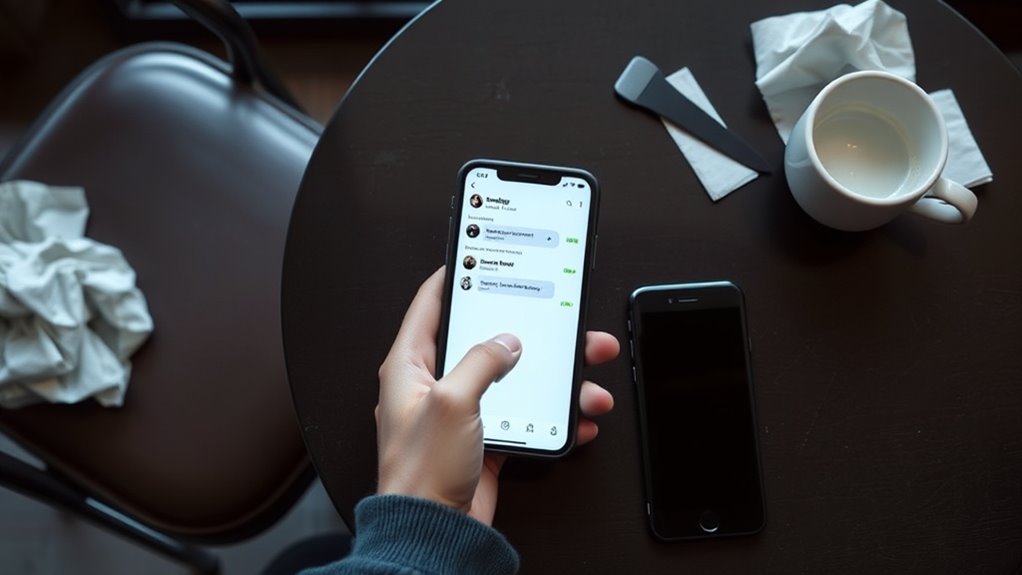
In group texts, only one person may appear to reply because the conversation is often being handled as SMS rather than iMessage or MMS. In that mode, Group messaging does not consolidate replies into a shared group message, so visibility is reduced to individual threads. Each recipient may receive a separate copy, producing fragmented conversations instead of a collective chat.
If any participant uses a non-iMessage device, the system commonly falls back to SMS, which limits synchronized replies. By contrast, iMessage preserves a common thread, allowing all participants to see each response. Group MMS also maintains group visibility while supporting media.
When “Send as SMS” is enabled, the device may dispatch messages individually, and one person’s reply can seem isolated while others remain unaware. The result is not confusion by accident but a protocol constraint: the network format determines whether group texts behave as shared dialogue or as separate, disconnected exchanges.
Check Your iPhone Group Messaging Settings
A useful first check is the iPhone’s Messages configuration, where group behavior is determined by specific toggles. In Settings > Messages, group messaging should be enabled so the iPhone can send texts to all recipients in one thread and permit replies from everyone.
MMS Messaging must also be active, because group texts involving non-iMessage users are delivered as MMS rather than standard iMessage traffic. If the goal is to send individual messages inside a group format, disabling iMessage temporarily forces SMS handling and creates separate threads for each recipient.
Carrier settings should then be reviewed, since some plans restrict group SMS messages or impose limits on how many recipients can receive them. A stable network connection is also essential, because weak connectivity can interrupt delivery.
These checks allow users to verify that settings, carrier settings, and transport mode are aligned, restoring control over how the device will send texts.
Why Links and Photos Fail in Group Messages
Links and photos can fail in group messages when the conversation includes a non-Apple device, because the thread may fall back to MMS or SMS, which impose different delivery limits than iMessage.
In group MMS, every member receives the same stream, and features such as tapbacks and effects are absent, reducing support for rich multimedia formats. Delivery can also break when messaging settings disable preview web links on some devices, so the link is treated differently or not rendered at all.
Even when settings are correct, network issues or carrier restrictions may interrupt web links or photos in transit. The result is inconsistent group messages, where one recipient sees success and another sees failure.
A practical diagnostic method is to test several web links and multiple multimedia formats; this isolates whether the fault lies in the content, the group MMS path, or the device configuration. Such analysis preserves communication autonomy and exposes hidden constraints.
Check Your Carrier and Network Settings
Because carrier restrictions often determine whether a group message is delivered as SMS or MMS, the user should first verify that the plan supports group messaging and that MMS is enabled on the device.
Carrier policies can block MMS messaging, add charges, or disable it account-specific, so the carrier should be checked directly.
Carrier policies can block MMS messaging, add charges, or disable it account-specific, so the carrier should be checked directly.
Network status also matters; outages, weak signal, or routing faults can produce delivery issues even when the messaging app appears normal.
Device settings should be reviewed to confirm that group messaging is turned on and that the messaging app is configured to use MMS for multi-recipient threads.
If the network is stable and settings are correct, but messages still fail, the user should contact carrier assistance.
Support can inspect the account for hidden restrictions, provisioning errors, or service flags.
In technical terms, liberation here means removing imposed constraints from carrier, network, and settings layers so group communication functions as intended without unnecessary friction or delay.
Make Sure Both Numbers Get Your Texts
To guarantee both numbers receive the text, the messaging app should be configured to send separate SMS messages rather than a single group thread, since mixed carrier or device environments can interrupt group delivery. This is essential when users send text messages to multiple people who rely on different networks.
On iPhone, the “Send as SMS” setting should be enabled so that failed iMessage attempts fall back to SMS. The contacts should be verified for accurate numbers, and both recipients must have consented to receive messages.
If the app supports individual replies, each message remains distinct, reducing confusion and preserving privacy. A mass texting app with one-way delivery can also route messages as discrete sends, keeping recipients hidden from one another.
Simple tests without links or media help isolate delivery faults, because complex group texts often fail on non-Apple devices. Careful configuration guarantees the messaging app can send as SMS reliably and support liberation through communication without friction.
Frequently Asked Questions
How Do I Send a Text Message to Two Different Numbers?
Tap compose, add both numbers in the recipient field, and send; this uses messaging app features and texting shortcuts. He notes group messaging tips, managing contacts effectively, SMS privacy settings, text message customization, and SMS delivery issues.
How Do I Stop My Phone From Double Texting?
Around 20% of text message issues stem from smartphone settings. He should inspect messaging apps for duplicate sends, network problems, SMS limits, carrier restrictions, device compatibility, software updates, group messaging, and apply troubleshooting tips.
Why Won’t My Text Messages Send to Certain Numbers?
Text message troubleshooting points to device compatibility, network issues, phone settings, carrier restrictions, blocked contacts, message format, software updates, SMS limitations, or user error; each can prevent delivery to specific numbers, despite general messaging functionality.
How Do I Send a Text to Multiple People but Separately?
Send individual texts through mobile app options or SMS settings, avoiding group chats; these group messaging tips and individual texting techniques improve privacy concerns texting, managing contacts efficiently, and troubleshooting delivery issues while respecting SMS etiquette guidelines.
Conclusion
To sum up, the issue often lies not in the message itself, but in group messaging configuration, carrier limitations, or network instability. A device may successfully address two numbers, yet deliver responses unevenly when settings or compatibility differ. Like a relay with a weak baton handoff, the conversation falters at a critical point. Verifying iPhone messaging options, carrier support, and recipient connectivity helps guarantee both numbers receive texts reliably and group communication functions as intended.
