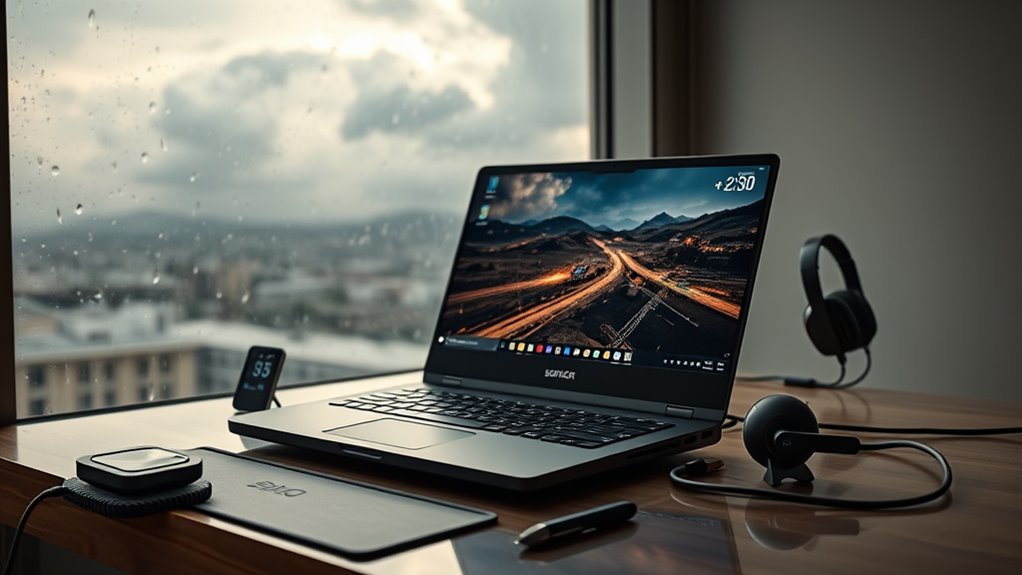
Buying a gaming laptop starts with budget, but price alone rarely tells the full story. The stronger question is whether the machine matches the intended games, resolution, and travel habits. GPU class, display refresh rate, battery limits, cooling design, and upgrade access all affect long-term value. Ports, keyboard feel, and chassis weight matter too. Timing can change the deal entirely, especially around major sales. What gets overlooked next is often the part that decides regret.
Set Your Gaming Laptop Budget

A gaming laptop budget should be established around the intended performance tier, with mid- to high-end systems typically falling between $1,000 and $2,500. This range supports clear selection criteria while preventing overspending on unnecessary features.
Buyers should map spending to actual gaming needs, then reserve margin for accessories such as a cooling pad, headphones, and a carrying bag with a dedicated laptop compartment. Minimum specifications should include 16GB RAM and an SSD to maintain responsiveness.
Budget planning should also account for future upgrades, especially RAM and storage, so the machine can evolve without full replacement. Seasonal pricing shifts matter; Black Friday and back-to-school promotions in July often deliver meaningful discounts.
Monitoring latest updates from retailers helps identify those windows early. A disciplined approach lets users take advantage of market timing, preserve autonomy over spending, and secure a system aligned with performance demands and long-term value.
Choose the Best GPU and Display
Selecting the right GPU and display begins with matching hardware to the target resolution rather than chasing maximum specs, since an RTX 4080 is generally the sensible floor for strong 1440p gaming while lower resolutions do not justify top-tier cost.
GPU performance analysis should prioritize sustained frame rates, thermal headroom, and upscaling support, because DLSS or FSR can extend performance without surrendering visual fidelity.
Gaming resolution impacts are direct: 1080p eases load, but 1440p demands stronger silicon, and 4K mobile panels require harsher tradeoffs.
On the display side, minimums matter: 300 nits brightness, 120Hz refresh, and sub-10ms response time preserve clarity and control in fast motion.
Display technology trends also favor 90%+ sRGB coverage, which improves color accuracy and keeps worlds vivid without excess cost.
A liberated buyer also checks port availability and layout, ensuring peripherals connect cleanly and the machine remains adaptable, not captive, to one narrow use case.
Check Battery Life and Charging Limits
Battery management is a practical constraint in gaming laptops, not a minor afterthought: limiting maximum charge to around 80% and avoiding repeated shallow recharge cycles can reduce long-term wear.
While AMD processors often offer better unplugged endurance than Intel under comparable loads, for buyers seeking autonomy, these battery management tips protect mobility without sacrificing use.
The charging frequency impact is real: constant top-ups while gaming may preserve FPS, yet it also accelerates degradation if unmanaged.
Mid-range systems can remain serviceable for 3 to 5 years when battery longevity strategies are applied consistently and the pack is treated as a consumable, not a permanent asset.
- Cap daily charging near 80%.
- Reduce unnecessary discharge-recharge cycles.
- Prefer AMD when longer unplugged sessions matter.
Understanding battery characteristics enables informed, liberated purchasing decisions.
A laptop that balances performance with endurance grants flexibility, less dependence on outlets, and more control over where play happens.
Check Cooling and Upgrade Options
Thermal performance should be evaluated first: a gaming laptop needs multiple vents, strong fan capacity, and preferably heat pipes or a vapor chamber to sustain load without throttling during extended sessions. Effective thermal management preserves frame rates and reduces component stress. Cooling efficiency improves when the chassis allows the back to rise, increasing intake clearance and airflow. Dust buildup should be cleared every 6 to 12 months to maintain unobstructed vents.
| Check | Why it matters |
|---|---|
| Multiple vents and fans | Stabilizes load temperatures |
| Heat pipes or vapor chamber | Improves cooling efficiency |
| RAM and storage access | Supports upgrade accessibility |
| Raised rear design | Enhances airflow |
Upgrade accessibility should be assessed with restraint: RAM and storage are the practical paths, while GPU and CPU replacement is usually impossible. Models with accessible panels grant users more control over lifespan and cost. A well-cooled, serviceable system offers technical freedom, lower noise, and steadier performance under demanding play.
Check Ports, Keyboard, and Fit
Port selection should be verified first, with USB-C, HDMI, and audio output assessed for compatibility with gaming peripherals and external displays.
Keyboard comfort must then be examined through travel distance, tactile response, and optional RGB lighting for low-light use.
Finally, the laptop’s size, weight, and build quality should be matched to the intended balance between portability and stationary performance.
Port Selection Matters
A well-rounded gaming laptop should include USB Type-A, USB Type-C, HDMI, and Ethernet ports to support a wide range of peripherals and network setups.
Port compatibility determines whether controllers, storage, headsets, and docks function without adapters, preserving peripheral support and reducing dependence on proprietary gear. Placement matters as much as count; poorly spaced ports can disrupt cable management and block adjacent connections.
- Confirm HDMI 2.1 if a high-refresh-rate monitor is part of the setup.
- Verify Ethernet and USB placement for stable links and efficient cable routing.
- Assess chassis weight and footprint to guarantee mobility without sacrificing access.
A balanced design lets the user move freely, connect directly, and avoid clutter. Such freedom is practical, not decorative, when gaming in varied environments.
Keyboard Comfort Check
Keyboard comfort should be evaluated as part of overall fit, because layout, key travel, and actuation force directly affect both long gaming sessions and routine productivity.
An ergonomic design should place keys within a natural reach pattern, reducing strain and supporting free, sustained input. Key travel in the 1.5 to 2 mm range, with actuation near 60 g, usually balances speed and control.
Port access should be checked separately: USB and other connectors must remain usable without disrupting the gaming setup.
Customizable lighting, including RGB options, can improve visibility and allow personal expression, though it should not override function.
Durable keycaps and a solid deck matter as well, since heavy use should not lead to early wear or inconsistent response.
Laptop Fit And Feel
A practical fit assessment starts with the input surfaces and physical dimensions that shape daily use. For laptop ergonomics, the keyboard layout should permit steady, extended typing without strain; key spacing, travel, and palm support matter.
Port availability must match docks, headsets, displays, and storage, reducing adapter dependence and preserving autonomy.
- Confirm the keyboard feels stable for long sessions and supports rapid input.
- Inspect port placement and count to guarantee peripherals connect cleanly.
- Verify weight, thickness, and chassis strength for portable durability.
Trackpad sensitivity should be precise, large enough for fluid control, and free of erratic behavior.
A well-fitted machine enables movement, work, and play without friction, making the hardware an ally rather than a constraint.
Find the Best Time to Buy
Black Friday and back-to-school sales in July typically provide the most substantial price reductions on gaming laptops.
Seasonal promotions can lower costs by 10–30%, making timing a critical factor in purchase efficiency.
Monitoring price drops through deal-tracking sites helps identify when an acceptable configuration reaches budget limits.
Black Friday Deals
During the Black Friday period, gaming laptops often see their steepest price reductions, making it a strategically favorable time for budget-sensitive buyers to purchase.
Black Friday discounts usually combine with retailer promotions and bundle offers, improving value without forcing compromise. A disciplined buyer can preserve autonomy by applying a fixed budget before browsing and filtering by required CPU, GPU, RAM, and storage targets.
Online shopping expands comparison access; sites such as gaminglaptop.deals can surface the strongest offers quickly. In parallel, in-store checks remain useful because some retailers reserve exclusive markdowns for physical locations.
- Compare listed prices across channels.
- Verify bundle contents and warranty terms.
- Buy only when the configuration matches needs.
Back-to-School Savings
Back-to-school sales, typically concentrated in July, often deliver substantial discounts on gaming laptops and can be an ideal purchase window for students and gamers.
In this period, back to school trends usually show aggressive markdowns on midrange and high-performance systems, enabling buyers to secure more power for less capital.
Retailers frequently attach promotional bundles, such as headphones or mice, reducing total acquisition cost and improving overall value.
Careful comparison across sellers can reveal meaningful price variance, especially when online discounts are surfaced by deal platforms like gaminglaptop.deals.
This approach supports informed, self-directed purchasing and minimizes dependency on inflated seasonal pricing.
For those seeking release from premium hardware costs, July remains a strategically efficient entry point.
Track Price Drops
Price tracking tools and retailer alert systems help identify when a gaming laptop falls below a target budget, allowing buyers to time purchases around meaningful discounts rather than nominal sales.
- Use price comparison websites and apps for historical price tracking, measuring average cost against current listings to expose real dips.
- Apply price alert strategies through retailer notifications, then monitor Black Friday and July back-to-school windows, where reductions can become substantial.
- Review used or refurbished units when new models remain elevated; performance often stays strong while capital outlay falls.
These discount timing tips support disciplined buying, letting consumers detach from inflated pricing cycles and reclaim choice.
When alerts, trend data, and sale calendars align, the best time to buy becomes visible, not guessed.
Frequently Asked Questions
What Is the First Thing I Should Do When I Buy a New Laptop?
The first action should be charging the laptop fully before initial use, then checking for critical updates. This initial setup tips sequence supports battery calibration and reduces early-system issues.
A software installation guide should prioritize BIOS, Windows, and graphics drivers. For performance optimization tricks, the device should be configured for 80% charge limits, clear ventilation, and personalized settings.
This analytical routine helps the user secure autonomy over hardware efficiency.
What Are the Essential Things to Consider Before Buying a Laptop?
Essential factors before buying a laptop include Battery life, Graphics card, and Portability factors.
The buyer should match specifications to workload, prioritizing a strong GPU and at least 16GB RAM for gaming or intensive tasks.
Display quality, cooling, and upgradeability also matter, especially for long-term value.
Battery management and build quality affect mobility, while storage expansion and maintenance support future freedom from obsolescence and performance limits.
What Are the Key Things to Consider Before Buying a PC?
Key considerations for buying a PC are performance benchmarks, budget planning, and upgrade options.
The buyer should match CPU, GPU, RAM, and storage to gaming or productivity demands, then verify cooling and power delivery.
Display quality, connectivity, and case airflow matter for usability and longevity.
Upgrade paths for memory and storage increase freedom from planned obsolescence.
Purchase timing during major sales can improve value without sacrificing required specifications or autonomy.
How Do I Decide Which Laptop to Buy?
They should choose a laptop by prioritizing gaming performance first: GPU, cooling, and a 120Hz or better display.
Battery life matters next, especially for mobile use, but it often trades off against power.
Portability options should include weight, size, and upgradeable RAM or storage.
A 1440p screen suits high-end GPUs without excess cost.
Buying during sales can improve value while preserving capability and autonomy.
Conclusion
In conclusion, a gaming laptop purchase should be treated as a technical tradeoff, not an impulse. Budget first, then prioritize a capable GPU, at least 16GB RAM, SSD storage, and a display matched to target resolution. Battery life, thermals, upgrade paths, ports, and keyboard layout all affect long-term utility. Timing the purchase around major sales can improve value. Like finding a compass in a digital age, careful comparison reduces regret and preserves performance.

