Garmin charging cables and docks can look interchangeable, but the host connector, watch-side fit and data-sync support vary. The wrong pick can leave you with a cable that will not fit your watch or your newer USB-C charger.
AWINNER Garmin Watch Charger Cable (2 Pack) is our best overall pick because it gives you two USB-A cables, broad listed Garmin compatibility and data sync. If you use a Forerunner 55, 255 or 745, the Kissmart Forerunner 55/255/745 Charger Cable is the focused value option.
We checked current listings, Garmin documentation, model compatibility, connector type, charging guidance and safety records. No hands-on testing was added.
Garmin Charging Cables and Docks Compared
| Product | Best for | Style | Host connector | Data sync | Score |
|---|---|---|---|---|---|
|
Budget
|
Best overall | Cable, 2-pack | USB-A | Yes | 78/100 |
|
Mid-range
|
Best with dust plugs | Flat dock | USB-A | Yes | 83/100 |
|
Premium
|
Premium pick | Official cable, 1 m | USB-C | Yes | 92/100 |
|
Budget
|
Best value | Cable, 1 m | USB-A | Charging only | 80/100 |
|
Budget
|
Best desktop dock | Flat dock, 1 m | USB-A | Yes | 85/100 |
Garmin Charging Cables and Docks: Our Top Picks
1. AWINNER Garmin Watch Charger Cable (2 Pack)

Bottom line: The AWINNER Garmin Watch Charger Cable (2 Pack) is the most flexible everyday pick here if you still use USB-A power sources. You get two cables, broad Garmin model coverage and data sync in one low-cost package.
- Style: Cable, easy to split between two locations
- Host connector: USB-A, fits many older chargers and computers
- Data sync: Yes, supports computer connections
- Package: Two cables, useful for a home-and-bag setup
AWINNER lists this cable for a long range of Garmin watches that use the common four-pin plug, including current Fenix, Forerunner, Venu, vivoactive and Instinct families. That broad fit is its biggest strength, but you should still match your exact watch model before ordering.
The USB-A end works well with older wall adapters, laptops and power banks. If your travel kit has moved entirely to USB-C, you will need a compatible USB-A port or an appropriate adapter.
- Two cables in one pack
- Broad listed Garmin watch compatibility
- Supports charging and data sync
- USB-A works with many legacy power sources
- Third-party rather than Garmin-branded
- USB-A is less convenient with USB-C-only chargers
- Cable format does not give you a fixed desk cradle
2. FASTSNAIL Garmin Charging Dock

Bottom line: The FASTSNAIL Garmin Charging Dock is for readers who prefer a flat dock instead of a loose cable. It also includes five dust plugs and supports data sync through its USB connection.
- Style: Flat dock, keeps the watch in one charging spot
- Host connector: USB-A, works with standard USB ports
- Data sync: Yes, can connect through a computer
- Package: Dock plus five dust plugs
The dock is listed for many Garmin models across the Vivoactive, Fenix, Forerunner, Instinct, Venu and Epix families. Its 5V/1A charging guidance makes it a better match for standard USB power than for high-power fast-charging adapters.
The dust plugs are a useful extra if your watch regularly sees sweat, gym bags or travel. A dock is also easier to leave in one permanent place, although it takes more space than a plain cable.
- Flat cradle for a consistent charging spot
- Supports charging and data sync
- Includes five dust plugs
- Listed across many Garmin watch families
- Third-party accessory
- USB-A host connection
- Exact watch fit should be checked before ordering
3. Garmin USB-C Charging/Data Cable

Bottom line: The Garmin USB-C Charging/Data Cable is the straightforward official choice for a modern USB-C charger or computer. The 1 m version is Garmin part 010-13278-00 and supports both charging and data.
- Style: Official Garmin cable, simple and portable
- Host connector: USB-C, fits modern chargers and computers
- Data sync: Yes, designed for charging and data
- Package: One 1 m cable
The important detail is where USB-C is used. USB-C is on the charger or computer end of this cable; the watch side uses Garmin’s compatible watch connector. You do not need a Garmin watch with a USB-C socket.
This is the cleanest fit if you prefer an official accessory and already carry USB-C power gear. The trade-off is simple: you get one cable rather than a multi-pack or a desk dock.
- Official Garmin accessory
- 1 m cable length
- USB-C host connector suits newer power gear
- Supports both charging and data
- Single cable only
- Not a charging dock
- Requires a USB-C port on the charger or computer side
4. Kissmart Forerunner 55/255/745 Charger Cable

Bottom line: The Kissmart Forerunner 55/255/745 Charger Cable is a focused spare for three named Forerunner models. It is best when you want a simple 1 m charging lead without paying for broader compatibility you do not need.
- Style: Cable, compact for a bag or desk drawer
- Host connector: USB-A, widely available on older power gear
- Data sync: Charging only, listing focuses on power
- Package: One 1 m cable
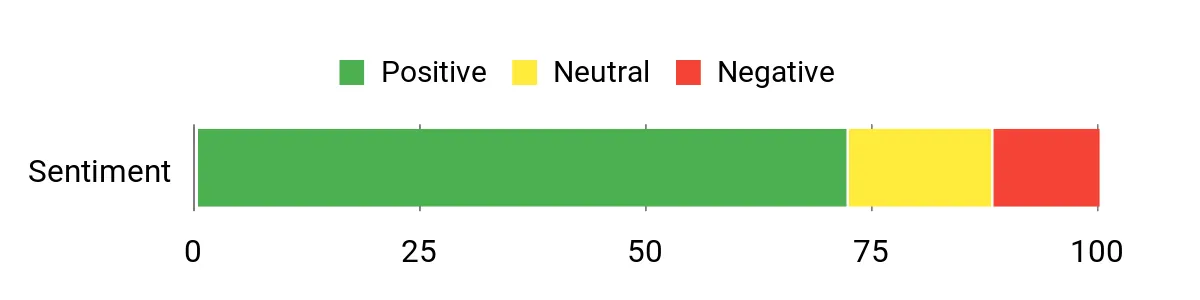
Kissmart specifically lists the Forerunner 55, 255 and 745. It states a 5V/0.5–1A input range and recommends a 5V/1A adapter for charging. That narrow compatibility makes the buying decision easier if you own one of those three watches.
The 1 m length is practical for bedside, laptop and travel use without carrying a dock. The limitation is the same thing that makes it simple: this is not the best choice if you own a different Garmin model or want data-sync support.
- Purpose-built for Forerunner 55, 255 and 745
- 1 m cable length
- USB-A works with many standard power sources
- Simple lightweight spare
- Narrower compatibility than universal Garmin cables
- Listing focuses on charging rather than data sync
- Third-party accessory
5. MoKo Garmin Charger Dock

Bottom line: The MoKo Garmin Charger Dock is the best fit here for a permanent desk or nightstand station. Its 1 m USB-A lead supports both charging and data transfer while the flat dock keeps the watch in a predictable position.
- Style: Flat dock, made for desk or nightstand use
- Host connector: USB-A, connects to computers and standard adapters
- Data sync: Yes, supports charging and transfer
- Package: One dock with 1 m cable
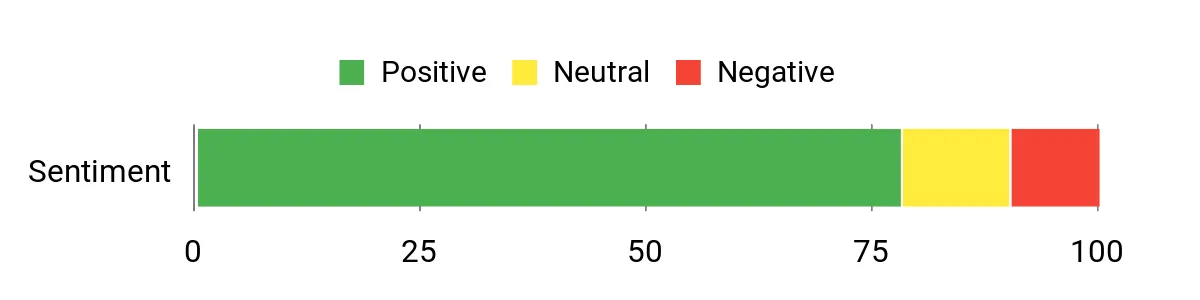
MoKo lists broad compatibility across recent Fenix, Forerunner, Venu, vivoactive and Instinct families, along with several other Garmin lines. Its listing specifies 5V input and 5V/0.5–1A output and advises against high-power fast-charging adapters.
The flat cradle makes sense when you charge in the same place each day and want a neater setup than a dangling cable. For travel, a plain cable packs smaller, so the dock is most useful when convenience at one location matters more than minimal bulk.
- Flat cradle for repeatable desk charging
- 1 m cable length
- Supports charging and USB data transfer
- Broad current Garmin compatibility list
- USB-A host connector
- Third-party accessory
- Listing advises standard 5V/1A-class power rather than fast-charge adapters
AWINNER Garmin Watch Charger Cable vs Kissmart Forerunner 55/255/745 Charger Cable: Is the Upgrade Worth It?
Both are budget-minded USB-A options, but AWINNER gives you a two-pack, broader Garmin compatibility and data sync. Kissmart is simpler and more targeted if you only need charging for a Forerunner 55, 255 or 745.
- Number of cables: AWINNER gives you two; Kissmart gives you one.
- Compatibility: AWINNER covers many Garmin families; Kissmart targets three Forerunners.
- Data: AWINNER lists data sync; Kissmart focuses on charging.
- Best reason to spend more: choose AWINNER for the second cable and broader use.
Which Garmin Charger Should You Buy?
- Two spare cables: get the AWINNER Garmin Watch Charger Cable (2 Pack).
- Official USB-C setup: get the Garmin USB-C Charging/Data Cable.
- Forerunner 55, 255 or 745: get the Kissmart Forerunner 55/255/745 Charger Cable.
- Dock plus dust plugs: get the FASTSNAIL Garmin Charging Dock.
- Desktop charging and data sync: get the MoKo Garmin Charger Dock.
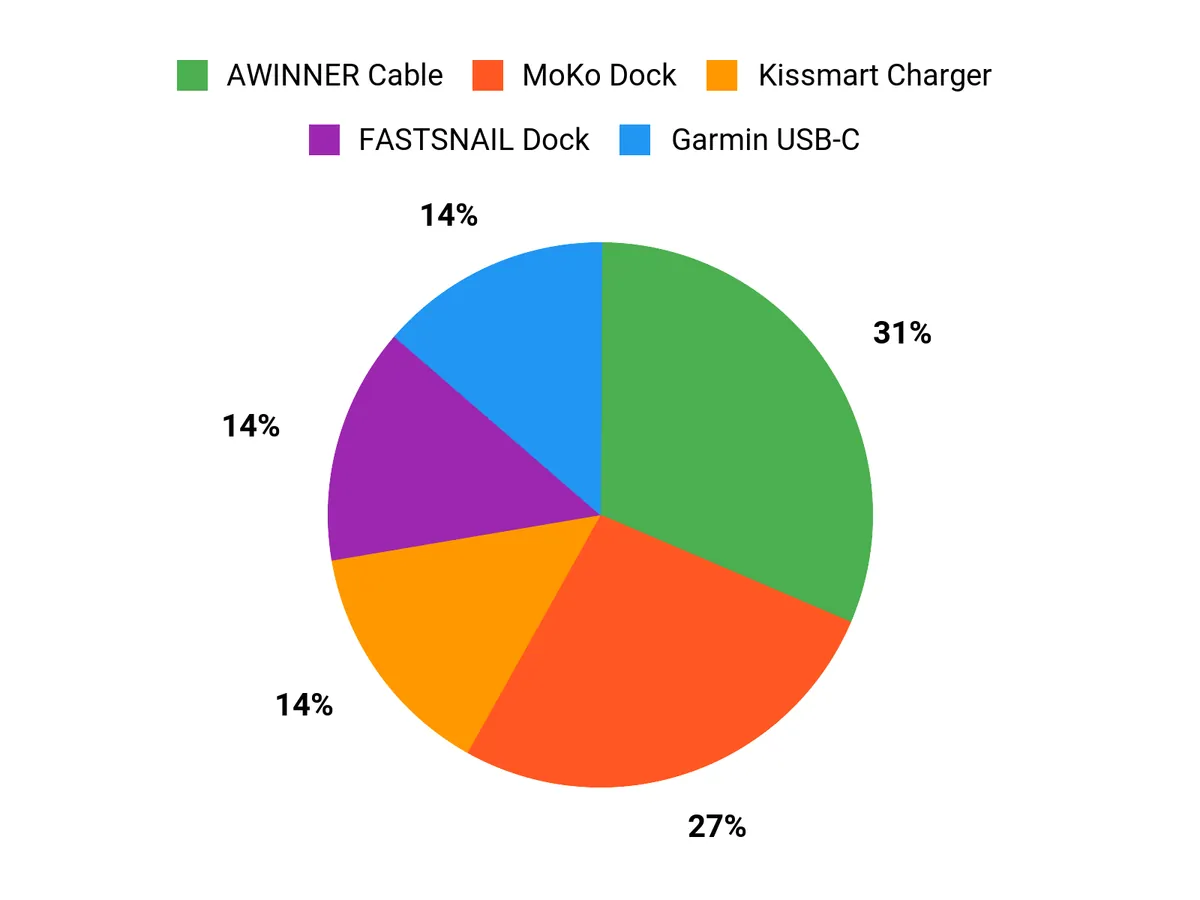
How We Chose
- Exact product match: we checked the linked ASIN, brand and model description.
- Connector and fit: we prioritized host connector type and the exact Garmin models listed as compatible.
- Charging and data: we separated charging-only leads from cables and docks that also support data sync.
- Power guidance: we kept stated voltage and current limits where the listing provided them.
- Sources: we used Garmin documentation first, then current product listings and major-retailer cross-checks, and reviewed safety/recall records.
Garmin Charger Buying Guide
Check the Watch-Side Connector First
Garmin has used more than one charging design across its product history. Do not buy from the host connector alone. A cable can have USB-A or USB-C on the charger side while still using Garmin’s proprietary plug at the watch. Start with your exact watch model, then match the accessory compatibility list.
Choose USB-A or USB-C for the Power Side
USB-A is still useful with older laptops, wall adapters and power banks. USB-C is easier if your newer chargers and computers have moved to that port. The Garmin USB-C Charging/Data Cable is the clearest choice here for a USB-C host connection.
Decide Whether You Need Data Sync
If you only charge your watch, a charging-only lead can be enough. If you connect your Garmin to a computer, choose a cable that explicitly supports data. The AWINNER Garmin Watch Charger Cable (2 Pack) and both docks in this list state data-sync support.
Cable or Dock?
A cable takes less room in a travel pouch and works well as a spare. A dock gives you a consistent charging position on a desk or nightstand. The MoKo Garmin Charger Dock is the better desk-first option, while AWINNER or Kissmart is easier to pack.
Follow the Listed Power Guidance
Third-party Garmin chargers in this roundup commonly specify standard 5V USB power, and some list a 1A limit or recommendation. Follow the accessory maker’s current instructions rather than assuming a high-power fast charger is appropriate. Stop using any cable or dock if the connector becomes loose, damaged or unusually hot.
Mistakes to Avoid When Buying a Garmin Charger
- Buying by connector name alone: confirm both the power-side connector and watch-side fit.
- Assuming every Garmin uses the same plug: check the exact watch model before ordering.
- Expecting data from a charging-only cable: look for explicit data-sync support.
- Using unsupported power adapters: follow the voltage and current guidance for that accessory.
- Choosing a dock for travel without thinking about bulk: a plain cable packs smaller.
FAQs
How do I know which cable or dock fits my Garmin?
Check your exact Garmin model against the accessory compatibility list before buying. Do not assume that USB-A or USB-C describes the watch connection; those labels often describe the charger or computer end. If you want the least guesswork, an official Garmin cable matched to your model is the safest route.
Does the Garmin USB-C Charging/Data Cable plug into a USB-C port on the watch?
No. On the 1 m Garmin cable in this roundup, USB-C is the host-side connection for a charger or computer. The watch side uses Garmin’s compatible charging connector. That distinction matters because a Garmin watch does not need a USB-C socket for this cable to be useful.
Are third-party Garmin charging cables safe to use?
A compatible third-party cable can be practical, but you should follow its stated voltage and current guidance and inspect the connector for damage. Match your exact Garmin model, avoid forcing the plug, and stop using a cable that is frayed, loose or unusually hot during charging.
Is a Garmin charging dock better than a cable?
A dock is better when you want a fixed charging spot on a desk or nightstand. A plain cable is usually easier to pack and replace. Choose based on where you charge most often, and confirm whether you need data sync as well as power before deciding.
Can I sync Garmin data through the charging cable?
Only if the cable or dock supports data transfer. AWINNER, the official Garmin USB-C cable, FASTSNAIL and MoKo in this roundup list data-sync capability. The Kissmart listing focuses on charging, so choose a data-capable option if you regularly connect your watch to a computer.
Can I use a fast-charging phone adapter with a Garmin watch cable?
Use the accessory maker’s stated power guidance instead of assuming every fast-charging adapter is suitable. Several third-party options here specify standard 5V USB power, and some recommend or limit current around 1A. A quality adapter may negotiate safely, but the accessory instructions should control your setup.
Final Verdict
For most readers choosing among these Garmin charging cables and docks, AWINNER is the strongest all-around mix of flexibility, broad listed compatibility and two-cable convenience. Garmin’s official USB-C cable is the cleaner premium choice if you prefer OEM fit and a modern USB-C host connection.
For the focused value option, see the Kissmart Forerunner 55/255/745 Charger Cable. For the premium official option, see the Garmin USB-C Charging/Data Cable.
Garmin Charger Product Reference
| Product | Image | Host connector | Fit focus | Main highlight |
|---|---|---|---|---|
| AWINNER Garmin Watch Charger Cable (2 Pack) |
|
USB-A | Broad Garmin four-pin models | Two-pack with data sync |
| FASTSNAIL Garmin Charging Dock |
|
USB-A | Multiple Garmin families | Dock plus five dust plugs |
| Garmin USB-C Charging/Data Cable |
|
USB-C | Compatible Garmin wearables | Official 1 m charging/data cable |
| Kissmart Forerunner 55/255/745 Charger Cable |
|
USB-A | Forerunner 55, 255 and 745 | Simple 1 m charging spare |
| MoKo Garmin Charger Dock |
|
USB-A | Broad Garmin compatibility | 1 m dock with data sync |
