
A Garmin dash cam can be tiny and discreet, or it can add a screen, GPS, 4K video or remote LTE monitoring. The right choice depends on how much detail and connectivity you actually need.
Garmin Dash Cam Mini 3 is the top pick for most drivers because it keeps a very small footprint while recording 1080p through a 140-degree lens with a built-in polarizer. The Garmin Dash Cam X210 is the value step-up if you want 1440p, GPS and a built-in display.
I compared current manufacturer specifications, the linked product variants, storage requirements, connected features and safety-recall records. I did not use Amazon star ratings or review counts.
Garmin Dash Cam Comparison
| Product | Best for | Resolution | Display | Connectivity |
|---|---|---|---|---|
|
Budget
|
Best overall | 1080p | No built-in display | Wi-Fi; no internal GPS |
|
Mid-range
|
Best value | 1440p | 2.4-inch LCD | Wi-Fi + GPS |
|
Premium
|
Premium pick | 4K | 2.4-inch touchscreen | Wi-Fi + GPS |
|
Premium
|
Remote monitoring | 1440p | 3-inch LCD | LTE + GPS |
Garmin Dash Cams: Our Top Picks
1. Garmin Dash Cam Mini 3

Bottom line: Garmin Dash Cam Mini 3 is the best fit when you want dependable front-facing recording without a screen taking up windshield space. Its main trade-off is that it has no internal GPS.
- Video resolution: 1080p, enough for routine incident documentation
- Field of view: 140 degrees, covers a useful forward view
- Display: None, keeps the camera especially compact
- Storage: 8–512 GB Class 10 microSD required, card sold separately
- Remote access: Wi-Fi features need app, power and eligible Vault service
The built-in Garmin Clarity polarizer is designed to reduce windshield glare, and voice control lets you save video without reaching for the camera. Automatic incident detection preserves footage when the camera detects an event.
The Mini 3 works best if you are comfortable using the Garmin Drive app for setup and clip access. Parking Guard and remote Live View have extra power, Wi-Fi and subscription requirements, so they are not the same as always-connected LTE monitoring.
- Ultracompact body stays unobtrusive on the windshield
- 1080p video with a 140-degree field of view
- Built-in polarizer helps reduce windshield glare
- Voice control and automatic incident detection
- No built-in display
- No internal GPS for speed or location metadata
- Compatible microSD card is required and not included
2. Garmin Dash Cam X210
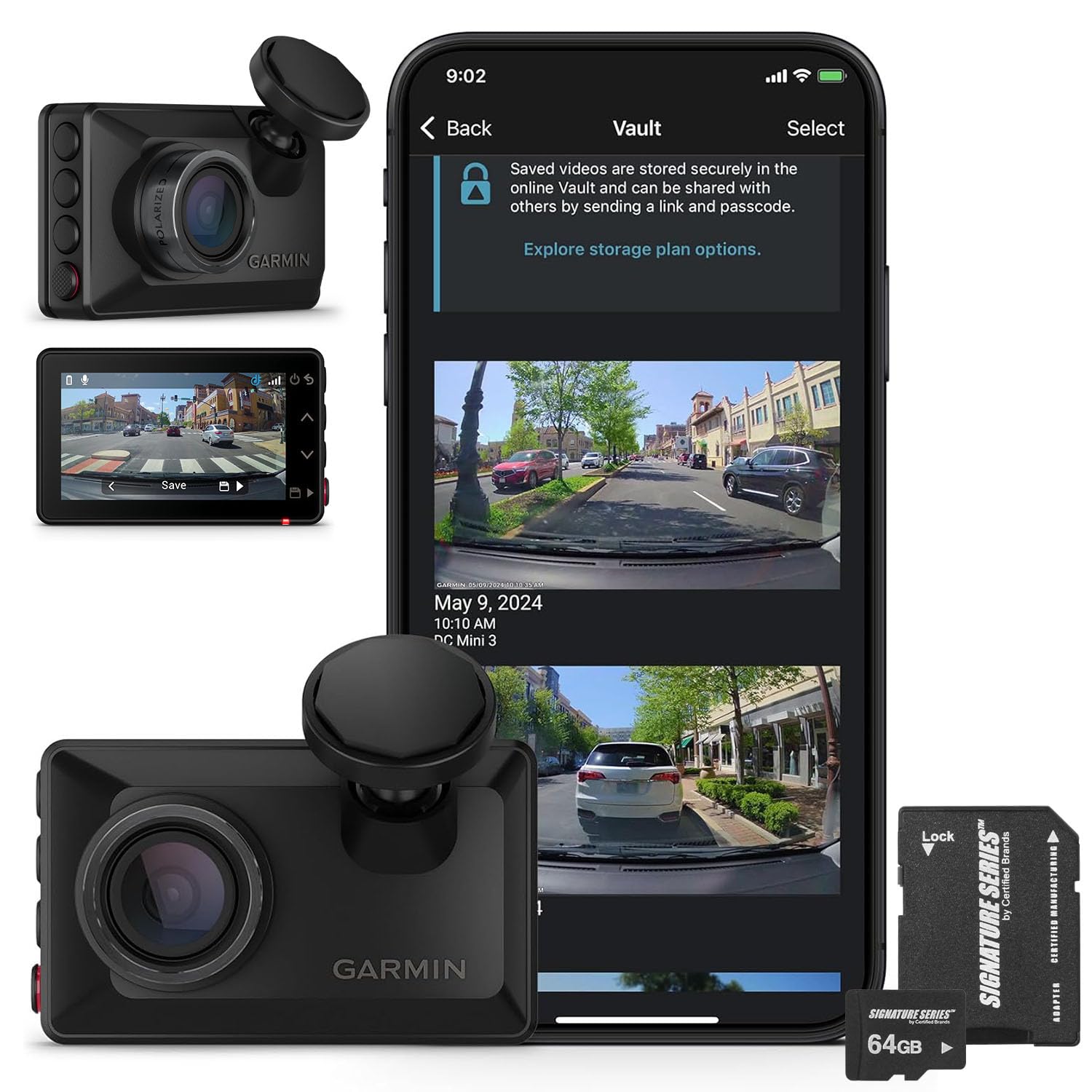
Bottom line: Garmin Dash Cam X210 is the practical middle option if you want sharper 1440p footage, GPS and an on-camera display without paying for 4K.
- Video resolution: 1440p, more detail than 1080p models
- Field of view: 140 degrees, matches the other current Garmin models here
- Display: 2.4-inch LCD, useful for setup and playback
- Storage: Linked bundle includes a 64 GB microSD card
- Remote access: Wi-Fi and Vault features use the Garmin Drive app
Garmin gives the X210 built-in GPS, the Clarity polarizer, voice control and automatic incident detection. That combination makes it a better fit than the Mini 3 when you want location data and a screen but do not need 4K capture.
The linked ASIN is a bundle built around Garmin model 010-02859-00 and a 64 GB microSD card. Because bundle contents can vary by seller, confirm the Amazon listing before ordering.
- 1440p recording adds detail over 1080p
- Built-in GPS adds location data to incident footage
- 2.4-inch display supports quick setup and playback
- Linked bundle includes a 64 GB microSD card
- Not as discreet as the screenless Mini 3
- No 4K recording or touchscreen
- Remote parking features still need power, Wi-Fi and eligible Vault service
3. Garmin Dash Cam X310

Bottom line: Garmin Dash Cam X310 is the choice for drivers who prioritize maximum recording resolution and direct touchscreen control in Garmin’s compact X-series body.
- Video resolution: 4K, highest resolution in this comparison
- Field of view: 140 degrees, wide forward coverage
- Display: 2.4-inch touchscreen, direct control and playback
- Storage: 8–512 GB Class 10 microSD required, not included
- Remote access: Wi-Fi and Vault features use the Garmin Drive app
The X310 keeps the X210’s compact format, GPS, polarizer and driver-assistance features, then adds 4K video and touchscreen operation. The higher resolution gives you more recorded image detail to inspect after an incident.
It still depends on a memory card for local recording, and Garmin specifies that the card is not included. Parking Guard and remote Live View also need the required app, network, subscription and continuous-power setup.
- 4K recording offers the most image detail here
- 2.4-inch touchscreen simplifies on-camera control
- Built-in GPS records speed and location data
- Clarity polarizer and 140-degree field of view
- Premium tier compared with Mini 3 and X210
- Compatible microSD card is required and not included
- Remote parking features are not always-connected LTE
4. Garmin Dash Cam Live

Bottom line: Garmin Dash Cam Live is the specialist pick if remote vehicle access matters more than maximum video resolution. Its LTE features require a subscription and depend on coverage.
- Video resolution: 1440p, clear HD recording for everyday evidence
- Field of view: 140 degrees, consistent with this Garmin lineup
- Display: 3-inch LCD, useful for alignment and settings
- Storage: 16 GB microSD included, supports up to 512 GB
- Remote access: LTE enables anywhere Live View with an eligible subscription
Dash Cam Live can provide remote Live View, vehicle location, theft alerts and Parking Guard notifications through LTE when the subscription and coverage requirements are met. It also records GPS location with incident footage.
Local recording does not depend on LTE, so the camera still works as a dash cam without those connected features. For parked monitoring, check your vehicle’s continuous-power needs before installation.
- LTE supports remote Live View and vehicle alerts
- 1440p recording with a 140-degree field of view
- Built-in GPS records location details
- Preinstalled 16 GB microSD card is included
- LTE remote features require a paid subscription
- Remote access depends on cellular coverage
- Larger display and connected hardware make it less discreet than Mini 3
Garmin Dash Cam Mini 3 vs Garmin Dash Cam X210: Is the Upgrade Worth It?
The Mini 3 prioritizes a hidden installation, while the X210 adds recording detail, GPS and a screen. The upgrade makes the most sense if those three features matter to you.
- Resolution: X210 records 1440p instead of Mini 3’s 1080p.
- GPS: X210 records location data; Mini 3 has no internal GPS.
- Display: X210 has a 2.4-inch LCD; Mini 3 has no screen.
- Size: Mini 3 is the better fit when keeping hardware out of sight is the priority.
Which Garmin Dash Cam Should You Buy?
- Smallest setup: get the Garmin Dash Cam Mini 3.
- 1440p plus GPS and a screen: get the Garmin Dash Cam X210.
- Highest recording resolution: get the Garmin Dash Cam X310.
- Remote LTE monitoring: get the Garmin Dash Cam Live.
How We Chose
- Video quality: I compared native recording resolution and the 140-degree field of view across the lineup.
- Usability: I weighed screen type, voice control, app dependence and how much hardware sits in your sightline.
- Evidence features: I checked GPS availability, incident detection and storage requirements against Garmin documentation.
- Connected features: I separated Wi-Fi and Vault features from Dash Cam Live’s LTE-based remote access.
- Verification: I checked current manufacturer pages, linked product variants and U.S. recall sources rather than relying on Amazon ratings.
Customer Preferences
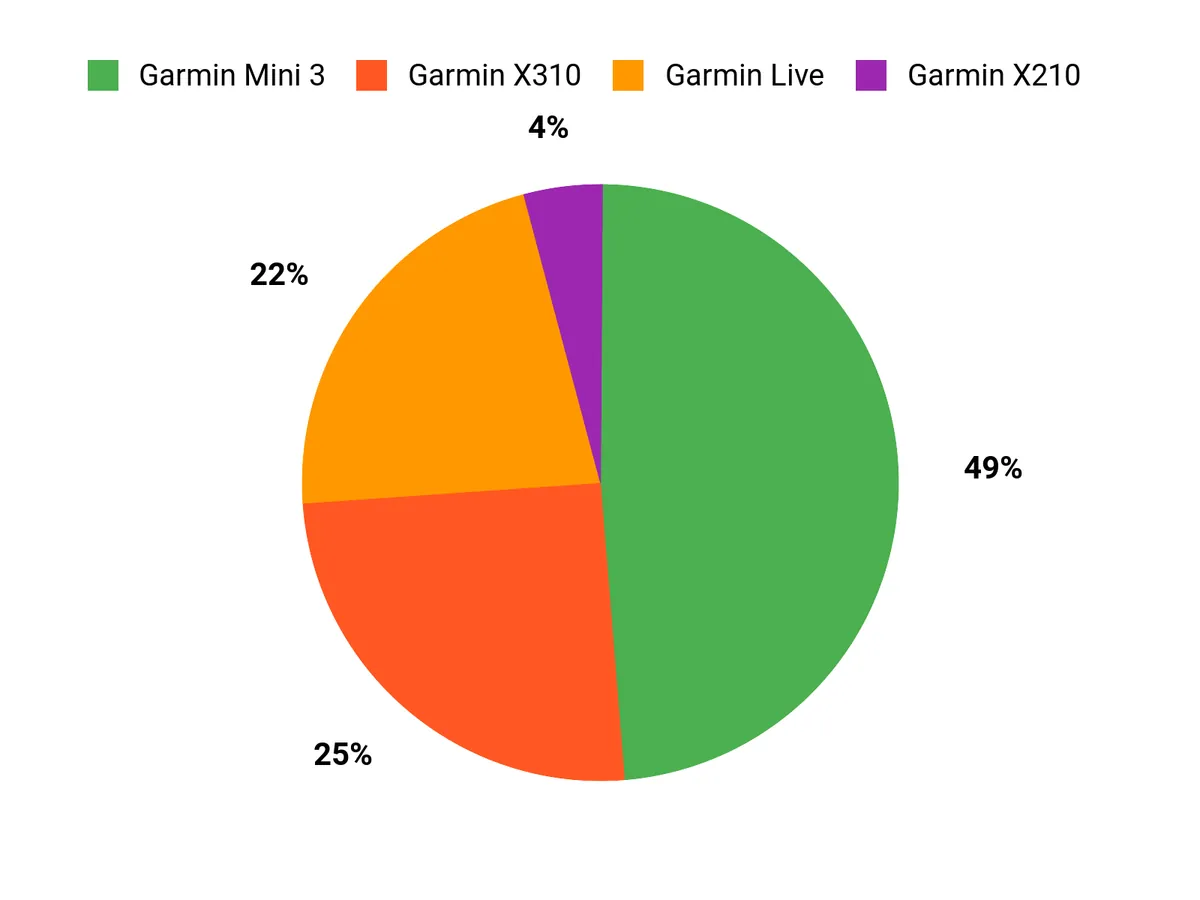
Your choice mainly comes down to discretion, recording resolution and remote access. Mini 3 minimizes windshield clutter, X210 adds useful midrange hardware, X310 prioritizes 4K detail, and Dash Cam Live is built around LTE-connected monitoring.
Garmin Dash Cam Buying Guide
Choose Resolution Around the Detail You Need
1080p is the starting point in this group, while 1440p and 4K store progressively more image detail. If compactness matters most, the Garmin Dash Cam Mini 3 keeps resolution modest. If you want Garmin’s highest resolution here, the Garmin Dash Cam X310 records in 4K.
Decide Whether You Want a Screen
A screen makes initial alignment and clip review easier, but it adds physical size. The Mini 3 skips the display for a more discreet installation. The X210 and X310 use 2.4-inch displays, while Dash Cam Live has a larger 3-inch display. Choose based on how often you want controls directly on the camera.
Know When GPS Matters
GPS adds location information to recorded incidents. Garmin specifically states that the Mini 3 does not have internal GPS, while the X210, X310 and Dash Cam Live do. If location metadata is important for your use case, start with the Garmin Dash Cam X210 or a higher model.
Plan Parking Monitoring and Power Together
Parking features are only useful when the camera has power after the vehicle is turned off. The Mini 3, X210 and X310 also rely on Wi-Fi and eligible Vault service for remote phone features. The Garmin Dash Cam Live adds LTE for remote access beyond a local Wi-Fi network.
Check Memory Card Requirements
Do not assume every dash cam includes storage. Garmin specifies compatible microSD requirements for the Mini 3 and X310, and the X310 card is not included. Dash Cam Live includes a preinstalled card. The linked X210 bundle is described as including a 64 GB card, but bundle contents should be checked before checkout.
Mistakes to Avoid When Buying a Dash Cam
- Buying only by resolution: consider size, GPS, display and remote access too.
- Ignoring power needs: parked monitoring usually needs a constant-power solution.
- Forgetting storage: confirm whether a compatible microSD card is included.
- Assuming all remote features are the same: Wi-Fi remote access and LTE monitoring have different requirements.
- Skipping local laws: check windshield-mounting, recording and privacy rules where you drive.
FAQs
Which Garmin dash cam should you choose?
Choose the Garmin Dash Cam Mini 3 if you want the smallest setup and can live without a screen or GPS. The X210 adds 1440p video, GPS and a 2.4-inch display. The X310 moves to 4K and touchscreen control, while Dash Cam Live is the model for LTE-based remote monitoring.
Does the Garmin Dash Cam Mini 3 have GPS?
No. Garmin states that the Dash Cam Mini 3 does not have internal GPS. It records incident video with date and time, but it does not add GPS speed and location data to the footage. If GPS metadata matters to you, the X210, X310 or Dash Cam Live is the better match.
Do Garmin dash cams require a subscription?
No subscription is required for normal local recording. Paid Vault features are optional on the Mini 3, X210 and X310, but remote Wi-Fi features such as Parking Guard notifications and Live View have extra requirements. Dash Cam Live needs an active LTE Vault subscription for its anywhere-access LTE features.
What memory card do these Garmin dash cams use?
The Mini 3 and X310 accept compatible Class 10 microSD cards from 8 GB to 512 GB, and the camera needs a card to record. The linked X210 bundle is described as including a 64 GB card. Dash Cam Live includes a preinstalled 16 GB card and supports cards up to 512 GB.
Can Garmin dash cams record while the car is parked?
Yes, compatible Garmin models support Parking Guard, but parked monitoring needs continuous power. On the Mini 3, X210 and X310, phone notifications also require the Garmin Drive app, an active Wi-Fi connection and a paid Vault subscription. Dash Cam Live uses LTE for its remote parking notifications when its subscription and coverage requirements are met.
What is the main difference between the Garmin X210 and X310?
The X210 records up to 1440p and uses a 2.4-inch display, while the X310 records up to 4K and adds touchscreen control. Both use a 140-degree field of view, include Garmin’s Clarity polarizer, have GPS and work with the Garmin Drive app and compatible Vault features.
Can Garmin Dash Cam Live work without LTE?
Yes. Dash Cam Live can still record video locally without an LTE subscription. LTE is what enables anywhere-access features such as remote Live View, location tracking, theft alerts and remote Parking Guard notifications. Those connected features also depend on LTE coverage and a suitable continuous-power setup when the vehicle is parked.
Final Verdict
For the broadest mix of discretion, useful video quality and straightforward daily recording, the Garmin Dash Cam Mini 3 is the strongest all-around choice in this Garmin dash cam comparison. Move up only when you know you need GPS, a screen, 4K or LTE monitoring.
The Garmin Dash Cam X210 is the value step-up, while the Garmin Dash Cam X310 is the premium pick for 4K recording.
| Product Name | Image | Video Capture Resolution | Field Of View | Display |
|---|---|---|---|---|
| Garmin Dash Cam™ Mini 3 |
|
1080p HD | 140 degrees | No built-in display |
| Garmin Dash Cam X210 |
|
1440p HD | 140 degrees | 2.4-inch LCD |
| Garmin Dash Cam™ X310 |
|
4K Ultra HD | 140 degrees | 2.4-inch touchscreen |
| Garmin Dash Cam™ Live |
|
1440p HD | 140 degrees | 3-inch LCD |

