
The best smart glasses split into two clear types: wearable displays and everyday camera-and-audio glasses. If you want a private screen for travel, gaming, or portable work, XREAL One Pro is our best overall pick because it combines a 57-degree display with native 3DoF. For a lower-priced everyday option, Ray-Ban Meta (Gen 1) Wayfarer adds hands-free capture, audio, calls, and Meta AI.
We compared current manufacturer specifications, the exact linked product variants, compatibility needs, owner-feedback patterns, and safety information rather than claiming hands-on testing.
Best Smart Glasses Compared
| Product | Best for | Visual hardware | Power | Connection |
|---|---|---|---|---|
|
Premium
|
Immersive display, gaming, and portable work | 57° FoV, 1080p Micro-OLED, up to 120Hz | Powered by the connected device | USB-C DisplayPort; some devices need an adapter |
|
Mid-range
|
Hands-free photos, audio, calls, and Meta AI | 12 MP camera, open-ear speakers, five-mic array | Up to four hours of moderate use plus charging case | Bluetooth and Wi-Fi with compatible phone and app |
Best Smart Glasses: Our Top Picks
Bottom line: XREAL One Pro is the stronger choice when you want a large private screen instead of camera-first smart glasses. It suits travel, gaming, and portable work if your source device can send compatible video.
- Core function: Wearable virtual display, built for screen-first use
- Visual hardware: 57° FoV, 1080p Micro-OLED, up to 120Hz
- Power: No built-in battery, draws power from your source
- Connection: USB-C DisplayPort, adapters needed for some hardware
- Audio: Sound by Bose, useful without separate headphones
The X1 chip handles native 3DoF in the glasses, so you can anchor the virtual screen instead of having it follow every head movement. That is the main reason this model stands out for movies, handheld gaming, and temporary work setups.
Direct use is simplest with devices that send DisplayPort video over USB-C. Some consoles and HDMI-only devices need an XREAL accessory or adapter, and the connected source supplies the glasses with power.
Fit matters more here than with ordinary eyewear. XREAL sells two physical IPD ranges, and the One Pro weighs 87 g. Check your IPD, prescription needs, and device connection before ordering, especially if you plan to read small text for long sessions.
Feedback Summary Note
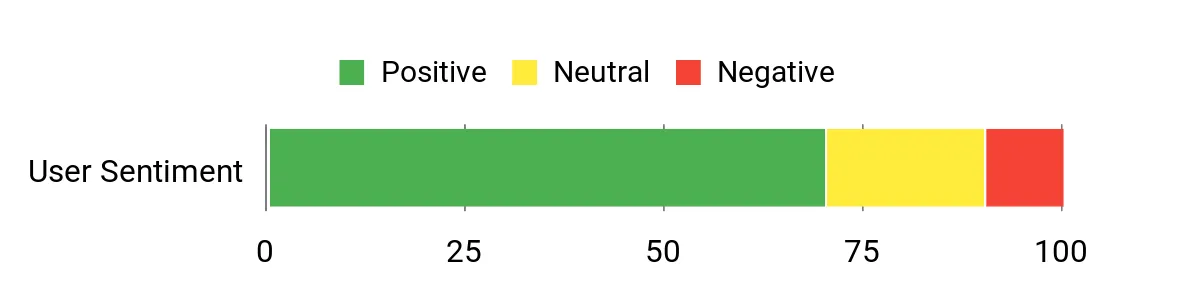
The source article included the sentiment graphic below without a review sample, source list, or methodology. We kept it for continuity, but it is not used as verified customer-research evidence.
- 57-degree field of view with a 1080p Micro-OLED display
- Native 3DoF screen anchoring through the X1 chip
- Refresh rate up to 120Hz
- Two physical IPD ranges plus software IPD adjustment
- Needs a wired source and may require an adapter
- Draws power from the connected device
- Some owners report fit-sensitive text blur or edge softness
Bottom line: Ray-Ban Meta (Gen 1) Wayfarer is the better fit when you want hands-free photos, audio, calls, and Meta AI in familiar-looking eyewear. It does not have an in-lens display.
- Core function: Camera, audio, calls, and voice-first AI
- Visual hardware: 12 MP camera, 3024×4032 photos, 1440×1920 video
- Power: Up to four hours moderate use, case adds recharges
- Connection: Wi-Fi 6 and Bluetooth 5.2, phone and app required
- Audio: Two open-ear speakers and five-mic array
The linked Amazon ASIN is a Gen 1 Large Wayfarer in Matte Black with Transitions lenses. Its 12 MP camera handles point-of-view photos and video, while the open-ear speakers and microphones support music, calls, voice control, and Meta AI.
Ray-Ban lists 32 GB of storage and rates Gen 1 for up to four hours of moderate use. Setup and many smart features rely on a compatible smartphone, wireless internet, a Meta account, and the Meta AI app.
Gen 2 is now the newer Ray-Ban Meta generation, with longer rated battery life and higher-resolution video. The Gen 1 link still suits buyers who specifically want this older configuration, but confirm the generation, frame size, and lens type before checkout.
Feedback Summary Note
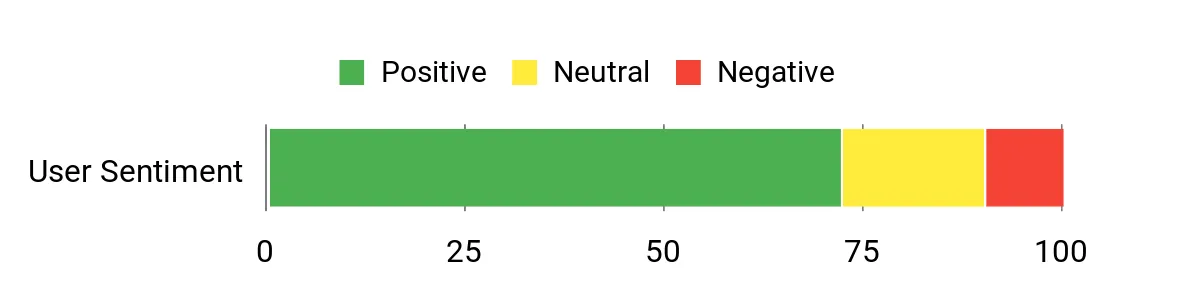
The source article included the sentiment graphic below without a review sample, source list, or methodology. We kept it for continuity, but it is not used as verified customer-research evidence.
- 12 MP hands-free camera for photos and video
- Open-ear speakers keep your ears uncovered
- Five-mic array supports calls and voice controls
- Familiar Wayfarer styling for everyday wear
- No visual display or virtual monitor
- Gen 1 battery is rated for up to four hours of moderate use
- Many smart functions depend on a paired phone and app
XREAL One Pro vs Ray-Ban Meta (Gen 1) Wayfarer: Is the Upgrade Worth It?
These products are not direct upgrades to each other. The XREAL One Pro costs more because it is built around an immersive display, while Ray-Ban Meta focuses on capture, audio, and voice-first features.
- Visual output: XREAL gives you a 57-degree virtual display; Ray-Ban Meta has no in-lens screen.
- Capture: Ray-Ban Meta includes a 12 MP camera; the base XREAL One Pro is display-first hardware.
- Power: XREAL uses your connected device; Ray-Ban Meta has its own rechargeable battery and case.
- Setup: XREAL may need cables or adapters; Ray-Ban Meta relies more on a phone, app, and wireless connection.
Which Smart Glasses Should You Buy?
- Movies and private viewing: get the XREAL One Pro.
- Handheld or laptop gaming: get the XREAL One Pro after checking video output.
- Portable monitor use: get the XREAL One Pro if your work tolerates wearable-display optics.
- Hands-free photos and short videos: get the Ray-Ban Meta (Gen 1) Wayfarer.
- Open-ear audio, calls, and voice AI: get the Ray-Ban Meta (Gen 1) Wayfarer.
How We Chose
- Core purpose: We separated screen-first glasses from camera-and-audio smart glasses so unlike products are not scored as direct substitutes.
- Verified hardware: We checked manufacturer specifications for display, camera, audio, power, fit, storage, and connectivity.
- Compatibility: We prioritized what you must connect, install, charge, or measure before the glasses work as intended.
- Real-world patterns: We used owner trends only when the same strength or complaint appeared across more than one independent source.
- Safety and freshness: We checked current generations and recall information before keeping a product as a recommendation.
Safety and privacy: Do not use a visual display while driving or during any task that requires full attention. With camera glasses, respect bystanders, private-property rules, workplace policies, venue rules, and local recording laws.
Smart Glasses Buying Guide
Decide Whether You Need a Display or a Camera
This choice should come first. A display-first model such as the XREAL One Pro puts a virtual screen in front of you. The Ray-Ban Meta (Gen 1) Wayfarer has no display; it is built around capture, audio, calls, and voice interaction.
Check Compatibility Before You Order
XREAL works most directly with devices that output DisplayPort video through USB-C. HDMI sources and some consoles can require an adapter or hub. Ray-Ban Meta instead needs a compatible smartphone, wireless internet, a Meta account, and the Meta AI app for setup and many connected functions.
Plan for Power and Charging
XREAL One Pro has no built-in battery, so your source device powers it through the cable. Ray-Ban Meta has its own rechargeable battery and a charging case. If you record often, take long calls, or stream audio for hours, plan to return the Ray-Ban glasses to their case during the day.
Measure Fit, IPD, and Prescription Needs
For display glasses, optical alignment directly affects how clear the image looks. XREAL One Pro comes in two IPD ranges, so measure before buying. Ray-Ban Meta is sold in different frame sizes and lens configurations. Prescription options exist for both ecosystems, but the exact solution depends on your prescription and product variant.
Think About Privacy and App Dependence
Camera glasses can be convenient, but they also require careful recording etiquette. Review app permissions, account security, and local rules before using them around other people. For display glasses, privacy is more about what is visible to you, but you still need safe use in public spaces and around traffic.
Mistakes to Avoid When Buying Smart Glasses
- Buying the wrong type: do not expect camera glasses to act like a virtual monitor.
- Skipping device checks: confirm USB-C video, adapters, phone support, and required apps first.
- Ignoring fit: verify IPD, frame size, nose fit, and prescription needs before ordering.
- Assuming all generations match: confirm whether the listing is Gen 1, Gen 2, or another model.
- Overlooking privacy: learn recording rules and keep camera indicators unobstructed.
FAQs
Which Is Better, XREAL One Pro or Ray-Ban Meta?
Choose the XREAL One Pro if your priority is a wearable display for movies, gaming, or portable-screen work. Choose the Ray-Ban Meta (Gen 1) Wayfarer for hands-free photos, open-ear audio, calls, and Meta AI. They solve different problems, so the better choice depends on whether you need a screen in front of your eyes.
Do These Smart Glasses Work Without a Phone?
The XREAL One Pro does not need a phone specifically, but it does need a compatible video source that supplies power, such as a USB-C DisplayPort laptop, handheld, or supported phone. Ray-Ban Meta needs a compatible smartphone and Meta AI app for setup and many smart functions, though some capture and audio controls run from the glasses.
Does XREAL One Pro Have a Battery?
No. The XREAL One Pro has no built-in battery. It draws power from the connected device through its cable, and it shuts down when disconnected. That removes a separate glasses-charging routine, but it also means longer sessions can use your phone, handheld, or laptop battery faster than normal.
How Long Does Ray-Ban Meta Gen 1 Battery Last?
Ray-Ban rates the Gen 1 glasses for up to four hours of moderate use and up to three hours of continuous audio streaming and voice assistance. Real runtime varies with recording, calls, audio, AI use, connectivity, and temperature. The charging case lets you top up the glasses between sessions.
Can I Use Prescription Lenses?
Yes, but the route differs by product. XREAL One Pro includes a prescription frame and is sold in two IPD size ranges, so measure your IPD before ordering. Ray-Ban Meta Wayfarer supports prescription options in eligible lens and frame configurations. Check the exact Amazon variant because lens type and frame size can differ.
Do Ray-Ban Meta Glasses Have a Display?
No. The Ray-Ban Meta (Gen 1) Wayfarer does not project text, maps, movies, or other visual overlays into your field of view. Its smart features are built around the camera, open-ear speakers, microphones, touch and voice controls, phone connectivity, and Meta AI. For an actual wearable screen, the XREAL One Pro is the relevant pick here.
Are Smart Glasses Private and Secure?
Treat smart glasses like other connected devices. Review app permissions, keep firmware and account security current, and understand what cloud-based features use. With camera glasses, never cover the recording indicator and follow local laws, workplace rules, venue policies, and bystander expectations. With display glasses, avoid use while driving or during tasks that need full attention.
Final Verdict: Best Smart Glasses for Two Different Jobs
The best smart glasses here depend on whether you want a display or an everyday camera-and-audio wearable. XREAL One Pro is our best overall for immersive screen use, while Ray-Ban Meta (Gen 1) Wayfarer is our best value for hands-free capture, calls, audio, and Meta AI.
For the best value, see Ray-Ban Meta (Gen 1) Wayfarer; for a premium wearable display, stick with XREAL One Pro.
| XREAL One Pro AR Glasses | Ray-Ban Meta (Original Generation) | |
|---|---|---|
 |
 |
|
| Core Function | Wearable virtual display | Camera, open-ear audio, calls, and AI |
| Key Highlights |
|
|
| Connectivity |
|
|
| Power | Powered by the connected source device | About four hours of mixed use plus charging-case recharges |
| Best For | Movies, gaming, travel, and portable productivity | Hands-free capture, audio, calls, and AI assistance |
| Check Price on Amazon | Check Price on Amazon |
